BlogEverything you need to know about DocSend in 2026. Yes/No?
Everything you need to know about DocSend in 2026. Yes/No?
·11 min de lecture
Marc Seitz
What is DocSend?
DocSend is a web-based document management platform that lets users share and track sensitive documents securely. Its interface is designed to make document sharing and analytics simpler and more efficient, without requiring advanced technical skills.
In essence, DocSend aims to reduce friction in document sharing workflows, improve team collaboration, and increase overall productivity through detailed engagement tracking.
What is DocSend used for?
DocSend can be used in multiple ways to grow your company, but we'll focus on these primary use cases:
Secure Document Sharing – Protecting sensitive business documents
Document Analytics and Tracking – Understanding viewer engagement
Virtual Data Room Management – Organizing due diligence materials
DocSend's main use case: Secure Document Sharing
DocSend excels at secure document sharing through:
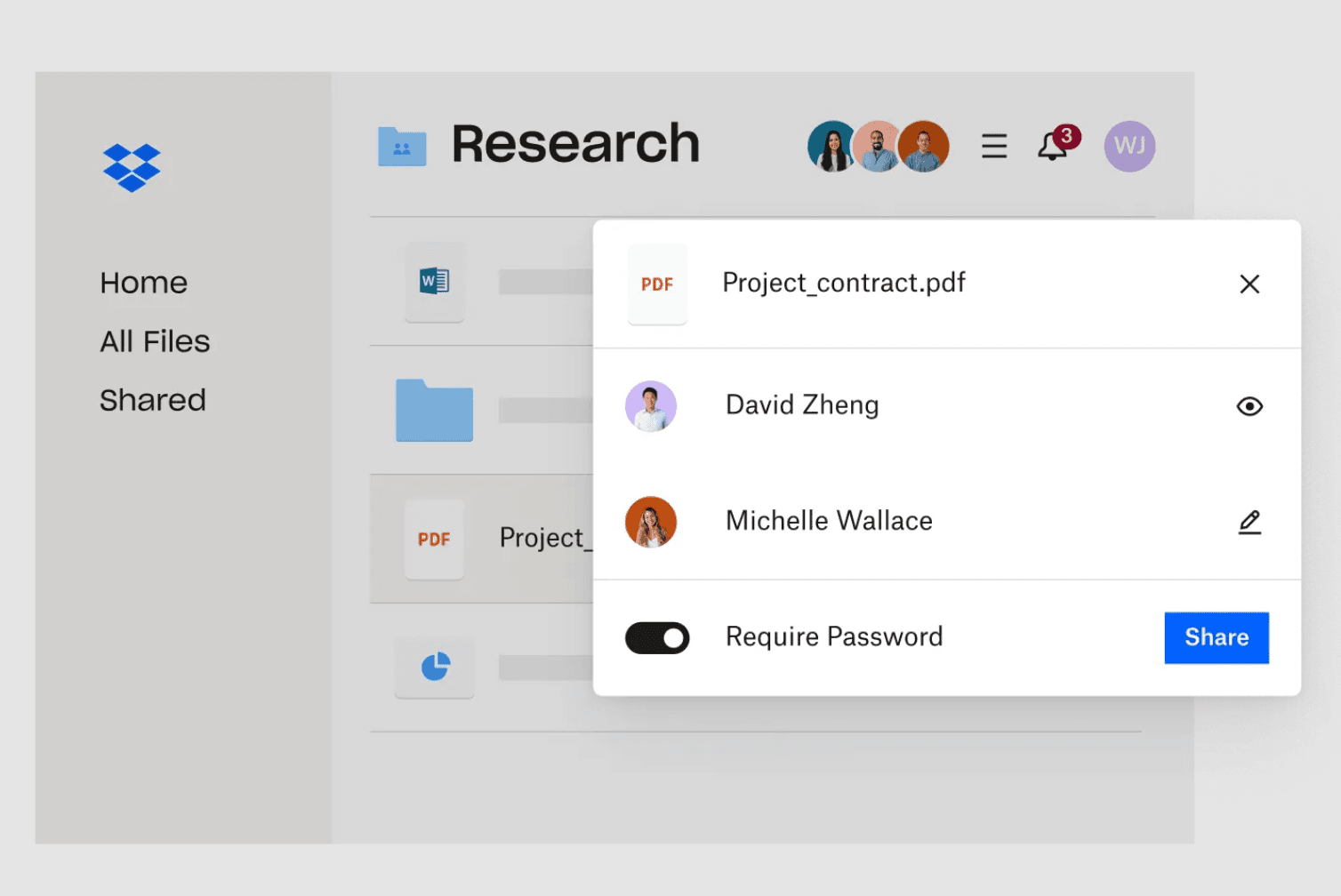
Access Control: Password protection and email verification ensure only authorized viewers can access documents.
Link Management: Set expiration dates and revoke access instantly for better control.
Viewer Verification: Require email verification before document access.
Basic Watermarking: Add simple watermarks to protect document content.
Note: DocSend has limitations on file types, primarily supporting PDFs, which might restrict versatility for some users.
DocSend's main use case: Document Analytics
DocSend handles document analytics through:
Customization: Limited options for customizing analytics views
Integrations: Basic integration with Salesforce and other platforms
Collaboration: Team members can access shared analytics dashboards
The platform provides:
Basic page view tracking
Time spent on documents
Simple visitor information
Basic engagement metrics
DocSend's main use case: Virtual Data Rooms
DocSend's virtual data room functionality includes:
Security measures: Basic encryption and access controls
Workflow automation: Simple document organization and sharing
Activity reporting: Basic logs of document access and actions
Docsend company details and funding
DocSend, founded in San Francisco in 2013, is a secure document sharing and tracking platform that has become a valuable tool for companies to manage and track their important documents. The company was acquired by Dropbox in March 2021 for $165 million, marking a significant milestone in its journey.
Before its acquisition, DocSend raised a total of $15.3 million over four funding rounds, with the last round of funding occurring on July 30, 2019. This round was a Venture - Series Unknown. The platform has been funded by 12 investors, with FinRebel and Singh Capital Partners being among the most recent ones.
Is DocSend owned by Dropbox?
Yes, DocSend is owned by Dropbox. In March 2021, Dropbox acquired DocSend to enhance its suite of tools for secure document sharing and collaboration. This acquisition allows Dropbox to integrate DocSend's advanced document analytics and tracking capabilities with its existing file storage and sharing solutions, providing a more comprehensive platform for managing and sharing documents securely.
Docsend acquisition by Dropbox
In 2021, Dropbox, a big company for storing files online, bought DocSend for $165 million. Drew Houston, Dropbox CEO, highlighted the goal to provide a comprehensive suite of products for managing critical document workflows. DocSend's co-founder, Russ Heddleston, emphasized their focus on unique document-sharing workflows that users highly value.
Why to use document sharing platform?
Using document sharing platforms offers several benefits, including enhanced security for sensitive information, the ability to track document engagement and insights in real-time, and streamlined collaboration among team members or with external parties. These platforms facilitate efficient document management, enabling users to control access, monitor document activity, and gather data to improve communication and decision-making processes. They support a more organized and productive workflow, making it easier to share and collaborate on documents without the risks associated with traditional file-sharing methods.
DropBox DocSend features in 2026
Document Sharing: Share documents with enhanced security.
Integrations: Connect with Salesforce, Dropbox, etc.
Document Analytics: Gain insights into viewer engagement.
Version Control: Update documents without changing shared links.
Limited File Types: Primarily supports PDFs, which might limit versatility for some users.
Limited Free Version: The free version of DocSend offers limited features, which might not meet the needs of users looking for comprehensive document management capabilities without a financial commitment.
Complexity for New Users: New users may find the platform's wide array of features and options overwhelming, leading to a steeper learning curve compared to simpler document sharing services.
High DocSend Pricing: The cost of advanced features and plans can be prohibitive for startups and small businesses with tight budgets, making it less accessible for all sizes of companies.
Integration Learning Curve: While DocSend integrates with various platforms like Dropbox and Salesforce, setting up and optimizing these integrations may require time and technical knowledge, potentially slowing down initial adoption.
Complexity for New Users: New users may find DocSend's wide array of features overwhelming, leading to a steeper learning curve.
Poor UI: Some find DocSend's user interface less intuitive, complicating navigation and document management.
Lack of Customization: DocSend might offer limited options for personalizing the document sharing experience.
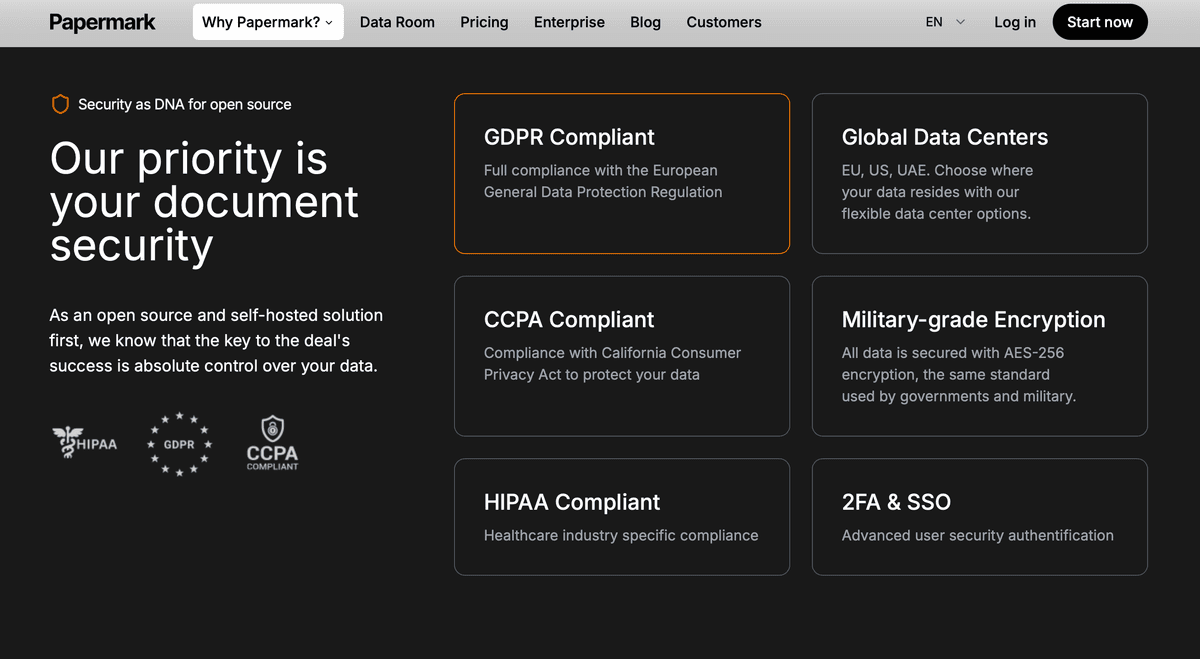
Inability to Self-Host: Users cannot host DocSend on their own servers like other open source DocSend alternative, limiting control over data security.
Wrong Charges for Lack of Use: There might be instances where DocSend charges users even when the service is not actively used.
Lack of Customer Support: Some users report inadequate customer support from DocSend, making issue resolution challenging.
DocSend's security might be seen as less robust by some users because it cannot be self-hosted and it is not open source. Self-hosting allows for greater control over data security and compliance with internal policies, which is not possible with DocSend. Being open source allows for community auditing of the code for vulnerabilities, enhancing trust and security. Without these options, users must rely solely on DocSend's own security measures, which might not align with all organizations' specific security standards or preferences.
limiting control over data.
"You can still use Paperamrk hosted version, the fact that source code is open gurantee security"
Papermark team listens to their users and build what they need. Thanks for solving a big pain point. Docsend monopoly will end soon!
Jaski
Founder
DocSend lack of custom domain
In Dropbox DocSend, the option for a custom URL or custom subdomain is not available, which means users cannot brand their shared document links with their own domain. This limitation affects businesses aiming for a cohesive brand experience, as they cannot utilize DocSend custom URLs or subdomains for document sharing, impacting brand visibility and the seamless integration of DocSend into their branded communications and materials.
DocSend doesn't protect from downloads
Enhanced Security Against Downloaders: Unlike DocSend, Papermark documents are protected from unauthorized downloading tools for three key reasons:
Different API Target: Download tools typically target DocSend's specific links and API, not Papermark's infrastructure
Page-by-Page Loading: We only load the specific page that the visitor is currently viewing, preventing bulk downloads
Context Restrictions: Right-click and other context menu actions are restricted when pages are loaded
DocSend's vulnerability to third-party downloading tools compromises document security and defeats the purpose of controlled document sharing. With Papermark, your sensitive documents remain protected from unauthorized extraction.
DocSend links access not kept
When using DocSend, you risk losing access to your shared documents if:
Platform Changes: DocSend can modify their service or pricing without notice
Account Issues: Billing problems or account suspension can make your links inaccessible
Service Discontinuation: As a proprietary service, DocSend could be discontinued or acquired
No Self-Hosting: You cannot maintain your own instance for guaranteed access
With Papermark's open-source approach and custom domain support, you maintain complete control over your document links and ensure they remain accessible regardless of external factors.
"Never lose access to your documents by using custom domains in Papermark and redirecting files instead"
How much does DocSend cost?
DocSend operates on a paid subscription model with no free plan available, only offering a 14-day free trial to test the platform. This means users must commit to a paid plan to continue using the service after the trial period ends.
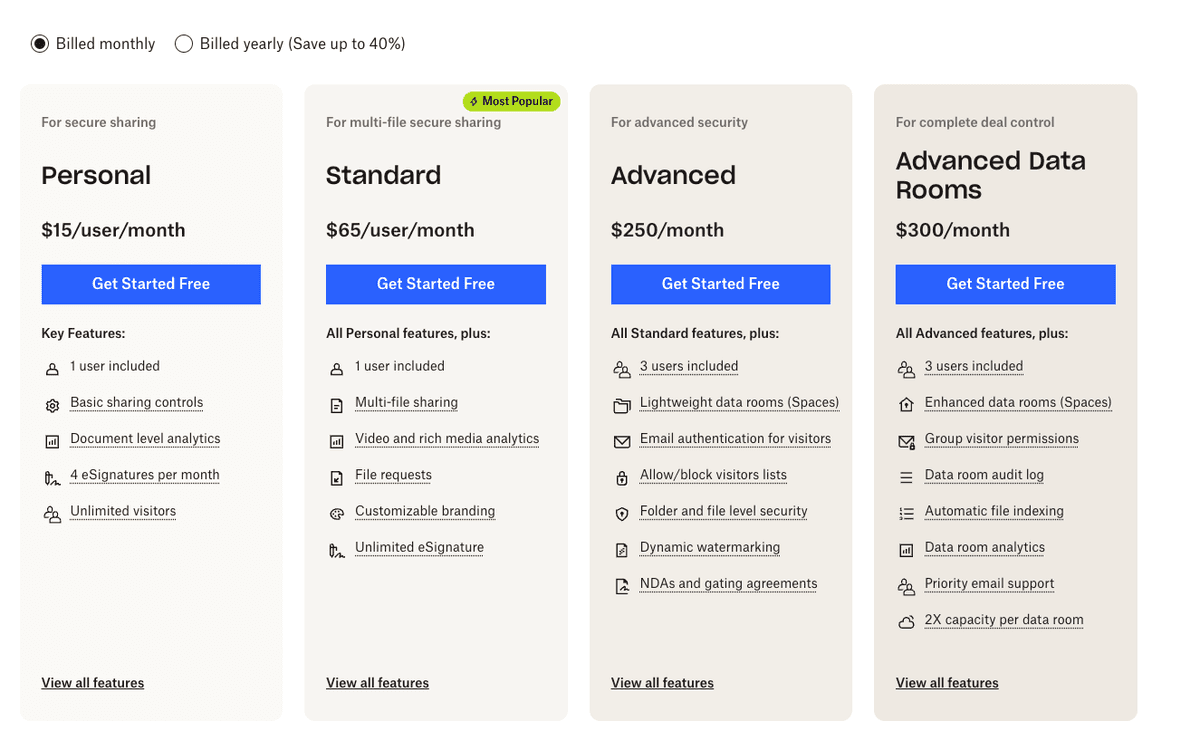
The pricing structure ranges from $15 per user per month for basic features up to $300 per month for advanced data room capabilities. Unlike many modern document sharing platforms, DocSend requires a financial commitment from day one after the trial, which can be a barrier for startups, individual founders, or small teams looking to test document sharing solutions without upfront costs.
DocSend offers four pricing tiers, suitable for different business sizes and needs:
DocSend pricing explained
DocSend's pricing structure represents a significant investment, especially when compared to modern alternatives that offer free plans or self-hosted options. The absence of a permanently free tier means that even users with basic needs must commit to at least $15 per month, creating a barrier to entry for individuals and small teams testing document sharing solutions.
The pricing escalates quickly as teams grow. While the Personal plan at $15/user/month covers basic document sharing and analytics, most businesses will find themselves needing the Standard plan at $65/user/month for essential features like multi-file sharing and customizable branding. This represents over 4x the cost of the entry-level plan, making it a substantial jump for small teams.
For organizations requiring data room functionality, the Advanced and Advanced Data Rooms plans at $250-$300/month include only 3 users, meaning additional users come at a premium cost. The lack of self-hosting options also means companies with strict data sovereignty requirements or those wanting full control over their infrastructure have no alternative within DocSend's ecosystem.
The four-tier structure breaks down as follows: The Personal Plan ($15/user/month) provides individual users with basic document sharing and analytics capabilities. The Standard Plan ($65/user/month) is DocSend's most popular tier, offering multi-file sharing and customizable branding for professionals and small teams. The Advanced Plan ($250/month) includes lightweight data rooms for up to 3 users with enhanced security features like dynamic watermarking. Finally, the Advanced Data Rooms plan ($300/month) is tailored for complete deal control with enhanced data rooms and priority support for 3 users.
Personal: $15/user/month
1 user included
Basic sharing controls
Document level analytics
4 eSignatures per month
Unlimited visitors
Standard (Most Popular): $65/user/month
1 user included
Multi-file sharing
Video and rich media analytics
File requests
Customizable branding
Unlimited eSignature
Advanced: $250/month
3 users included
Lightweight data rooms (Spaces)
Email authentication for visitors
Allow/block visitors lists
Folder and file level security
Dynamic watermarking
NDAs and gating agreements
Advanced Data Rooms: $300/month
3 users included
Enhanced data rooms (Spaces)
Group visitor permissions
Data room audit log
Automatic file indexing
Data room analytics
Priority email support
2X capacity per data room
DocSend Dropbox Data Room Feature
The limitations of DocSend's data rooms often include restrictions on the amount of storage, the number of data rooms you can create, and access to advanced features based on the pricing plan chosen. Specific capabilities like customization, advanced security settings, and analytics might also vary by plan, impacting how users can manage and share sensitive information within these virtual data rooms. For precise details on these limitations, it's advisable to review the service's pricing and feature breakdown directly on DocSend's official website.
Docsend Screenshot Protection and Tracking
While DocSend doesn't effectively track or prevent screenshots, Papermark offers robust screenshot protection features. Learn more about how to protect your PDF from screenshots.
Key Differences:
DocSend: No native screenshot detection or prevention
Papermark:
Active screenshot prevention
Screenshot attempt notifications
Cross-platform protection
Custom watermarking
Device-specific tracking
DocSend Analytics Limitations
While DocSend offers basic analytics, there are several limitations to consider when tracking document engagement:
Basic Analytics Features in DocSend
Page view counting
Time spent on document
Basic visitor information
Simple engagement metrics
Papermark provides comprehensive analytics that go beyond DocSend's capabilities:
Real-time page-by-page analytics
Precise viewing duration
Screenshot attempt detection
Protection from Downloading
Print attempt monitoring
Access log history on lower plans
Access to advanced analytics in Data Rooms
FAQ
How to download a Docsend file?
Docsend does not support direct downloading of files; instead, recipients view documents in a webviewer. There are 3rd party tools exists which allow to download Docsend files.
Is Docsend free?
No, Docsend is not free, it offers a free 14 days trial, but it primarily operates on a subscription-based model with various pricing plans.
To cancel Docsend, navigate to the account settings, select the subscription tab, and follow the prompts to cancel your plan.
Does DocSend track screenshots?
No, DocSend doesn't track or prevent screenshots effectively. For better screenshot protection, Papermark offers advanced features including screenshot prevention, attempt tracking, and instant notifications. Learn more about protecting your documents from screenshots in our dedicated guide.
How can I prevent screenshots of my documents?
While DocSend has limited screenshot prevention, Papermark offers comprehensive protection:\n1. Active screenshot blocking\n2. Dynamic watermarking\n3. Screenshot attempt notifications\n4. Device-specific tracking\n5. Custom protection rules
What happens if someone tries to screenshot my document?
With Papermark's screenshot protection:\n1. The attempt is blocked\n2. You receive instant notifications\n3. The event is logged in analytics\n4. Custom watermarks appear\n5. Access can be automatically revoked
How do DocSend analytics compare to Papermark?
While DocSend offers basic analytics, Papermark provides more comprehensive insights including:\n1. Real-time engagement tracking\n2. Advanced security analytics\n3. Detailed viewer profiles\n4. Custom reporting options\n5. Team collaboration features
Can I track who viewed my document?
Yes, Papermark offers detailed viewer tracking that shows:\n1. Viewer identity and email\n2. Time spent on each page\n3. Geographic location\n4. Device information\n5. Company details
What analytics are available in the free version?
Papermark's free version includes all analytics features:\n1. Full engagement tracking\n2. Security analytics\n3. Viewer profiles\n4. Custom reports\n5. Historical data
Conclusion
DocSend is a platform for businesses looking for secure and efficient document management solutions founded more than 10 years ago. Its detailed tracking, security features, and seamless integrations make it a valuable tool for various professional needs. However, there are limitations for the 2026which could be covered by more modern and secure document sharing platform.