
Using AI agent for data rooms
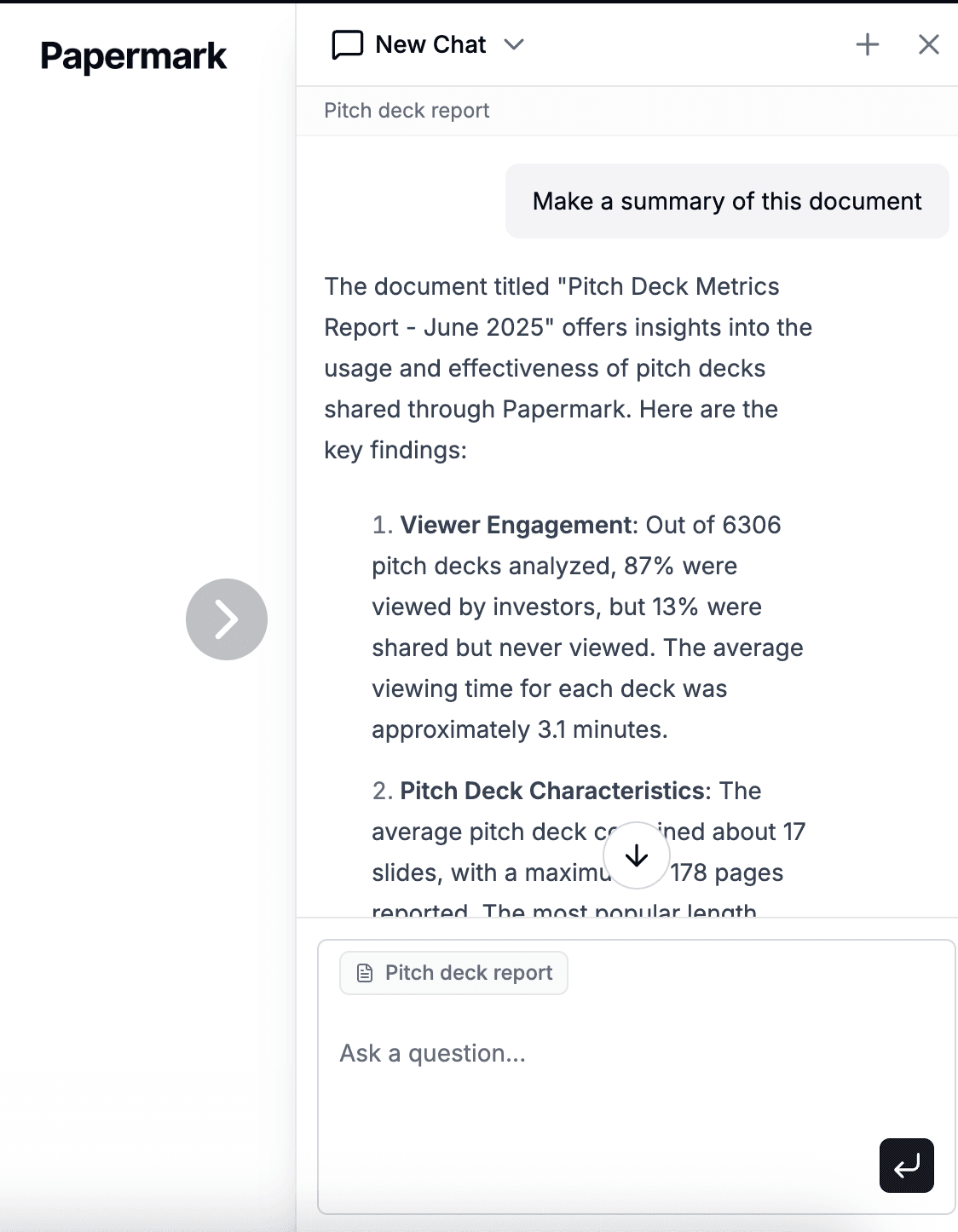
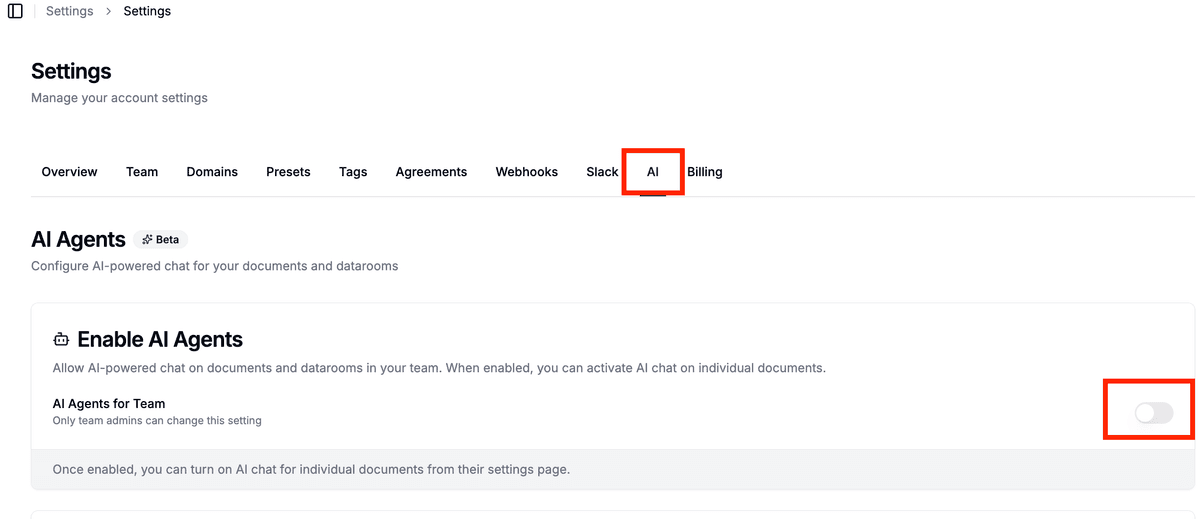
Note: You can enable Papermark AI in settings at https://app.papermark.com/settings/ai.
Papermark AI provides a powerful AI agent for data rooms that lets you interact with all documents in your data room. Instead of manually searching through hundreds of pages, you can ask questions, request summaries, and extract key information from your entire data rooms.
What is an AI agent for data rooms?
An AI agent for data rooms is a specialized assistant that can access all documents in your Papermark data room. You can ask questions that span multiple documents and folders, and receive answers grounded in the actual content of your data room.
How to enable the AI agent for data rooms
- Go to settings – Navigate to https://app.papermark.com/settings/ai in your Papermark account.
- Enable Papermark AI – Make sure Papermark AI is enabled for your workspace.
- Open your data room – Navigate to a data room link or folder you want to analyze.
- Open the AI sidebar – Click the AI icon to open the chat assistant.
Recent improvements
The data room AI agent has been significantly upgraded:
- Faster responses: reduced latency for queries across large data rooms with hundreds of documents
- Better cross-document context: improved accuracy when answering questions that span multiple files and folders
- Enhanced citation: more precise source references, including the document name, folder path, and page number
- Expanded document support: better handling of complex PDFs, multi-sheet spreadsheets, and presentations
These improvements apply automatically across every data room. No setting changes are required.
Main features of the AI agent for data rooms
Ask questions across multiple documents
The AI agent can answer questions that span multiple documents in your data room. Examples:
- "What are the key risks in this data room?"
- "How do the financial metrics compare to projections?"
- "Which contracts contain unusual clauses?"
Every answer includes citations back to specific documents and pages, so you can verify everything quickly.
Create summaries
Ask the AI agent to create summaries for different purposes:
- Due diligence summaries – Structured overviews with key findings, risks, and open questions.
- Investment memos – Comparative analyses of CIMs and pitch decks.
- Compliance overviews – Mapping policies to regulatory frameworks.
Compare documents
The AI agent can compare multiple documents in your data room:
- Compare contract language against your standard playbooks.
- Identify differences between multiple CIMs or pitch decks.
- Find deviations in compliance documents.
See Papermark AI agent for data rooms in action
Use cases
| Team | Use case | Description |
|---|---|---|
| M&A teams | Accelerate due diligence | Ask questions across entire data rooms and get structured summaries in minutes instead of weeks. |
| M&A teams | Identify risks | Let the AI agent identify key risks and opportunities across financial, legal, and operational documents. |
| Investors | Investment analysis | Generate investment memos and comparable views from CIMs and pitch decks. |
| Investors | Portfolio comparisons | Compare new opportunities with existing portfolio companies. |
| Compliance teams | Framework mapping | Map policies and controls to regulatory frameworks like SOC 2, ISO 27001, or GDPR. |
| Compliance teams | Audit preparation | Answer auditor questions quickly by finding relevant evidence in your compliance documentation. |
Tips for using the AI agent for data rooms
-
Ask specific questions – The more specific your question, the more precise the answer. Instead of asking "Summarize," try "Create a due diligence summary focusing on financial risks."
-
Verify citations – Every AI answer includes citations back to the original documents. Review these to ensure the information is accurate.
-
Ask multiple questions – The AI agent can maintain context across multiple questions. Ask follow-up questions to dive deeper into specific topics.
-
Use folder structure – Organize your data rooms with clear folder names so the AI agent can more easily find relevant documents.
-
Security considerations – The AI agent respects all access controls of your data room. Only people with access to specific documents can ask questions about them.
Next steps
Want to dive deeper? Explore these resources:
- Using AI agent for documents – Learn how to use the AI agent for individual documents.
- Visit our help center for more guides on data rooms, document sharing, and more.
For additional help, contact support@papermark.com.