

Honest DocSend Review and 10 DocSend Alternatives in September 2026
I used DocSend for years and this is one of the reasons that we decided to build Papermark, yes this is my personal review of DocSend alternatives in September 2026.

I used DocSend myself for many years, first for startup fundraising, then for managing a Fund of Funds. So I knew every pain point because I experienced it myself: poor customer support, limited customization, no custom domains, and documents that were vulnerable to third party downloaders.
After Dropbox acquired DocSend in 2021, things did not get better. The product stagnated. The UI had not changed in years. Support got worse. Pricing went up. We knew something had to change.
So we said: let's stop sharing documents like it is 2013.
That is why we built Papermark. It started as a tweet, a fun side project. The first version had no grand plan. But after the launch and thousands of reactions, we felt a strong market pull. Then it was one small improvement after another, step by step, feature by feature.
After 15 years in engineering, I know that the hard part is not the MVP. It is the long road after. And yes, I see many vibe coded alternatives appearing now. But by April 2026 our team has made over 1,500 commits to build the product Papermark is today, talking with every customer we can, analyzing every request, and making sure the foundation is solid and the product is better than ever.
Today, in September 2026, we welcome more than 70,000 companies who have transitioned from DocSend, legacy data rooms, or document sharing solutions that cost between $100 and $10,000 a month.
The most popular DocSend alternatives in September 2026 fall into three categories: Google Drive type setups with limited security and customization, heavy legacy VDR providers like Intralinks or Datasite with custom-quote pricing, and newly built vibe coded data rooms with shallow feature sets.
When you make a decision on alternatives, it usually comes down to a few core needs you need to consider: the security features you actually need, the pricing you want to pay, page by page analytics, data room features, custom branding, and how much storage is included.
If you think of Papermark, we sit in the middle of the market. But we fit a broad range of use cases - from simple document sharing with page by page analytics to advanced features with AES 256 encryption, SOC 2, GDPR, and ISO 27001 certifications. As of September 2026, our Data Rooms plan starts at €99/month with a 7-day free trial.
At the core of Papermark is each customer, each experience, each bug fixed in hours, not weeks. Because when companies trust us with their most sensitive documents - investor decks, M&A materials, legal contracts - we take it seriously.
Below, I have listed and compared the DocSend alternatives most mentioned by our customers as of September 2026.
| Feature | Papermark | Google Drive | Notion | BriefLink | SharePoint | Dropbox | Docsend | VisibleVC | iDeals | Intralinks | Datasite |
|---|---|---|---|---|---|---|---|---|---|---|---|
| Unlimited Documents shared via custom domains | Yes | No | No | No | No | No | No | No | No | No | No |
| Unlimited Data Rooms shared via custom domains | Yes | No | No | No | No | No | No | No | Yes | Yes | Yes |
| Advanced link controls | Yes | No | No | Yes | No | No | Yes | No | No | Yes | Yes |
| Team Access | Yes | Yes | Yes | No | Yes | Yes | Yes | Yes | Yes | Yes | Yes |
| Advanced Branding | Yes | No | No | No | Limited | No | No | No | No | Limited | Limited |
| Analytics on each page | Yes | No | No | Yes | Basic | Basic | Yes | Limited | Yes | Yes | Yes |
| Email Notifications | Yes | No | No | No | Yes | No | Yes | Yes | No | Yes | Yes |
| White-Labelling | Yes | No | No | No | Yes (Copilot) | No | No | No | No | Yes | Yes |
| Self-Hosted and Open Source | Yes | No | No | No | No | No | No | No | No | No | No |
| Free plan | Yes | Yes | Yes | Yes | No (30-day trial) | Yes | No | No | No | No | No |
Quick recap of alternatives to DocSend in September 2026
The DocSend alternatives below are the ones our customers most often switch to as of September 2026. Pricing, ratings, and feature notes were re-verified for this refresh.
Papermark: Secure and modern DocSend alternative, open-source, transparent pricing from €99/month
Dropbox: File storage and file editing with broad team integrations
VisibleVC: Investor relations and fundraising platform
Notion: Document creation and collaboration software
BriefLink: Simplified pitch deck sharing software
Intralinks: Enterprise virtual data room for M&A and due diligence
Datasite: Enterprise VDR with AI-powered due diligence
Google Drive: All types of document creation and collaboration
DocuSign: Electronic signature and contract management platform
SharePoint: Microsoft document management and collaboration platform
iDeals: Platform specialised in deals and data rooms
Key parameters to decide between tools
When you compare DocSend alternatives like Papermark, Dropbox, VisibleVC, Notion, and others, focus on a few core parameters rather than the brand name. Start with security features you actually need, the pricing you are willing to pay, and whether you get page-by-page analytics and proper data room features for deals or fundraising.
You should also look at custom branding options (domains, logos, colors) and how much storage is really included in the plan. Once you filter tools by these parameters, the right DocSend alternative is usually obvious for your team.
Why to consider Docsend alternatives?
Cost Savings: Many alternatives like Papermark, offers more affordable pricing compared to DocSend, especially for teams, as it is included in the plan. In addition, all custom
Self-hosted and Open Source : Papermark is an open-source platform, allowing customization and community contributions.
Confusing UI: Customers find the Docsend UI confusing and outdated. It did not significantly change in the last 10 year, where the software is getting updated every day.
Integrated Solutions: Alternatives provide integrated document management.
Specialized Use Cases: Platforms cater to specific needs like fundraising with secure sharing and VC advice integration.
Poor customer support: Customers writing about limited support, specifically occur after Dropbox acquired the Docsend
Charging problems: Users suffer from being wrongly charged, where the plans are not cheap for essential features.
Docsend documents are vulnerable to downloadingWhile alternatives like Papermark protect against these with different API targets, page-by-page loading, and context restrictions.
Losing link access after downgrading: With DocSend, you risk losing access to shared documents after a downgrade.
We in details analysed DocSend pricing and reviews in a separate article
1. Papermark - #1 DocSend Alternative (MOST COMPATIBLE WITH DOCSEND)
Website: papermark.com

Papermark - is a DocSend Alternative for document and data room sharing, made open-source offering:
Papermark Features
Secure document sharing with access controls
Unlimited Data Rooms
Page-level analytics to track engagement
Custom domains and advanced branding
Full white-labeling
Unlimited document uploads
Unlimited file size
Q&A module for conversations
Self-hosted version
Average support response time: 1.5 hours

Papermark Pricing
Free: €0
Starter: €29/month
Business: €59/month (unlimited light data rooms included)
Data Rooms: €99/month (unlimited data rooms included)
Enterprise and Self-hosted: Custom

Papermark Ratings and Reviews
4.9/5 (⭐️⭐️⭐️⭐️⭐️) across 171 reviews on G2, Product Hunt, and Reddit community feedback - verified September 2026.
As of September 2026, Papermark is loved by over 70,000 companies and employees, who actively use it for:
M&A Professionals: Strategic buyers, sellers, and advisors who need data room for M&A deals
VC funds: Creating data rooms
Founders: Sharing pitch decks with investors
Real Estate: Sharing property documents
Universities and non-profit: Creating secure data room
Sales: Sharing securely offers and getting insights on their customers
Open Source and Self-hosted: creation document infrastructure

2. Dropbox - #2 DocSend Alternative (ACQUIRED DOCSEND)
Website: dropbox.com
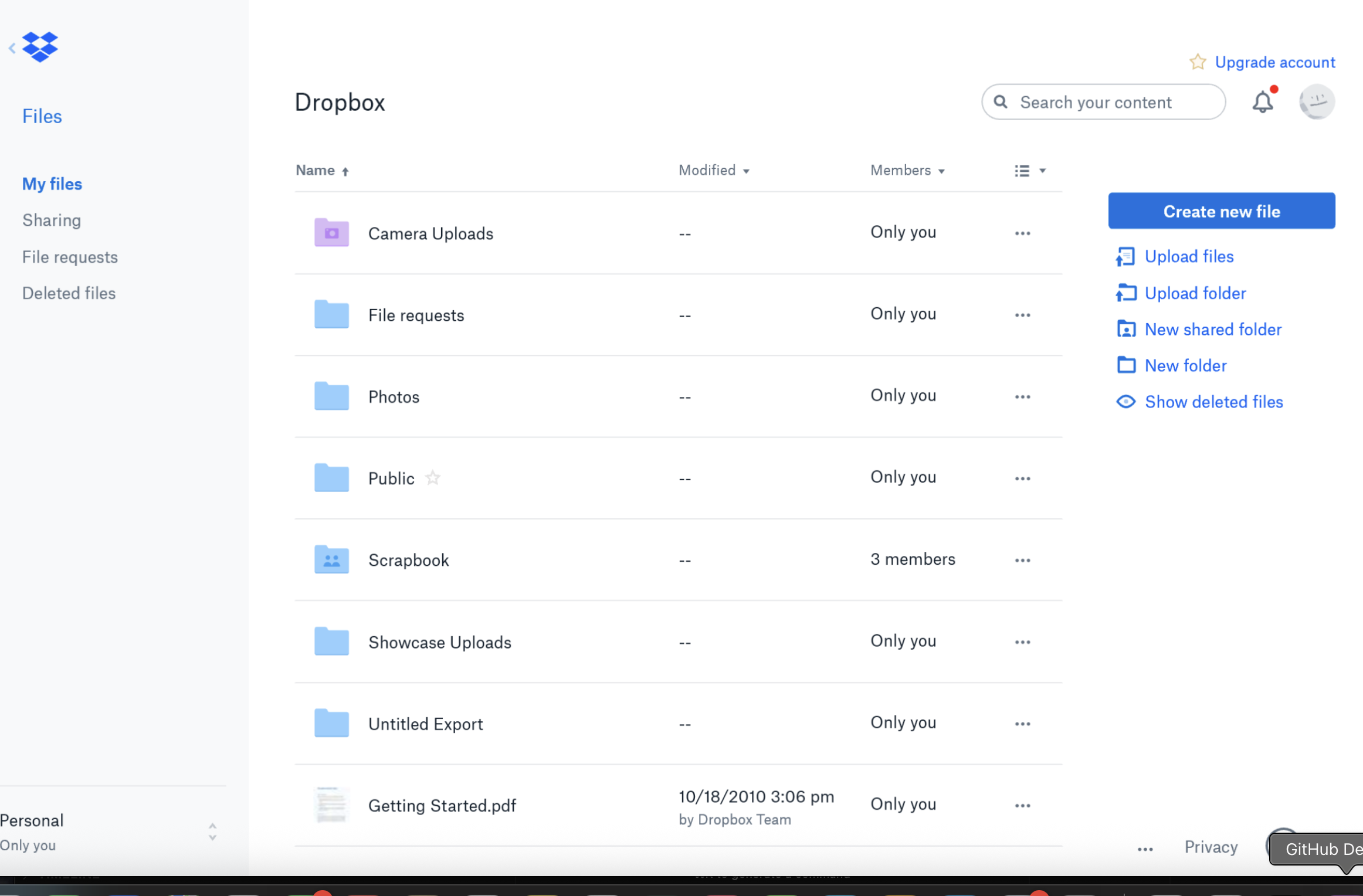
Dropbox is a cloud storage and file sharing platform used by over 700 million users globally. It offers robust security features like file recovery, password protection, and trackable sharing links to securely collaborate on content. It considered to be an alterntive to Docsend.
Dropbox Features
Secure file storage and sharing with access controls
Integration with e-signature tools like HelloSign
Collaboration capabilities including document editing, video tools
AI-powered universal search (Dropbox Dash)
Mobile apps with editor's choice awards
Automatic backup for professionals up to 9TB storage
Admin controls for business/team management
DocSend vs Dropbox
In 2021, Dropbox, a big company for storing files online, bought DocSend for $165 million.
Comparing Dropbox vs Docsend, you can discover: While DocSend specializes in document tracking and analytics, Dropbox provides a more comprehensive file management and collaboration solution. Some key differences:
Dropbox has broader capabilities beyond just document sharing
DocSend offers more granular document engagement analytics
Dropbox integrates e-signatures through HelloSign, not native
DocSend has tighter integrations with CRMs and sales tools
Dropbox Limitations
Limited free storage space
Privacy concerns due to potential shared content tracking
Limited number of devices that can be connected for file backup
Dropbox Ratings and Reviews
Trustpilot: 1.4/5 (1109+ reviews)
G2: 4.4/5 (23037+ reviews)
Capterra: 4.6/5 (21542+ reviews)
3. VisibleVC - #3 DocSend Alternative (INVESTOR RELATIONS AND FUNDRAISING PLATFORM)
Website: visible.vc
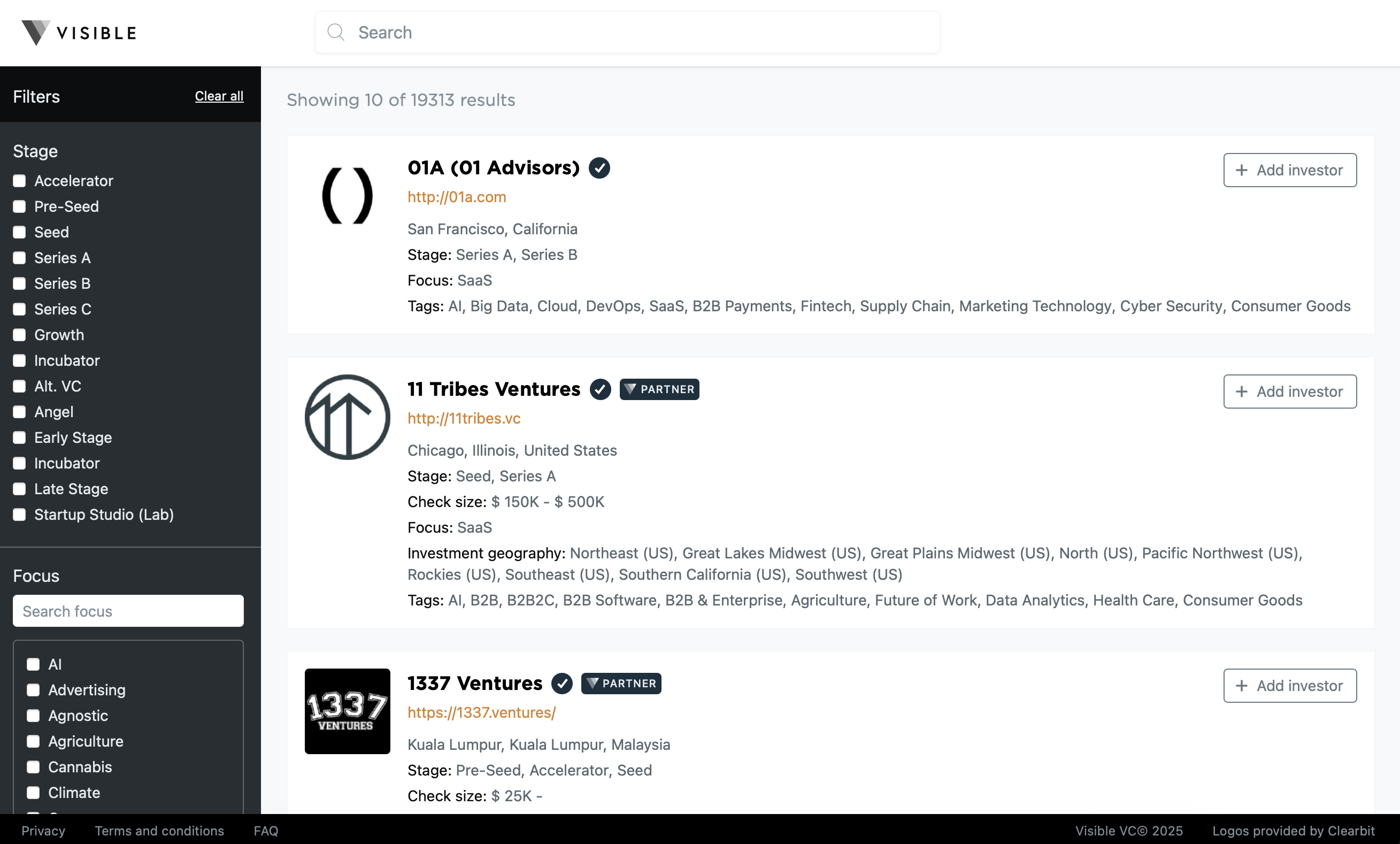
VisibleVC is an investor relations and fundraising platform that helps startups manage investor updates, track KPIs, and host pitch decks and data rooms. It began as an investor update tool and has expanded to include investor databases and portfolio management features.
VisibleVC Features
Monthly and quarterly investor update templates
15,000+ VC and angel investor contacts database
KPI dashboards for revenue, churn, and other metrics
Simple data room and pitch deck hosting
Investor pipeline management
Portfolio reporting tools
DocSend vs VisibleVC
Comparing VisibleVC vs DocSend: While DocSend specializes in document analytics and tracking for pitch decks, VisibleVC provides a broader investor relations platform:
VisibleVC offers investor update tools and KPI tracking - DocSend focuses on document sharing and analytics
VisibleVC includes an investor database and CRM features
DocSend provides more granular page-by-page analytics for document engagement
VisibleVC is better suited for ongoing investor relations, while DocSend excels at pitch deck tracking
VisibleVC Limitations
Smaller investor database compared to specialized platforms
Limited competitive intelligence features
Some analytics features require higher pricing tiers
Less focus on document security features compared to VDRs
VisibleVC Pricing
Starter: $49/month (up to 250 contacts)
Growth: $99/month
Enterprise: custom
VisibleVC Ratings and Reviews
G2: 4.5/5 (100+ reviews)
4. Notion - #4 DocSend Alternative (DOCUMENT CREATION AND COLLABORATION SOFTWARE)
Website: notion.so
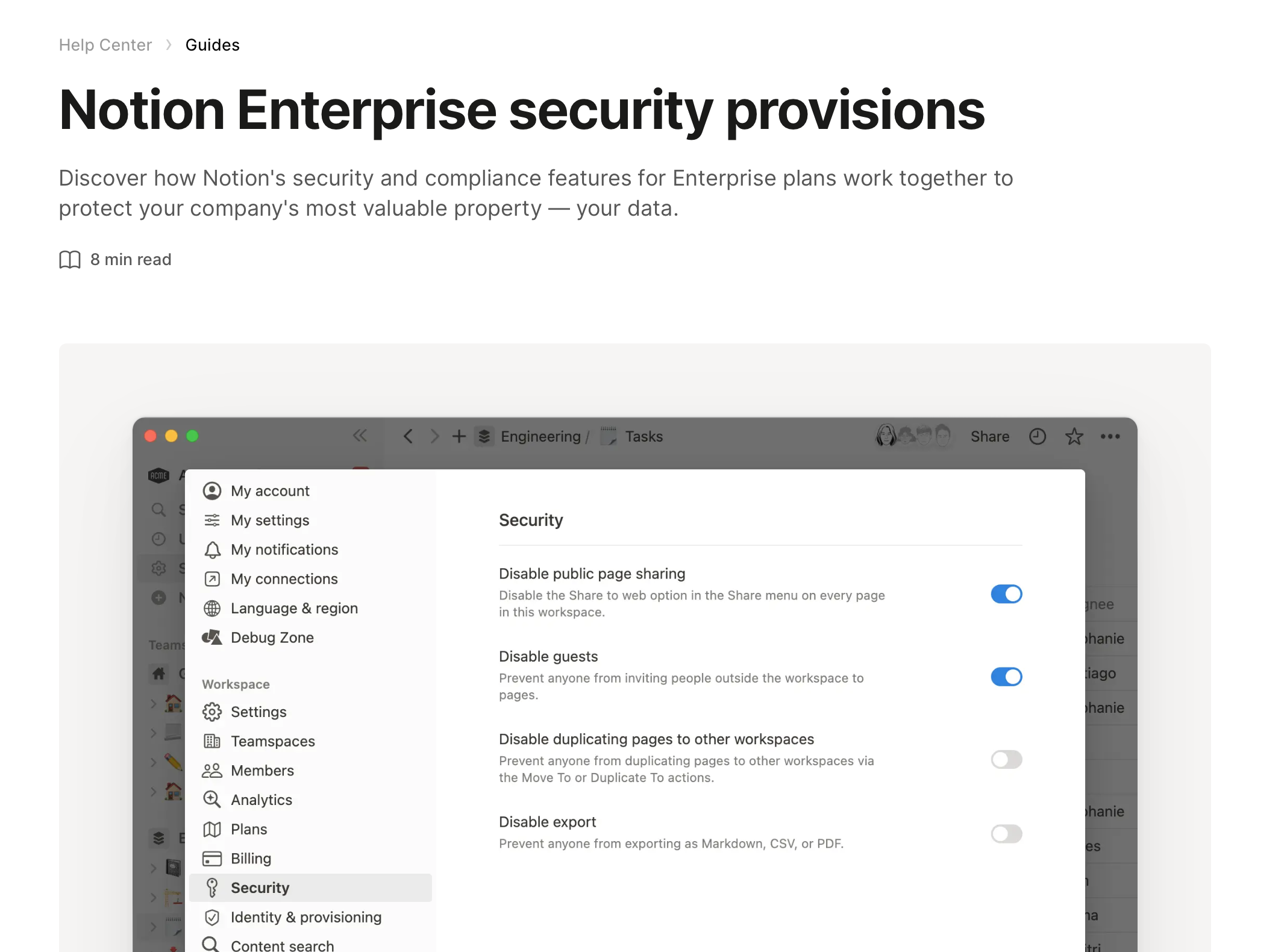 Notion is a tool where you can create documents, take notes, and build wikis all in one place. It's great for both individuals and groups, allowing you to organize your work exactly how you like it.
Notion Features:
Includes simple database
You can sort and view your info in different styles.
Customization of page
Creating pages and notes
Notion Limitations
Lack of advanced controls for document sharing
Lack of analytics
Potential for information overload
Notion Pricing
Free
Plus: $10/month (per user)
Business: $18/month
Enterprise: Custom
Notion Ratings and Reviews
G2: 4.7/5 (5210+ reviews)
Capterra: 4.8/5 (2122+ reviews)
Trustpilot: 3.2/5 (174+ reviews)
5. BriefLink - #5 DocSend Alternative (SIMPLE PITCH DECK SHARING SOFTWARE)
Website: brieflink.com
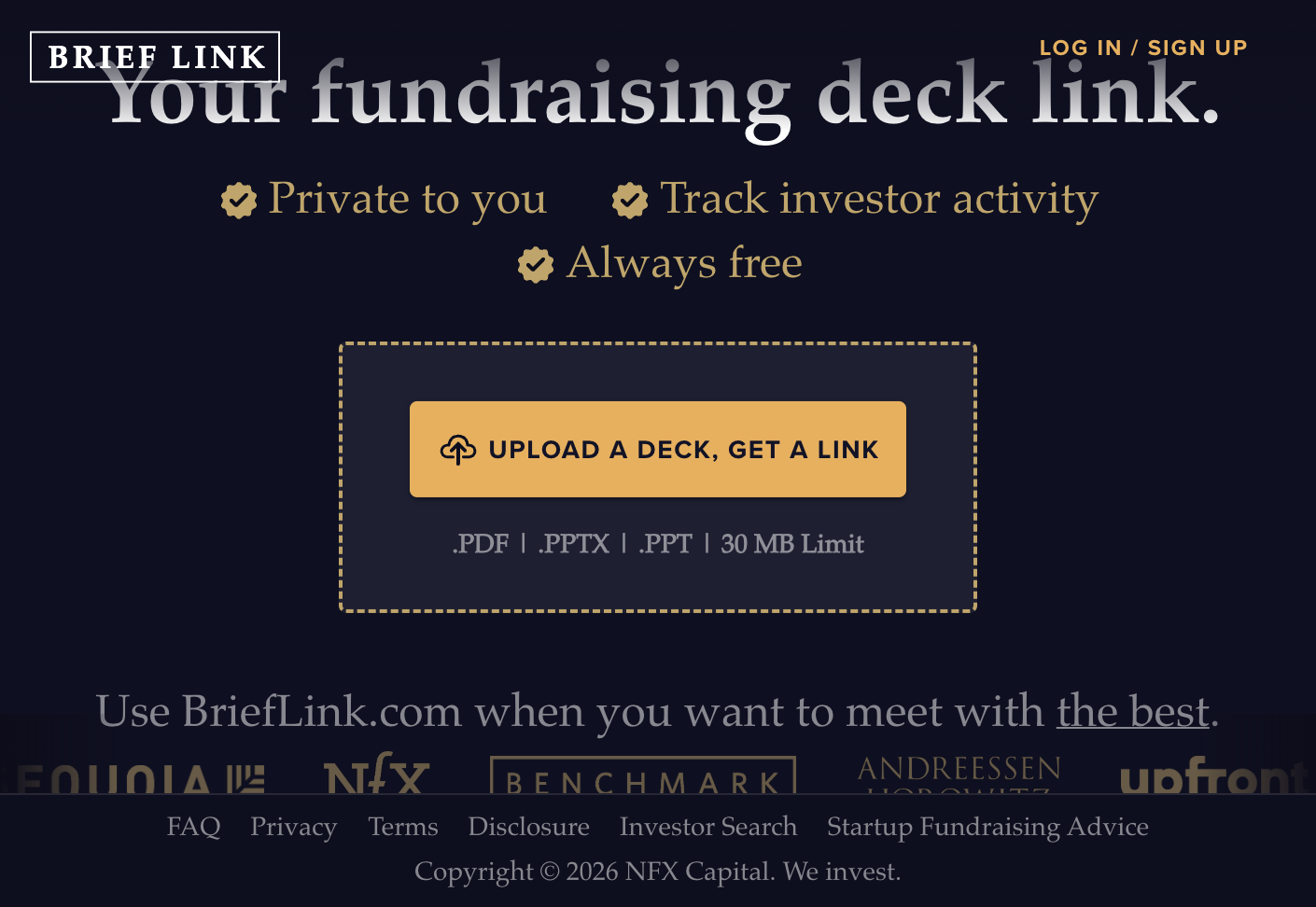 Brieflink helps startup founders create and share their fundraising pitch decks securely. It provides tools to track and manage how their presentations are viewed by potential investors. This software is provided by NFX as a part of support for fundraising for founders.
Brieflink Features:
Privacy and Security: Allows sharing the pitch deck private sharing of fundraising decks.
Founders can track investor activity on their deck.
Users can upload a deck and generate a link to share.
Provides insights like view counts.
Access to fundraising tips and strategies from top venture capitalists.
Limitations of Brieflink:
Custom Integrations: May incur additional costs.
Lack of data rooms
Lack of advanced sharing controls
Focused only on founders sharing pitch deck
BriefLink Pricing
BriefLink Free Plan: $0
Enterprise Plan: pricing not provided
BriefLink Ratings and Reviews
Trustpilot: 4.3/5 (43772+ reviews)
6. Intralinks - #6 DocSend Alternative (ENTERPRISE VDR DUE DILIGENCE)
Website: intralinks.com

Intralinks is an enterprise virtual data room (VDR) provider used by banks, law firms, and large corporations for M&A transactions, due diligence, and board reporting. It is one of the longest-standing VDR platforms in the market, known for its security and compliance features.
Intralinks Features
Enterprise-grade security with granular access controls
AI-powered document indexing and redaction capabilities
Built-in Q&A workflow for due diligence
Advanced analytics and engagement tracking
Multi-language support and global infrastructure
Integration with Microsoft Office and other enterprise tools
Intralinks Limitations
High total cost of ownership - pay-per-deal models can easily exceed $7,000 for a single project
Limited branding and custom domain options
Complex pricing structure with custom quotes only
Interface can feel dated compared to modern alternatives
No open-source or self-hosting options
Intralinks Pricing
Custom enterprise pricing only
Pay-per-deal model typically starts around $7,000+ per transaction
Annual subscription options available for high-volume users
DocSend vs Intralinks
Intralinks is primarily designed for large-scale M&A and due diligence processes, while DocSend focuses on document sharing and analytics for smaller teams. Intralinks offers enterprise-grade security and compliance features but comes with significantly higher costs and less flexibility for branding and customization.
Intralinks is purpose-built for complex M&A transactions and board reporting
DocSend provides more affordable pricing and better suited for pitch deck sharing and sales workflows
Intralinks offers deeper compliance and security features for regulated industries
DocSend provides more granular page-by-page analytics for document engagement
7. Datasite - #7 DocSend Alternative (ENTERPRISE VDR DUE DILIGENCE)
Website: datasite.com
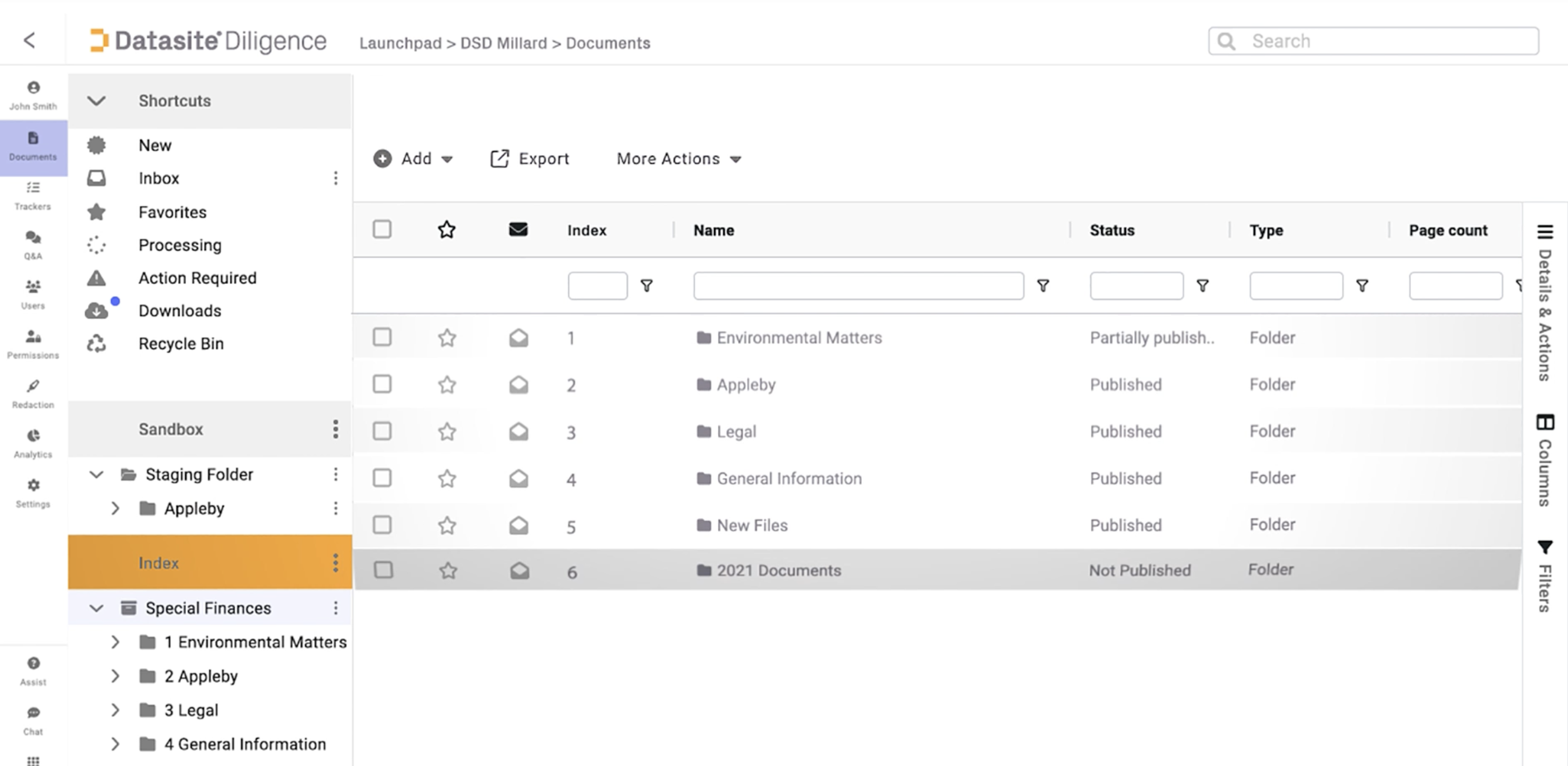
Datasite (formerly Merrill DataSite) is an enterprise virtual data room (VDR) provider used by banks, law firms, and large corporations for M&A transactions, due diligence, and complex deal management. It is one of the leading VDR platforms in the market, known for its AI-powered due diligence capabilities and enterprise-grade security.
Datasite Features
AI-powered document indexing and redaction capabilities
Enterprise-grade security with granular access controls
Advanced analytics and engagement tracking
Built-in Q&A workflow for due diligence
Multi-language support and global infrastructure
Integration with Microsoft Office and other enterprise tools
Datasite Limitations
High total cost of ownership - per-page pricing model can easily exceed $0.60 per page, making costs unpredictable
Limited branding and custom domain options
Complex pricing structure with custom quotes only
Interface can feel dated compared to modern alternatives
No open-source or self-hosting options
Datasite Pricing
Custom enterprise pricing only
Per-page pricing model typically starts around $0.60 per page plus setup fees
Annual subscription options available for high-volume users
DocSend vs Datasite
Datasite is primarily designed for large-scale M&A and due diligence processes, while DocSend focuses on document sharing and analytics for smaller teams. Datasite offers enterprise-grade security and AI-powered features but comes with significantly higher costs and less flexibility for branding and customization.
Datasite is purpose-built for complex M&A transactions and enterprise due diligence
Datasite offers AI-powered document processing and deeper compliance features for regulated industries
DocSend provides more affordable pricing and better suited for startups and smaller teams
DocSend provides more granular page-by-page analytics for document engagement
8. Google Drive - #8 DocSend Alternative (CLOUD STORAGE AND FILE SHARING)
Website: drive.google.com
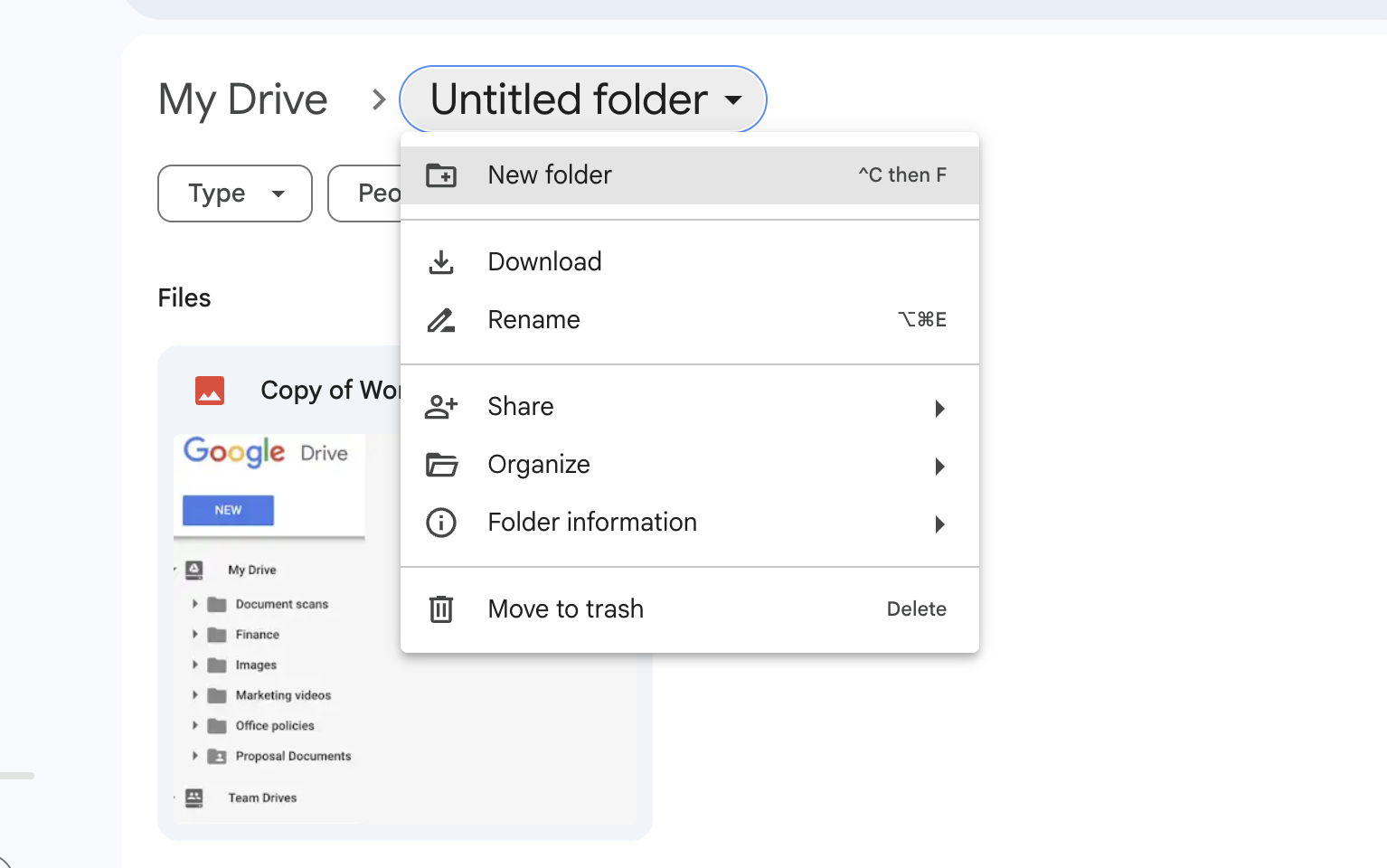
Google Drive is a cloud storage and file sharing service offered by Google as part of its productivity suite. It allows users to store, access, and collaborate on files from any device.
Google Drive Features
Real-time collaboration on documents, spreadsheets, presentations
Integration with Google Workspace apps like Gmail, Docs, Sheets
Mobile apps for accessing/editing files on-the-go
Sharing files with different access
Google Drive Limitations
Limited free storage (15GB)
Basic document analytics and tracking
No custom branding for shared file links
No secure and branded data room sharing
Google Drive Pricing
Free: 15GB storage
Individual: $1.99/month for 100GB
Family: $9.99/month for 2TB (up to 6 people)
Business Plans: $8-$18 per user/month
Google Drive Reviews
G2: 4.6/5 (based on 4,000+ reviews)
Capterra: 4.7/5 (based on 25,000+ reviews)
TrustRadius: 8.4/10 (based on 1,000+ reviews)
Docsend vs Google Drive
DocSend specializes in secure document sharing and granular engagement tracking
Google Drive is a broader file management/collaboration solution
DocSend integrates tightly with sales tools, Google Drive with Google Workspace
DocSend offers more customization for branded sharing experiences
Google Drive is generally more affordable, especially for small teams
What is the difference between DocSend and Google Drive?
DocSend is the preferred choice for more specific use cases, like for sales teams needing to closely track how prospects interact with their documents. Google Drive provides a more comprehensive collaboration solution suitable for more general business needs around file sharing and co-editing documents.9. DocuSign - #9 DocSend Alternative (E-SIGNATURE AND CONTRACT MANAGEMENT)
Website: docusign.com
 DocuSign is an e-signature solution provider trusted. It simplifies the agreement process across the entire contract lifecycle.
DocuSign Features
Secure e-signatures with court-admissible audit trails
Automated workflow for preparing, signing, acting on agreements
Integration with popular productivity suites like Microsoft Office
Mobile apps for signing and approving documents on-the-go
Advanced authentication and data encryption capabilities
Analytics dashboards to track agreement status and processes
Docusign Limitations
Limited free plan
Expensive paid plans
Main focus is enterprise clients
User management and permissions may require IT involvement
DocuSign Pricing
Personal plan free with 5 signature requests/month
Standard plans start at $25/user/month billed annually
Enterprise pricing available
DocuSign Ratings and Reviews
G2: 4.5/5 (2327+ reviews)
Capterra: 4.8/5 (8518+ reviews)
Trustpilot: 3.2/5 (708+ reviews)
DocSend vs DocuSign
DocSend focuses on sharing documents and analyzing engagement in details.
DocuSign automates the complete contract/agreement lifecycle management
DocSend requires integration for e-signatures, which DocuSign provides natively
DocuSign has more robust security, compliance and authentication capabilities
DocSend allows more customization for branded sharing experiences
DocuSign integrates deeply across productivity suites like Microsoft Office
Comparing DocuSign vs DocSend we discovered: While both solutions are focused on improving document-centric workflows, DocSend is primarily a sharing platform and DocuSign is signin.
10. SharePoint - #10 DocSend Alternative (MICROSOFT 365 SUITE)
Website: microsoft.com/sharepoint
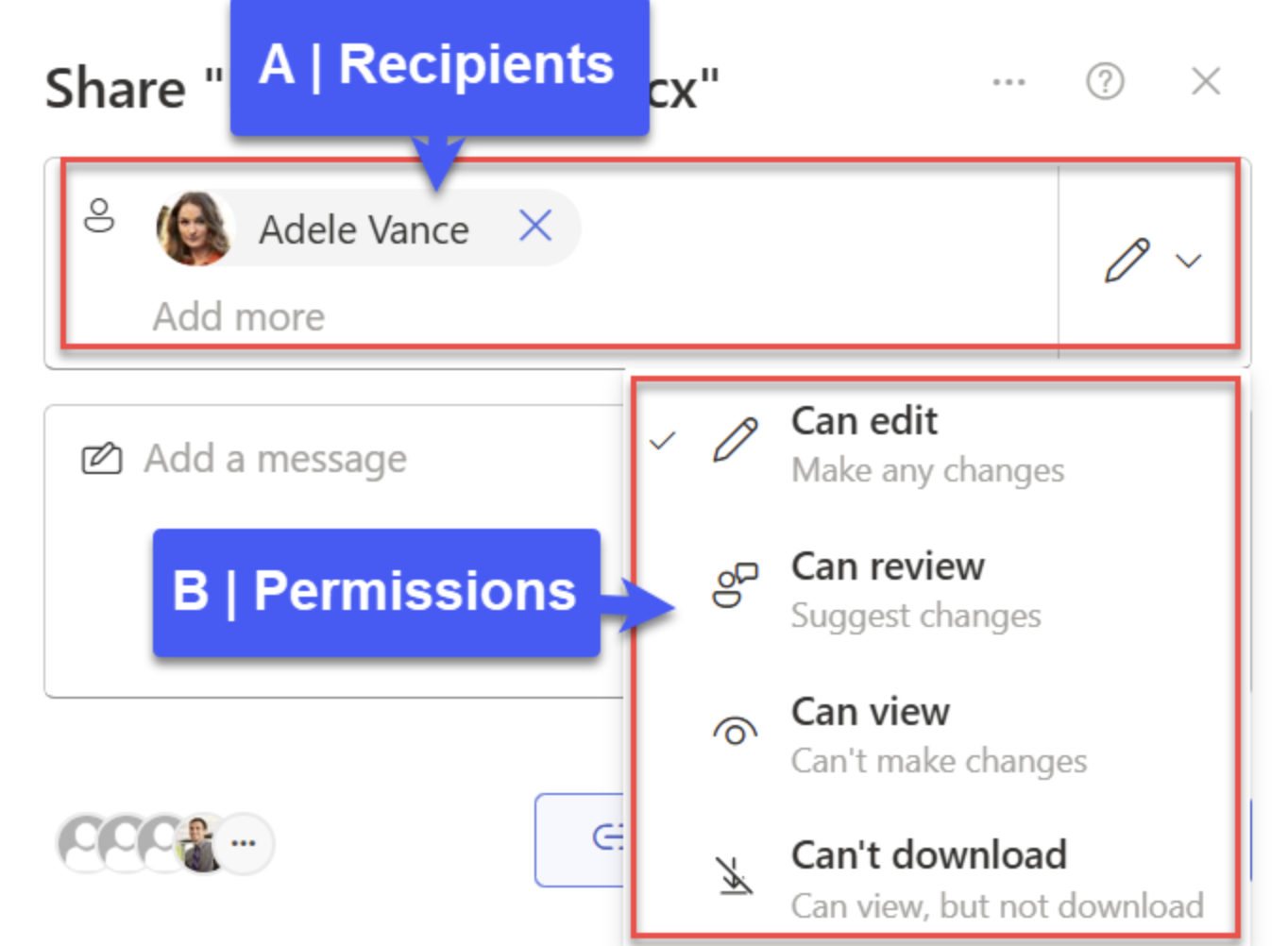
SharePoint is a Microsoft document management and collaboration platform that is part of the Microsoft 365 suite. It provides team sites for information sharing, document libraries with versioning, and integration with Microsoft Office applications. SharePoint is widely used by enterprises for internal collaboration and document management.
SharePoint Features
File storage and sharing with secure cloud storage
Real-time coauthoring and editing
Team sites for information sharing
Document libraries with versioning and access control
Microsoft Lists for information tracking
Integration with Microsoft 365 apps (Word, Excel, PowerPoint, Teams)
Advanced security and compliance features
AI-powered assistance with Microsoft Copilot
SharePoint Limitations
No standalone free version - only available as part of Microsoft 365 subscriptions
Limited document analytics compared to specialized document sharing platforms
Complex setup and administration for advanced features
Less focused on external document sharing and tracking compared to DocSend
No self-hosted or open-source options
SharePoint Pricing
SharePoint Plan 1: $5/user/month (SharePoint and OneDrive only)
Microsoft 365 Business Standard: $12.50/user/month (includes SharePoint, Office apps, Teams)
Microsoft 365 Copilot: $30/user/month (add-on for AI features)
30-day free trial available for Business Standard
DocSend vs SharePoint
SharePoint is designed primarily for internal team collaboration and document management within organizations, while DocSend focuses on secure external document sharing with detailed analytics. SharePoint offers broader collaboration features but lacks the specialized document tracking and analytics that DocSend provides.
SharePoint is part of a comprehensive productivity suite with Office apps and Teams integration
DocSend provides more granular page-by-page analytics for external document sharing
SharePoint requires Microsoft 365 subscription, while DocSend offers standalone document sharing
DocSend offers better customization for branded sharing experiences with external parties
SharePoint is better suited for internal collaboration, while DocSend excels at tracking external document engagement
11. Ideals Virtual Data Rooms
Website: idealsvdr.com
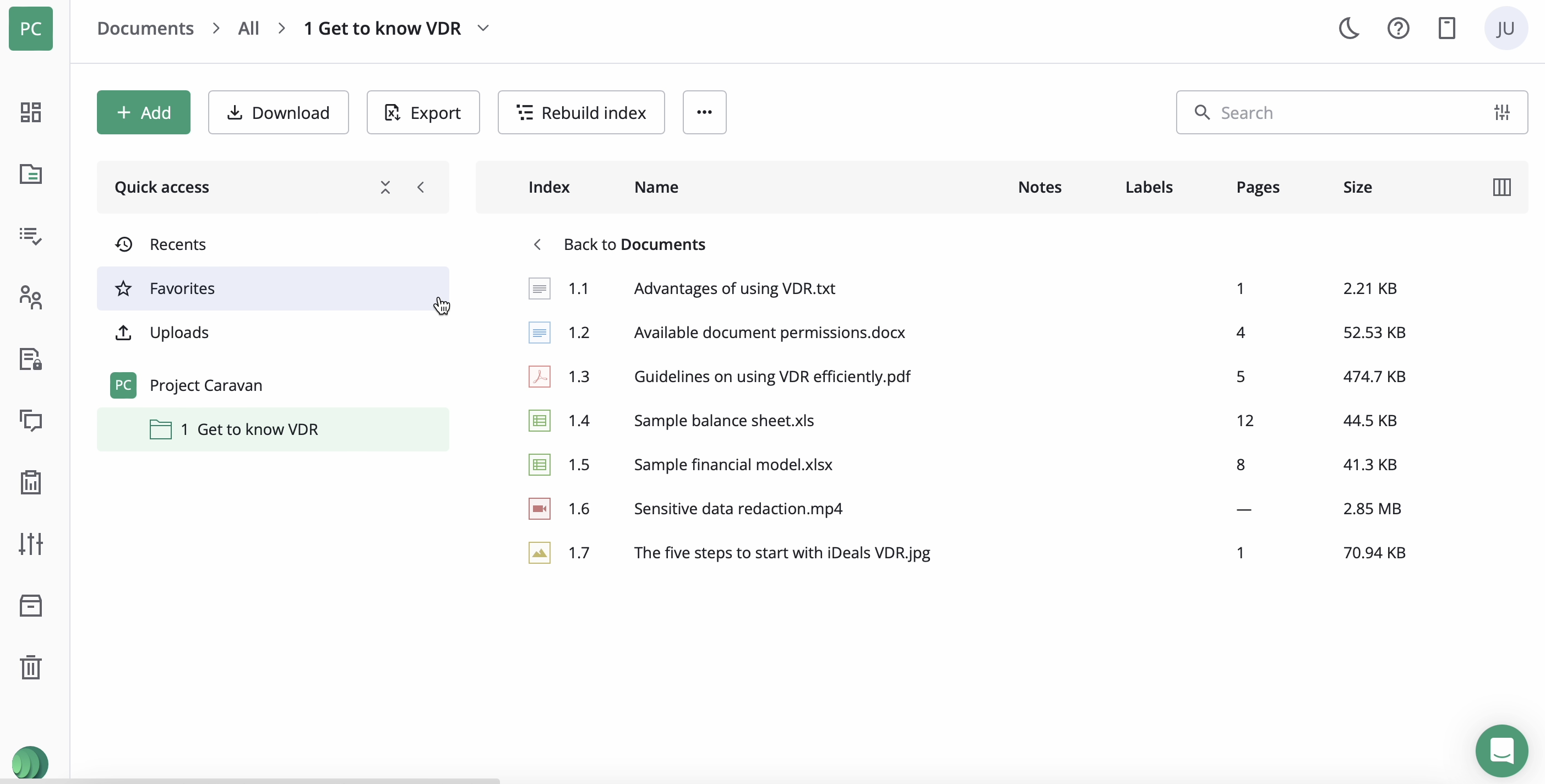
Ideals is a virtual data room provider. Ideals is used for creating the data rooms and considered DocSen alternative in this aspect.
Ideals Virtual Data Rooms Features
Secure document collaboration
Easy to use data rooms with no training required
Compatible with any computer, browser, or mobile device
Drag & drop file uploads
Support for 25+ file formats
Ability to redact text, images, or areas of documents
User-friendly document rights management
Industry-leading security certifications
Ideals Virtual Data Rooms Limitations
High pricing
Limited customization
Outdated UI and design of the platform
Ideals Virtual Data Rooms Pricing
No pricing publicly available
Prices for virtual data rooms can range from $500 per month for 1 GB of storage to as much as $100,000 annually for specific plans
Ideals Virtual Data Rooms Reviews
G2: 4.7/5 (306+ reviews)
Capterra: 4.8/5 (249+ reviews)
Trustpilot: 4.4/5 (13+ reviews)
What is better than DocSend in September 2026?
In September 2026, Papermark is the modern alternative to DocSend most teams pick - more flexibility, more control, transparent pricing from €99/month, and full custom branding.
- Open Source: Being open source means Papermark is continuously improved by a community of developers. You can trust it is secure and up-to-date with the latest features.
- Cost-Effective: Papermark's subscription is more affordable. It includes a fully free plan and the ability to self-host for non-commercial purposes.
- Customizable and white-label: Customize Papermark to suit your specific needs - custom domains, branding, and email - and integrate it seamlessly into your workflow.
- User-friendly: Papermark is designed to be intuitive and easy to use, built by founders and investors who put UX first. Its clean interface lets you manage documents efficiently without any hassle.
- Privacy and control: You have full control over your documents and data with Papermark. In the self-hosted version, no third-party servers are involved, so your sensitive information stays private. In the SaaS subscription you get the same control with EU data residency.
Docsend alternatives based on plan and pricing
Docsend Alternatives which help users share documents and track the progress on each page. So allow to capture email and set other setting for sharable links.
💡 Pricing guide: Tools are ordered from most affordable (left) to most expensive (right)
| Feature | Papermark | Google Drive | Notion | BriefLink | SharePoint | Dropbox | Docsend | VisibleVC | iDeals | Intralinks | Datasite |
|---|---|---|---|---|---|---|---|---|---|---|---|
| Plan 1 | Free (1 user) | Free (15GB) | Free | Free | $5/user/month | Free (2GB) | $15/month (1 user) | $49/month (250 contacts) | Custom quote | Custom quote | Custom quote |
| Plan 2 | €29/month (1 users) | $1.99/month (100GB) | $10/user/month (Plus) | Enterprise (Custom) | $12.50/user/month | $11.99/month (Plus) | $65/month (1 user) | $99/month (Growth) | Custom quote | $7,000+ per deal | $0.60/page + setup |
| Plan 3 | €79/month (3 users) | $6/user/month (Business) | $18/user/month (Business) | - | $30/user/month (Copilot) | $18/user/month (Standard) | $250/month (3 users) | Enterprise (Custom) | Enterprise (Annual) | Enterprise (Annual) | Enterprise (Annual) |
| Plan 4 | €149/month (3 users) | Enterprise (Custom) | Enterprise (Custom) | - | Enterprise (Custom) | $30/user/month (Advanced) | $300/month (3 users) | - | Enterprise (Annual) | Enterprise (Annual) | Enterprise (Annual) |
| Open Source and Self Hosted | Yes | No | No | No | No | No | No | No | No | No | No |
Use Cases comparison for DocSend alternatives
Use Docsend alternatives for sharing Pitch Deck, sending Sales deck, setting Data Room and working with other documents
| Feature | Papermark | PandaDoc | Google Drive | Pitch | Notion |
|---|---|---|---|---|---|
| Main use case | Founder friendly document sharing platform | Enterprise focused sharing documents and contracts | Hosting documents and other files | Creating presentations | Creating documents |
| Sharing pitch deck with analytics and link control | Yes | Yes | No | No | No |
| Sending sales document with analytics | Yes | Yes | No | No | No |
| Data room and investment documents | Yes | No | No | No | No |
| All other documents | Yes | Yes | Yes | No | Yes |
| Summarise, analyse and improve documents | Yes | No | No | No | Yes |



"Came from DocSend because they downgraded upload quality."





"Best thing is that all the save DocSend to PDF plugins that VCs use probably won't work 😁"
"Less expensive and easier to use than DocSend, APIs available."

"Evaluated DocSend and other alternatives - Papermark stands out for its features and value."


"Really liked (coming from DocSend): Performance – way faster. Notion support super clean."
"I find your approach of building an open-source alternative to DocSend very compelling because it offers teams the ability to maintain full ownership of their data while still getting the analytics they need."


Get actionable insights from your shared documents
It takes only two clicks to convert your document into sharable link and track the progress on each page