




datarooms
Best Data Rooms for Fundraising in 2026 (Seed to Series C Compared)
The 10 best data rooms for fundraising in 2026 compared on pricing, security, and best-fit round. Real customer stories from Backtrace Capital, TBD VC, and Two Inc.
The best data rooms for startups in 2026 are Papermark (€99/month, transparent pricing with page-level analytics, NDA gating, and unlimited investor viewers), DocSend (deck-only sharing at $15/user/month), and Notion (workspace adapted for early-stage organization). This guide compares 9 startup data rooms on price, security, and best-fit round, with the recommended setup for Seed, Series A, and Series B founders.
Most virtual data rooms are overkill for early-stage startups. Datasite at $25,000+/year, Intralinks at $4,000-$25,000+/year, and iDeals at $500/month+ are priced for late-stage M&A and growth-equity diligence, not for a Seed founder sharing 25 documents with 15 angels. The data room a Seed or Series A founder needs is page-level analytics on the deck, NDA gating on the cap table, and a flat monthly fee under €100. Papermark is the only modern VDR built for exactly that workflow.
Choosing the right data room is crucial for startups that need to manage sensitive information and facilitate investor interactions during fundraising rounds or other financial activities. Here are key factors to consider when selecting a data room:
| Factor | Description |
|---|---|
| Security | Ensure the data room offers top-notch security features, such as encryption, secure data transfer, and multi-factor authentication. These measures protect sensitive data from unauthorized access and cyber threats. |
| Ease of use | Select a data room with an intuitive interface that is easy for all team members to use, regardless of their tech proficiency. This reduces the learning curve and enhances productivity. |
| Cost-effectiveness | As a startup, budget constraints are often a reality. Look for a data room provider that offers transparent pricing without compromising on essential features. Avoid long-term commitments if possible to maintain flexibility as your needs change. |
| Scalability | The data room should be able to grow with your startup. It should support an increasing amount of data and users as your company expands. |
| Collaboration tools | Choose a data room that facilitates collaboration through features like document commenting, question and answer modules, and real-time updates. This enhances communication among team members and with potential investors. |
| Customer support | Good customer support is essential, especially for startups that may require guidance on how to maximize the use of their data room. Ensure the provider offers reliable, accessible support. |
| Compliance | The data room should adhere to relevant legal and regulatory requirements, particularly those related to data protection. This compliance is crucial to avoid legal issues and build trust with investors. |
By considering these factors, startups can select a data room that not only protects their sensitive information but also supports their growth and facilitates effective communication with stakeholders.
Enterprise virtual data rooms are priced for late-stage M&A, IPO prep, and growth-equity diligence. Datasite starts at $25,000+/year, Intralinks runs $4,000-$25,000+/year on per-page contracts, and iDeals sits at ~$500+/month (quote) with sales-led onboarding. None of these are built for a Seed founder closing 15 angels in six weeks.
What makes them overkill at the early stage:
Papermark is the data room that doesn't punish you for being early-stage. Flat €99/month gets you unlimited data rooms with page-level analytics, dynamic watermarking, NDA gating, granular permissions, and custom domains - the same feature set late-stage rounds use, priced for a founder shipping six investor updates a week.
For a first funding round (pre-seed angels, accelerator demo day, or Seed), the right setup is:
Total cost for a Seed raise on Papermark: €99-€198 across two months. Total time-to-live for the first link: under 15 minutes.
The data room a startup needs scales sharply with the round. The table below maps the must-have feature set and realistic budget to each stage.
| Round | Typical investor count | Documents needed | Must-have features | Recommended tool | Budget |
|---|---|---|---|---|---|
| Pre-seed | 5-20 angels | Pitch deck only | View analytics, link-level access | Papermark Free or Pro (€24/mo) | €0-€50/month |
| Seed | 15-30 angels + funds | Deck, financial model, cap table, founders' agreement, MNDA | View analytics, NDA gating, page-level analytics | Papermark Data Rooms (€99/mo) | €99-€149/month |
| Series A | 8-15 funds | Above + product metrics, customer contracts, hiring plan, IP assignments | Granular permissions, dynamic watermarking, Q&A | Papermark Data Rooms (€99/mo) or Plus (€249/mo) | €99-€249/month |
| Series B | 6-12 funds | Above + audited financials, cohort analysis, board minutes, ESOP plan | Multi-team rooms, audit log, indexed Q&A, SSO | Papermark Plus (€249/mo) or Premium (€549/mo) | €249-€549/month |
| Series C / growth | 4-8 funds | Above + 409A valuations, cap-table waterfall, cohort retention | White-label, SSO, dedicated CSM, multi-team | Papermark Premium (€549/mo) or Firmex ($625/mo) | €549/month - $1,000/month |
A common mistake: founders set up a Series B-grade data room at Seed because a single fund asked for "a proper data room." Most Seed-stage rooms need 12-15 documents and a page-level analytics layer on the deck. That is exactly what Papermark's €99/month Data Rooms tier delivers, with unlimited rooms so the next round does not require a re-setup.
Once you've picked a provider, here's a quick walkthrough showing how to set up a secure data room from scratch.
Website: papermark.com
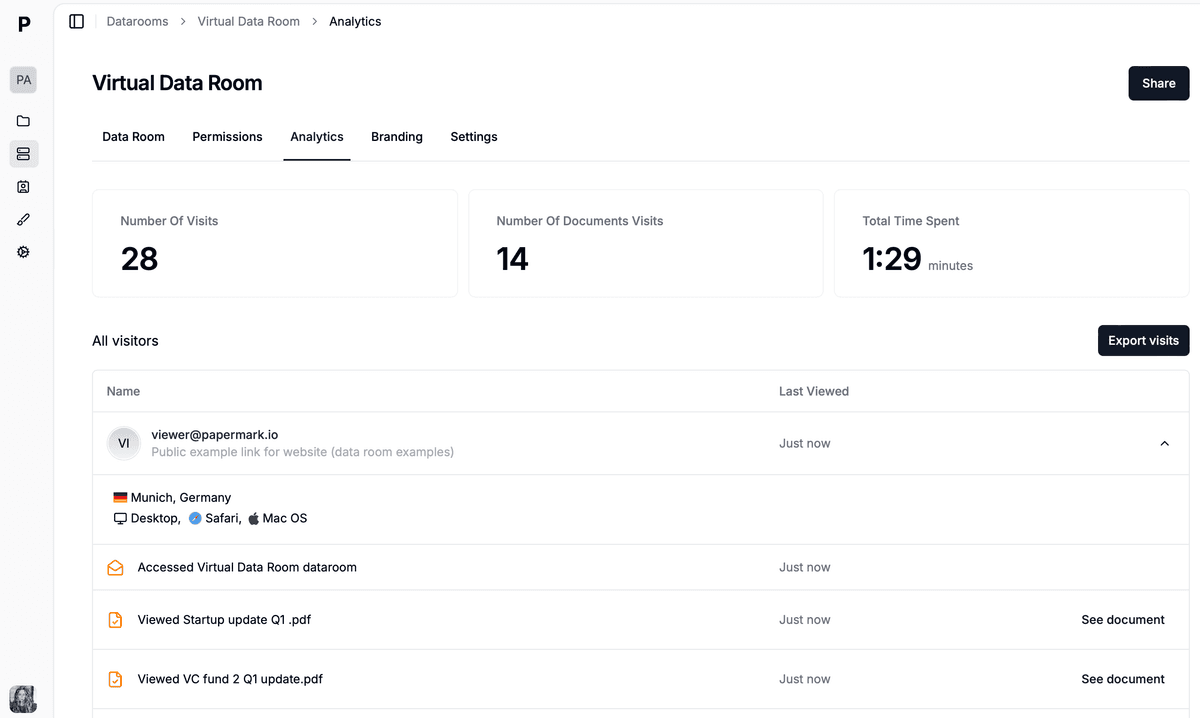
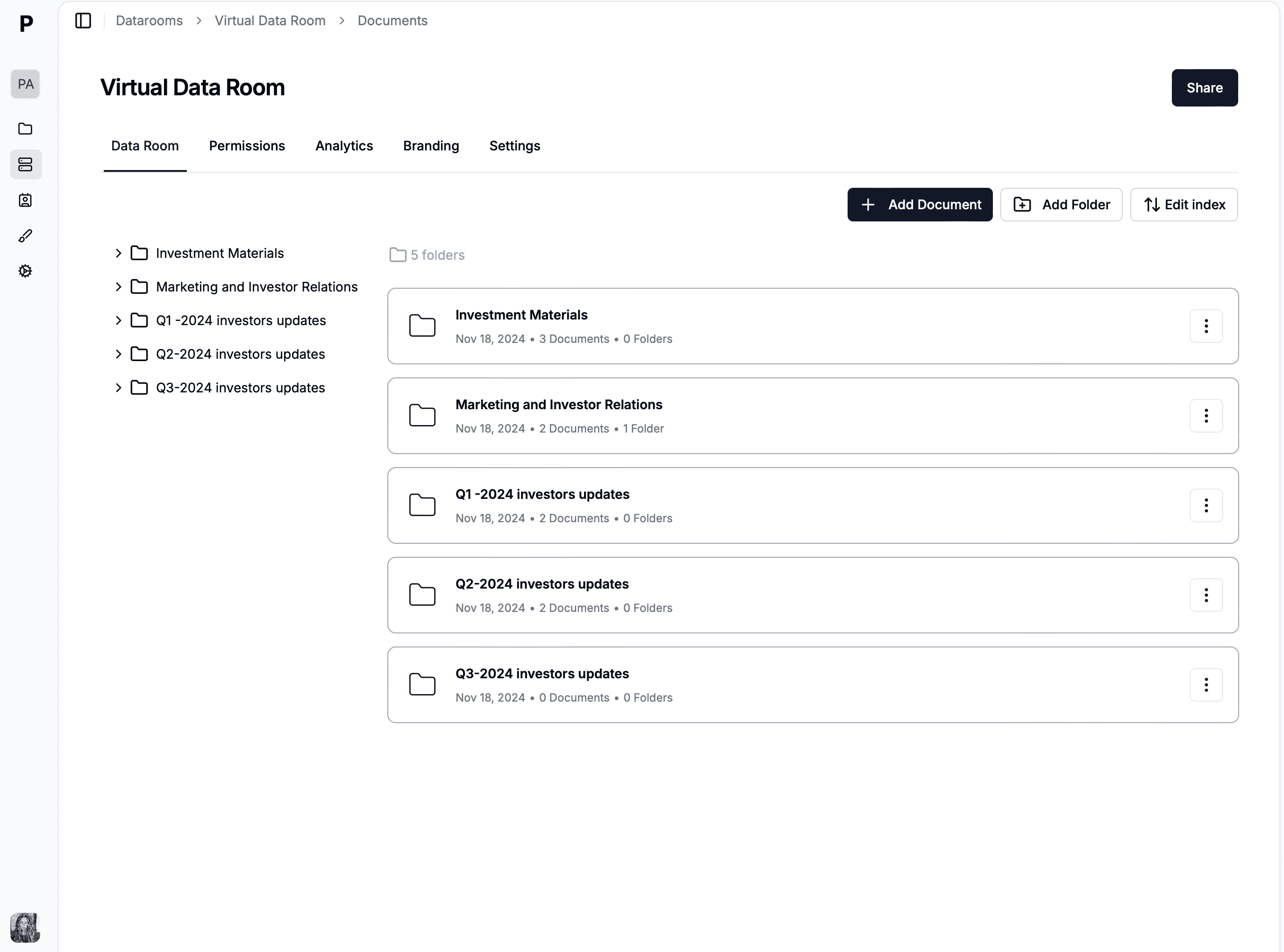
Papermark is the best data room for startups in 2026 with transparent flat-rate pricing from €0 (Free) to €99/month (Data Rooms), page-by-page analytics, dynamic watermarking, NDA gating, custom domains, and unlimited investor viewers on every paid plan. It is the only modern startup data room with both a fully free tier and an optional self-hostable open-source deployment on GitHub, giving founders a clear path from a pre-seed pitch-deck send to a Series B-grade room without switching tools.
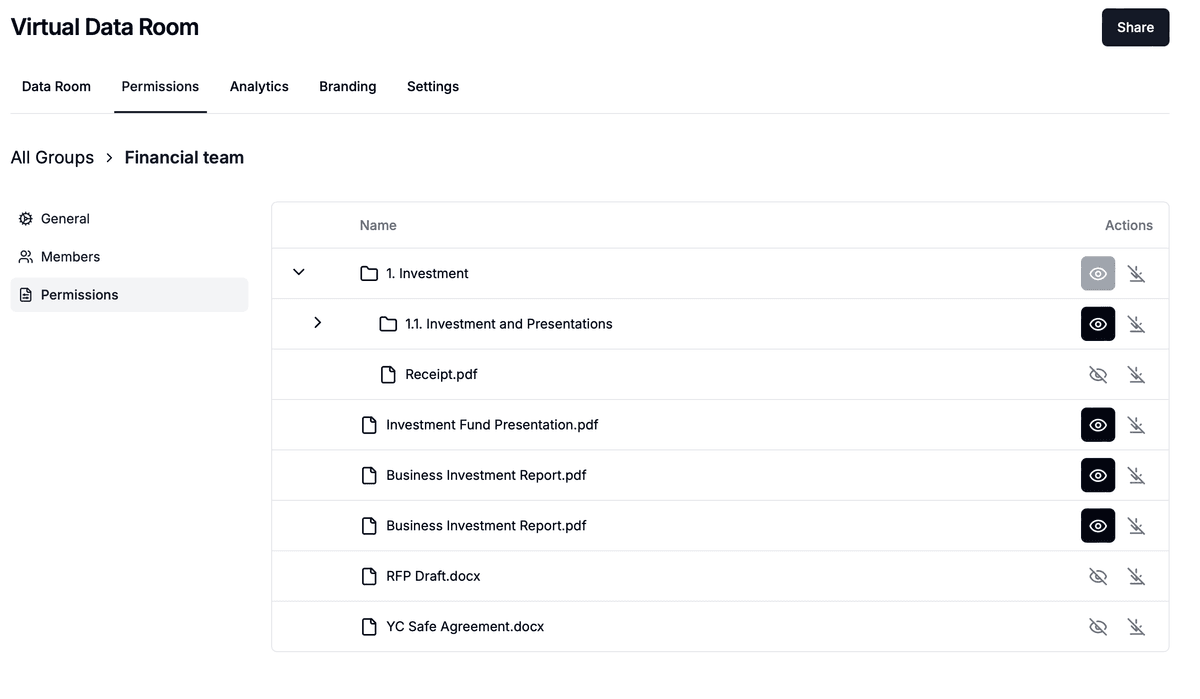
Papermark is SOC 2 Type II audited and GDPR-aligned. The product is designed for the Seed-to-Series-B fundraising workflow: a founder can use the Free tier or Pro (€24/month) to share a deck with view analytics, and the same founder can upgrade to the Data Rooms plan at €99/month to add investor rooms with granular permissions, NDA enforcement, and custom domains like investors.yourcompany.com - all without losing existing tracking data or re-uploading documents.
Papermark offers advanced branding and custom domain capabilities that let you maintain your professional image throughout the fundraising process. With custom domains, you can share your data room using your own domain name (e.g., dataroom.yourcompany.com), creating a seamless brand experience for investors. Complete white-labeling options allow you to customize logos, colors, and branding elements to match your company's visual identity.
Papermark offers advanced branding capabilities that let you maintain your professional image throughout the fundraising process. With custom domains, you can share your data room using your own domain name (e.g., dataroom.yourcompany.com), creating a seamless brand experience for investors. Complete white-labeling options allow you to customize logos, colors, and branding elements to match your company's visual identity. This professional presentation builds investor confidence and reinforces your brand throughout every interaction.
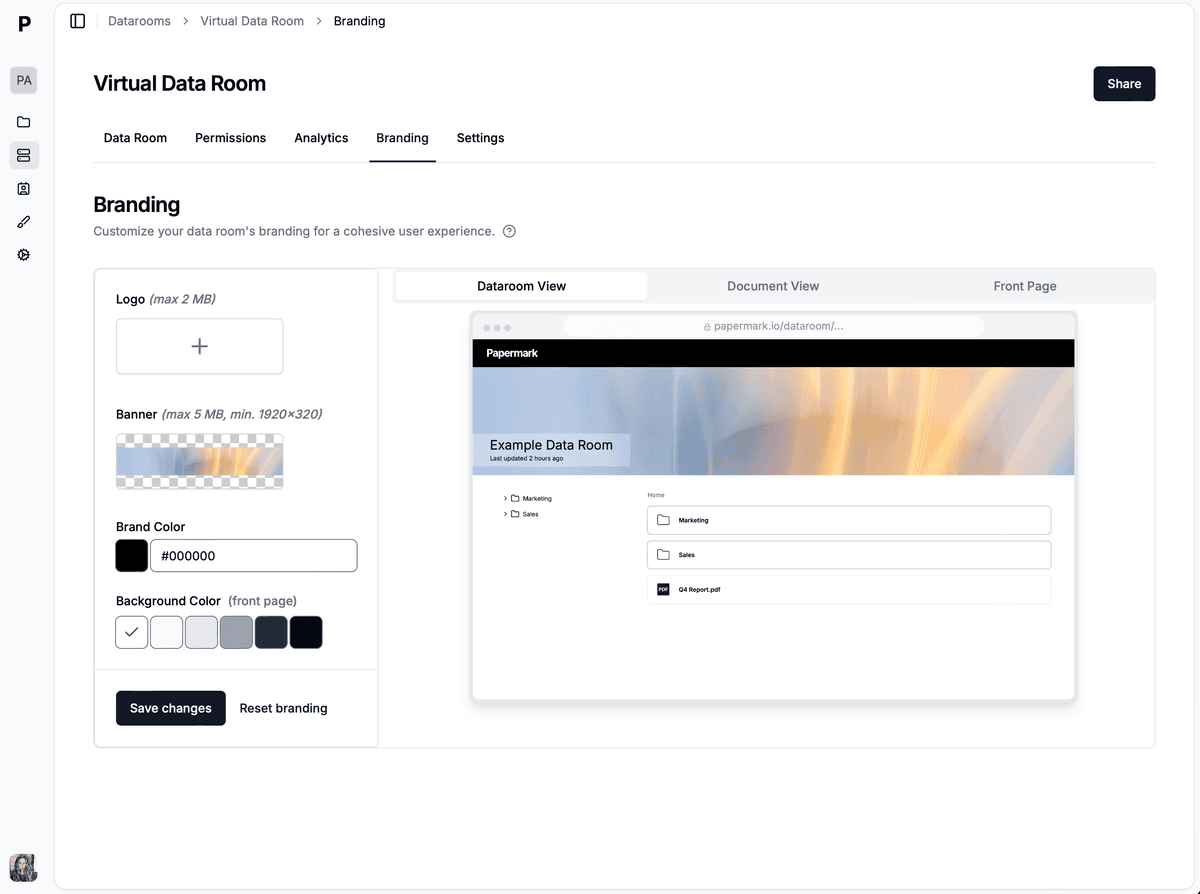
Papermark's custom branding interface allows you to configure your logo, color scheme, and domain settings to create a fully branded data room experience that matches your company's identity.
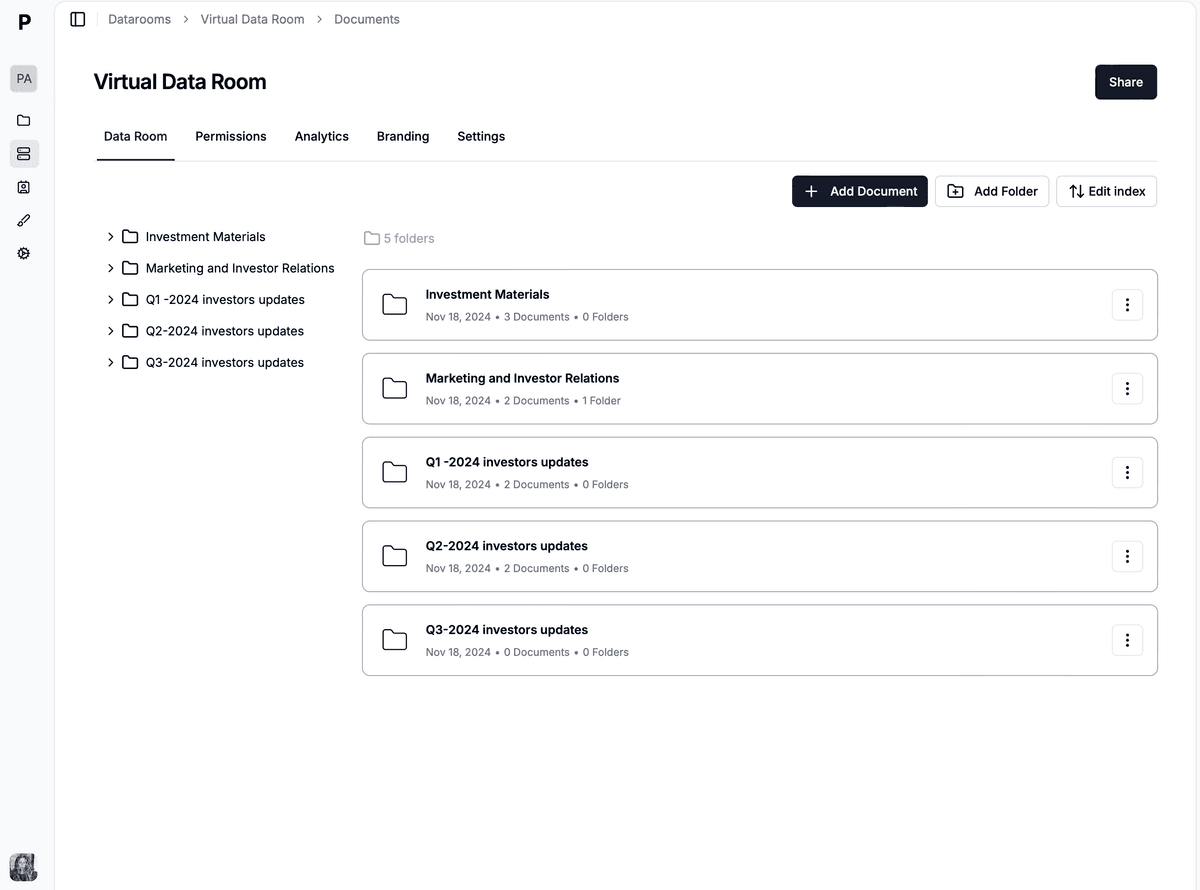
The branded data room interface showcases your company's professional image with custom domains and white-labeling, creating a cohesive experience that impresses investors and maintains brand consistency throughout the fundraising process.
Papermark is loved and used by over 15,000 founders for creating data rooms and sharing pitch decks securely.
Startup founders and investors rate Papermark for its page-by-page analytics, transparent flat-rate pricing, and clean, fully branded data room experience. Real fundraising customers include Two, which raised a €13M Series A for global B2B payments; Differential Bio, which closed a $2M pre-seed; Orbotix, which raised €6.5M pre-seed for autonomous defense; and Backtrace Capital, which raised a €50M+ Fund I. Across these deals, founders use Papermark to share decks and diligence documents with top investors, gate access with NDAs, and see exactly which investor opened which page.
Real startups use data rooms to streamline their fundraising process and securely share documents with investors. Explore how Orbotix structured their data room to raise €6.5M pre-seed for AI-driven autonomous defense systems.
Learn more about how Orbotix used Papermark: Read the full case study
Website: notion.so
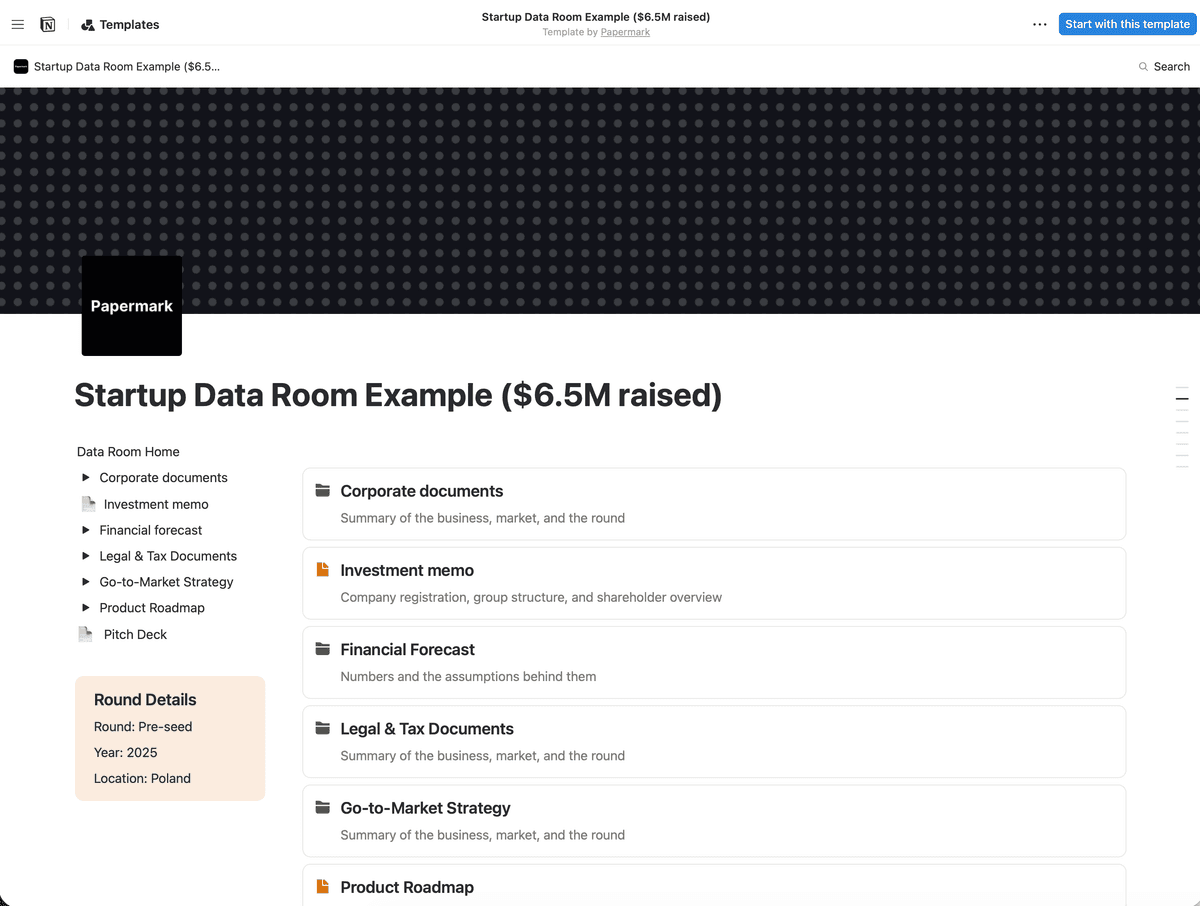
Notion is a flexible workspace platform that many startups adapt into a data room for investor communications and document organization. While not purpose-built for due diligence, its collaborative features and familiar interface make it a popular choice for early-stage companies with limited budgets.
With Notion, users can centralize their knowledge, manage complex projects, and organize their time effectively. Startups can create structured data rooms by organizing documents into pages, databases, and folders, making it easy to share information with investors during fundraising rounds.
Enhancing Notion with Papermark: Many teams connect their Notion data rooms to Papermark to add security features and analytics tracking that Notion lacks natively. This integration allows you to maintain Notion's flexibility while gaining visitor tracking, page-by-page analytics, password protection, and custom domains. Learn more about how to create a Notion data room and share it with custom domain.
To set up faster, start from a ready-made data room template, or grab Papermark's Notion data room templates and connect them to Papermark for security and analytics.
Notion vs Papermark: Notion data room is perfect if you are looking for a flexible workspace tool that can be adapted for basic document organization. Alternatively, for more secure advanced features like granular permissions, dynamic watermarking, page-by-page analytics, and custom domains, Papermark can be used as a dedicated data room solution designed specifically for fundraising and due diligence.
Here's how Differential Bio successfully used a data room during their $2M Pre-Seed fundraising round:
Website: visible.vc
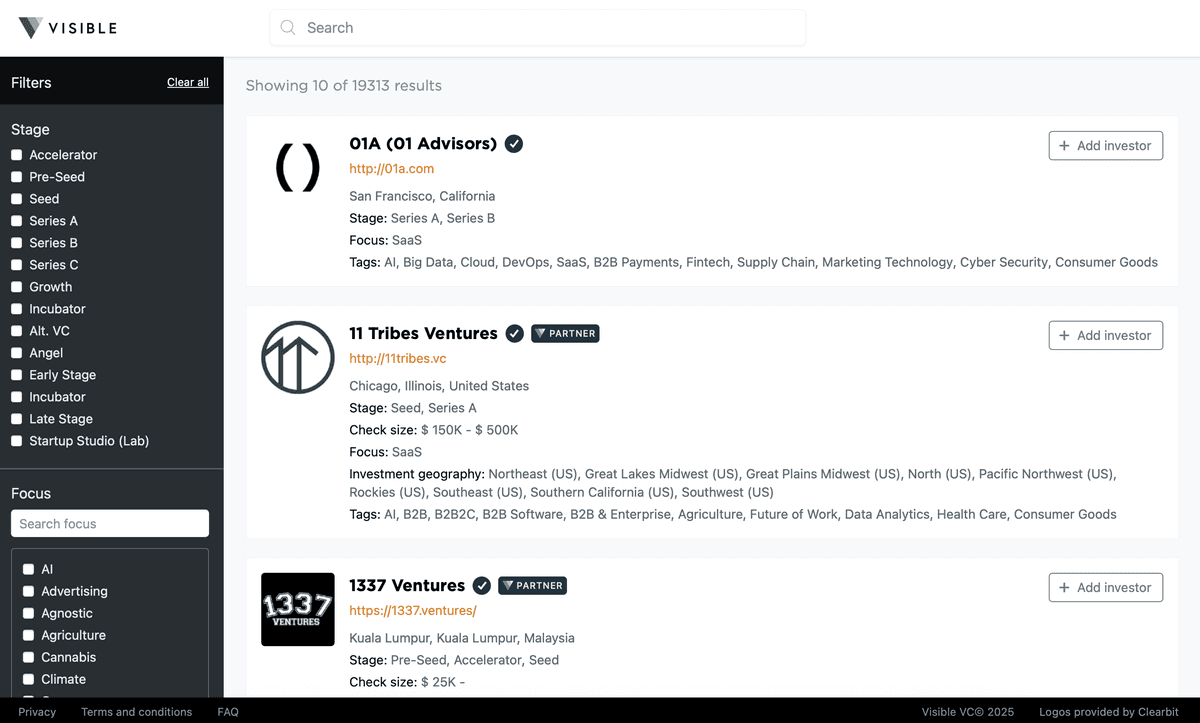
Visible VC is a fundraising platform designed specifically for startups to manage investor relations, track metrics, and share updates. The platform includes data room capabilities that help startups organize and share documents with investors during fundraising rounds.
Founded to help founders streamline their fundraising process, Visible VC combines investor update tools, metric tracking, and data room functionality in one platform. It began as an investor update platform and now offers investor databases, portfolio KPI dashboards, and data rooms.
Visible VC's data room feature allows startups to securely share fundraising documents, pitch decks, financial statements, and other sensitive materials with potential investors. The platform integrates data rooms with investor pipeline management, making it easy to track which investors have accessed specific documents and when.
Visible VC vs Papermark: Visible VC data room is perfect if you are looking for an all-in-one fundraising platform with investor CRM and update tools. Alternatively, for more secure advanced features like granular folder permissions, dynamic watermarking, custom domains, and unlimited data rooms, Papermark can be used as a dedicated data room solution with superior security and analytics.
Website: drive.google.com
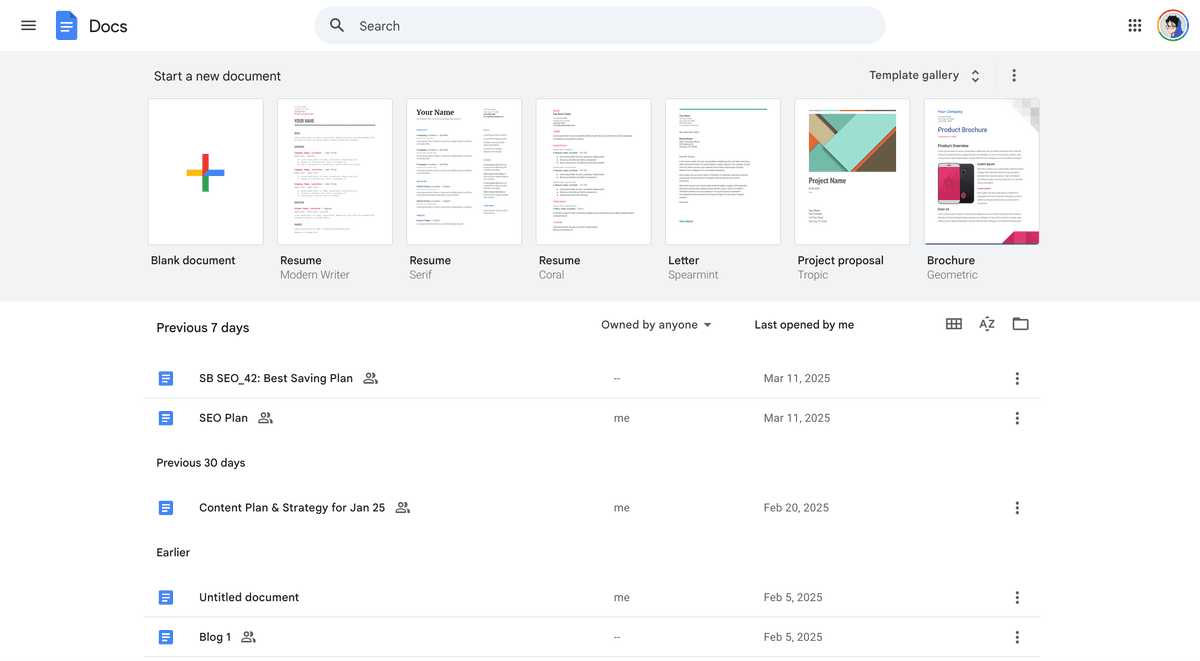
Google Drive is a cloud storage and file sharing service that can be used for basic data room needs. While not a dedicated data room solution, many startups use Google Drive to organize and share documents with investors due to its familiarity and ease of use.
Google Drive offers file storage, sharing capabilities, and collaboration features that can serve as a simple data room alternative for early-stage startups with basic document sharing needs. Startups can create organized folder structures to share financial documents, legal agreements, pitch decks, and other fundraising materials with investors. The platform allows for granular sharing permissions, enabling startups to control who can view, comment, or edit specific documents.
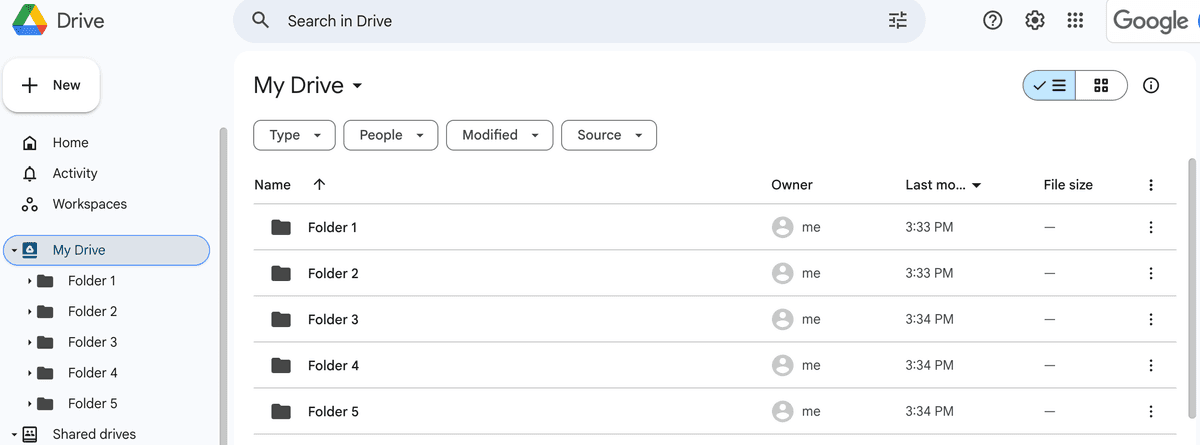
Startups can organize their data room documents into folders by category (financial, legal, product, etc.) and share access with investors through email invitations or shareable links with specific permission levels.
Google Drive vs Papermark: Google Drive data room is perfect if you are looking for a free or low-cost basic file sharing solution with familiar collaboration tools. Alternatively, for more secure advanced features like page-by-page analytics, dynamic watermarking, password protection, and professional branding, Papermark can be used as a dedicated data room solution designed specifically for fundraising.

Website: docsend.com
DocSend is a tool that provides real-time document and video analytics to help businesses understand customer behavior and improve their pitches. The platform offers virtual data room capabilities designed for startups managing fundraising and investor relations.
DocSend allows users to track engagement with shared documents and videos, gaining actionable insights and create data rooms fitting growing startups. The data room feature enables startups to organize multiple documents in a secure, trackable environment where they can monitor investor engagement, see which pages investors spend the most time on, and receive notifications when documents are accessed.
DocSend vs Papermark: DocSend data room is perfect if you are looking for document analytics and video tracking capabilities. Alternatively, for more secure advanced features like unlimited data rooms, granular folder permissions, custom domains, and open-source self-hosting options, Papermark can be used as a more cost-effective and feature-rich alternative.
Website: box.com
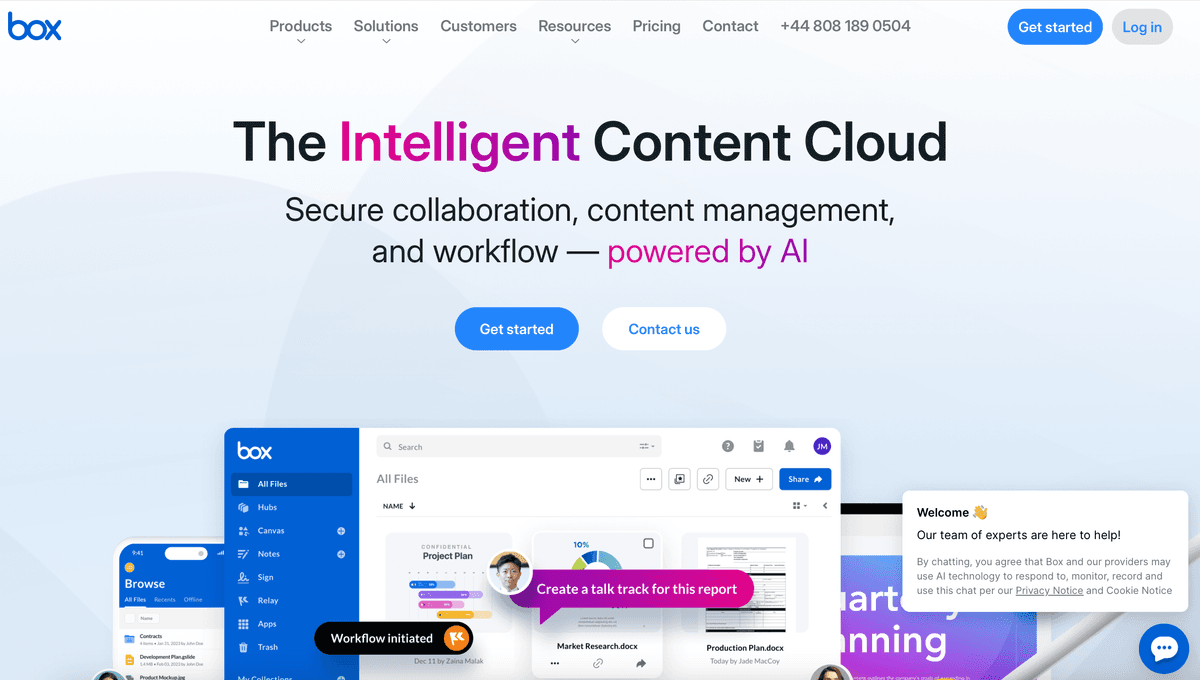
Box is a collaboration tool that ensures sensitive files are protected with advanced security controls and intelligent threat detection. While not a dedicated data room solution, Box can be configured as a data room for startups needing enterprise-grade security and collaboration features.
Box is cloud-based content management, collaboration, and file sharing tools for businesses which can be used for data room creation. Startups can organize fundraising documents into secure folders with granular access controls, allowing them to share sensitive information with investors while maintaining security and compliance standards. The platform offers features like watermarking, access expiration, and detailed audit trails that are essential for data room operations.
However, it is not its main feature, and startups may find it more complex than dedicated data room solutions.
Box vs Papermark: Box data room is perfect if you are looking for enterprise-grade collaboration tools with extensive integrations. Alternatively, for more startup-friendly pricing, dedicated data room features like page-by-page analytics, custom domains, and simpler setup, Papermark can be used as a purpose-built data room solution.
Website: digify.com
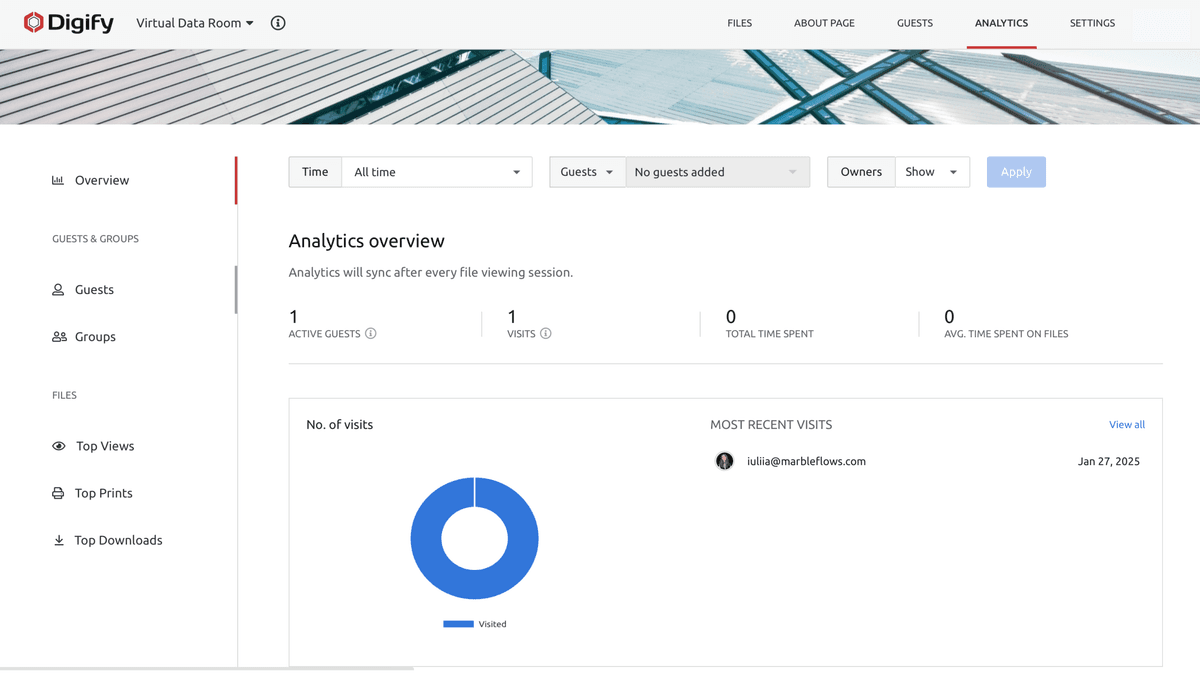
Digify is a document security service providing protection and tracking capabilities for important documents. The platform offers virtual data rooms specifically designed for secure management of sensitive company information, ideal for fundraising and investor updates, which can fit startups.
Digify's data room solution allows startups to create secure, organized spaces for sharing fundraising documents with investors. The platform provides document tracking, access controls, and automated watermarks to protect sensitive information. Startups can monitor who has accessed which documents, track viewing times, and set expiration dates for document access, making it suitable for managing investor due diligence processes.
Digify vs Papermark: Digify data room is perfect if you are looking for document security with watermarking features. Alternatively, for more cost-effective pricing, unlimited data rooms, custom domains, and open-source self-hosting options, Papermark can be used as a more affordable and flexible alternative.
Website: firmroom.com
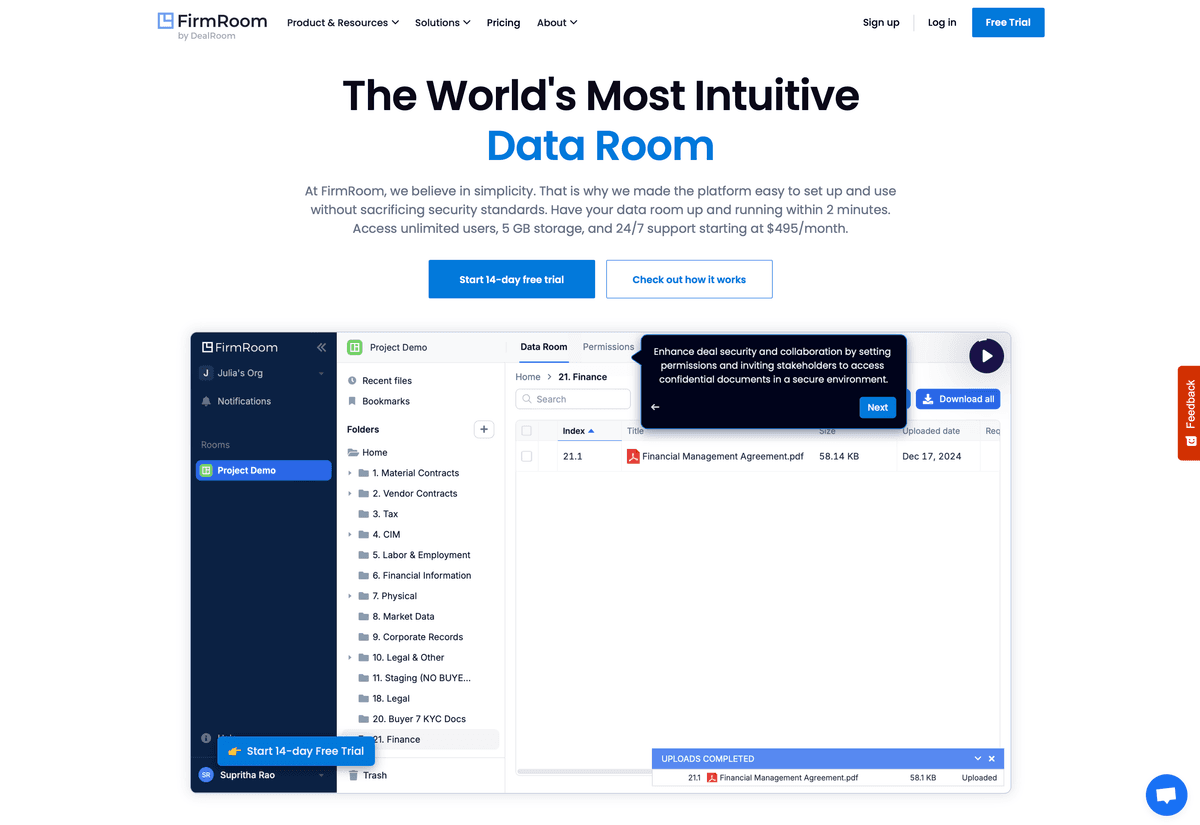
FirmRoom is virtual data room solutions for startups that offer efficient management of sensitive documents for dealmakers in various industries. The platform is designed specifically for financial transactions, M&A deals, and fundraising activities.
Users of FirmRoom can control access to company data, manage document disclosure, and gain valuable insights into data room activity. The platform provides startups with tools to organize fundraising documents, track investor engagement, and manage the due diligence process. FirmRoom's data room features include document indexing, Q&A modules, and activity tracking to help startups manage investor communications effectively during fundraising rounds.
FirmRoom vs Papermark: FirmRoom data room is perfect if you are looking for enterprise-focused M&A data room solutions. Alternatively, for more startup-friendly pricing starting at $59/month, unlimited data rooms, custom domains, and modern analytics, Papermark can be used as a more affordable and flexible alternative.
Website: securedocs.com
SecureDocs Data Room is a user-friendly platform designed for secure document management during business transactions, including fundraising and M&A activities. The platform offers startups a straightforward way to organize and share sensitive documents with investors.
SecureDocs Data Room is a reliable tool for securely managing information, processes, and supporting business transactions. Startups can use SecureDocs to create organized data rooms for fundraising, sharing financial documents, legal agreements, and other sensitive materials with potential investors. The platform provides features like drag-and-drop uploads, due diligence checklists, and audit trail reporting to help startups manage the investor due diligence process efficiently.
SecureDocs vs Papermark: SecureDocs data room is perfect if you are looking for a straightforward data room with due diligence checklists. Alternatively, for more advanced features like page-by-page analytics, custom domains, unlimited data rooms, and open-source self-hosting, Papermark can be used as a more feature-rich and cost-effective alternative.
Start from a secure data room for startups in 2026 by picking the option that matches your round. For most Seed and Series A founders, that is Papermark Data Rooms at €99/month with page-by-page analytics, NDA gating, dynamic watermarking, and unlimited investor viewers on a flat monthly fee.
The 10 best data rooms for fundraising in 2026 compared on pricing, security, and best-fit round. Real customer stories from Backtrace Capital, TBD VC, and Two Inc.
Compare the 7 best data rooms for investors in 2026 (Papermark, DocSend, Intralinks, iDeals, Notion, FirmRoom, Digify). Features, pricing, analytics for VCs and PE.
The best agentic AI virtual data rooms for M&A due diligence in 2026, compared on agent control, deal-level chat, and diligence automation. Covers Papermark, Datasite, Intralinks, Ansarada, DealRoom, and V7.