BlogDocument SharingEncrypted File Sharing in 2026: How It Works and the 7 Tools I Compared
Encrypted File Sharing in 2026: How It Works and the 7 Tools I Compared
·6 min read
Marc Seitz
Encrypted file sharing is the practice of transmitting files such that they are mathematically scrambled before they leave the sender's device, and can only be decrypted by authorized recipients with the correct keys. In 2026 the baseline is AES-256 at rest and TLS 1.3 in transit, with stronger workflows adding zero-knowledge client-side encryption and per-session viewer watermarks. For high-stakes external workflows (M&A, fundraising, regulated diligence), encrypted file sharing alone is not enough - you need a virtual data room with NDA gating, granular permissions, and audit-logged access.
Quick recap
Encrypted file sharing = files encrypted before transmission, decryptable only by authorized recipients with the right keys.
2026 baseline: AES-256 at rest, TLS 1.3 in transit, plus optional client-side / zero-knowledge encryption.
Email attachments are not encrypted file sharing beyond TLS in transit - once delivered, no controls remain.
Top 7 encrypted file sharing tools: Papermark (purpose-built secure data rooms), Tresorit, Box, Sync.com, Dropbox (with encryption add-ons), pCloud, and Proton Drive.
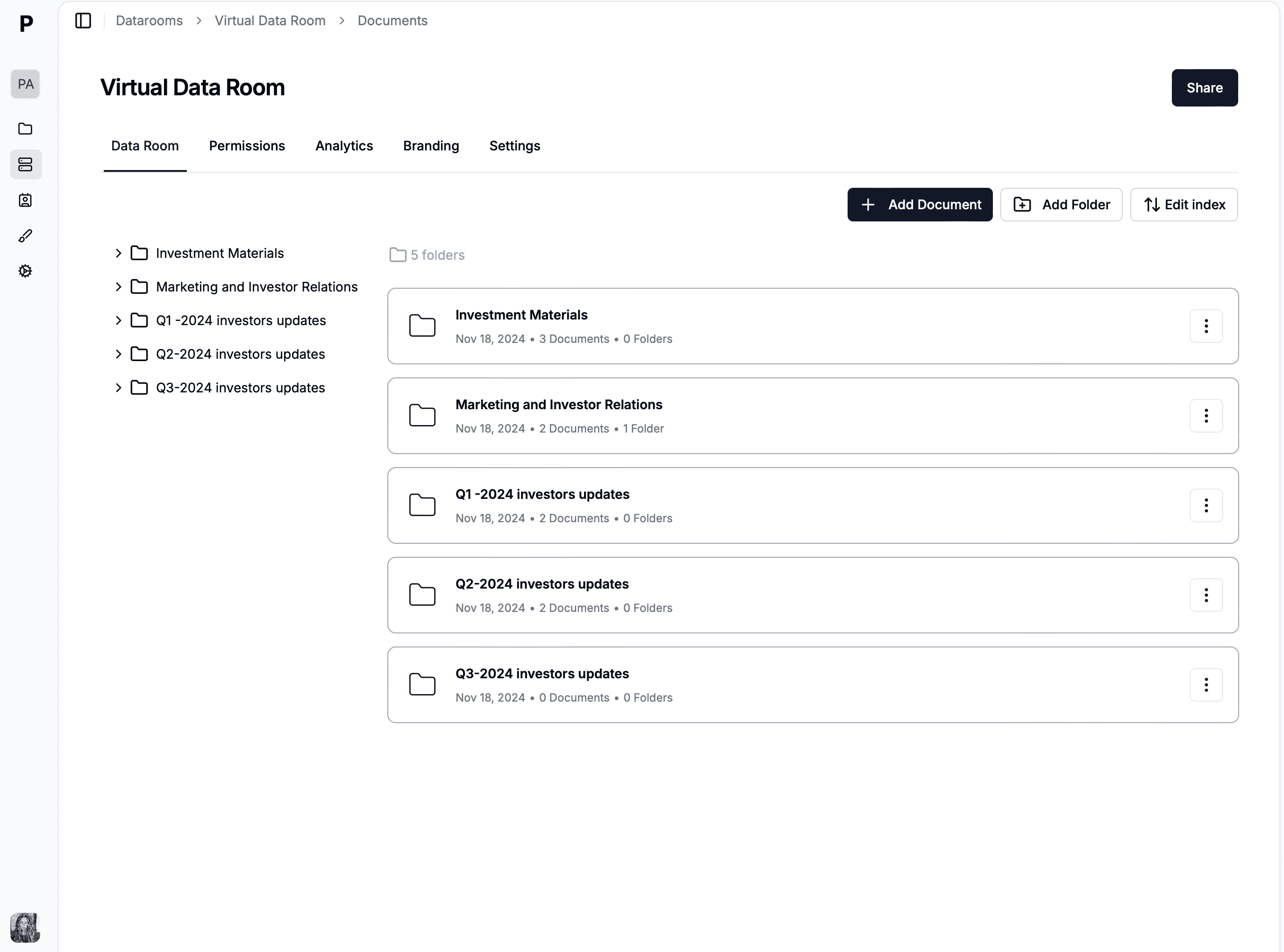
For sensitive external workflows (M&A, fundraising, regulated diligence), encryption alone is not enough - upgrade to a virtual data room.
Papermark offers AES-256, TLS 1.3, EU/Frankfurt hosting, SOC 2 Type II, GDPR-aligned DPA, optional self-hosted open-source deployment.
Encryption is necessary but not sufficient - you also need access controls, audit logs, NDA gates, and dynamic watermarking for full document security.
What is encrypted file sharing?
Encrypted file sharing is a secure method of transmitting files where data is encrypted before transmission and can only be decrypted by authorized recipients with the correct keys. Unlike standard file sharing that sends data in readable form, encrypted file sharing protects information from interception, unauthorized access, and data breaches during transfer and storage.
Encryption transforms your files into unreadable code that appears as random characters to anyone without the decryption key. This ensures that even if files are intercepted during transmission or accessed by unauthorized parties, the content remains protected. Modern encrypted file sharing solutions combine encryption with access controls, audit trails, and secure authentication to provide comprehensive protection for sensitive documents.
How encrypted file sharing works
Encrypted file sharing uses cryptographic algorithms to secure files at multiple stages of the sharing process. Understanding how it works helps you choose the right solution for your security needs.
Encryption in transit
When you upload a file, it's encrypted before leaving your device using protocols like TLS (Transport Layer Security) or HTTPS. This ensures that data traveling over the internet cannot be read by network interceptors, ISPs, or malicious actors monitoring network traffic. The encryption happens automatically in the background, so you don't need to manually encrypt files before uploading.
Encryption at rest
Once files reach the server, they remain encrypted even when stored. This means that even if someone gains unauthorized access to the storage servers, they cannot read the file contents without the decryption keys. Different services use various encryption standards, with AES-256 being the industry standard for strong encryption.
Key management
Encryption keys are what unlock your encrypted files. In end-to-end encryption systems, keys are generated on your device and never shared with the service provider, meaning even the platform cannot access your files. Other systems use server-side encryption where the service manages keys, providing convenience but requiring trust in the provider's security practices.
Access controls
Encrypted file sharing platforms combine encryption with granular access controls. You can set passwords, require email verification, set link expiration dates, limit the number of downloads, and control who can view specific files or folders. These controls work alongside encryption to provide multiple layers of security.
Tools for encrypted file sharing
Several platforms specialize in encrypted file sharing, each offering different approaches to security and usability. Here are two leading options:
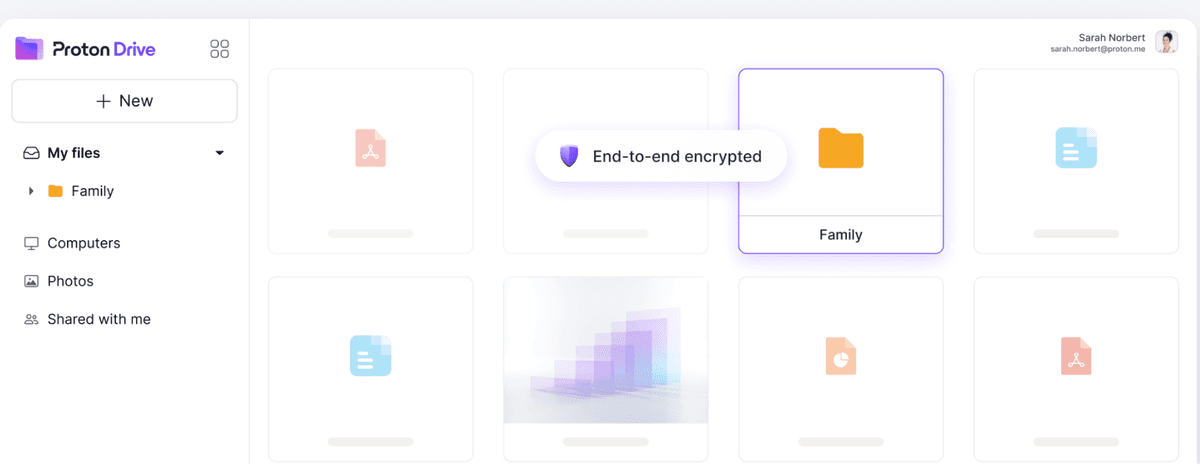
ProtonDrive is a privacy-focused encrypted file sharing service from the makers of ProtonMail. The platform uses end-to-end encryption, meaning files are encrypted on your device before upload and can only be decrypted by you and authorized recipients. ProtonDrive cannot access your files even if requested by authorities.
Key features:
End-to-end encryption with zero-knowledge architecture
Secure file storage with automatic sync across devices
Password-protected sharing links
Based in Switzerland with strong privacy laws
Free tier available with 1GB storage
Limitations:
Limited storage on free tier
Less focus on business collaboration features
No advanced analytics or engagement tracking
Smaller ecosystem compared to mainstream cloud storage
Tresorit is an enterprise-focused encrypted file sharing platform designed for businesses that need strong security with collaboration features. The service uses client-side encryption and offers advanced administrative controls for teams.
Enterprise teams needing zero-knowledge encryption
Papermark: Secure encrypted file sharing alternative
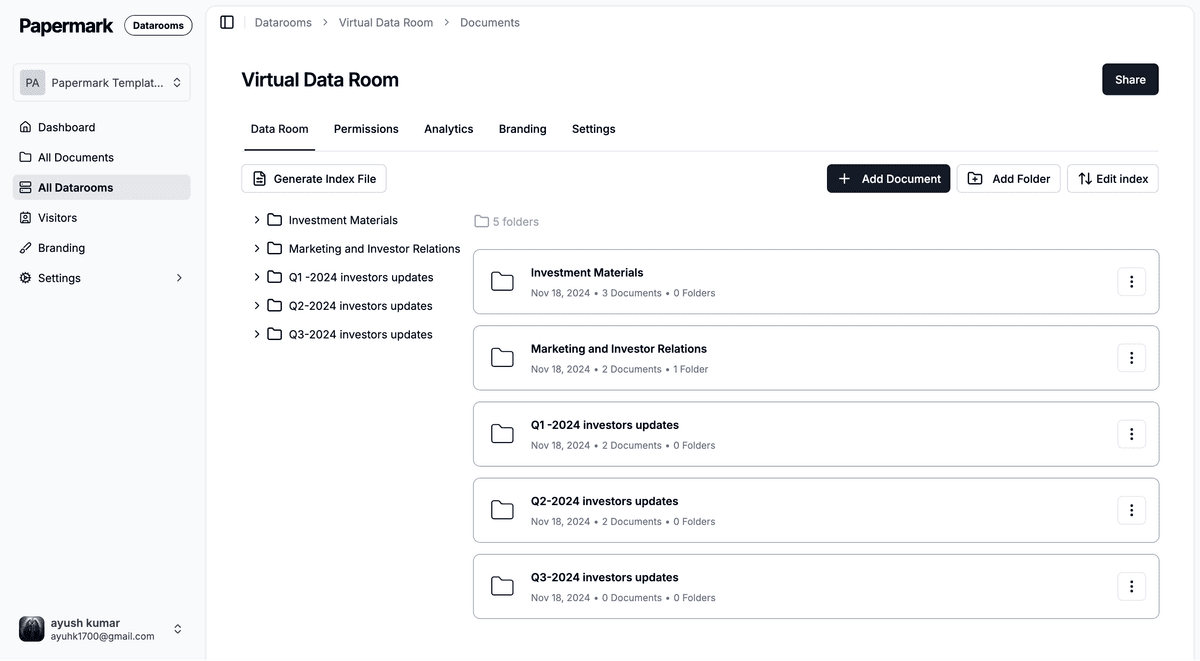
Papermark offers encrypted file sharing with a focus on document analytics, access controls, and professional presentation. While providing strong encryption and security, Papermark differentiates itself through engagement tracking and business-focused features.
Papermark encryption and security features
Papermark uses industry-standard encryption to protect your files during transmission and storage. The platform combines encryption with comprehensive access controls including password protection, email verification, link expiration, download limits, and granular permissions. Files are protected with watermarking and screenshot prevention to prevent unauthorized copying even after access is granted.
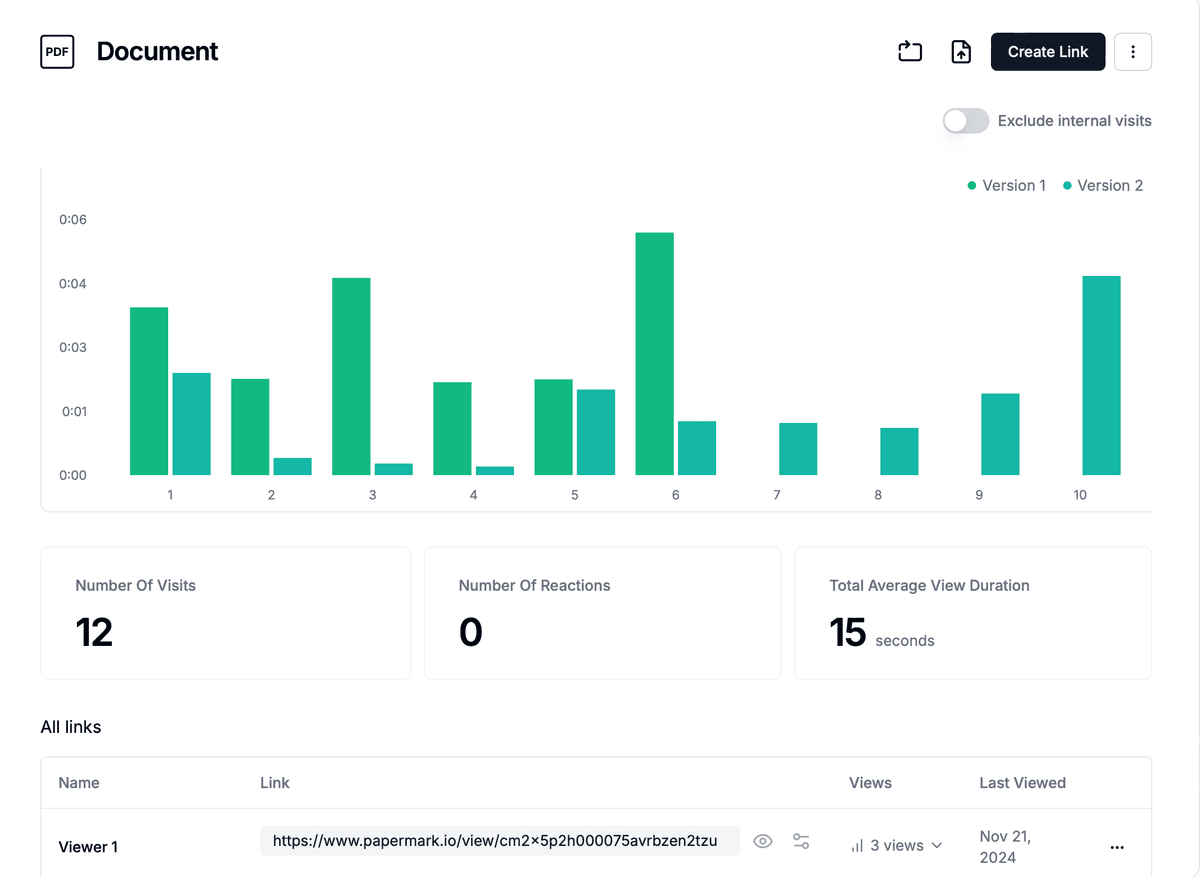
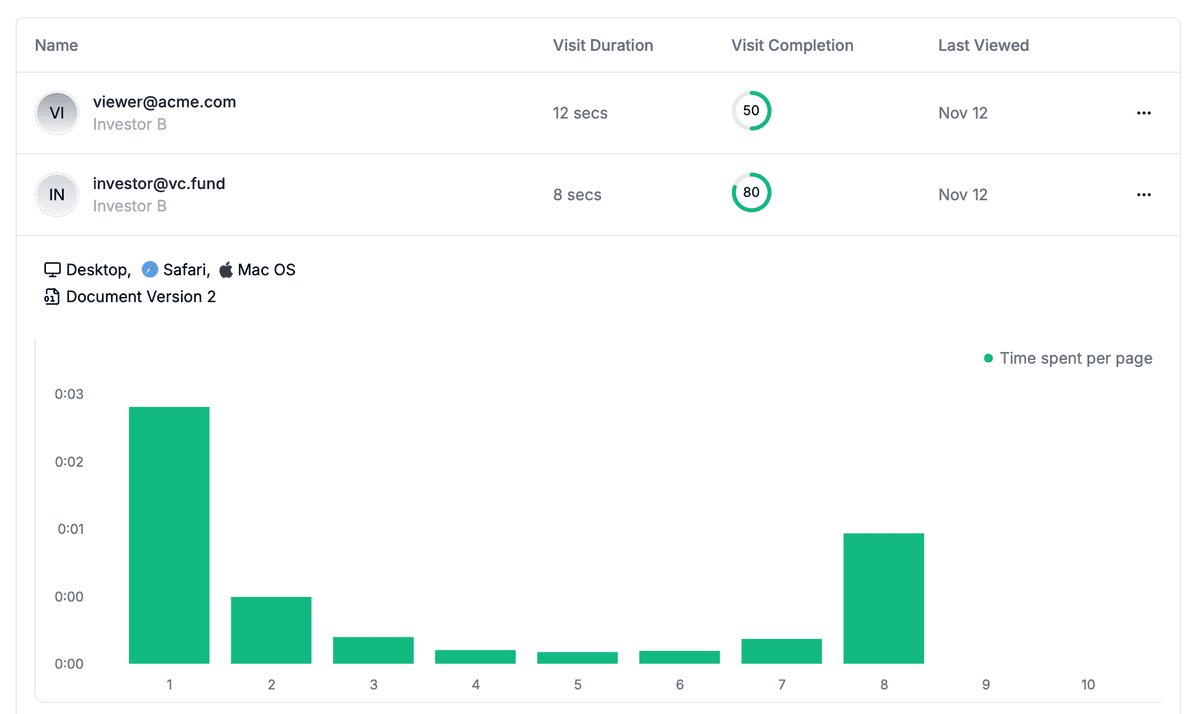
The platform provides detailed analytics showing who accessed your files, when they viewed them, and how long they spent on each page. This engagement tracking helps you understand recipient interest and prioritize follow-ups, making it ideal for business use cases like sharing pitch decks, proposals, or confidential documents.
When to choose Papermark
Papermark excels when you need encrypted file sharing combined with business intelligence. Use it for sharing sensitive documents where you want to track engagement, such as investor pitch decks, client proposals, legal documents, or confidential reports. The platform's analytics help you understand which recipients are most engaged, enabling data-driven follow-up strategies.
The service is particularly valuable for professionals who share documents regularly and need insights into how recipients interact with their materials. Unlike pure storage solutions, Papermark focuses on secure sharing with visibility into document access patterns.
Best practices for encrypted file sharing
When using encrypted file sharing services, follow these practices to maximize security and protect sensitive information.
Choose the right encryption level: For highly sensitive data, prefer end-to-end encryption where keys never leave your device. For business collaboration, server-side encryption with strong access controls may provide better usability while maintaining security.
Use strong access controls: Always enable password protection, set link expiration dates, and limit download counts. Require email verification for sensitive documents to ensure you know who accessed your files.
Monitor access regularly: Review access logs and analytics to identify unusual activity. Many encrypted file sharing platforms provide audit trails showing who accessed files and when.
Keep encryption keys secure: If you're using a service that provides encryption keys, store backups securely. Never share keys through insecure channels like email or unencrypted messaging. For more on how to encrypt files and manage encryption keys, see our detailed guide.
Update software regularly: Keep your file sharing applications updated to ensure you have the latest security patches and encryption improvements.
When to upgrade to a virtual data room
Encrypted file sharing solves the transmission problem: data in transit and at rest cannot be read by network interceptors or storage breaches. It does not solve the deal workflow problem: who saw what, when, under what NDA, with what watermark, and through which audit trail. For high-stakes external workflows, encryption alone is necessary but not sufficient.
You should upgrade from encrypted file sharing to a virtual data room when:
You are running an M&A process with multiple bidders requiring scoped per-bidder access.
You are fundraising from institutional investors who expect page-by-page engagement analytics.
You need NDA enforcement before access as a contractual prerequisite.
You need dynamic per-session watermarking that traces leaks to specific viewers.
You need a legally defensible audit trail for post-close disputes or regulatory review.
You are in a regulated industry (healthcare, biotech, financial services, government) requiring HIPAA, FDA 21 CFR Part 11, or SOC 2 Type II audit-grade controls.