5 Best Enterprise Content Management Software in 2026
·5 min read
Marc Seitz
Enterprise content management (ECM) software is essential for organizations that need to organize, store, manage, and share business documents efficiently. As businesses generate increasing amounts of digital content, having a robust ECM system helps ensure documents are accessible, secure, and properly managed throughout their lifecycle.
Enterprise content management software provides centralized document storage, version control, workflow automation, access controls, and collaboration features that help organizations manage their content effectively. The right ECM solution depends on your organization's size, industry requirements, integration needs, and budget. This guide explores five leading enterprise content management solutions, from cloud-based platforms to on-premises systems, helping you choose the best option for your organization's content management needs.
Quick recap of enterprise content management software
Papermark: Enterprise secure document sharing platform with virtual data rooms, advanced analytics, dynamic watermarking, and comprehensive branding
Microsoft SharePoint: Comprehensive document management and collaboration platform integrated with Microsoft 365
Box: Cloud-based enterprise content management with strong collaboration tools and security features
Alfresco: Open-source ECM platform with workflow automation and flexible deployment options
OpenText Content Suite: Enterprise-grade content management with advanced workflow and compliance capabilities
Types of enterprise content management software and use cases
Secure document sharing platforms:
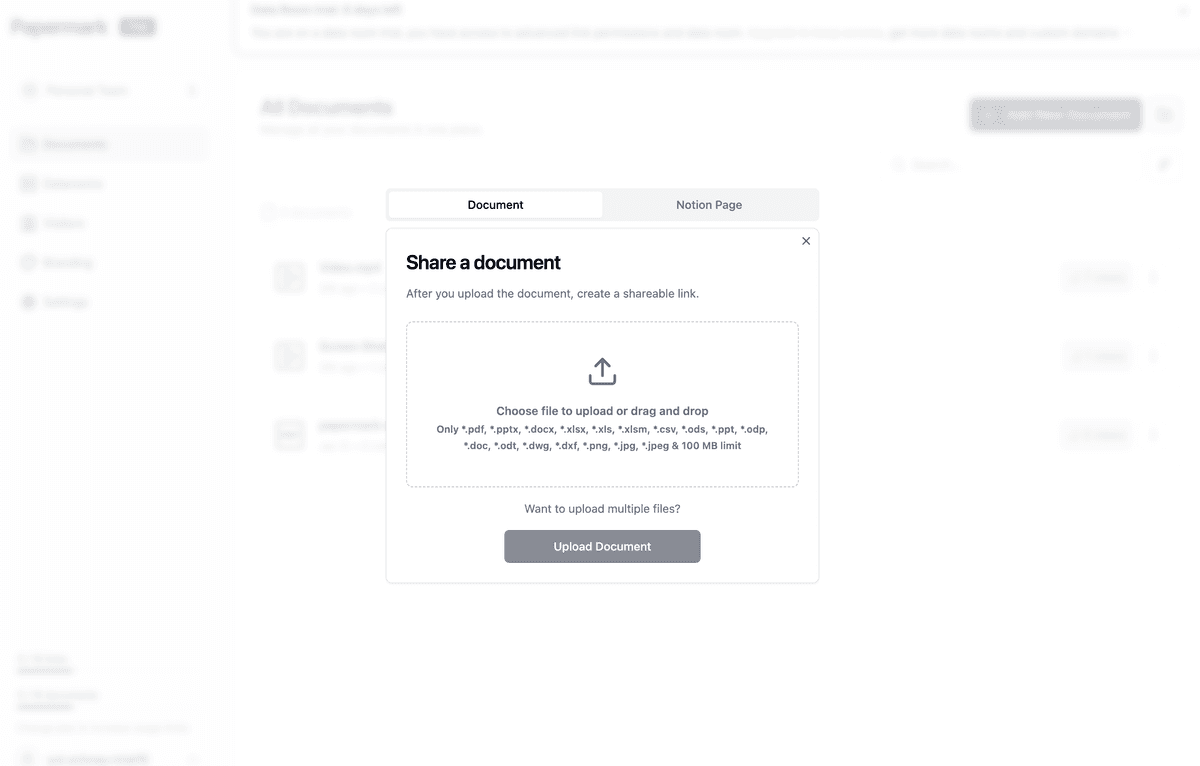
Software like Papermark falls into this category, offering virtual data rooms with secure link sharing, built-in analytics, and advanced access controls. These platforms make it easy to share sensitive documents with external parties through safe links while providing clear visibility into who viewed documents and when. The ability to see exactly who accessed your content makes these platforms ideal for organizations that need to track document engagement and maintain control over shared content.
Collaboration-focused ECM:
Microsoft SharePoint and Box represent this type, providing comprehensive document management with strong collaboration features. These solutions integrate with productivity suites and offer real-time collaboration, making them ideal for teams that need seamless document collaboration alongside content management.
Open-source ECM platforms:
Alfresco and Papermark offer open-source solutions with flexible deployment options. These platforms are ideal for organizations that need customization, want to avoid vendor lock-in, or require self-hosting capabilities. Open-source ECM provides transparency and allows organizations to adapt the software to their specific needs.
Enterprise-grade ECM systems:
OpenText Content Suite represents this category, providing advanced workflow automation, compliance features, and scalability for large enterprises. These systems are designed for organizations with complex content management requirements, extensive compliance needs, and large-scale document processing workflows.
Cloud-native ECM:
Box and cloud-based SharePoint provide cloud-native content management with automatic updates, scalability, and reduced IT overhead. These solutions are ideal for organizations that prefer cloud deployment and want to minimize infrastructure management.
Papermark is an open-source enterprise content management platform that provides secure document sharing, analytics, and data room creation for modern organizations. Unlike traditional ECM systems that focus primarily on internal document storage, Papermark combines content management with secure external sharing capabilities, making it ideal for businesses that need to share documents with clients, investors, or partners while maintaining detailed visibility into document engagement.
The platform offers both cloud-based and self-hosted deployment options, giving organizations flexibility in how they manage their content infrastructure. Papermark's focus on secure document sharing with analytics makes it particularly valuable for organizations in finance, legal, consulting, and other industries where document tracking and security are critical.
Papermark features
Papermark provides comprehensive enterprise content management capabilities designed for organizations that need secure document sharing with advanced control and visibility. The platform offers unlimited document and folder organization, allowing enterprise teams to structure content in a way that matches their workflow.
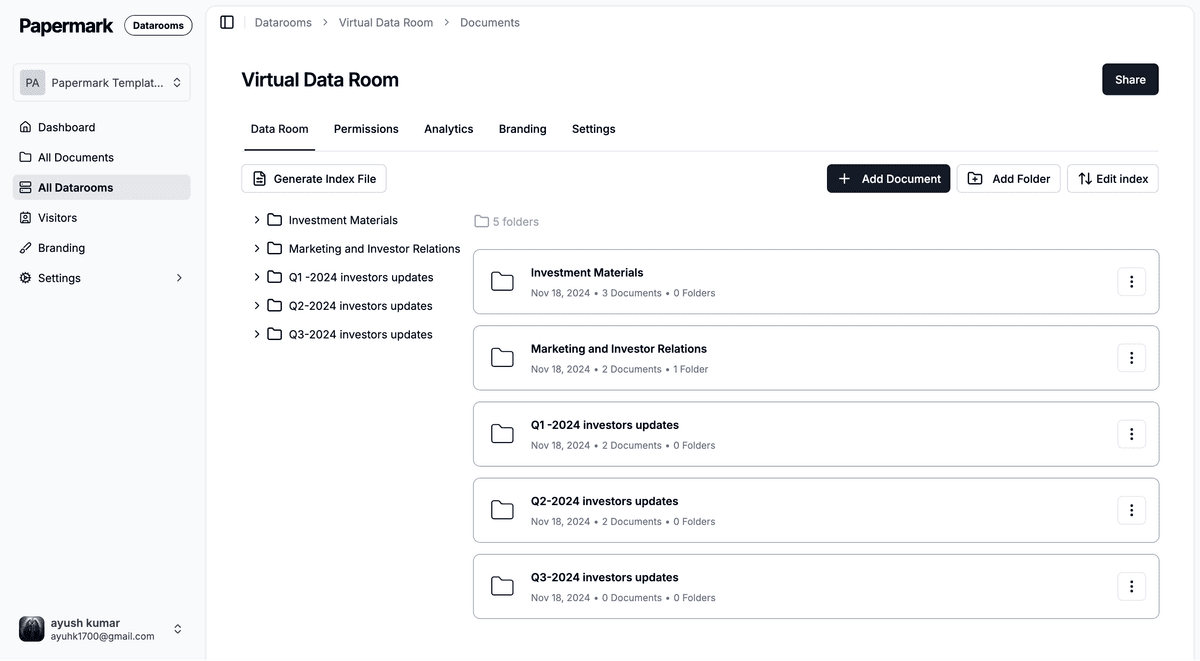
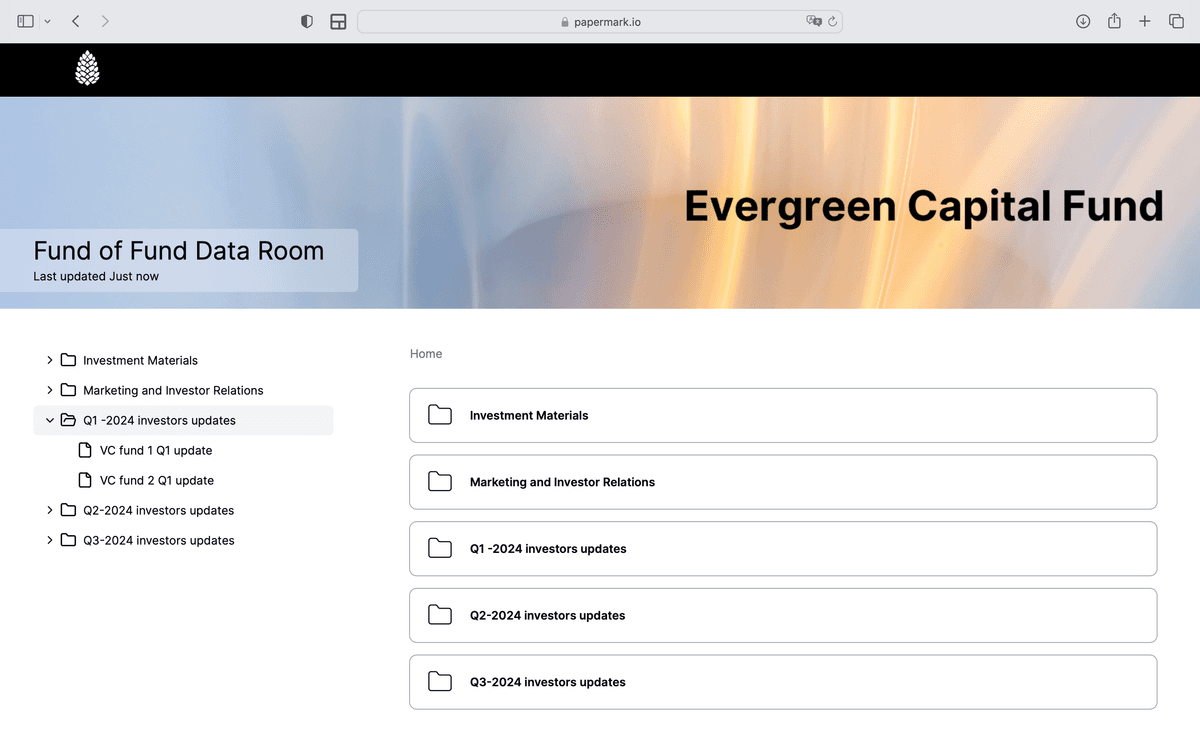
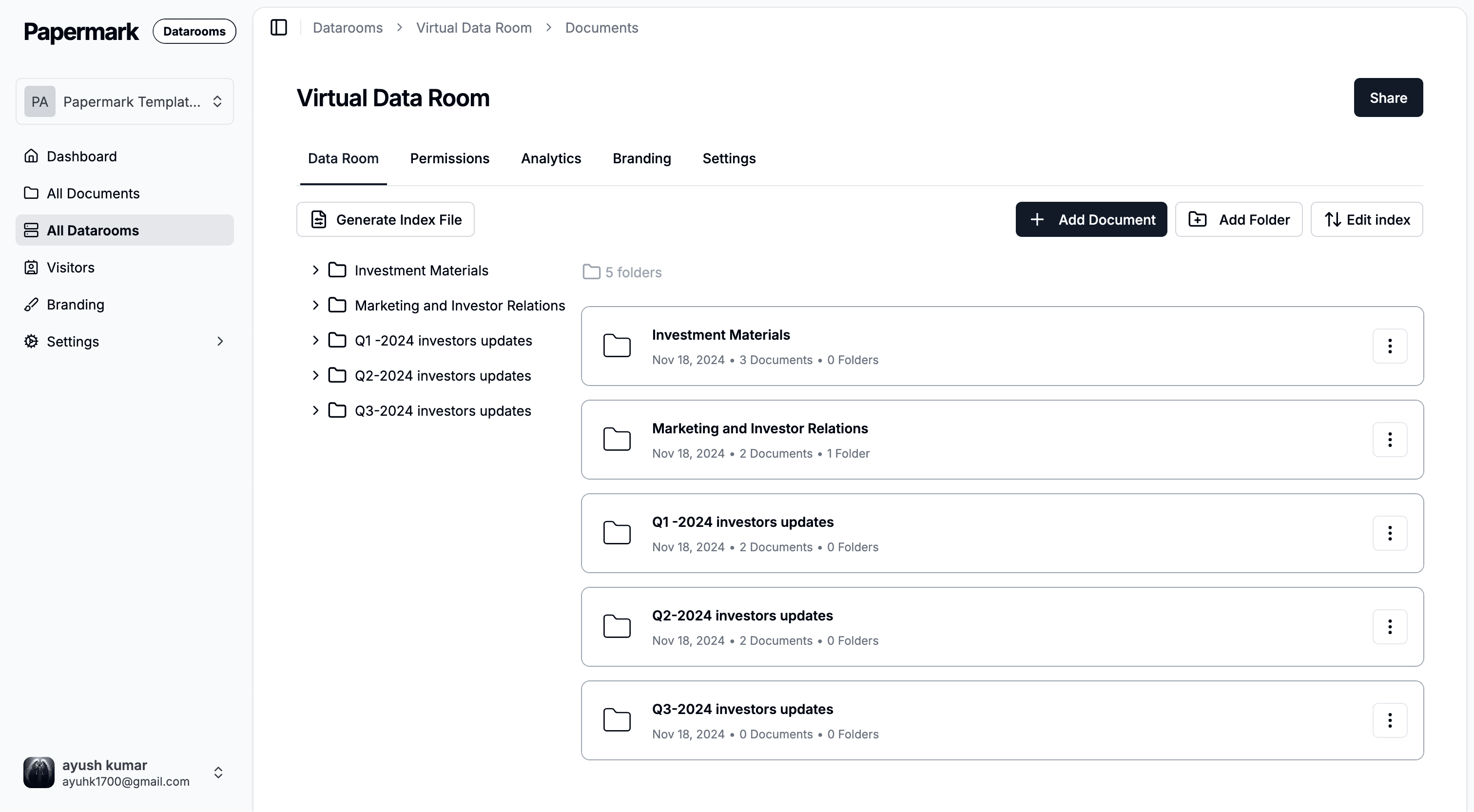
Papermark's virtual data room feature provides enterprise-grade secure document sharing through safe links, making it simple to organize and distribute business-critical content during due diligence, fundraising, M&A transactions, and other sensitive business processes.
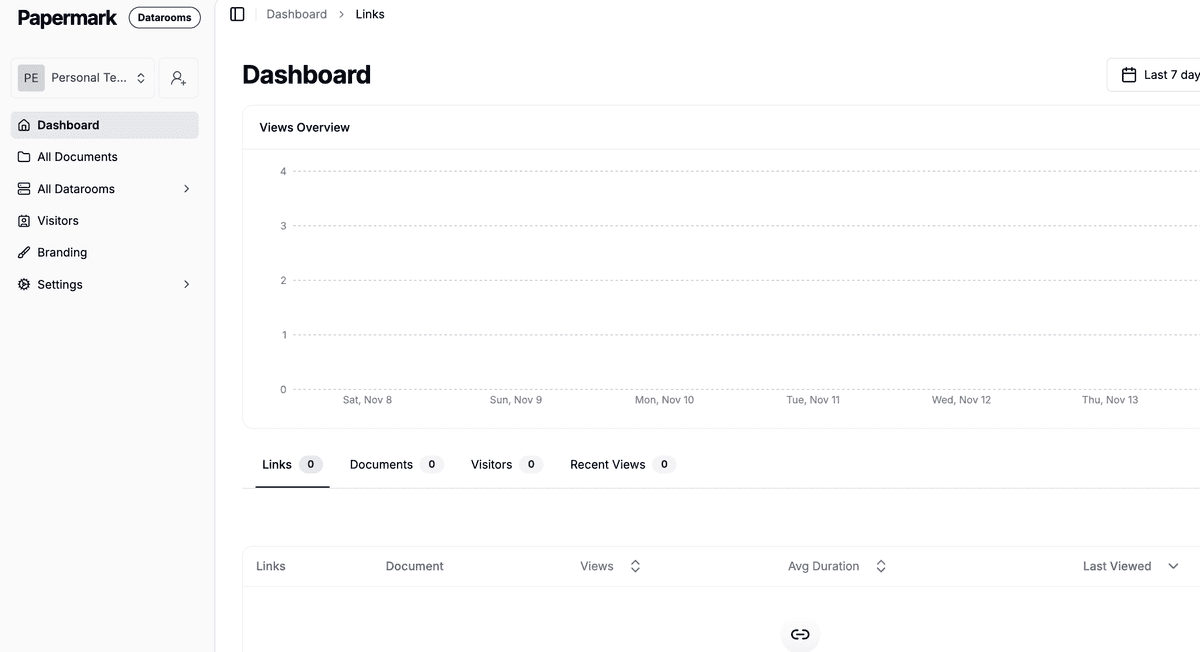
The platform includes enterprise-grade access controls with email verification, allowlists, denylists, and access expiration dates. Papermark's virtual data rooms allow organizations to create secure spaces with granular permissions, ensuring only authorized parties can access sensitive documents. The platform provides detailed page-by-page analytics, making it easy for enterprises to see exactly who viewed documents, when they accessed them, and how long they spent on each page—critical for tracking engagement during important business processes.
Papermark's enterprise features include dynamic watermarking that automatically adds recipient-specific information to each document page, providing traceability and deterring unauthorized sharing. The platform includes screenshot protection and download prevention features to protect sensitive enterprise content.
Papermark provides comprehensive white-labeling and branding capabilities, allowing enterprises to customize the interface with their logo, brand colors, and custom domain to maintain consistent corporate identity. The platform offers API access for seamless integration with existing enterprise systems and workflows, supporting automation and custom integrations.
Papermark limitations
As a platform focused on secure document sharing, Papermark doesn't provide the same level of workflow automation as traditional ECM systems like SharePoint or OpenText. The platform is designed primarily for document sharing and analytics rather than comprehensive enterprise content lifecycle management. Advanced workflow features may require integration with other tools.
Papermark pricing
Pro plan: $24 per month (includes advanced features, analytics, and watermarking)
Business plan: $59 per month (includes unlimited documents and folders, full branding, custom domain, advanced analytics)
Data rooms plan: $99 per month (includes all Business features plus virtual data rooms, unlimited folders, and advanced access controls)
Self-hosted version: Available for enterprises requiring complete control over their infrastructure and data
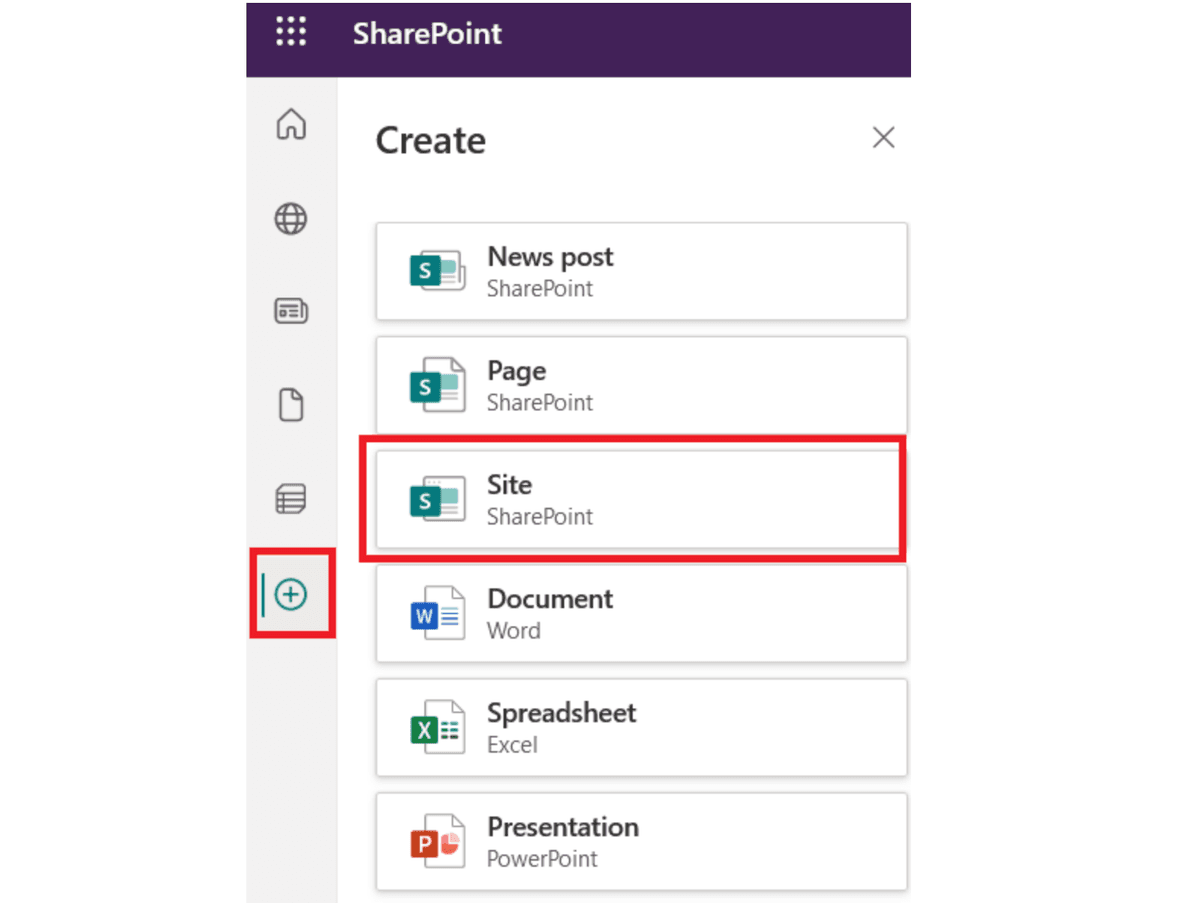
Microsoft SharePoint is a comprehensive enterprise content management platform that provides document management, collaboration, and workflow automation as part of the Microsoft 365 ecosystem. SharePoint integrates seamlessly with Microsoft Office applications, Teams, and other Microsoft services, making it a natural choice for organizations already using Microsoft 365.
SharePoint offers both cloud-based (SharePoint Online) and on-premises (SharePoint Server) deployment options, providing flexibility for organizations with different infrastructure requirements. The platform is designed for organizations of all sizes, from small teams to large enterprises with complex content management needs.
SharePoint features
SharePoint provides extensive enterprise content management capabilities including document libraries, version control, metadata management, and content types. The platform offers powerful search functionality with the ability to search across documents, metadata, and content. SharePoint integrates with Power Automate for workflow automation, allowing organizations to create custom business processes.
The platform includes collaboration features like co-authoring, comments, and notifications. SharePoint provides granular permissions and access controls, allowing organizations to manage who can view, edit, or delete content. The platform supports integration with Microsoft Teams, Outlook, and other Microsoft 365 applications, creating a unified collaboration environment.
SharePoint offers compliance features including retention policies, eDiscovery, and data loss prevention. The platform supports hybrid deployments, allowing organizations to combine cloud and on-premises content management. SharePoint provides extensive customization options through custom web parts, workflows, and integrations.
SharePoint limitations
SharePoint can be complex to set up and configure, especially for organizations new to the platform. The learning curve can be steep for users unfamiliar with SharePoint's interface and concepts. Advanced features often require SharePoint administrators or developers to configure properly. The platform's extensive feature set can sometimes feel overwhelming for teams that only need basic document management.
SharePoint pricing
SharePoint Online: Included with Microsoft 365 Business plans starting at $6 per user per month
Microsoft 365 E3: $32 per user per month (includes SharePoint and full Microsoft 365 suite)
Microsoft 365 E5: $57 per user per month (includes advanced SharePoint features and compliance tools)
SharePoint Server: On-premises licensing available (contact Microsoft for pricing)
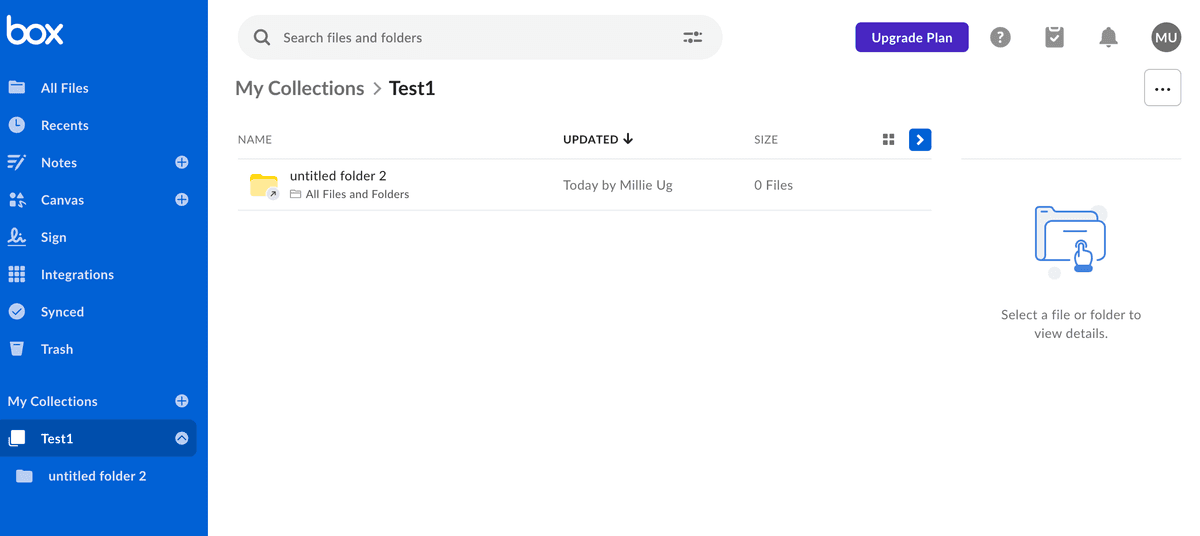
Box is a cloud-based enterprise content management platform that provides secure file storage, collaboration, and workflow automation. The platform is designed for modern organizations that need cloud-native content management with strong security and compliance features. Box emphasizes ease of use and mobile access, making it accessible for teams across different devices and locations.
Box provides enterprise-grade security features including encryption, access controls, and compliance certifications. The platform integrates with hundreds of business applications, allowing organizations to connect Box with their existing tools and workflows. Box is particularly popular among organizations that prioritize cloud deployment and mobile access.
Box features
Box provides comprehensive cloud-based content management with unlimited storage on enterprise plans, advanced search capabilities, and file preview for over 120 file types. The platform offers Box Relay for workflow automation, allowing organizations to create custom business processes. Box includes collaboration features like comments, tasks, and real-time notifications.
The platform provides advanced security features including Box Shield for threat detection, data loss prevention, and compliance management. Box offers granular permissions and access controls, allowing organizations to manage content access at the file, folder, or account level. The platform includes Box Governance for records management and retention policies.
Box integrates with Microsoft 365, Google Workspace, Salesforce, and hundreds of other business applications. The platform provides mobile apps for iOS and Android, ensuring access from any device. Box offers extensive API access for custom integrations and automation.
Box limitations
Box is a cloud-only solution, so organizations that require on-premises deployment cannot use Box. The platform's pricing can be expensive for large organizations with many users. Some advanced features are only available on higher-tier plans. Box's workflow automation capabilities, while improving, may not be as advanced as dedicated ECM systems.
Box pricing
Starter: $7.50 per user per month (up to 10 users)
Business: $20 per user per month (unlimited users, advanced features)
Business Plus: $33 per user per month (advanced security and compliance)
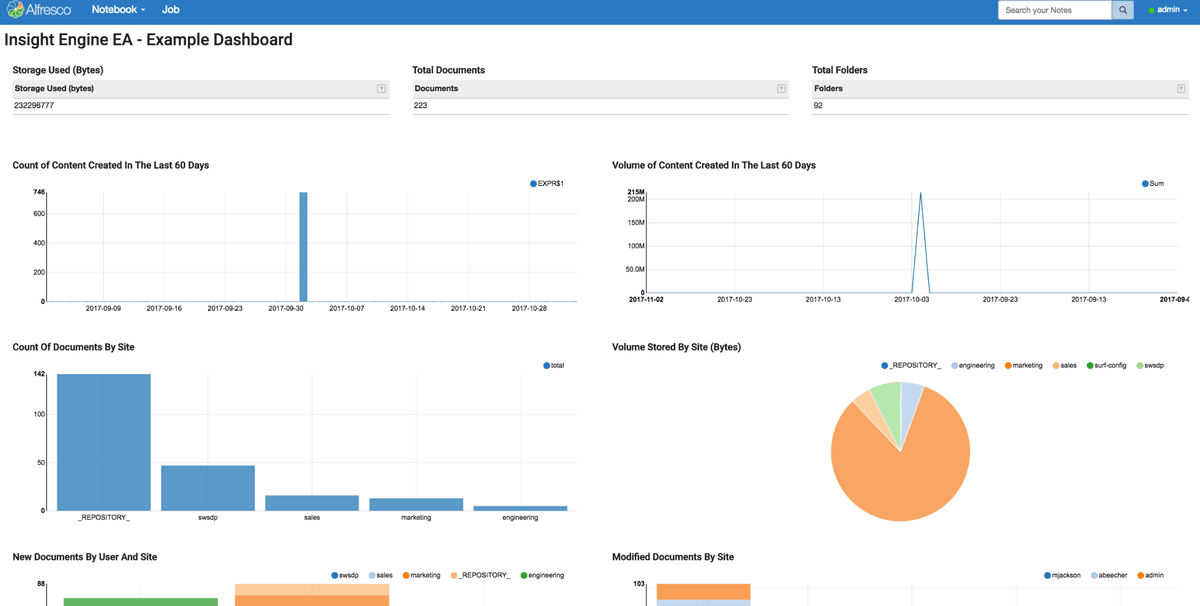
Alfresco is an open-source enterprise content management platform that provides document management, workflow automation, and content services. The platform offers both open-source Community Edition and commercial Enterprise Edition, giving organizations flexibility in deployment and support options. Alfresco is designed for organizations that need powerful ECM capabilities with the flexibility of open-source software.
Alfresco supports both on-premises and cloud deployment, providing organizations with deployment flexibility. The platform includes advanced workflow automation capabilities, making it suitable for organizations with complex business processes. Alfresco's open-source nature allows organizations to customize the platform to their specific needs.
Alfresco features
Alfresco provides comprehensive document management with version control, metadata management, and content modeling. The platform includes powerful workflow automation with the Alfresco Process Services (APS) engine, allowing organizations to create complex business processes. Alfresco offers advanced search capabilities with full-text search and faceted search.
The platform provides integration capabilities through APIs, CMIS (Content Management Interoperability Services), and custom integrations. Alfresco includes collaboration features like comments, tasks, and social features. The platform supports records management and compliance features for organizations with regulatory requirements.
Alfresco offers both on-premises and cloud deployment options, including Alfresco Cloud for organizations that prefer managed cloud services. The platform includes mobile access through mobile apps and responsive web interface. Alfresco provides extensive customization options through custom components, workflows, and integrations.
Alfresco limitations
Alfresco can be complex to set up and maintain, especially for organizations without dedicated IT resources. The Community Edition may have limited support compared to commercial alternatives. Some advanced features are only available in the Enterprise Edition. The platform's interface may feel less modern compared to cloud-native solutions.
Alfresco pricing
Community Edition: Free and open-source
Alfresco Content Services: Contact for pricing (includes support and enterprise features)
Alfresco Process Services: Contact for pricing (advanced workflow automation)
Alfresco Cloud: Starting at $5 per user per month (managed cloud deployment)
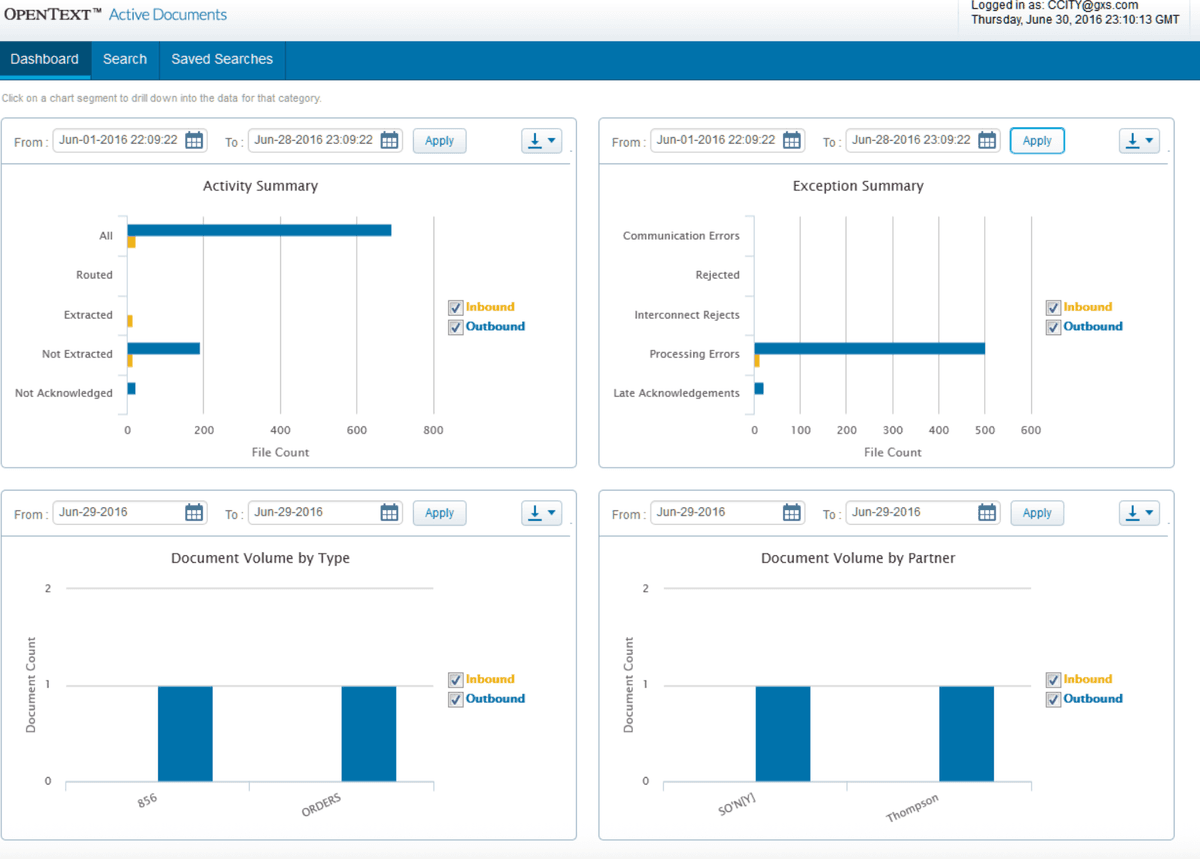
OpenText Content Suite is an enterprise-grade content management platform designed for large organizations with complex content management requirements. The platform provides advanced workflow automation, compliance features, and scalability for enterprises managing millions of documents. OpenText Content Suite is particularly suited for organizations in regulated industries that require extensive compliance and records management capabilities.
The platform offers both on-premises and cloud deployment options, providing flexibility for organizations with different infrastructure requirements. OpenText Content Suite integrates with other OpenText products and enterprise systems, creating a comprehensive enterprise information management solution.
OpenText Content Suite features
OpenText Content Suite provides advanced document management with comprehensive version control, metadata management, and content classification. The platform includes powerful workflow automation with the OpenText Process Suite, allowing organizations to create complex, multi-step business processes. OpenText offers advanced records management and compliance features for organizations with regulatory requirements.
The platform provides extensive integration capabilities through APIs, web services, and connectors to enterprise systems like SAP, Oracle, and Microsoft. OpenText includes advanced search and discovery capabilities with full-text search, faceted search, and AI-powered content insights. The platform offers scalability to handle millions of documents and thousands of concurrent users.
OpenText Content Suite includes compliance features like retention policies, legal hold, and eDiscovery capabilities. The platform provides advanced security features including encryption, access controls, and audit trails. OpenText offers extensive customization options through custom workflows, integrations, and extensions.
OpenText Content Suite limitations
OpenText Content Suite is designed for large enterprises and may be overkill for smaller organizations. The platform can be expensive, especially when including support and additional modules. Implementation and customization can be complex and time-consuming, often requiring OpenText consultants or partners. The platform's interface may feel dated compared to modern cloud-native solutions.
OpenText Content Suite pricing
Contact for pricing: Enterprise licensing based on users, documents, and modules
Deployment options: On-premises, cloud, or hybrid
Additional modules: Records management, workflow automation, and compliance tools available separately
Conclusion: enterprise content management software in 2026
Choosing the right enterprise content management software depends on your organization's specific needs and requirements. For secure document sharing with analytics and virtual data rooms, Papermark provides open-source flexibility with modern enterprise features. For organizations using Microsoft 365, SharePoint offers comprehensive integration. For cloud-native content management, Box provides strong security and mobile access. For open-source workflow automation, Alfresco offers powerful capabilities. For large enterprises with complex requirements, OpenText Content Suite provides advanced features.
Consider your organization's deployment preferences, integration needs, and long-term content management strategy when selecting the best ECM solution.