5 Best Enterprise Workflow Automation Software in 2026
·5 Min. Lesezeit
Marc Seitz
Enterprise workflow automation software is essential for organizations that need to streamline business processes, reduce manual work, and improve operational efficiency. As businesses face increasing complexity and growing volumes of tasks across multiple departments, having a robust workflow automation system helps ensure consistent processes, minimize errors, and accelerate task completion.
Enterprise workflow automation software provides process modeling, automated routing, approval workflows, integration capabilities, and analytics that help organizations automate their business processes effectively. The right workflow automation solution depends on your organization's process complexity, technical capabilities, integration needs, and budget. This guide explores five leading enterprise workflow automation solutions, from low-code platforms to enterprise-grade systems, helping you choose the best option for your organization's automation needs.
Quick recap of enterprise workflow automation software
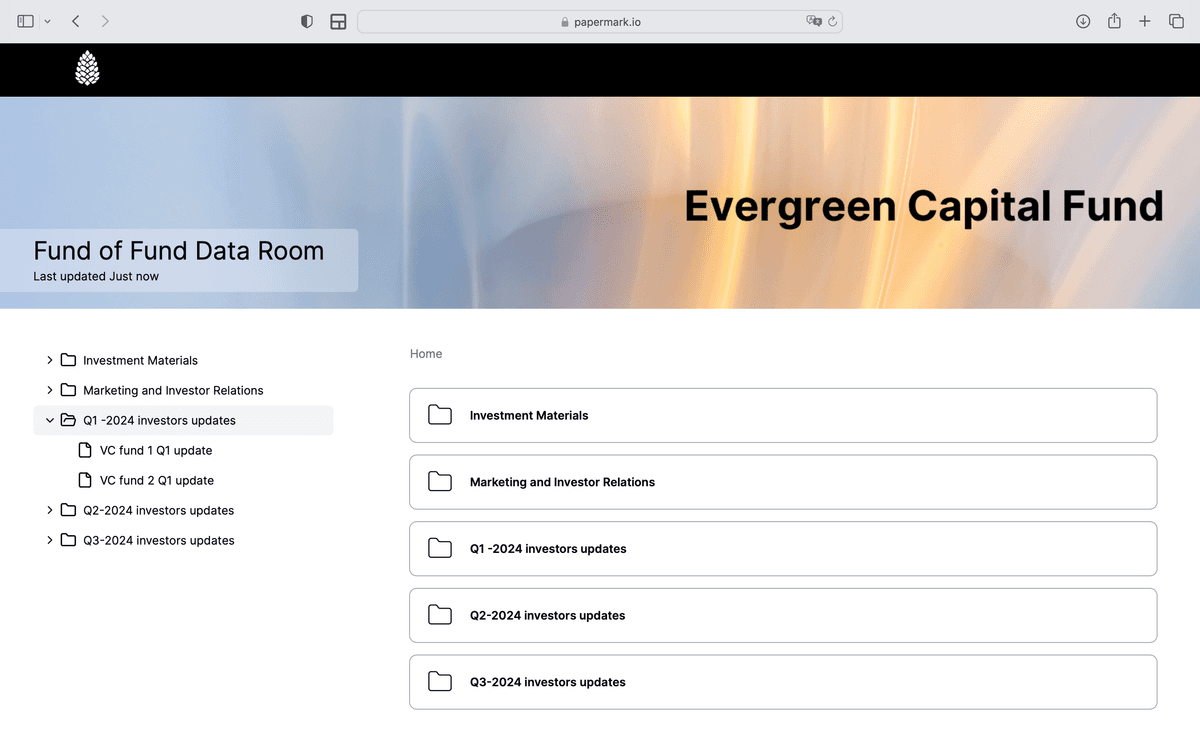
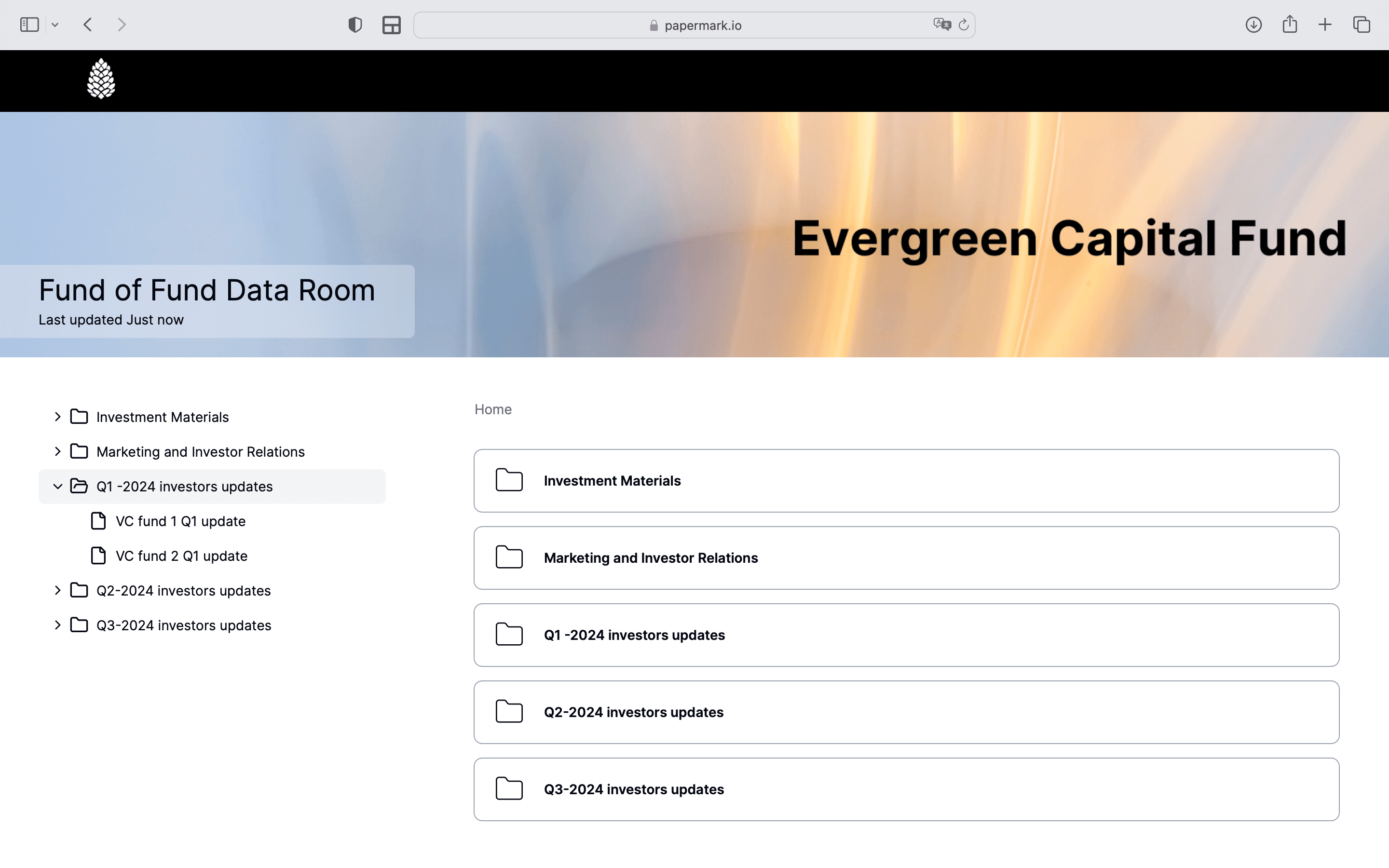
Papermark: Open-source document workflow automation platform with secure document sharing, analytics, and virtual data rooms for external document workflows
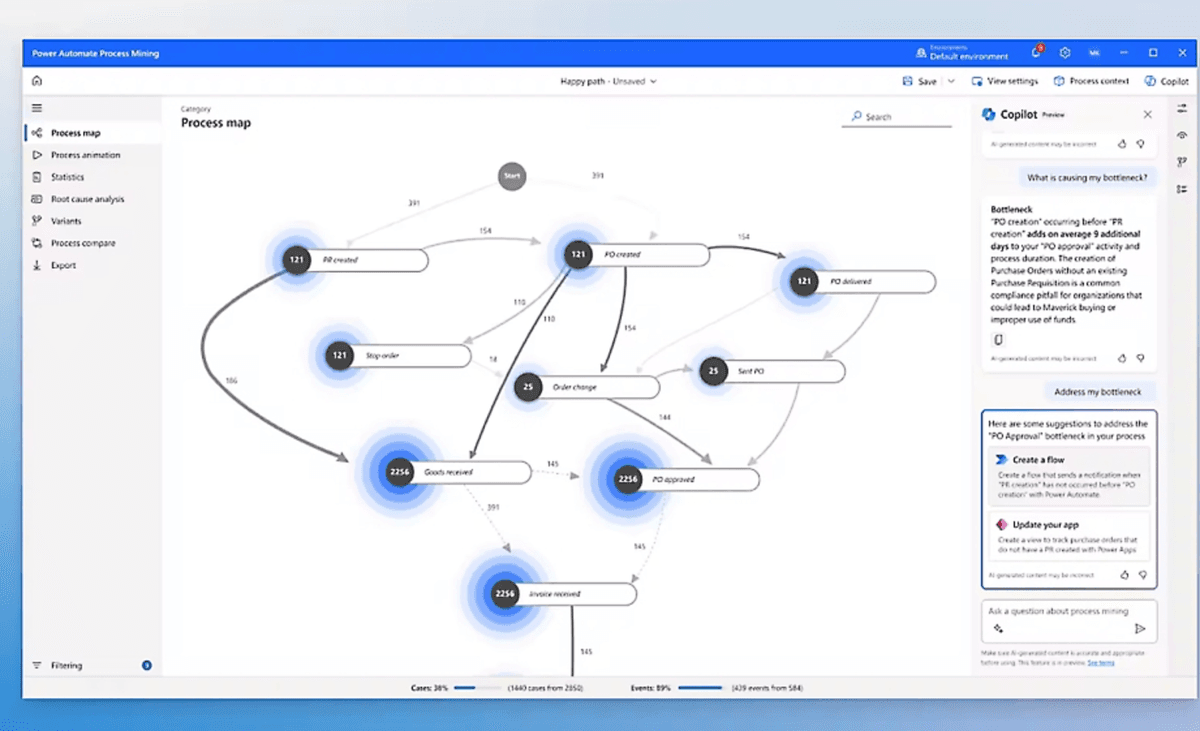
Microsoft Power Automate: Low-code workflow automation platform integrated with Microsoft 365, enabling business users to create workflows
Zapier: No-code automation platform with extensive app integrations, making it easy to connect applications and automate tasks
Workato: Enterprise-grade workflow automation platform with advanced integration capabilities and AI-powered automation
ServiceNow: Enterprise workflow automation platform with IT service management, business process automation, and comprehensive workflow capabilities
Types of enterprise workflow automation software and use cases
Document workflow automation platforms:
Software like Papermark falls into this category, offering specialized workflow automation for document-centric processes. These platforms provide secure document sharing, automated routing, engagement tracking, and analytics that make it easy to automate document workflows with external parties. The ability to track document engagement and automate follow-up processes makes these platforms ideal for organizations that need to automate document approval, review, and sharing workflows.
Low-code/no-code platforms:
Microsoft Power Automate and Zapier represent this type, providing visual interfaces that allow business users to create workflows without extensive programming knowledge. These solutions offer pre-built connectors for popular applications and templates for common workflows, making automation accessible to non-technical users. Low-code platforms are ideal for organizations that want to empower business users to create and modify workflows without IT involvement.
Enterprise workflow platforms:
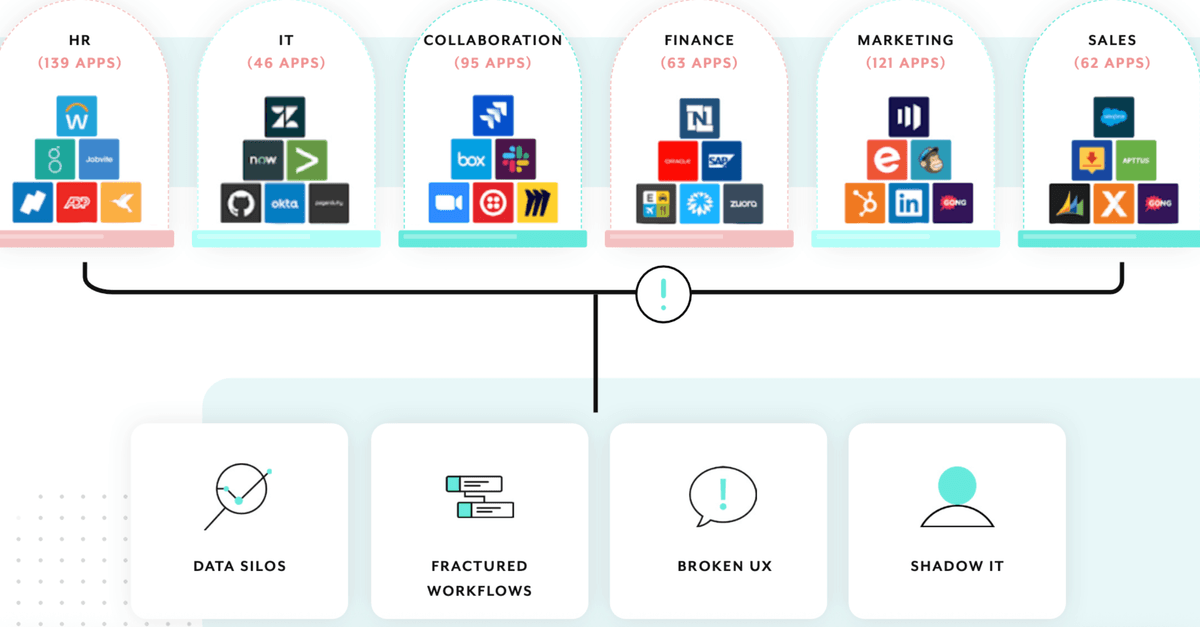
Workato and ServiceNow provide comprehensive workflow automation capabilities with advanced integration, governance, and scalability features. These platforms are designed for large organizations with complex processes and extensive integration requirements. Enterprise platforms typically offer better security, compliance features, and support for mission-critical processes.
IT service management platforms:
ServiceNow represents this category, providing workflow automation specifically designed for IT service management, incident management, and change management. These platforms automate IT processes like ticket routing, service requests, and change approvals. IT service management platforms are ideal for organizations that need to automate IT operations and service delivery.
Cloud-native automation platforms:
Zapier and cloud-based Power Automate provide cloud-native workflow automation with automatic updates, scalability, and reduced IT overhead. These solutions are ideal for organizations that prefer cloud deployment and want to minimize infrastructure management while taking advantage of extensive app integrations.
Papermark is an open-source workflow automation platform that specializes in document workflow automation, providing secure document sharing, analytics, and virtual data room capabilities for external document workflows. Unlike general workflow automation platforms, Papermark focuses specifically on automating document-centric processes, making it ideal for businesses that need to automate document approval, review, and sharing workflows with clients, investors, or partners.
The platform offers both cloud-based and self-hosted deployment options, giving organizations flexibility in how they manage their document workflow infrastructure. Papermark's focus on document workflow automation with detailed analytics makes it particularly valuable for organizations in finance, legal, consulting, and other industries where document workflows are central to business operations.
Papermark features
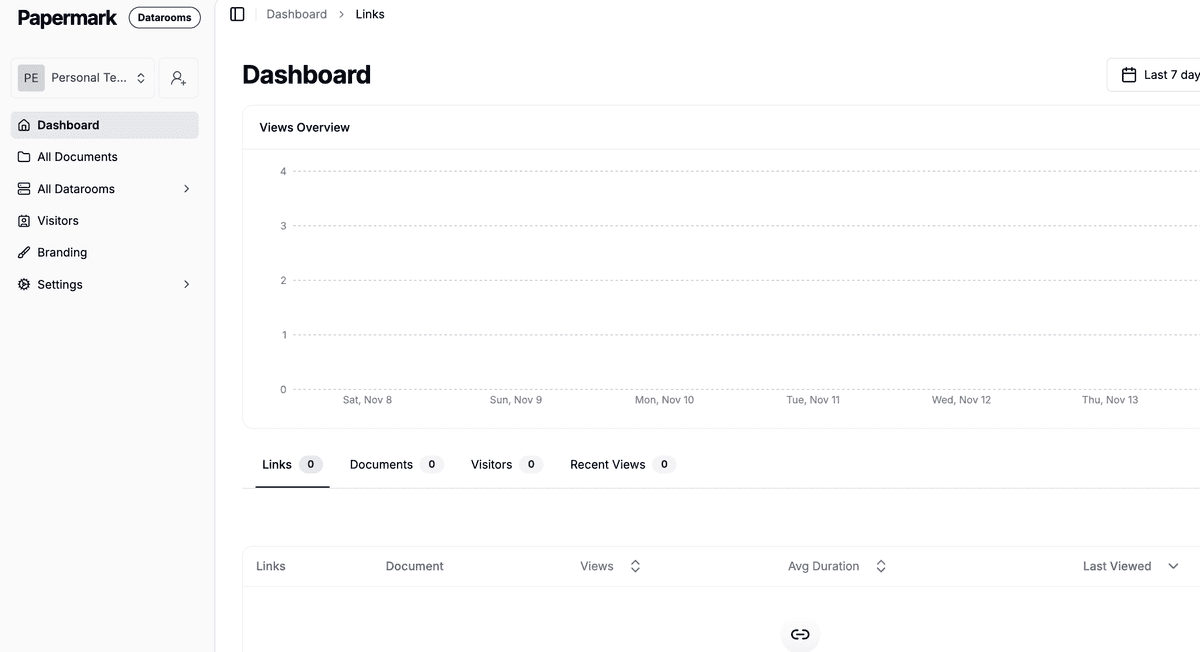
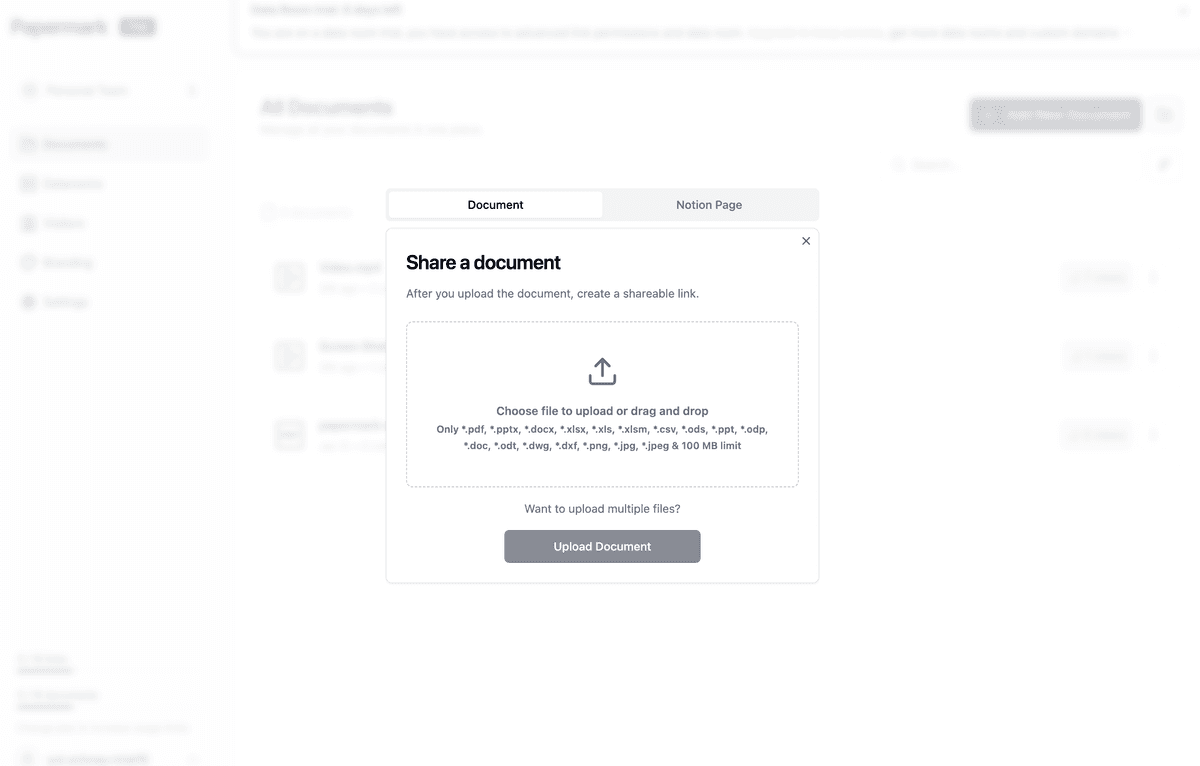
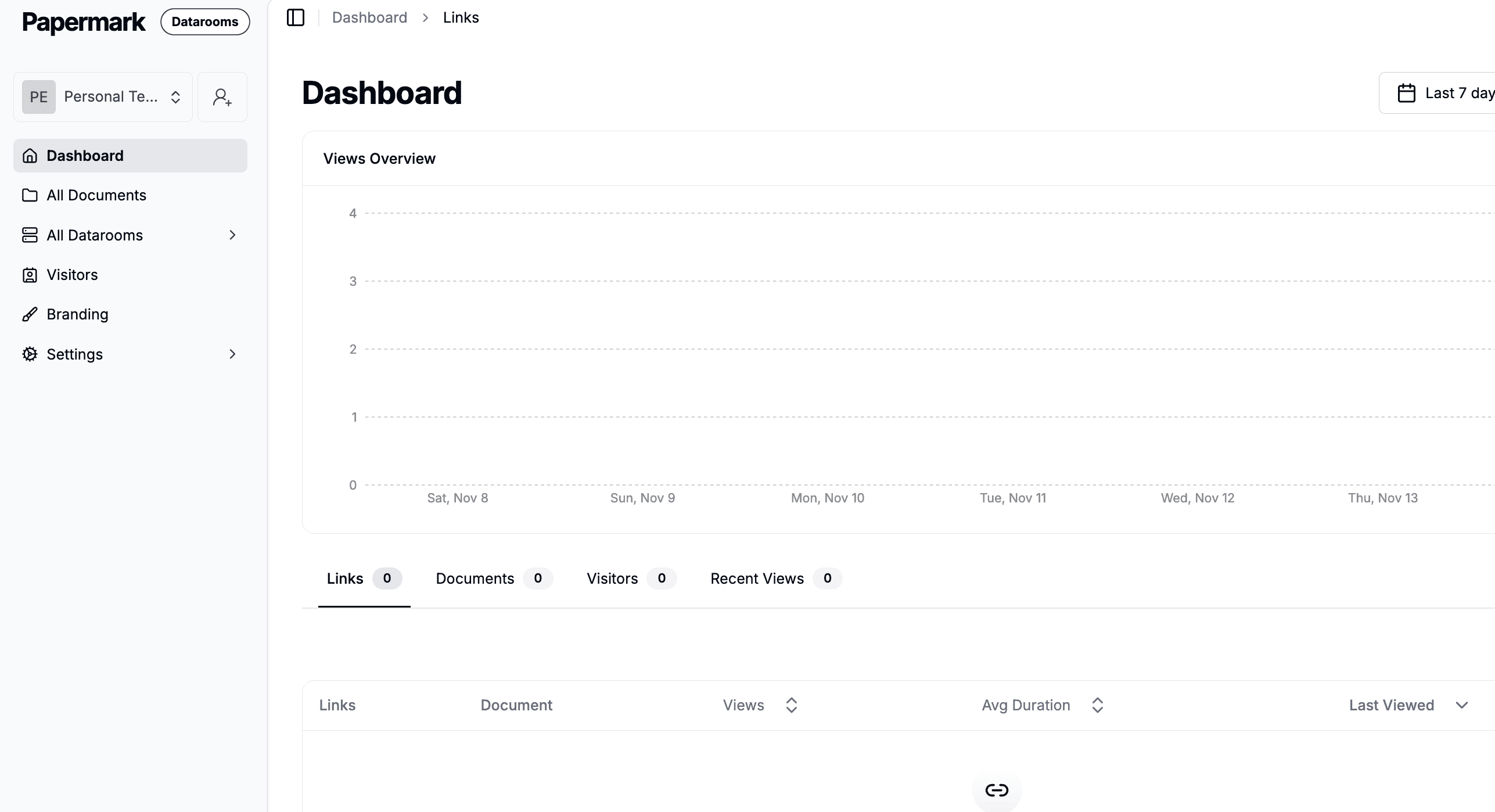
Papermark provides comprehensive document workflow automation capabilities designed for organizations that need to automate document sharing, tracking, and engagement processes. The platform offers automated notifications when documents are viewed, detailed analytics to track document engagement, and integration capabilities that allow organizations to connect Papermark with existing business systems and workflows.
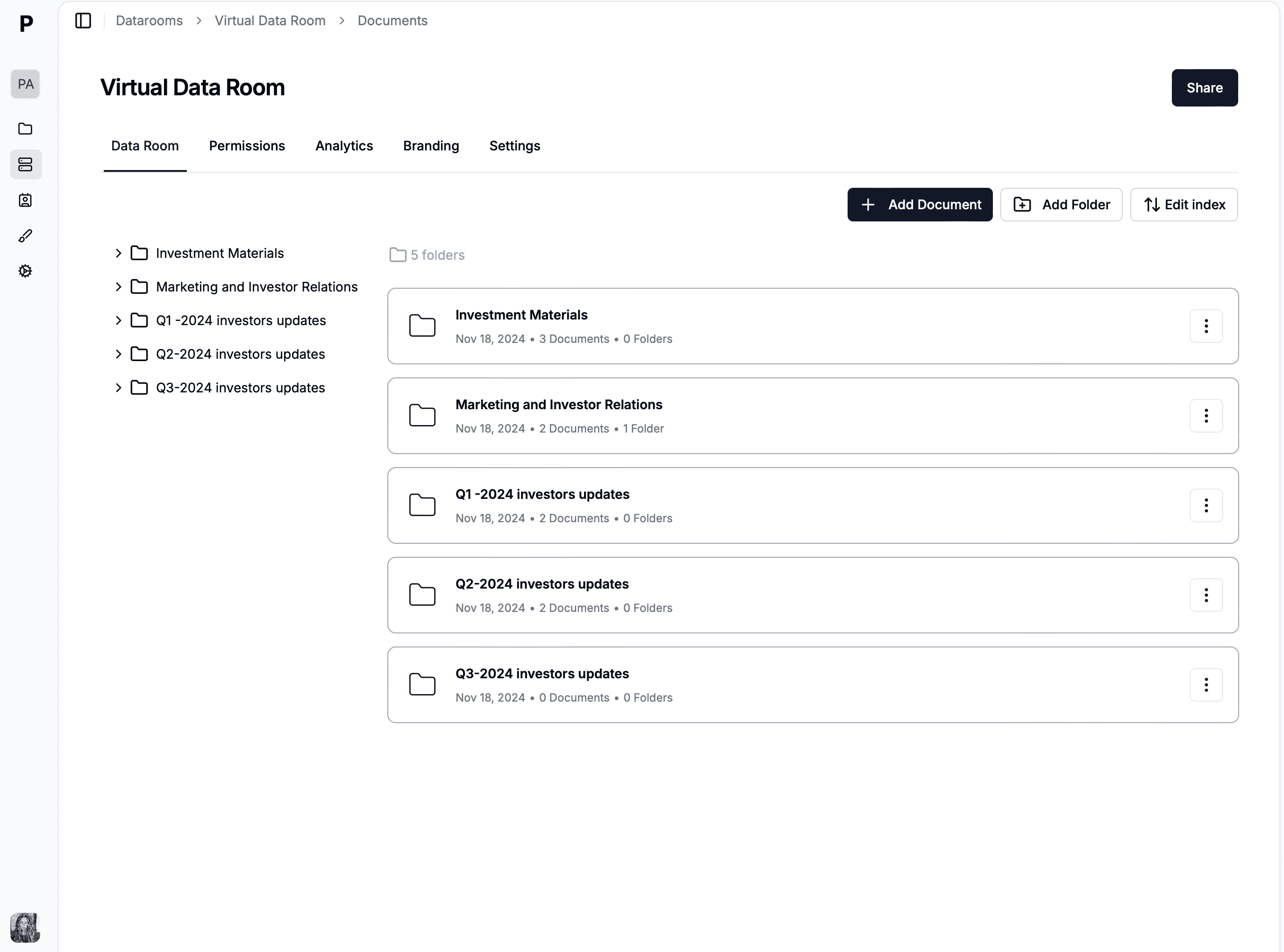
Papermark's virtual data room feature provides automated document organization and distribution, making it simple to manage complex document workflows during due diligence, fundraising, M&A transactions, and other sensitive business processes. The platform includes enterprise-grade access controls with email verification, allowlists, denylists, and access expiration dates that can be configured automatically based on workflow requirements.
The platform provides detailed page-by-page analytics that can trigger automated actions based on document engagement patterns, allowing organizations to automate follow-up communications, update CRM systems, or initiate next steps in business processes based on document viewing activity. Papermark's API enables organizations to integrate document workflows with existing automation platforms, creating end-to-end automated processes.
Papermark's enterprise features include dynamic watermarking that automatically adds recipient-specific information to each document page, providing traceability and deterring unauthorized sharing. The platform includes screenshot protection and download prevention features to protect sensitive enterprise content. Papermark provides comprehensive white-labeling and branding capabilities, allowing enterprises to customize the interface with their logo, brand colors, and custom domain.
Papermark limitations
As a platform focused on document workflow automation, Papermark doesn't provide the same level of general workflow automation as platforms like Power Automate or Workato. The platform is designed primarily for document sharing and analytics rather than comprehensive business process automation. Advanced workflow features for non-document processes may require integration with other tools.
Papermark pricing
Pro plan: $24 per month (includes advanced features, analytics, and watermarking)
Business plan: $59 per month (includes unlimited documents and folders, full branding, custom domain, advanced analytics)
Data rooms plan: $99 per month (includes all Business features plus virtual data rooms, unlimited folders, and advanced access controls)
Self-hosted version: Available for enterprises requiring complete control over their infrastructure and data
Microsoft Power Automate is a low-code workflow automation platform that enables users to create automated workflows across Microsoft 365 applications and hundreds of other services. Power Automate integrates seamlessly with Microsoft Office applications, Teams, SharePoint, and other Microsoft services, making it a natural choice for organizations already using Microsoft 365.
Power Automate offers both cloud-based and on-premises deployment options, providing flexibility for organizations with different infrastructure requirements. The platform is designed for users of all technical levels, from business users creating simple workflows to developers building complex automated processes.
Microsoft Power Automate features
Power Automate provides extensive workflow automation capabilities including process automation, approval workflows, and integration with Microsoft 365 applications. The platform offers a visual designer that allows users to create workflows using drag-and-drop interfaces, making automation accessible to non-technical users. Power Automate includes AI Builder for intelligent automation, allowing organizations to add AI capabilities to their workflows.
The platform includes hundreds of pre-built connectors for popular applications and services, enabling organizations to automate processes across their entire technology stack. Power Automate provides templates for common workflows, allowing users to quickly get started with automation. The platform includes advanced features like conditional logic, loops, and error handling for complex workflow scenarios.
Power Automate offers compliance features including audit trails, data loss prevention, and integration with Microsoft's compliance tools. The platform supports both attended and unattended automation, allowing organizations to automate processes with or without human intervention. Power Automate provides analytics and reporting capabilities to track workflow performance and identify optimization opportunities.
Microsoft Power Automate limitations
Power Automate's workflow capabilities are most powerful when used within the Microsoft 365 ecosystem, and integration with non-Microsoft systems may require additional configuration. Advanced workflow features may require Power Automate Premium licenses, which can increase costs. The platform's extensive feature set can sometimes feel overwhelming for users who only need simple automation.
Microsoft Power Automate pricing
Power Automate: Included with Microsoft 365 plans starting at $6 per user per month
Power Automate Premium: $15 per user per month (includes advanced features, unlimited flows, and premium connectors)
Power Automate per flow: $5 per flow per month (for unattended RPA flows)
On-premises gateway: Available for hybrid deployments
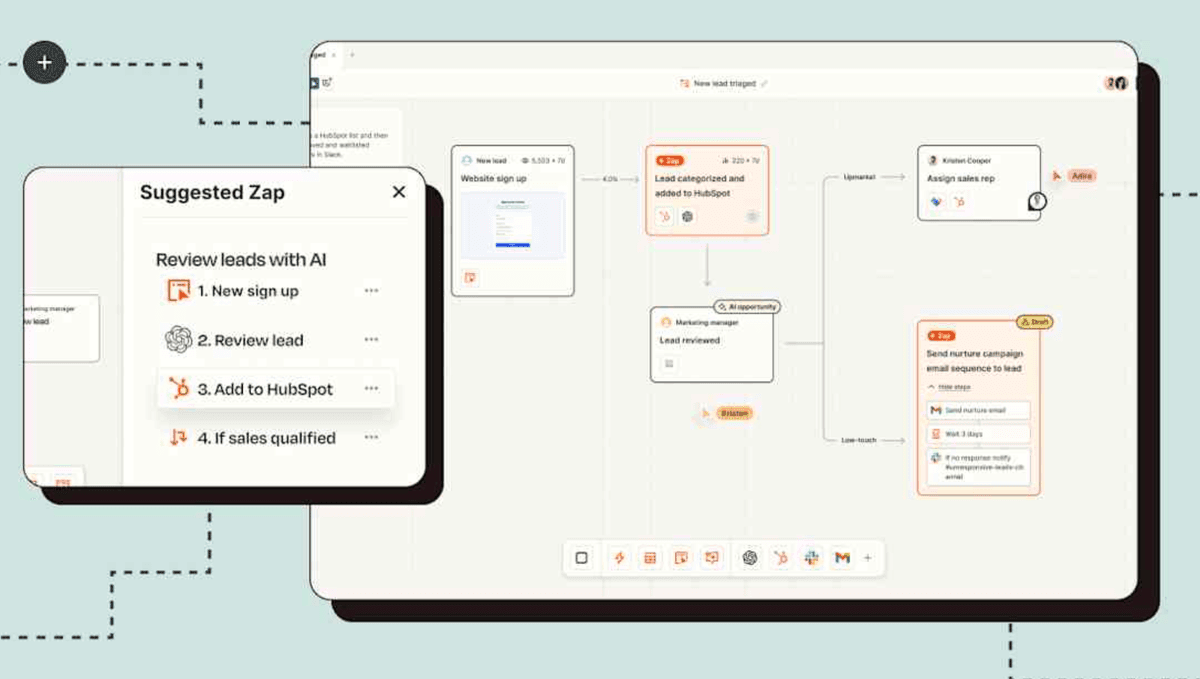
Zapier is a no-code automation platform that enables users to connect applications and automate workflows without writing code. The platform provides access to over 6,000 app integrations, making it easy to automate processes across a wide range of business applications. Zapier emphasizes ease of use and accessibility, making automation available to users of all technical levels.
Zapier is a cloud-only solution, providing automatic updates, scalability, and reduced IT overhead. The platform is designed for organizations that want to automate processes quickly without extensive IT involvement, making it popular among small to medium-sized businesses and individual users.
Zapier features
Zapier provides comprehensive workflow automation capabilities with a visual workflow builder that allows users to create multi-step automations called "Zaps." The platform offers thousands of pre-built app integrations, enabling organizations to connect virtually any application in their technology stack. Zapier includes templates for common workflows, allowing users to get started quickly with automation.
The platform provides features like filters, formatters, and paths that allow users to add logic and conditional routing to their workflows. Zapier includes error handling and retry logic to ensure workflows complete successfully. The platform provides analytics and monitoring capabilities to track workflow performance and identify issues.
Zapier offers features like webhooks, custom integrations, and API access for advanced users who need more control over their automations. The platform includes features like folders and tags to organize workflows, and team collaboration features for organizations working on shared automations.
Zapier limitations
Zapier is a cloud-only solution, so organizations that require on-premises deployment cannot use Zapier. The platform's pricing can become expensive for organizations with high automation volumes, as pricing is based on task execution. Advanced workflow features may require higher-tier plans, and complex workflows may hit execution limits on lower plans.
Zapier pricing
Free: Limited to 100 tasks per month (single-step workflows)
Starter: $19.99 per month (750 tasks, multi-step workflows)
Professional: $49.99 per month (2,000 tasks, custom logic)
Team: $69.99 per month (2,000 tasks, team collaboration)
Workato is an enterprise-grade workflow automation platform that provides advanced integration capabilities, AI-powered automation, and comprehensive workflow management. The platform is designed for large organizations with complex processes and extensive integration requirements. Workato emphasizes enterprise features like governance, security, and scalability.
Workato is a cloud-native platform that provides automatic updates, scalability, and enterprise-grade security. The platform is designed for organizations that need to automate complex business processes across multiple systems while maintaining governance and compliance.
Workato features
Workato provides comprehensive workflow automation capabilities with advanced integration features, supporting over 1,000 pre-built connectors for popular business applications. The platform includes AI-powered automation features that can suggest workflow improvements and handle exceptions intelligently. Workato offers a visual workflow designer that allows users to create complex workflows with advanced logic and error handling.
The platform provides enterprise features like workflow governance, access controls, and audit trails to ensure compliance and security. Workato includes features like recipe templates, workflow versioning, and testing capabilities to help organizations build and maintain reliable automations. The platform provides advanced analytics and monitoring to track workflow performance and identify optimization opportunities.
Workato offers features like real-time automation, batch processing, and event-driven workflows to handle different automation scenarios. The platform includes features like data transformation, mapping, and validation to ensure data quality in automated processes. Workato provides API management capabilities and supports custom integrations for organizations with unique requirements.
Workato limitations
Workato is designed for enterprise organizations and may be overkill for smaller businesses with simple automation needs. The platform's pricing can be expensive, especially for organizations with high automation volumes. Workato requires more technical expertise than low-code platforms like Zapier, making it less accessible to non-technical users.
Workato pricing
Contact for pricing: Enterprise licensing based on recipes, tasks, and features
Deployment options: Cloud-native platform
Additional features: AI-powered automation, advanced governance, and custom integrations available
ServiceNow is an enterprise workflow automation platform that provides comprehensive business process automation, IT service management, and workflow capabilities for large organizations. The platform is designed for enterprises with complex processes, extensive compliance requirements, and large-scale automation needs. ServiceNow is particularly suited for organizations that need to automate IT operations alongside business processes.
ServiceNow offers both cloud-based and on-premises deployment options, providing flexibility for organizations with different infrastructure requirements. The platform integrates with enterprise systems and provides comprehensive workflow automation capabilities across IT, HR, finance, and other business functions.
ServiceNow features
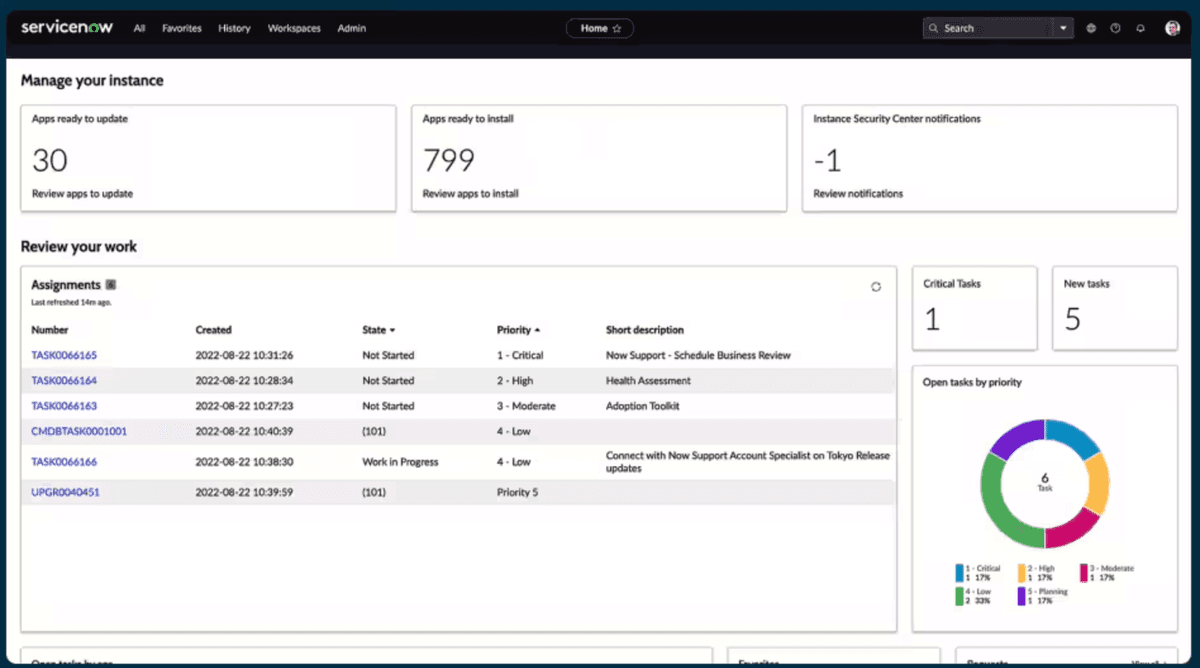
ServiceNow provides comprehensive workflow automation capabilities including process automation, approval workflows, and integration with enterprise systems. The platform includes IT service management features like incident management, change management, and service request automation. ServiceNow offers a visual workflow designer that allows users to create complex automated processes.
The platform provides advanced features like AI and machine learning capabilities for intelligent automation and predictive analytics. ServiceNow includes comprehensive governance features like access controls, audit trails, and compliance management. The platform offers extensive integration capabilities through APIs, web services, and pre-built connectors for enterprise systems.
ServiceNow provides analytics and reporting capabilities to track workflow performance, identify bottlenecks, and optimize processes. The platform includes features like workflow versioning, testing, and rollback capabilities to ensure reliable automation. ServiceNow offers mobile access and provides features for managing workflows from any device.
ServiceNow limitations
ServiceNow is designed for large enterprises and may be overkill for smaller organizations with simple automation needs. The platform can be expensive, especially when including support and additional modules. Implementation and customization can be complex and time-consuming, often requiring ServiceNow consultants or partners. The platform's extensive feature set can sometimes feel overwhelming for organizations that only need basic workflow automation.
ServiceNow pricing
Contact for pricing: Enterprise licensing based on users, workflows, and modules
Deployment options: On-premises, cloud, or hybrid
Additional modules: IT service management, HR service delivery, and business process automation available separately
Conclusion: enterprise workflow automation software in 2026
Choosing the right enterprise workflow automation software depends on your organization's specific needs and requirements. For document workflow automation with secure sharing and analytics, Papermark provides open-source flexibility with specialized document workflow features. For organizations using Microsoft 365, Power Automate offers comprehensive integration. For no-code automation with extensive app integrations, Zapier provides ease of use. For enterprise-grade automation with advanced features, Workato offers powerful capabilities. For comprehensive enterprise workflow automation with IT service management, ServiceNow provides advanced features.
Consider your organization's process complexity, technical capabilities, integration needs, and long-term automation strategy when selecting the best workflow automation solution.