Want to make your shared Notion pages look more professional and on-brand? Sharing your Notion content with a custom domain adds a polished touch to your documents and data rooms. This guide will walk you through the process using Papermark.
Quick Recap of Steps
Choose your custom domain
Set up a Papermark account
Connect your Notion page
Navigate to link settings
Add your custom domain
Verify domain ownership
Share your customized Notion page link
Share secure documents
No credit card required
Page by page analytics
Require email verification
Require password to view
Allow/Block specified viewers
Apply Watermark
Require NDA to view
Custom Welcome Message
Step 1: Choose your custom domain
First, you'll need a custom domain. This could be your main domain or a subdomain like "docs.yourcompany.com". If you don't have a domain, you can purchase one from registrars like GoDaddy or Namecheap.
Ideas for subdomains:
"docs.yourcompany.com"
"notion.yourcompany.com"
"content.yourcompany.com"
"share.yourcompany.com"
Step 2: Set up a Papermark account
Go to Papermark and create an account if you haven't already. This platform will allow you to share your Notion pages with a custom domain.
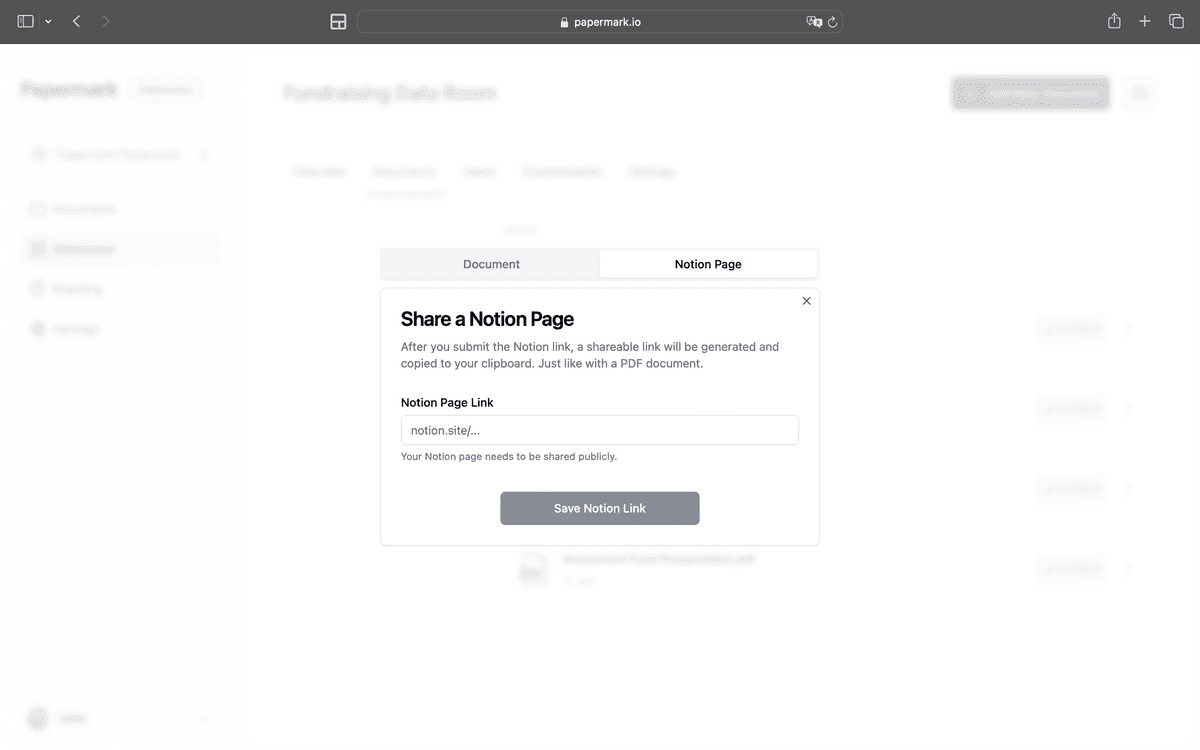
Step 3: Connect your Notion page
Once logged in to Papermark, connect the Notion page you want to share:
Click on "Connect Notion page"
Paste the link to your Notion page
Papermark will automatically import the content
Step 4: Navigate to link settings
Find the newly connected Notion page in your Papermark dashboard. Look for a settings option associated with this link.
Step 5: Add your custom domain
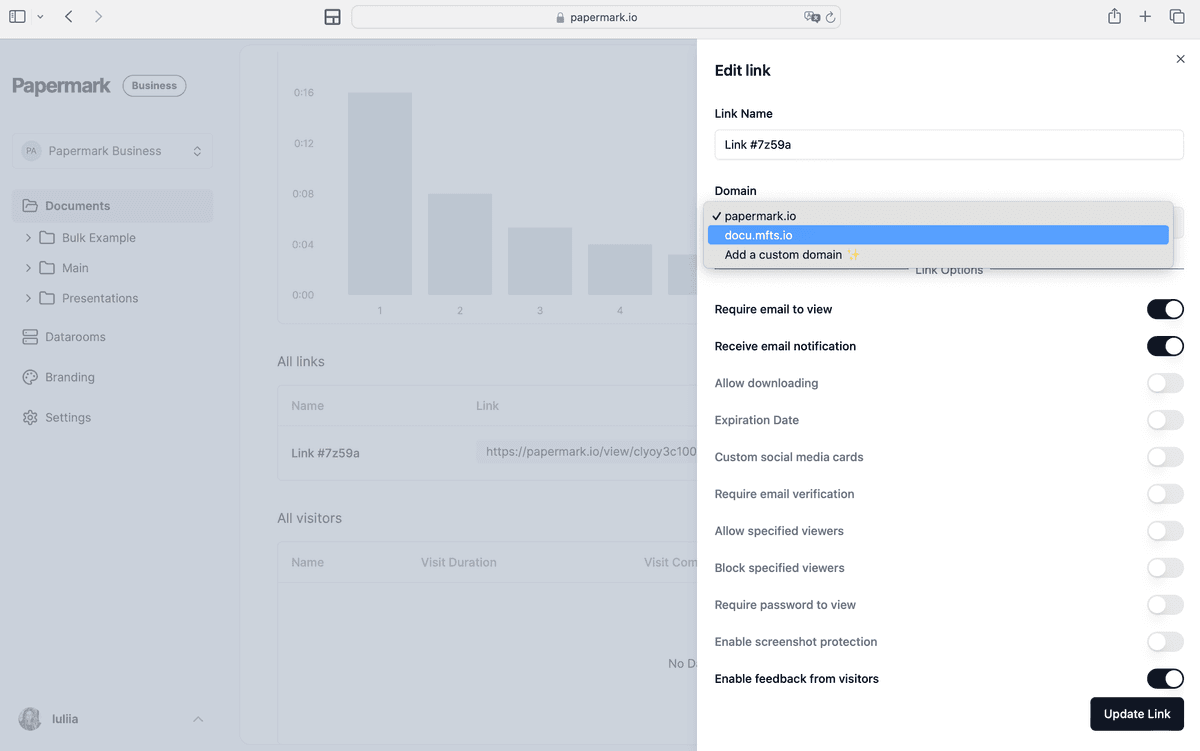
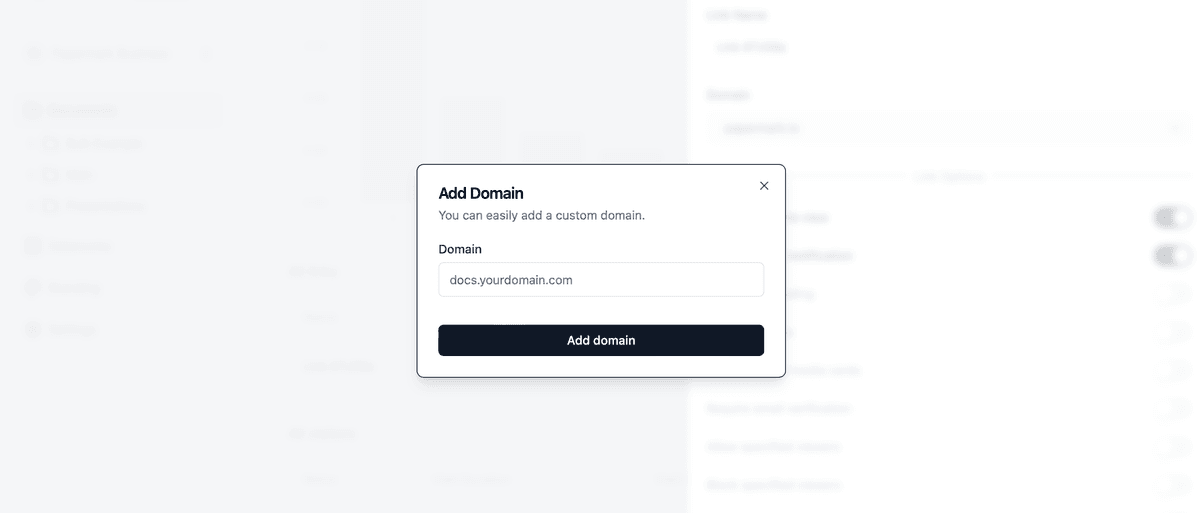
In the link settings, find the "Domain" option. This is where you'll add your custom domain.
Enter the custom domain or subdomain you want to use for this Notion page. Remember, it must be a domain you own and control.
Step 6: Verify domain ownership
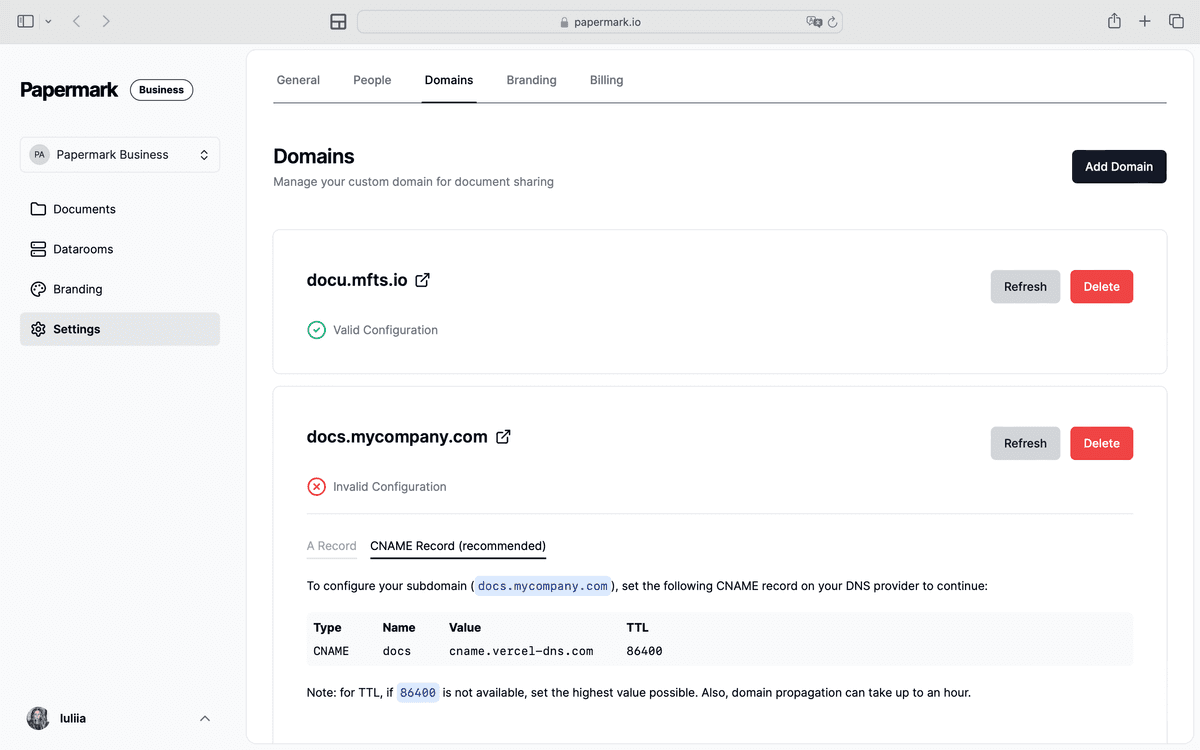
For security, Papermark needs to verify your domain ownership:
Papermark will provide specific DNS records to add
Go to your domain registrar's dashboard
Add the provided DNS records
Wait for verification (this may take a few minutes to a few hours)
Step 7: Share your customized Notion page link
Once verified, your Notion page is ready to be shared with your custom domain.
Why use a custom domain for Notion pages?
Branding: Reinforces your brand with every shared link
Professionalism: Looks more credible and established
Memorability: Easier for your audience to remember and revisit
Pricing and availability
Custom domains for Notion pages through Papermark are available on:
Sharing your Notion pages with a custom domain elevates your professional presence and strengthens your brand identity. By following these steps and utilizing Papermark, you can easily set up a custom domain for your Notion content, making your shared documents and data rooms stand out.