


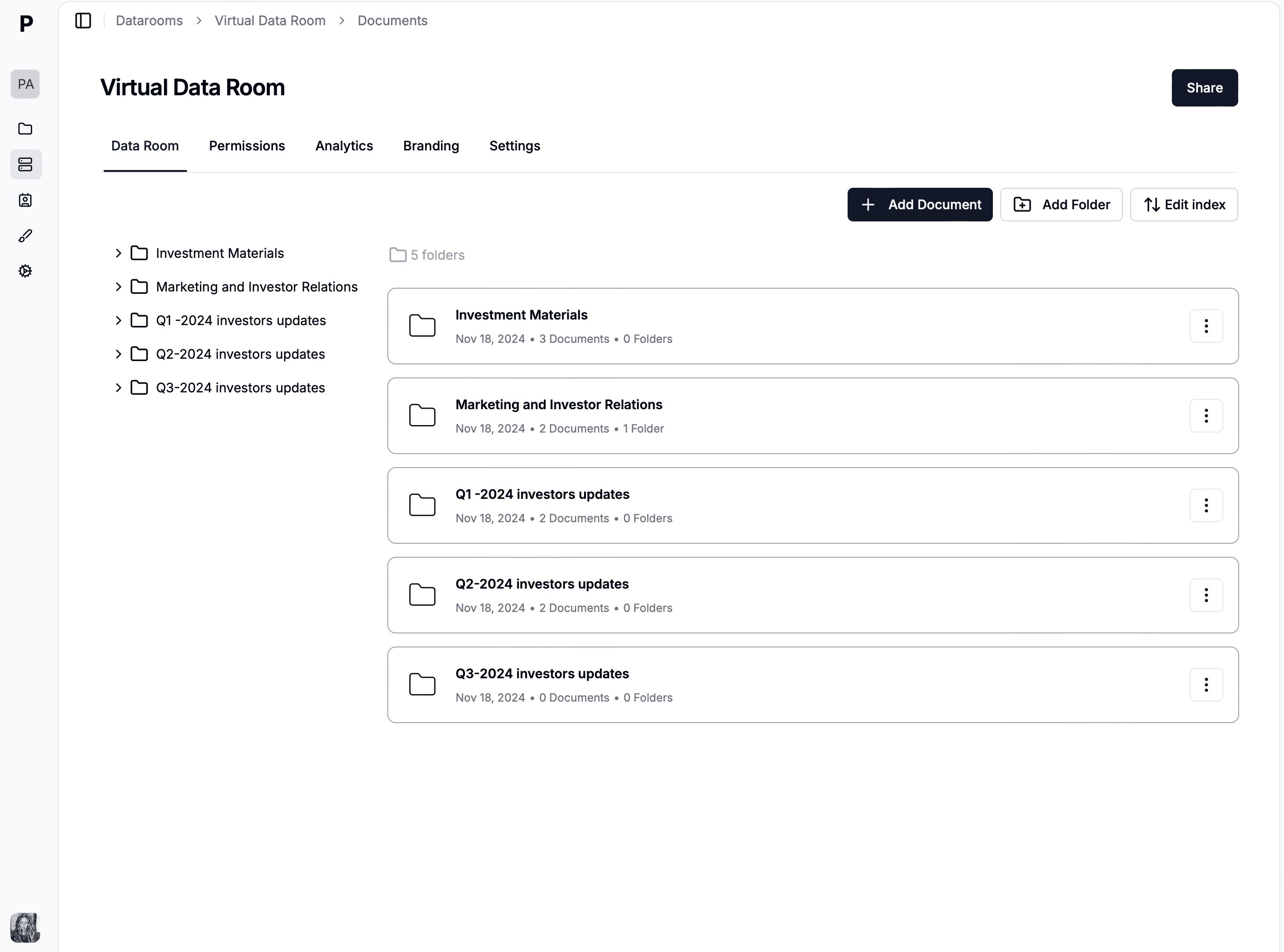
datarooms
How to set up a real estate data room in 2026
Learn how to set up a real estate data room in 2026, structure documents for deals, control access with NDAs and watermarking, and track buyer interest with page-level analytics.
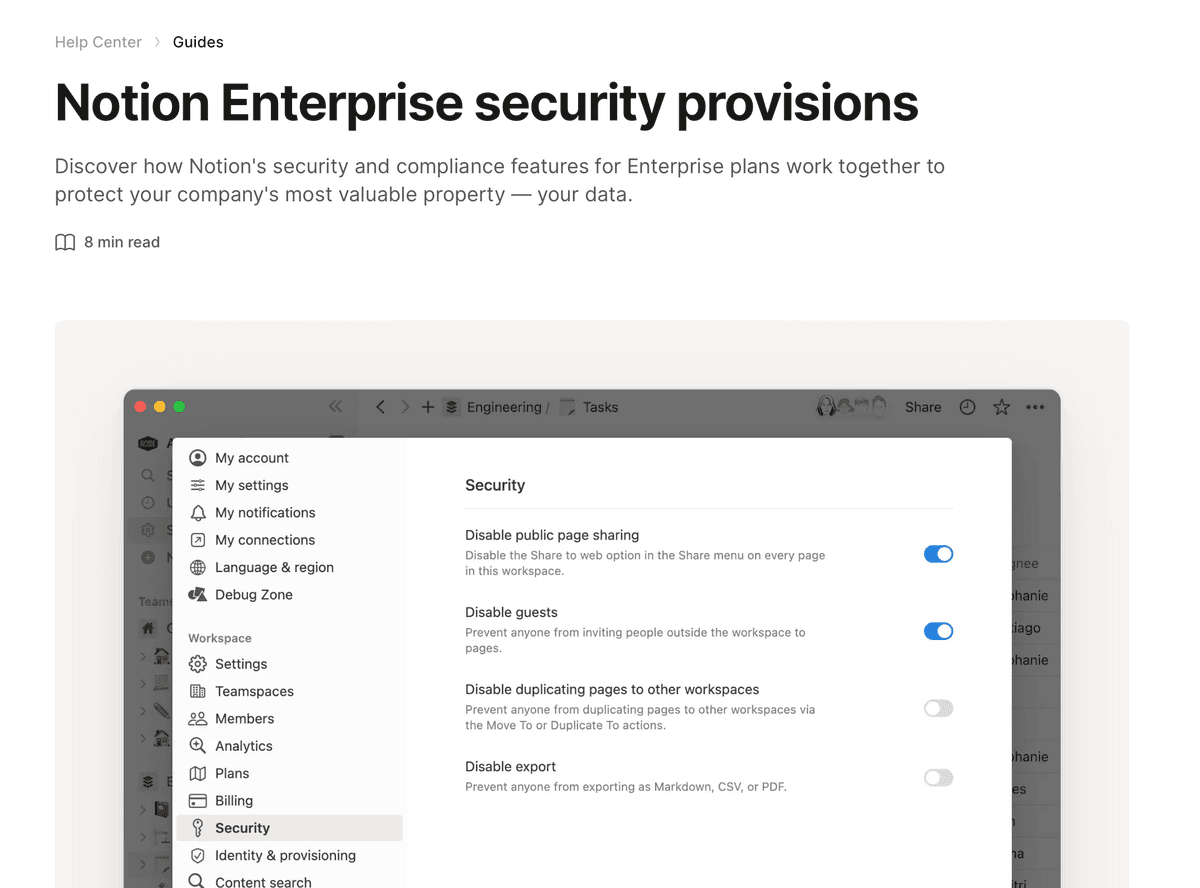
Notion is a genuinely good place to assemble a data room and a genuinely poor place to share one. Teams reach for it because the structure work — folders, indexes, linked databases, a clean table of contents — is faster in Notion than in any purpose-built VDR. Then they hit the sharing layer and discover that "Share to web" is a public URL with no viewer identity, no expiry, no watermark, and no way to tell who read what.
Notion works when the cost of a leak is low and the value of fast iteration is high. A pre-seed or seed founder assembling a room for ten investors is editing constantly — the deck changes weekly, the model changes daily, and the metrics page is rewritten after every board conversation. Exporting all of that to PDF and re-uploading on every change is real friction, and Notion removes it.
It also works for internal diligence preparation. Before a process opens, someone has to build the document index, chase missing files, and mark what still needs signing. That is collaborative, messy work, and Notion's databases and checkboxes handle it better than a VDR's upload queue.
Where it stops working is the moment the audience becomes adversarial or numerous. In a competitive sale you are showing customer contracts to parties who may be competitors, most of whom will not buy. At that point you need to know which bidder opened which file, you need their identity stamped on every page, and you need to cut access the day they drop out. Notion does none of those things, and no amount of workspace configuration adds them.
It is worth being precise here, because "Notion isn't secure" is both unfair and unhelpful. Notion's security inside the workspace is fine — SSO, granular member permissions, audit logs on higher plans. The gap is specifically external sharing.
"Share to web" is a public link. There is no viewer identity attached to it. If an investor forwards the URL to an analyst, or it lands in a Slack channel that gets exported, you have no record and no recourse. The link works until someone remembers to disable it.
Guest access doesn't scale to deal audiences. You can invite external people as guests with page-level permissions, which is genuinely useful — but guests consume seats, and asking fifteen investors or three buy-side teams to accept a workspace invitation adds friction at exactly the wrong moment. A boutique corporate finance adviser running $10–20M transactions moved off Box for precisely this reason: forced account creation frustrated clients who intended to open one document, once.
There is no watermark. In a process with multiple parties, dynamic watermarking — the viewer's email and timestamp rendered onto each page — is the control that makes a leak traceable and therefore deters it. Notion has no equivalent.
There is no page-level analytics. Notion tells you nothing about which investor spent nineteen minutes in the financial model and which never opened it. That signal is often the most valuable output of running a data room at all.
There is no expiry and no NDA gate. Access does not lapse, and nothing sits between the click and the content.
| Requirement | Notion native | What a deal needs |
|---|---|---|
| Viewer identity | ✘ public link | Email verification per viewer |
| Watermarking | ✘ | Dynamic, per session |
| Link expiry | ✘ manual toggle | Scheduled expiry |
| NDA before access | ✘ | Gate bound to the link |
| Per-person analytics | ✘ | Page-level, per visitor |
| Revoke one party | ✘ all-or-nothing | Per-link revocation |
| Custom domain | ✘ notion.site | dataroom.yourcompany.com |
Structure first. Create a single parent page — "Company Data Room" — and give it six child pages that mirror how the other side will staff their review: corporate, financial, legal, commercial, team, and tax. This is the same six-folder model used in a conventional VDR, and there is no advantage to inventing your own taxonomy; investors and advisers navigate the standard one on instinct.
Inside each child page, prefer a database over a loose pile of files when the section has more than about five items. A database with Document, Status, Owner, and Last updated columns turns the room into a working checklist during preparation and a clean index once it opens. Financial sections benefit most — a reader should see at a glance that the audited statements cover three years and the management accounts run to last month.
Put a short index at the top of the parent page describing what each section contains and what is deliberately absent. "Litigation — none to date" answers a question; a missing folder raises one.
Populate the sections with the working set: financial statements and model, legal agreements, company policies, product and commercial material, market research. Use Notion's linked pages rather than duplicating a document that belongs in two places, so there is one canonical version of every file.
The approach that preserves Notion's advantage is to leave the content where it is and control the door instead. Papermark connects to a Notion page and serves it through a link you control, so the room stays live and editable while access becomes identifiable, time-bound, and measurable.
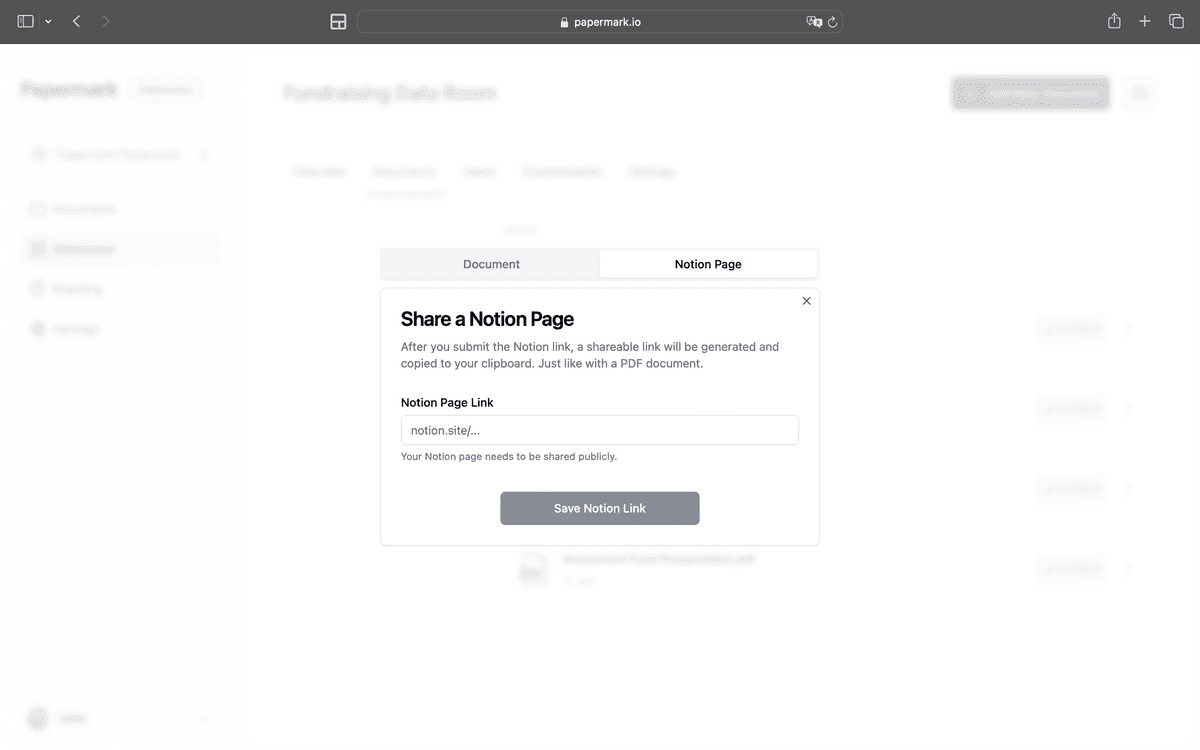
In Papermark, open the dashboard, choose Add New Document, then Connect Notion, and authorise the workspace. Select the page acting as your data room homepage — every page nested underneath it comes across automatically, so the structure you built is preserved rather than flattened.
Create a new link and set the controls Notion lacks. Require email to view, so every session is attributable to a person rather than to a URL. Add password protection where the audience is small and known. Set an expiry date — for a fundraise, aligning expiry with the end of the round means stale access closes itself instead of relying on you to remember. Decide explicitly whether downloads are allowed; disabling them for early conversations is normal, though note that once a file is downloaded it is legally treated as read and no platform can recall it.
Use separate links per party rather than one link for everyone. This is the step most teams skip, and it forfeits the entire analytics benefit: a shared link makes it impossible to tell which investor is engaged.
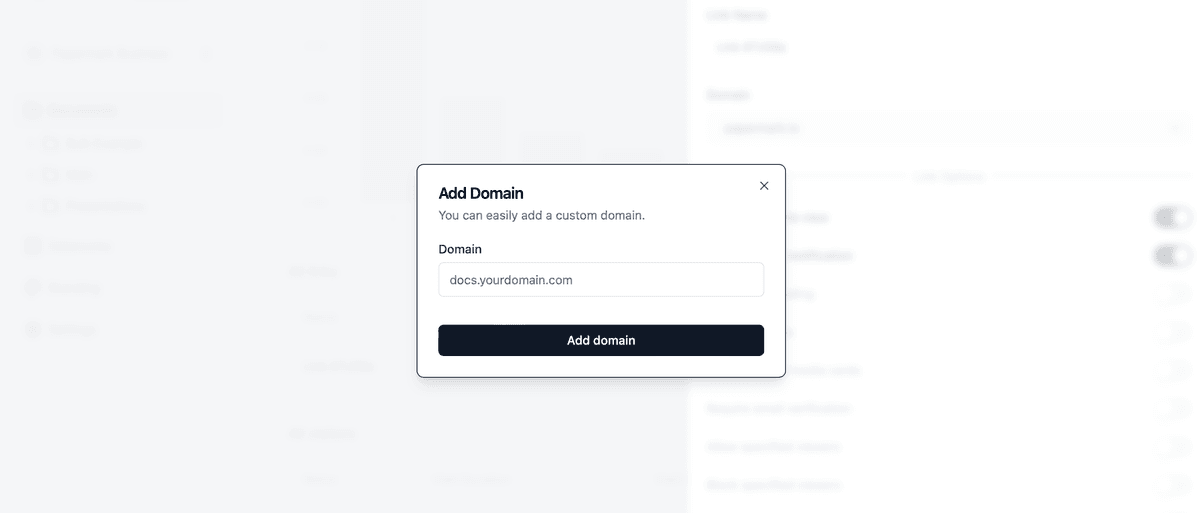
Point the link at a domain you control, so parties see dataroom.yourcompany.com instead of a generic host. For a first-time fund manager, or a smaller company selling to a much larger acquirer, this is not cosmetic — the room is often the first operational artifact the other side sees.
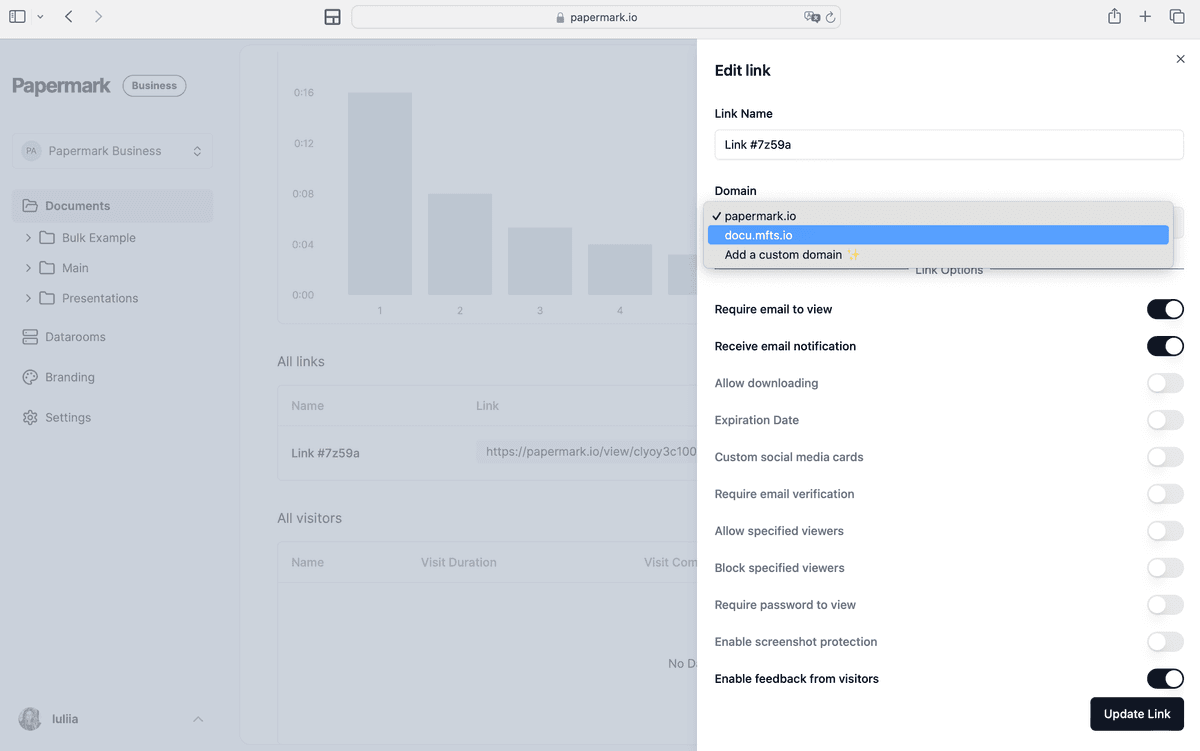
Then add the desired domain.
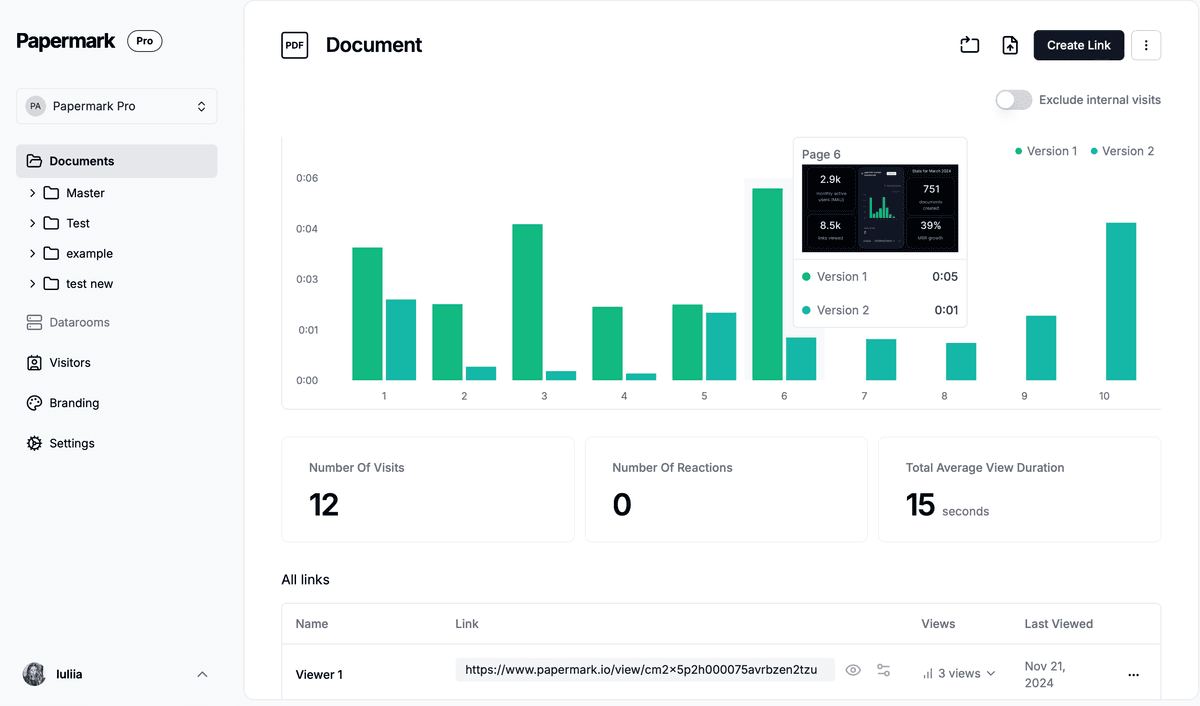
Page-level analytics showing time spent per page and per visitor on a connected Notion data room.
Page-level analytics show views, time spent per page, and — where email capture is on — who the viewer was. Used properly this stops being reporting and starts being decision support, which the scenario below illustrates.
Consider Halbrook Robotics, a hypothetical seed-stage company raising €3M from roughly twenty investors. The team builds the room in Notion because the model is changing weekly, and shares it through Papermark with a separate link per fund and a custom domain.
For the first fortnight the analytics are flat and slightly demoralising. Most investors open the parent page, spend three or four minutes, and never return. Then two diverge sharply. One fund opens the financial model, returns the next day, and spends twenty-two minutes across the unit-economics page and the cohort table. Another opens the same model, stays ninety seconds, and goes quiet.
The founder reads that correctly. The model is where conviction is either built or lost, and the unit-economics page is doing the work. Rather than sending twenty identical follow-ups, they rewrite that one page to lead with contribution margin by cohort and add a short written walkthrough of the assumptions. Because the room is a live Notion page, the change is visible in the existing links immediately — no reissue, no "please use this new link" email.
Of the six funds that reopened the room the following week, three took a second meeting and two led to term-sheet conversations. The round closed at €3.4M. The data room did not raise the money. Knowing which page mattered, and being able to fix it inside an hour, is what shortened the loop.
Papermark exists to close exactly the gap described above: keep authoring wherever your team is fastest, and put real access control in front of it.
The Notion connection is live rather than a snapshot. Because Papermark reads the page when a viewer requests it rather than storing a copy, edits in Notion appear in already-shared links without reissuing anything — the single biggest advantage over exporting to PDF, and the reason the scenario above worked. Email verification attaches identity to every session, password protection and scheduled expiry bound access in time, and link-level revocation lets you cut one party without disturbing the others.
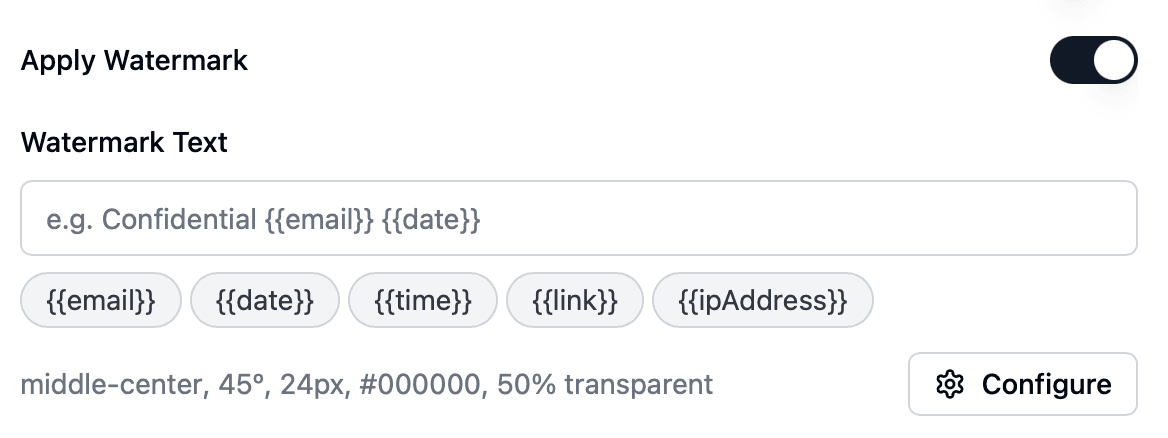
Dynamic watermarking stamps each viewer's email and timestamp onto the pages they open, which is what makes a multi-party process survivable. Page-level analytics report time-on-page per visitor rather than a raw view count. A custom domain and branding make the room read as a deliberate artifact rather than a shared file.
For a full data room rather than a single connected page, the Data Rooms plan at €99/month covers 3 team members with unlimited data room visitors, unlimited data rooms and documents, custom domain, dynamic watermarking, NDA agreements and granular file-level permissions. Data Rooms Plus at €249/month adds the Q&A module, audit log, automatic file indexing and SOC 2 Type II across 5 members, and Premium at €549/month adds AI redaction, full API, SSO and whitelabeling. Data Rooms Unlimited at €999/month removes per-seat charges entirely, so teams that add reviewers mid-deal pay one number regardless of headcount, and it carries every Premium capability including AI redaction. All start with a 7-day trial.
One honest caveat: if you are running a competitive M&A auction with staged release across multiple bidder groups, build the room natively in a data room rather than in Notion. The Notion route is at its best for fundraising and early diligence, where iteration speed matters more than staged confidentiality.
Notion earns its place in a data room workflow as the authoring layer, not the distribution layer. Build the structure there, keep the documents live and editable, and put a controlled link in front of it so you know who opened what, can stamp identity onto every page, and can close access when a party walks away. That combination gives you Notion's iteration speed without accepting a public URL as your security model.
Learn how to set up a real estate data room in 2026, structure documents for deals, control access with NDAs and watermarking, and track buyer interest with page-level analytics.
Create a data room with Claude in minutes. Connect the Papermark MCP server to Claude Desktop, then prompt it to upload documents and share secure links.
The 15 virtual data room features that close deals in 2026 - dynamic watermarking, granular permissions, NDA enforcement, page-by-page analytics, and more, with real customer examples.