BlogData RoomsData Room for Private Equity in 2026: Fund, Deal, and LP Workflows (5 Real Examples)
Data Room for Private Equity in 2026: Fund, Deal, and LP Workflows (5 Real Examples)
·20 min read
Marc Seitz
A data room for private equity is a secure virtual workspace used by PE firms for three distinct workflows: raising new funds with LPs, running due diligence on acquisition targets, and managing portfolio companies post-investment. Unlike generic file sharing, a PE-grade data room provides granular permissions per LP or bidder, dynamic watermarking, NDA enforcement, and an append-only audit log. Papermark supports all three workflows at €99/month flat, with a self-hostable open-source option for firms with strict data residency requirements.
Quick recap
A private equity data room (also called a "PE data room", "LP data room", or "deal data room") is a secure online repository used for fund raising with LPs, acquisition due diligence, and portfolio company management.
Two distinct forms: fund-level data rooms (for LP fundraising and investor relations) and portfolio-company data rooms (for deal diligence and post-investment management). Most PE firms run both simultaneously.
Top-tier PE firms (KKR, Blackstone, Carlyle, Apollo, Bain Capital, EQT, CVC, TPG, Advent, Vista, Thoma Bravo) run dozens of concurrent data rooms across fund vintages and portfolio holdings.
Core features for PE: granular per-LP permissions, dynamic watermarking, page-by-page analytics, NDA enforcement, Q&A module, SOC 2 Type II, GDPR alignment, and EU data residency options.
LP data room workflow includes fund performance history, investment strategy memos, PPM, fund legal documents, ESG posture, and quarterly reports.
Deal data room workflow includes target company financials, legal binders, customer contracts, IP portfolio, and management projections with scoped access per bidder.
Papermark flat-rate pricing: €99/month for the Data Rooms plan with unlimited documents, unlimited data rooms, custom domain, and a self-hostable open-source build.
Related terms in PE data rooms
PE deal teams and LPs use overlapping vocabulary for the same workflows. This glossary maps the most common terms so you can navigate vendor pitches, LPA clauses, and investor questions without ambiguity.
Term
What it actually means
Virtual data room (VDR)
The category. Any secure online repository used for confidential document sharing, regardless of industry.
PE data room
A VDR configured for private equity workflows (fund raising, deal diligence, portfolio management). Same product, PE-specific setup.
Fund data room
A VDR maintained by the GP for LP-facing materials: PPM, LPA, track record, quarterly reports. Long-lived (10+ years).
LP data room
A synonym for fund data room, emphasizing the LP-facing audience.
Deal data room
A VDR maintained per acquisition target. Holds financials, legal, IP, operational documents. Lifespan matches the deal cycle.
Portfolio company data room
A deal data room that converts post-close into the permanent repository for board materials and exit prep.
Investor data room
Generic term used by GPs for both fund-level and deal-level rooms. Confusing in practice. Clarify which workflow.
Sell-side data room
A deal data room maintained by the seller (or seller's advisor) for bidders. Multi-bidder isolation is the defining feature.
Buy-side data room
A deal data room maintained by the buyer to consolidate diligence materials internally and with advisors.
Physical data room
A legacy concept: a locked room with paper documents. Rare in 2026, reserved for state-secret or specific regulatory contexts.
What is a data room in private equity?
A private equity data room is a secure online repository where PE firms store, organize, and share confidential documents during fund raising, deal due diligence, and portfolio management. It replaces physical data rooms and email-based document sharing with granular permissions, dynamic watermarking, and a tamper-proof audit trail.
The category is the same as a general VDR, but PE workflows make the product look different in practice. A generalist VDR might be configured once for a single deal; a PE data room is a living system running multiple concurrent rooms across fund vintages, portfolio companies, and ongoing LP reporting. Firms like KKR, Blackstone, Carlyle, Apollo, and EQT typically maintain dozens of active rooms simultaneously: one per active fund vintage, one per acquisition under diligence, and one per portfolio company for board-level reporting.
The defining trait of a PE data room is concurrency. A mid-market PE firm with €1B AUM may run a fund room for Fund III, two sell-side deal rooms for portfolio exits, three buy-side diligence rooms for active acquisitions, and a quarterly-reporting cadence to 80+ LPs - all on a single VDR platform. The platform must scale to that concurrency without per-room or per-page billing models that punish multi-deal firms.
How does a private equity data room work?
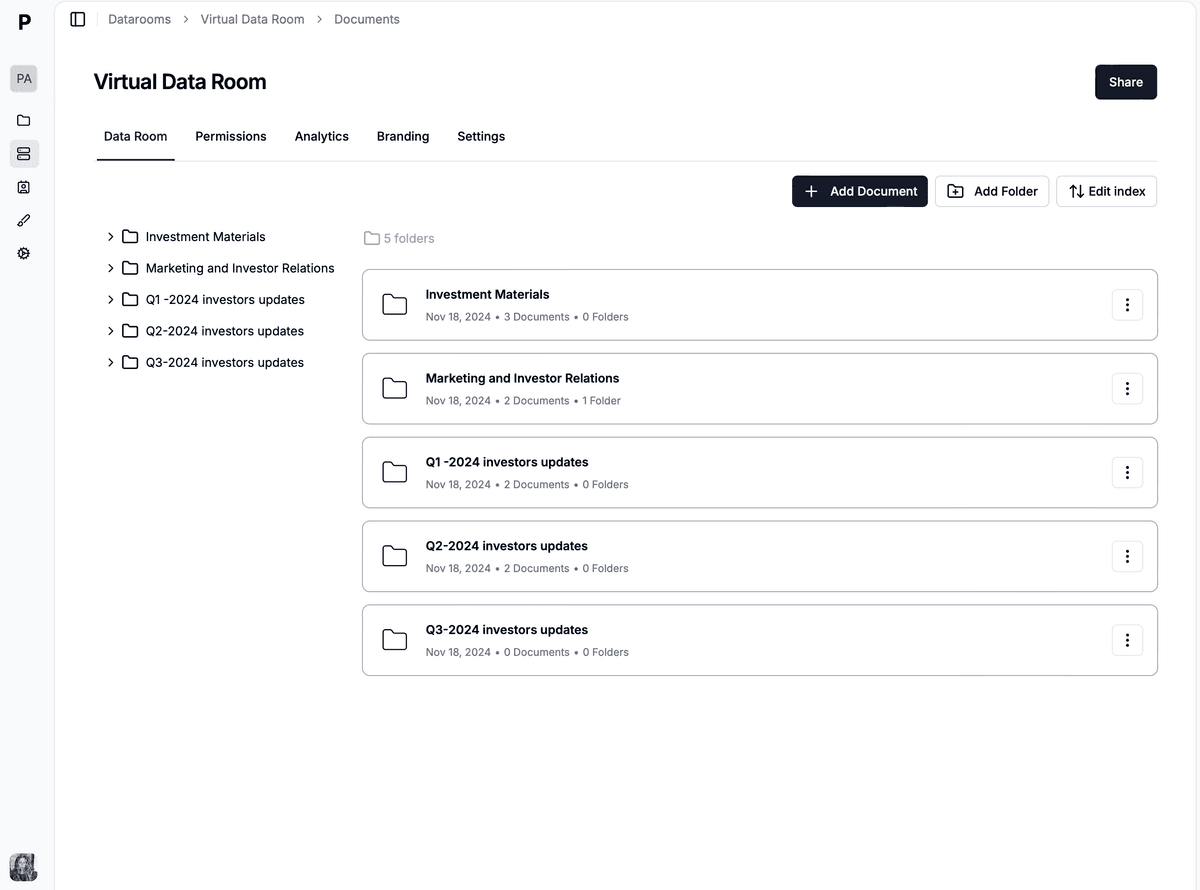
A PE data room works as a permissioned web application sitting on top of a document store. The GP uploads files into a folder structure that matches the workflow (fund vintages and document categories for a fund room, the standard M&A index for a deal room). Users - LPs, bidders, advisors, internal team - receive scoped access via email-verified links, with permissions enforced at the user, group, folder, and file level.
Every access event (login, view, download, search) is written to an append-only audit log. Dynamic watermarking stamps each page in real time with the viewer's email, IP address, and timestamp, so any leaked screenshot or printout traces back to a specific session. NDA enforcement intercepts the first login, requires the viewer to accept the gating agreement, and logs the acceptance as a legally binding event.
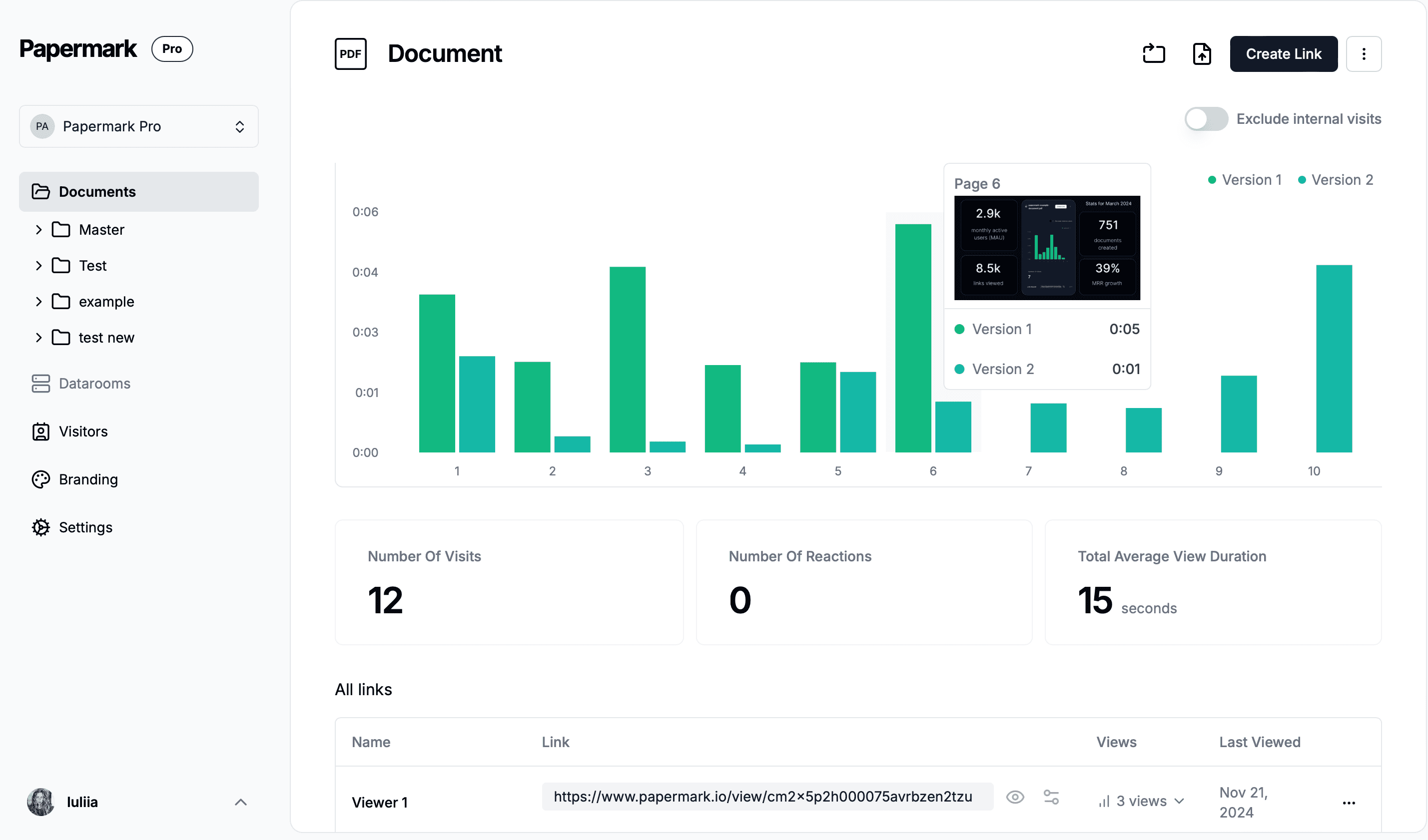
The GP monitors the room through analytics: page-by-page engagement signals tell IR teams which LPs are reading which sections of the quarterly letter, and deal teams which bidders are stalling on which legal binders. Q&A is structured into threaded questions scoped per bidder or LP group, replacing the diligence-tracker spreadsheets that legacy deal teams maintain by hand. When the workflow closes (fund close, deal close, exit close), access is revoked but the audit log persists for compliance.
Virtual data rooms vs physical data rooms in PE
Physical data rooms - locked rooms with paper documents and an on-site sign-in sheet - were the dominant PE infrastructure until the mid-2000s. They are now rare and reserved for very specific regulatory or secrecy-sensitive contexts (state-owned-enterprise privatizations, defense-sector M&A, certain government audits). Every modern PE firm runs virtual data rooms for all three workflows.
The reason for the switch is structural, not preferential. Physical data rooms required on-site review, had no audit trail beyond a sign-in sheet, and made multi-bidder auctions operationally impossible. A 20-bidder sell-side process would have required 20 separate physical rooms or 20 separate viewing weeks per bidder. Virtual data rooms solve all three problems: access from anywhere, every view logged with timestamp and viewer identity, granular permissions that scale to 50 bidders simultaneously, and full-text search across thousands of documents in milliseconds.
The cost asymmetry is also decisive. Running a six-month sell-side process with a physical data room (manned room, travel for bidders, paper printing, courier costs) historically ran into six figures. The same process on a flat-rate VDR like Papermark runs at €99/month with no per-bidder surcharge.
PE fund data room vs portfolio company data room
The distinction between a fund-level data room and a portfolio-company data room is the one most misunderstood by first-time PE data room operators. These are two different tools with different audiences, permissions models, and workflows.
A fund data room (sometimes called an "LP data room" or "investor data room") is maintained by the PE firm itself. It contains fund-level materials for limited partners: the private placement memorandum (PPM), fund terms and legal documents, investment strategy memos, track record and fund performance history, ESG and compliance posture, and ongoing quarterly or annual reports. It is a long-lived room (often 10+ years, matching the fund life) with a relatively stable but expanding LP base.
A portfolio company data room (sometimes called a "deal data room") is maintained per acquisition target. During pre-investment diligence, it hosts the target company's financials, legal binders, customer contracts, IP, HR, and operational detail for the PE firm's internal and external review. Post-investment, it often converts into the permanent repository for board materials, quarterly reports, and eventual exit preparation. Each portfolio company has its own room with its own audience (internal PE team, company management, board, future buyers).
Dimension
Fund data room
Portfolio company data room
Operator
PE firm
PE firm (on behalf of portco)
Audience
LPs and prospective LPs
Internal PE team, board, management, future buyers
Duration
10+ years (fund life)
Multi-year (hold period + exit)
Content
PPM, fund docs, strategy, performance, ESG
Target financials, legal, operational, strategic
Key permissions
Per-LP scoped access
Per-bidder or per-diligence-stream scoped access
Update cadence
Quarterly or annual
Continuous during diligence; quarterly post-close
Typical room count
1 per active fund vintage
1 per portfolio company + 1 per active deal under diligence
Why private equity firms use data rooms
Private equity work splits into three scenarios where a data room is essential. Each has distinct document needs and permission models, and each is why "data room for private equity" is not a single product but a family of related workflows on the same platform.
1. Fund raising and LP communication
When raising a new fund, the PE firm shares with prospective LPs: the PPM, fund terms and legal documents, track record and performance history across prior vintages, investment strategy memos, portfolio company case studies, ESG and compliance posture, and team bios. The data room lets the firm control access per LP, track which sections each LP is engaging with (a signal of seriousness), and update documents without manual re-sending.
A first-time French PE partner moving off Intralinks described the buying motivation directly in a Papermark customer call:
"Intralinks is everywhere but I don't think they're good solutions - people just don't question it."
Modern PE fund data rooms increasingly run on flat-rate VDRs that cost 10x less than Intralinks or Datasite while offering the same LP-facing features. Backtrace Capital closed €50M+ on Fund I using Papermark - a Fund I LP-fundraise that would have cost £20,000+ on a legacy enterprise VDR.
2. Deal due diligence
When acquiring a company, the PE firm (on the buy side) reviews the seller's data room: financial statements, tax returns, customer and supplier contracts, employee records, IP documentation, legal proceedings, and compliance records. PE firms commonly run diligence across multiple concurrent acquisitions, so a single VDR platform handling many rooms (with per-room permissions) is preferred over deal-specific one-off setups.
On the sell-side (exit of a portfolio company), the PE firm runs a full M&A data room with staged access per bidder, a Q&A module, and dynamic watermarking. Stage-1 bidders see teaser-level materials, Stage-2 finalists see the full data set, and final-round bidders see management projections and sensitive legal binders. This is the workflow that feels most like classic M&A and is covered in depth in the due diligence data room guide.
3. Portfolio company management
Post-acquisition, PE firms maintain data rooms per portfolio company for ongoing board materials, quarterly and annual financial reports, strategic planning documents, and eventual exit preparation. The data room becomes the permanent document of record for the investment, and converts into the sell-side M&A data room when the exit workflow begins.
The benefit of running portfolio management on the same VDR as fund and deal workflows is the institutional memory it builds. A portfolio company room maintained continuously through the hold period gives the exit-prep team a 5-year audit trail of board materials, quarterly financials, and strategic milestones - all already indexed, watermarked, and ready to open to bidders within days of the exit decision.
A typical PE data room workflow (a hypothetical scenario)
To make the workflow concrete, here is a realistic six-month sequence for a European mid-market PE firm running a single fund and one active sell-side exit. The firm has €600M AUM, eight investment professionals, and 70 LPs across Fund I and Fund II.
In January, the IR team uploads the Q4 LP report to the Fund II room: an audited quarterly letter, updated portfolio valuations, capital-account statements, and an ESG appendix. Permissions are scoped per LP tier - the four institutional LPs holding €25M+ commitments see the portfolio-company deep-dives, the 66 smaller LPs see only the summary letter. Dynamic watermarking stamps each page with the LP's email and a timestamp. Within 72 hours, page-by-page analytics show that two institutional LPs spent 35+ minutes on the portfolio-valuation appendix; the IR team flags them for a follow-up call.
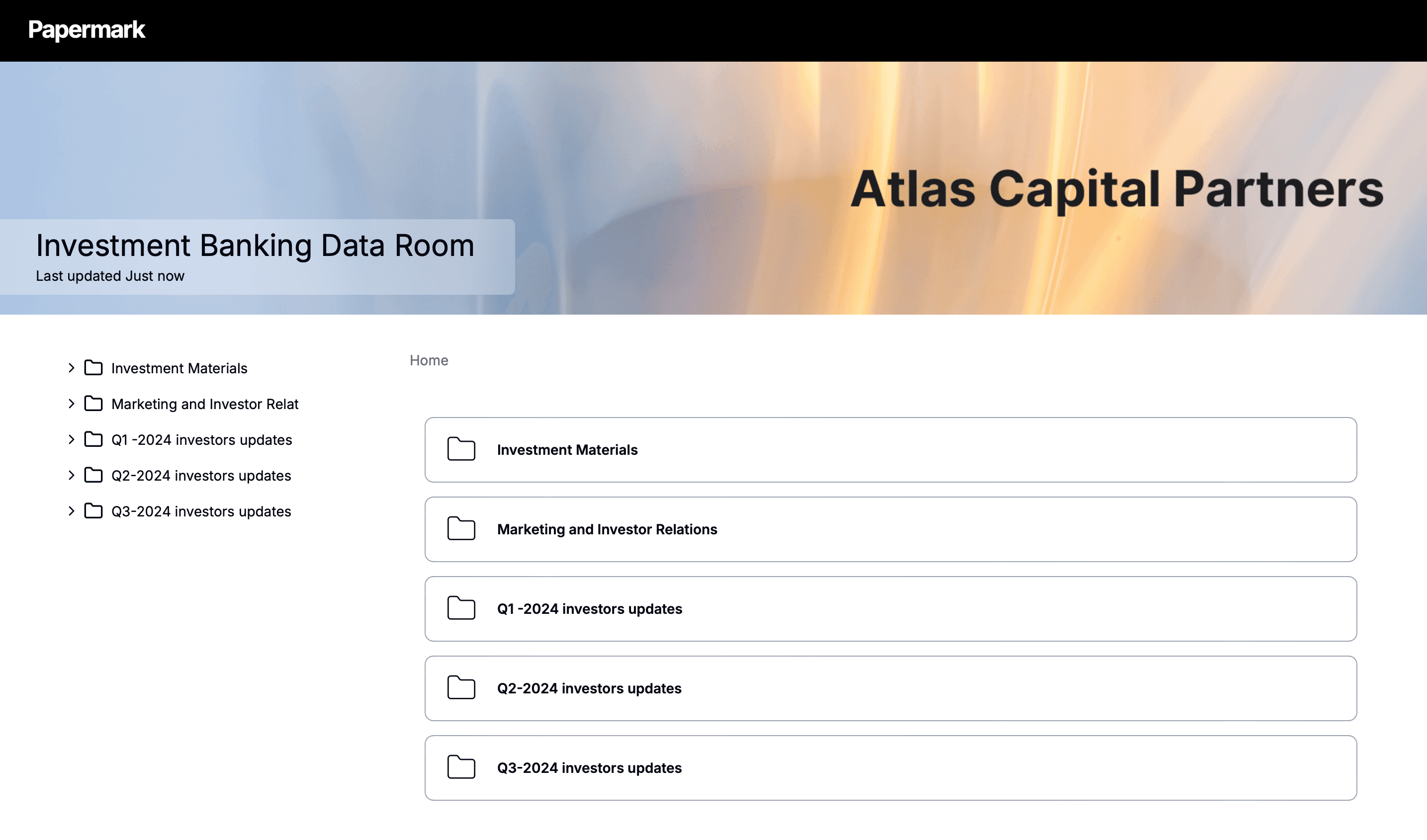
In February, the deal team opens a sell-side data room for the exit of Portfolio Company A, a €120M software business held since 2021. The data room is structured around the standard M&A folder index (1.0 Corporate, 2.0 Financial, 3.0 Legal, 4.0 Commercial, 5.0 HR, 6.0 IP, 7.0 IT/Security, 8.0 ESG) and contains 1,400 documents accumulated over the four-year hold. Stage-1 access is granted to 22 bidders with teaser-level materials. By April, the field narrows to seven finalists who receive Stage-2 access to full financials and audited customer contracts. The Q&A module logs 340 threaded questions, scoped per bidder group; the deal team exports the Q&A log into the binding-bid round in May. The deal signs in June.
Meanwhile, the firm's Fund III roadshow opens in March on a separate fund data room. The PPM, LPA, track record from Fund I and II, three case-study deep-dives, and the team bios are all in place from day one. Per-LP scoped access lets the GP control which prospects see which strategy memos. The room runs throughout the year and stays open for an additional 10 years as Fund III deploys capital.
This three-room concurrency on a single platform is what flat-rate VDRs like Papermark are built for, and what per-page legacy VDRs make economically painful.
Data room for LP reporting
LP reporting is a specialized sub-workflow inside the fund-level data room. Every quarter (or annually), the PE firm shares with LPs: updated fund performance, portfolio company valuations, capital calls and distributions, ESG metrics, and quarterly letters.
Modern LP reporting requires four features that legacy tools struggle with. Per-LP personalization: different LPs have different investment sizes and reporting rights. A large institutional LP (€50M+ commitment) may receive detailed portfolio company deep-dives; a smaller LP may receive only the quarterly summary. Granular permissions at the document level support this without spawning duplicate rooms.
Dynamic watermarking: quarterly letters and portfolio valuations are material non-public information. Dynamic watermarks with LP name and timestamp trace any leaked document. Analytics per LP: page-by-page analytics show which LPs are actively engaging with the materials versus filing them unread. This is a signal-rich data source for investor relations teams planning the next annual meeting agenda. CRM integration: fund IR teams frequently sync LP engagement data into Salesforce, HubSpot, or Airtable for follow-up workflows.
An IR team at a £20B AUM fund running Intralinks described the gap that flat-rate analytics-first VDRs fill:
"We spend an awful lot of time creating an awful lot of content that probably never gets read. The next time we meet, we can hone in on those topics - it could be extremely powerful."
The same fund cited LP UX friction as a separate driver: "Intralinks is such a hassle, you have to press it and then get an SMS and it just disincentivizes anyone from ever looking at a data room." LP-facing UX is a feature, not a polish item: a quarterly letter that 70% of LPs cannot be bothered to log in to read is a quarterly letter that did not happen.
Key features of private equity data rooms
Private equity data rooms need the standard feature set of enterprise VDRs, optimized for the three workflows above. Each feature below is rated on whether it is essential, important, or nice-to-have for the average mid-market PE firm.
Document organization and folder structure
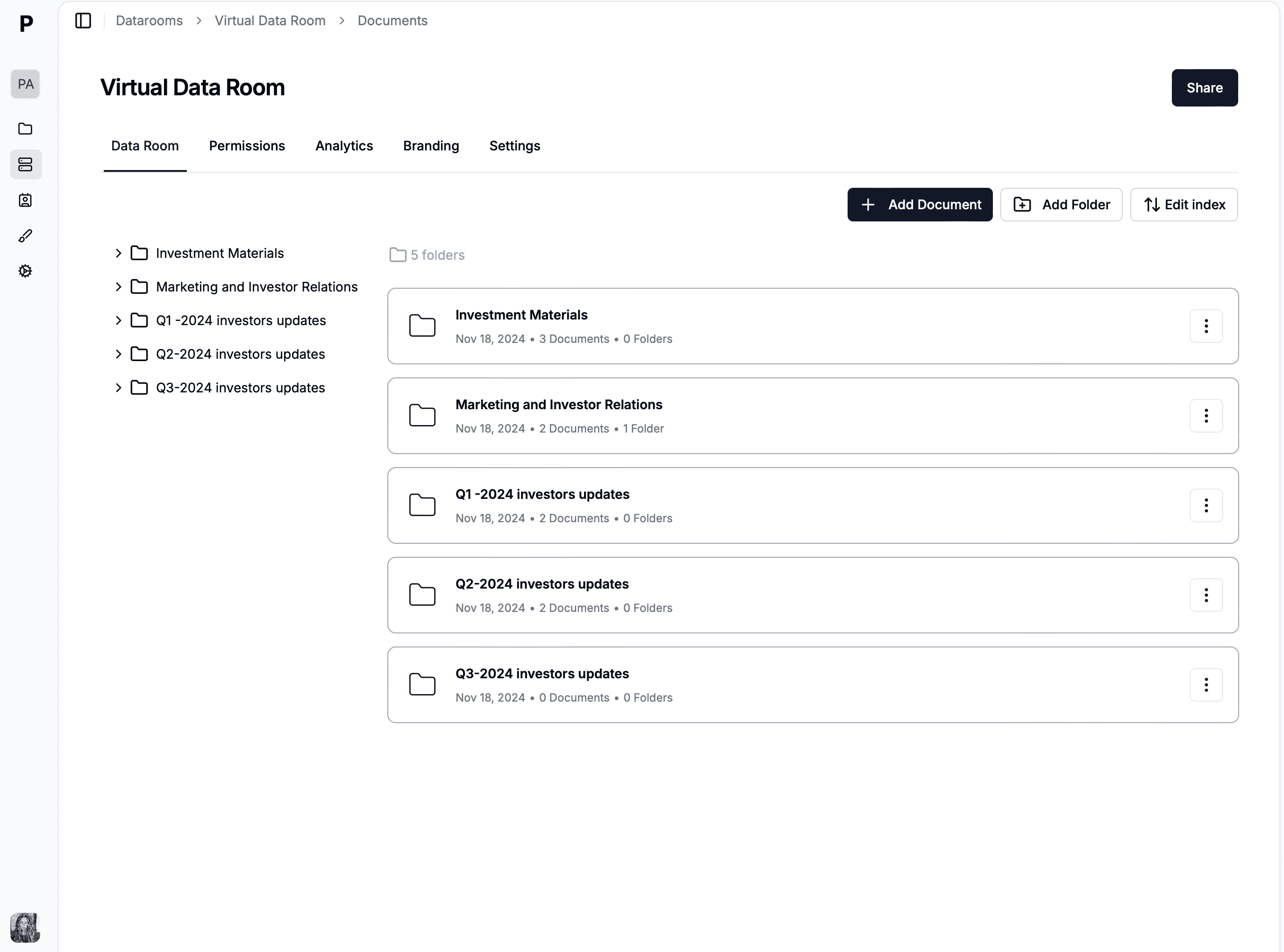
PE data rooms use a hierarchical folder structure matching the workflow. Fund data rooms organize by fund vintage and document category - Fund I, Fund II, Fund III, each with PPM, Strategy, Performance, Reports. Portfolio company rooms use the standard M&A index (1.0 Corporate, 2.0 Financial, 3.0 Legal, 4.0 Commercial, 5.0 HR, 6.0 IP, 7.0 IT/Security, 8.0 ESG). Consistent file naming (YYYY-MM-DD_DocumentType_v1.2) is the unglamorous detail that determines whether the room is searchable by month six. See the data room folder structure guide for full conventions.
Granular permissions per LP or bidder
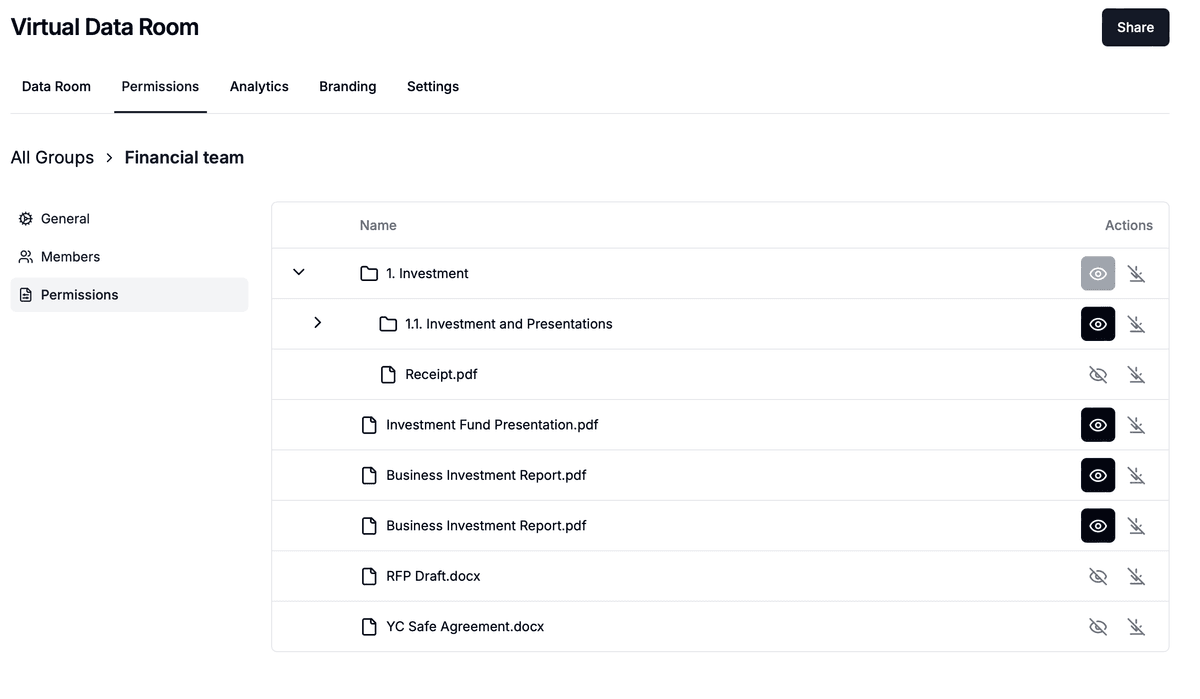
Permissions at user, group, folder, and file level are non-negotiable. Practical use cases: showing different investment strategy detail to different LP tiers, scoping sell-side diligence materials per bidder group, restricting portfolio company financials to specific board committees, and excluding the legal-and-regulatory binder from initial-round bidders. Group-level permissions matter more than user-level for PE because the room is constantly reconfiguring as bidders advance through diligence stages.
Activity tracking and analytics
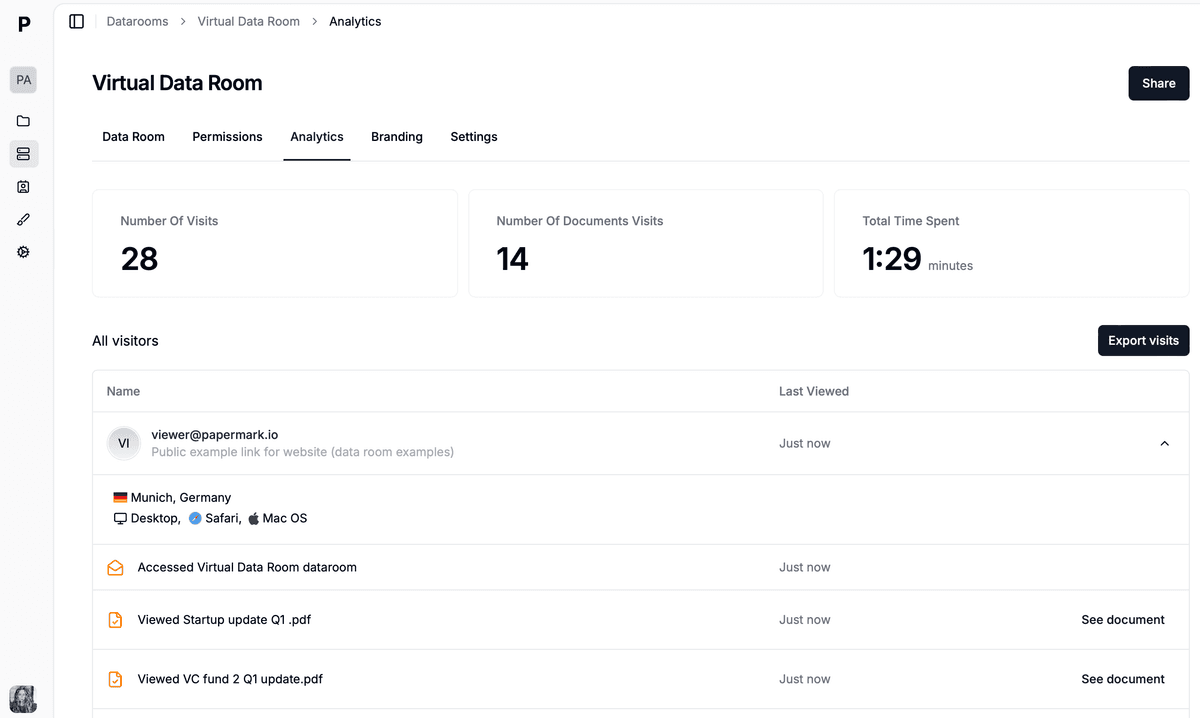
Page-by-page analytics surface which LPs or bidders are actively engaging, which documents raise flags (unusually high time-on-page often signals concerns), and who has not yet accessed the room. Papermark's analytics are measured page-by-page rather than file-level, which is the resolution PE deal teams actually need - knowing a bidder spent 40 minutes on page 3 of the customer-contract binder is operationally different from knowing they opened the file once.
Security features
Essential security for PE: AES-256 encryption at rest, TLS 1.2+ in transit, two-factor authentication, dynamic watermarking with per-session viewer identity, screenshot deterrence, NDA enforcement, append-only audit logs, and SOC 2 Type II compliance. For cross-border work, GDPR alignment and EU data residency are commonly required by European LPs and continental sellers. ISO 27001 certification is increasingly requested by institutional LPs as part of operational due diligence.
Q&A module
Structured Q&A replaces the "diligence tracker" spreadsheet that deal teams otherwise maintain by hand. Questions are threaded, scoped per bidder, and exportable for the deal record. The Q&A log is one of the highest-value artifacts in a sell-side process: it preserves exactly which questions which bidder asked, when, and the answer the seller gave, which protects both parties post-close in the event of a representation-and-warranty dispute.
Branding and white-label
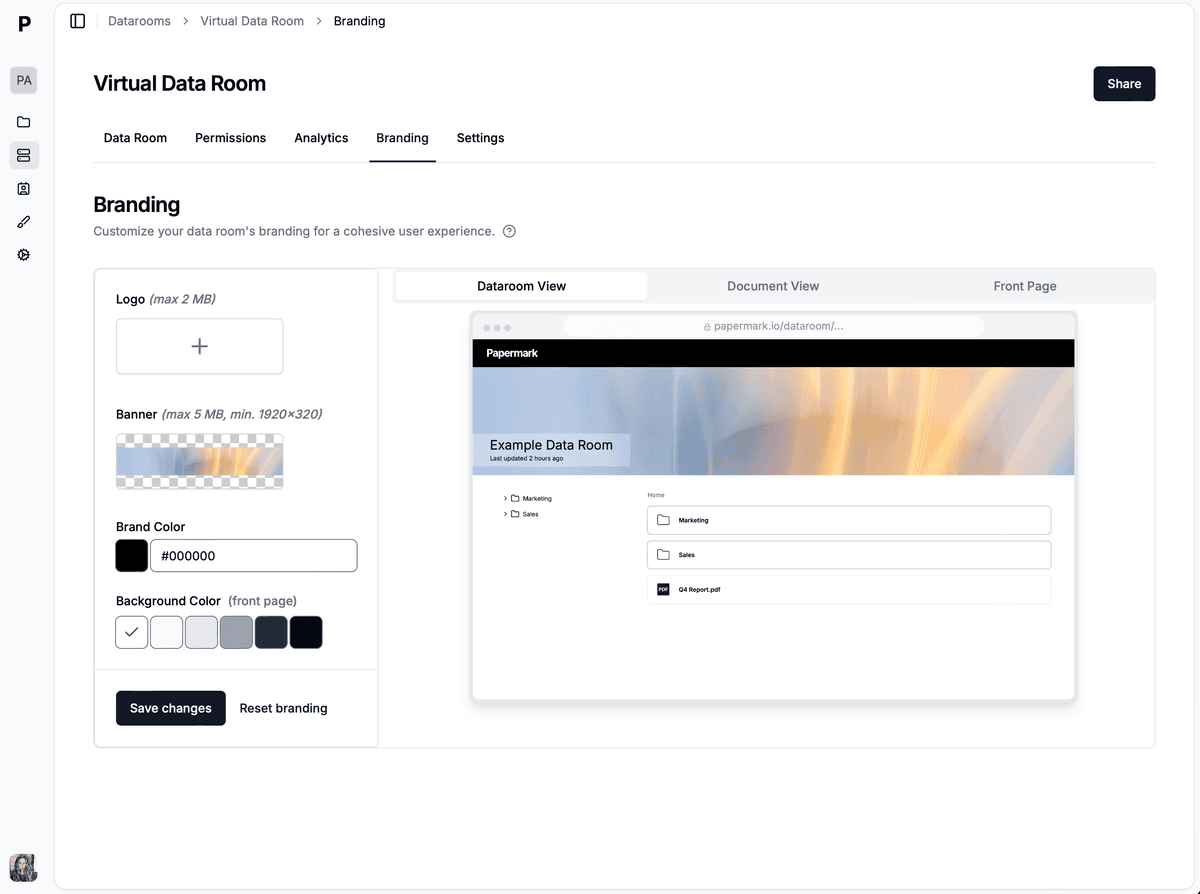
Custom domains (investors.yourfirm.com), logo branding, and email-template customization make the LP experience feel institutional. White-label is important for placement agents and advisors representing multiple PE firms, who need each fund's data room to sit on the GP's brand rather than the placement agent's or the VDR vendor's URL.
How to set up a private equity data room
Setting up a PE data room follows the same general process as any VDR setup, with three workflow-specific considerations: scope of audience (LPs vs bidders vs internal), duration (fund life vs deal cycle), and update cadence.
1. Choose your platform
Select a VDR with granular per-user/per-group permissions, dynamic watermarking, page-by-page analytics, Q&A module, SOC 2 Type II, GDPR alignment, and flat-rate or predictable pricing. Avoid per-page billing for PE workflows - fund rooms accumulate documents over 10+ years, and per-page pricing on a long-lived room compounds into a recurring tax on document hygiene.
2. Organize documents
For fund rooms, organize by fund vintage (Fund I, II, III) then category (PPM, Strategy, Performance, LP Reports). For deal rooms, use the standard M&A index. Use numbered top-level folders (1.0, 2.0) and consistent file naming (YYYY-MM-DD_DocumentType). Version control is built into modern VDRs, so the file name should not duplicate version metadata - keep names stable and let the platform track revisions.
3. Upload and configure
Bulk-upload preserving the local folder hierarchy. Configure user groups (per LP tier or per bidder group), security settings (NDAs, watermarks, email verification), branding (logo, custom domain), and notification rules for the GP team. Set retention rules that match the LPA and any regulator requirements (10 years is a common floor for fund rooms).
4. Invite users
Add LPs or bidders with appropriate permission levels. Each group gets scoped access. Send personalized invitation emails with clear instructions; for LP fundraising, include a one-pager explaining how to navigate the room. The first impression on an LP-facing data room is a CTR signal that determines whether the LP comes back to read the quarterly letter or files the invite in the "later" folder.
5. Monitor and respond
Track engagement via page-by-page analytics. Respond to Q&A promptly - sell-side processes are won as much on diligence responsiveness as on deal terms. Update documents as quarterly reports arrive or as the deal progresses. Revoke access immediately when LPs or bidders exit the process; an active audit log makes any post-close dispute over what was shared traceable.
Common mistakes in private equity data rooms
The most expensive mistakes in PE data rooms are not technical - they are workflow mistakes that compound over months and cost the firm in either LP confidence, exit value, or operating overhead.
Too much information early. Opening the full deal room to Stage-1 bidders floods them with detail they cannot process and signals that the seller is desperate. Stage materials in tiers: teaser-level for Stage-1, full data for Stage-2 finalists, sensitive contracts and management projections for final-round bidders only.
Poor version control. PE deals update frequently - refreshed financial models, revised legal binders, new tax memos. A VDR without automatic version history creates dispute-prone ambiguity over which version a bidder relied on for their bid. Modern VDRs version every upload by default; do not rename files to include _v2 or _FINAL - it defeats the platform's tracking.
Flat permissions. Giving every LP the same access ignores the reality that different LP tiers have different rights spelled out in the LPA. Use folder-level permissions to match the LPA exactly. A €100M institutional LP and a €5M family-office LP do not have the same reporting rights, and treating them identically is a compliance signal an operational-DD review will flag.
No analytics review. Not using engagement analytics means missing signals about which LPs are actively engaged versus which have gone quiet. The data is free; use it. A Fund III roadshow is six months of analytics-rich behavior that any decent IR team should be using to triage follow-ups and adjust the GP-LP conversation.
Legacy enterprise VDR overkill. Using Intralinks, Datasite, or Ansarada for a mid-market fund raise when Papermark at €99/month covers the same feature set wastes $25,000+/year per fund. The legacy enterprise tier has product features that justify the price for $500M+ deals and bulge-bracket buyers; it does not justify the price for a €200M-€500M fund's first close or a €40M portfolio exit.
Treating the deal room as disposable. A portfolio-company data room maintained continuously through the hold period saves weeks of exit-prep work compared to rebuilding the room from scratch six months before the exit. The marginal monthly cost of keeping the room open is trivial against the cost of rebuilding it under deal pressure.
Papermark for private equity data rooms
Papermark supports all three PE workflows (fundraising, deal diligence, portfolio management) in a single platform with transparent flat-rate pricing and a self-hostable open-source build for firms with strict residency or security requirements.
Fund I LP fundraise.Backtrace Capital used Papermark to centralize PPM, LPA, track record, and ESG documentation across LP prospects. Per-LP scoped access plus page-by-page analytics let the GP team see which LPs were engaged versus which had stalled. The fund closed €50M+. See the data room for raising Fund I playbook for the full setup.
Fund II for emerging-manager pre-seed.TBD VC raised $35M Fund II using Papermark, running per-LP scoped access on a custom GP domain. Custom branding kept the data room on TBD's identity rather than a vendor URL, which matters for an emerging manager building institutional credibility.
M&A diligence at a New York family office.G.P. Loree & Co. runs Papermark for M&A and special-situations diligence on direct portfolio acquisitions. Multi-bidder isolation with dynamic watermarking and structured Q&A across legal, financial, and tax workstreams supports a deal calendar that runs multiple concurrent processes.
Portfolio-company exit prep. PE firms running portfolio companies through exit preparation use Papermark to maintain an "always-on" data room with audited financials, board materials, and commercial documentation that can be opened to acquirers within days. The same platform tracks LP reporting and exit diligence side by side, so the exit-prep team is not rebuilding a room while running the sale.
Quarterly LP reporting at scale. GP IR teams use Papermark's per-LP scoped access plus engagement analytics for quarterly LP reporting. PMs see which LPs read which sections of the quarterly letter and follow up directly with high-engagement or low-engagement signals. CRM-style attribution layered on top of the audit trail is what flat-rate VDRs unlock that legacy per-page pricing cannot.
Why PE firms move to Papermark
Flat-rate pricing that doesn't scale with page count or external user count (vs Intralinks per-page or Datasite custom)
Self-hostable open-source (AGPL) for PE firms with strict data residency or security posture requirements
Page-by-page analytics that surface real LP and bidder engagement signals at slide-level resolution
Dynamic per-session watermarking with viewer email, IP, timestamp on every page
Q&A module with logged answers (Plus tier) for compliance-grade audit trail
Custom domain so the data room sits on the GP's brand, not a vendor URL
Setup in under 1 hour versus multi-week onboarding for legacy VDRs