You're sharing contracts and agreements with clients but have no idea if they've actually opened them. Follow-up calls happen blindly, and your legal team wants to know the moment a counterparty views the document.
With Papermark you can share branded, tracked links with email verification and get notified the moment a counterparty opens your contract.
How it works
Step by step
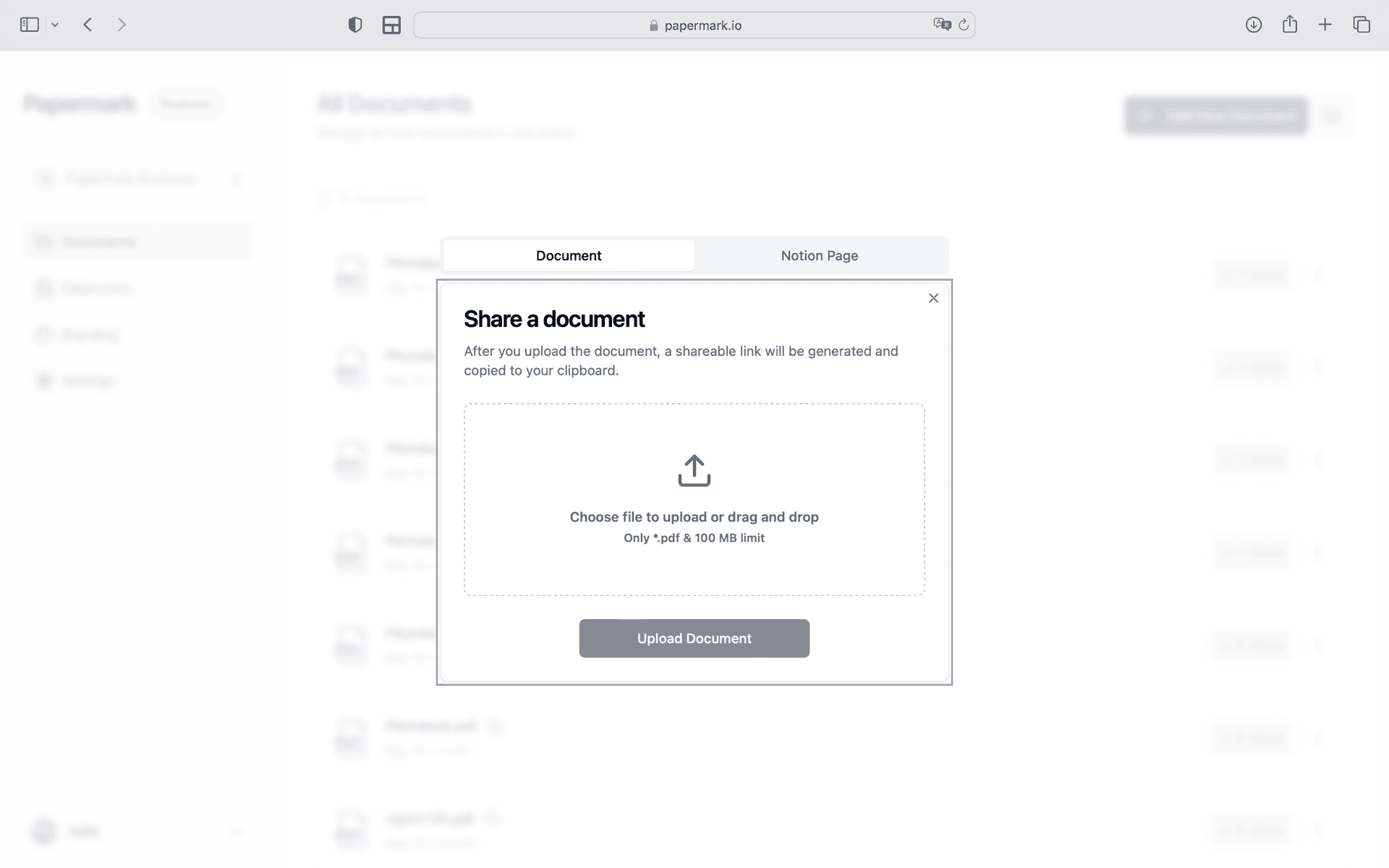
Step 1. Upload your contracts
Open Papermark and create a new data room. Upload your documents and organize by category. Use drag-and-drop to add files, then organize them into folders. Papermark automatically indexes everything and supports bulk upload of entire folder structures.
Step 2. Set up access controls for clients, board members, vendors, and counterparties
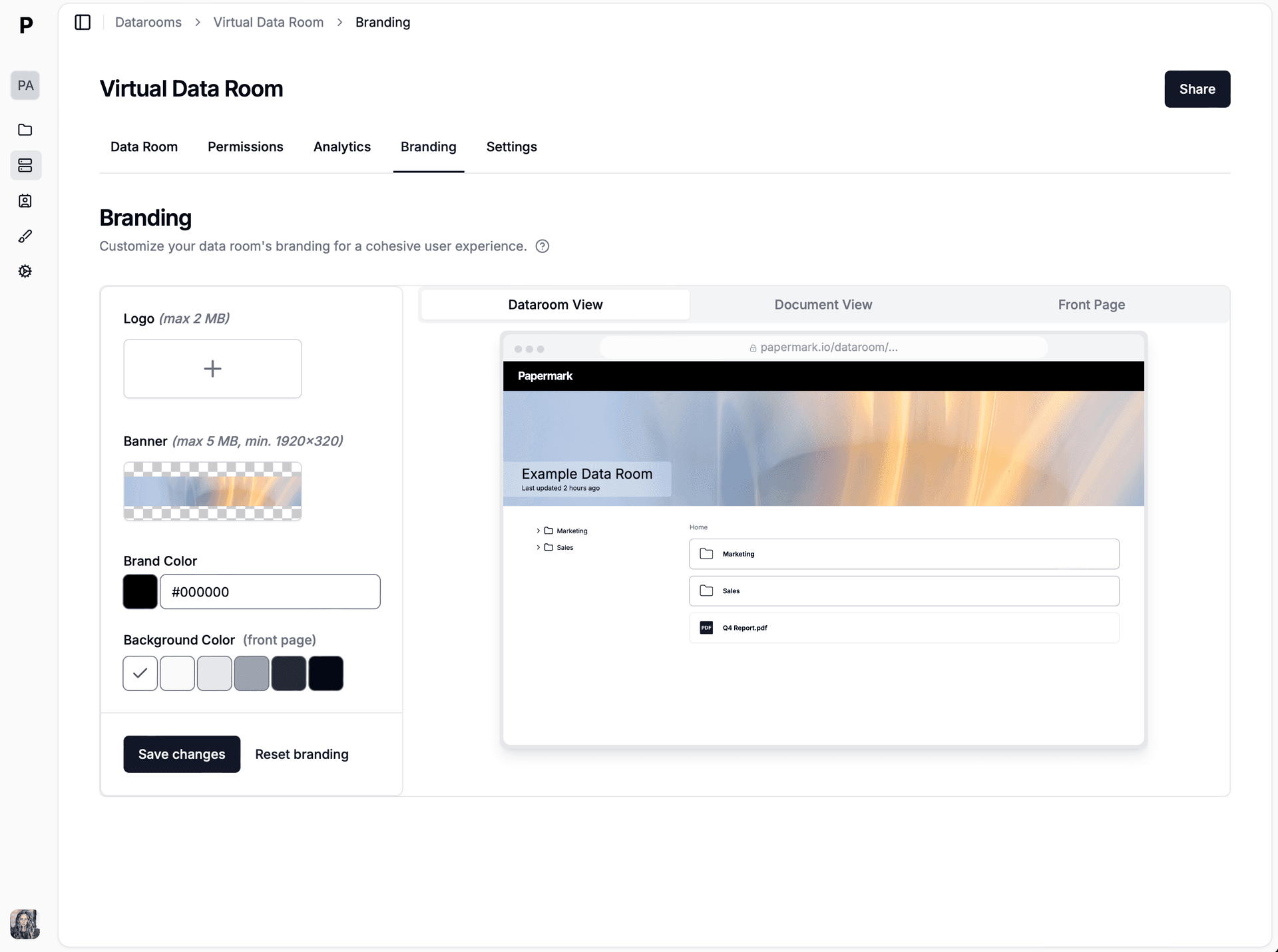
Configure your security settings. In Papermark link settings, enable Email verification, Custom branding, View notifications. Every viewer is verified before they can access a single page. You control exactly who among your clients, board members, vendors, and counterparties sees which documents.
Step 3. Share branded links with your recipients and track engagement
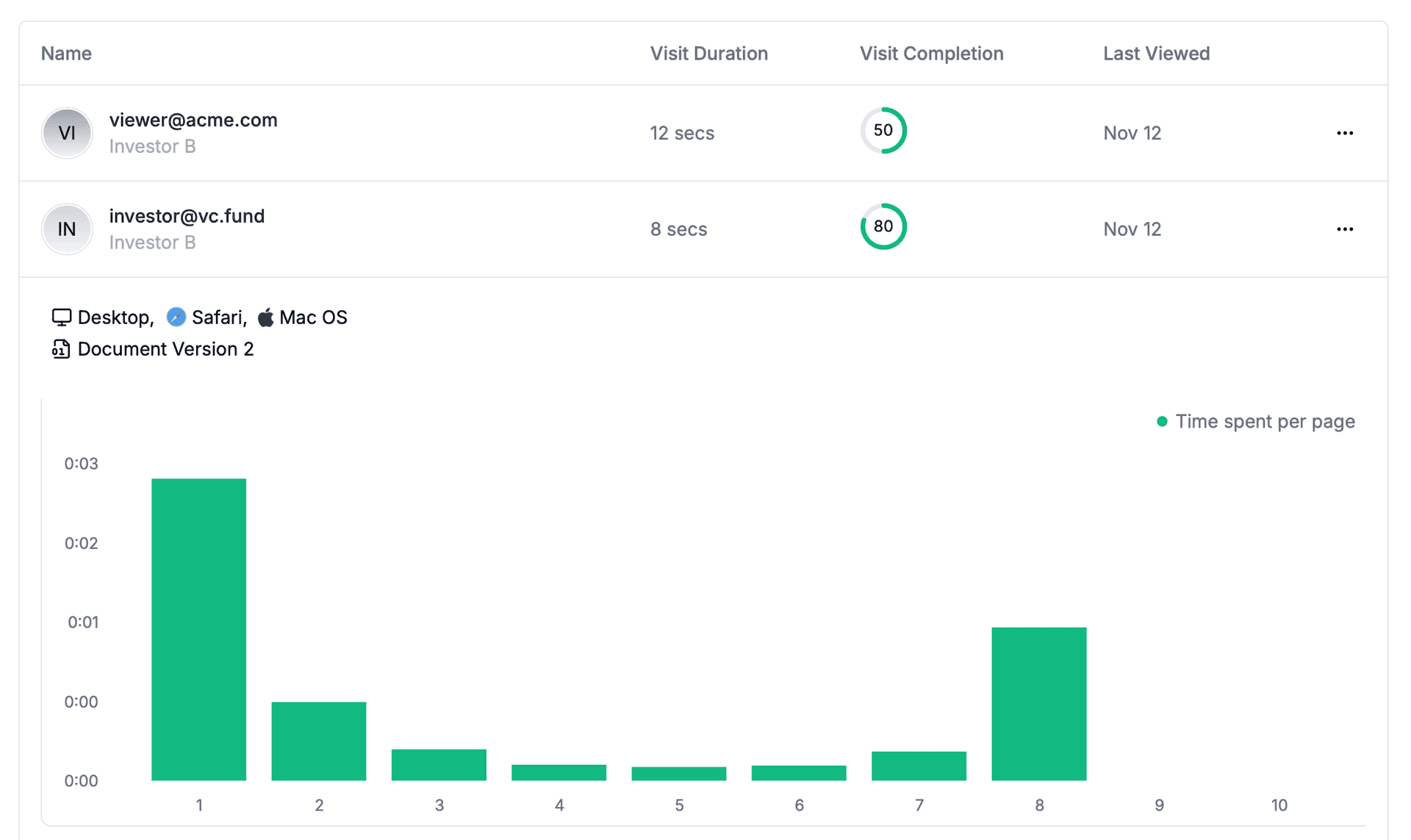
Generate a secure link and share branded links with your recipients. Papermark tracks every interaction in real-time. Know the moment someone opens your document and how deeply they engage. Open the analytics dashboard to see all engagement data as it happens.
Step 4. Connect Slack to get notified instantly
Go to Settings > Integrations > Slack in Papermark. Click "Connect Slack" and authorize via OAuth. Select the team channel where you want to receive alerts. Papermark sends formatted messages when clients, board members, vendors, and counterparties view, download, or access your documents.
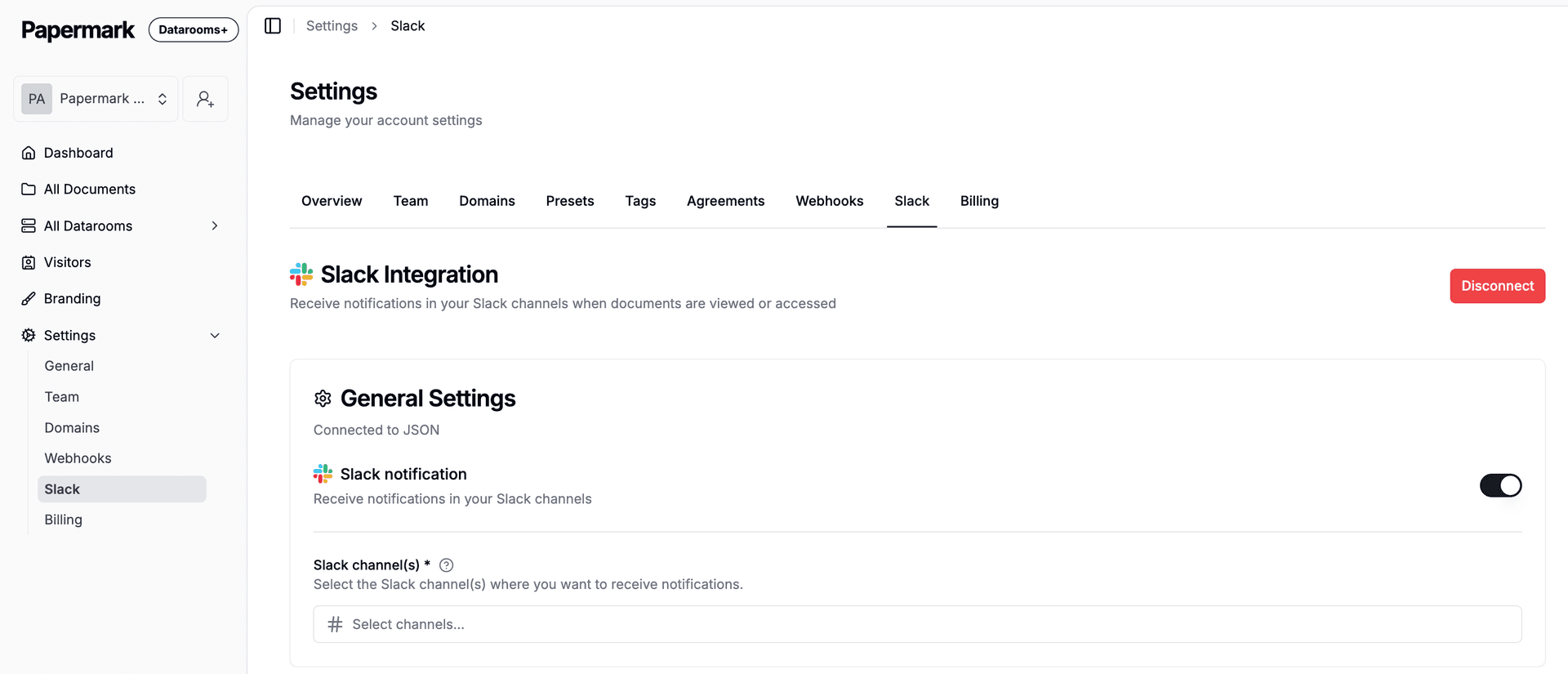
Step 5. See who among your clients, board members, vendors, and counterparties is engaging
Every time someone opens your contracts, a Slack notification appears in your channel. It shows the viewer's email, which document they opened, how long they spent, and a link to full analytics. Your team knows immediately who is engaged without checking the dashboard.
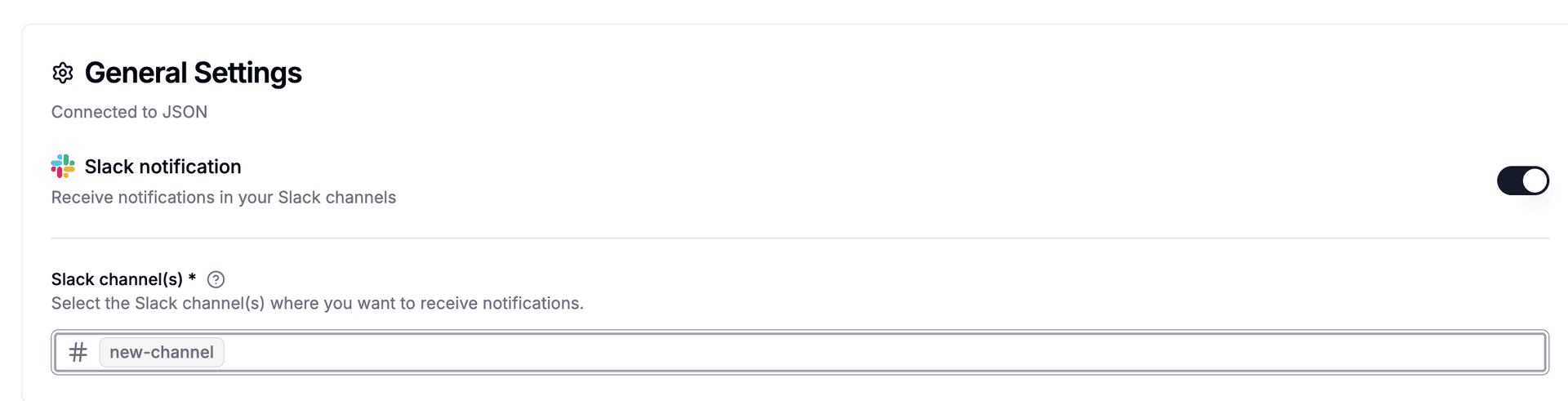
Step 6. Create a webhook to connect external tools
Go to Settings > Webhooks in Papermark. Create a new webhook endpoint pointing to your automation tool (Zapier, Make, or n8n). Select which events should trigger: "Link Viewed" fires when clients, board members, vendors, and counterparties open your documents, "Document Downloaded" when they download. Papermark sends a signed payload with viewer email, document name, pages viewed, and time spent.
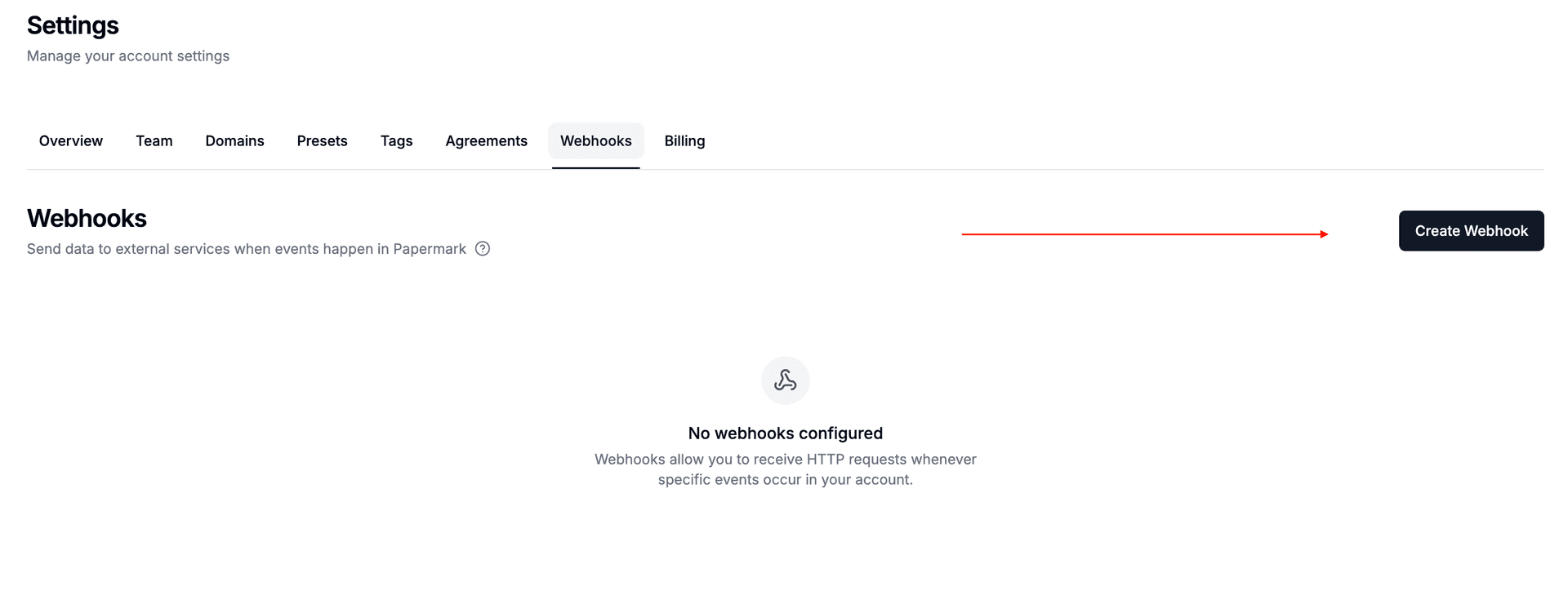
Step 7. Choose which events trigger your automation
Pick the events relevant to your workflow. For tracking clients, board members, vendors, and counterparties engagement, select "Link Viewed". For monitoring downloads of sensitive contracts, add "Document Downloaded". Each payload is signed with HMAC-SHA256 for security. You can create multiple webhooks for different tools.
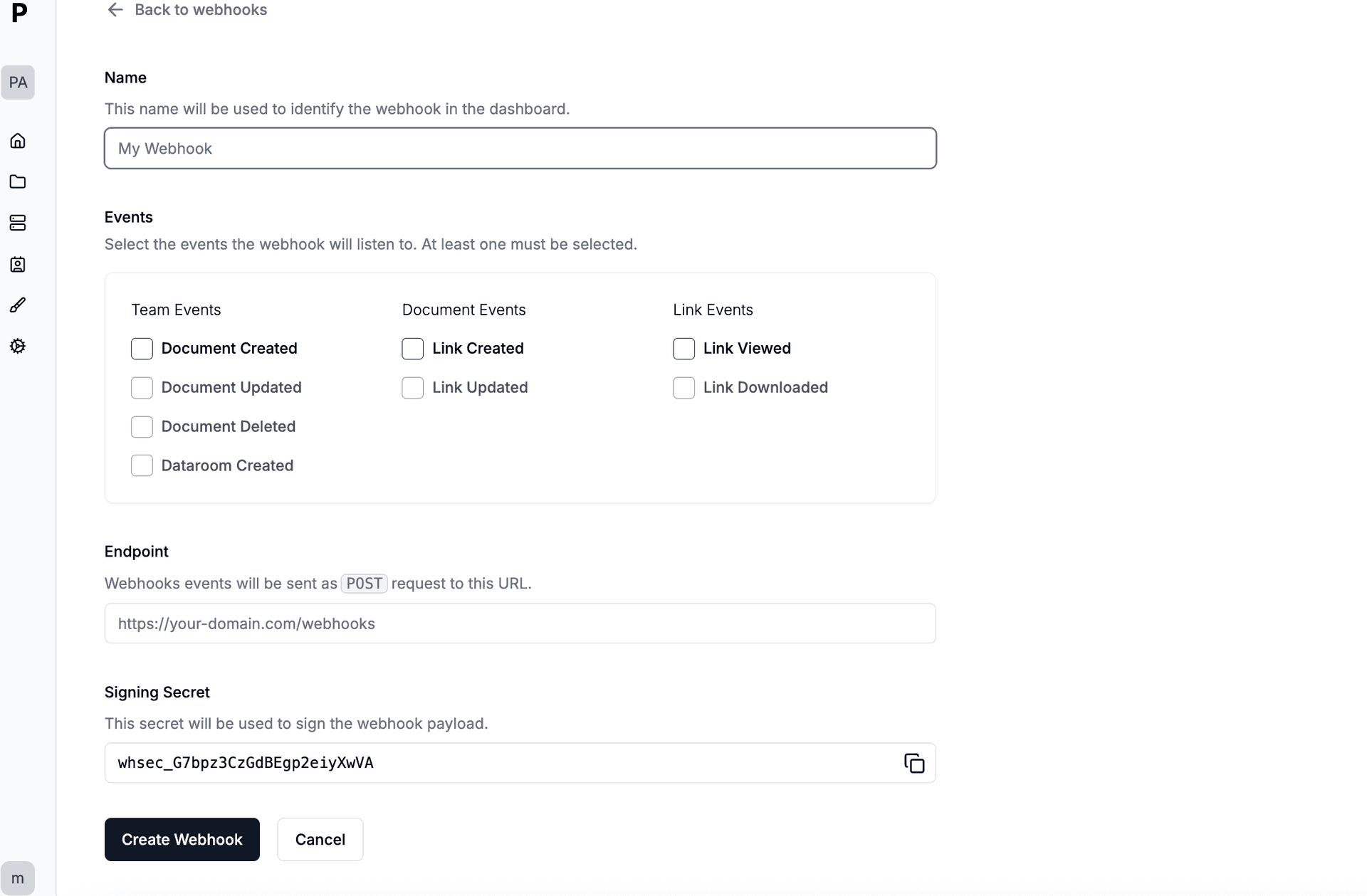
Step 8. Team notifications
Team notifications. Connect Discord through Zapier, Make, or n8n as middleware. When clients, board members, vendors, and counterparties view your documents, the webhook payload delivers their email, document name, pages viewed, time spent, and completion percentage to Discord automatically.
Step 9. Update deal tracking tools
In Zapier, create a new Zap with "Webhooks by Zapier" as the trigger (Catch Hook). Copy the webhook URL and paste it in Papermark's webhook settings. Add your action: Update deal tracking tools. Now every time clients, board members, vendors, and counterparties view your contracts, Zapier runs your automation.
Tools and integrations
Papermark connects to external tools via outgoing webhooks (HMAC-SHA256 signed). Slack has a native integration with OAuth. For all other tools, connect Papermark webhooks through Zapier, Make, or n8n.
Slack Native integration
Alert legal team on views
Discord via webhook
Team notifications
Connect through Papermark webhooks via Zapier, Make, or n8n
Zapier Webhook middleware
Update deal tracking tools