A sensitive document has surfaced outside authorized channels. You need to identify the source of the leak quickly and provide a complete forensic record to your security team.
With Papermark you can identify the source of any leaked document through dynamic watermarks and export a forensic audit log.
How it works
Step by step
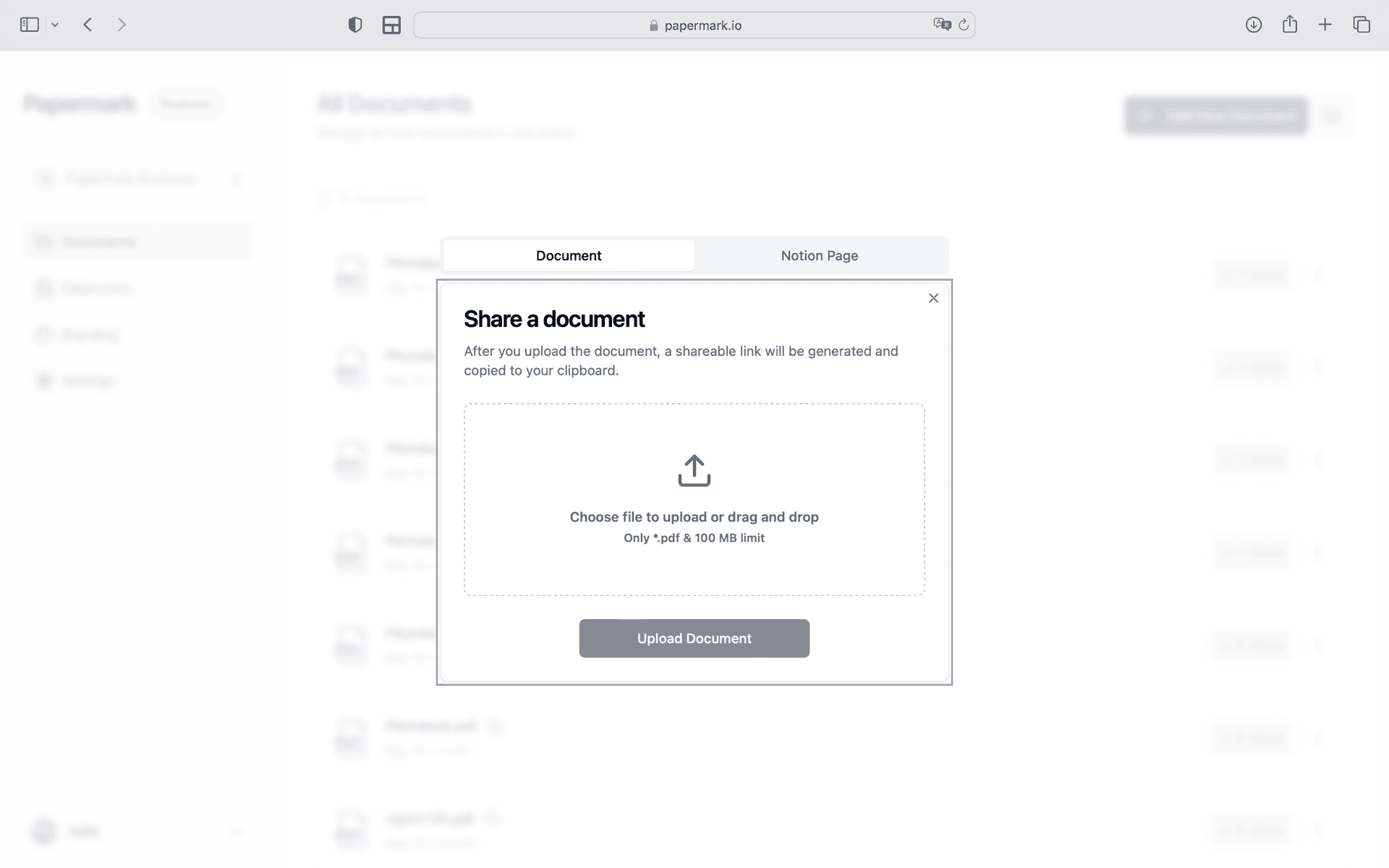
Step 1. Upload your briefings
Open Papermark and create a new data room. Upload classified or sensitive documents. Use drag-and-drop to add files, then organize them into folders. Papermark automatically indexes everything and supports bulk upload of entire folder structures.
Step 2. Set up access controls for authorized personnel and committee members
Configure your security settings. In Papermark link settings, enable Dynamic watermarks, Audit log export, Timestamp logging. Every viewer is verified before they can access a single page. You control exactly who among your authorized personnel and committee members sees which documents.

Step 3. Distribute via email-verified, domain-restricted links and track engagement
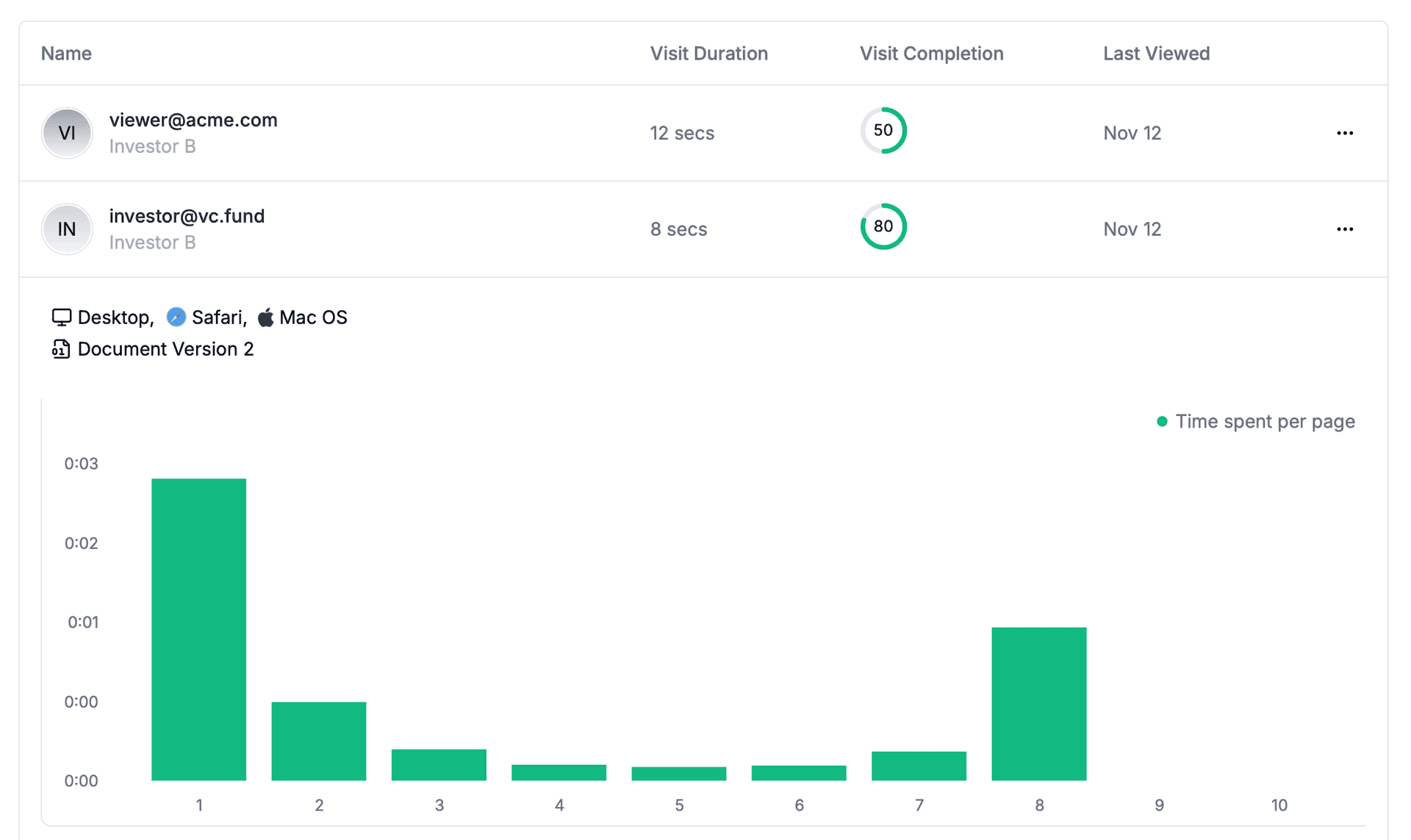
Generate a secure link and distribute via email-verified, domain-restricted links. Papermark tracks every interaction in real-time. Monitor who accessed each document with full IP and timestamp logging. Open the analytics dashboard to see all engagement data as it happens.
Tools and integrations
No external integrations required. This workflow uses Papermark's built-in features only.