
How auto-generated custom domain slugs work in Papermark?
When you share a link on your own domain, the slug at the end of the URL still matters. Papermark now generates a clean, 10-character alphanumeric slug automatically the moment you pick a custom domain, so you don't have to invent random characters yourself.
Auto-generated slugs are available on every plan that supports custom domains, starting from the Business plan.
What an auto-generated slug looks like
Instead of docs.acme.com/qweasdzxc or something obviously typed by hand, Papermark gives you a URL like:
Properties of the auto-generated slug:
- 10 characters for a balance between brevity and uniqueness
- Alphanumeric (a-z, A-Z, 0-9), no symbols
- Case-sensitive, so
aB3kP9xQ7mandab3kp9xq7mare different links - Generated client-side the moment you select a custom domain on a new link
- Refreshable with a one-click randomize button
Step-by-step: get an auto-generated slug
- Log into Papermark and open a document or data room.
- Click Create link (or open an existing draft link).
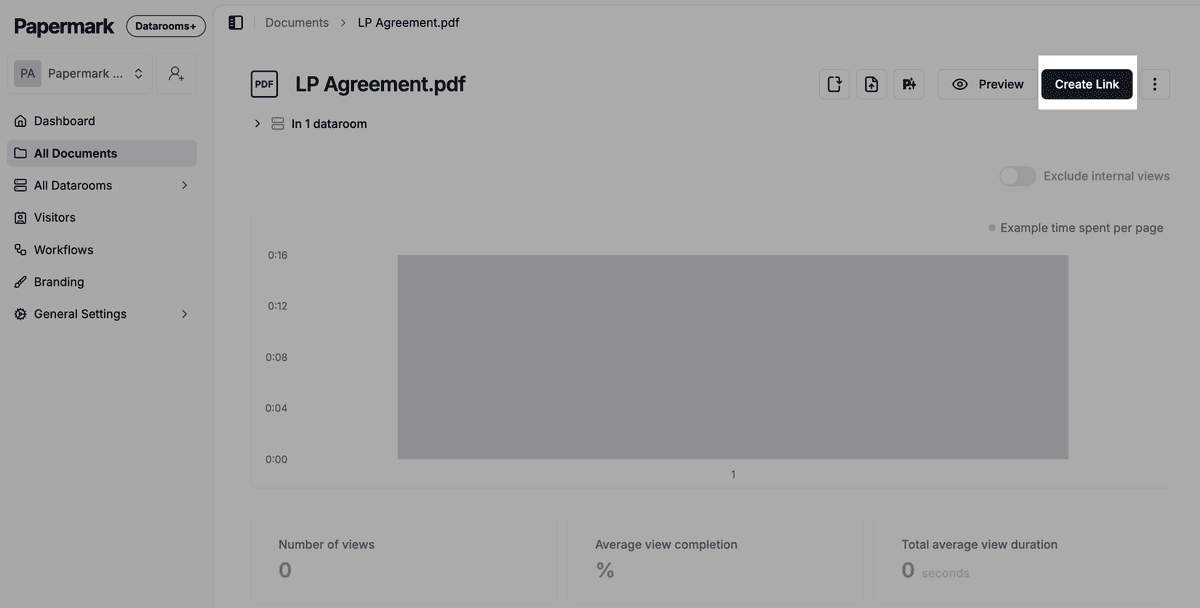
- In the link settings, open the Domain dropdown and pick your custom domain.
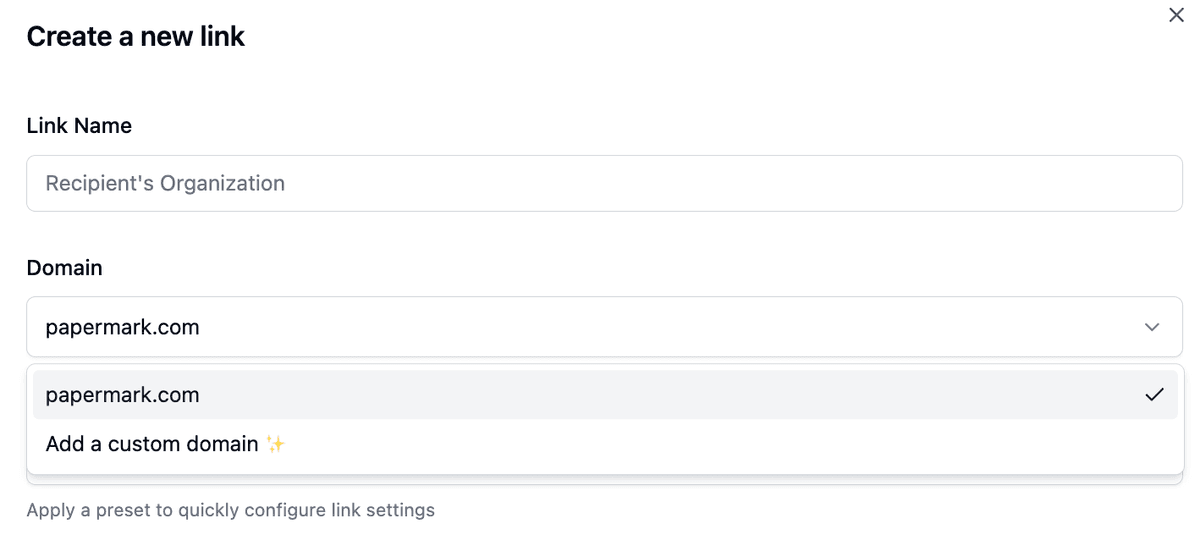
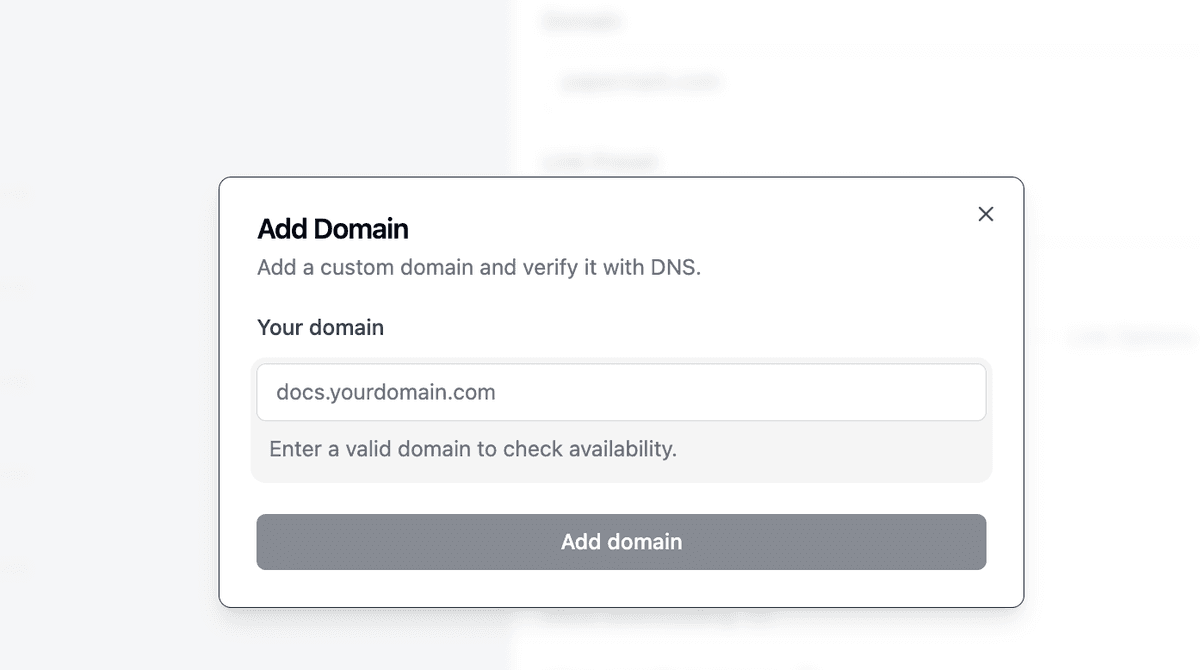
If you haven't connected a custom domain yet, choose Add a custom domain from the dropdown and enter your domain.
- Papermark fills in the slug field with a freshly generated 10-character string.
- If you don't like the slug, click the refresh icon next to the slug field to generate a new one.
You can also overwrite the slug manually if you want a meaningful name like acme-investor-deck.
Why use an auto-generated slug
- Privacy: random slugs are unguessable, so the URL can't be discovered by trying obvious patterns like
/investorsor/q3-deck. - Speed: no need to think of a unique name for every recipient.
- Consistency: every link follows the same format, which makes them easier to recognize in analytics.
- Uniqueness: case-sensitive 10-character slugs give you billions of options per domain, so there are no collisions.
If you'd rather use readable slugs (for example, vanity URLs you send to investors), you can still type your own slug, and Papermark will check it's unique on that domain.
Auto-generated vs. custom slugs
| Use auto-generated when | Use a custom slug when |
|---|---|
| You want a hard-to-guess URL | The recipient will memorize or read the URL out loud |
| You're sending many links and need them fast | You need a vanity slug like acme-pitch-deck |
| You're rotating links for security | You want the slug to match a campaign or recipient name |
Add a custom domain first
You need to connect a custom domain to your account before you can use the auto-slug feature. Once your domain is verified, it appears in the domain dropdown when you create a link.
- See how to add a custom domain to your team account for team-level setup
- See how to connect a custom domain to your link for link-level details
- See how to share a data room via a custom domain for data rooms specifically
Frequently asked questions
Related guides
- How to add a custom domain to your Papermark team account
- How to connect a custom domain to your link
- How to share Data Room via custom domain
- Link permissions
Need help? Contact support@papermark.com or use the in-app chat.