

datarooms
How Companies Manage NDA Compliance in Virtual Data Rooms (2026)
How companies manage NDA compliance in virtual data rooms with one-click NDA gates, built-in e-signatures, acceptance tracking, audit logs, and archives.
Encryption is the process of converting readable information into mathematically scrambled code that can only be decoded by someone with the correct key. In 2026 the dominant standards are AES-256 for data at rest and TLS 1.3 for data in transit, with end-to-end encryption (E2EE) and zero-knowledge architectures used for the highest-sensitivity workflows. Encryption is the foundation of modern data security - but for sensitive document workflows (M&A, fundraising, regulated diligence), encryption alone is not enough. You also need access control, audit logging, NDA gates, and dynamic watermarking, which is what a virtual data room provides.
When you encrypt a file, email, or message, you're using mathematical algorithms to scramble the data into ciphertext-random-looking characters that appear meaningless without the decryption key. This ensures that even if someone intercepts your encrypted data, they cannot read it without the proper key. Encryption protects your information at rest (stored on devices) and in transit (traveling over networks), providing a critical security layer for sensitive data.
Encryption is a security method that uses cryptographic algorithms to convert plaintext (readable data) into ciphertext (encrypted data). The encrypted data appears as random characters and can only be converted back to readable form using a decryption key or password. This process ensures that only authorized parties can access and read the original information.
Key components of encryption:
Encryption works by applying complex mathematical operations to your data using an encryption key. The same key (in symmetric encryption) or a corresponding key (in asymmetric encryption) is required to reverse the process and decrypt the data back to its original form.
Encryption uses cryptographic algorithms to transform data. When you encrypt a file or message, the algorithm takes your plaintext and an encryption key, performs mathematical operations, and produces ciphertext. The process is designed to be one-way without the key-meaning you cannot reverse the encryption without the correct decryption key.
Example: When you encrypt a Word document with a password, Microsoft Word uses AES-256 encryption to scramble the file contents. Without the password, the file appears as random characters. With the correct password, Word decrypts the file and displays the original content. Learn more about how to encrypt Word files for practical applications.
Encryption methods fall into two main categories: symmetric and asymmetric encryption. Each type has different use cases and security characteristics.
Symmetric encryption uses the same key for both encryption and decryption. This means the sender and recipient must share the same secret key to communicate securely.
Characteristics:
Use cases: File encryption, full disk encryption, database encryption, and secure file sharing where both parties have the key.
Example: When you create a password-protected ZIP file, the password serves as the encryption key. The same password is used to encrypt and decrypt the archive. For step-by-step instructions, see our guide on how to encrypt a file with a password.
Asymmetric encryption uses a pair of keys-a public key for encryption and a private key for decryption. The public key can be shared openly, while the private key must be kept secret.
Characteristics:
Use cases: Email encryption (S/MIME, PGP), digital signatures, secure web connections (SSL/TLS), and key exchange for symmetric encryption.
Example: When you visit a secure website (HTTPS), your browser uses the website's public key to encrypt data. Only the website's private key can decrypt it, ensuring secure communication.
While not encryption in the traditional sense, hashing is a related cryptographic process that converts data into a fixed-length string of characters.
Characteristics:
Use cases: Password storage, digital signatures, data integrity checks, and blockchain technology.
Different encryption algorithms provide varying levels of security and performance. Understanding these algorithms helps you choose the right encryption method for your needs.
AES is the most widely used encryption standard today, adopted by governments and organizations worldwide.
Why AES-256 is recommended: AES-256 uses 256-bit keys, providing 2^256 possible key combinations. This makes it computationally infeasible to break with brute force attacks using current technology.
RSA is a widely used asymmetric encryption algorithm for secure key exchange and digital signatures.
ECC provides the same security as RSA with smaller key sizes, making it more efficient.
Encryption protects your data in various real-world scenarios, from securing files on your computer to protecting communications over the internet.
File encryption protects individual files or entire storage devices from unauthorized access. When you encrypt a file, only someone with the correct password or key can open and read it.
Examples:
Understanding which files need encryption helps you prioritize security efforts for sensitive documents like financial records, legal contracts, and personal information.
Email encryption protects email messages and attachments from being read by unauthorized parties during transmission or storage.
Methods:
Benefits: Email encryption ensures that even if your email is intercepted, the content remains unreadable without the decryption key.
Database encryption protects sensitive information stored in databases, such as customer data, financial records, and personal information.
Types:
Cloud storage services use encryption to protect your files stored in the cloud, ensuring that even service providers cannot read your data without the encryption key.
Types:
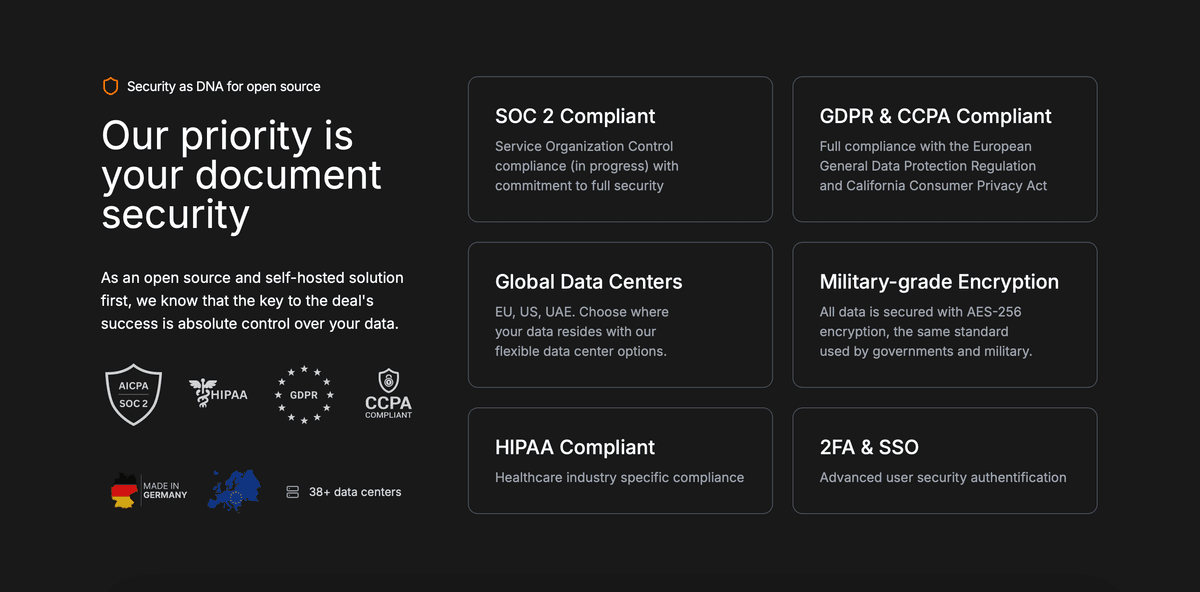
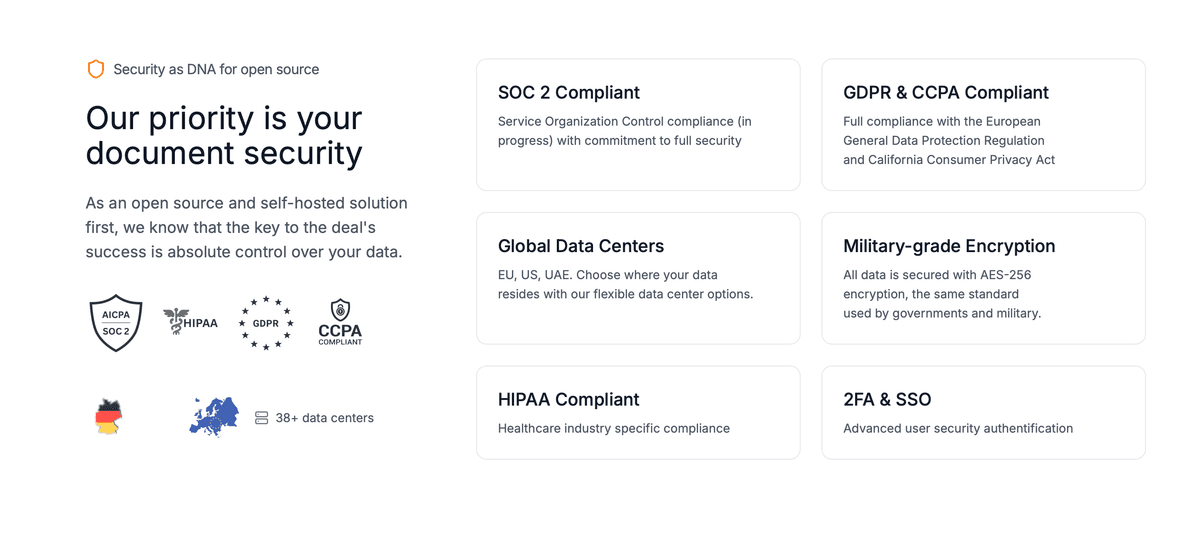
Papermark is a secure file sharing platform that combines AES-256 encryption with advanced security features to protect your sensitive documents. When you upload files to Papermark, they are automatically encrypted using industry-standard AES-256 encryption, ensuring your data remains protected both in transit and at rest.
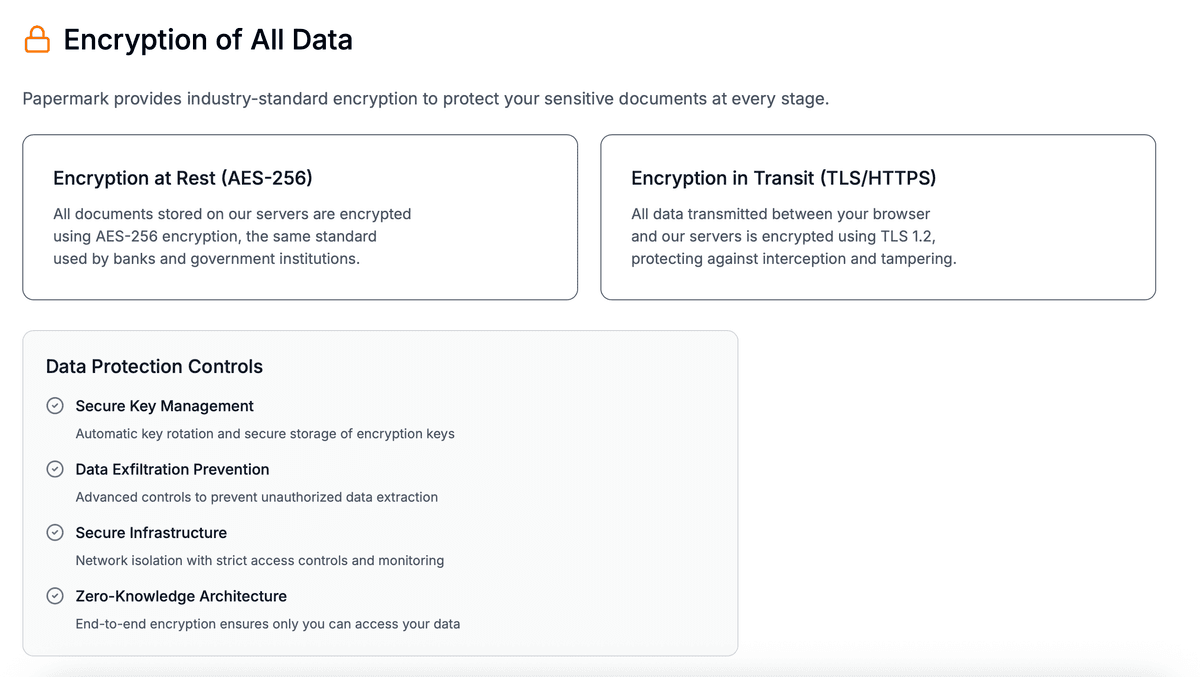
Papermark encryption features:
Papermark makes encryption accessible for businesses and individuals who need to share sensitive documents securely. Unlike basic file encryption tools, Papermark combines encryption with comprehensive access controls, analytics, and the ability to revoke access-making it ideal for sharing encrypted files with clients, partners, or team members.
For step-by-step instructions on using Papermark's encryption features, see our guide on how to encrypt a file with a password.
Encryption is essential for protecting sensitive information in today's digital landscape. It provides multiple security benefits and helps comply with data protection regulations.
Encryption prevents unauthorized parties from reading your sensitive data, even if they gain access to your files, devices, or network communications. This is crucial for protecting personal information, business secrets, and confidential communications.
Many regulations require encryption for sensitive data, including:
Encryption enables secure communication over insecure networks like the internet. It ensures that your messages, files, and data remain private even when transmitted over public networks.
Some encryption methods also provide data integrity verification, ensuring that encrypted data hasn't been tampered with or modified during transmission or storage.
While related, encryption and password protection are not the same thing. Understanding the difference helps you choose the right security method.
Password protection: Adds a password requirement to access files or accounts. Simple password protection can sometimes be bypassed or cracked relatively easily.
Encryption: Uses mathematical algorithms to scramble data into unreadable code. Strong encryption (like AES-256) cannot be easily broken even with password cracking tools.
Best practice: Use encryption with password protection for maximum security. The password serves as the encryption key, and the encryption algorithm ensures the data cannot be read without it.
Encryption is a fundamental security technology that protects your sensitive data by converting it into unreadable code. Understanding how encryption works, the different types available, and when to use it helps you make informed decisions about protecting your information. Whether you're encrypting files on your computer, securing email communications, or protecting data in the cloud, encryption provides a critical security layer against unauthorized access.
For practical applications, use encryption to protect sensitive files like financial documents, legal contracts, and personal information. When sharing encrypted files, consider using secure file sharing platforms that combine encryption with password protection, access controls, and detailed analytics for comprehensive security.
Encryption protects data in transit and at rest. It does not, by itself, address the workflow questions that matter in M&A, fundraising, IPO, or regulated diligence: who saw what, when, under what NDA, with what watermark, and through which audit trail. For high-stakes external workflows, encryption is necessary but not sufficient.
A virtual data room layers eight workflow controls on top of encryption: NDA enforcement before access, dynamic per-session watermarking, granular folder and file permissions per bidder, allow lists and email verification, download / print blocking per link, append-only audit logs, link expiration, and structured Q&A scoped per counterparty.
For the deeper VDR overview, see What is a virtual data room? and 15 virtual data room features that matter. For Papermark's encryption posture specifically, see the Papermark security page.
How companies manage NDA compliance in virtual data rooms with one-click NDA gates, built-in e-signatures, acceptance tracking, audit logs, and archives.
End-to-end encryption explained for 2026 - how E2EE actually works, the 4 business use cases that need it, and when a virtual data room is the right tool instead.

Add dynamic watermarks to every document in your virtual data room in 2026. Step-by-step guide covering configuration, customization, and best practices.