Tax season brings the annual challenge of securely sharing sensitive financial documents with accountants, tax preparers, and government agencies. These documents contain some of your most private information—Social Security numbers, income details, financial account numbers, and more.
According to the IRS, tax-related identity theft remains a significant concern, with thousands of Americans falling victim each year.
This comprehensive guide covers everything you need to know about securely sending tax documents, from basic email encryption to advanced security measures using Papermark's secure document sharing platform.
Protect your documents with advanced security
No credit card required
Page by page analytics
Require email verification
Require password to view
Allow/Block specified viewers
Apply Watermark
Require NDA to view
Custom Welcome Message
4 Tax document security methods compared
Security Method
Security Level
Ease of Use
Tracking Capabilities
Best For
Papermark Protection
Enterprise
High
Comprehensive
Tax professionals, sensitive financial data
Email Encryption
Basic
Medium
Limited
One-time sharing, low-sensitivity documents
Password-Protected PDFs
Moderate
Medium
None
Email transmission, basic security
Cloud Storage Security
Varies
Medium
Limited
Client collaboration, medium security
4 Proven methods to send tax documents securely
Here are four effective methods to securely send your tax documents, ranging from basic email encryption to advanced enterprise-grade protection:
Method 1: Secure tax documents with Papermark
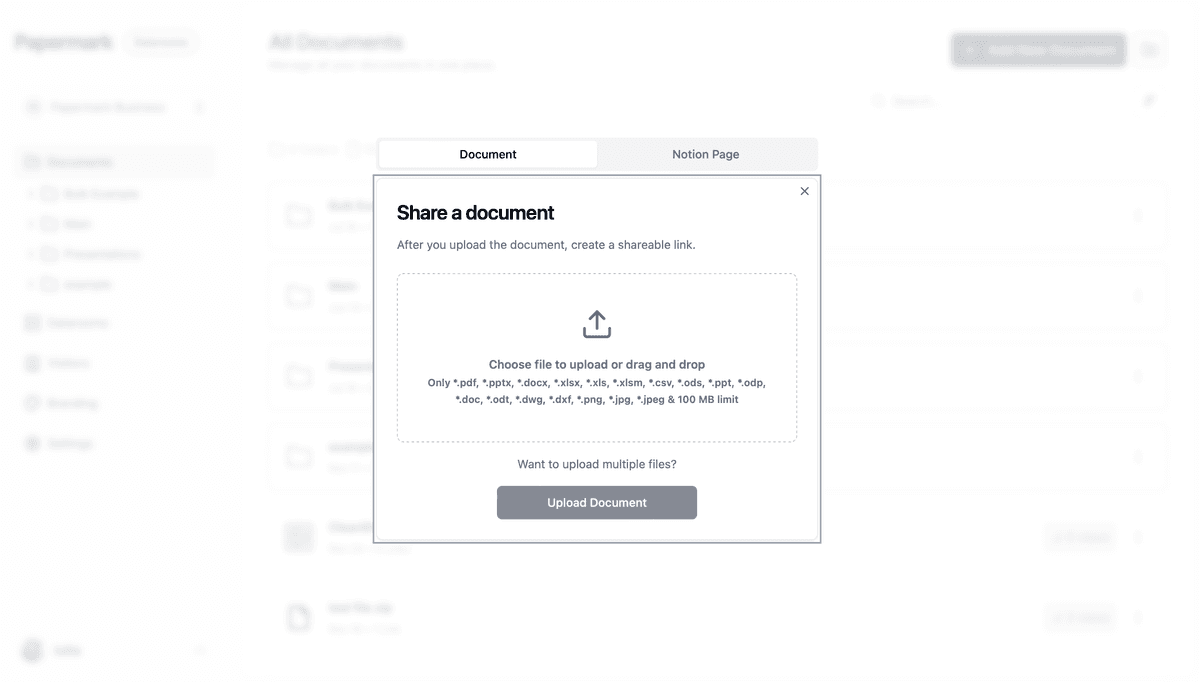
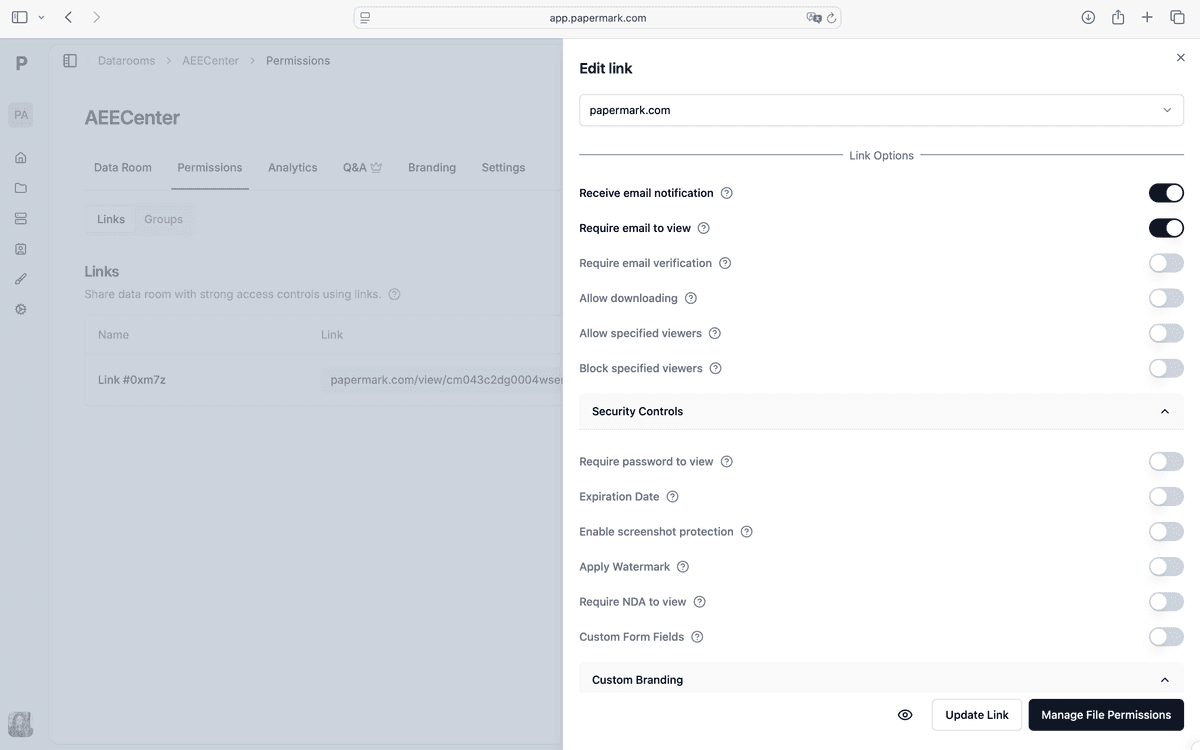
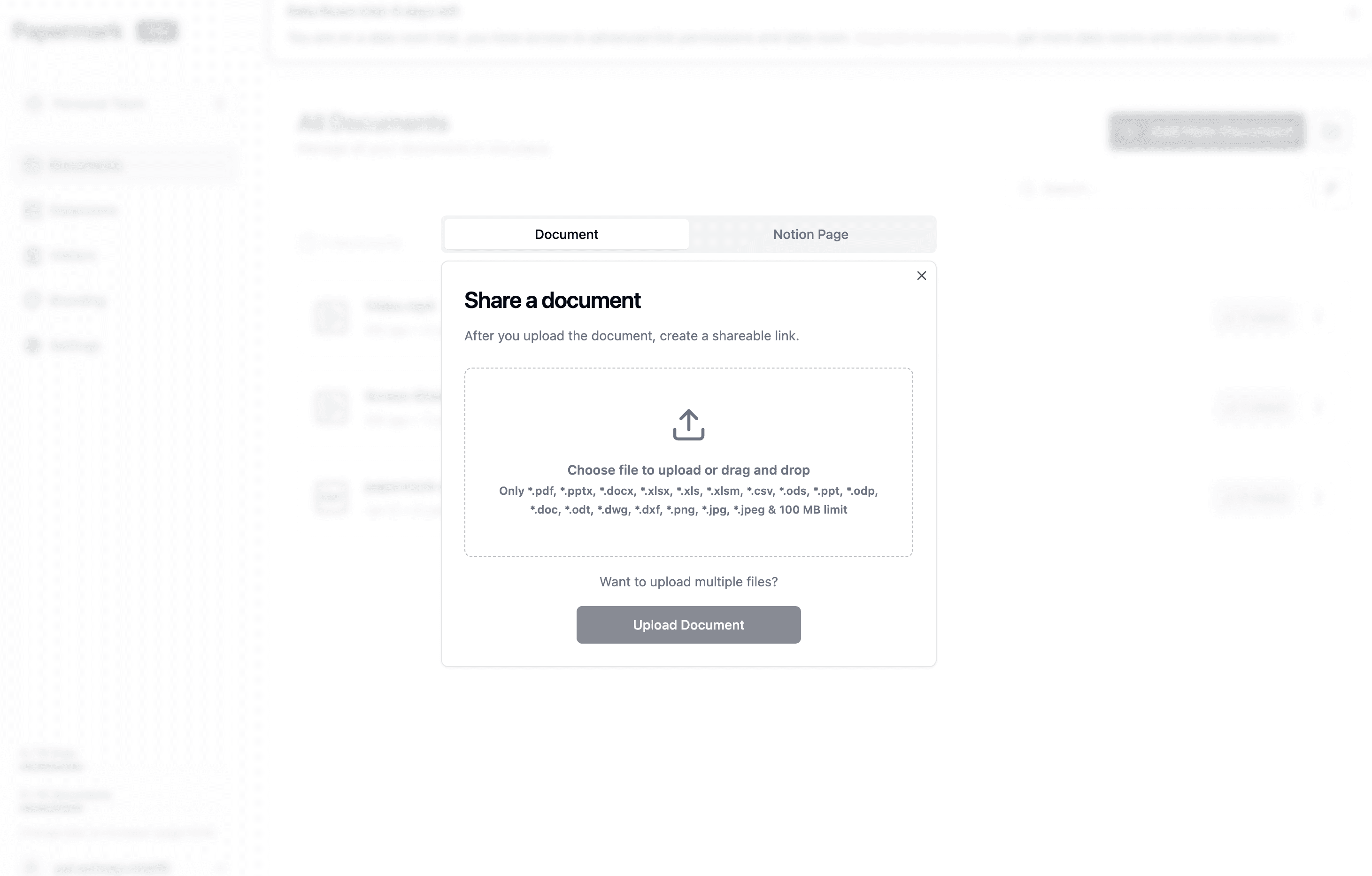
Papermark offers enterprise-grade security for your tax documents with advanced protection features. Follow this comprehensive step-by-step process to implement the highest level of security for your sensitive tax information:
Recipients will need to enter the password to access
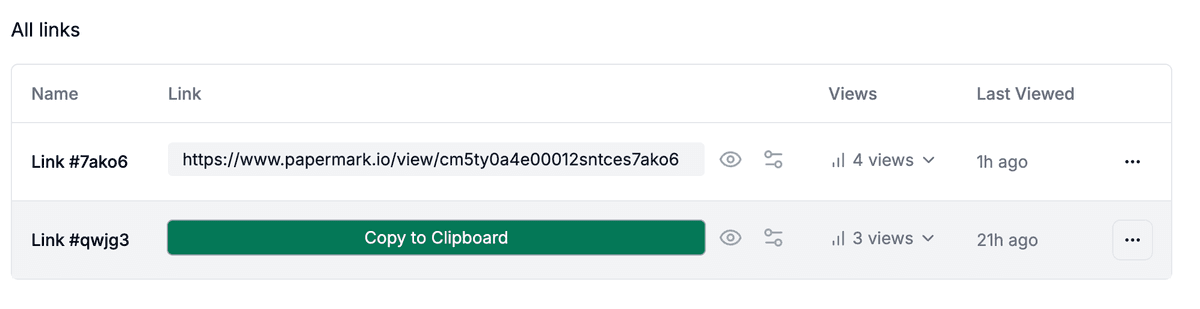
Step 5: Monitor access
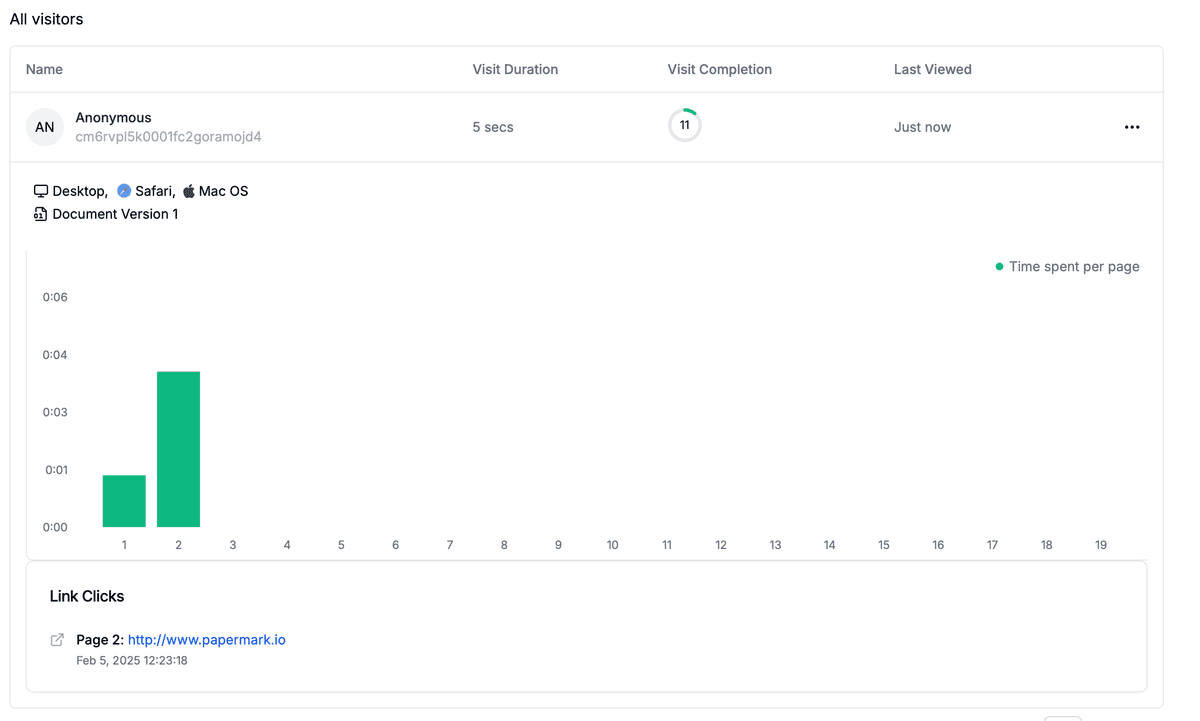
Track who views your tax documents
See when and how long they viewed them
Monitor any download attempts
Receive notifications for access events
Advanced security features for tax documents:
Security Feature
Description
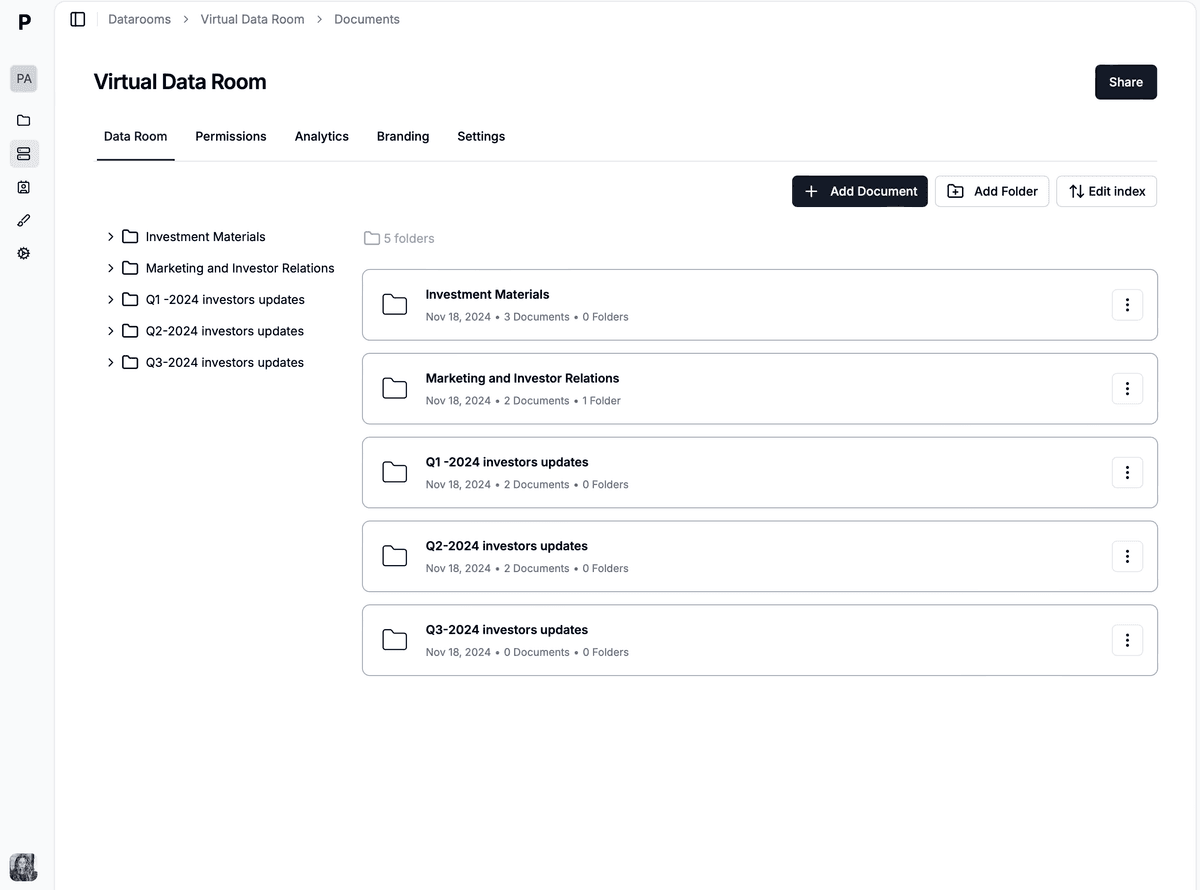
Secure Data Rooms
Create dedicated spaces for all your tax documents with controlled access
Real-time Access Control
Instantly grant or revoke access to specific individuals
Expiration Settings
Set time-limited access to your tax documents
Activity Tracking
Monitor who views your files and when
Email Verification
Require email verification before access
Custom Access Requirements
Request viewer information before granting access
Dynamic Watermarking
Automatically [add viewer information to documents](/dynamic-watermarking) to discourage unauthorized sharing
View-Only Mode
Set files to view-only mode with download restrictions
Papermark's security goes beyond simple password protection, offering comprehensive document security that maintains the integrity and confidentiality of your sensitive tax information.
Method 2: Email encryption and password protection
Standard email is not secure for sending sensitive tax information. However, with proper encryption and secure email services, you can add a basic layer of security:
How to send tax documents via encrypted email:
Sign up for a secure email service (ProtonMail, Tutanota, or Virtru)
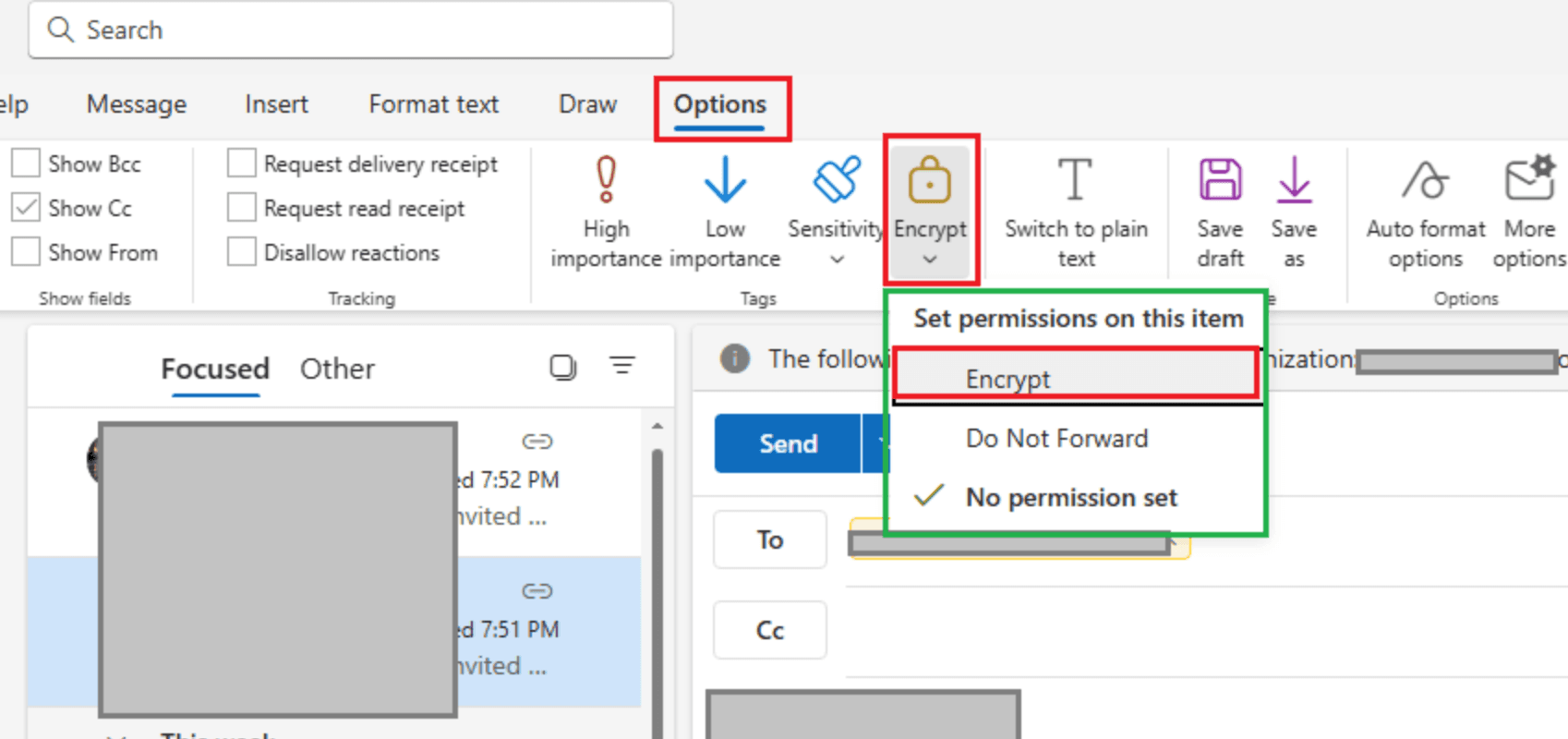
Enable end-to-end encryption features in your email client
Compose a new email to your recipient
Attach your tax documents directly to the encrypted email
Set an encryption password or PIN that only the recipient knows
Send the encrypted email through the secure service
Share the decryption password separately (via phone call or text message)
Request confirmation of receipt
Additional email security measures:
Security Measure
Description
S/MIME or PGP Encryption
For advanced users, implement email encryption protocols
Two-Factor Authentication
Secure your email account with 2FA to prevent unauthorized access
Encrypted Attachments
If your email service doesn't offer end-to-end encryption, use [encrypted ZIP files](/blog/how-to-encrypt-zip-file)
Verify Recipient Information
Double-check email addresses before sending sensitive documents
Set Expiration Dates
Use email services that allow messages to expire after a certain period
Limit Retention Period
Request that recipients delete the documents after processing
While email encryption provides basic protection, it lacks comprehensive tracking capabilities and relies on recipients following proper security protocols. For professional tax preparation or highly sensitive documents, consider more robust solutions.
Method 3: Password-protected PDFs and encrypted files
Converting tax documents to password-protected PDFs provides a moderate level of security:
Scan or convert your tax documents to PDF format
Open the PDF in Adobe Acrobat or similar software
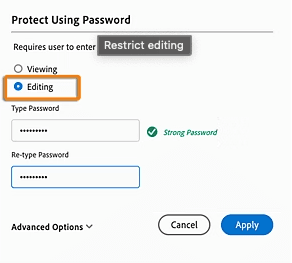
Go to File > Protect > Encrypt with Password
Set a strong password (mix of letters, numbers, and special characters)
This method is relatively straightforward but lacks tracking capabilities and relies on the recipient maintaining proper security practices.
Method 4: Cloud storage security for tax documents
Cloud storage services offer varying levels of security for your tax documents, making them suitable for collaboration with tax professionals:
Choose a secure cloud storage provider (Google Drive, Dropbox Business, Microsoft OneDrive, etc.)
Upload your tax documents to the cloud platform
Configure sharing settings:
Set specific user permissions (view-only is recommended)
Enable password protection if available
Set expiration dates for shared links
Enable two-factor authentication on your cloud account
Regularly audit access logs to monitor who has viewed your documents
Cloud storage benefits include:
Automatic backup and version history
Controlled sharing with tax professionals
Access from multiple devices
Some tracking of file activities
However, cloud storage typically offers limited tracking capabilities compared to specialized solutions like Papermark, and security features vary significantly between providers.
Conclusion
Securely sending tax documents is a critical aspect of protecting your financial identity and personal information. Whether you're using encrypted email, password-protected PDFs, cloud storage, or Papermark's advanced security platform, implementing proper protection measures ensures your valuable tax information remains confidential and secure.
For tax professionals handling multiple clients' sensitive information, Papermark's comprehensive security features provide the ideal balance of protection, usability, and control. By following the methods outlined in this guide, you can significantly reduce the risk of data breaches and unauthorized access to your critical tax documents.