


fundraising
How to Reach Investors on LinkedIn with AI and Papermark in 2026
Learn how to use AI-powered browser automation and Papermark tracking links to run effective LinkedIn investor outreach with full engagement analytics.
Last month, I sent personalized pitch decks to 100 investors in a single afternoon. Not copy-paste templates. Each investor got a unique tracking link with their email baked in, custom messaging based on their portfolio, and I could see exactly who opened what—page by page.
The secret? An AI agent named Clawdbot connected directly to Papermark.
This isn't some futuristic vision. It's how fundraising works now. Let me show you exactly how I set it up.
Traditional investor outreach is brutal. You spend hours copying emails, swapping names, creating links manually, and losing track of who viewed what.
AI agents flip this on its head.
Instead of you doing repetitive tasks, you tell the AI what you want: "Send my pitch deck to these 100 investors with personalized messages." The AI handles the rest—creating links, personalizing emails, tracking everything.
The difference isn't just speed. It's intelligence. The AI can personalize based on each investor's portfolio, mention their recent investments, and adjust the tone based on their fund's focus.
First, you need an AI agent that can interact with Papermark. I use Clawdbot (also known as OpenClaw), an open-source AI agent framework.
Option A: Use the Papermark Skill (Recommended)
The Papermark skill gives your AI agent direct API access to:
Just install the skill and you're ready. Tell Clawdbot: "Create a new data room for my Series A fundraise" and it handles everything through the API.
Option B: Browser Access with Your Credentials
If you prefer visual control, give Clawdbot your Papermark login credentials and let it access everything through the browser. This approach:
Simply tell Clawdbot: "Log into Papermark and create a data room for my fundraise" and watch it work through the browser.
I started with browser access to see exactly what the AI was doing. Once I trusted the workflow, I switched to the skill for speed.
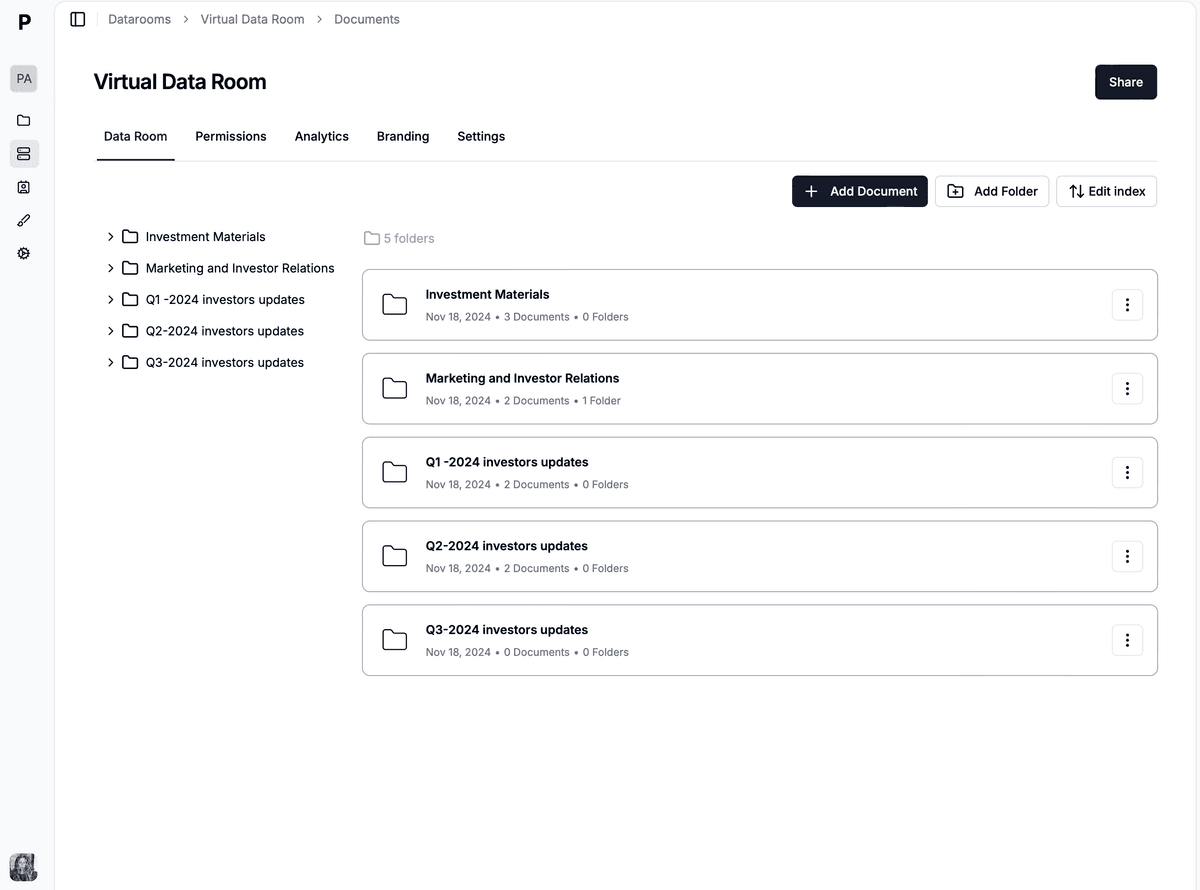
You have three options for creating your data room:
Tell your AI agent exactly what folders and structure you want. For a typical fundraise, I use:
Papermark has pre-built templates for different fundraising stages. Just tell Clawdbot: "Create a seed round data room using the startup template."
Describe your company and stage, and let the AI suggest the optimal structure. It knows what VCs expect to see.
Here's where the magic happens. In Papermark, you can set link permissions that work perfectly with AI-powered outreach:
Every investor must enter their email to view your deck. This means:
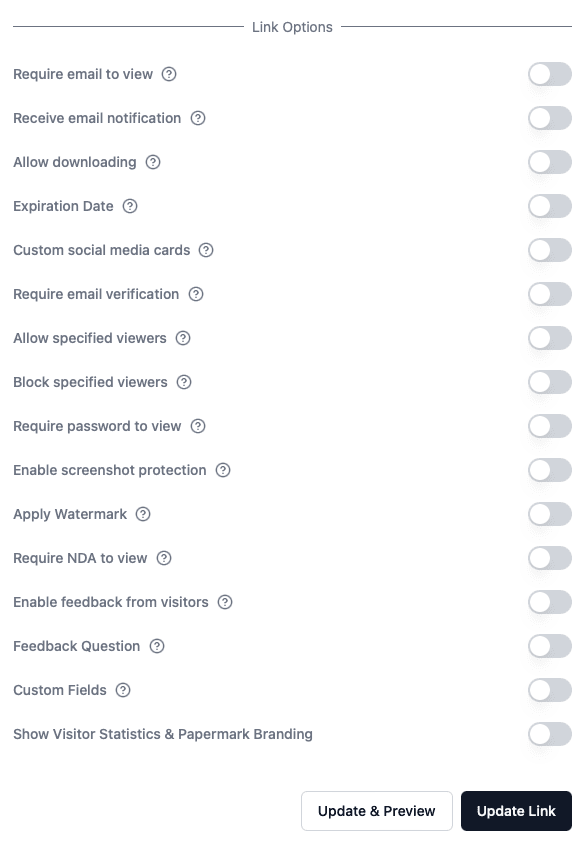
When Clawdbot creates 100 unique links, each one requires the investor to verify. This isn't just security—it's intelligence. You know who's actually interested versus who just clicked and bounced.
Before letting the AI loose, prepare your investor list. I use a simple spreadsheet with:
| Field | Example | Why It Matters |
|---|---|---|
| Name | Sarah Chen | Personalization |
| sarah@vcfund.com | Link verification | |
| Fund Name | Acme Ventures | Email personalization |
| Recent Investment | Series A in TechCo | Shows you did research |
| Focus Area | B2B SaaS | Relevant pitch angle |
| linkedin.com/in/sarah | For follow-up outreach |
The more context you give Clawdbot, the better it personalizes each message.
Now the fun part. I tell Clawdbot:
"Create unique Papermark links for each investor in my list. Use email verification, enable watermarking, and set expiration to 30 days."
In minutes, I have 100 unique links. Each one:
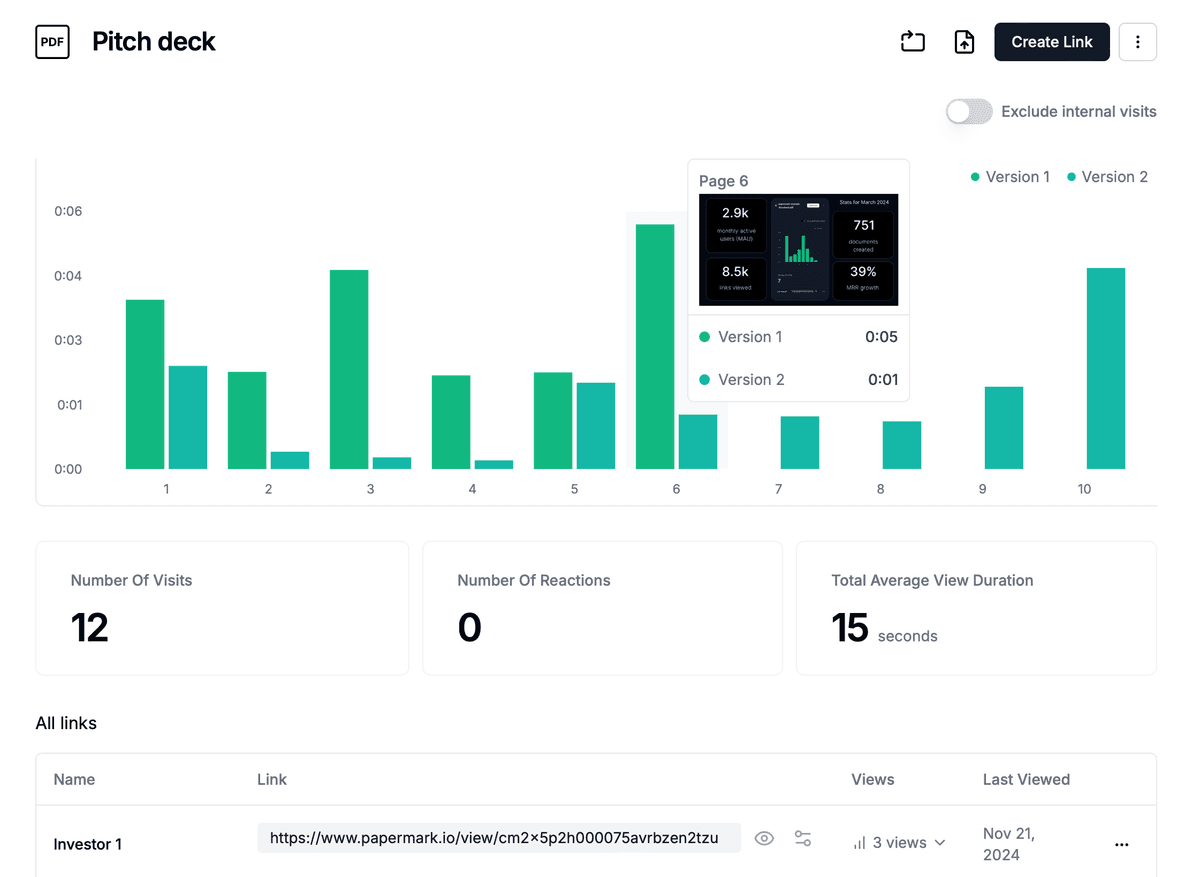
With links ready, Clawdbot drafts personalized emails. Here's what a typical email looks like:
Subject: Quick look at [YourStartup] - aligned with Acme's B2B focus
Hi Sarah,
I noticed Acme's recent investment in TechCo—impressive bet on the workflow automation space.
We're building in a similar vein: [one-sentence pitch]. Given your focus on B2B SaaS, I thought this might be interesting.
I put together a quick deck here: [unique Papermark link]
Would love 15 minutes to walk you through our traction. Free Thursday?
Best, [Your name]
Clawdbot sends these through Gmail, spacing them out to avoid spam filters. I review a few before full send, but the AI nails the tone 95% of the time.
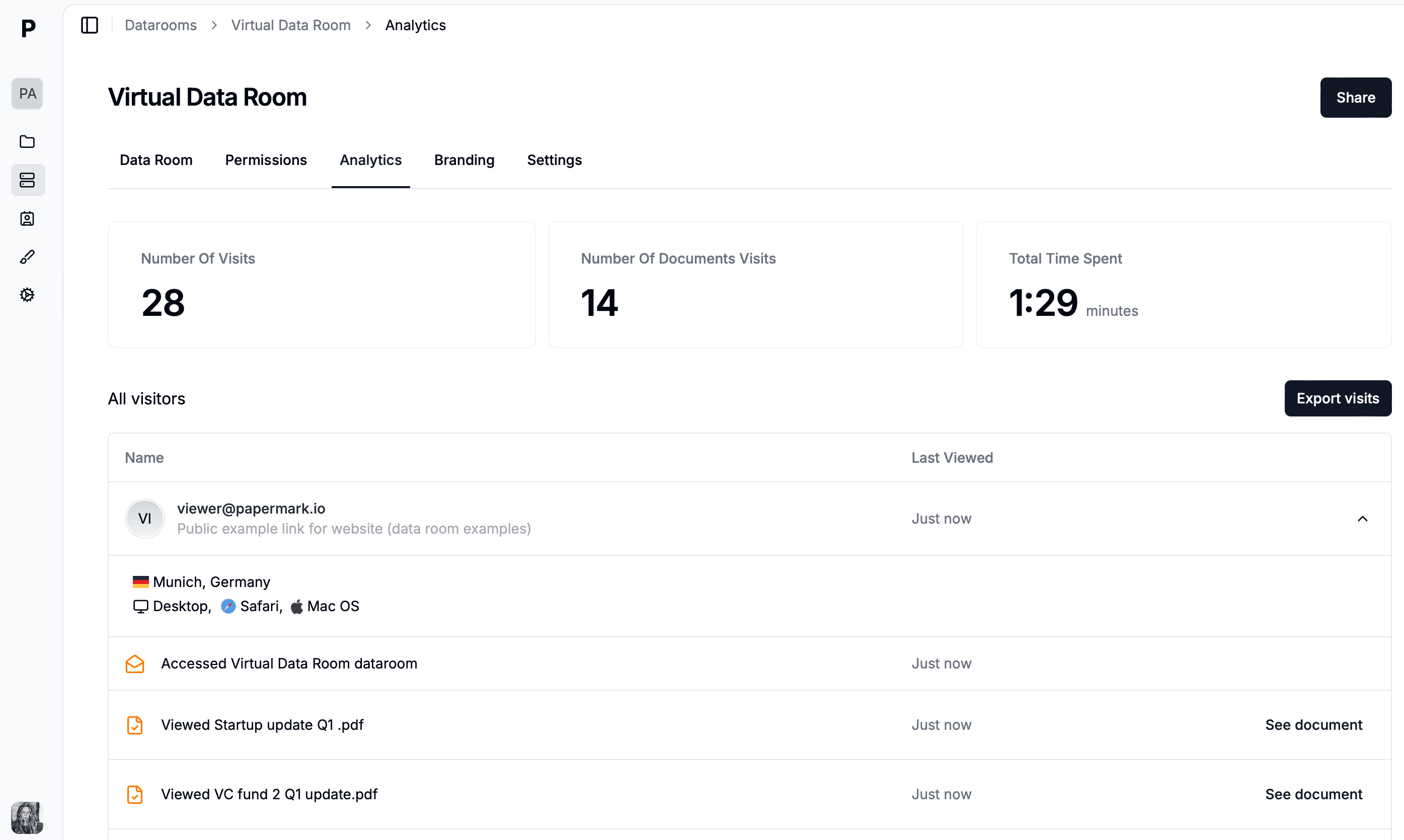
This is where Papermark shines. After sending, I open my dashboard and watch the magic:
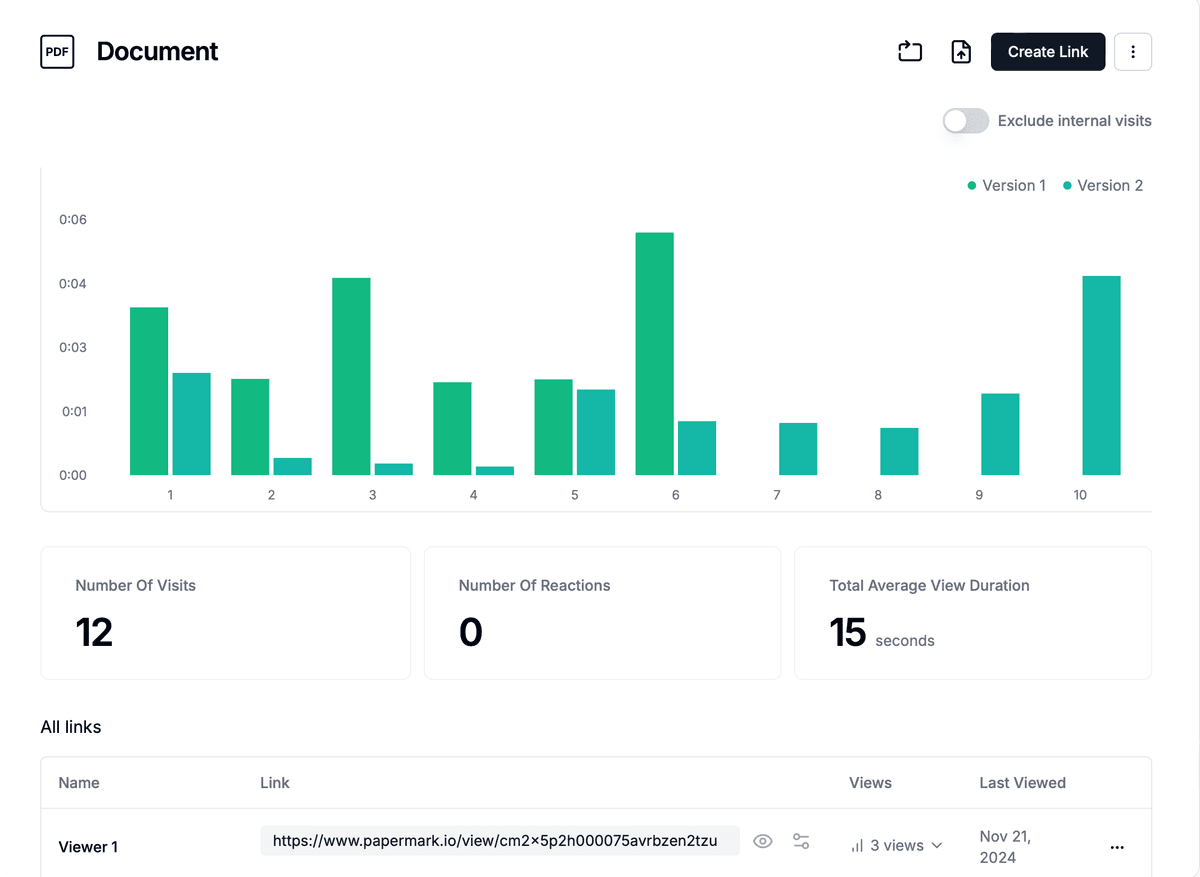
The AI helps here too. I ask Clawdbot: "Who are my hottest leads based on engagement?" and it analyzes the data instantly.
Two weeks in, I refined my deck based on feedback. Old workflow: recreate all links, re-send emails, chaos.
With Papermark's version control, I simply upload the new version.
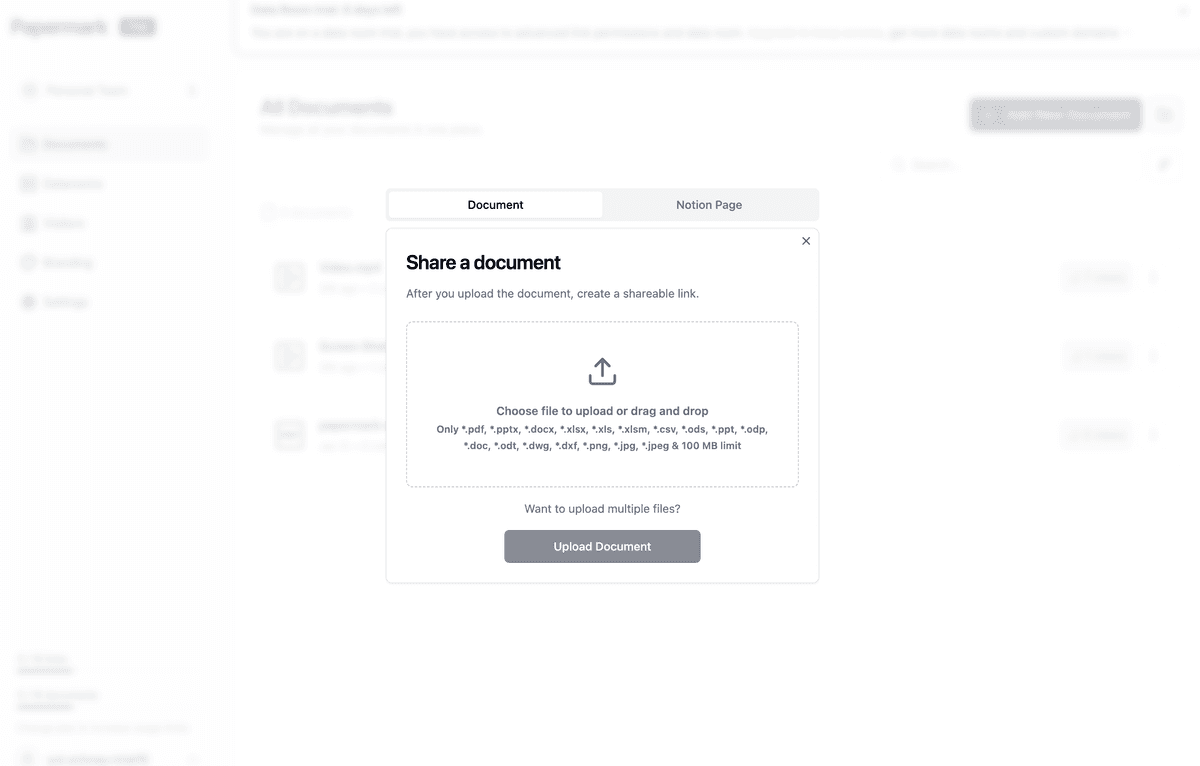
This is huge. Those 100 investors? They all see the updated deck when they click their original link. No re-sending. No confusion. No broken links.
I tell Clawdbot: "Upload my updated deck as a new version" and it's done in seconds.
After 4 weeks of this AI-powered approach:
Compare this to my previous raise where I manually emailed 50 investors over 3 weeks with a 30% open rate and zero way to know who actually read the deck.
The difference isn't just efficiency. It's intelligence. I knew exactly who to follow up with and what to say based on their engagement.
After running this playbook, here's what I've learned:
| Tool | Purpose | Cost |
|---|---|---|
| Clawdbot/OpenClaw | AI agent framework | Open source |
| Papermark | Data room + tracking | Free to €99/mo |
| Gmail | Email sending | Free |
| Google Sheets | Investor list | Free |
Fundraising doesn't have to be a manual grind. By combining AI agents with smart document sharing, you can reach more investors, personalize at scale, and actually know who's interested.
The future of fundraising isn't about sending more emails. It's about sending smarter ones—and having the data to back up every follow-up.
Set up Clawdbot with Papermark, build your investor list, and let the AI handle the repetitive work while you focus on what matters: closing your round.
Learn how to use AI-powered browser automation and Papermark tracking links to run effective LinkedIn investor outreach with full engagement analytics.
Complete guide to AI-powered fundraising software for AI startups in 2026. Find investors with AI matching, track pitch decks, automate outreach, and close rounds faster with these proven AI tools.
Discover the best pitch deck software for AI startups in 2026. From AI-powered design to investor tracking and secure sharing, find the perfect tool for your fundraising.