You track your fundraising pipeline in a Notion database but have no way to see which investors actually read your deck. You're manually checking Papermark and updating Notion - doubling your work.
With Papermark you can webhooks and visitor identification to solve this end-to-end with real-time analytics.
How it works
Step by step
Step 1. Upload your pitch deck
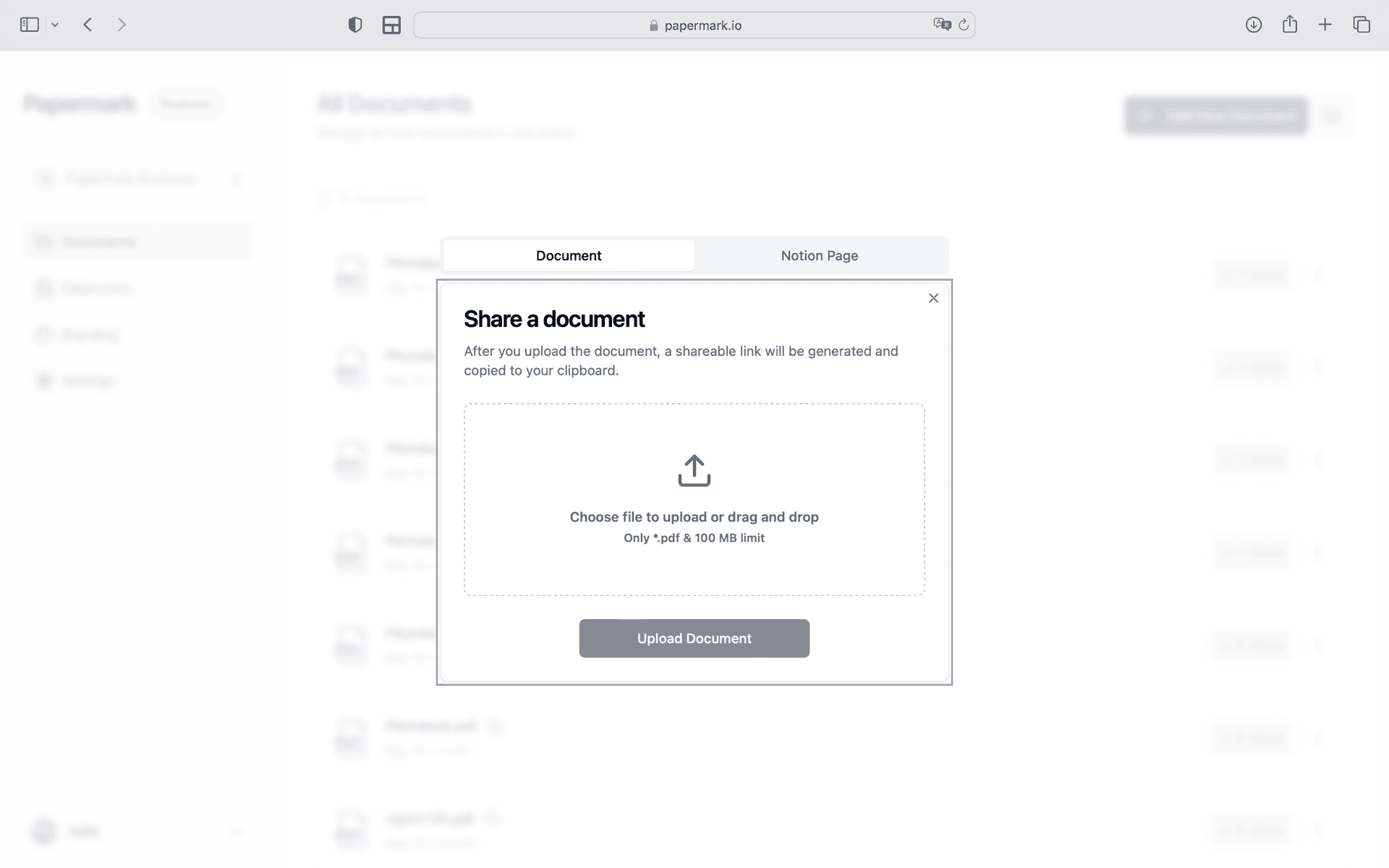
Open Papermark and create a new data room. Upload your pitch deck and supporting materials. Use drag-and-drop to add files, then organize them into folders. Papermark automatically indexes everything and supports bulk upload of entire folder structures.
Step 2. Set up access controls for investors and VCs
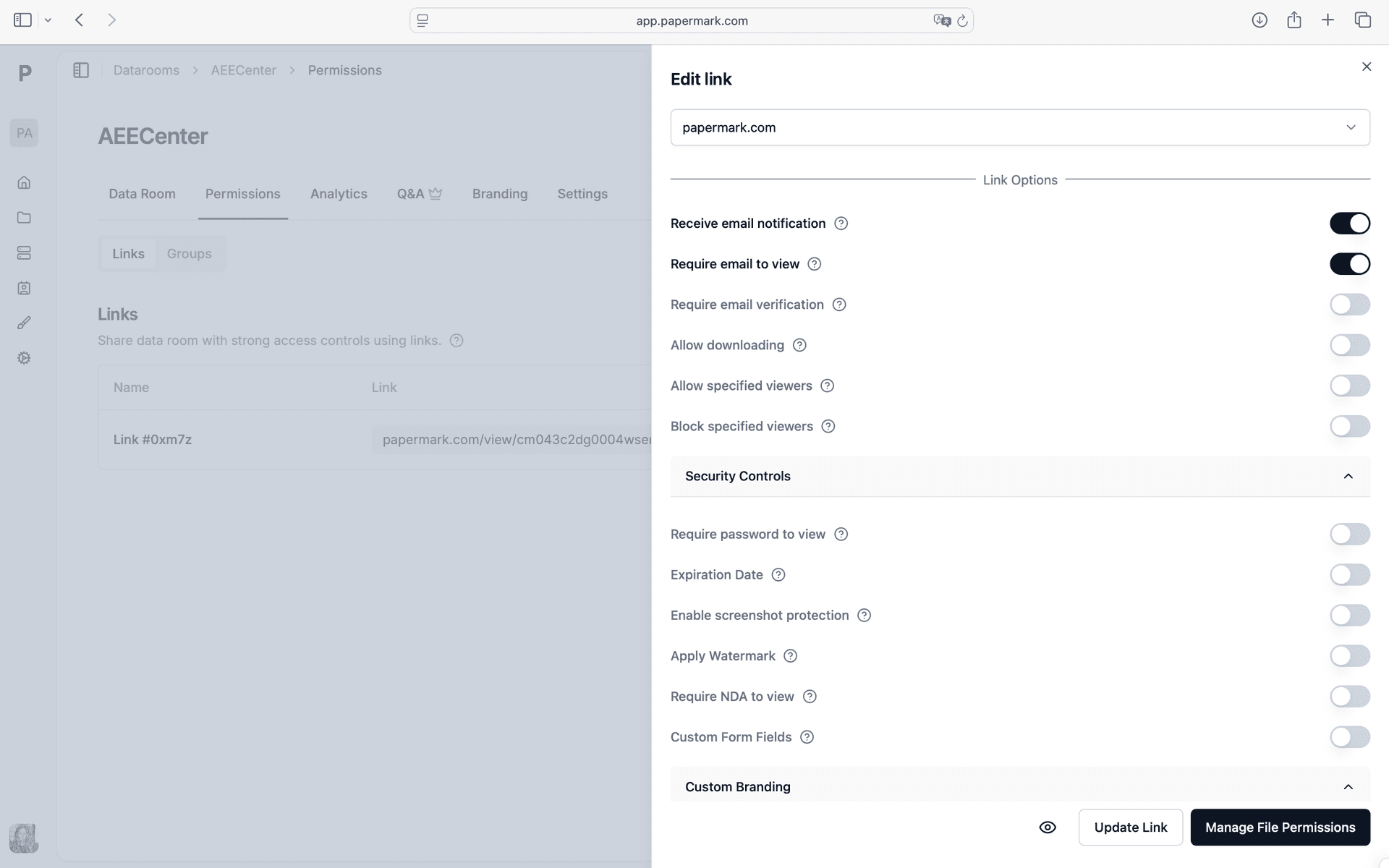
Configure your security settings. In Papermark link settings, enable Visitor identification. Every viewer is verified before they can access a single page. You control exactly who among your investors and VCs sees which documents.
Step 3. Share tracked deck links with target investors and track engagement
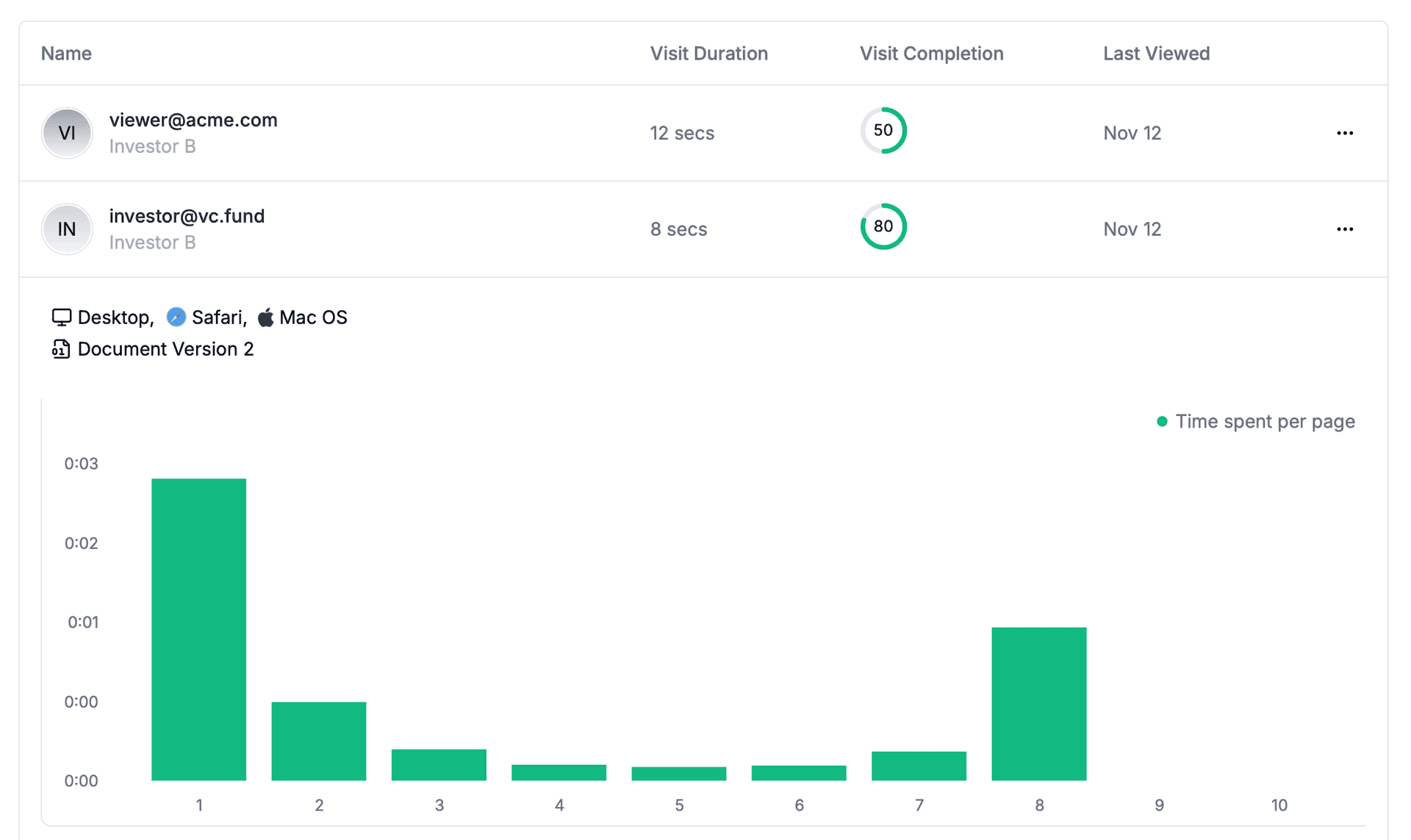
Generate a secure link and share tracked deck links with target investors. Papermark tracks every interaction in real-time. See exactly which slides each investor viewed, time per slide, and where they dropped off. Open the analytics dashboard to see all engagement data as it happens.
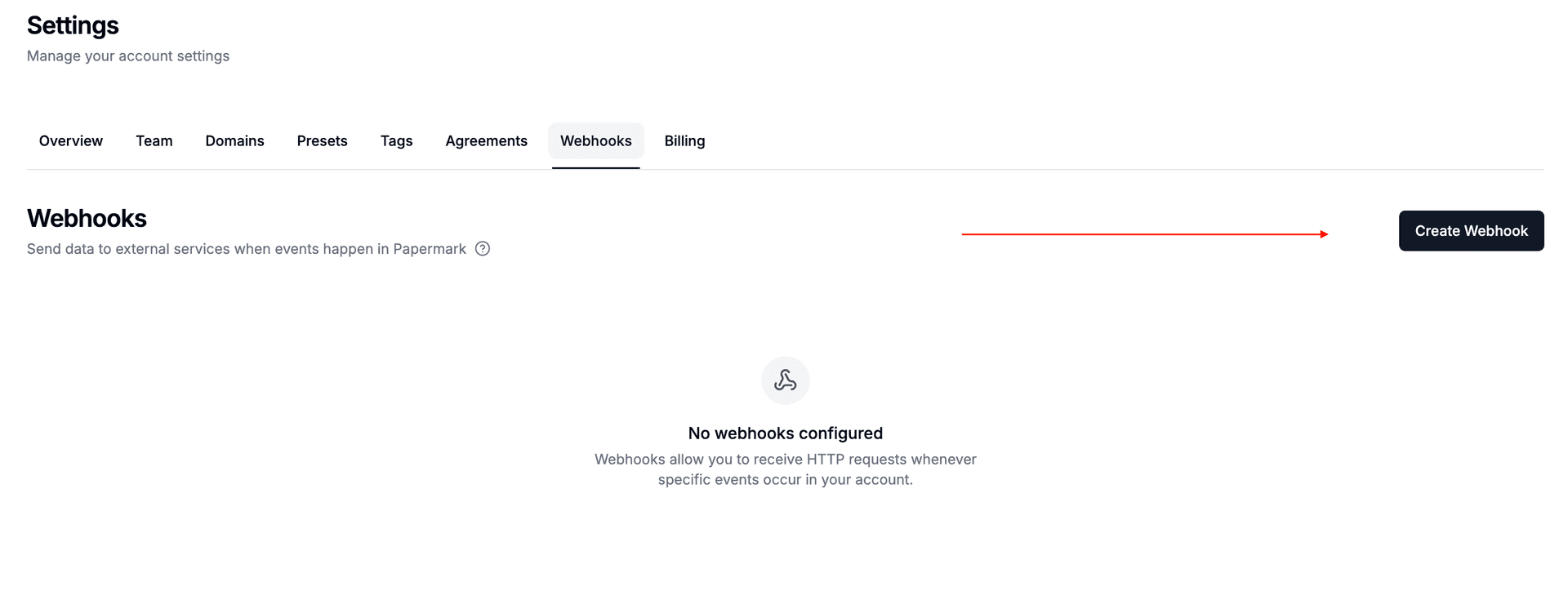
Step 4. Create a webhook to connect external tools
Go to Settings > Webhooks in Papermark. Create a new webhook endpoint pointing to your automation tool (Zapier, Make, or n8n). Select which events should trigger: "Link Viewed" fires when investors and VCs open your documents, "Document Downloaded" when they download. Papermark sends a signed payload with viewer email, document name, pages viewed, and time spent.
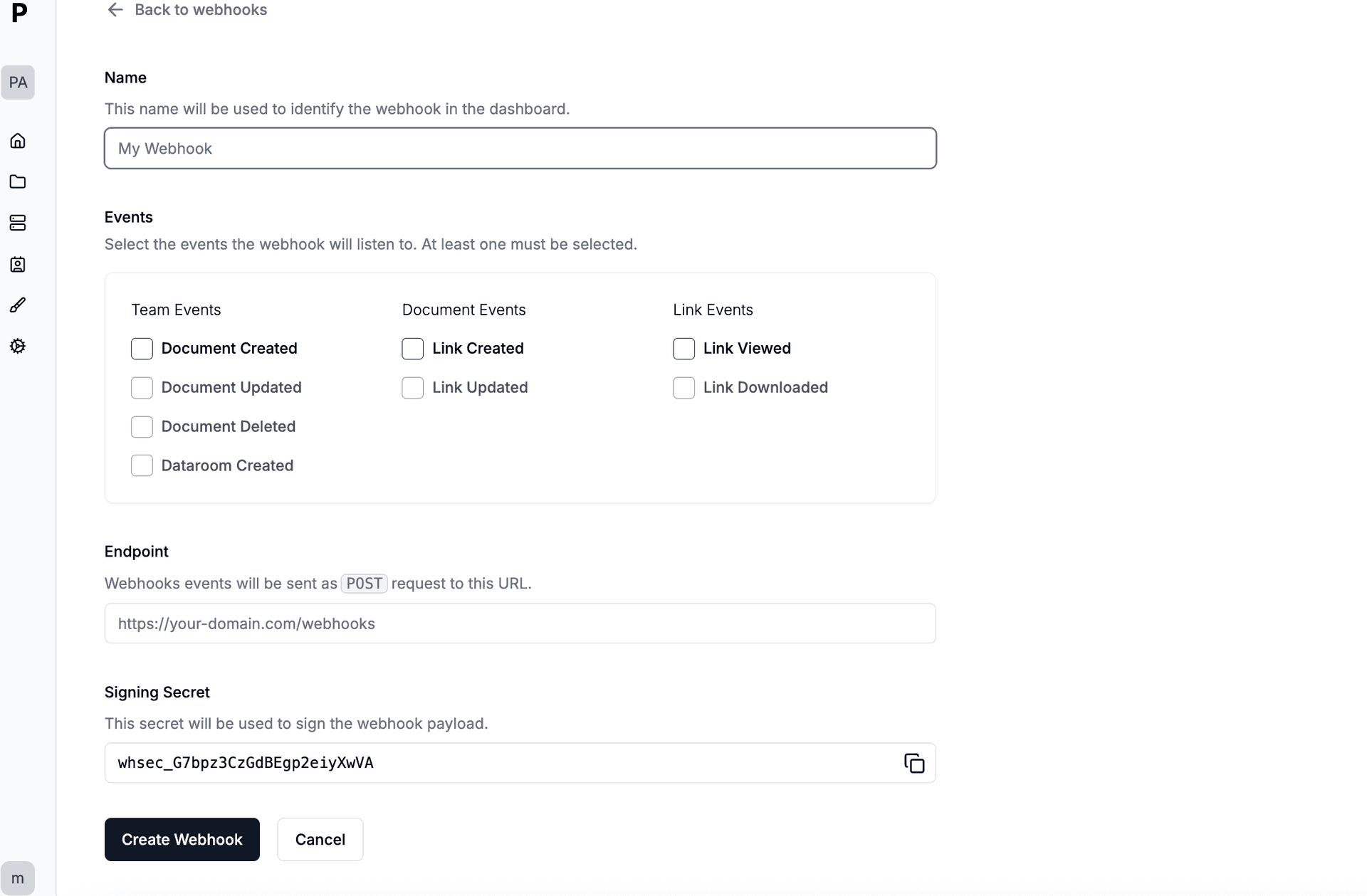
Step 5. Choose which events trigger your automation
Pick the events relevant to your workflow. For tracking investors and VCs engagement, select "Link Viewed". For monitoring downloads of sensitive pitch deck, add "Document Downloaded". Each payload is signed with HMAC-SHA256 for security. You can create multiple webhooks for different tools.
Step 6. Create or update pages in your investor database when decks are viewed via Zapier/Make
Create or update pages in your investor database when decks are viewed via Zapier/Make. Connect Notion through Zapier, Make, or n8n as middleware. When investors and VCs view your documents, the webhook payload delivers their email, document name, pages viewed, time spent, and completion percentage to Notion automatically.
Step 7. Connect Papermark webhook to Notion database page creation
In Zapier, create a new Zap with "Webhooks by Zapier" as the trigger (Catch Hook). Copy the webhook URL and paste it in Papermark's webhook settings. Add your action: Connect Papermark webhook to Notion database page creation. Now every time investors and VCs view your pitch deck, Zapier runs your automation.
Tools and integrations
Papermark connects to external tools via outgoing webhooks (HMAC-SHA256 signed). Slack has a native integration with OAuth. For all other tools, connect Papermark webhooks through Zapier, Make, or n8n.
Notion via webhook
Create or update pages in your investor database when decks are viewed via Zapier/Make
Connect through Papermark webhooks via Zapier, Make, or n8n
Zapier Webhook middleware
Connect Papermark webhook to Notion database page creation