

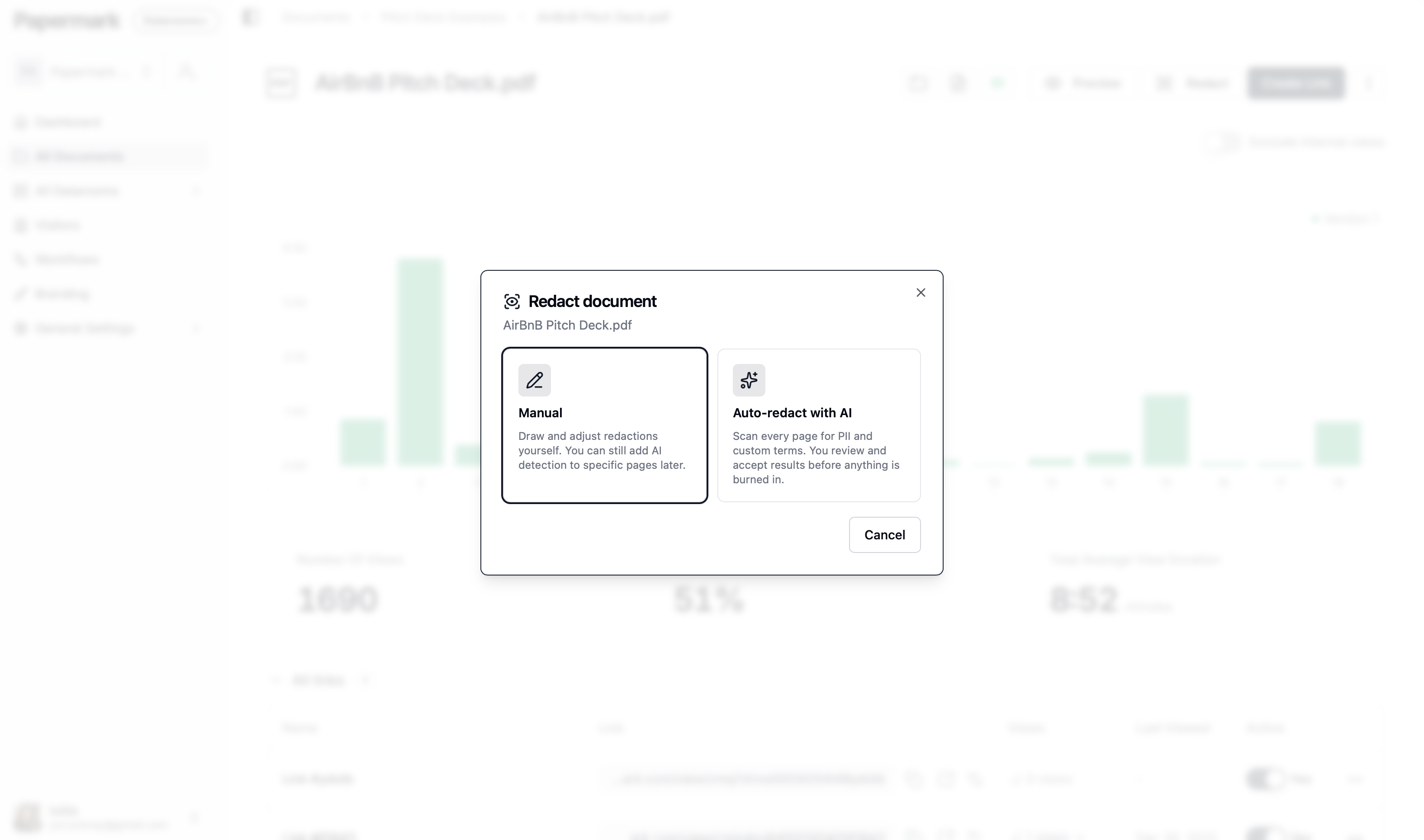
Redact by hand, or let the AI sweep the document
Open any document in a data room and choose how to redact it. Manual gives you a box you drag and resize on the page. Auto-redact scans every page for personal data and the terms you name, and you can still add AI detection to a single page later.
- •Draw and adjust redactions manually on any page
- •Auto-redact the whole document, or one noisy page
- •Manual and AI redactions share the same review queue
- •Works on the documents already inside your data room
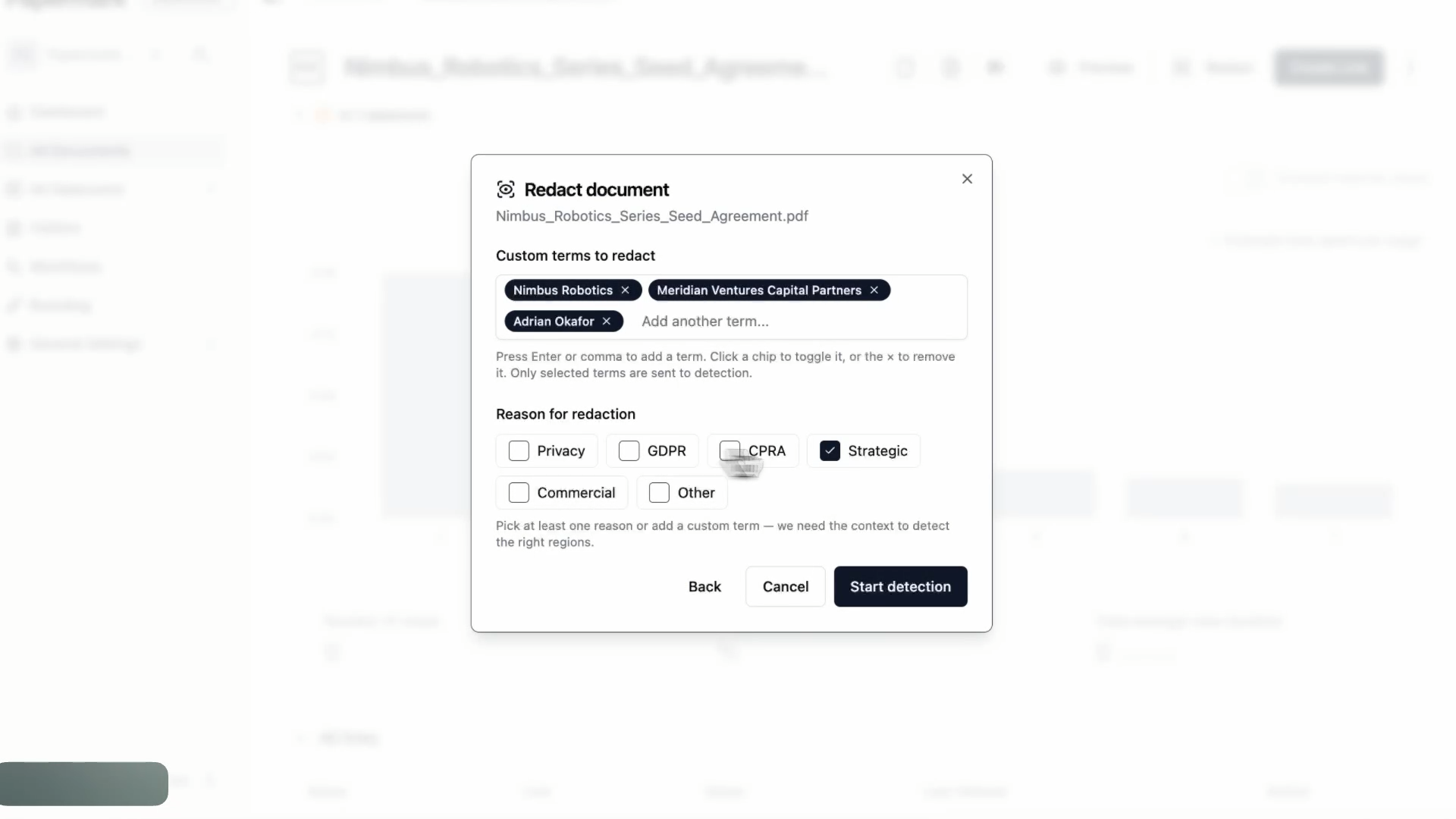
Tell it what matters on this deal
PII detection is the default. On top of it you add the terms that only matter on your transaction, such as a counterparty, a codename, or a customer you are contractually barred from naming, and you pick the reason for the pass so the detection knows what it is looking for.
- •7 PII categories: name, email, phone, SSN, address, tax ID, account number
- •Custom terms added as chips, toggled on or off per run
- •Reasons: privacy, GDPR, CPRA, strategic, commercial
- •Images and photos detected alongside text
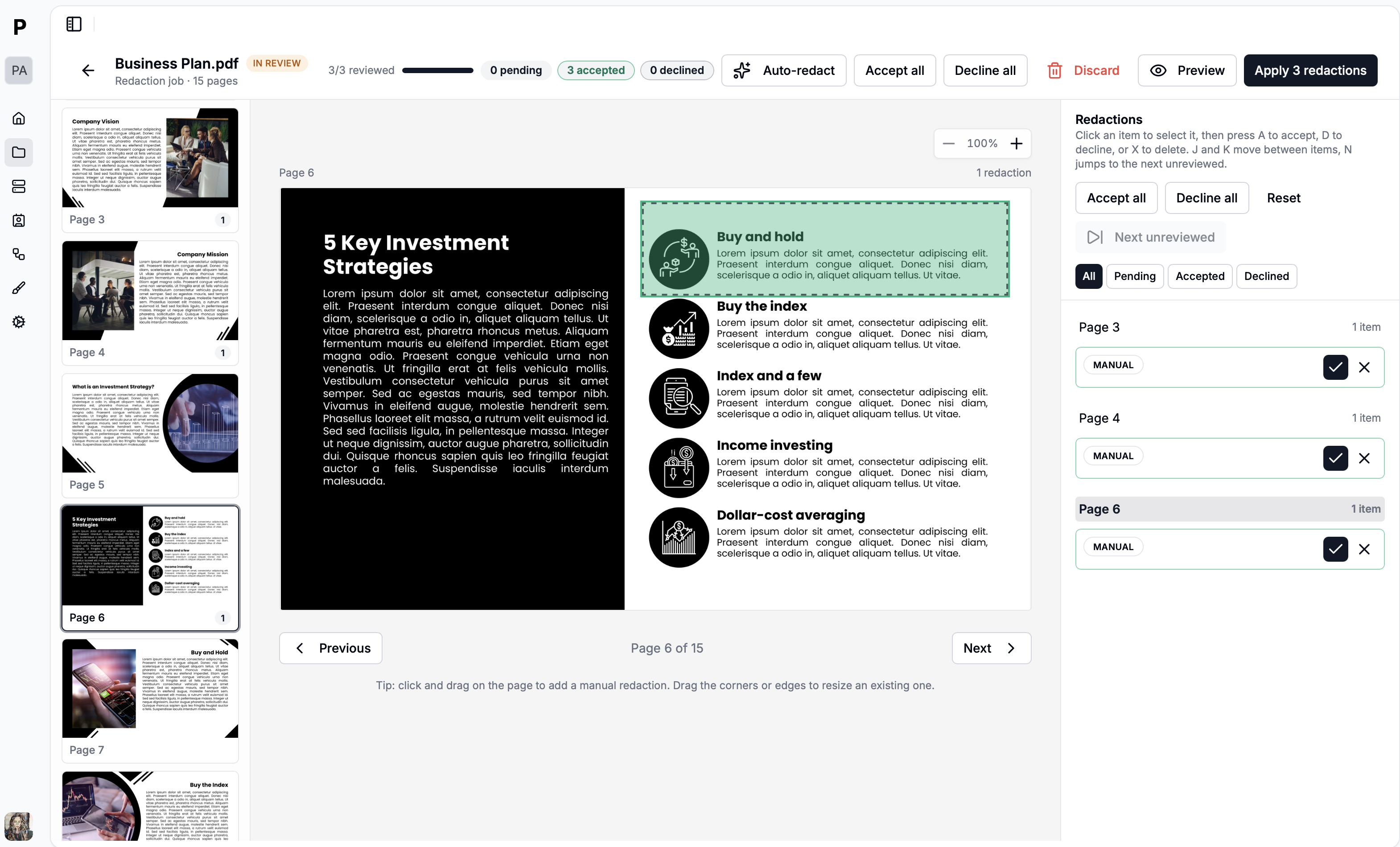
Nothing is redacted until a human says so
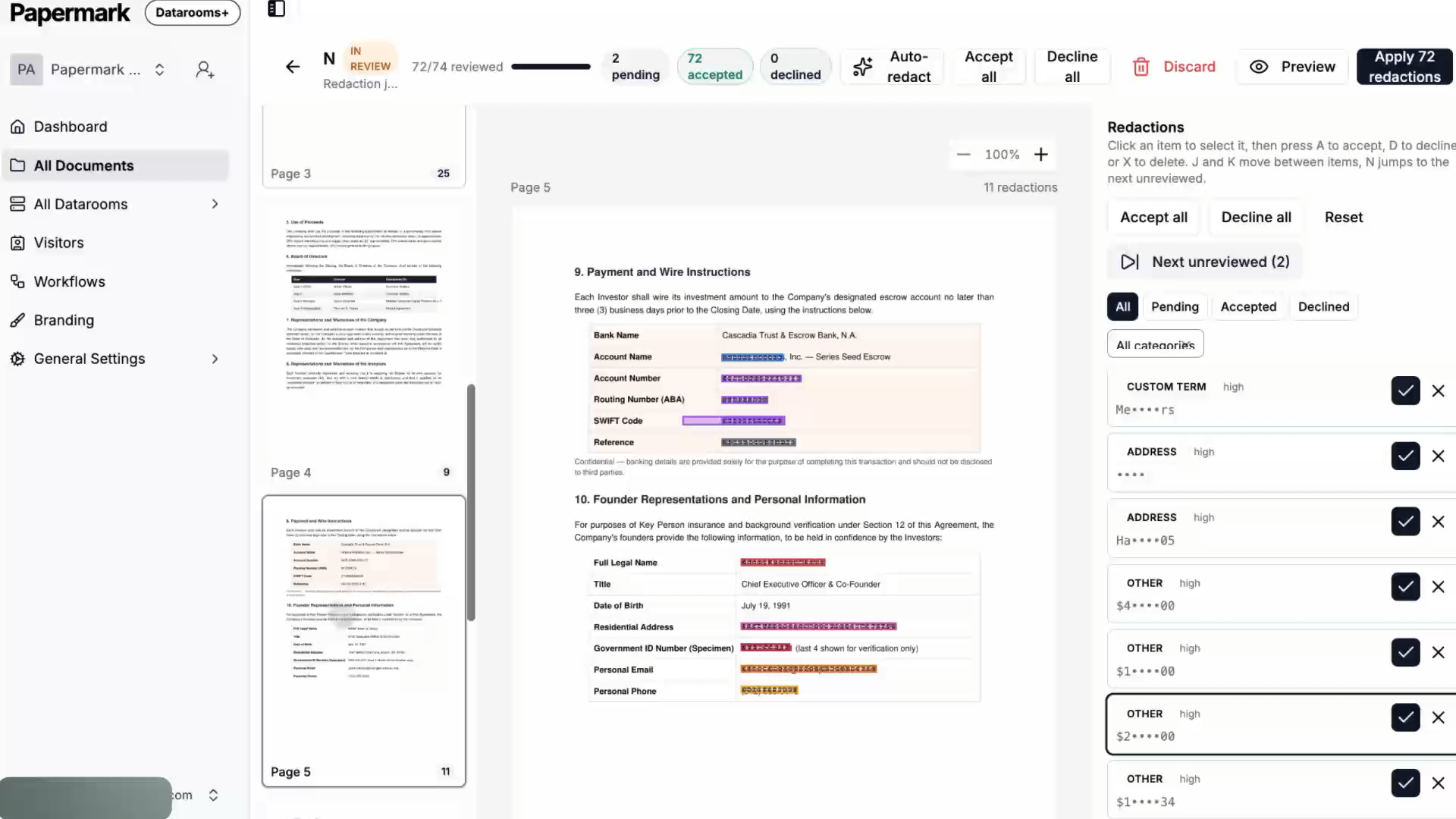
Every detection lands in a review queue with its category and confidence, next to the page it came from. Accept it, decline it, or delete it, one at a time with the keyboard or a whole page at once. The count of pending, accepted, and declined items stays visible while you work.
- •Accept, decline, or delete each detected region
- •Keyboard review: A to accept, D to decline, J and K to move
- •Filter by status or by category across the document
- •Preview the redacted result before applying it
Burned into a new version, not painted over
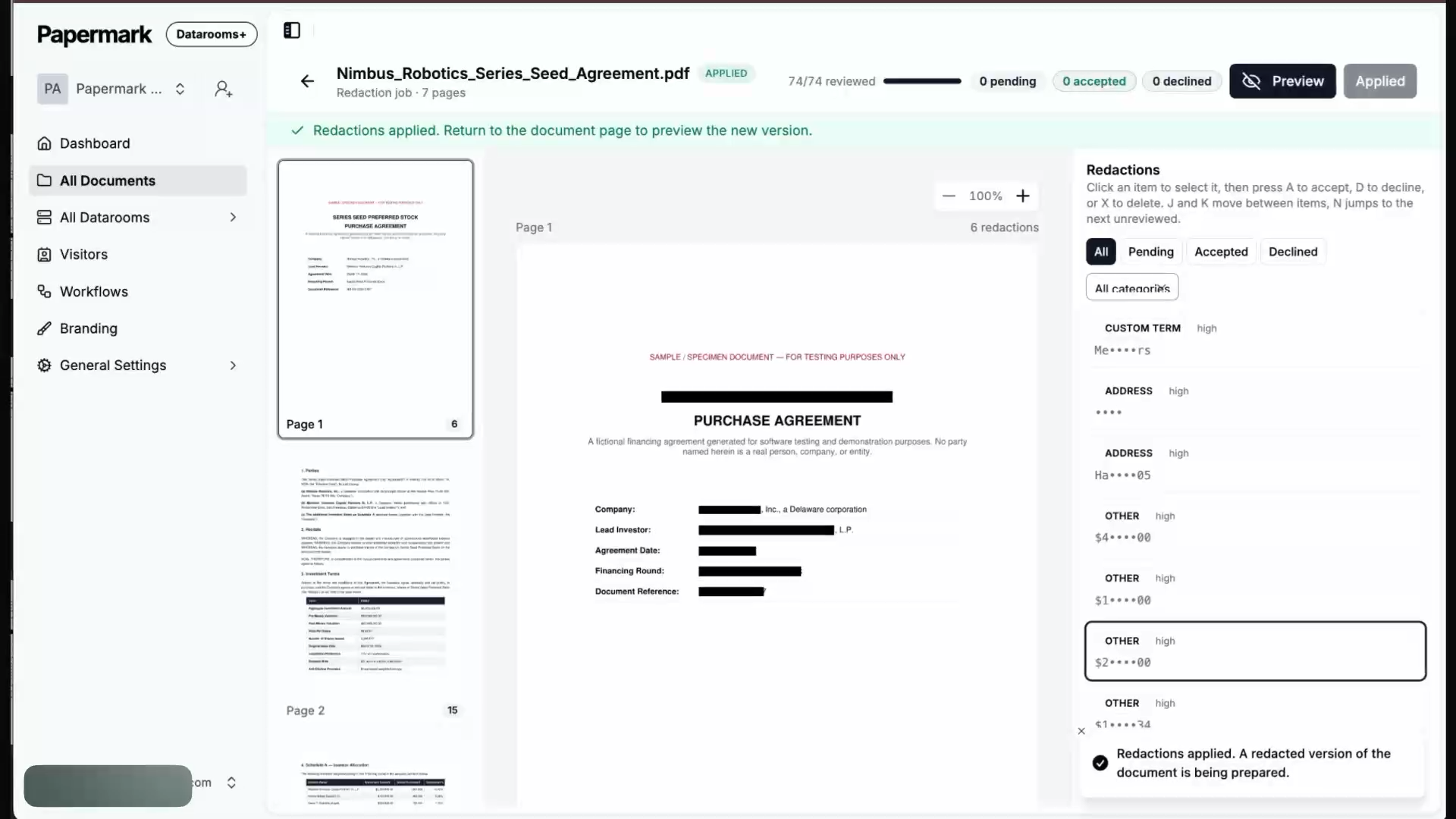
A black rectangle drawn on a PDF changes only what you see: the text underneath is still in the file and copies straight out. Applying redactions in Papermark removes the text runs, vector graphics, and image pixels inside each box, then saves a new document version that becomes the one your links serve.
- •Content is removed from the file, not covered
- •The redacted copy becomes a new document version
- •The original stays in your version history
- •Existing links keep working, with the redacted file behind them
AI redaction end to end
From the first click to the redacted version
What AI redaction covers
On Data Rooms Premium and Unlimited
- Whole-document PII sweep
- Every page is analysed for names, emails, phone numbers, SSNs, addresses, tax IDs, and account numbers.
- Custom terms
- Add a counterparty, a codename, or a customer name and the AI sweeps for it alongside the standard categories.
- Reviewer approval
- Accept or decline each detection, with category and confidence shown, before anything is written to the file.
- Manual redaction
- Drag a box anywhere on a page and adjust its corners, on its own or mixed with AI detection.
- Content removed, not hidden
- Applied boxes strip the text and image pixels underneath, so nothing is recoverable by copy-paste.
- New version, original kept
- The redacted file becomes a new document version while the unredacted one stays in your history.