
How to get notified when visitors upload to your data room?
When you enable file requests in your data room, visitors can upload documents back to you. Upload notifications make sure you know the moment new files arrive so you don't have to keep checking the data room manually.
Upload notifications are available on the Data Rooms plan and above. They work alongside file requests, which must be enabled on the link.
What you get
Once upload notifications are turned on, Papermark sends you an email every time a visitor uploads a document through a file-request link. The notification includes:
- Visitor name and email (if captured)
- File name and file type
- Folder where the file was uploaded
- Time of upload
- A direct link to view the uploaded document in Papermark
If a visitor uploads several files in quick succession, the notifications are batched into a single email so your inbox doesn't get hit with one alert per file.
Step-by-step setup
Step 1: Enable file requests on your data room
Upload notifications only fire when a link allows visitors to upload. If you haven't done so yet, follow how to enable file requests in your data room.
Step 2: Turn on upload notifications
- Log into Papermark.
- Open your data room.
- In the left sidebar, go to Settings, then open the Notifications tab.
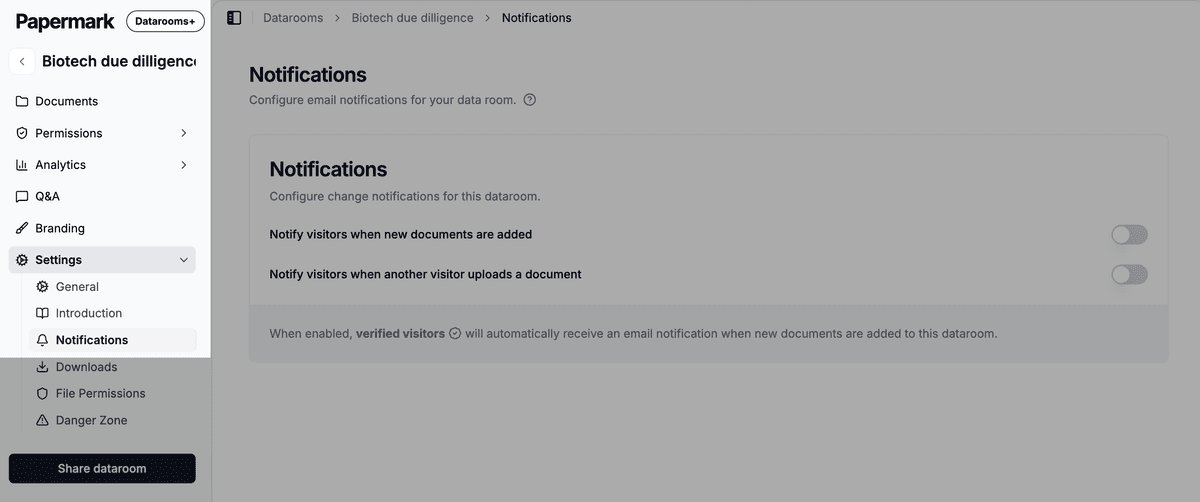
- Toggle on one of the two upload notification options.
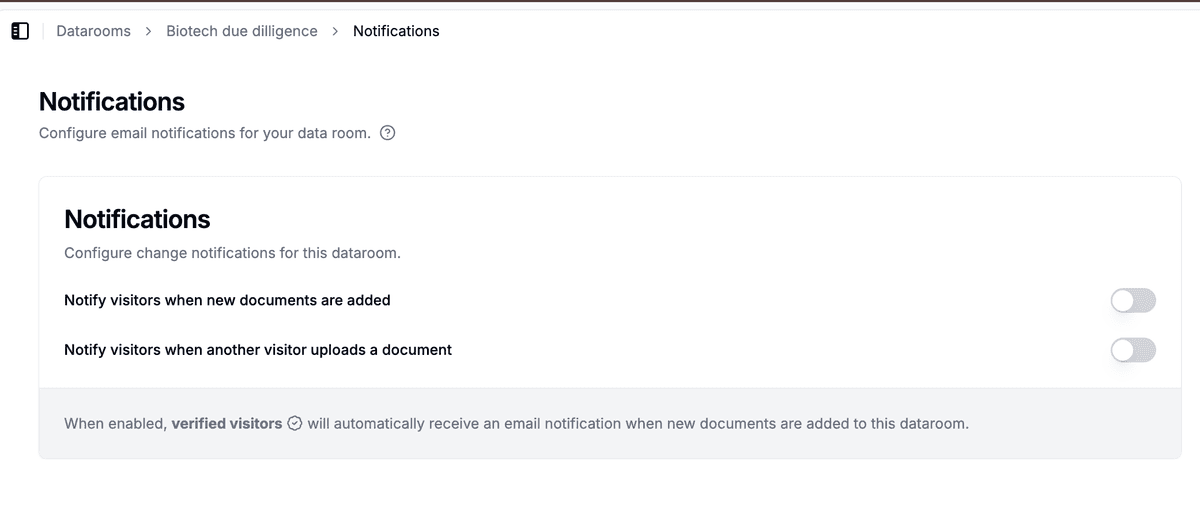
Every visitor upload made through a file-request link from now on will trigger a notification email to your data room admins.
Step 3: Choose who gets the email
By default, all data room admins receive upload notifications. You can adjust who gets them per link or per data room from the link notification settings, the same way you control view notifications.
How smart batching works
If a visitor uploads multiple files within a short window (typically a few minutes), Papermark groups them into a single email. The email lists every file, so you can review the whole batch at once.
This means:
- Bulk uploads of 20 documents create one email, not 20
- You still see every file name in the notification
- The link to the data room takes you directly to the new uploads
If uploads are spaced out over a longer period, you get separate emails as they occur.
Use cases
- Due diligence checklists: get notified the moment a buyer uploads requested documents so you can review and follow up immediately.
- Investor reporting: track when portfolio companies upload their quarterly reports.
- HR onboarding: know when a new hire uploads their signed contracts and identification documents.
- Vendor procurement: see the moment a vendor uploads compliance documentation, security questionnaires, or proposals.
Frequently asked questions
Related guides
- How to enable file requests in your data room
- How to manage email notifications in Papermark
- How to connect Slack to Papermark
- Audit logs
Need help? Contact support@papermark.com or use the in-app chat.