

datarooms
Data Room Folder Structure 2026 (With M&A, Fundraising, and Real Estate Templates)
Proven data room folder structures for M&A, fundraising, and real estate, with the numbered index convention, naming rules, and a Papermark template.
Real estate teams now expect virtual data rooms, not email threads and random folders. In this guide, you will learn exactly how a real estate data room works, how to structure one for different deal types, and how to set up a secure, analytics-driven data room for real estate deals in Papermark without exposing sensitive files.
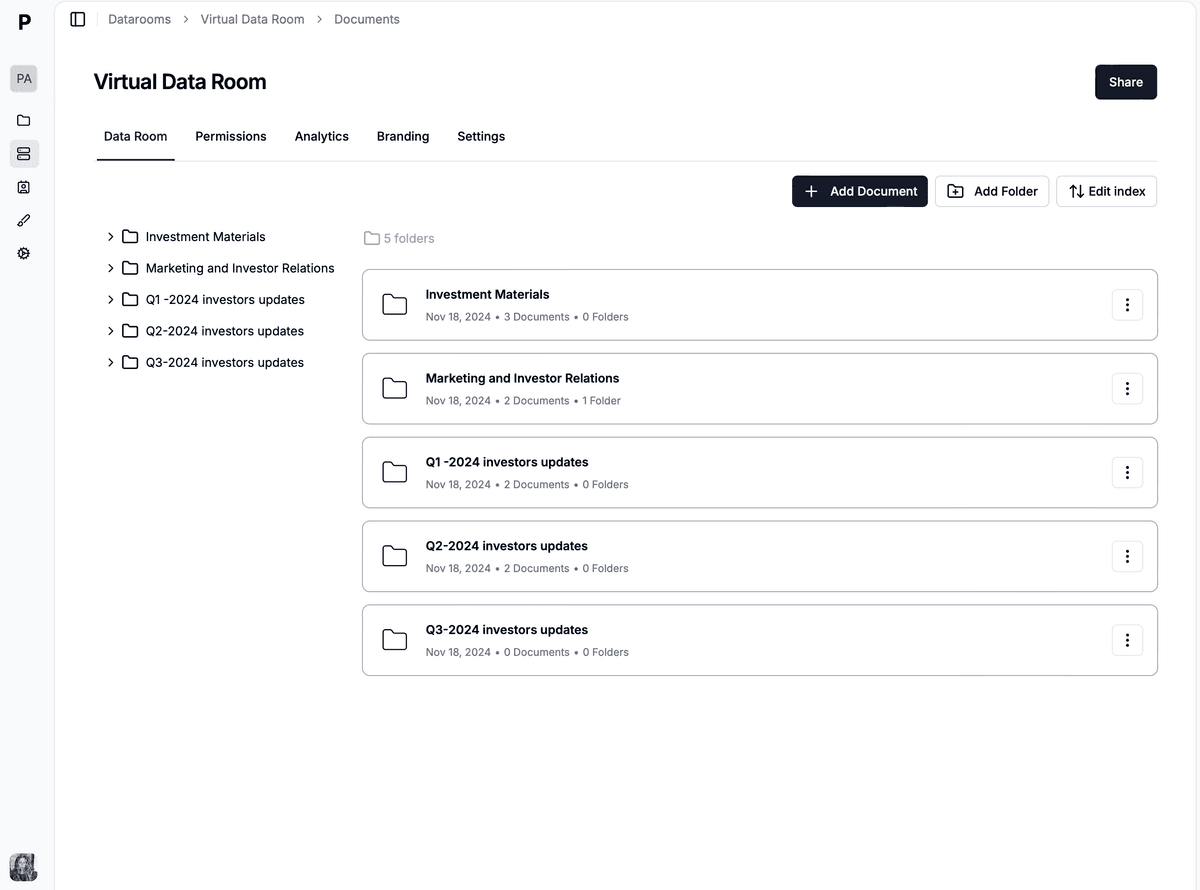
A real estate data room is a secure online workspace where you store, organize and share all documents related to a property, portfolio or transaction. Instead of forwarding PDFs by email, you upload everything once, invite the right parties with NDAs and granular permissions, and track how seriously each buyer or investor is engaging with the materials.
Modern real estate data rooms, like Papermark's data room plan, go beyond basic file sharing. They combine secure file hosting, fine-grained access control, and page-level analytics so you can see which leases, surveys or financials people actually read. This is crucial whether you are running a real estate deal data room for a single asset, a real estate investment data room for a broader portfolio, or an always-on commercial real estate data room for ongoing reporting.
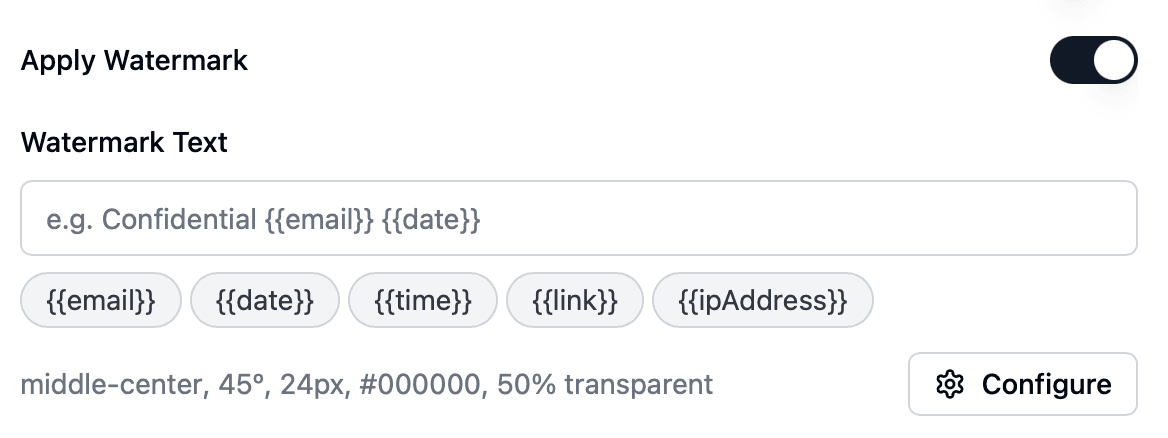
Unlike generic cloud storage, a dedicated data room for real estate also enforces consistent workflows: NDAs before access, standard folder templates, watermarking on sensitive files, and exportable audit logs for compliance. That consistency is what reduces friction for real estate brokers, asset managers, transaction advisors and capital partners who may be working across multiple deals at once.
If you are in a hurry, here is the process at a glance:
The rest of this article walks through each step in more detail, with examples drawn from commercial sales, land deals, apartment developments and recurring investor reporting.
Before you invest more time, it helps to see why a dedicated real estate data room outperforms email and generic file-sharing tools. The same logic applies whether you search for a "data room real estate" solution, a "virtual data rooms for real estate" platform or a more specialized commercial real estate virtual data room.
If you just need to send one small brochure, email might be enough. But as soon as you are dealing with dozens of documents, multiple bidders and sensitive information, the trade-offs of email and cloud links start to hurt the process. That is where a focused solution like Papermark data rooms pays off as a real estate virtual data room that stays simple even compared to legacy, expensive real estate data room service providers.
Start by creating a new room in Papermark and giving it a clear, unambiguous name. Avoid internal shorthand that outside parties will not recognize. Good examples include:
This name appears on invitations and in analytics, so choose something that makes sense for everyone involved in the transaction or reporting flow.
Next, build a simple but robust folder tree. For a typical commercial real estate data room focused on a sale process, you might include:
For recurring LP or investor portals, swap in sections for fund-level documents, quarterly reports, capital calls, distribution notices and governance materials. The goal is to make the room intuitive for someone who has never seen your internal filing system.
Once the structure is in place, upload your documents in bulk. A few best practices apply to any data room for real estate due diligence:
Papermark's document analytics and secure file sharing features work best when each important document is uploaded once and kept up to date.
Security should be deliberate, not an afterthought. In Papermark, you can:
These controls are especially important for real estate deals involving confidential leases, off-market pricing, or regulated investors. They also help you comply with internal risk policies, lender expectations and data protection rules, and they turn your setup into a true security data room for real estate, not just another shared drive.
Instead of inviting everyone one-by-one with identical access, group people by how they interact with the transaction:
In Papermark, you can map these roles to permission sets and apply them consistently across data rooms. That way, every new deal uses the same security defaults instead of ad-hoc link settings.
Questions are inevitable: about lease clauses, environmental findings, capital plans or local regulations. Handling Q&A by email quickly becomes chaotic and hard to audit.
A better approach is to use the Q&A module within your data room:
This workflow keeps your team aligned and ensures no critical question is lost in someone’s inbox.
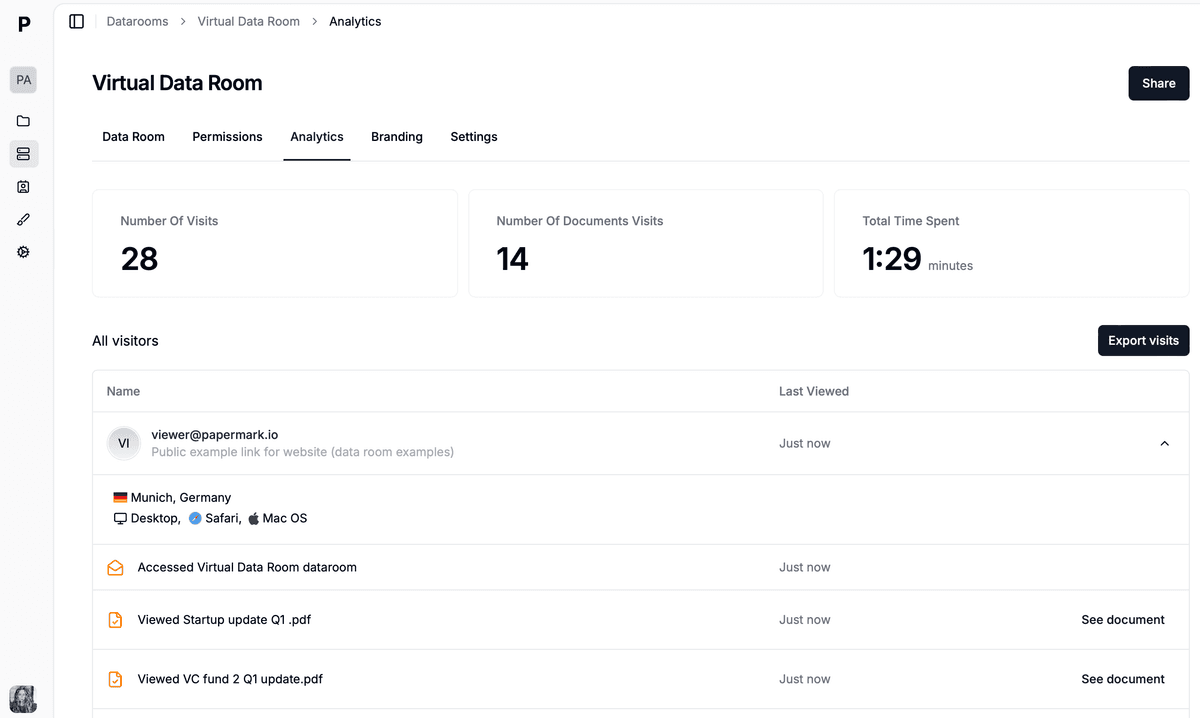
One of the biggest advantages of a real estate data room over generic file sharing is analytics. In Papermark, you can see:
Combined with your CRM or deal-tracking tools, this helps you segment serious bidders from casual browsers, prioritize follow-ups and time your next information release. For ongoing investor portals, the same analytics show who regularly reviews reporting and who may need a nudge.
Create and reuse folder templates for common scenarios: single-asset sales, portfolios, refinancings, development projects and investor portals. A consistent structure speeds up internal preparation and makes life easier for counterparties who work with you across multiple deals.
Align your data room updates with your communication cadence. When you upload a new lease, appraisal or report, notify the right groups and briefly explain what changed. Avoid sending attachments in parallel; always point people back to the room so there is a single source of truth.
At least once per quarter, review:
Papermark's security and compliance controls are designed to support this kind of periodic review so your perimeter does not quietly expand over time.
When comparing providers, focus on more than just storage limits:
Real estate data rooms are no longer a niche tool reserved for mega-deals. In 2026, they are a practical, affordable way to run cleaner processes for everything from small land sales to complex portfolios and recurring investor reporting. Teams that once made do with ad-hoc folders are now standardizing on virtual data room real estate workflows for every material transaction.
If you want a secure, modern setup with transparent real estate data room pricing, white-labelling and page-level analytics, Papermark is built for this and intentionally avoids the bloat of older, high-fee platforms so you do not have to choose between a full-featured room and a cheap real estate data room with weak controls.
Proven data room folder structures for M&A, fundraising, and real estate, with the numbered index convention, naming rules, and a Papermark template.
The 15 virtual data room features that close deals in 2026 - dynamic watermarking, granular permissions, NDA enforcement, page-by-page analytics, and more, with real customer examples.
Build a Notion data room in 2026, understand where Notion's sharing breaks for confidential documents, and share it with a custom domain, watermarking, page-level analytics, and link expiry.