



datarooms
How to set up a real estate data room in 2026
Learn how to set up a real estate data room in 2026, structure documents for deals, control access with NDAs and watermarking, and track buyer interest with page-level analytics.
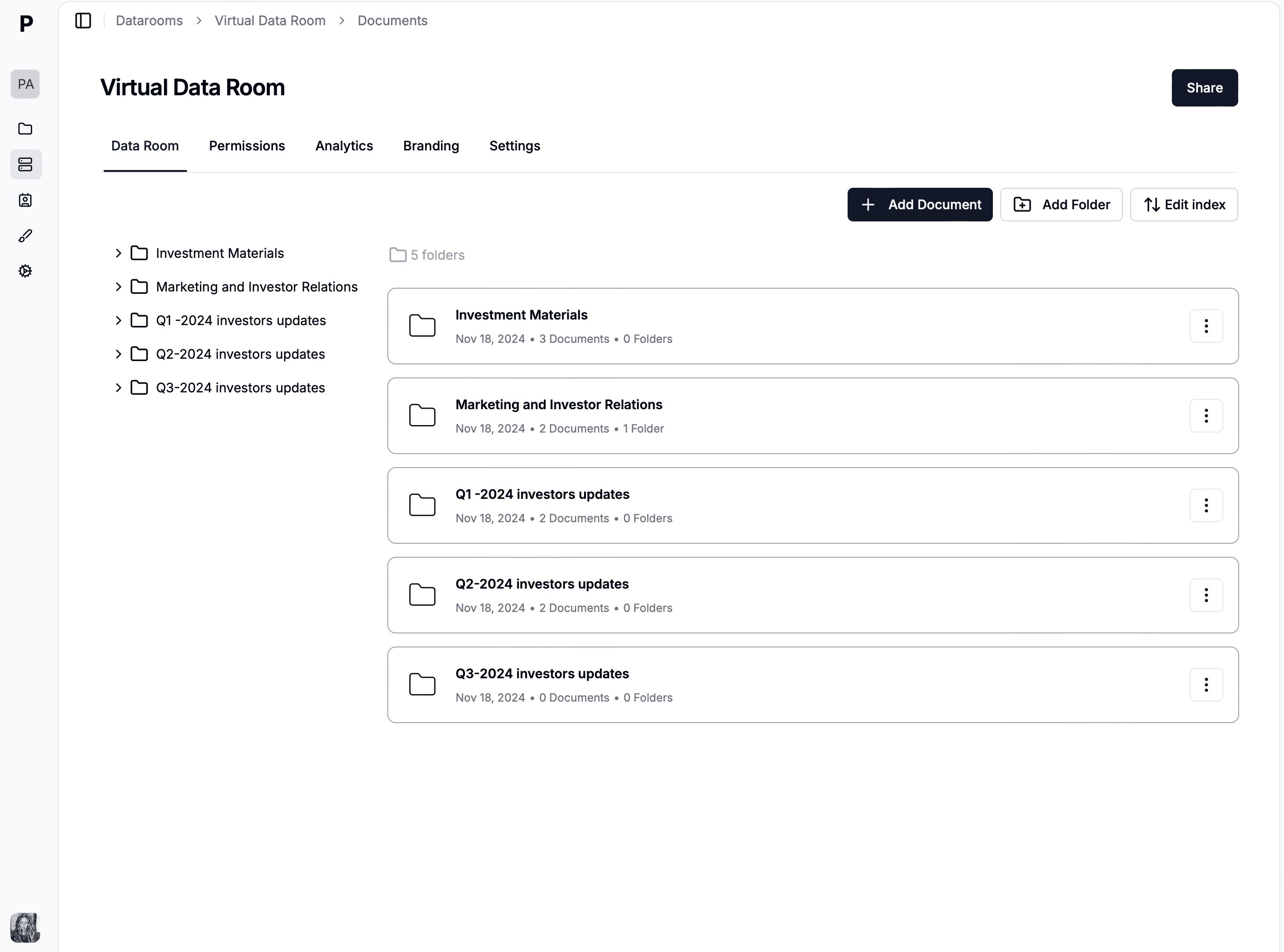
A data room folder structure is the hierarchical organization of documents inside a virtual data room, typically grouped into numbered top-level folders (1.0 Corporate, 2.0 Financial, 3.0 Legal, etc.) following the standard M&A index convention. A good folder structure lets buyers, investors, or auditors navigate thousands of documents without asking for a map, and it is the single most visible signal that a data room was prepared by a professional.
YYYY-MM-DD_DocumentType) improve searchability and prevent sort-order drift.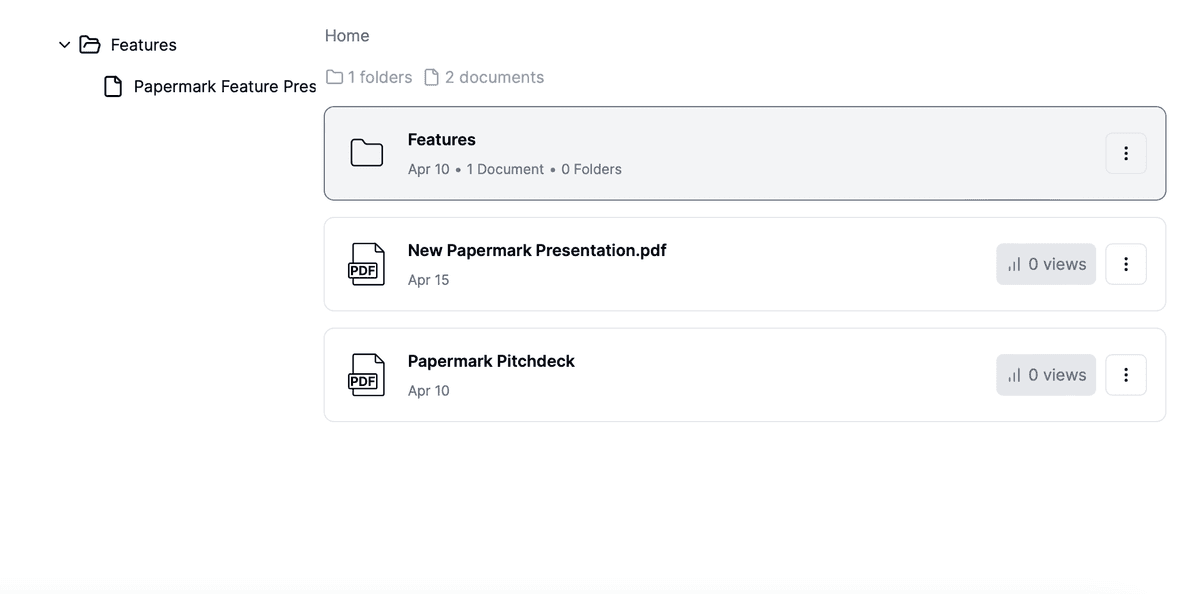
A data room folder structure is the hierarchical organization of documents inside a virtual data room, typically arranged as numbered top-level folders (1.0 Corporate, 2.0 Financial, etc.) with main and sub-folders nested beneath. It is designed to let external parties (buyers, investors, auditors) navigate the room without asking for a map.
A well-organized structure is not decorative. It determines how fast buyers get through diligence, how cleanly the audit log reads post-close, and whether the Q&A module is focused on substance or on finding files. Legacy physical data rooms used colored binders numbered 1-20; modern VDRs kept the numbering convention because it survives across every cloud platform and email client.
A clean folder structure does three things that directly affect deal timelines.
It shortens diligence cycles. Buyers who can self-serve on 80% of standard documents (financial statements, cap table, material contracts) do not file Q&A requests for those items, which means the deal team spends its time on substantive questions rather than scavenger hunts.
It enables granular permissioning. Folder-level permissions are only useful when folders map to real scoping decisions. "2.1 Audited Financials" can be open to all bidders while "2.2 Management Projections" stays scoped to the short-list. Flat file lists make this impossible.
It supports legal defensibility. If a buyer claims they never received a document, the audit log plus folder structure shows what was published, when, and who had access. A disorganized room weakens that evidence chain.
The numbered M&A index is the de facto convention in private M&A, PE fundraising, and most investment banking workflows. Top-level folders use whole-number prefixes (1.0, 2.0...) and sub-folders extend the numbering (2.1, 2.2, 2.2.1). The structure below is the common M&A base case; smaller deals drop some folders, larger deals add regulated industry categories.
For due-diligence-specific document mapping, see the due diligence data room checklist.
Fundraising data rooms are leaner than M&A rooms because investors need a smaller set of documents and the company is typically earlier-stage. A seed or Series A data room commonly uses 5-7 top-level folders covering the essentials of the pitch.
For the full investor-facing checklist, see the startup fundraising data room guide and the 12 VDR use cases.
Real estate data rooms organize by asset (single property) or portfolio (multiple properties), rather than by document category. The structure below is the portfolio model used by real estate funds and commercial brokers.
This structure maps directly to how real estate buyers actually review portfolios: they want to dive into Property A, compare its leases and NOI to Property B, and return to shared documents for financing and portfolio-level data. Organizing by document category (leases together, environmental reports together) breaks that workflow.
Biotech, pharma, and medical-device data rooms add regulatory and clinical layers on top of the standard M&A index. The structure below is the template most life-sciences advisors use for licensing, partnering, and acquisition diligence in 2026.
The biotech-specific additions (Regulatory, Clinical Research, Manufacturing CMC) commonly hold the most sensitive documents in the room. Permission scoping at folder level matters more here than in any other industry: a competing bidder must not see another bidder's diligence questions on the IND, and clinical site monitors should never see commercial pricing strategy. For the full biotech VDR workflow, see the virtual data room for biotech guide.
Law firms run two distinct data room patterns: client engagement rooms (one per matter) and case management rooms (per case file). The structure below covers the M&A and transaction-advisory pattern most legal practitioners use.
A critical pattern for law firm rooms is privilege-protected scoping. The "Internal working memos" sub-folder under Q&A and Working Papers should never be permissioned to opposing counsel or to the client unless intentionally waived. Granular folder-level permissions in Papermark let you keep that material accessible to the deal team while invisible to external parties.
A clean folder structure is only useful if permissions are scoped onto it. Permission strategy commonly fails in three ways: (1) every viewer gets every folder, defeating the purpose of permissions, (2) every viewer needs a custom permission set, making the room unmaintainable, or (3) inheritance is misconfigured so a new sub-folder unintentionally inherits an old viewer group.
The pattern that works for most M&A and fundraising rooms is group-based permissions mapped to folder hierarchies.
Stage-1 group (initial bidders, 10-30 viewers): access to top-level folders for Corporate Overview, Financial Highlights, and Marketing materials only. No access to legal binder, HR, IP, or detailed financials.
Stage-2 group (short-list bidders, 3-6 viewers): full access to Financial, Legal, IP, HR, and Operational top-level folders. Restricted access to specific high-sensitivity sub-folders (e.g., un-redacted customer concentration data, key-person retention agreements).
Confirmatory bidder (final bidder, 1 viewer + their counsel): everything Stage-2 sees plus any held-back materials cleared by counsel for confirmatory disclosure.
Internal team (full administrative access): everything plus internal working papers, draft documents, and privilege-protected memos that never leave the firm.
Compliance and audit (read-only, scoped to specific folders): targeted access to compliance-relevant materials only, with full audit-log visibility but no edit rights.
This permission matrix can be configured once at the group level rather than per individual viewer, which is what makes a 30-bidder M&A auction operationally feasible. Without group-based permissions, the same setup requires manual permission-setting per viewer per document, which is unmanageable above ~10 reviewers.
A typical "before" data room from a first-time seller looks like this:
What is wrong: duplicated files (two versions of the pitch deck), generic folder names ("legal stuff", "misc"), inconsistent capitalization, no top-level numbering, sub-folders that mix unrelated documents, and a Q&A log inside a "misc" folder where buyers will never find it.
The "after" version reorganized to the standard M&A index:
The clean version is navigable on day one without a banker on the phone, lets the seller scope permissions at the folder level, and gives buyers a Q&A surface that ties questions to specific documents rather than burying them in an Excel sheet inside a misc folder. Same content, dramatically different deal velocity.
A data room index is the numbered list of top-level folders and sub-folders that acts as the "table of contents" for the entire room. In M&A, the index is often attached to the signed NDA or shared as a preview before full room access is granted, so bidders know what they are about to see.
The numbering convention works because it does three things that plain names do not:
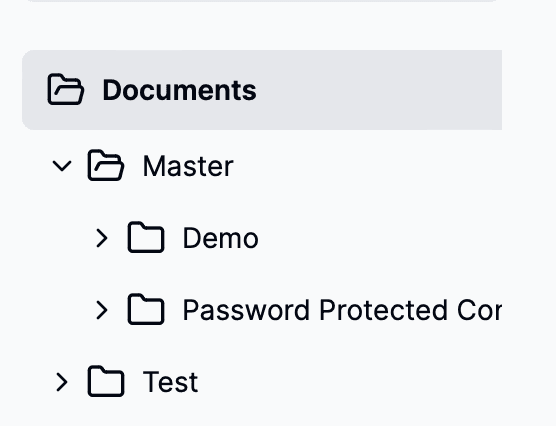
In Papermark, numbered top-level folders render natively, and bulk uploads preserve the numbering exactly as structured locally. The index itself is rebuilt automatically when folders are reordered via drag-and-drop.
File names matter almost as much as folder names. The two conventions below solve 90% of the searchability problems that show up in real data rooms.
Date-prefixed files: YYYY-MM-DD_DocumentType (example: 2026-04-24_Board-Minutes.pdf). Date prefix sorts chronologically, document type is readable at a glance, hyphens survive URL encoding.
Version-stamped files: DocumentType_vN (example: Financial-Model_v3.xlsx). Use when version history matters more than date. Papermark's version control keeps every revision audit-logged automatically, so version suffixes become less critical inside the VDR itself.
Avoid generic names (Report, Doc1, Final_FINAL_v2), mixed case (Report.pdf vs report.pdf break on case-sensitive filesystems), and spaces in file names (break URL sharing).
Once the folder structure is in place, metadata is what turns it into a search-navigable archive. Four metadata types matter most:
Papermark applies automatic indexing as documents are uploaded and supports full-text search across document bodies (not just filenames), which means buyers can locate specific contract clauses or financial line items without knowing which folder they live in.
See how Icebreaker.vc structures their data room for LP communications and Fund III fundraising:
Five mistakes show up repeatedly in real data rooms and cost deal time every time.
1. Flat structure, no hierarchy. Dumping all documents into the root folder, or into a single-level list, makes the room impossible to permission and impossible for buyers to navigate. Always build at least one layer of hierarchy.
2. Inconsistent numbering. Mixing 1.0 Corporate, Financial, 3.0 Legal breaks the sort order and makes the index feel amateur. Either use numbering throughout or drop it throughout.
3. Over-nesting. Four or more levels of sub-folders (2.0/2.1/2.1.1/2.1.1.a) makes navigation worse, not better. Three levels max for all but the largest enterprise M&A rooms.
4. Generic file names. Report.pdf, Final.docx, Doc1.xlsx are unsearchable and signal a rushed room. Rename before upload.
5. No permissions scoping. A well-structured room with a single "view-all" permission on every bidder defeats the purpose. Folder-level permissions should match the stage and competitive position of each bidder group.
Setting up a well-structured data room in Papermark takes about 30 minutes for a standard M&A or fundraising room, assuming the files are already organized locally.
YYYY-MM-DD_DocumentType convention if they do not already.Papermark supports the full folder-structure workflow out of the box: numbered top-level folders, drag-and-drop reorganization, bulk upload with preserved hierarchy, full-text search, and folder-level permissioning. All features are included in the Data Rooms plan at €99/month flat.
For the full feature breakdown, see the 15 virtual data room features guide. To compare Papermark with other VDRs on folder-structure handling specifically, see Papermark vs Intralinks and Papermark vs iDeals.
Learn how to set up a real estate data room in 2026, structure documents for deals, control access with NDAs and watermarking, and track buyer interest with page-level analytics.
One shell script turns a local folder into a structured fundraising data room with per-VC links, email gating, and expiry dates. Papermark CLI cookbook with code.
Private equity data room guide for 2026: PE fund vs portfolio data rooms, LP reporting, 30-document deal index, pricing from €99/month, and 5 real PE customer setups.