
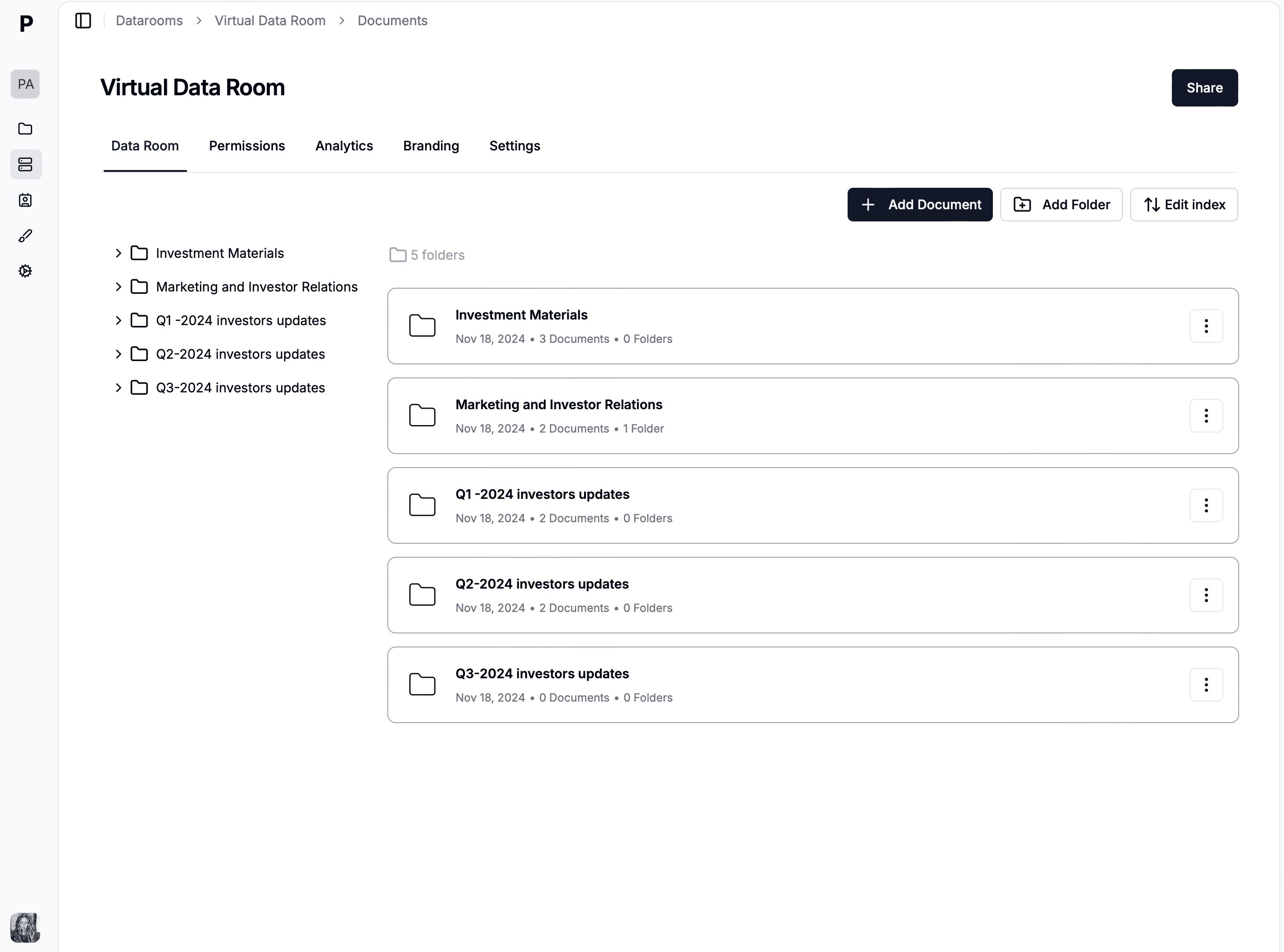

Why mobile access matters for data rooms
Deal-making doesn't stop when people leave their desks. Investors review pitch decks during commutes, board members access materials between meetings, and deal teams check documents while traveling. A data room without mobile access creates bottlenecks.
- • Review documents on any device without downloading an app
- • Same security controls on mobile as on desktop — no compromises
- • Responsive design adapts to phones, tablets, and laptops automatically
- • Keep deal momentum by giving parties instant access anywhere
- • Full audit trail captures mobile access events alongside desktop activity
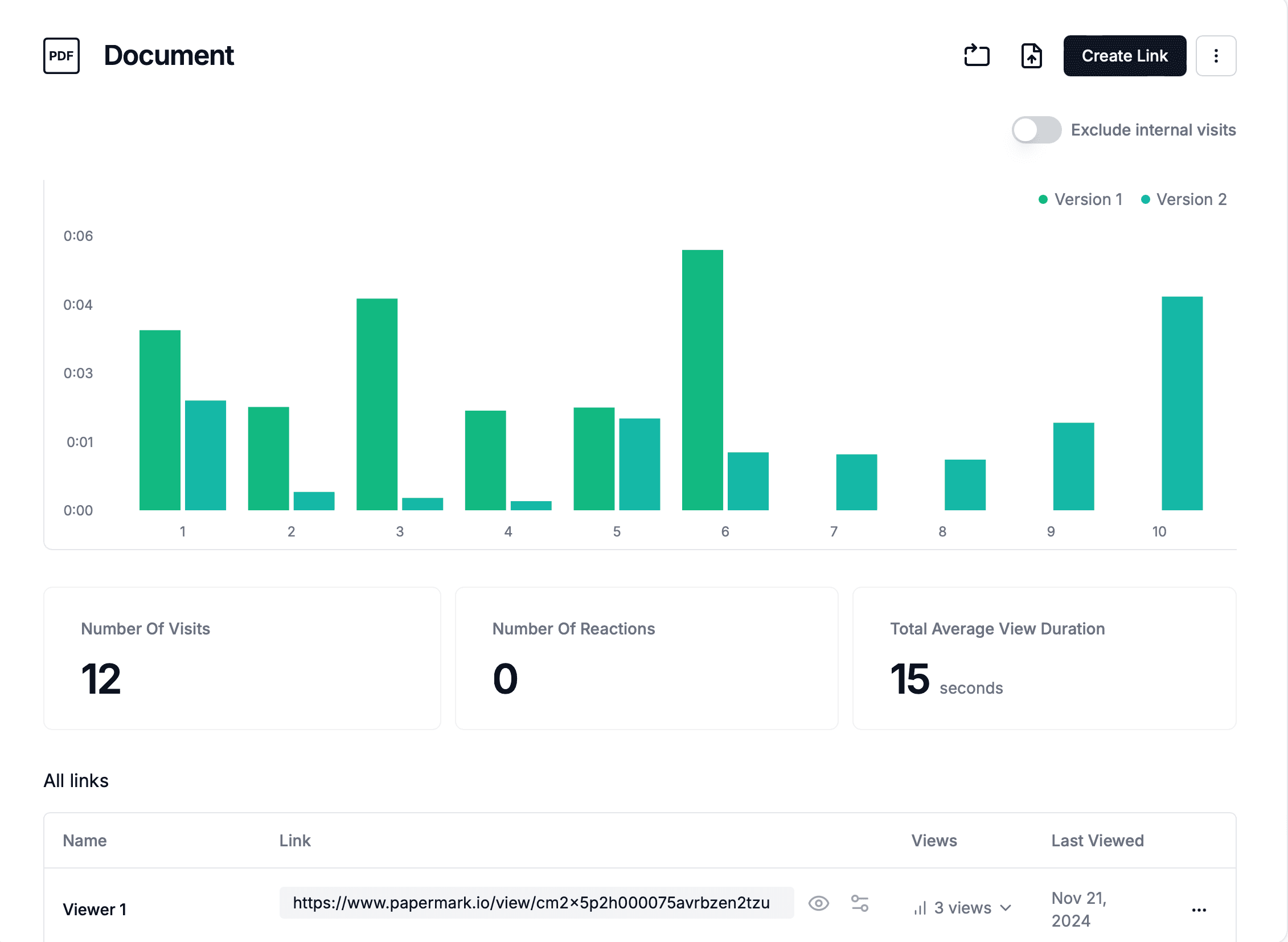
What works on mobile in Papermark
Document viewing
PDFs, presentations, spreadsheets, and images render natively in mobile browsers. Pinch to zoom, swipe to navigate, and scroll through multi-page documents seamlessly.
Folder navigation
Browse the data room's folder structure on mobile just as you would on desktop. Tap into folders, navigate between sections, and find documents quickly.
Security features
Watermarking, NDA gating, password protection, email verification, and access controls all work identically on mobile. No security feature is compromised by mobile access.
Who needs mobile data room access?
Investors & LPs
Review pitch decks, financial models, and due diligence materials between meetings or during travel. Mobile access lets investors stay engaged with deals on their schedule.
Board members
Access board packages, financial reports, and governance documents from tablets before and during board meetings. No printing required.
Deal teams on the road
Bankers, lawyers, and consultants traveling for client meetings can reference deal documents on their phones without needing a laptop or VPN.
Executives & founders
Founders running fundraising processes can check investor activity and document engagement analytics from their phone in real time.
Full security on every screen
No compromises on mobile devices
Dynamic watermarking
Server-side watermarks display on mobile exactly as they do on desktop — viewer email, IP, and timestamp on every page.
Access controls
Permissions are enforced identically across devices. Mobile users can only access documents they have permission to view.
NDA gating
NDA acceptance works on mobile browsers. Viewers sign before accessing any documents, regardless of their device.
Audit trails
All mobile access is logged in the audit trail with device type, browser, and access timestamp for complete visibility.
Download controls
Disable downloads on mobile to keep documents within the browser only. View-only access prevents files from being saved to devices.
Custom branding
Your branded data room experience is consistent on mobile. Logos, colors, and custom domains display correctly on all screen sizes.
Data room use cases
Virtual Data Room
Secure data room platform for deals and due diligence.
Investment Banking VDR
Secure data rooms for investment banking deals and M&A transactions.
Private Equity VDR
Secure data rooms for PE fundraising and portfolio management.
Venture Capital VDR
Manage LP reporting, portfolio data, and co-investment materials.
Sales Data Room
Share proposals, contracts, and case studies securely with prospects.
Corporate Restructuring VDR
Manage creditor communications and court filings during restructuring.
Life Sciences Data Room
Secure document sharing for clinical trials and regulatory submissions.
Healthcare Data Room
HIPAA-ready data rooms for healthcare M&A and compliance.
Energy Data Room
Data rooms for energy companies and project financing.
Technology & Media VDR
VDR solutions for TMT companies and tech transactions.
Biotech & Pharma Data Room
Secure sharing for drug pipelines, patents, and regulatory filings.
Blockchain Data Room
Secure token documentation, smart contract audits, and investor materials.
Web3 Data Room
Data rooms for Web3 startups, DAOs, and decentralized projects.
Due Diligence Data Room
Streamline buyer-seller document exchange for due diligence.
Real Estate Data Room
Secure data rooms for property transactions, sealed bids, and real estate due diligence.
Data room features
Dynamic Watermarking
Protect documents with viewer-specific watermarks showing email and IP.
Q&A Module
Structured questions and answers for due diligence communication.
Access Controls
Granular folder and document-level permissions with role-based access.
Custom Branding
White-label your data room with custom domains, logos, and colors.
Page-by-page Analytics
See who viewed which document, which pages, and for how long.
One-Click NDA
Require visitors to accept your NDA before they can open the data room.
Screenshot Protection
Block screenshots and screen capture on your most sensitive files.
Password Protection
Add a password to any data room link for an extra layer of security.
AI Redaction
Find and redact personal data and custom terms across the whole data room.
Papermark AI
Chat with your data room and get answers from your documents.
Version Control
Upload new versions while keeping the same link and a full history.