
Why access controls are critical for data rooms
Sharing sensitive documents without proper access controls is like leaving your office unlocked. In M&A, fundraising, and legal processes, different parties need different levels of access — and you need full visibility into who accessed what.
- • Prevent unauthorized access to sensitive financial and legal documents
- • Give competing bidders separate, isolated access to your data room
- • Restrict downloads and prints for specific users or document categories
- • Track every access event with timestamped audit logs
- • Revoke access instantly when a deal party drops out
Layers of access control in Papermark
Document-level permissions
Set unique access rules per file. Grant view-only access to sensitive financials while allowing full download access for non-confidential materials — all within the same data room.
Folder-level permissions
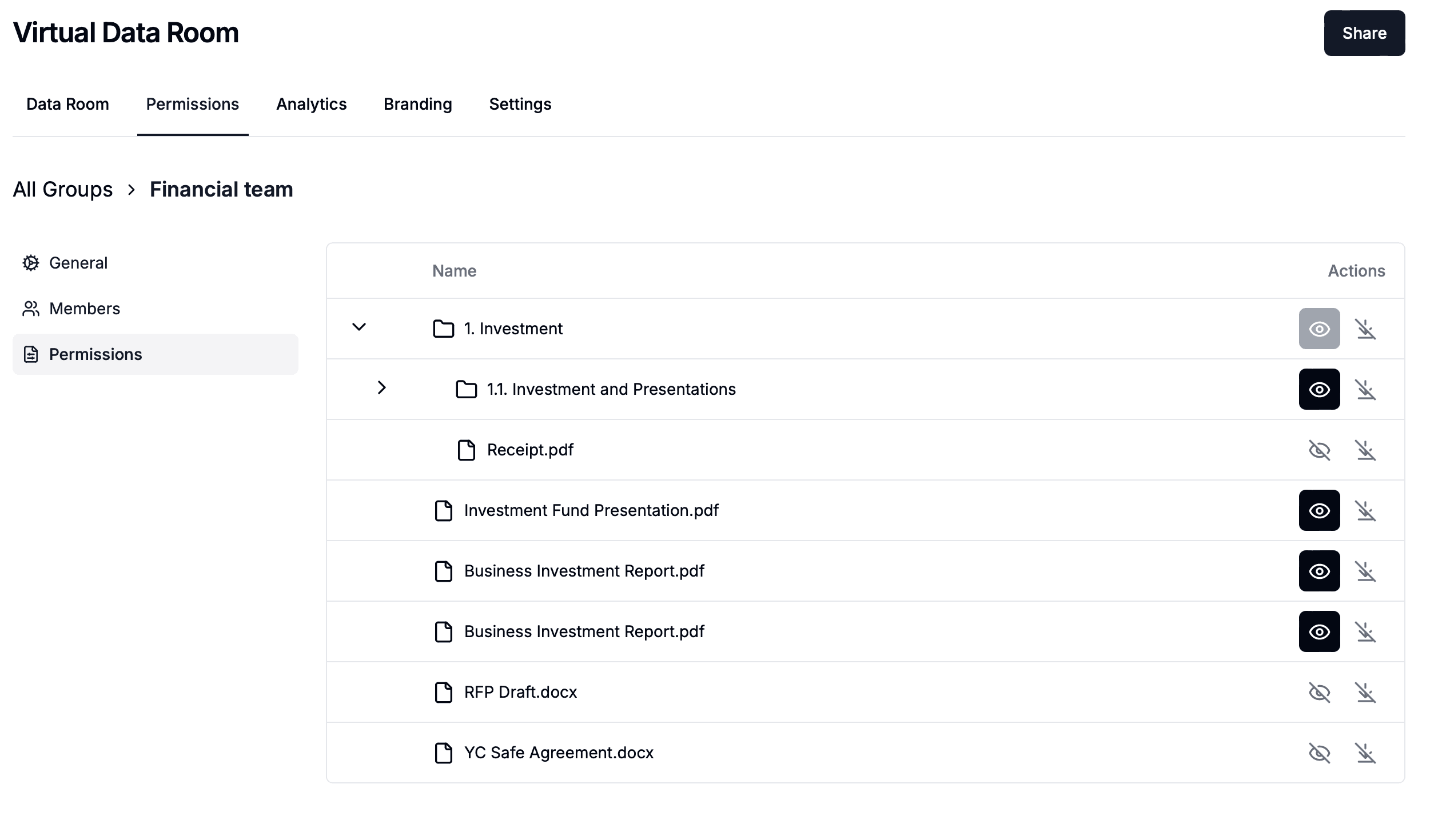
Apply permissions to entire folders and all documents within them. Organize your data room by category (financials, legal, HR) and control access at the folder level for efficiency.
Group-based management
Create user groups for different deal parties. Assign folder-level permissions to groups and manage access for entire teams at once instead of user by user.
Link-level security settings
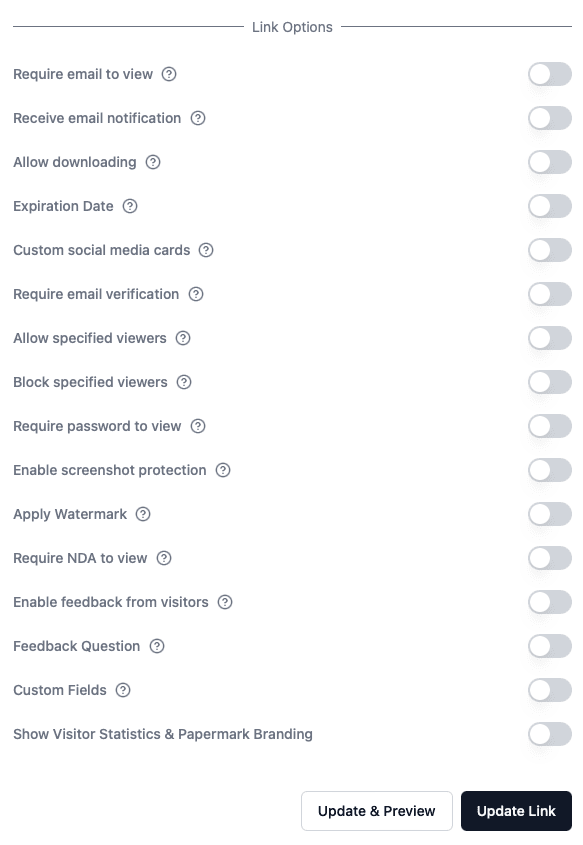
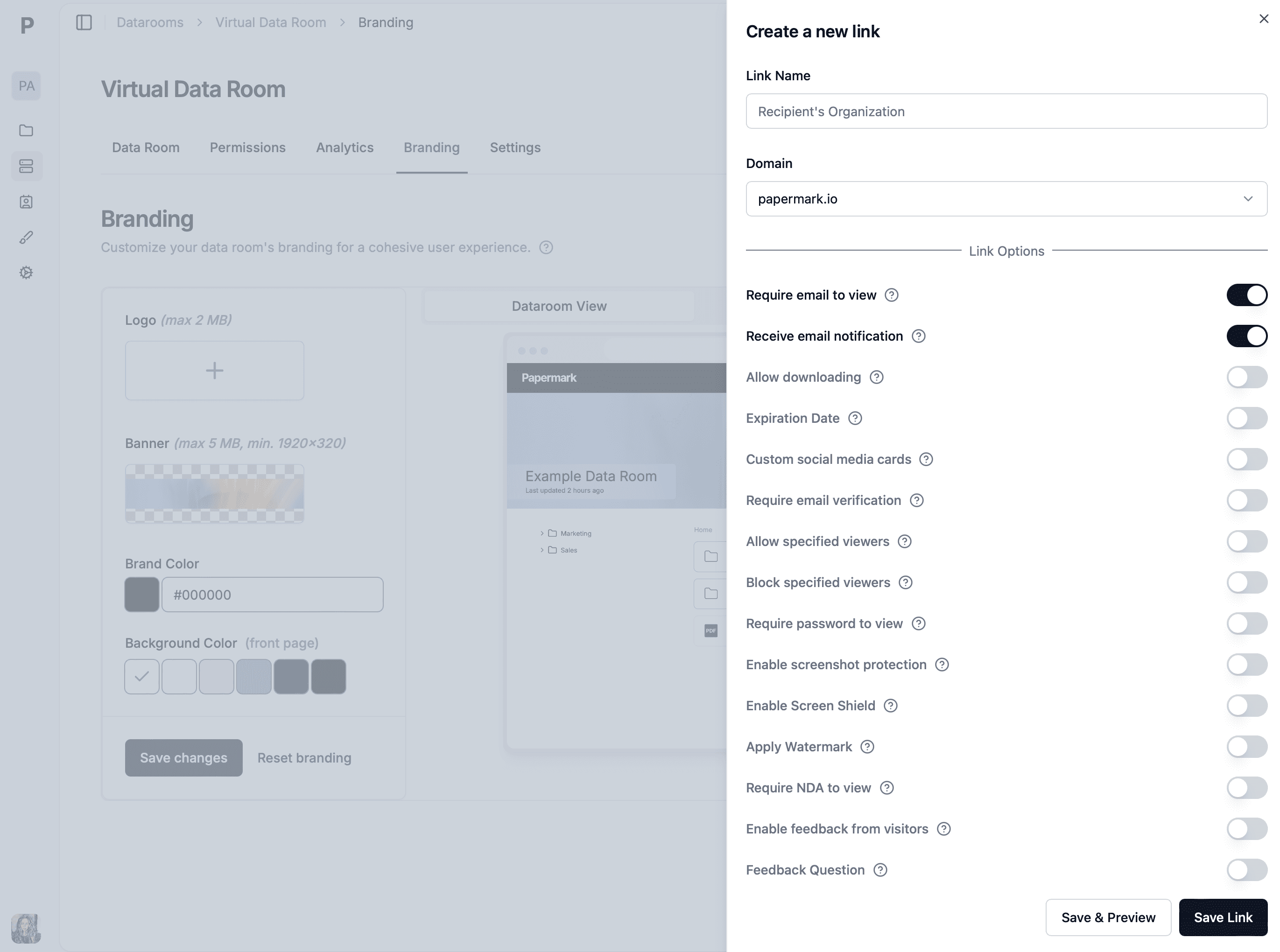
Every shared link in Papermark comes with configurable security settings that work alongside document-level permissions.
Password protection
Require a password before anyone can access the data room link. Share passwords through a separate secure channel for an additional layer of protection.
Email verification
Require viewers to verify their email address before accessing documents. This confirms identity and ties all activity to a verified email for accurate audit trails.
Link expiration
Set expiration dates on shared links. After the deadline, the link automatically becomes inactive — perfect for time-sensitive deal processes.
Download & print controls
Disable downloads and printing for view-only access. Users can review documents in the browser without being able to save or print copies.
Use cases for granular access controls
Competitive M&A processes
Isolate each bidder into separate groups with different document access. Prevent buyers from seeing who else is in the process or what materials others can access.
Investor due diligence
Give lead investors full access while limiting follow-on investors to summary materials. Adjust permissions as the round progresses and relationships develop.
Legal proceedings
Share discovery materials with opposing counsel while restricting access to privileged documents. Maintain clear boundaries between what each party can see.
Board reporting
Share board materials with directors while restricting access to compensation data for specific committee members only.
Regulatory compliance
Meet industry requirements for document access controls in healthcare, financial services, and life sciences with audit-ready permission logs.
Real estate transactions
Share property documents with different buyer groups. Control which leases, environmental reports, and financial data each prospective buyer can access.
Data room use cases
Virtual Data Room
Secure data room platform for deals and due diligence.
Investment Banking VDR
Secure data rooms for investment banking deals and M&A transactions.
Private Equity VDR
Secure data rooms for PE fundraising and portfolio management.
Venture Capital VDR
Manage LP reporting, portfolio data, and co-investment materials.
Sales Data Room
Share proposals, contracts, and case studies securely with prospects.
Corporate Restructuring VDR
Manage creditor communications and court filings during restructuring.
Life Sciences Data Room
Secure document sharing for clinical trials and regulatory submissions.
Healthcare Data Room
HIPAA-ready data rooms for healthcare M&A and compliance.
Energy Data Room
Data rooms for energy companies and project financing.
Technology & Media VDR
VDR solutions for TMT companies and tech transactions.
Biotech & Pharma Data Room
Secure sharing for drug pipelines, patents, and regulatory filings.
Blockchain Data Room
Secure token documentation, smart contract audits, and investor materials.
Web3 Data Room
Data rooms for Web3 startups, DAOs, and decentralized projects.
Due Diligence Data Room
Streamline buyer-seller document exchange for due diligence.
Real Estate Data Room
Secure data rooms for property transactions, sealed bids, and real estate due diligence.
Data room features
Dynamic Watermarking
Protect documents with viewer-specific watermarks showing email and IP.
Q&A Module
Structured questions and answers for due diligence communication.
Custom Branding
White-label your data room with custom domains, logos, and colors.
Mobile Access
Access your data room securely from any device, anywhere.
Page-by-page Analytics
See who viewed which document, which pages, and for how long.
One-Click NDA
Require visitors to accept your NDA before they can open the data room.
Screenshot Protection
Block screenshots and screen capture on your most sensitive files.
Password Protection
Add a password to any data room link for an extra layer of security.
AI Redaction
Find and redact personal data and custom terms across the whole data room.
Papermark AI
Chat with your data room and get answers from your documents.
Version Control
Upload new versions while keeping the same link and a full history.