
You have shared the CIM and opened the data room to several buyers, but you can't tell who is seriously engaged and who is just browsing. Your deal team is guessing at buyer intent before every follow-up call, and the activity data never reaches your deal tracking system.
With Papermark you can see page by page which buyers are reading your deal documents and push activity data to your deal tracking system via webhooks.
How it works
Step by step
Step 1. Create one link or group per buyer
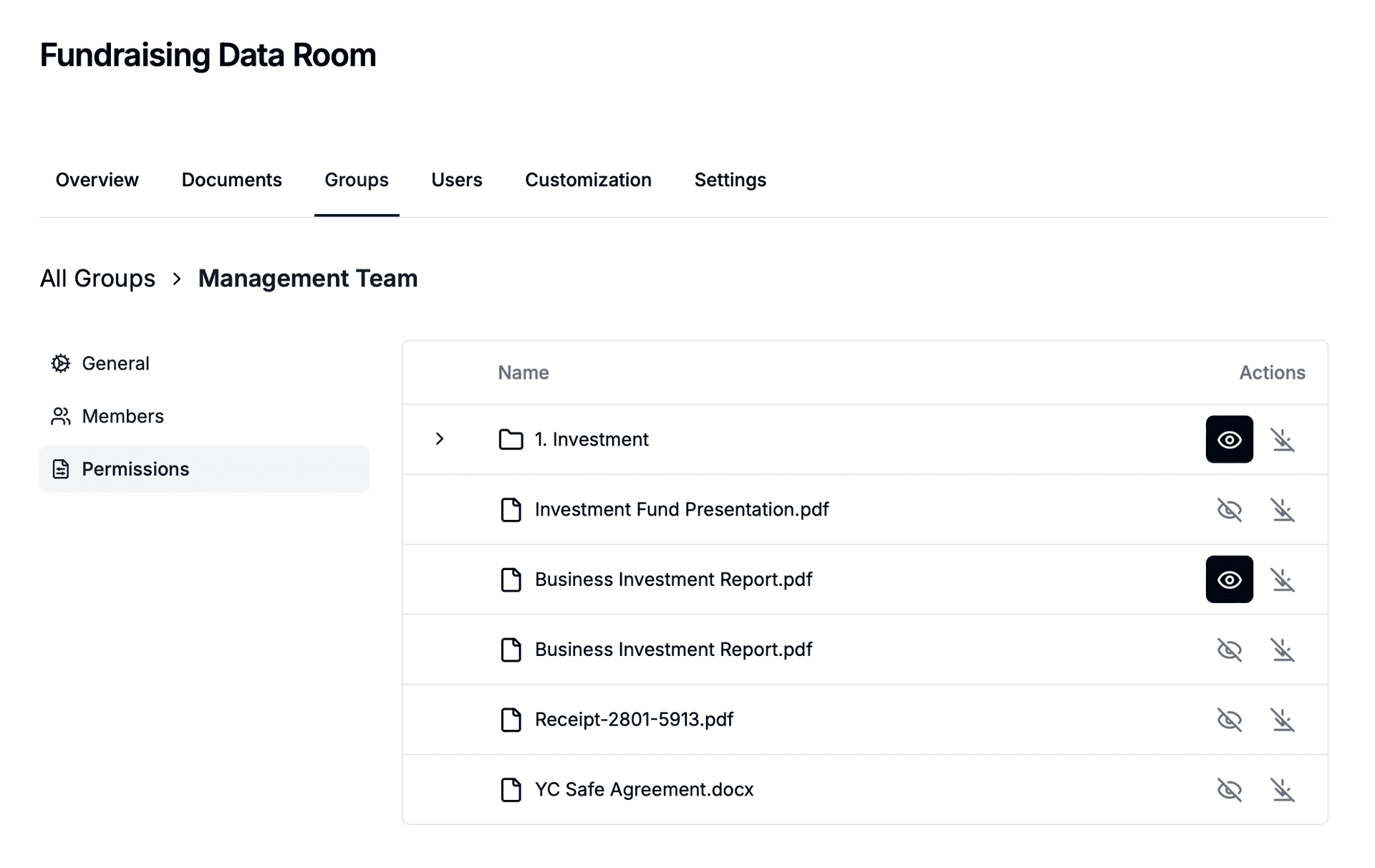
Give each buyer firm its own link for the CIM and its own group in the data room. Every visit is then attributed to a named buyer, and you can compare buyers side by side.
Step 2. Require email verification and the NDA
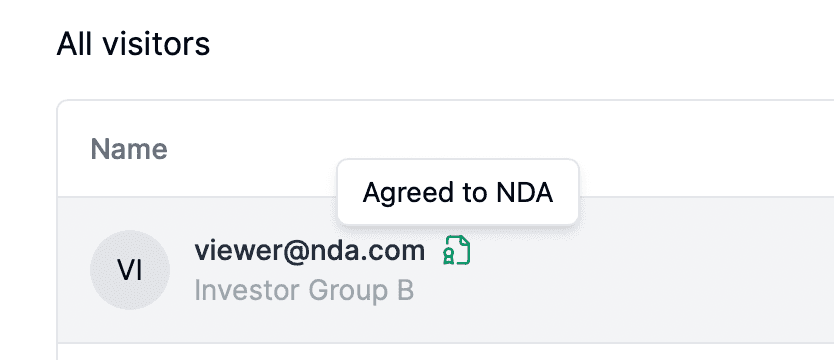
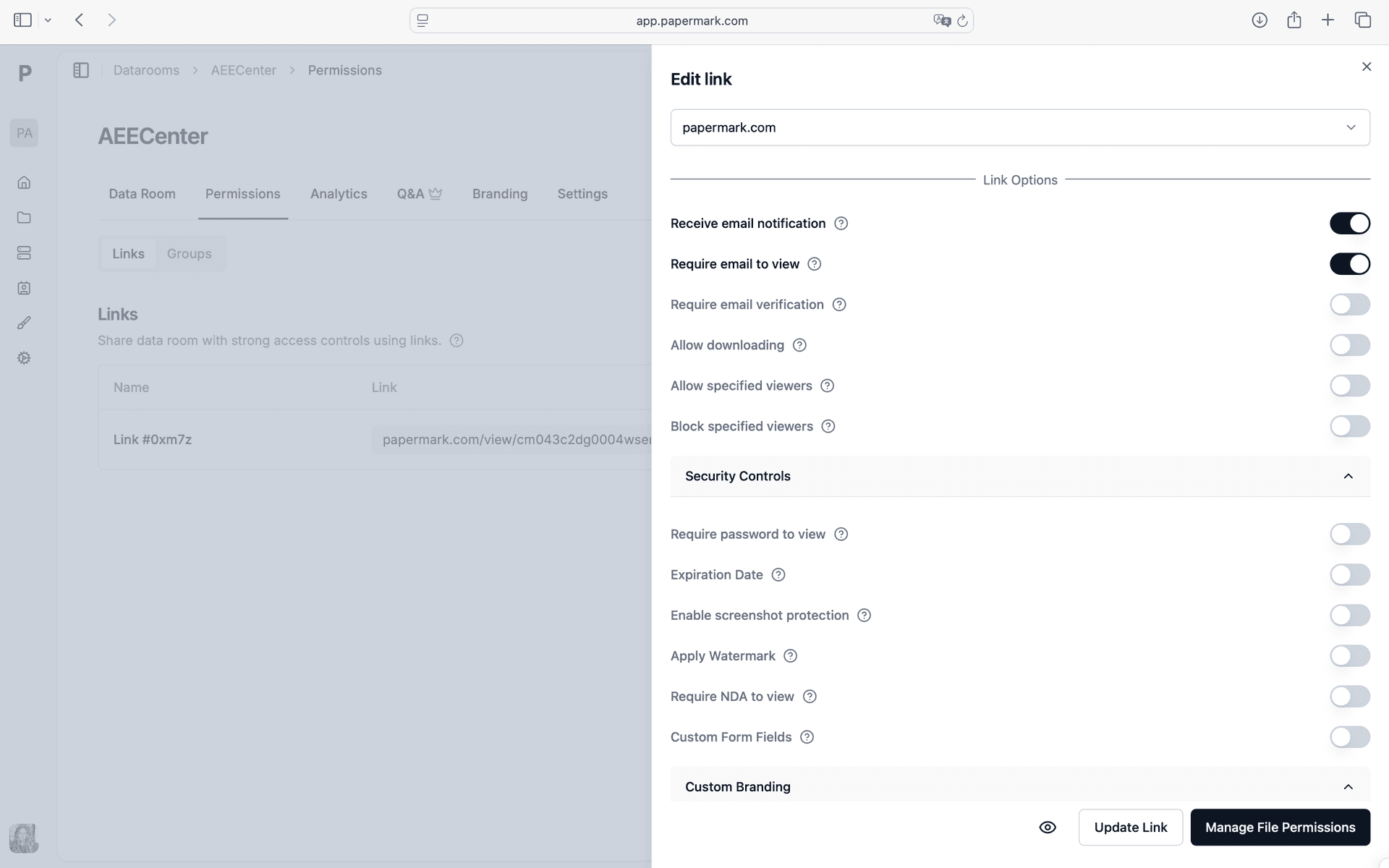
Turn on email verification and NDA acceptance in the link settings, so every viewer is a verified person. Allow-list each buyer's email domain so its advisors can join and are tracked individually.
Step 3. Upload the CIM and diligence folders
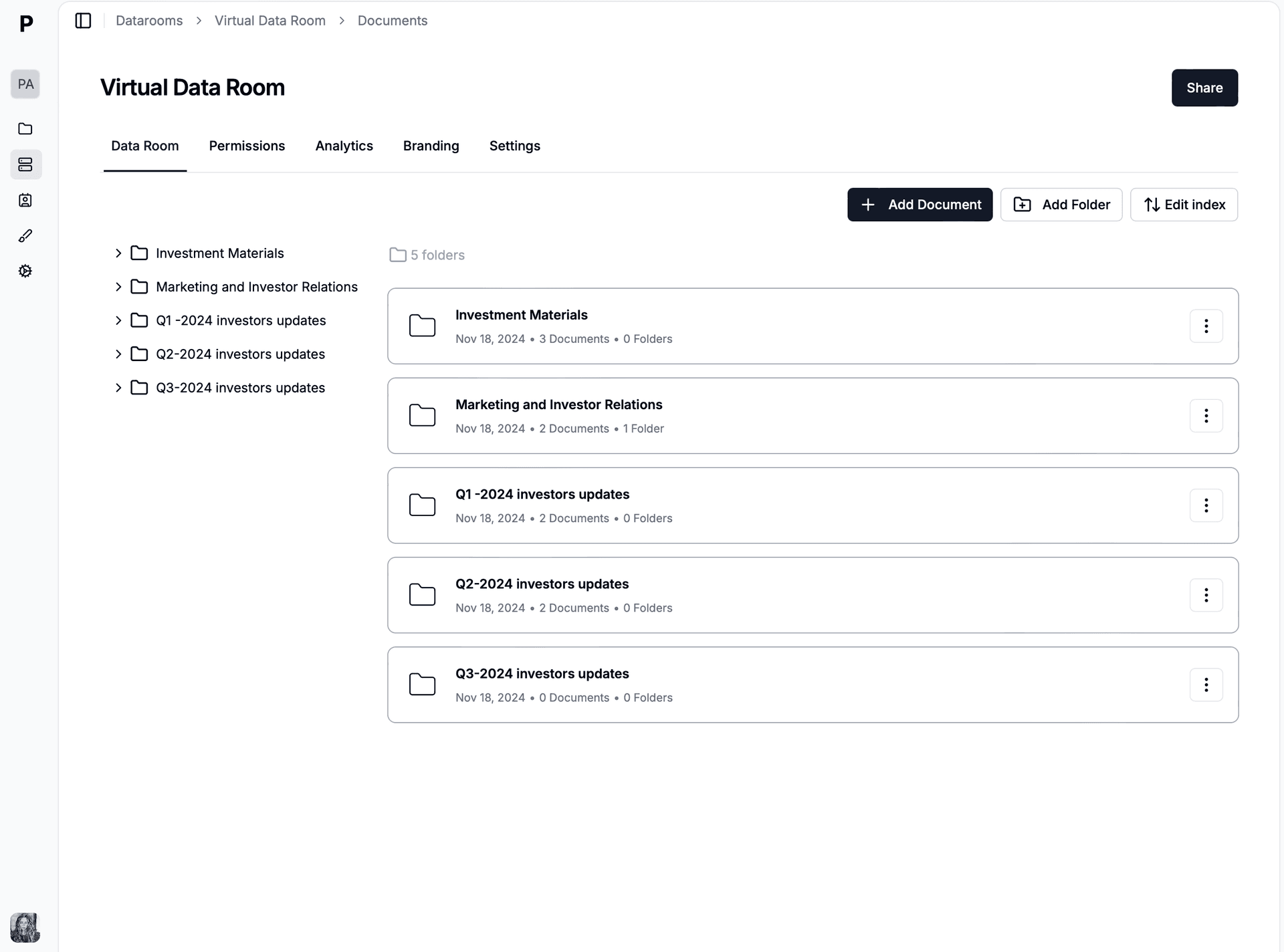
Upload the CIM and the diligence folders with numbered names (Financial, Legal, Commercial), so analytics show at a glance which areas each buyer is working through.
Step 4. Connect Slack for view alerts
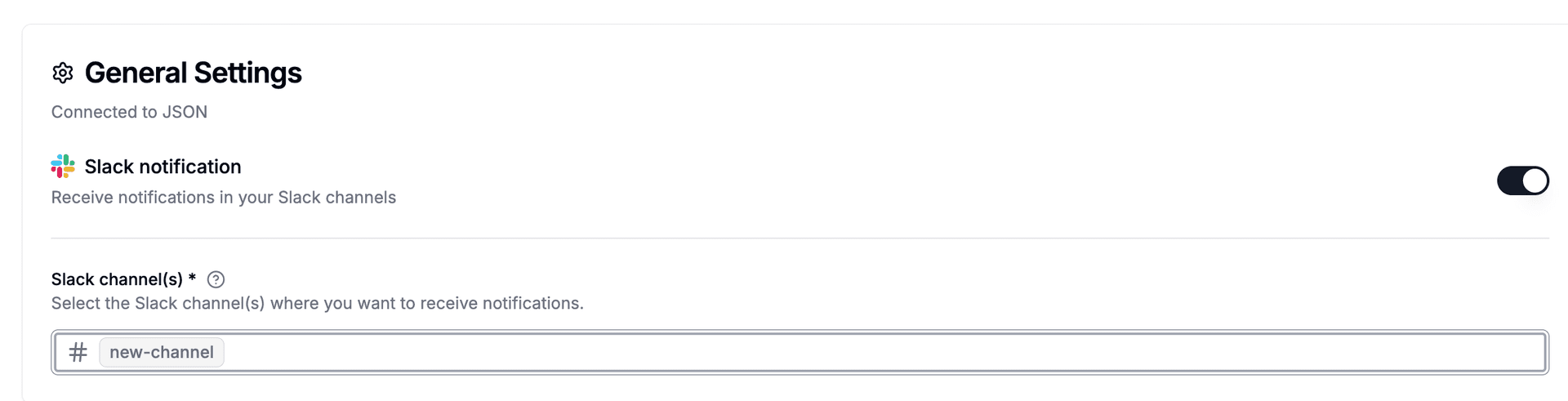
Go to Settings > Integrations > Slack and pick the deal channel. The team sees when a buyer opens a document for the first time and when they come back.
Step 5. Review and export analytics every week
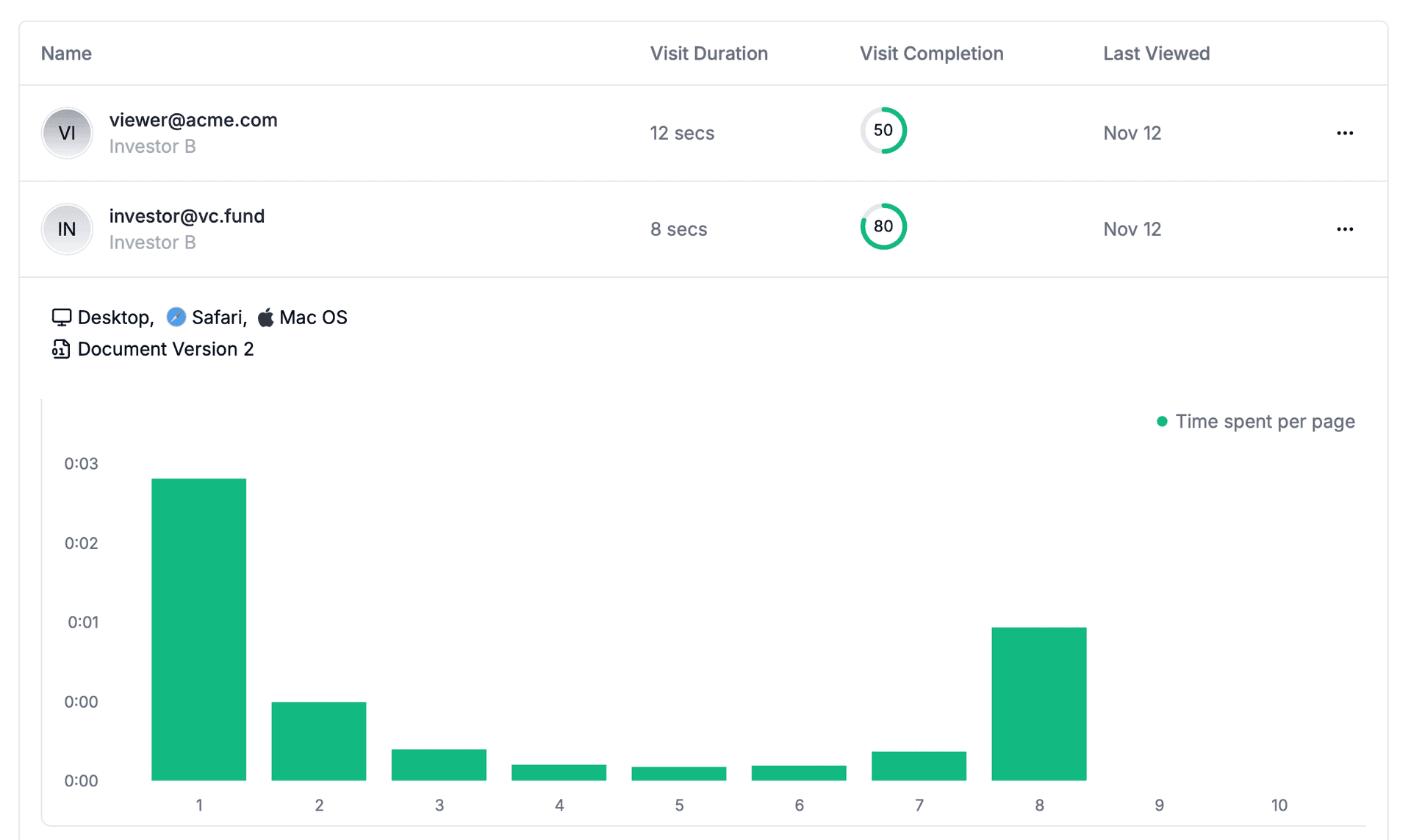
Once a week, open the analytics for each buyer: pages opened, time per page, return visits and downloads. Export the visitor data and score each buyer using the signals table below.
Step 6. Push view events to your CRM
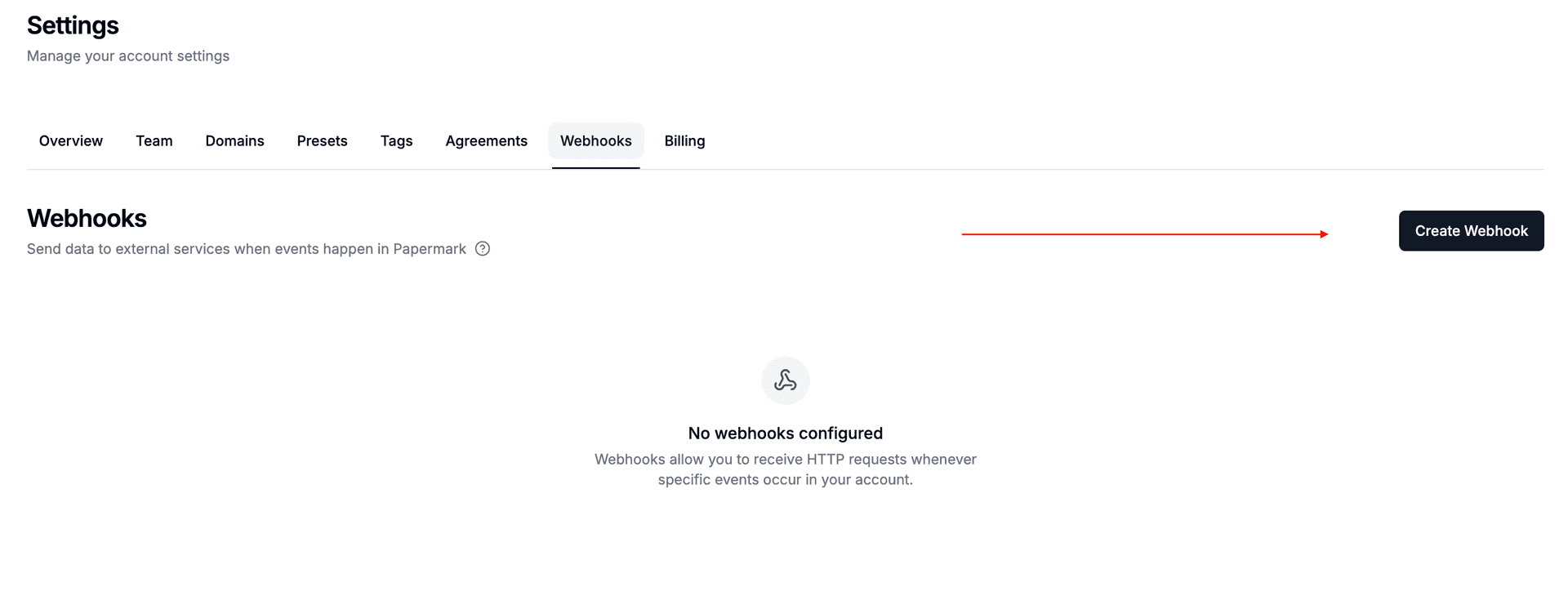
Create a webhook in Settings > Webhooks and connect it through Zapier or Make to Salesforce or your deal tracker. Log an activity when a buyer views the financial documents, so the deal record shows engagement next to calls and emails.
Step 7. Revoke cold buyers after the IOI deadline
After the IOI or bid deadline, deactivate the links of buyers that are not advancing. Their access stops immediately, and the analytics history stays in your account.
Buyer engagement signals
Read these signals per buyer before each follow-up call. One signal on its own is weak; two or three together are a reliable read.
| Signal | Where to see it in Papermark | What it usually means |
|---|---|---|
| Time spent on financial and customer pages | Page-level analytics per visitor | The buyer is building a model |
| Return visits over several days | Sessions per visitor | The deal is being worked, not skimmed |
| New verified viewers from the buyer's domain | Visitor list for the buyer's link | Advisors or investment committee members have been brought in |
| Downloads of permitted documents | Download log | Moving into detailed or confirmatory work |
| CIM read to the end | Completion rate | Ready for a substantive conversation |
| No opens since the NDA was signed | Visits on the buyer's link | Not engaged; confirm the contact, then drop |
Tools and integrations
Papermark connects to external tools via outgoing webhooks (HMAC-SHA256 signed). Slack has a native integration with OAuth. For all other tools, connect Papermark webhooks through Zapier, Make, or n8n.
Zapier Webhook middleware
Push view events to deal tracking tools
Salesforce via webhook
Log buyer activity to the opportunity via Zapier
Connect through Papermark webhooks via Zapier, Make, or n8n
Slack Native integration
Alert the deal team when a buyer opens or returns to documents
Make Webhook middleware
Conditional workflows, such as different alerts for financial documents
Discord via webhook
Team notifications via webhook
Connect through Papermark webhooks via Zapier, Make, or n8n