




mergers-and-acquisitions
Secure document sharing with a buyer in 2026: share access, not files
How to send confidential company documents to a buyer without losing control in 2026: a 6-step secure document sharing process and an 11-point checklist.
To track which buyers are actually reading your deal documents, replace attachments with a unique, email-verified link or data room group per buyer, then read page-level analytics in a tool such as Papermark: who opened, which pages, for how long, how often they came back, and whether new people from the same firm joined.
No credit card required.
Document tracking software shows you what happens after you hit send. For a sell-side adviser or a founder selling a company, that means knowing which of 10 or 20 buyers opened the CIM, which ones read the financials closely, and which ones never got past the cover page.
This matters because buyer attention is the scarcest resource in a sale process. Every buyer will tell you they are "very interested". The ones who are actually building a model spend real time on your numbers, come back to them, and bring colleagues in. The ones who aren't open the deck once and move on. Without tracking, you find out which is which at the IOI deadline, when it's too late to change your plan.
Tracking also improves every conversation. If you know a buyer spent 25 minutes on the customer concentration page, you can open the call by addressing it. If a buyer asks for a management meeting but has never opened the monthly P&L, you can ask them to do that first. Advisers who work this way spend their time on the buyers most likely to close.
The rest of this guide covers why the usual methods fail, how to set up per-buyer tracking, which signals matter, how to score them, what the data can't tell you, and how the main tools compare.
Read receipts and email tracking pixels measure whether an email was opened, not whether a document was read. For deal documents, that gap makes them close to useless.
Most email clients block tracking pixels by default or load them through a proxy, which reports an "open" for every email whether or not a human looked at it. Read receipts are optional, and most professionals decline them. Neither tells you anything about the attachment.
Attachments are the bigger problem. Once a buyer downloads your CIM, they read it offline, print it, or forward it to a colleague, and you see none of it. You don't know whether they reached page 3 or page 40. You don't know that it went to their investment committee. And you can't tell the analyst who skimmed it from the partner who read every page.
Link-based tracking fixes this by keeping the document in a viewer you control. Every session is tied to a verified visitor, and the viewer records which pages were shown and for how long. Our comparison of document tracking vs email tracking goes deeper into the difference.
The principle is simple: every view must have a name attached, and every buyer must have its own channel. Here is the setup that achieves both.
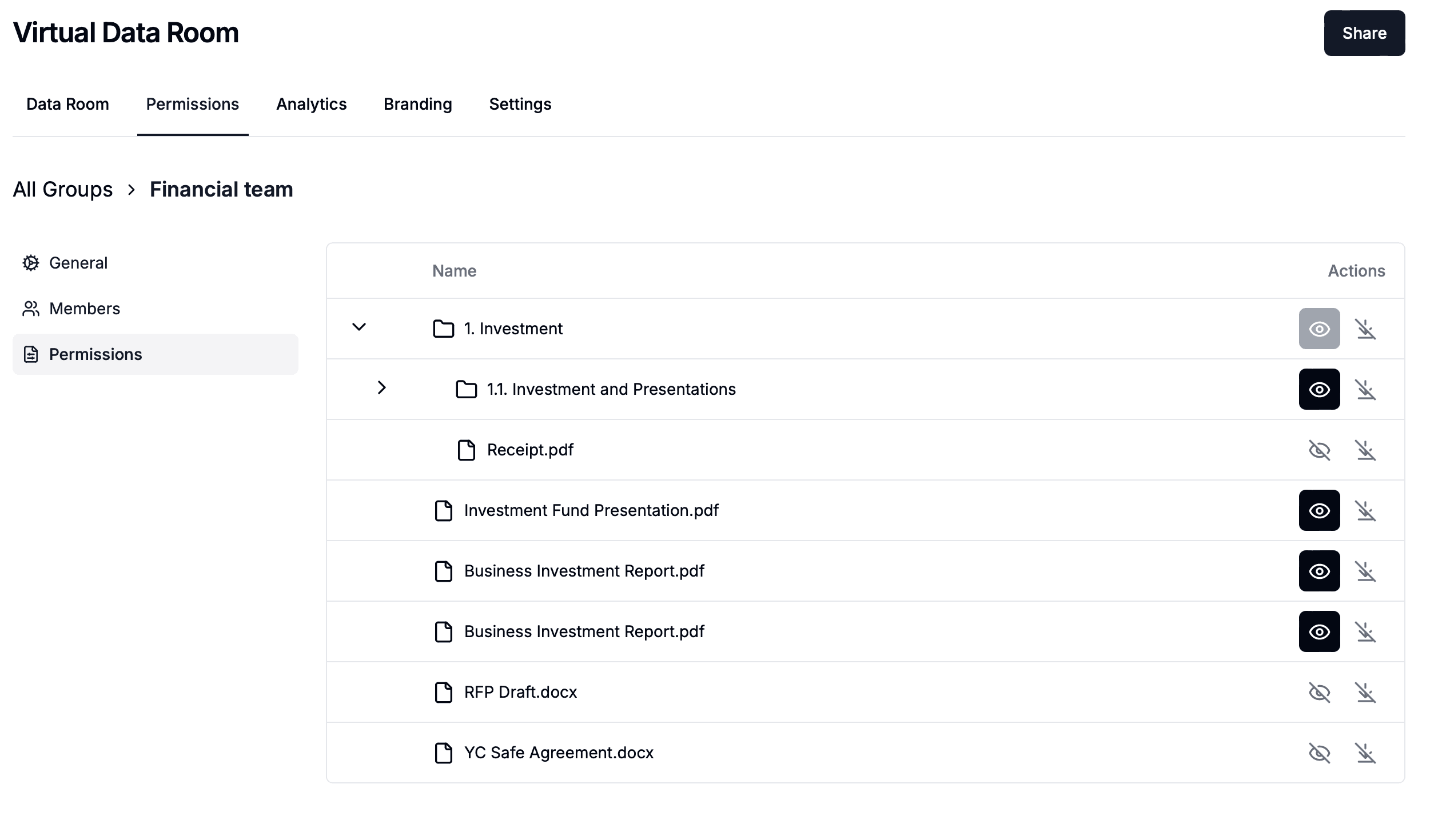
Create a separate link or data room group for each buyer, named after the firm. This is what lets you compare buyers side by side and revoke one without affecting the others. A single shared link for all buyers makes per-buyer analysis impossible.
Require email verification so each visitor confirms their address with a one-time code. Add the NDA gate so access starts with a signed or accepted agreement. If someone forwards the link, the new viewer has to verify their own email and appears as a separate person in the analytics.
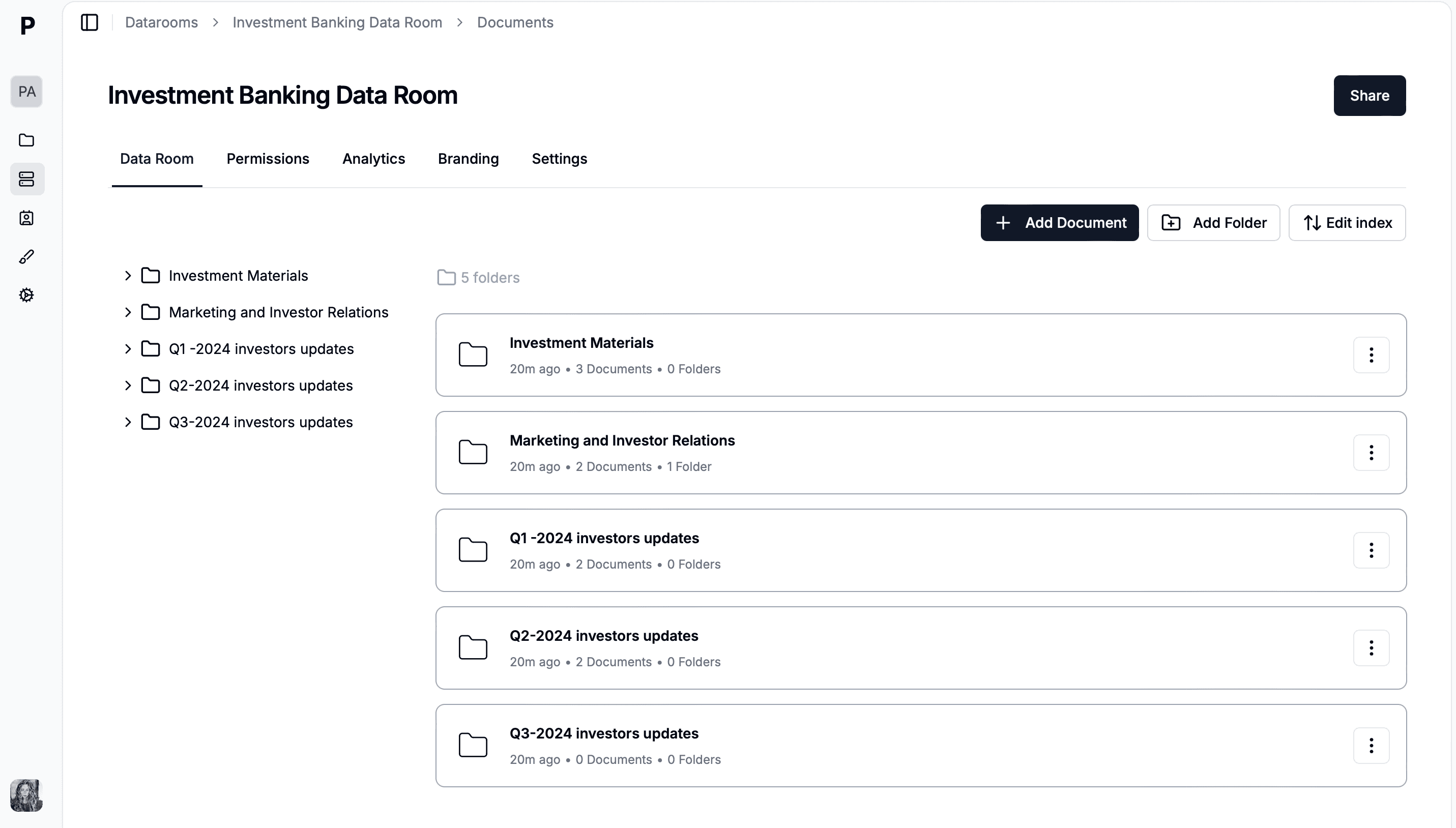
Put the CIM, the financial summary and any round 2 materials in the room, in numbered folders. Page-level tracking works best when each document is one file, so split a 60-page combined PDF into its logical parts.
Turn on email notifications on each buyer link, or connect Slack so the deal team sees views in a channel. A first open within 24 hours of sending is a signal worth acting on the same day.
Export visitor activity to CSV each week for scoring, or send view events to your CRM. Papermark has no native HubSpot integration, but webhooks such as link.viewed and link.downloaded connect to Salesforce, HubSpot or DealCloud through Zapier, Make or n8n.
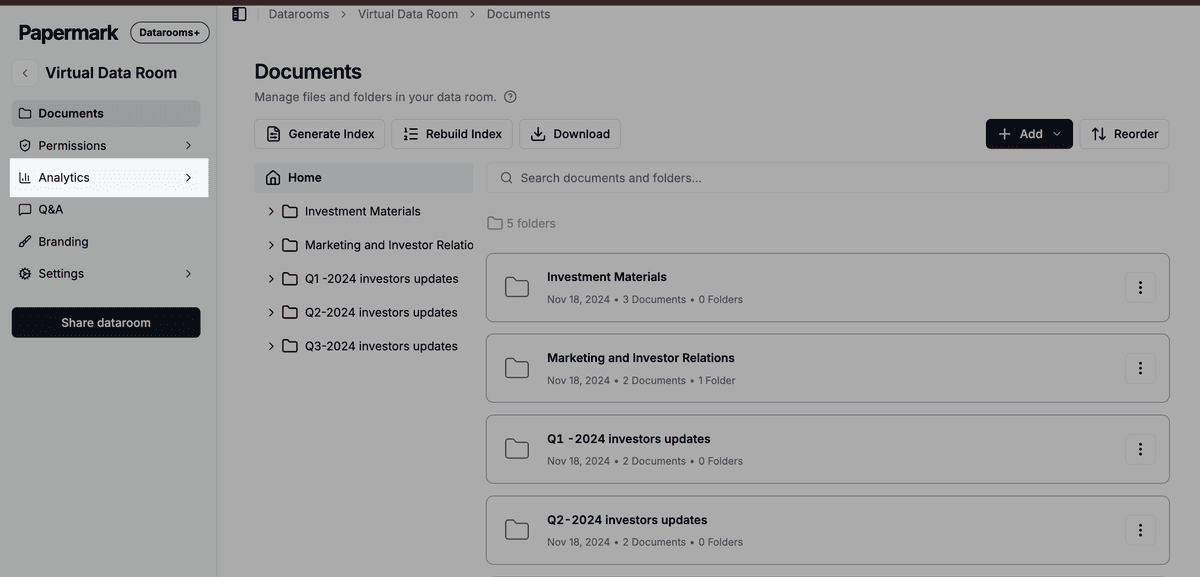
The analytics overview shows visits, unique visitors and time spent across every buyer group.
The most reliable signal of a serious buyer is time on the financials, followed by return visits and new viewers from the same firm. A single long session can be one curious analyst. Repeated sessions from several people at the same firm usually mean an internal discussion is under way.
| Signal | What it may mean | What to do |
|---|---|---|
| Opened the CIM within 24 hours | Active mandate, deal team ready | Call within 48 hours |
| 15+ minutes on financial pages | Building a valuation | Offer a model walkthrough |
| 3 or more return visits | Internal discussion | Ask about timing to IOI |
| New verified viewers from the same firm | Deal team or IC expanding | Prioritise, check NDA covers them |
| Close reading of risks or customer pages | Diligence-level interest | Prepare answers before the call |
| Opened once, under 2 minutes | Low priority or screening | One follow-up, then deprioritise |
| Download (where allowed) | Sharing internally or offline | Confirm watermark, note tracking stops |
Read signals in combination, not alone. A buyer that opened late but spent 40 minutes on the financials and came back twice is more serious than one that opened within an hour and left after two minutes. Look at the pattern over a week, and compare buyers against each other rather than against an absolute benchmark.
Which pages a buyer reads also tells you what they care about. A private equity firm that lingers on the add-backs schedule will question your adjusted EBITDA. A strategic acquirer reading the customer section closely is thinking about overlap. That is useful preparation for the next call, and for the due diligence Q&A that follows.
A buyer engagement score turns analytics into a ranked call list. Keep it simple enough to compute in 10 minutes from a weekly CSV export, and use it before IOI calls and when deciding who advances to round 2.
| Behaviour | Points |
|---|---|
| Opened within 48 hours of sending | +2 |
| Total time over 20 minutes | +2 |
| Time on financial pages over 10 minutes | +2 |
| Each return visit (max 2) | +1 each |
| Additional verified viewer from the same firm | +1 |
| Asked a substantive question | +1 |
Score 8 to 10 as hot, 5 to 7 as warm, and 0 to 4 as cold. Hot buyers get a call this week and an offer of a management meeting. Warm buyers get a targeted follow-up that points them at the section they haven't read. Cold buyers get one reminder before the deadline and no further time.
Recompute weekly, because scores move. A cold buyer that suddenly brings three colleagues into the room has probably taken the deal to its investment committee. Adjust the weights to your deal: in a software sale, time on the retention cohort may matter more than time on the P&L.
Engagement data is a signal, not a statement of intent. It tells you what people did with your documents, not what they think or what they'll offer. Treat it as one input next to what buyers say on calls.
Some behaviour inflates the numbers. A document left open in a background tab can look like a long read. Papermark pauses time tracking after about 5 minutes of inactivity and asks the visitor if they're still there, which removes most of that noise, but not all. Shared logins also distort the picture: if a whole deal team uses one email, you see one very engaged "person".
Other behaviour hides engagement. A buyer who downloads the CIM and reads it offline, or prints it for an IC meeting, stops generating data the moment the file leaves the viewer. That's one reason to keep sensitive documents view-only until the LOI. And some buyers simply read fast: an experienced partner can assess a CIM in 15 minutes that takes an analyst an hour.
Use the data to decide where to spend time and what to ask, then let the conversation confirm it.
Document tracking software for deal documents falls into two groups: tools built for sharing decks and CIMs, and data rooms that track buyers across many documents. Sales proposal tools also track views, but they aren't built for a confidential sale process.
| # | Tool | Page-level time | Per-buyer groups | Full data room | Watermark | Best for |
|---|---|---|---|---|---|---|
| 1 | Papermark | CIMs and multi-document deal rooms, from $99/month | ||||
| 2 | DocSend | Advanced plan | Advanced plan | Decks and CIMs | ||
| 3 | Peony | Page analytics | ||||
| 4 | Digify | Document security | ||||
| 5 | Datasite or Intralinks | Bidder reports | Large bank-led processes | |||
| 6 | PandaDoc or Qwilr | Views | Per recipient | Sales proposals, not M&A |
1. Papermark is a secure, fully customizable, and developer-friendly data room for modern dealmakers. It records time per page for every verified visitor, shows each visitor's journey through the room, and aggregates engagement per buyer group. Unlimited data room visitors are included on every plan, so adding buyers doesn't add cost.
2. DocSend is Dropbox's document sharing tool, widely used for decks and CIMs, with page-level analytics on every plan. Data rooms and dynamic watermarking sit on the Advanced plan at $250/month for 3 users billed monthly.
3. Peony offers page-level analytics and data rooms, and positions itself around document tracking.
4. Digify focuses on document security, with watermarking and access controls alongside view tracking.
5. Datasite and Intralinks are enterprise VDRs that provide bidder activity reporting inside large, bank-run processes, usually priced per deal on quote.
6. PandaDoc and Qwilr track proposal views for sales teams, but lack data rooms, NDA gates and watermarks for confidential deal documents.
For a wider list, see our roundup of document tracking software.
This is an illustrative scenario. Ridgeway Partners, a sell-side adviser, is running the sale of a specialty packaging manufacturer with $30M of revenue. Twelve buyers have signed the NDA and received the CIM through their own Papermark groups, each with email verification and a watermark.
Ten days before the IOI deadline, the adviser exports the visitor CSV and scores each buyer. Three buyers score 8 or above. Each spent more than 20 minutes on the monthly P&L, returned at least twice, and at two of them, a second and third verified viewer joined from the same firm. Five buyers score between 5 and 7: they read the CIM through but spent little time on the financials. Four buyers opened the CIM once and spent less than two minutes.
Illustrative scenario. Three hot buyers account for most of the time spent on the financials.
The adviser books model walkthroughs with the three hot buyers that week. The five warm buyers get a short note pointing them at the adjusted EBITDA bridge, and two of them spend over 15 minutes on it within three days. The four cold buyers get one reminder. At the deadline, five IOIs arrive: all three hot buyers and the two warm buyers that responded. None of the cold buyers bids. The adviser had spent no partner time on them.
Tracking buyers' document views is standard practice in M&A, but you should tell them it's happening. Put a line in the NDA or the data room terms stating that access and activity are logged, and show the terms at the gate so every visitor accepts them.
For buyers in the EU or UK, GDPR applies to the personal data in your logs: names, emails, IP addresses and activity. The usual legal basis is legitimate interest in protecting confidential information and running the process, but confirm with counsel. Keep logs only as long as you need them for the deal and the warranty period.
Choose a provider that supports your obligations. Papermark is GDPR compliant, SOC 2 Type II and ISO 27001 certified, and offers EU hosting in Frankfurt. Analytics exports can exclude internal team visits, which keeps your own team's activity out of the buyer data.
A data room for tracking buyer engagement does more than count views. It ties every page view to a verified person at a named buyer, keeps that record across every document in the deal, and alerts you when something changes. Papermark is a secure, fully customizable, and developer-friendly data room for modern dealmakers, with page-by-page analytics, dynamic watermarking, unlimited data room visitors and transparent pricing.
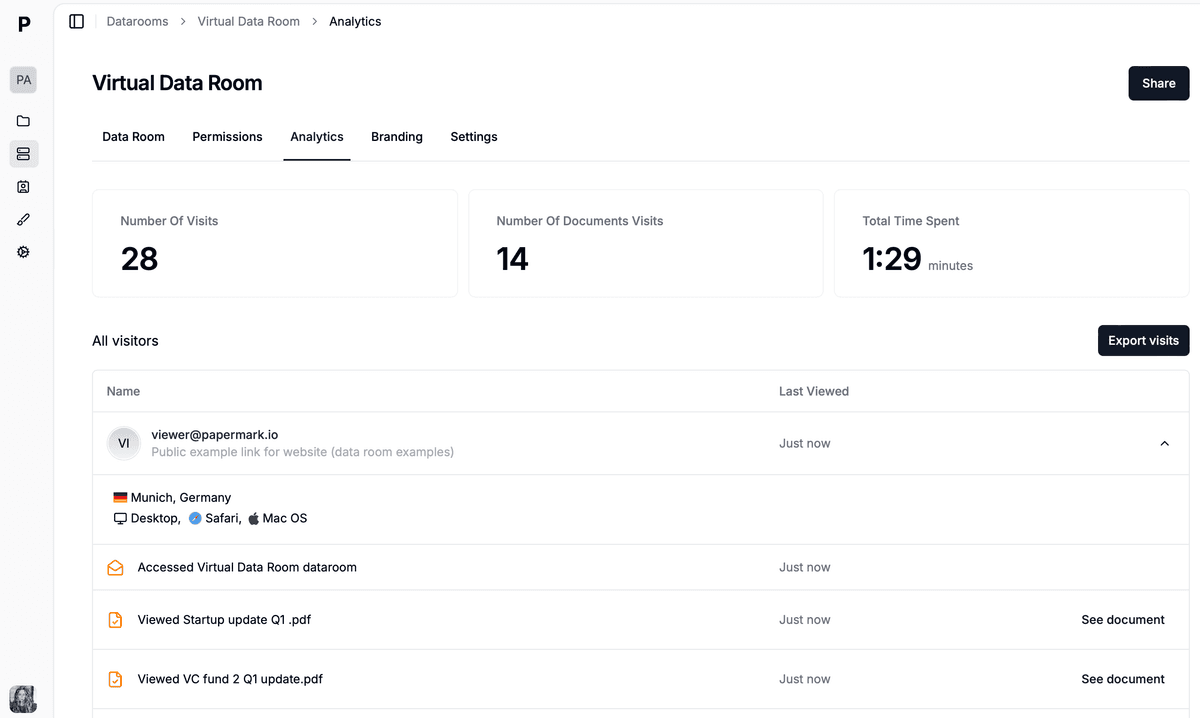
Per-buyer analytics across every document in the deal room.
A sale process runs on several documents, not one deck. A buyer that reads the CIM, then the financial summary, then the customer analysis is telling you a story that single-document trackers can't see. A data room shows the whole visitor journey, groups activity by buyer, and lets you compare buyers on the same documents.
It also combines tracking with control. The same groups that give you per-buyer analytics let you open round 2 folders only to hot buyers and revoke access for those who drop out.
Create a data room for the deal and add a group for each buyer, each with its own link and granular permissions. The buyer activity monitoring workflow shows the full setup.
Turn on email verification and attach your NDA agreement, so every viewer is a named, verified person who accepted your terms.
Open the Analytics tab to see visits, time per document, time per page, downloads and each visitor's journey. Detailed data room analytics are available on the Data Rooms plan and above.
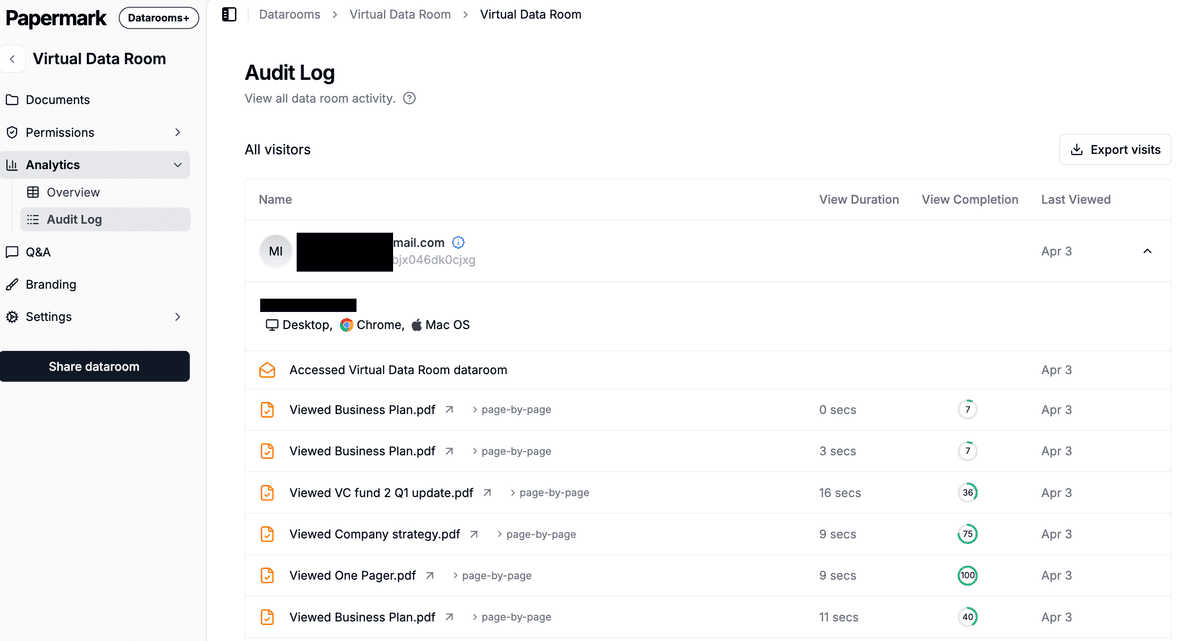
Click any buyer to see which documents they opened, in what order, and for how long.
Turn on view notifications per link, or connect Slack to post new viewers, time on document, download attempts and NDA acceptances to a deal channel.
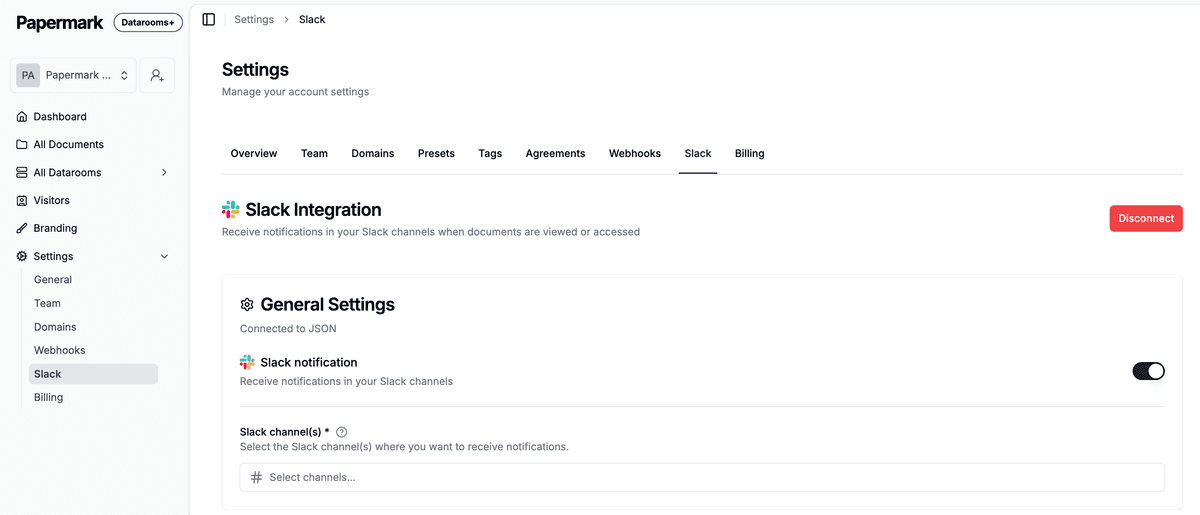
Buyer activity posted to Slack, so the deal team can follow up the same day.
Export visitor data to CSV for your weekly engagement score, with the option to exclude internal team visits. To keep your CRM current, send link.viewed webhooks through Zapier or Make, or use the public API, CLI and MCP server to pull analytics programmatically.

Papermark is our #1 VDR provider for M&A transactions right now. In two deals we used custom branding, dynamic watermarking, and granular permissions.
Tyler
The Data Rooms plan is $99/month with a 7-day free trial, and includes 3 team members, unlimited data room visitors, unlimited data rooms, detailed data room analytics, dynamic watermarking, NDA agreements and granular file-level permissions. The Q&A module is on Data Rooms Plus and above, and AI redaction on Premium and above. Papermark is also open source, with self-hosting available.
How to send confidential company documents to a buyer without losing control in 2026: a 6-step secure document sharing process and an 11-point checklist.
Due diligence request list for 2026: the 120 documents buyers ask for in M&A, by workstream, lookback and priority, plus a free CSV template you can import.
Investment banking software in 2026: the 8-layer M&A software stack by deal stage, from Excel and Capital IQ to DealCloud, the data room and DocuSign, with prices.