

datarooms
8 Best Data Rooms for Legal Teams in 2026
Compare the 8 best virtual data rooms for legal teams in 2026. Covers litigation, eDiscovery, M&A due diligence, privilege management, and pricing for law firms.
Law firms and corporate legal departments use virtual data rooms to manage sensitive documents during litigation, eDiscovery, and regulatory investigations. A litigation data room gives you forensic-grade audit trails, privilege management, and granular permissions that general-purpose file sharing can't provide. This guide covers why legal teams need VDRs, what to look for, and how to set one up.
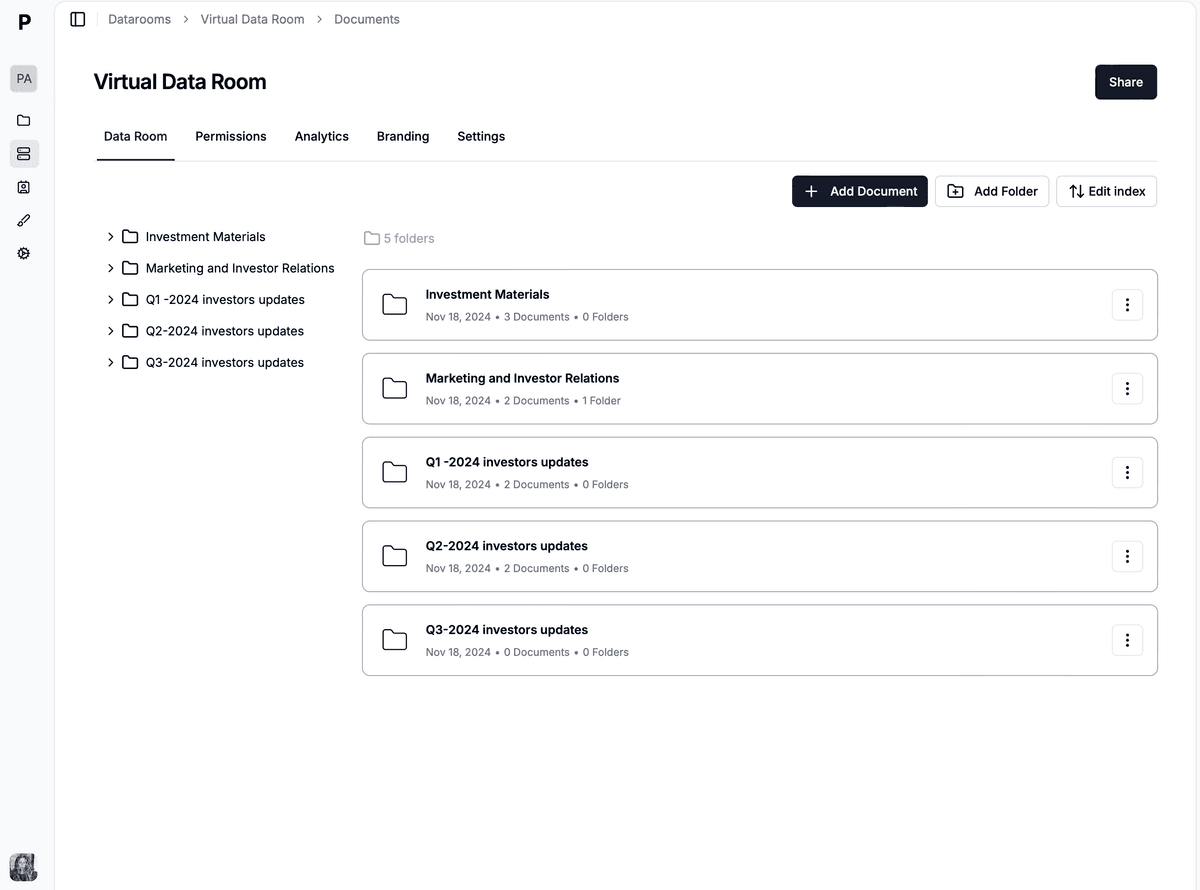
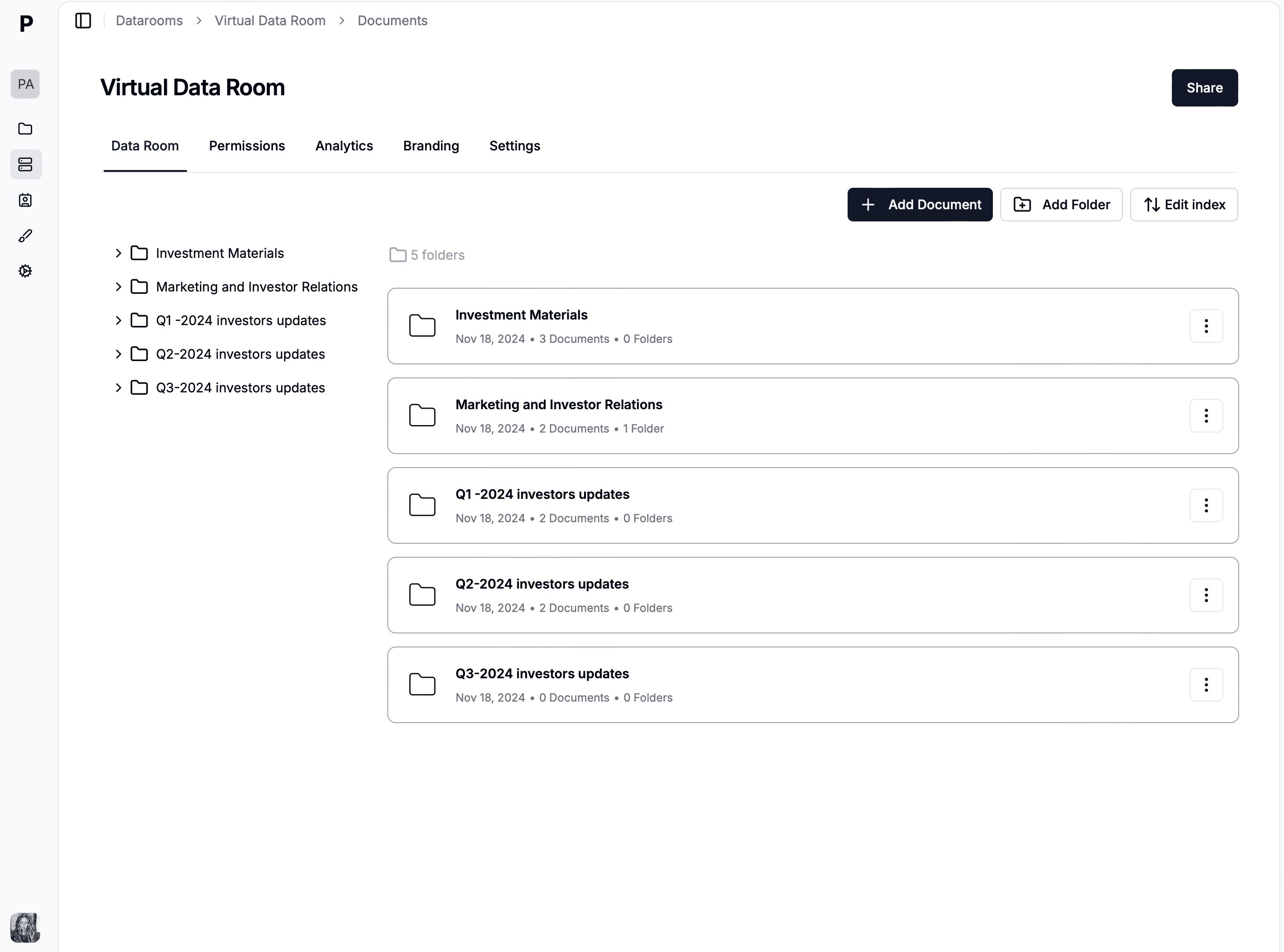
A litigation data room is a secure online repository where all case-related documents live. Contracts, correspondence, court filings, expert reports, and financial records are organized, indexed, and searchable in one place.
It replaces the physical document review rooms that law firms used for decades. Instead of sending associates to warehouses to review boxes of paper, teams review documents remotely across jurisdictions. This shift has reduced document review costs by 40-60% in many cases.
What makes litigation data rooms different from M&A or fundraising VDRs is privilege management. You need to tag documents as privileged or work product, generate privilege logs automatically, and prevent inadvertent disclosure that could waive attorney-client privilege permanently.
Electronic discovery (eDiscovery) is the process of identifying, collecting, and producing electronically stored information (ESI) in response to litigation or regulatory requests. Modern litigation generates massive volumes of ESI, making VDRs essential.
Law firms collect documents from multiple custodians, email systems, cloud storage, and messaging platforms into a single VDR. Documents are processed, de-duplicated, and indexed for review. OCR handles scanned documents. Metadata is preserved and searchable.
Document review is the most expensive phase of litigation, consuming 60-80% of total costs. VDRs support structured review workflows where teams tag documents for relevance, privilege, and confidentiality. Review progress is tracked in real time.
Advanced VDRs support technology-assisted review (TAR) and predictive coding, which can reduce the volume of documents requiring human review by 50-70%.
When documents must be produced to opposing counsel, the VDR handles batching, redaction, Bates stamping, and export in court-required formats (TIFF, PDF, native files). Production logs document exactly what was produced, when, and to whom.
For multi-party litigation, the data room manages separate production sets for each party.
Organizing a litigation data room requires a clear taxonomy. Here are the standard categories.
| Category | What to include | Priority |
|---|---|---|
| Contracts and agreements | All contracts relevant to the dispute, amendments, side letters, related correspondence | Critical |
| Correspondence | Email chains, letters, memoranda, instant messages, organized by custodian and date | Critical |
| Court filings and pleadings | Complaints, answers, motions, briefs, orders, judgments, organized chronologically | Critical |
| Exhibits and evidence | Documentary evidence, expert reports, deposition transcripts, demonstrative exhibits | High |
| Financial records | Bank statements, accounting records, tax returns, audit reports, damages calculations | High |
| Internal investigation materials | Interview memoranda, investigation reports, privileged correspondence (segregated) | High |
| Regulatory filings | Compliance records, regulatory correspondence, enforcement action documents | Medium |
Contracts are frequently central to litigation. Include all contracts relevant to the dispute, organized by counterparty, date, and type. Group amendment histories and side letters with their parent contracts. Version tracking ensures all parties review the same document versions.
Email chains, letters, and instant messages often contain critical evidence. Organize by custodian and date. Preserve metadata (dates, senders, recipients, subject lines) and make it searchable. Threading email chains together provides context that individual messages lack.
Maintain a complete set of all court filings with clear naming conventions including filing date and document type. Cross-reference exhibits to the pleadings or depositions where they appear for efficient retrieval during hearings and trial prep.
Security in a litigation data room goes beyond preventing unauthorized access. It covers privilege protection, court order compliance, and creating defensible records.
Attorney-client privilege and work product doctrine protect certain materials from disclosure. Your data room must support privilege designations at the document level. Reviewers flag privileged documents during review, and the platform generates privilege logs automatically.
Inadvertent production of privileged documents can result in waiver. Federal Rule of Evidence 502(b) provides some protection, but the producing party must show they took reasonable steps to prevent disclosure. A VDR with robust privilege management strengthens this defense.
Litigation often involves parties with conflicting interests, even within the same firm. Ethical walls prevent lawyers representing one client from accessing documents related to a conflicting client. Your data room must enforce these walls at the system level.
Court-ordered protective orders specify who may access certain document categories. Typical designations include "Confidential," "Attorneys' Eyes Only," and "Outside Counsel Only." The data room enforces these restrictions and provides audit evidence of compliance.
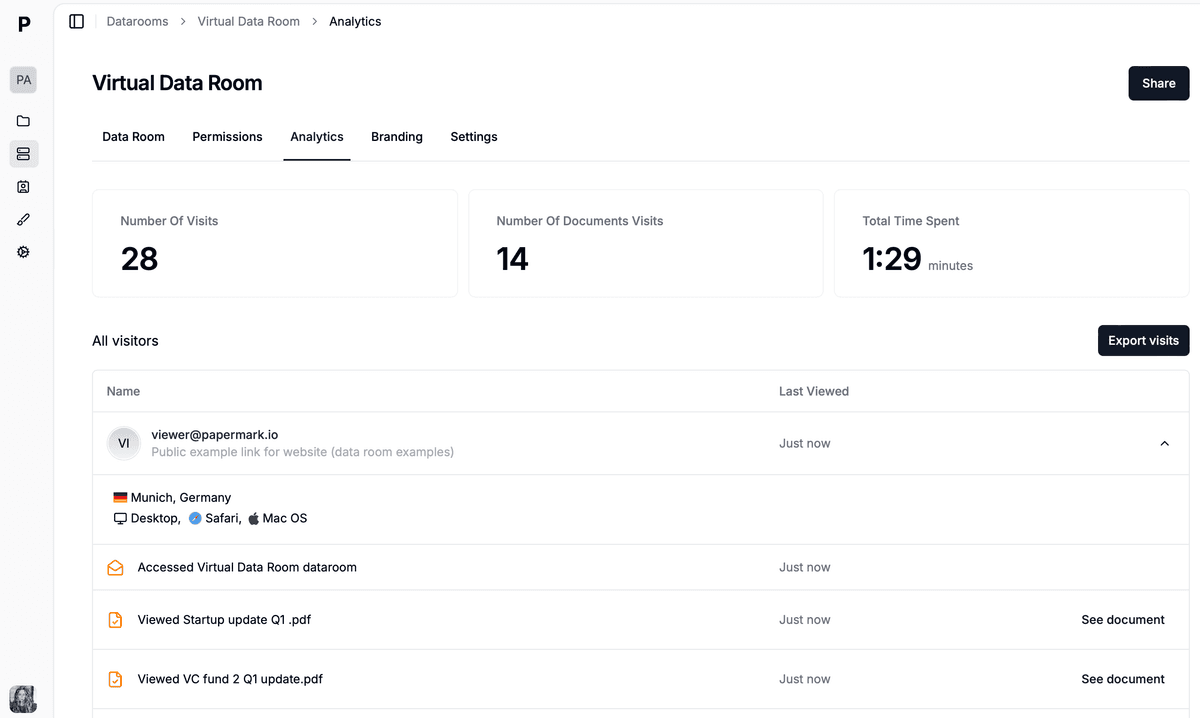
Every action in a litigation data room must be logged with forensic precision. Courts may need evidence of who accessed specific documents, when, and what they did. Audit logs capture logins, document views, downloads, prints, searches, and modifications. Logs must be tamper-proof and exportable for court submissions.
Legal data rooms operate within a complex regulatory framework that varies by jurisdiction and practice area.
Data protection. GDPR, CCPA, and other privacy laws apply to personal data in litigation documents. Your data room must support access controls, data minimization, and data subject rights. Cross-border transfers need standard contractual clauses or adequacy decisions under GDPR.
Industry-specific rules. Healthcare litigation triggers HIPAA. Financial services disputes involve FINRA and SEC regulations. Defense-related materials require ITAR controls. Your VDR must support the specific security controls each regulation demands.
Court rules. Federal and state courts have rules governing production formats (typically TIFF or PDF with load files), Bates numbering conventions, and data handling. Your data room should support production in these required formats.
Retention obligations. Litigation hold obligations require preserving relevant documents for the duration of the matter. Your data room should support litigation holds that prevent deletion. After the matter concludes, disposition policies govern retention periods and destruction procedures.
Papermark is an open-source virtual data room built for secure document sharing with transparent pricing. Here's what makes it work for legal teams.
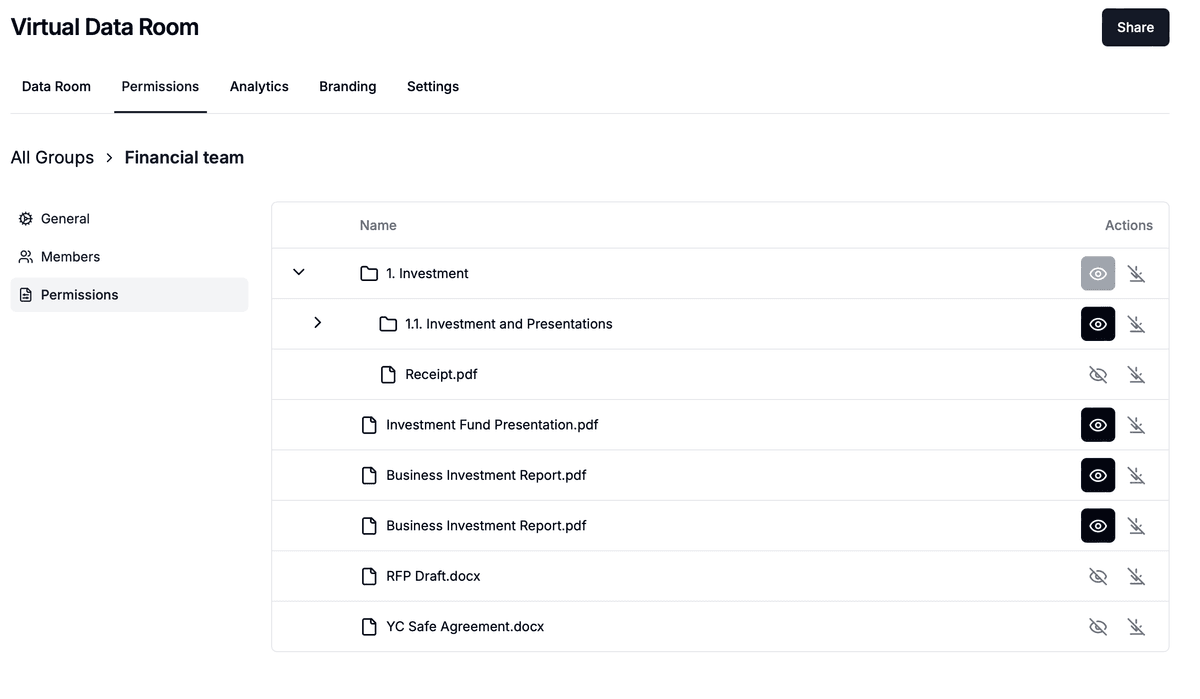
Granular permissions. Control access at the room, folder, and document level. Enforce "Attorneys' Eyes Only" designations and time-limited access for outside counsel and expert witnesses. Papermark's granular permissions support the complex permission hierarchies that litigation demands.
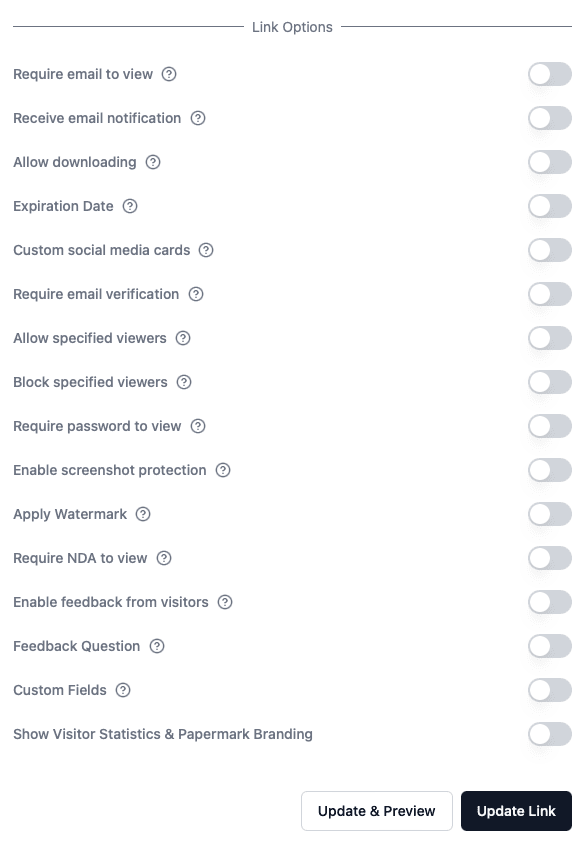
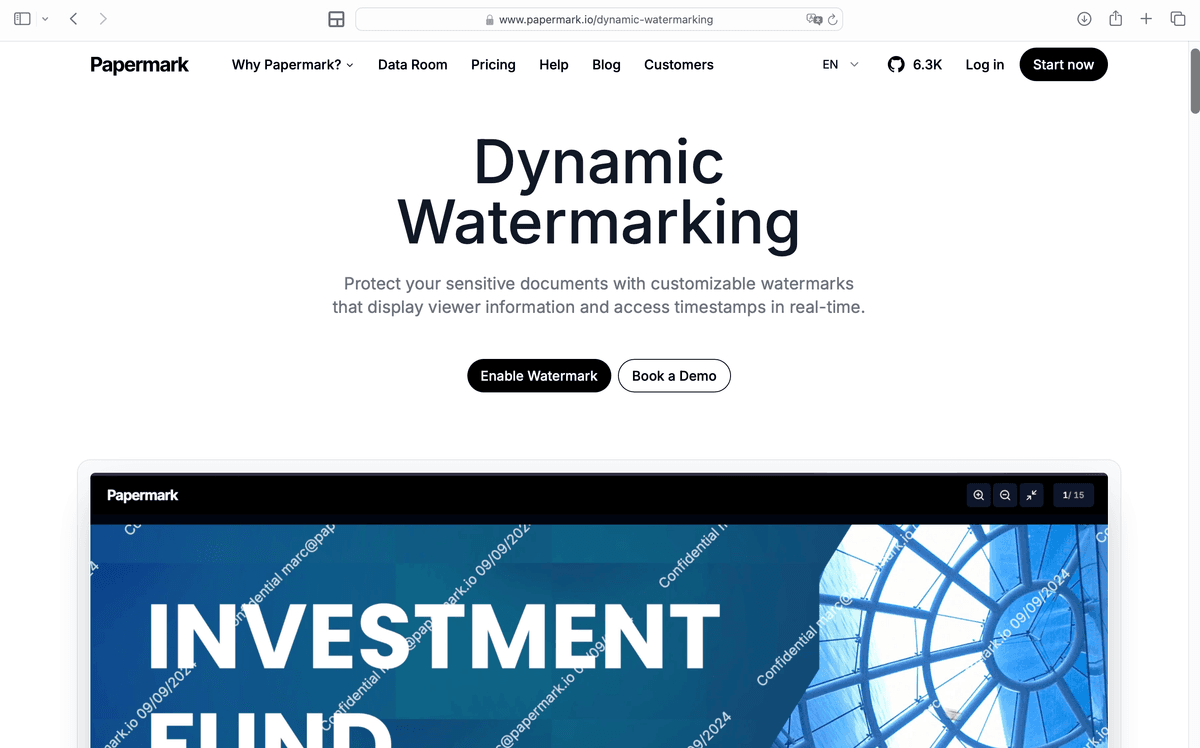
Dynamic watermarking. Dynamic watermarks embed the viewer's email, IP address, and timestamp on every page. If a document leaks, you know exactly who had access.
Audit trails. Every login, view, download, and print is logged with timestamps and user details. Export complete audit records for court submissions or regulatory examinations.
NDA gating. Require viewers to accept NDAs or confidentiality agreements before accessing any documents. The acceptance is logged and timestamped.
Q&A module. Manage structured communication between parties with the Q&A module. Route questions to the right team members and control which answers are shared with which parties.
Self-hosting option. For firms with strict data sovereignty requirements, deploy Papermark on your own infrastructure. Keep full control over encryption keys, servers, and access logs.
Pricing: Free plan available. Data Rooms plan at €99/month with 7-day free trial. Includes 5 team members, unlimited documents, unlimited custom domains, and a dedicated account manager.
Establish naming conventions early. Include dates, document types, and custodian identifiers in file names. Distribute conventions to all parties who upload materials.
Assign a data room administrator. Designate a paralegal or project manager as the admin responsible for user management, access control updates, and quality assurance. This prevents permission drift.
Review access monthly. Check user access regularly and whenever team members join or leave. Remove access promptly for departing personnel. Document these reviews for your compliance record.
Test before production. Before producing documents to opposing counsel, verify that privileged documents are excluded, redactions are applied, and production sets are complete. A production error can have serious legal consequences.
Train all users. Everyone who accesses the data room (attorneys, paralegals, experts, client reps) needs training on security protocols and document handling procedures.
Litigation data rooms are essential infrastructure for law firms managing complex proceedings. General-purpose file sharing tools can't provide the audit trails, privilege management, and granular permissions that courts and regulators require.
Papermark offers legal teams a modern, open-source VDR with transparent pricing at €99/month. You get forensic-grade audit trails, dynamic watermarking, granular permissions, NDA gating, and the option to self-host for full data sovereignty.
Compare the 8 best virtual data rooms for legal teams in 2026. Covers litigation, eDiscovery, M&A due diligence, privilege management, and pricing for law firms.
Compare the best virtual data rooms for investment banking and banking transactions. Covers regulatory compliance, deal management, audit trails, granular permissions, and pricing for 2026.
The 10 best data rooms for private equity in 2026 compared on pricing, security, AI features, and fit for fund administration, LP reporting, portfolio company diligence, and exit prep.