BlogData RoomsVirtual Data Room for M&A in 2026: 15-Document Checklist, Setup, and Pricing
Virtual Data Room for M&A in 2026: 15-Document Checklist, Setup, and Pricing
·14 min read
Marc Seitz
A virtual data room for M&A is a secure online workspace where sellers, buyers, bankers, and legal counsel share confidential documents during a merger or acquisition. A well-prepared M&A data room accelerates due diligence, protects sensitive information with granular permissions and dynamic watermarking, and produces the audit trail that matters in post-close disputes. Papermark offers an M&A-ready virtual data room at €99/month flat with all security features bundled.
Quick recap
A virtual data room for M&A is a secure, permissioned cloud workspace used to share confidential documents with potential buyers during a merger or acquisition.
Sell-side data rooms are built by the seller or banker before the deal launches; buy-side data rooms are populated iteratively during buyer review. Most modern M&A runs sell-side.
The 15 essential M&A documents cover six categories: company overview, financial, legal, operational, market/competitive, and additional (risks, use of funds).
Standard M&A folder structure uses numbered top-level folders (1.0 Corporate, 2.0 Financial, 3.0 Legal, etc.) matching the banker's index convention.
A virtual data room for mergers and acquisitions is a secure online platform where sellers store, organize, and share confidential documents with potential buyers during the M&A due diligence process. It provides granular permissions, dynamic watermarking, NDA enforcement, and a tamper-proof audit log so sensitive materials move between parties without leaking into forwarded emails or shared drives.
The core job of an M&A VDR is to move sensitive documents (CIM, audited financials, customer contracts, IP portfolio) between the seller and multiple prospective buyers while maintaining separate disclosure levels per bidder. Unlike generic cloud storage, an M&A VDR is designed around the reality that different buyers see different documents at different stages of the process.
Why M&A deals need a virtual data room
Sharing M&A materials via email or shared drive creates six problems that a dedicated VDR solves:
Confidentiality at scale. A typical M&A process involves 5-15 prospective buyers, each with 3-5 advisors (legal, financial, industry). That's 25-75 external reviewers touching the same material simultaneously. Only a VDR can apply per-bidder permissions and dynamic watermarking across that matrix.
Efficient due diligence. A well-structured room with the standard numbered index (1.0 Corporate, 2.0 Financial, 3.0 Legal) lets buyers self-serve on 80% of the document list. Less back-and-forth, faster close.
Credibility. A well-prepared data room signals that the seller is serious, organized, and ready to transact. A disorganized room tells buyers the diligence answers will also be disorganized.
Trust and transparency. Buyers who can verify documents themselves and track their own progress through the index build confidence faster than buyers dependent on seller-delivered excerpts.
Deal velocity. Faster information exchange compresses deal timelines. In competitive auctions, the seller who runs the cleanest room often closes first.
Audit trail for post-close disputes. Every view, download, and interaction is logged immutably. If a buyer claims they never received a document, the audit trail shows what was published, when, and who had access.
Sell-side vs buy-side M&A data room
An M&A data room is built and operated differently depending on which side of the table is running the process. The distinction matters for document strategy, timeline, and permissioning.
A sell-side data room is built by the seller or their banker before the deal launches. The seller curates the document set, applies the standard M&A index, enforces NDAs before any viewer sees a file, and scopes separate access links per bidder. This is the dominant model in modern M&A because it gives the seller control over disclosure timing, staged access (Stage 1 overview, Stage 2 detailed diligence), and reads bidder engagement via page-by-page analytics to prioritize follow-up.
A buy-side data room is maintained by the buyer and populated iteratively as buyers request materials. This model is common in strategic acquisitions of small companies, in vendor or partner diligence, and in corporate development teams running many parallel evaluations. Buy-side rooms are usually smaller and more request-driven than sell-side auctions.
Dimension
Sell-side data room
Buy-side data room
Who builds it
Seller or banker
Buyer or corp dev team
When
Before deal launch
During buyer review
Document volume
High (500-5,000+)
Moderate (100-500)
Viewer groups
Multiple bidders, each scoped
Usually single buyer team
Timing model
Structured, multi-stage release
Iterative, request-driven
Typical use
M&A auction, PE exits, IPO prep
Strategic acquisitions, vendor DD
A sell-side M&A advisor running a typical 500-document, 4-6 month transaction commonly uses one data room with separate scoped links per DD team (legal, tax, business), so each team sees only its own documents and activity. That setup is impossible on email or consumer cloud storage and is the exact workflow a purpose-built VDR exists to solve.
Every M&A data room covers six document categories with at least 15 essential documents. The list below is the sell-side minimum for a typical mid-market transaction; larger deals add regulated-industry categories (healthcare, biotech, financial services) and cross-border diligence appendices.
1. Company overview
Confidential Information Memorandum (CIM): a detailed document outlining the business, market position, financials, and growth potential.
Executive summary: a concise written summary of the key investment thesis and business highlights.
2. Financial information
Financial statements: audited income statements, balance sheets, and cash flow statements for 3-5 years.
Tax records: complete records of tax filings and correspondence with tax authorities across all relevant jurisdictions.
3. Legal documents
Incorporation documents: articles of incorporation, bylaws, and amendments.
Shareholder agreements: agreements among shareholders, cap table, vesting provisions.
Intellectual property documentation: patents, trademarks, copyrights, and IP licensing agreements.
Contracts and agreements: key contracts with customers, suppliers, partners, and employees, plus NDAs.
4. Operational information
Customer contracts: copies of significant customer contracts, organized by revenue concentration.
Litigation records: ongoing and past litigation including settlement terms.
5. Market and competitive information
Market analysis: comprehensive market research supporting the business strategy.
Competitive analysis: competitor landscape and differentiation.
6. Additional documents
Risk factors: potential risks and mitigation plans.
Use of funds: detailed plan for deployment of transaction proceeds (for continuing-operations scenarios).
The full category-by-category table below lists each essential document for a standard M&A data room.
Document
Category
Essential
Confidential Information Memorandum (CIM)
Company Overview
Executive Summary
Company Overview
Financial Statements
Financial Information
Tax Records
Financial Information
Incorporation Documents
Legal Documents
Shareholder Agreements
Legal Documents
Intellectual Property Documentation
Legal Documents
Contracts and Agreements
Legal Documents
Customer Contracts
Operational Information
Employee Agreements
Operational Information
Litigation Records
Operational Information
Market Analysis
Market and Competitive Information
Competitive Analysis
Market and Competitive Information
Risk Factors
Additional Documents
Use of Funds
Additional Documents
M&A data room folder structure
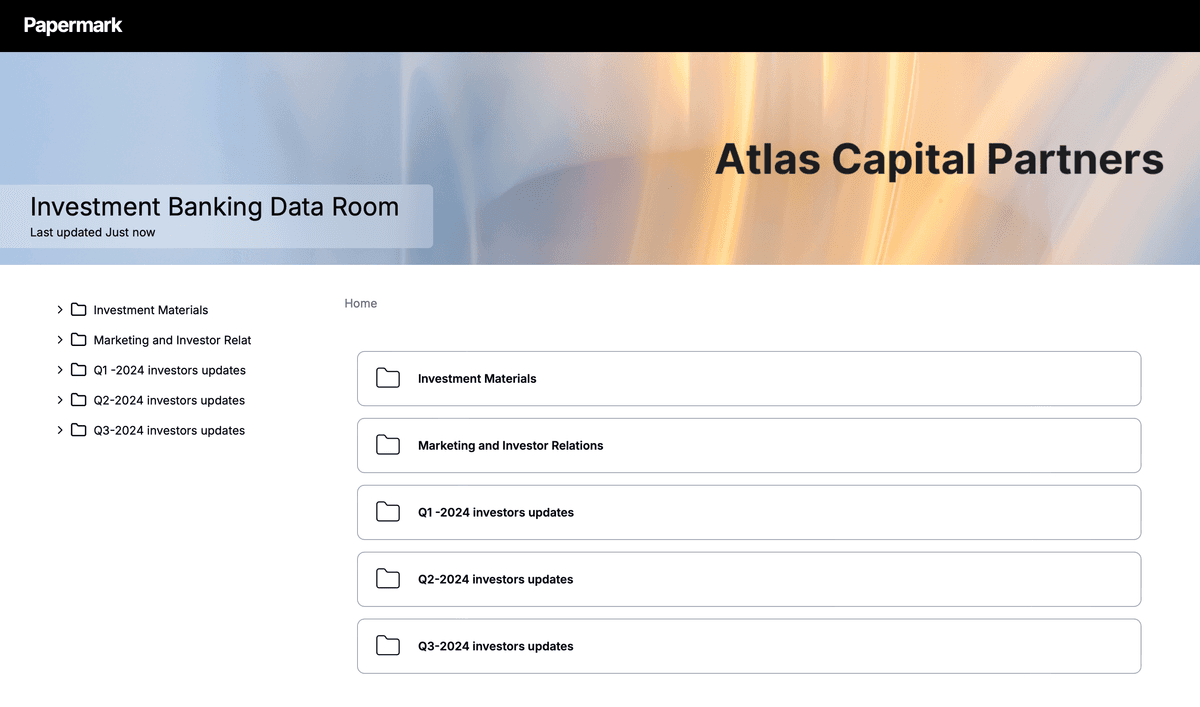
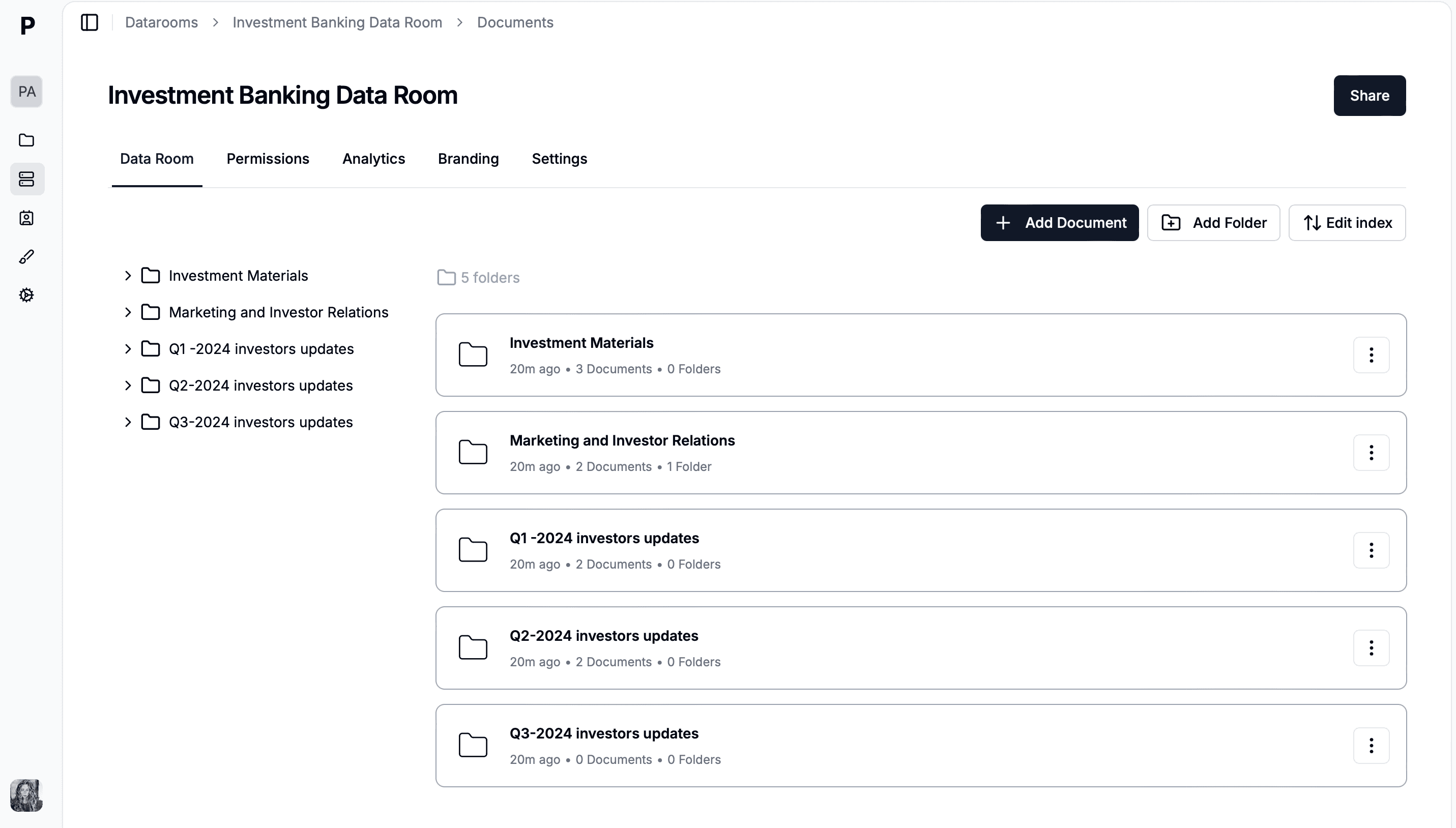
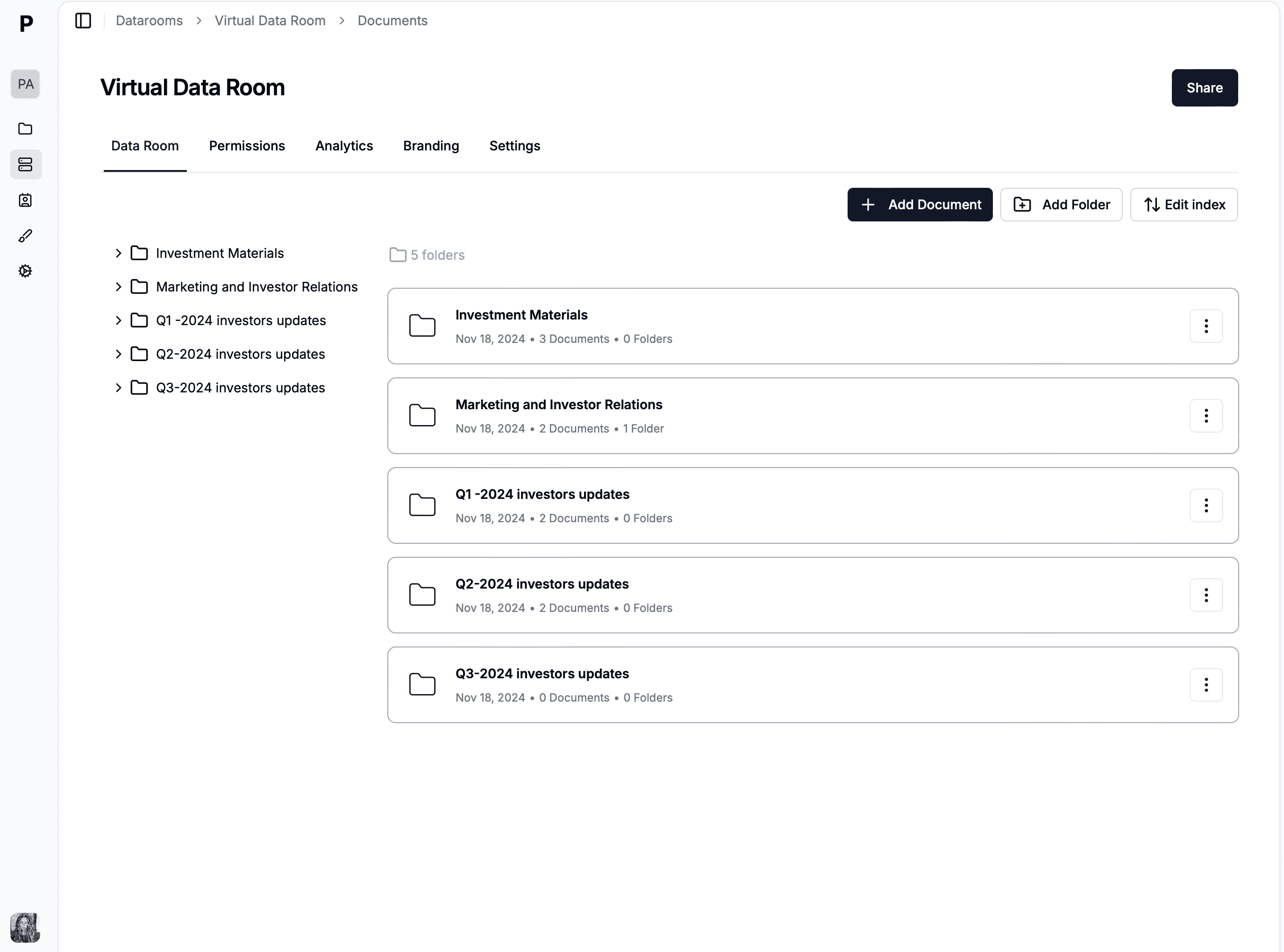
M&A data rooms use a standard numbered index: 1.0 Corporate, 2.0 Financial, 3.0 Legal, 4.0 HR, 5.0 IP, 6.0 Operations, 7.0 Tax, 8.0 Regulatory, 9.0 Real Estate, 10.0 Strategic. The numbered format fixes sort order across every platform and matches how bankers reference documents during Q&A. For the full folder-tree template, see the data room folder structure guide.
How to create a virtual data room for M&A in 6 steps
Creating an M&A virtual data room involves six key steps. Start early: most sell-side advisors begin preparation 4-6 weeks before deal launch, and the data room itself is often the longest-lead item in the prep checklist.
1. Choose a virtual data room provider
Select a VDR with M&A-specific features: granular folder and file permissions, dynamic watermarking, NDA enforcement, page-by-page analytics, Q&A module, and a tamper-proof audit log. Avoid per-page pricing for document-heavy deals. Compare providers with the VDR cost calculator.
2. Organize your documents
Build the numbered folder structure (1.0 Corporate, 2.0 Financial, 3.0 Legal, etc.) locally before uploading. Use the YYYY-MM-DD_DocumentType naming convention for files to keep sort order consistent.
3. Prepare and upload documents
Bulk-upload the document set and preserve the folder hierarchy from your local file system. Papermark supports PDF, DOCX, XLSX, PPTX, Keynote, and images. Check for sensitive information that needs redaction before upload, especially in customer contracts and HR files.
4. Set permissions and access controls
Scope access per bidder group. Stage-1 bidders typically see the CIM, financial highlights, and top-level corporate documents. Stage-2 short-listed bidders get full access to detailed financials, IP, and customer contracts. Stage-3 confirmatory-diligence bidders see everything except anything the seller's counsel still wants redacted.
5. Enable security features
Turn on dynamic watermarking (per-session viewer email, IP, timestamp), NDA gating (mandatory acceptance before documents load), email verification, and download restrictions per bidder group. For highly sensitive deals, add IP-based access restrictions and two-factor authentication for viewers.
6. Track activity and engagement
Use page-by-page analytics to read bidder intent. Bidders who open the financial model three times in week 2 and re-open customer contracts in week 3 are actively working the data; bidders who stop engaging by week 3 rarely re-enter. The audit log surfaces this signal in real time.
Slow data room setup during live deals: the faster option
Slow setup during a live deal has three usual causes, and none of them is the size of the document set. The first is starting from a blank folder tree on every deal, so the index is rebuilt by hand each time. The second is permission mapping done person by person rather than by group, which is slow to build and slower to change when a bidder is added or dropped. The third is the platform itself: a sales cycle before the account exists, an onboarding project before the first upload, and a vendor project manager in the loop for every change.
The fix is structural rather than heroic. Keep a master room with your standard eight-folder structure and duplicate it for each new deal, so the index exists before the first document arrives. Define permission groups by stage (round one, round two, confirmatory) rather than by name, and add or remove a bidder by moving them between groups. Bulk-upload folders and let the room number the index automatically. And choose a platform where the room exists the moment you sign up, so none of the above waits on a vendor.
In Papermark that workflow is standard: duplicating a room copies its folders and structure, groups carry document-level permissions and their own links, bulk upload indexes automatically, and email verification, dynamic watermarking and the audit trail are on from the first upload. A hypothetical corporate development team at Vestra Group, running four add-on acquisitions a year, keeps one template room and has each new deal live within the hour the request list lands. Enterprise VDRs such as Datasite, Intralinks and Ansarada offer deal templates and cloning as well, inside a per-project engagement; mid-market tools such as Ideals and Firmex sit in between. If your bottleneck is the days before the first upload rather than the upload itself, the self-serve route is the faster option.
M&A due diligence timeline in a data room
M&A due diligence typically runs 4-8 weeks from data room launch to signed SPA, with document-request activity peaking in weeks 2-3. The table below maps the four phases to what each phase requires.
The table below compares five common M&A VDR providers on the features that matter most in a real transaction. For a deeper provider-by-provider breakdown with pricing and feature lists, see best virtual data rooms in 2026 and the dedicated virtual data room cost guide.
Papermark - best for modern M&A at flat-rate pricing
Papermark is a secure, modern M&A virtual data room priced at €99/month flat, with every M&A diligence feature bundled at the paid tiers and no per-page, per-GB, or activation fees. It is the data room mid-market sell-side advisors, family offices, and corporate development teams switch to when legacy per-page VDRs become too expensive or too slow to spin up.
Papermark ships the full sell-side M&A toolkit: granular folder and file permissions, bidder groups with bulk permission updates at each stage transition, dynamic watermarking with per-session viewer email, IP, and timestamp on every page, mandatory NDA gating before any document loads, email verification, download restrictions per bidder group, link expiration, and IP allow-listing. The Q&A module is threaded and scoped per bidder so legal, tax, and business diligence teams never see each other's questions, with document-linked answers and Excel export for the close binder. Every view and download writes to an append-only audit log, and at signing you can freeze the room into an immutable, exportable archive that becomes part of the SPA disclosure schedule and satisfies M&A insurance and 7-year retention requirements.
For advisors running several deals at once, Papermark adds template data rooms, file and folder indexing for agreement appendices, unlimited data rooms and documents, scoped links per DD team, and page-by-page analytics that show exactly which bidder opened the financial model three times in week 2 and which stopped engaging by week 3. Papermark is also the only secure M&A data room with a fully transparent, public API and MCP server, so deal teams and AI agents can create rooms, set permissions, and pull engagement data programmatically. It is SOC 2 Type II certified and GDPR compliant with EU data hosting, and it is the only platform on this list that is open-source and self-hostable for full data sovereignty. See data room security for the full compliance posture.
One sell-side M&A advisor running a 500-document deal across separate legal, tax, and business diligence teams highlighted the feature that legacy tools miss: a page-by-page audit log per visitor per session, which becomes the key legal record after a downloaded file is treated as fully read with no remote revocation possible.
AI features in an M&A data room: what actually helps
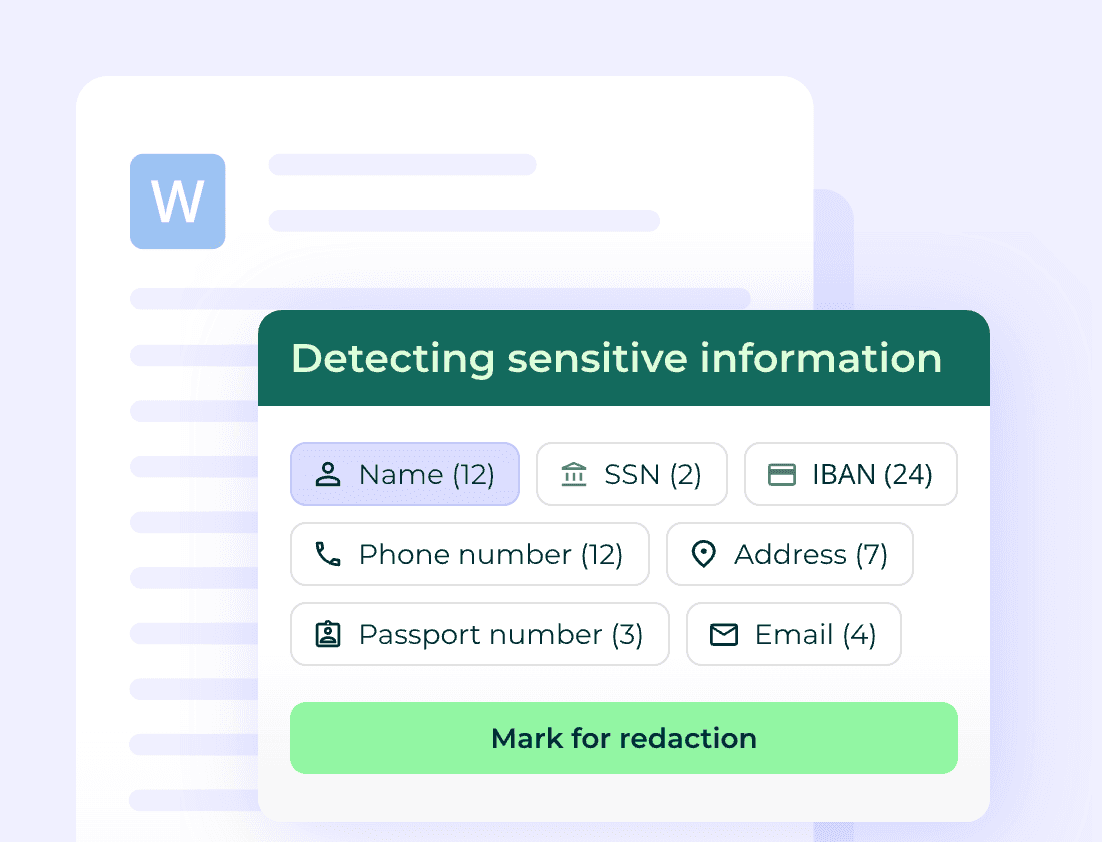
Two AI features change the work on a live deal. Redaction: names, emails, identifiers and pricing terms have to be hidden from bidders in early rounds and revealed later, and doing that by hand across hundreds of contracts is where deals slip. Document Q&A and summaries: a buyer's team can ask questions across every uploaded contract instead of reading each one, which shortens confirmatory diligence.
Papermark includes AI redaction and AI document Q&A, and exposes the room to Claude, Cursor and other agents through an MCP server, on published plans. Datasite, Intralinks and Ansarada bundle comparable AI into enterprise quotes.
Certifications an M&A data room should hold
Buyers' counsel and regulators will ask, so check before the process starts: a SOC 2 Type II report, an ISO 27001 certificate, and a stated GDPR position with EU hosting or a transfer mechanism for European counterparties. Papermark is SOC 2 Type II and ISO 27001 certified and hosts data in Frankfurt. Datasite, Intralinks and Ideals publish SOC 2 and ISO 27001 posture as part of their enterprise documentation.
Intralinks
Intralinks is an enterprise M&A and capital-markets VDR built for complex, multi-party transactions, common in investment banking and large cross-border deals. It offers deep workflow coverage across prep, marketing, and diligence, strong security, and global support. The trade-offs are enterprise-oriented onboarding, per-page or custom quote pricing that commonly starts around $7,500 per 10,000 pages, no free trial, and complexity that is heavy for small teams. See Papermark vs Intralinks.
Datasite
Datasite (formerly Merrill) is the enterprise standard for large-cap sell-side M&A and IPO processes, with comprehensive permissions, detailed audit trails, AI redaction, and 17-language in-room translation. Pricing is custom and typically starts at $25,000+/year, scaling with deal size. It is the default for bulge-bracket transactions, but its cost and learning curve are overkill for mid-market deals. See Papermark vs Datasite.
Firmex (owned by Datasite)
Firmex is a mid-market VDR now owned by Datasite, used widely in M&A, diligence, and corporate finance. It offers flat-rate plans starting around $625/month with unlimited users, which makes it more predictable than per-page enterprise tools. It does not offer a free trial, a self-hosted option, or custom domains on standard plans, and as part of Datasite its roadmap and pricing increasingly align with the parent platform.
iDeals
iDeals is an established VDR used across regulated industries and cross-border deals, with bank-grade security, simple admin for large teams, AI redaction, and in-room translation. Unlike most enterprise VDRs, iDeals does offer a free trial, which makes it easier to evaluate before committing. Pricing starts around $500/month and moves to custom quotes (commonly $5,000+/month on larger deals). See Papermark vs iDeals.
Multi-stage bidder process: how scoped access actually works
Sell-side M&A typically runs as a staged auction with three or four bidder rounds. Each stage opens up a different layer of the data room. Getting the permissioning right is what makes a competitive process competitive.
Stage
Number of bidders
Documents visible
Dynamic watermark
NDA required
IOI / Stage 1
10-30
Teaser, CIM, basic financials
Yes
Yes
LOI / Stage 2
5-10
Financial, legal, operational
Yes (with viewer email)
Yes (full NDA)
Confirmatory / Stage 3
1-3
Full data room minus highly sensitive items
Yes (with viewer email + IP)
Yes (executed NDA)
Final / Stage 4
1 (preferred bidder)
Everything including counsel-flagged items
Yes (forensic-grade)
Yes (executed NDA + non-solicit)
Permission management at each stage transition is where most amateur sellers lose deal velocity. A modern VDR with bidder groups and bulk permission updates handles this in 5-10 minutes; an unprepared platform makes it a half-day project per stage.
Common M&A data room mistakes (and how to avoid them)
Six mistakes show up repeatedly in customer interviews about M&A diligence post-mortems.
1. Launching with an incomplete data room. Buyers immediately notice gaps. A half-populated room signals seller readiness problems, prompting buyers to discount valuation or push for extended diligence. Solution: complete the corporate, financial, and legal categories before opening to bidders, even if you backfill operational and commercial later.
2. Using folder names that don't match the banker's index. Counsel and financial advisors expect numbered folders (1.0 Corporate, 2.0 Financial). Custom naming creates friction. Solution: use the standard numbered M&A index from the start.
3. Skipping the Q&A module. Email-based Q&A creates parallel threads, lost answers, and post-close disputes. Solution: enforce Q&A through the data room's structured module from week one.
4. Granting too-broad permissions to early-stage bidders. Stage-1 bidders should see the teaser and CIM, not the customer concentration analysis or IP filings. Loose permissions reduce competitive pressure and expose strategic data unnecessarily.
5. Forgetting to revoke access at stage transitions. When bidders drop out, their access must be revoked. A modern VDR with bidder groups handles this in seconds; manual revocation creates lingering exposure.
6. No post-close audit log preservation. When the deal closes, the audit log of who viewed what becomes part of the disclosure schedule. Solution: export and archive the audit log immediately at signing, not weeks later.
Q&A workflow: how to handle bidder questions efficiently
Q&A volume typically peaks in weeks 2-3 of diligence. A well-run Q&A workflow has six characteristics:
1. Per-bidder scoping. Each bidder's questions are isolated from competitors. No cross-bidder visibility on questions or answers.
2. Categorized topics. Questions sorted into Financial, Legal, Operational, Tax, IP, etc. Lets the seller's deal team route questions to the right responder.
3. Threaded answers. Each Q&A item is a thread with the original question, the answer, and any follow-ups, all preserved in chronological order.
4. Document linking. Answers cite specific data room documents by ID. Buyers click directly to the supporting document, not back-and-forth email.
5. SLA tracking. Targeted response times (typically 24-48 hours for non-substantive, 72 hours for complex). Internal accountability via the data room's reporting dashboard.
6. Audit-grade preservation. Every question, answer, and edit is logged immutably for post-close disputes.
Papermark's Plus tier (€249/month) includes the Q&A module with all six characteristics. See Papermark Data Rooms pricing.
Real M&A data room customer examples
Backtrace Capital - Fund I LP fundraise. Backtrace Capital raised €50M+ Fund I using Papermark for LP diligence. Per-LP scoped folders with engagement analytics let the GP team see which LPs were progressing toward commitment versus which had stalled. See Backtrace customer story and data room for raising Fund I.
GP Loree - Family office direct M&A. New York family office runs Papermark for direct portfolio acquisitions and special-situations diligence. Multi-bidder isolation, dynamic watermarking, structured Q&A across legal, financial, tax workstreams. See GP Loree customer story.
HUO Family Office - Direct co-investment diligence. HUO uses Papermark to manage co-investment diligence alongside the family's broader investment committee workflow. Custom domain hosting on the family office's brand..
Post-close M&A data room handover
The data room doesn't disappear at signing. Five workflows kick in:
1. Disclosure schedule preservation. The version of the data room at signing becomes part of the SPA disclosure schedule. Snapshot the contents and the audit log immutably.
2. Earn-out monitoring. If the deal includes earn-out provisions, the data room often becomes the ongoing reporting workspace where seller management reports KPIs to buyer.
3. Indemnity claim defense. If the buyer alleges a representation was false, the disclosure-schedule data room shows what was disclosed when. The audit log shows who viewed it.
4. Integration kickoff. Many sellers re-purpose the data room as the integration kickoff workspace, sharing onboarding materials with new corporate parents.
5. Compliance retention. SOC 2 Type II and audit firms typically require 7-year retention of M&A disclosure schedules. Modern VDRs (Papermark, Datasite) support long-term archival via export or in-platform read-only mode.