



datarooms
Data Room Folder Structure 2026 (With M&A, Fundraising, and Real Estate Templates)
Proven data room folder structures for M&A, fundraising, and real estate, with the numbered index convention, naming rules, and a Papermark template.
A data room index is the numbered table of contents for a virtual data room: every folder, sub-folder and document, with a fixed reference number like 3.2.1. This free template gives you a 13-folder M&A index with 97 document lines. It works in any tool and maps directly onto Papermark, a secure, modern data room.
The index is the first document a buyer opens and the one they come back to most. A clear index tells a buyer the seller is organized before they read a single financial statement, and a messy one tells them the opposite.
A data room index is the numbered list of every folder, sub-folder and document in a virtual data room. It acts as the table of contents for due diligence, gives each file a fixed reference number, and is often shared with bidders before full access so they know what the room contains.
The numbering convention comes from physical data rooms, where binders were numbered so lawyers could cite them. It survived the move to virtual data rooms because it still solves the same problem. In a room with 400 to 500 documents, which is a common size for a mid-market sale, "the customer contract" is ambiguous. "Document 5.1.1" is not.
A good data room index does three jobs. It fixes the sort order, so the room looks the same in every browser and in a downloaded ZIP. It gives every question and request a stable reference. And it becomes part of the legal record, because the disclosure schedules in the purchase agreement often cite documents by index number.
The index is not the same as the folder structure, though the two are closely linked. The folder structure is how the room is organized. The index is the list that describes it, usually exported as a spreadsheet or PDF. Our guide to data room folder structure covers the organizing principles; this article gives you the ready-made index.
The template below covers a typical private company sale, structured by due diligence workstream rather than by department. Each top-level folder has 2 to 5 sub-folders and a staged release rule: what an early bidder sees before the letter of intent (LOI), and what opens only after it.
| # | Folder | Sub-folders | Staged release |
|---|---|---|---|
| 1 | Deal administration | 1.1 Index, 1.2 Request list and Q&A log, 1.3 Process documents | All parties (index only early) |
| 2 | Corporate and governance | 2.1 Formation, 2.2 Minutes, 2.3 Capitalization, 2.4 Structure | Post-LOI |
| 3 | Financial | 3.1 Annual, 3.2 Monthly, 3.3 Ledgers, 3.4 QoE, 3.5 Budgets | Summary pre-LOI, detail post-LOI |
| 4 | Tax | 4.1 Income tax, 4.2 Indirect and payroll, 4.3 Audits and structure | Post-LOI |
| 5 | Contracts | 5.1 Customer, 5.2 Supplier, 5.3 Change of control, 5.4 Other | Redacted pre-LOI, full post-LOI |
| 6 | Commercial and customers | 6.1 Customer data, 6.2 Sales and market | Summary pre-LOI, detail to clean team |
| 7 | HR and employment | 7.1 People, 7.2 Contractors, 7.3 Plans, 7.4 Claims | Post-LOI, pay data to clean team |
| 8 | Operations and IT | 8.1 Operations, 8.2 IT and security | Post-LOI |
| 9 | Intellectual property | 9.1 Registrations, 9.2 Ownership | Post-LOI |
| 10 | Real estate and assets | 10.1 Real estate, 10.2 Assets | Post-LOI |
| 11 | Insurance, litigation and compliance | 11.1 Insurance, 11.2 Litigation, 11.3 Regulatory | Post-LOI |
| 12 | Debt and working capital | 12.1 Debt, 12.2 Working capital | Post-LOI |
| 13 | Transaction documents | 13.1 Deal documents, 13.2 Closing | Counsel only |
Download the data room index template as a CSV. Each of the 97 lines has an index number, folder, sub-folder, document, date, version, status, access group and notes column. Status starts as "Pending" for every row, and you change it to "Uploaded" or "N/A" as you go. To print it, open the CSV in Excel or Google Sheets and print to PDF; the columns fit a landscape page.
The 13 folders match the workstreams in our due diligence request list, and that list's CSV has a folder column pointing at this index. Load both and every buyer request already has a home.
The folder names tell a reviewer where to look, but the line items decide whether they find what they need. Below is a short guide to the less obvious choices in the template.
Folder 1, deal administration, is the one most seller-built rooms forget. It holds the index, the read-me, the request list, the Q&A log export, the NDA template, the process letter and a contact sheet. Every buyer opens it first. If it is empty, the first five questions are about where things are.
Folders 2 to 4 (corporate, financial, tax) carry the documents counsel and the accountants need in week one. Put the fully diluted cap table and the equity ledgers in 2.3 together, so counsel can reconcile them without searching. Put the adjusted EBITDA bridge and the add-back support in 3.4, next to any sell-side quality of earnings report.
Folders 5 and 6 (contracts, commercial) are where staged release matters most. Early bidders see redacted contracts and anonymized customer summaries. The final bidder, or its clean team, sees names and pricing. Sub-folder 5.3 holds the schedule of contracts with change-of-control or assignment clauses, which is the document that decides how long closing takes.
Folders 7 to 12 cover HR, operations, IP, property, insurance and debt. They are opened later but are where buyers find indemnity items. Folder 13, transaction documents, holds the LOI, purchase agreement drafts and disclosure schedules, and is restricted to counsel on both sides.
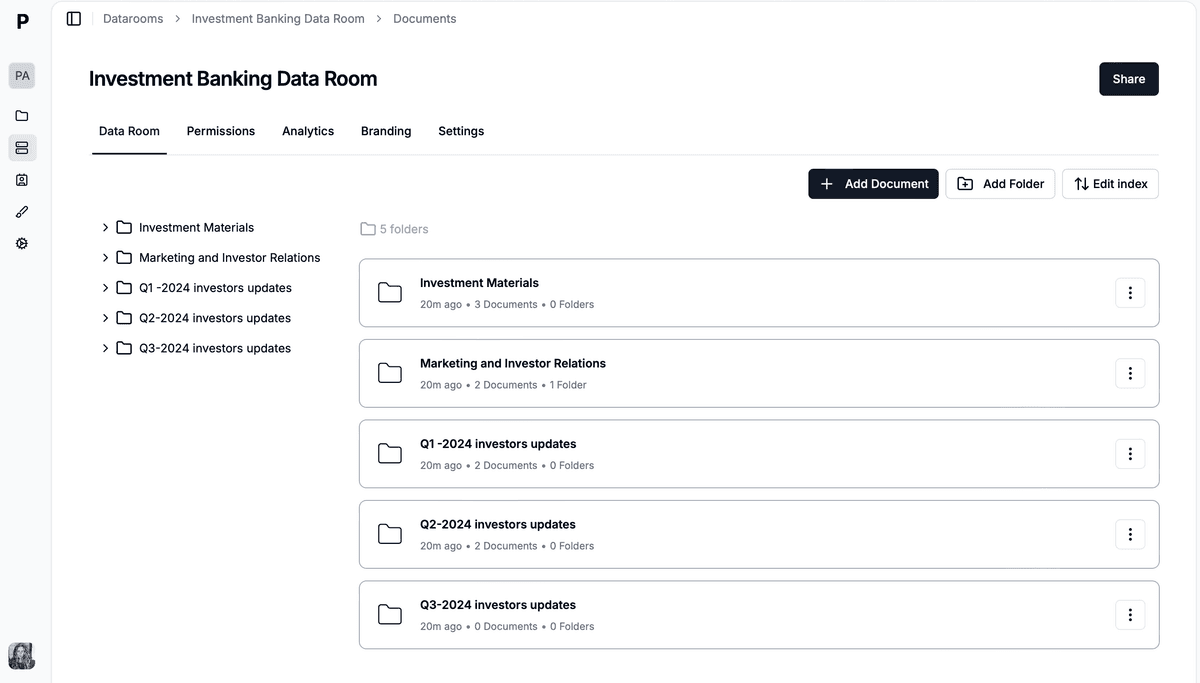
Documents sit under numbered folders, so every file has a fixed reference for questions and disclosure schedules.
A data room index is a working document, not a one-off. It changes as documents arrive, gets referenced in every question, and becomes part of the closing record. Here is how to use it at each stage.
Start from the template and delete the folders that do not apply, but do not renumber. If your business owns no real estate, keep folder 10 for assets and mark the real estate lines "N/A". Then collect the documents against each line and rename them before upload, using the naming rule in the next section. Assign each line an access group: all bidders, post-LOI, clean team, lender or counsel only.
Once buyers are in the room, the numbers are frozen. Add new documents at the end of the right sub-folder (3.2.3, then 3.2.4), never in the middle, so earlier references stay correct. Update the status column the same day a document is uploaded. When a buyer request arrives, link it to the index line that answers it. If you keep the request list inside the data room, the two stay in step.
Export the final index with dates and versions. Counsel uses it to build the disclosure schedules, which often list disclosed documents by index number. Archive the index alongside the room contents, because if a warranty claim arrives 12 to 24 months after closing, the question will be what was disclosed and when.
The index gives each document a number, and the file name should carry it. A consistent naming rule lets a buyer sort a downloaded folder correctly, find a file by search and tell versions apart at a glance.
| Rule | Example | Why |
|---|---|---|
| Index number first | 3.1.1_2025-12-31_Audited-Financials_v1.pdf | Sorts in index order everywhere |
| ISO dates (YYYY-MM-DD) | 2025-12-31 | Sorts by date and is unambiguous across countries |
| Version suffix | _v1, _v2 | Never 'final-final'; history stays readable |
| Hyphens, no spaces | Customer-Contract-Acme | Survives downloads, URLs and email |
| Pending, never delete | Status: Pending | A deleted row breaks every later reference |
When a document changes during diligence, upload it as a new version rather than a new file. A good data room keeps the version history, so the buyer can see what changed and when. Never replace a document silently: say what changed in the Q&A or the request list.
The deal structure changes which folders carry the weight. In a stock sale (or share sale), the buyer acquires the company itself, with all its history. In an asset sale, the buyer picks the assets and liabilities it takes, and everything else stays with the seller.
| Folder | Stock sale | Asset sale |
|---|---|---|
| 2 Corporate and governance | Full history: minutes, cap table, consents | Lighter; authority to sell is the focus |
| 4 Tax | All open years; liabilities follow the company | Mostly sales, payroll and property tax |
| 5 Contracts | Change-of-control clauses | Assignment consents for every contract moved |
| 10 Real estate and assets | Summary register | Detailed asset schedules and transfer documents |
| 7 HR and employment | Employees stay employed | Offer and transfer process per employee |
| 13 Transaction documents | Stock purchase agreement | Asset purchase agreement and bill of sale |
In practice, an asset sale index grows a sub-folder for assumed contracts and one for excluded assets, and a stock sale index grows the capitalization and minutes sub-folders. The numbering stays the same either way. Our letter of intent guide covers how structure gets decided.
The seller's side builds the data room index, usually the M&A adviser or investment banker working with the CFO and company counsel. In a smaller sale without an adviser, the owner or CFO builds it, often from a template like this one. The buyer's counsel then reviews it against its own request list and asks for anything missing.
The number of folders follows the deal. A small business sale with one location and a simple cap table can work with 6 to 8 top-level folders. A lower middle market deal usually needs 10 to 13. A large or regulated deal (healthcare, financial services, multi-country) often runs to 15 or more, with separate folders for regulatory approvals and each jurisdiction.
The rule of thumb is three levels of depth at most. Folder, sub-folder, document (5.1.1) is easy to navigate. A fourth level (5.1.1.2) means a reviewer has to click four times to reach a contract, and most will email you instead.
Tab, a Swedish fintech, kept its IP, financial and product documents organized in a Papermark data room during its acquisition by Kivra, and the deal closed in 3 to 4 weeks.
Northfield Dental Labs is a hypothetical dental prosthetics manufacturer with $14M of revenue, preparing for a sale to a strategic buyer. The CFO starts from this template three months before launch.
Folder 10 (real estate and assets) gets heavier than usual, because the company owns its production building and the buyer will want title, survey and a Phase I environmental report. Folder 11 adds a sub-folder for FDA registrations, because dental prosthetics are regulated medical devices. Folder 9 is light, with two trademarks and no patents.
Collecting documents against the index takes six weeks. 41 lines are marked N/A on day one, each with a one-sentence note, and the room goes live with 380 documents. When the buyer's counsel sends its request list after the LOI, 88 percent of the items already have an index number. The rest are new requests, added at the end of their sub-folders without renumbering anything.
Worked scenario. Financial and contracts folders hold the most files, but the regulatory sub-folder is where a strategic buyer in a regulated sector spends its time.
The most common mistake is renumbering after buyers are in the room. Every question, every request and every note that used the old numbers now points at the wrong file. Freeze the numbers at launch and add new documents at the end of each sub-folder.
The second is organizing by department instead of by workstream. A "Finance team" folder that holds tax returns, payroll and the debt schedule forces three different reviewers into the same place. Organize around what the buyer's advisers review.
The third is leaving the index outside the room. An index emailed as a spreadsheet goes out of date the day the first new document is uploaded. Keep it in folder 1, or better, generate it from the live room.
The fourth is skipping the N/A rows. A missing line looks like something is being hidden. A line marked N/A with "the company owns no real estate" answers the question before it is asked. The data room checklist covers more preparation steps.
An index template is only useful once the documents are in a data room that keeps the numbering stable and controls who sees what. The template above is designed to map directly onto a virtual data room.
Papermark is a secure, fully customizable, and developer-friendly data room for modern dealmakers, with unlimited data room visitors on every plan.
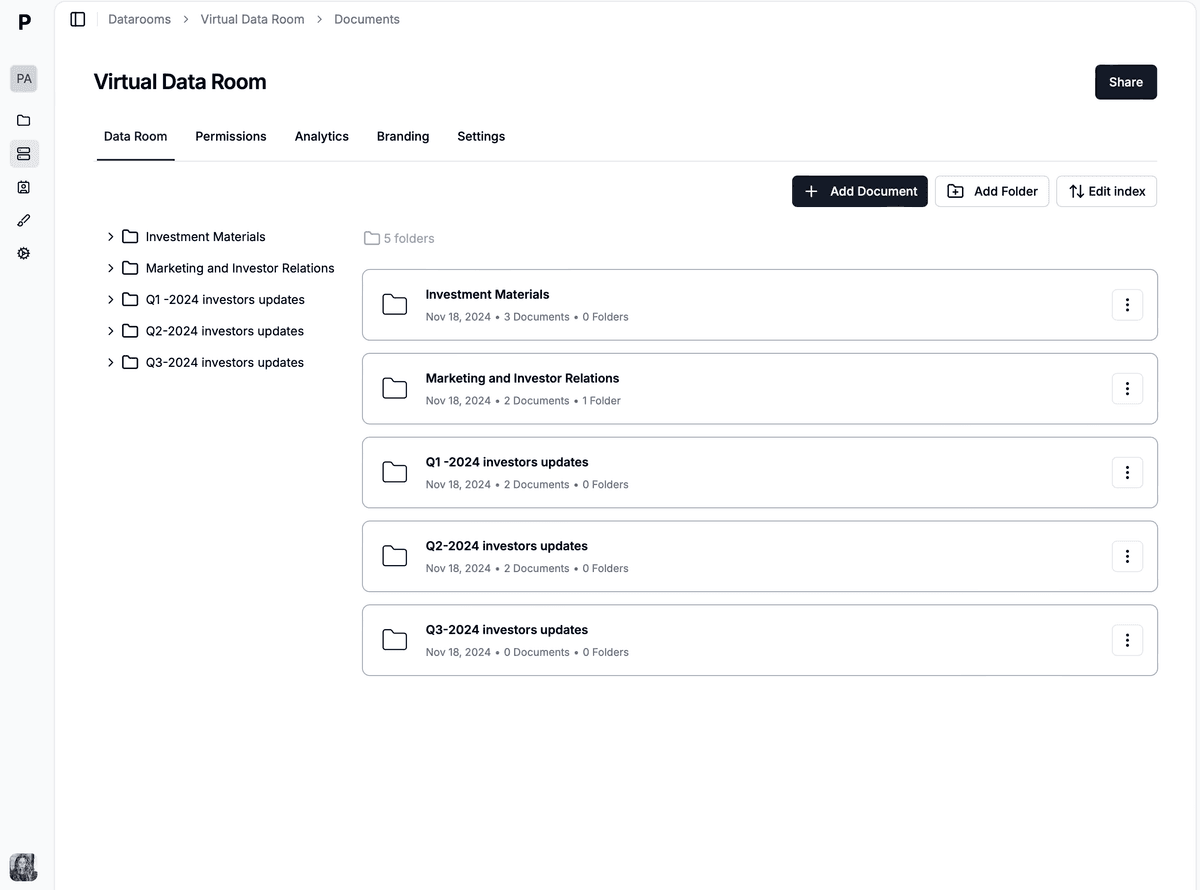
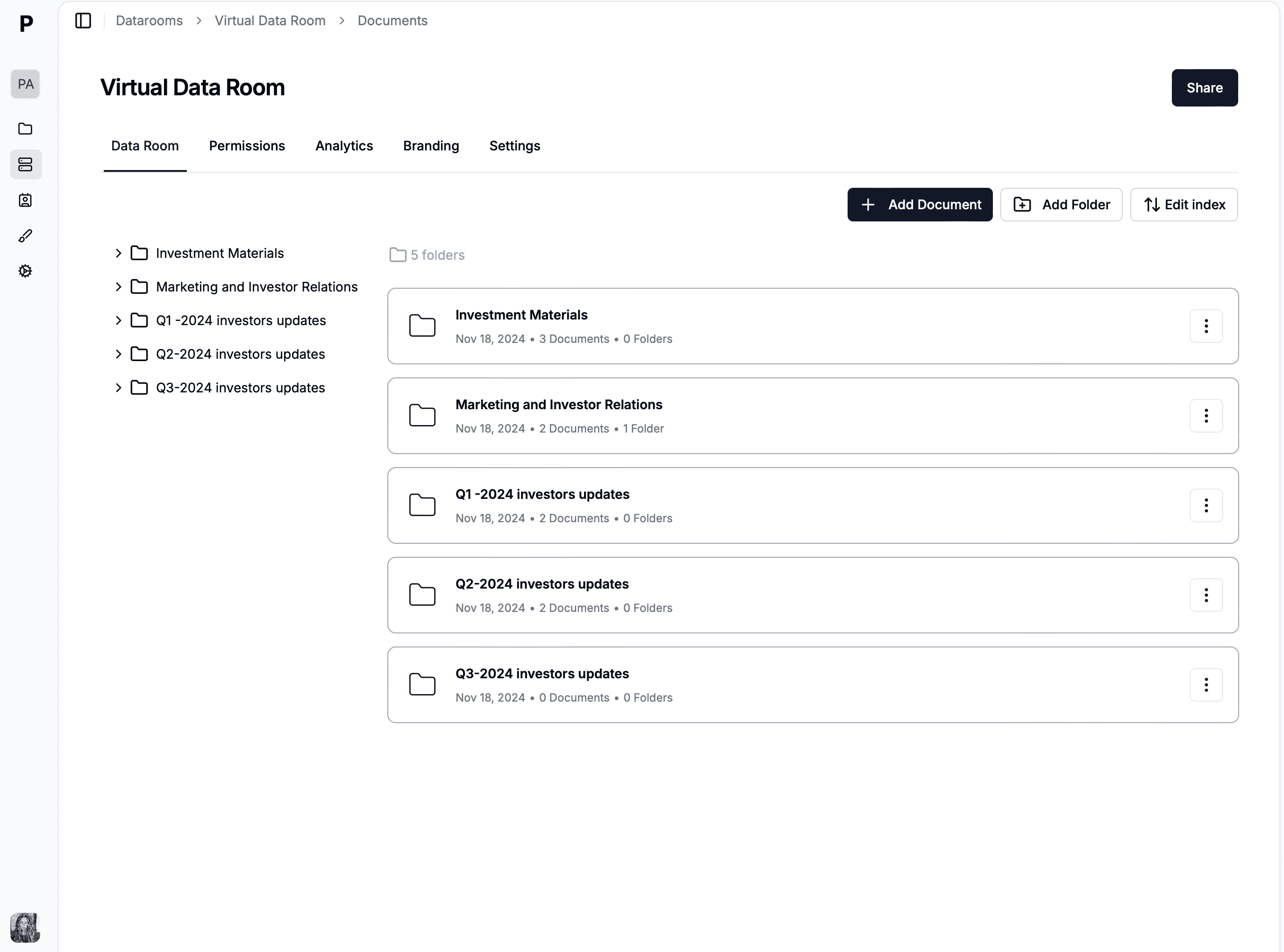
A Papermark data room built from the 13-folder index, with folder 1 for deal administration at the top.
A spreadsheet index and a shared drive drift apart within days. A data room for your index keeps the numbering tied to the files themselves, and adds the controls a sale needs: per-group access, watermarking, an NDA on the link and analytics on who opened what. If you are still choosing a platform, our comparison of the best virtual data rooms covers how providers handle indexing and permissions.
Create the data room and recreate the 13 folders and their sub-folders, or build the tree on your computer and drag it in. Papermark keeps the folder hierarchy on upload.
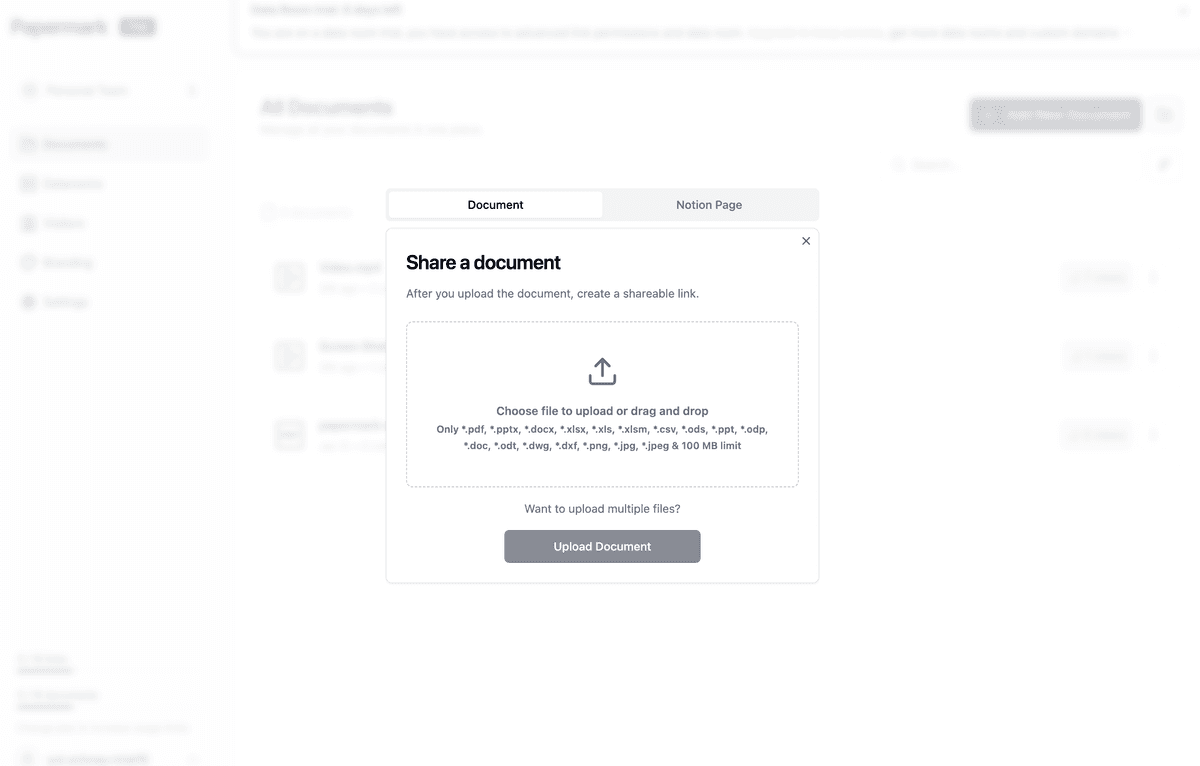
Drag and drop keeps your local folder hierarchy, so the index arrives in the right order.
With automatic file indexing (Data Rooms Plus and above), every folder and document gets a hierarchical number (1, 1.1, 1.2, 2.1) based on its position, and the numbers update when you reorder. Because the room numbers itself, name folders without typing numbers into them, so you do not end up with "1 1 Deal administration". Numbering applies to the whole room and cannot be switched off for a single folder, so treat it as the convention for the entire index.
Use Generate Index to produce a single overview of every folder and document with its number. Share it in folder 1, or send it to bidders ahead of full access. Regenerate it after you add documents.
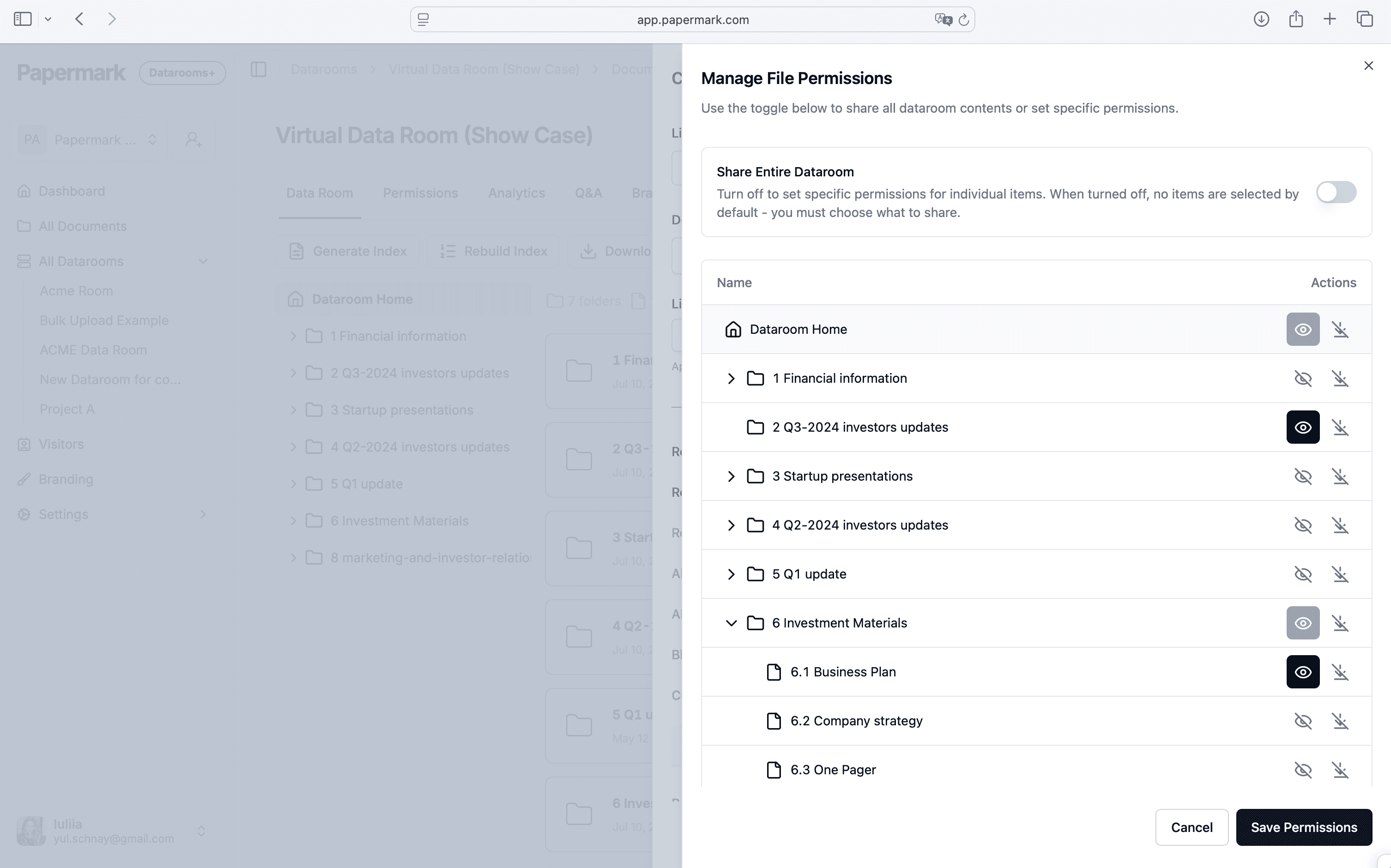
Map the staged release column onto access. Early bidders get folder 1 and the summary sub-folders; the final bidder gets the rest; the clean team gets customer and pay data; counsel gets folder 13. Granular permissions are set per group or link, with dynamic watermarking and an NDA on sensitive folders.
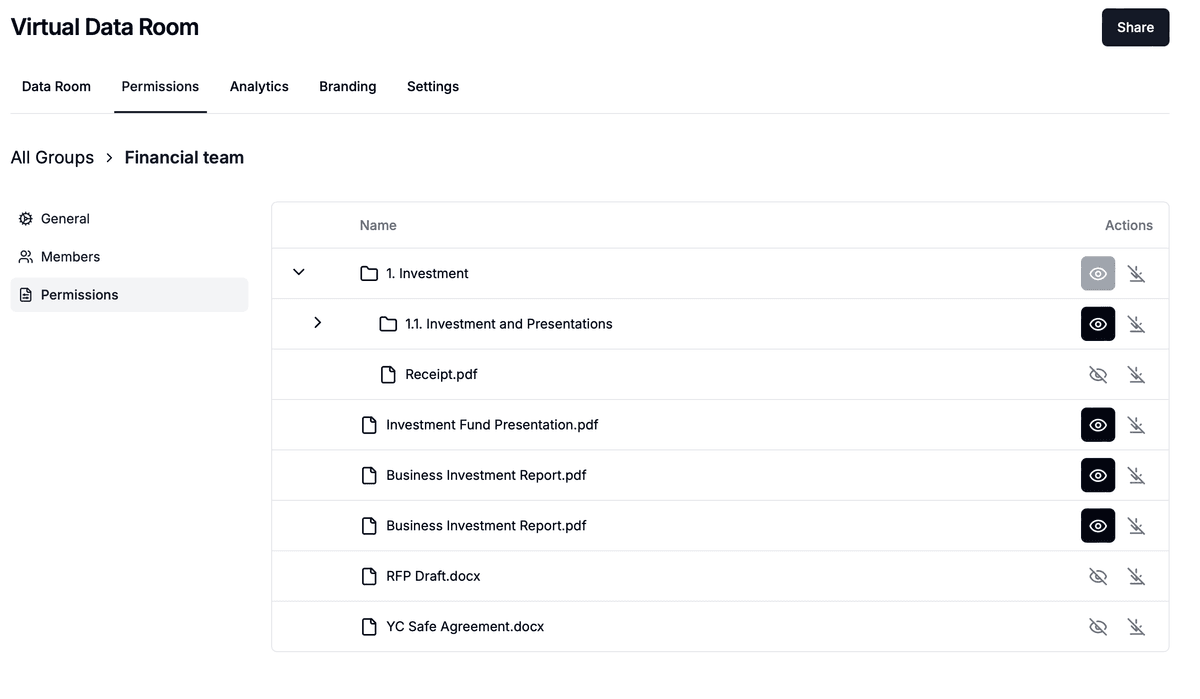
Folder-level permissions follow the staged release column in the index template.
Load the buyer's list into the request list and point each row at its index line. Questions in the Q&A module (Data Rooms Plus) reference the same numbers. Page-by-page analytics show which folders each buyer has opened.

Papermark is our #1 VDR provider for M&A transactions right now. In two deals we used custom branding, dynamic watermarking, and granular permissions.
Tyler
The Data Rooms plan is $99/month with a 7-day free trial and includes 3 team members, unlimited data room visitors, unlimited data rooms, the request list, NDA agreements, dynamic watermarking, granular permissions, a custom domain and the API, CLI and MCP server. Data Rooms Plus adds automatic file indexing, the Q&A module, the audit log and data room freeze. Papermark is ISO 27001 certified and SOC 2 Type II, and it is also open source.
No credit card required.
Proven data room folder structures for M&A, fundraising, and real estate, with the numbered index convention, naming rules, and a Papermark template.
The 10 best data room providers UK buyers actually shortlist in 2026, from free and affordable options to enterprise VDRs, with honest notes on GBP pricing.
5 open-source and free data room software options in November 2026: Papermark, Box, Dropbox, Notion, Google Drive. Compare features, pricing, and self-hosting.