
How to bulk download documents from a data room with OTP verification?
Data room visitors often need to download many documents at once for offline review. Bulk downloads let them select files or folders and pull them down as a single archive, with one-time password (OTP) verification to make sure only the authorized viewer can complete the download.
Bulk downloads with OTP verification are available on the Data Rooms plan and above. Downloads must also be enabled on the link itself.
What bulk download with OTP does
When a visitor triggers a bulk download:
- They select the files or folders they want.
- Papermark sends a one-time password to the visitor's email address.
- The visitor enters the OTP in the data room.
- Papermark packages the files into a single archive (
.zip) and starts the download. - The download progress is shown in the data room with a real-time indicator.
The OTP step ensures the person triggering the download is the same person who originally received the link. Even if the link is forwarded, the OTP arrives only at the verified email address.
What gets packaged in the download
- Selected files including PDFs, spreadsheets, presentations, images, and other supported file types
- Folder structure preserved inside the archive
- Watermarks applied to each document if your data room link has watermarking enabled
- Audit log entries for every file included in the download
Step-by-step: enable bulk downloads on your link
- Log into Papermark and open your data room.
- Go to the Links tab.
- Open the link settings.
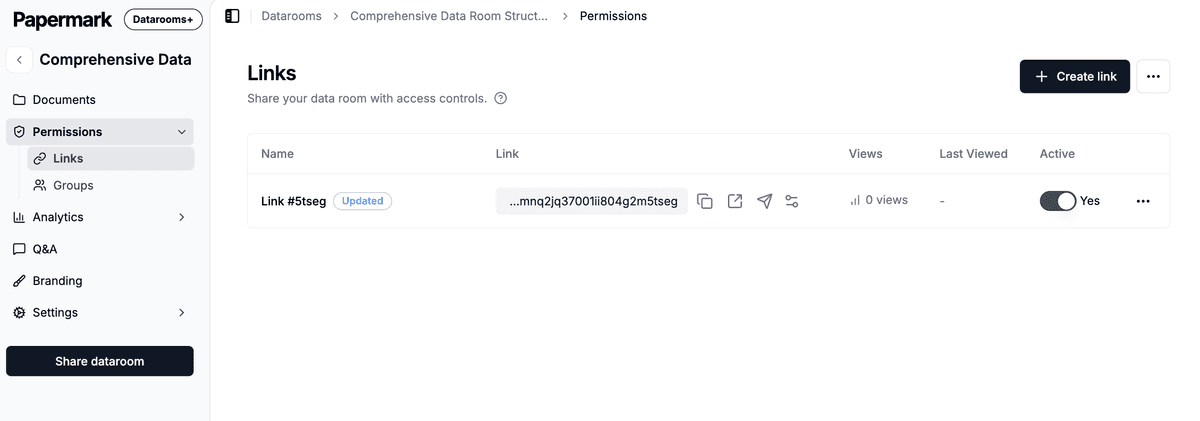
- Enable Allow downloads.
- Make sure Require email verification is on (this is what powers the OTP).
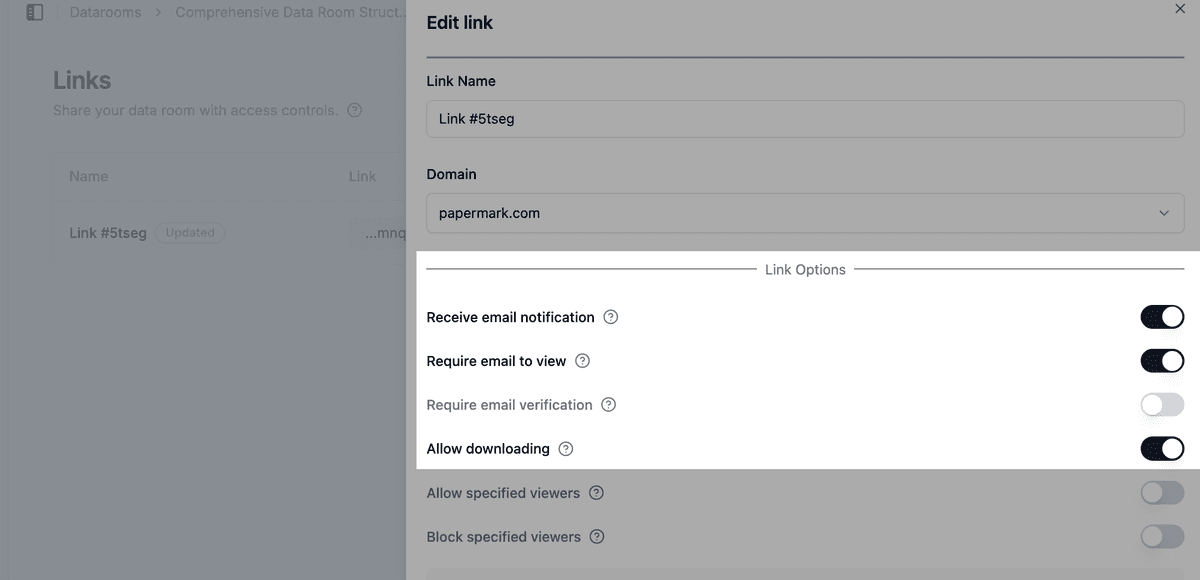
- Save the link.
For more details on download controls, see how to allow file downloads from your data room.
Step-by-step: visitor flow
This is what your visitors will see:
- Visitor opens the data room link and verifies their email.
- Visitor selects files or folders using the checkboxes next to each item.
- Visitor clicks Download at the top of the data room.
- Papermark sends a one-time password to the visitor's email.
- Visitor enters the OTP in the data room.
- Papermark generates the archive and starts the download in the visitor's browser.
The visitor sees a progress bar while the archive is being prepared. If the data room contains many large files, the archive may take a few moments to assemble.
Use cases
- Due diligence reviewers: download every financial document at once for offline analysis.
- Legal counsel: grab an entire folder of contracts before a closing.
- Auditors: pull a snapshot of all evidence files for an audit working paper.
- Investors: download the entire investor pack instead of clicking through each file.
Security considerations
- Email verification is required before OTP can be sent, so anonymous link sharing won't allow bulk downloads.
- Watermarks are applied if the link has watermarking enabled. Every document in the archive carries the visitor's identifying watermark.
- Audit log records every file included in the download with the visitor's name, email, IP, and timestamp.
- Hidden documents are excluded. Files the visitor doesn't have permission to see are not included in the archive.
- Download printing controls apply. If printing is disabled for the link, the downloaded PDFs are still subject to the visitor's printer settings, but watermarks remain in place.
Frequently asked questions
Related guides
- How to allow file downloads from your data room
- How to download an entire data room (admin only)
- How to require email verification before viewing a document
- Dynamic document watermark
Need help? Contact support@papermark.com or use the in-app chat.