BlogData RoomsBuild a Due Diligence Agent with Claude + Papermark (2026 Tutorial)
Build a Due Diligence Agent with Claude + Papermark (2026 Tutorial)
·12 min read
Marc Seitz
In this tutorial you'll build a due diligence agent: Claude, connected to the Papermark MCP server, that assembles a diligence-ready data room from a local folder, flags missing documents against a checklist, mints per-investor access links, and reports who read what every morning. Total setup is one JSON config edit plus a handful of prompts, and every piece runs on standard tooling: Claude Desktop, @papermark/mcp-server from npm, and the Papermark data room underneath.
What the agent will do
Due diligence is a document logistics problem wearing a finance costume. Someone (a founder raising a round, a fund closing an LP, an M&A team running a sell-side process) has to collect dozens of documents, organize them the way reviewers expect, control exactly who sees what, and then answer "have they actually looked at it?" every day until the deal closes. The due diligence data room guide covers the manual version of this workflow.
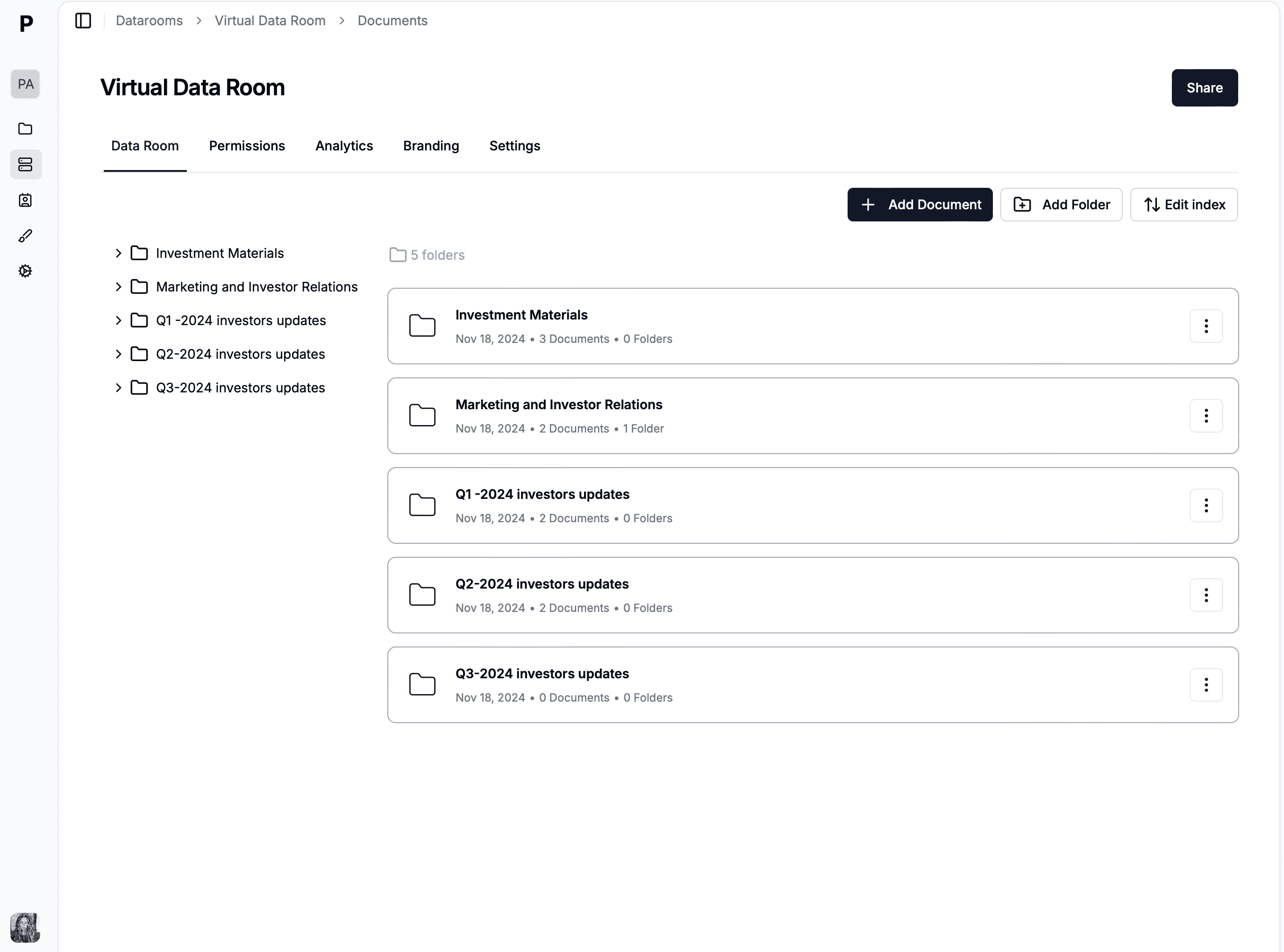
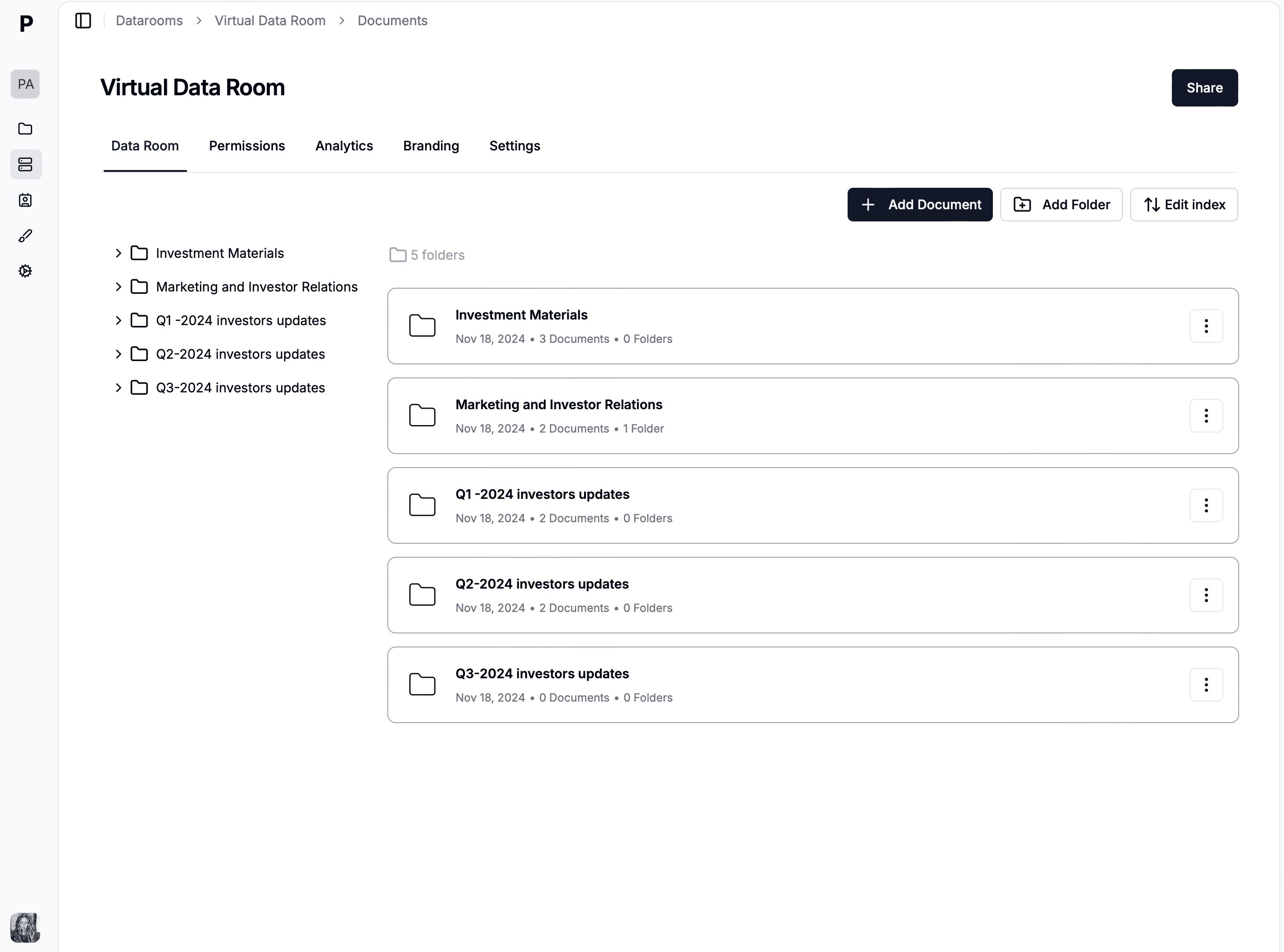
Our agent automates four stages of it. Stage one: build the data room with a standard diligence folder structure. Stage two: ingest and sort documents from a local folder, and flag what's missing against a checklist. Stage three: issue per-reviewer links with passwords, email verification, and expiry. Stage four: run a daily engagement report and an access audit. Each stage is one prompt you can reuse.
Manual due diligence review vs an agent-assisted data room
The reason to build an AI due diligence agent at all is that the manual version of this work is where deals quietly bleed time. A partner or analyst spends the first week of a process not analyzing the business but wrangling files: renaming exports, dragging PDFs into folders, cross-checking a checklist by hand, and configuring one investor link at a time. None of that is judgment work, yet all of it has to be right, because a single mis-filed contract or an ungated link in a live deal room is the kind of mistake that surfaces at the worst possible moment. The manual approach scales linearly with document count and reviewer count, and it degrades exactly when the deal gets busy.
An agent-assisted virtual data room flips the economics. Claude handles the mechanical logistics through the Papermark MCP server while you keep the decisions that actually require a human: which gaps matter, which reviewer to chase, whether the room is ready to send. The point is not to remove yourself from M&A due diligence but to remove yourself from the parts of it a machine does faster and more consistently. The table below maps where the agent earns its place and where you stay firmly in the loop.
Diligence task
Manual review
Agent-assisted
Building the room structure
Create folders one by one, hope the naming matches convention
One prompt builds the full numbered folder skeleton
Sorting and filing documents
Drag-and-drop per file, prone to mis-filing under time pressure
Claude classifies by content and files each document
Gap-checking against a checklist
Cross-reference a spreadsheet by hand, easy to miss items
Agent reasons over the room and lists what's missing
Minting per-reviewer links
Configure email gate, expiry, watermark per link, per firm
One prompt issues gated, expiring links for every reviewer
Daily engagement reporting
Open the dashboard, read heat maps, take notes
Agent summarizes page-by-page analytics in prose on demand
Deleting or revoking access
You do it, deliberately, in the dashboard or CLI
Flagged only — the agent never holds delete permissions
The last row is the design principle the whole tutorial is built on, and it is worth stating plainly before you touch a config file: the agent proposes, you dispose. Everything creative and additive — building, filing, gating, reporting — is safe to hand to Claude because the worst case is a document in the wrong folder that you move back. Everything destructive stays with you.
How the MCP server turns Claude into a due diligence agent
Before the steps, it helps to understand what actually makes this an agent rather than a chatbot with a nice prompt. The Model Context Protocol (MCP) is an open standard for connecting language models to external tools, and the Papermark MCP server implements it: it exposes each Papermark operation — create a data room, upload a document, mint a link, read analytics — as a typed tool that Claude can call. When you ask Claude to "build the diligence room and file these documents," it does not generate instructions for you to follow; it calls the tools itself, reads the results, and decides what to do next. That loop of call, observe, decide, call again is what makes the workflow agentic.
This matters for due diligence specifically because the work is a chain of dependent steps where each one's output feeds the next. The room ID from the create call feeds the upload calls; the upload results feed the gap analysis; the reviewer list feeds the link creation. A plain script would hard-code that chain, but an agent reasons through it, adapting when a document does not obviously belong in one folder or when a checklist item is ambiguously covered. Claude supplies the judgment, the MCP server supplies the hands, and the Papermark data room supplies the security layer underneath. The MCP server deep-dive covers the transport and auth model if you want the full picture.
Prerequisites
You need Claude Desktop (the macOS or Windows app), Node.js 24+, and a Papermark account on a plan with API access (Business or above; the Data Rooms plan is €99/month with a 7-day free trial). A folder of deal documents on your machine helps, but dummy PDFs work fine for a dry run.
The agent's permissions come entirely from a Papermark API token. Mint one in the dashboard under Settings, then API Tokens, with these scopes: datarooms.write, documents.write, links.write, plus the read scopes for documents, links, visitors, and analytics. Skip every delete-capable scope you don't need; the token is the agent's hard permission boundary and the MCP security model is built around exactly this.
Step 1: Connect Claude to Papermark
Add the MCP server to ~/Library/Application Support/Claude/claude_desktop_config.json:
{
  "mcpServers": {
    "papermark": {
      "command": "npx",
      "args": ["-y", "@papermark/mcp-server"],
      "env": {
        "PAPERMARK_TOKEN": "pm_live_your_token_here"
      }
    }
  }
}
Restart Claude Desktop and confirm the papermark tools appear under the gear icon in the chat input. If they don't, the install docs have a troubleshooting table; the usual culprits are a typo in the token or Node missing from the PATH. From here on, everything is prompting.
Step 2: Build the diligence data room
Give Claude the structure in one message:
"Create a Papermark data room called 'Acme: Series A Diligence' with numbered folders: 1. Corporate & Legal, 2. Financials, 3. Commercial & Customers, 4. Team & HR, 5. Product & IP, 6. Compliance & Misc."
Claude calls create_dataroom once and create_dataroom_folder six times. The numbered layout matters: reviewers navigate diligence rooms by index convention, and this six-folder skeleton matches what most seed-to-Series-B processes expect. Adjust for your deal type using the data room folder structure guide if you're running M&A or an LP close instead.
Share documents the modern way
No credit card required
Page by page analytics
Require email verification
Require password to view
Allow/Block specified viewers
Apply Watermark
Require NDA to view
Custom Welcome Message
Step 3: Ingest documents and flag gaps
Because the MCP server runs locally (stdio transport), Claude can read your filesystem. Point it at the deal folder and give it sorting rules plus a checklist in the same prompt:
"Upload every file in ~/deals/acme/ into the 'Acme: Series A Diligence' data room. Sort by content: incorporation docs and contracts into Corporate & Legal, P&L and balance sheets into Financials, cap table into Corporate & Legal, employment agreements into Team & HR. Skip files already uploaded. Then compare what's in the room against a standard Series A diligence checklist and list what's missing."
Claude chains list_dataroom_documents, upload_document, and attach_dataroom_document, then reasons over the result to produce a gap list ("no insurance certificates, no IP assignment agreements, board minutes end in 2024"). This is where an agent beats a script: the sorting and the gap analysis are judgment calls, and the LLM makes them while the MCP tools do the mechanical work. Re-run the same prompt as new documents arrive; it's idempotent by construction.
Step 4: Gate access per reviewer
Never share a diligence room with one open link. Per-reviewer links give you security and attribution in one move:
"Create one link to this data room for each reviewer: fund1@example.com, fund2@example.com, counsel@lawfirm.com. Name each link after the recipient's firm. Require email verification, disable downloads, add a dynamic watermark, and set expiry to 45 days from today."
Claude calls create_link per recipient with email_protected, allow_download: false, enable_watermark, and expires_at. Each viewer must verify their email, every page they see is stamped with their identity via dynamic watermarking, and every link has its own analytics trail. If a document leaks, the watermark tells you whose copy it was.
Step 5: The daily engagement report
This is the payoff prompt, the one you run (or schedule) every morning:
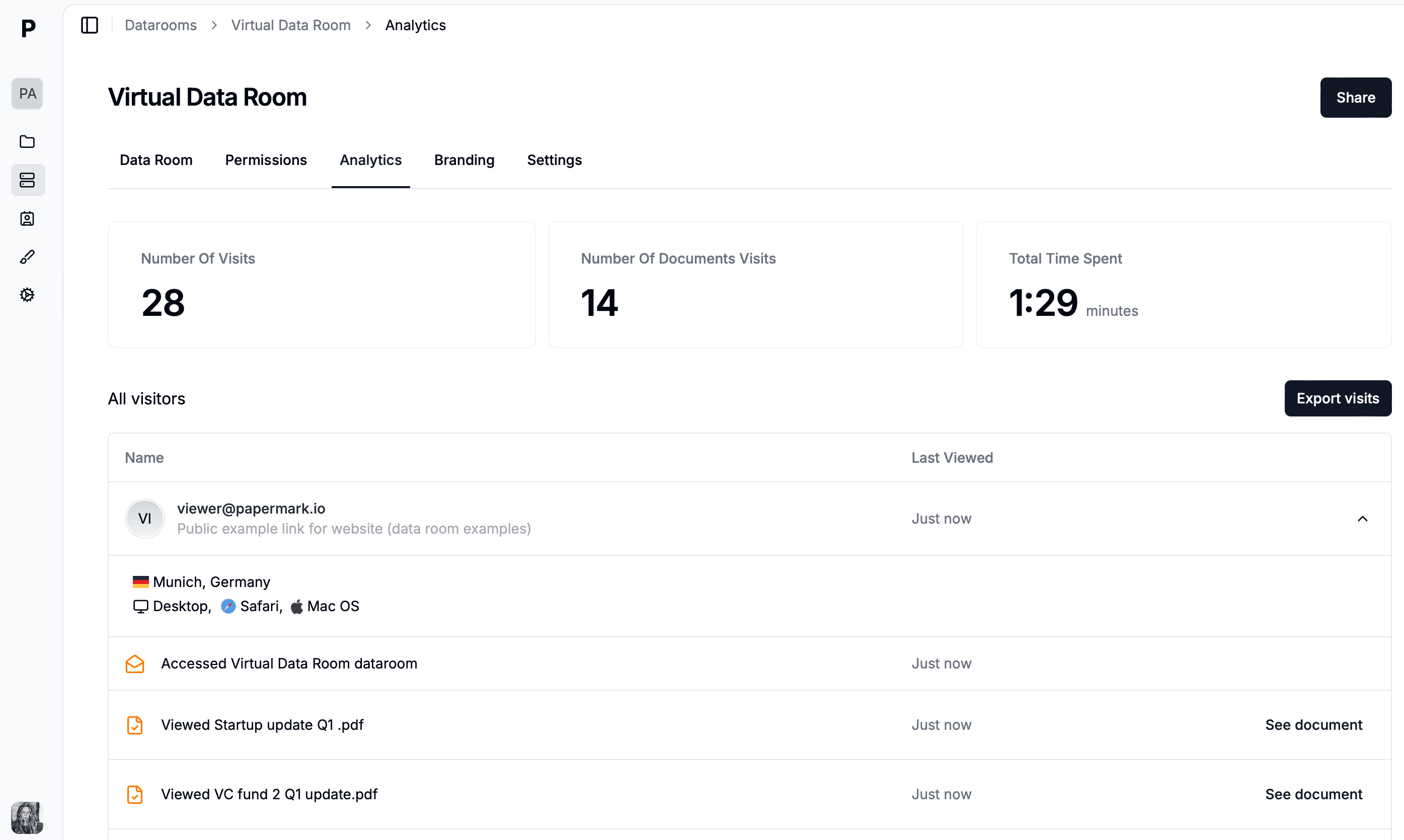
"For the 'Acme: Series A Diligence' data room: list every view in the last 24 hours with viewer email, documents opened, and time per page. Which reviewer is most engaged this week? Has anyone opened the Financials folder but not the cap table? Flag any link that expires within 7 days."
Claude walks list_links, list_link_views, and get_view_analytics, then synthesizes an answer in prose: who's deep in the financials, who hasn't logged in since the intro call, where reviewers stall page-by-page. Fund-raising founders use exactly this signal to prioritize follow-ups; the reasoning is the same as tracking pitch deck engagement, extended to a whole room.
Claude Desktop can't wake itself up on a schedule, so for a true daily cadence either use a client with scheduled prompts, or move this step to a cron job with the Papermark CLI. The agent workflows guide shows the polling pattern, including posting results to Slack via a second MCP server.
Step 6: The access audit
Once a week, make the agent check the room's hygiene:
"Audit the 'Acme: Series A Diligence' data room. List every active link and flag any without a password or email verification, any without an expiry date, and any that allows downloads. Also list links with zero views in 14 days as candidates for revocation."
The agent's report becomes your action list. Note the deliberate design choice: we ask the agent to flag revocation candidates, not revoke them. Keep destructive operations in your hands, in the dashboard or CLI, and keep delete scopes off the agent's token entirely.
Adapting the agent for M&A and LP due diligence
The six steps above are framed around a Series A raise, but the same due diligence agent adapts to any process that runs on a deal room. The only things that change between a startup fundraise and a sell-side M&A process are the folder taxonomy, the checklist, and the reviewer list — and all three live in prompts, not code. For M&A due diligence you swap the six-folder fundraising skeleton for a heavier structure (corporate, financial, tax, legal, IP, HR, environmental, material contracts) and point Claude at the buyer's request list instead of a generic seed checklist. The M&A due diligence process guide breaks down what belongs in each phase; the agent's job is to keep the room in sync with that list as documents land.
LP due diligence on a fund follows the same shape with a different document set: track record, portfolio marks, LPA, subscription docs, and references. Because every reviewer still gets their own gated link, the per-reviewer analytics that make fundraising legible make an LP close legible too. You see which prospective LP actually opened the track record versus who is stalling, exactly the page-by-page signal a partner uses to decide where to spend a week. The agent does not care whether the reviewers are VCs, strategic acquirers, or limited partners — it builds the room, files the documents, gates the access, and reports the engagement the same way. What changes is the taxonomy and the checklist you hand it, both of which are one paragraph of prompt.
A sell-side deal team, start to close
Picture a two-person corporate development team at a mid-market software company running a sell-side process. On a Monday the analyst exports the deal folder — three years of financials, the customer contracts, the cap table, the IP assignments — into ~/deals/project-atlas/ and opens Claude Desktop. She asks the agent to build a "Project Atlas" data room with the standard M&A taxonomy, then points it at the folder with sorting rules and the buyer's diligence request list. Ninety seconds later the room exists, forty-odd documents are filed into the right folders, and Claude reports three gaps: no environmental disclosures, contracts missing for two named accounts, and board minutes that stop in Q3. The analyst forwards that gap list to the CFO instead of discovering it the day before the buyer does.
Wednesday, the agent mints one email-gated, watermarked, 30-day link for each of the four bidders and their counsel, named per firm. From then on the daily engagement report is the deal team's morning standup: the agent tells them which bidder spent forty minutes in the financial model, which one has not logged in since the teaser, and who opened the customer contracts but skipped the cap table. When one bidder drops out, the team revokes that single link from the dashboard by hand — the agent flagged it as a candidate but never held the permission to delete it. By the time the deal reaches exclusivity, the room's audit log and the per-reviewer analytics are a complete, defensible record of who saw what and when, assembled without anyone dragging a single PDF into a folder.
What the agent can and can't touch
Everything in this tutorial rests on one control: the API token you mint for the agent, and the scopes you attach to it. The token is the agent's entire universe of capability. It cannot see a data room you did not grant read access to, and it cannot delete anything if you never grant a delete scope — not because the prompt asks it nicely, but because the server rejects the call. This is the difference between an AI due diligence agent you can actually run against live deal documents and a demo you would never point at real data. The safe posture is to grant the additive and read scopes the workflow needs and withhold every destructive one, so that even a confused or adversarial prompt cannot cause irreversible harm.
The table below shows the three tiers of operation and where each should live. Read and write operations are the agent's job; destructive operations are yours, performed deliberately in the dashboard or the Papermark CLI where the action is logged and reviewable. Keeping the two apart is not paranoia — it is the same principle that keeps rm -rf out of a CI pipeline that only needs to build.
The practical rule is to start with read plus additive-write scopes only, which is enough for all six steps above, and add mutating-write scopes if and only if you adopt document versioning. Destructive scopes never go on the agent's token. If a prompt ever needs to remove a link or a room, that is your signal to switch to the dashboard or CLI for that one action and then return to the agent — the friction is the feature.
Limits and honest caveats
Three things to know before you rely on this. First, the agent's pagination can be lazy: for exhaustive enumeration ("every view, ever") say "paginate through all pages" explicitly, or use the CLI. Second, notifications are pull, not push: the agent reports when asked, and real-time alerts need webhooks or scheduled runs. Third, the agent's judgment on document classification is good but not infallible, so give the gap report a human skim before telling an investor "everything is in the room."
None of these are blockers; they define where the human stays in the loop, which for due diligence is exactly where you want one anyway.
Conclusion
You now have a due diligence agent built from three parts: Claude for judgment, the Papermark MCP server for hands, and a Papermark data room for the security layer (email gates, watermarks, page-level analytics, audit logs). The whole thing costs €99/month on the Data Rooms plan and about ten minutes of setup. Start with the free trial, run Step 1, and you'll have the skeleton room before your coffee cools.