

datarooms
Best Data Rooms for Fundraising in 2026 (Seed to Series C Compared)
The 10 best data rooms for fundraising in 2026 compared on pricing, security, and best-fit round. Real customer stories from Backtrace Capital, TBD VC, and Two Inc.
One shell script can turn a folder of PDFs on your laptop into a structured fundraising data room with a separate, email-gated, expiring link for every VC on your list. The papermark CLI (on npm) wraps the full Papermark data room API with machine-readable JSON output, so the whole workflow scripts cleanly: upload, organize, mint links, print the link list. This cookbook gives you the complete script plus the pieces to adapt it, aimed at technical founders who would rather spend fifteen minutes writing bash than a weekend clicking through a dashboard.
A fundraising process is repetitive by design. Every investor gets the same room but needs their own access: their own link, their own email gate, their own analytics trail so you know who actually read the financials before the partner meeting. Doing that by hand for 20 firms means 20 rounds of identical link configuration, and re-doing pieces of it every time the deck gets a new version.
Scripting fixes both the tedium and the consistency. The link list is generated, so no firm gets forgotten. The security settings are code, so no link accidentally ships without an expiry. And when you raise again in 18 months, the script is the documentation of how your last process worked. The underlying structure follows the standard fundraising data room playbook; we're just making it reproducible.
The hidden cost of the manual approach is not the clicking, it's the drift. By the twelfth firm you configure a link by hand, you have stopped double-checking the expiry toggle and the email gate, and that is exactly when a link ships wide open. A closed round with a live, ungated URL sitting in a partner's inbox is the kind of leak that never shows up until a competitor quotes your numbers. When the settings live in a script, every investor gets byte-for-byte the same access policy, and the policy is reviewable in a pull request before a single link exists. That is data room automation working the way infrastructure-as-code works: the config is the source of truth, not whatever state a dashboard happens to be in.
There is an audit benefit too. A scripted virtual data room leaves you with two artifacts you can commit to the deal repo: the script that built the room and the links.csv it emitted. Six months later, when a wire is closing and legal asks who had access to the cap table and when, you answer from version control instead of memory. For a technical founder, that reproducibility is worth more than the fifteen minutes the script saves on setup day.
The CLI is the right tool for this job: it's built for one-off scripts, cron jobs, and CI, with about 50-150 ms per call. If you're building a backend service instead, hit the REST API directly, and if you'd rather converse than script, the same workflow runs through Claude and the MCP server.
Two commands. You need Node 24+ and a Papermark plan with API access (Business or above; the Data Rooms plan is €99/month with a 7-day free trial).
papermark login runs an OAuth 2.1 device flow: it prints a code, you approve it in the browser, and the token lands on disk with 0600 permissions. In CI, set the PAPERMARK_TOKEN environment variable with a token minted in the dashboard instead. Confirm with papermark whoami, and if anything looks off, papermark doctor health-checks your config, token, and API reachability.
Two global flags make the CLI scriptable. --json forces a stable JSON envelope ({ "ok": true, "data": ... }) and auto-enables when output is piped, so jq always sees machine-readable output. --dry-run prints the HTTP request that would be sent, token redacted, and exits, which is the fastest way to debug a script without touching your account.
Here is the whole thing. It expects your documents organized in local subfolders (the six-folder fundraising structure works well) and a vcs.txt with one firm name and email per line.
Run it, and links.csv is your outreach artifact: firm, contact, personal URL. Every link points at the same room, requires email verification, and dies on September 30 whether or not you remember it exists.
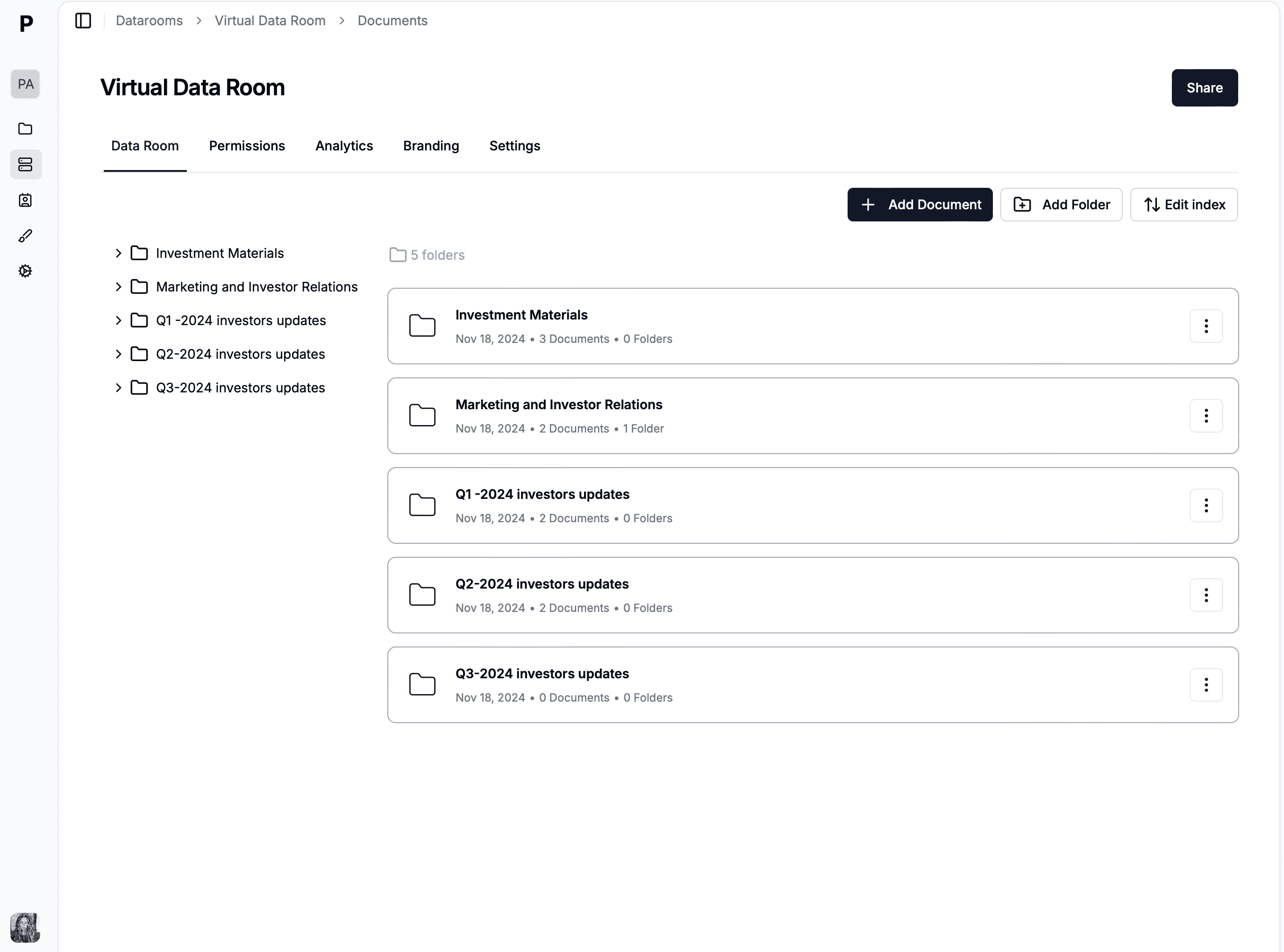
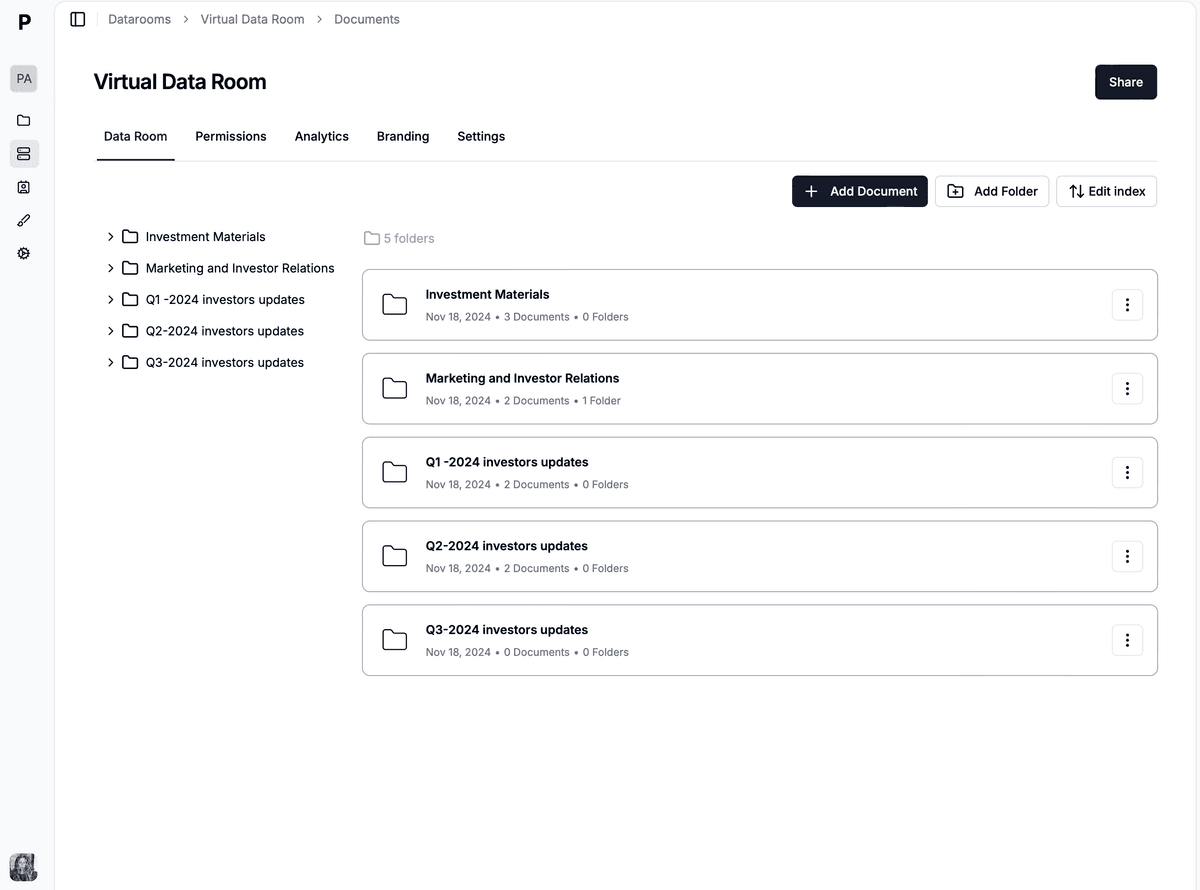 The structured data room and per-investor links the script produces from a local folder.
Step 1 creates the room and captures its ID from the JSON envelope with jq. Everything downstream hangs off $DR_ID, so the script is safe to adapt: change the name and directory, and nothing else moves.
Step 2 uploads each PDF and attaches it to the room. Uploads go through S3 presigned URLs under the hood, so there's no file size ceiling to think about. If you re-run the script, list what's already in the room first (papermark datarooms subcommands cover this) and skip duplicates; the CLI getting started guide shows the idempotent variant.
Step 3 is where fundraising-specific value concentrates. Per-VC links mean per-VC analytics: when Sequoia's link shows 40 minutes on the financial model and Index's shows two minutes on the cover slide, you know exactly where to spend your week. Email gating (--email-protected) confirms who behind the firm actually opened it, and expiry enforces process discipline, since a closed round shouldn't have live links floating around inboxes. You can also add --password per link if a firm requests it.
The script above uses the CLI, but the same fundraising data room is reachable four ways, and picking the wrong one wastes an afternoon. Papermark exposes one surface — documents, deal rooms, per-investor links, investor analytics — behind a single token, and the CLI, the REST API, the MCP server, and the dashboard are just different front doors onto it. The question is never which one is "best" but which one fits the task in front of you, so it is worth being explicit about where each earns its place before you commit a workflow to it.
Reach for the CLI when the work is a one-off script, a cron job, or a step in CI: it is optimized for exactly the folder-in, link-list-out shape this article is built around, with about 50–150 ms per call and no boilerplate. Reach for the REST API when you are building a backend service that mints links on a schedule or in response to your own app's events, where you want typed responses and full control over retries. Reach for the MCP server when you would rather describe the outcome than write the steps, letting Claude drive the data room automation from a prompt. And the dashboard still wins for the things a human should eyeball: skimming a heat map, sanity-checking a room before you send it, or handling the one bespoke link a script would be overkill for.
| Interface | Best for | Setup effort | Reproducibility |
|---|---|---|---|
| CLI | One-off scripts, cron jobs, CI steps — the fundraising setup in this article | Low: npm install -g papermark, then login | High: the script is the record of what you did |
| REST API | Backend services that mint links on a schedule or from app events | Medium: write and host the integration code | High, if your code is in version control |
| MCP server | Conversational, flexible workflows driven by Claude or ChatGPT | Low: connect the server, then prompt in natural language | Lower: prompts vary run to run |
| Dashboard | Eyeballing analytics, sanity checks, one-off bespoke links | None: log in and click | None: manual, unlogged clicks |
The practical path for most founders is to start with the script here, keep the dashboard open for the visual read on engagement, and graduate to the REST API or MCP server only when a specific problem asks for it. Because all four share one token and one data model, nothing you build on the CLI is throwaway: the room, the links, and the analytics are identical no matter which door you came through.
Fundraising is the moment your most sensitive documents — cap table, financial model, customer contracts — leave your control, so the access policy on each investor link matters as much as the deck itself. The advantage of a scripted virtual data room is that security stops being a checkbox you might forget and becomes a set of flags on every links create call, applied identically to all 20 firms. Every control the dashboard offers is reachable from the CLI or a curl call, because they all hit the same API, so nothing about scripting forces you to trade convenience for control.
Four flags do most of the work. --email-protected gates the room behind a verified email, so you know a real person at the firm opened it rather than a forwarded URL; --password adds a shared secret for the firms that request one; --expires sets a hard deadline so access dies with the round whether or not you remember it; and download permissions decide whether a viewer can pull the PDFs down or only read them in the browser. The underlying API also supports dynamic watermarking, which stamps each viewer's email across every page so a screenshotted financial model traces straight back to the firm that leaked it. Layer these on the same links create call and every investor link ships with the full policy baked in:
Revocation is the control founders forget, and it is the one scripting makes trivial. Because each firm has its own link, you can kill one firm's access — a passed investor, a leaked URL — without touching the other nineteen, either by deleting the link or updating it to an already-past expiry. The per-investor model means access control is granular by construction: there is no single shared link whose exposure you have to reason about, just a clean one-to-one map from firm to link to analytics trail that you can audit at any point in the raise.
The reason to script a fundraising data room is not only to build it but to watch it. Once the links are out, the raise becomes an information game, and the investor analytics tell you where you stand before any partner does. A firm that spends twenty minutes in the financial model and comes back twice is running internal diligence; a firm that opened the cover slide once and never returned is a polite pass you have not been told about yet. Reading that signal from the terminal means you never have to open a browser tab to know who is warm, and it means the signal can drive automation instead of just sitting in a dashboard.
The same token that built the room reads it back, so the analytics live one command away from wherever your scripts already run. Aggregate room stats, per-viewer footprints, and per-link view events are all one command each, and because the output is JSON by default when piped, jq turns any of them into exactly the field you care about:
Pipe any of these into jq and you have a morning-coffee dashboard in your terminal, or a cron job that posts to Slack. Exit codes are contractual (2 for auth, 3 for validation, 4 for network), so your script can distinguish "token expired" from "typo" without parsing error strings. The output contract docs list every code.
For deeper engagement analysis, the page-by-page data behind these commands is the same page-level analytics the dashboard shows: which pages held attention, where readers dropped off, from which device and location.
The real payoff is turning that read into a push. A dozen lines of bash on a cron schedule can check the room every morning and message you only when something changed, so the analytics find you instead of the other way around. The pattern is to pull the view count, diff it against yesterday's, and post to a Slack webhook when a firm crosses a threshold worth reacting to:
Because the exit codes are contractual, a cron job like this fails loudly and correctly: a 2 pages you that the token expired, a 4 stays quiet through a transient network blip and retries next run. You get an investor-analytics feed in the channel you already live in, built on the same CLI that created the room, with no dashboard tab left open and no polling by hand.
A fundraising script earns its keep the second time you run it, not the first. Most companies raise more than once, and the parts that change between a seed and a Series A are exactly the three variables at the top of the file: the deal directory, the room name, and the expiry date. Everything below them — the upload loop, the per-investor link logic, the CSV output — is round-agnostic. Treating the script as a small, parameterized tool rather than a one-time hack means the next raise starts from a known-good baseline instead of a blank terminal, and the same holds for the startup fundraising motion at every stage from pre-seed onward.
The pattern generalizes past rounds to entities. If you run SPVs, a fund vehicle, or separate rooms for existing investors versus new ones, the script becomes a loop over a config file: one room per entity, each with its own document set and its own investor list, all built in a single pass. The same reproducibility that guarantees identical security across 20 firms guarantees identical structure across five entities, which is precisely the discipline VCs expect when they open your data room. You stop hand-building rooms and start declaring them.
Versioning the deck is the third reuse case, and it is where the API's document model pays off. When the metrics deck or the model gets a new cut mid-raise, you do not mint a new link and re-send; you push the new file as a fresh version of the existing document, and every investor's link now serves the current copy while the old view analytics stay attached to the room. The link a firm bookmarked in week one still works in week six, pointing at week six's numbers. Keeping the deck current becomes a one-line upload in the same script, not a scramble to figure out who has which version.
Consider a technical founder — call her the CTO-turned-CEO of a seed-stage infra company — opening a Series A. On a Monday she exports her deal folder into the six-folder structure, drops a vcs.txt with 18 firms into the directory, and runs the script. Ninety seconds later the deal room exists, every PDF is uploaded, and links.csv holds 18 email-gated links that expire the day the round is meant to close. She pastes each link into a personalized intro email and sends the batch before lunch. Setup that would have been a Saturday of dashboard clicking is done before her first meeting.
The analytics start earning their keep by Wednesday. A morning papermark datarooms stats shows Sequoia has spent 35 minutes across the financial model and cohort retention tab and returned twice; Index opened the deck once, lingered on the cover, and never came back. She reads that exactly right: Sequoia is running real diligence and Index is a soft pass. So she front-loads her follow-up energy on the firms the data says are leaning in, and when Sequoia's partner asks for updated NDR figures on Thursday, she pushes a new version of the model — the same link keeps working, now serving the fresh cut. Two firms she never emailed show up in the viewer list, forwarded in by a warm intro, and because the links are email-gated she can see precisely who they are.
By the following Friday she has a term sheet, and the revocation loop closes the round cleanly: one script run expires all 18 links so no live cap table sits in an inbox after signing. The whole raise ran on the script she wrote in fifteen minutes, and the links.csv plus the analytics history are her complete, auditable record of who saw what and when.
The quarterly refresh: wrap steps 1-2 in a cron job that syncs a Drive-exported folder into the room monthly, so your data room never goes stale mid-raise. Because uploads can skip existing files, the sync is cheap.
The revocation pass: when the round closes, enumerate the room's links and delete them in one loop. This is the one destructive operation in the workflow, and doing it in a script you can read beats hoping you remembered every link. (Keep deletes out of AI agent hands; in a script you wrote, they're fine.)
The CI publish: your metrics deck builds in CI every month anyway, so have the pipeline upload the fresh PDF as a new version and notify your investor update list. A pm_live_ token with only documents.write scope, set as a CI secret, is all it needs.
Fifteen minutes of bash gives you a fundraising data room that sets itself up, gates itself per investor, and reports its own engagement. The CLI, the REST API, and the MCP server all expose the same surface with the same token, so start with the script and graduate to whichever interface fits the next problem. The Data Rooms plan is €99/month with a 7-day free trial.
The 10 best data rooms for fundraising in 2026 compared on pricing, security, and best-fit round. Real customer stories from Backtrace Capital, TBD VC, and Two Inc.
How to build a data room in 2026 in 30 minutes: folder structure, permissions, NDA gating, and analytics. Papermark M&A data room setup at €99/month flat.
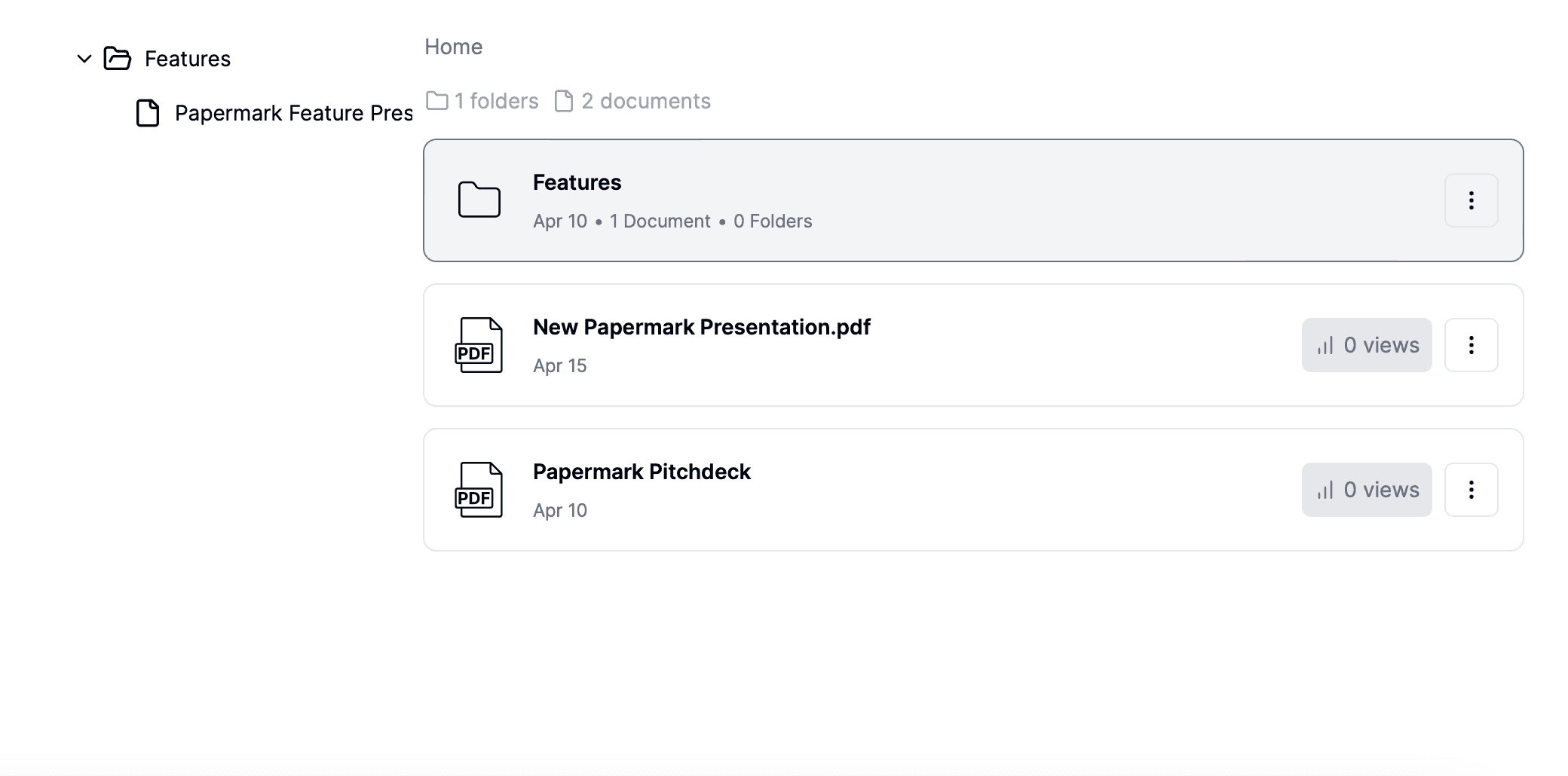
Proven data room folder structures for M&A, fundraising, and real estate, with the numbered index convention, naming rules, and a Papermark template.