BlogData RoomsData Room API: Programmatic Document Sharing for Developers (2026)
Data Room API: Programmatic Document Sharing for Developers (2026)
·10 min read
Marc Seitz
A data room API lets you create virtual data rooms, upload documents, mint access-controlled share links, and pull viewer analytics from code instead of a dashboard. Papermark ships exactly that: a REST API with 43 operations across 6 resources, a public OpenAPI spec, bearer-token auth, and transparent pricing, with data rooms at €99/month. This guide covers what a data room API is, what you can build with one, and why the virtual data room industry has mostly failed to ship one.
What is a data room API?
A data room API is a programmatic interface to a virtual data room: the same operations you'd perform in a VDR dashboard, exposed as HTTP endpoints. Instead of clicking "new data room", you POST /v1/datarooms. Instead of exporting an analytics CSV, you GET per-view engagement data as JSON. The distinction that matters is not the transport but the intent: a virtual data room API assumes the caller is a program, so every operation returns structured data a script can branch on rather than a screen a human has to read.
That shift is what makes a programmatic data room worth building on. When creating a room, gating a link, and pulling analytics are all HTTP calls, they compose the way any other infrastructure does. You can wrap them in a shell loop, wire them to a webhook, put them behind a CI job, or hand them to an AI agent, and the data room stops being a place you visit and becomes a resource your systems provision on demand. The REST API is the substrate; the CLI and the MCP server are convenience layers over the exact same endpoints, which is why a token minted once works across all three.
The Papermark data room API covers six resources. Data rooms are the primary unit: create, list, update, delete, attach documents, and manage folders inside them. Documents handle upload, search, versioning, and deletion, standalone or attached to any number of data rooms. Links mint share URLs pointing at a document or a data room, with passwords, expiry dates, email gating, download permissions, and watermarking as request fields. Folders organize the team library. Visitors and analytics round it out with view history and page-by-page engagement.
Everything is deliberately boring by design: HTTPS, JSON, bearer tokens, cursor pagination, and idempotency keys. There is no SDK required and no build step. Your first call is one curl away:
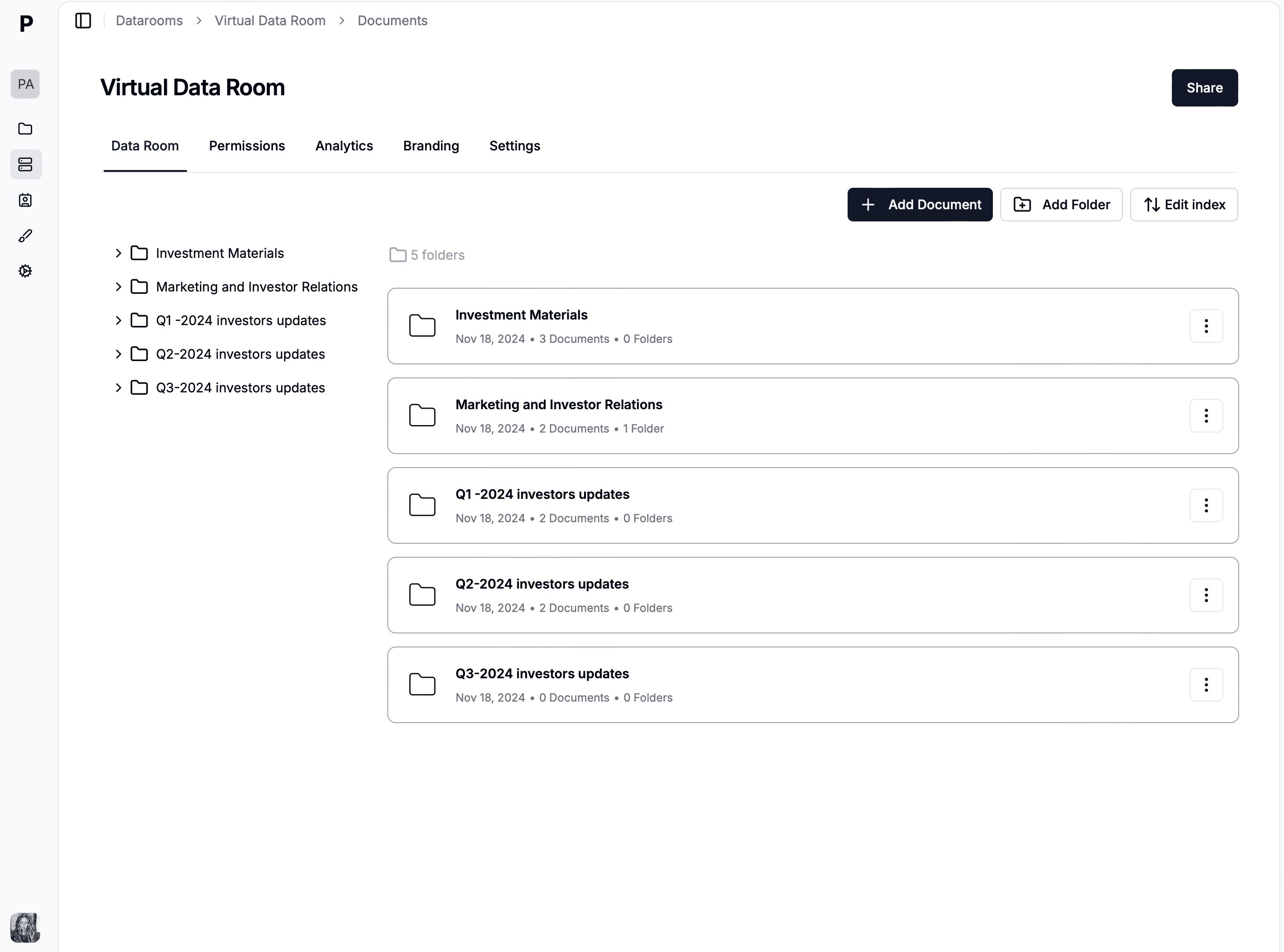
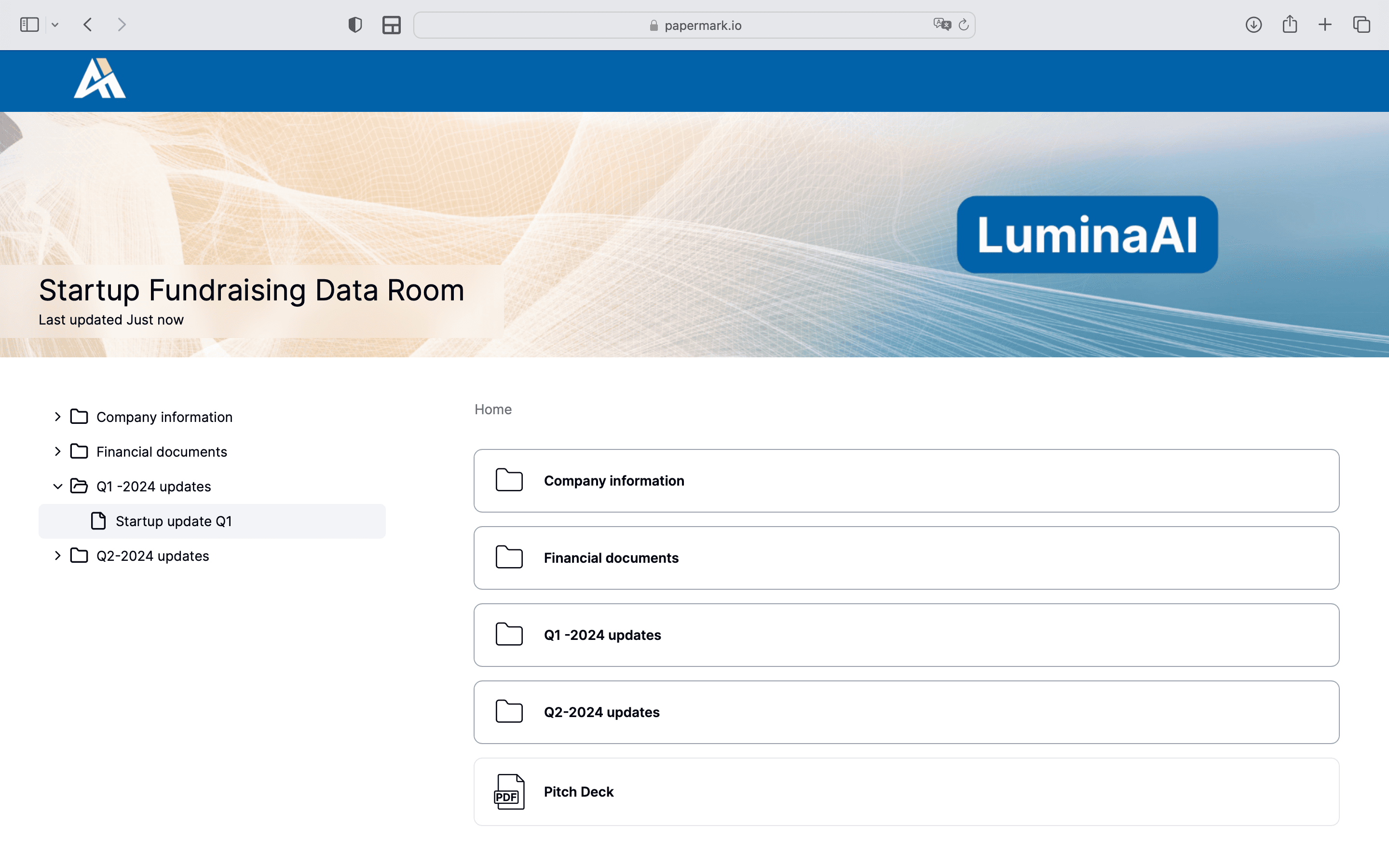
A data room provisioned and updated programmatically through the Papermark API.
Why "data room API" is almost an oxymoron in this industry
Search for the API documentation of the major VDR providers and you'll find a pattern: the API story is a sales conversation, not a docs page. Datasite and Intralinks target enterprise M&A with custom contracts starting around $25,000/year, and their integrations are delivered through professional services. iDeals, with a G2 rating of 4.7/5 across 634 reviews, similarly offers no self-serve developer surface. DocSend, owned by Dropbox, has no public API at all, which is why developers searching for a DocSend API alternative end up here.
This matters because the use cases are real and growing. Fund managers want to provision a data room per portfolio company automatically. Platforms want embedded document sharing with analytics. And since 2025, AI agents want to operate data rooms directly, which is why Papermark also ships an MCP server built on this same API. None of that works when the integration path is "contact sales."
There is a structural reason the incumbents never shipped a public VDR API. Their business model is priced per deal and sold through a sales team, so a self-serve endpoint that lets a customer provision a hundred rooms from a script undercuts the seat-and-project pricing the whole company runs on. A documented REST API is not a feature they forgot to build; it is a feature that contradicts how they make money. That leaves a real gap for anyone whose workflow is programmatic by nature — a platform embedding document sharing, a fund automating investor rooms, an agent doing diligence — because the tool that fits the job simply refuses to expose itself to code.
Papermark's position is the opposite: the whole API surface is public, generated from openapi.json so the docs can't drift from the server, and available on Business plans and above. There is no sales call, no NDA, and no enterprise gate between you and the endpoint reference. You read the same OpenAPI document the server is built from, mint a token in the dashboard, and make your first call in the time it takes an incumbent's contact form to route to a rep.
# 3. Create a password-gated, expiring link to the room
curl -X POST https://api.papermark.com/v1/links \
-H "Authorization: Bearer $PAPERMARK_TOKEN" \
-H "Content-Type: application/json" \
-d '{
"dataroom_id": "dr_8K2m",
"password": "series-b-2026",
"expires_at": "2026-09-30T00:00:00Z",
"email_gate": true,
"allow_download": false
}'
File uploads deserve a note: large files go directly to S3 via presigned upload URLs, so there is no 10 MB multipart ceiling and no streaming gymnastics in your code. List endpoints use cursor pagination (limit plus cursor, with a next_cursor in the response), and write endpoints accept idempotency keys so retries are safe.
Authentication and scopes
API authentication on the Papermark data room API is deliberately conventional: a bearer token in the Authorization header, checked on every request, with no session cookies, no signing dance, and no per-endpoint key juggling. The interesting part is not how you authenticate but what a token is allowed to do, because a virtual data room holds a company's most sensitive files and the blast radius of a leaked credential is exactly the set of operations that credential can perform. Papermark's answer is scoped tokens: every API token carries an explicit list of permissions, and the server rejects any call that falls outside them.
Auth is a bearer token on every request. Mint a pm_live_ token in the dashboard under Settings, then API Tokens, and pick its scopes: documents.read, datarooms.write, analytics.read, and so on. Scopes are enforced server-side per operation, so a CI job that only publishes documents can hold a token that cannot delete anything, and an AI agent can hold a token that cannot write at all. The practical rule is to mint one narrowly scoped token per job rather than one all-powerful token per account: the analytics dashboard gets analytics.read, the CI publish step gets documents.write, the diligence agent gets read-only, and none of them can do damage outside their lane. Rotating a token then means revoking one credential with a known blast radius instead of resetting a master key that half your infrastructure depends on.
For interactive tooling, Papermark also supports an OAuth 2.1 device flow: the CLI and MCP server can walk a user through a browser-based device-code login instead of copy-pasting tokens. One token works across all three surfaces: raw HTTP, the papermark CLI, and @papermark/mcp-server. The authentication docs cover CI patterns and token rotation.
The OpenAPI spec is the contract
The entire surface is described in a single OpenAPI document at https://api.papermark.com/docs/openapi.json. This is the same file that generates Papermark's own reference pages, so documentation and server behavior cannot drift apart. It also means you can generate a typed client in any language in one command:
const pm = new Papermark({ apiKey: process.env.PAPERMARK_TOKEN });
const { data } = await pm.documents.list();
Contract tests, mock servers, and internal docs sites all fall out of the same spec. If you have ever integrated a vendor whose API "documentation" was a PDF from 2019, you know why this matters.
Page-by-page analytics as an API resource
The feature that separates a data room API from a generic file-sharing API is that engagement is first-class data, not a report you export. Most VDRs treat analytics as a screen: you log in, you look at a heat map, you eyeball who spent time where. Papermark exposes the same information as an analytics resource, so who viewed a document, how long they stayed, and which pages held their attention all come back as JSON you can query, diff, and act on. Page-by-page analytics stop being something a human reads once a day and become a signal your systems can compute against continuously.
That granularity is what makes the analytics worth pulling over the API rather than clicking through. A per-view record tells you not just that Sequoia opened the deck but that they spent nineteen minutes on the financial model and thirty seconds on the team slide, and that they came back twice. Aggregated at the data room level, per-view durations become an engagement score; aggregated at the link level, they tell you which recipient of a shared virtual data room is actually running diligence. Because these are ordinary REST resources returned as structured objects, an engagement-scoring pipeline is a query and a threshold, not a screen-scrape against a dashboard that was never meant to be parsed.
The analytics resources cover three levels of aggregation, and you pick the one that matches the question:
Per-document: total views, unique visitors, and average completion for a single file, wherever it is shared.
Per-link: engagement for one share URL, which in a per-recipient setup means engagement for one investor or one counterparty.
Per-dataroom: roll-up across every document and link in the room, the fastest read on whether a deal is warming or going cold.
Per-view: the page-by-page durations behind all of the above — the raw signal for anything you want to score, chart, or alert on.
What developers build with a data room API
The most common pattern is automated deal infrastructure. A venture fund scripts one data room per portfolio company with a standard folder structure, populated from a Google Drive export, refreshed quarterly by a cron job. We walk through a complete version of this in automating fundraising data room setup with the Papermark CLI.
The second pattern is per-recipient link minting from a CRM. When a deal reaches a certain stage, your CRM webhook fires, your backend calls POST /v1/links with the recipient's email gate and an expiry date, and the analytics flow back per link so sales knows exactly who engaged. Because page-by-page analytics are first-class API resources, engagement scoring becomes a query, not a screen-scrape.
The third, newest pattern is agent-driven workflows: AI agents that operate data rooms through the MCP server or CLI, like the due diligence agent built with Claude. The API's scope system is what makes this safe: agents get read-only tokens by default and narrowly scoped write tokens when needed.
Wiring the data room API into your stack with webhooks
Most real integrations are not scripts you run by hand; they are reactions to events that happen elsewhere. A deal advances a stage in your CRM, a contract gets signed in your e-signature tool, a new portfolio company closes in your fund admin system — and something should happen in the data room as a result. This is where the virtual data room API earns its place in a backend: you point your existing webhooks at a small handler, and that handler translates business events into API calls. The data room becomes a downstream effect of your source of truth instead of a separate system someone has to remember to update.
The pattern is straightforward and it is the same one that powers the CRM-driven workflows this article keeps returning to. Your CRM fires a webhook when a deal reaches "diligence"; your handler receives the payload, extracts the counterparty's email, and calls POST /v1/links to mint an email-gated, expiring link scoped to the right room. Because the link creation is a single idempotent call, you can safely retry on failure, and because analytics flow back per link, the same handler can later read engagement and write it straight back into the CRM record. Nothing about this requires Papermark to emit its own events; it requires only that Papermark accept API calls the moment your systems have something to say.
# Inside your webhook handler, after a CRM deal hits "diligence":
curl -X POST https://api.papermark.com/v1/links \
  -H "Authorization: Bearer $PAPERMARK_TOKEN" \
  -H "Content-Type: application/json" \
  -d '{
    "dataroom_id": "dr_8K2m",
    "email_gate": true,
    "expires_at": "2026-12-31T00:00:00Z",
    "allow_download": false
  }'
The result is an event-driven data room that provisions itself. No one opens the dashboard to add an investor; the investor's access is a consequence of the deal moving forward, minted the instant it should exist and revoked the instant it should not. For interactive or agent-driven variants of the same idea, the MCP server exposes these calls as typed tools, and the CLI covers the cron-and-script end of the spectrum.
The no-code route: Slack, Zapier, Make and n8n without IT
Not every team that wants a data room wired into its workflow has a developer to spare. Papermark's Slack integration pushes views, uploads and other events into a channel with no code. Webhooks connect to Zapier, Make or n8n, so a new investor room can be created from a CRM stage change, or a view event can update a deal record, without touching the API directly. The room itself is self-serve: sign up, bulk-upload folders, and share verified links the same day, with no IT ticket in between.
Case study: auto-provisioning investor rooms from a CRM
Consider a mid-size venture fund that manages its pipeline in a CRM and, before building on the API, provisioned data rooms by hand. Every time a portfolio company needed to share materials with the fund's LPs, an analyst logged into the VDR, created a room, uploaded the latest documents, and emailed individual links to each LP contact — a half-day of clicking repeated across a dozen companies each quarter, with the usual drift: a link shipped without an expiry here, an LP forgotten there.
The fund's engineer replaced the ritual with roughly two hundred lines of code hung off the CRM's webhooks. When a deal record flips to "LP update due", the handler calls POST /v1/datarooms to create the room, pulls that quarter's documents from the fund's Google Drive and uploads each through the document endpoint, then loops the LP contact list from the CRM and mints one email-gated, expiring link per investor with POST /v1/links. The links are written back onto the CRM record, so the analyst's outreach email is generated with the right URL already attached. What took half a day now takes the length of one API round-trip and happens without anyone opening a dashboard.
The payoff compounds on the read side. A nightly job pulls per-link page-by-page analytics and writes an engagement score onto each LP's CRM record, so the partners can see which investors actually read the update before the next capital call conversation. Access, provisioning, and analytics all live in the system the fund already runs its day out of, and the data room is simply the surface the API keeps in sync. When an LP exits, deleting their CRM row revokes their link on the next run.
API, CLI, or MCP: choosing an interface
The REST API is the foundation, but it is not always the right front door. Papermark exposes one data model — data rooms, documents, links, folders, visitors, analytics — behind a single token, and the raw API, the papermark CLI, the MCP server, and the dashboard are four ways to reach it. The question is never which is best in the abstract but which fits the task, and getting that choice right the first time saves you from porting a workflow later. The API wins when you are writing software that reacts to your own events; the CLI wins for scripts and cron jobs; the MCP server wins when you would rather describe an outcome than code it; the dashboard wins for the things a human should look at.
Reach for the raw REST API when you are building a backend service — the webhook handler above, an embedded document-sharing feature in your own product, a scheduled provisioning job — where you want typed responses, explicit retry control, and no dependency on a shell environment. Reach for the CLI when the work is a one-off script or a CI step and you would rather not host code, as in automating a fundraising data room in fifteen minutes of bash. Reach for the MCP server when the workflow is conversational and you want Claude to create the data room or run diligence as an agent. And keep the dashboard for the visual read that no API call replaces.
Interface
Reach for it when
Auth
Reproducibility
REST API
Backend services, webhook handlers, embedded sharing in your own product
pm_live_ token, scoped per service
High, when your code is in version control
CLI
One-off scripts, cron jobs, CI steps with no code to host
OAuth device flow, or PAPERMARK_TOKEN in CI
High: the script is the record
MCP server
Conversational or agent-driven workflows via Claude or ChatGPT
Same token, exposed as typed tools
Lower: prompts vary run to run
Dashboard
Eyeballing analytics, sanity checks, one bespoke link
Normal login session
None: manual clicks
Because all four share one token and one data model, the choice is never permanent. A room created by a script is identical to one created by the API or a prompt, so you can start on the CLI, graduate a hot path to the REST API when it needs to run inside a service, and keep the dashboard open for the human read — nothing you build on one door is throwaway when you walk through another.
Pricing: €99/month, not a procurement cycle
API access is included with Papermark Business plans and above; the Data Rooms plan at €99/month (7-day free trial) adds unlimited documents with no file size limits, unlimited custom domains, audit logs, a Q&A module, and 5 team members. There is no separate "API tier", no per-call fees, and no sales call required to read the docs.
Compare that with the status quo: enterprise VDRs price API access into custom contracts that start at tens of thousands per year, and mainstream document sharing tools like DocSend offer no API at any price. For a full market picture, see the best virtual data rooms comparison and the virtual data room cost breakdown.
Conclusion
If you need programmatic document sharing, the Papermark data room API is the only self-serve, fully documented REST API in the VDR space: 43 operations, 6 resources, an OpenAPI spec that generates the docs, scoped bearer tokens, and flat pricing at €99/month for data rooms. Start with the getting started guide, or explore the same surface conversationally through the MCP server.


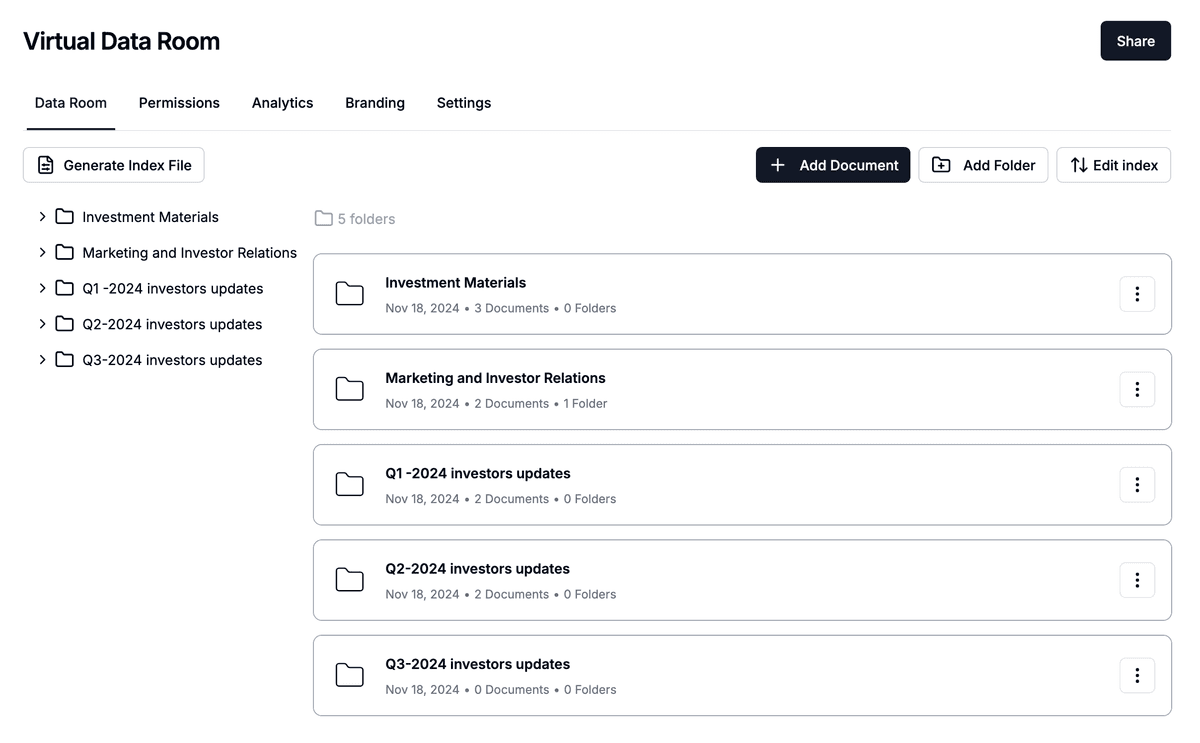 A data room provisioned and updated programmatically through the Papermark API.