Due Diligence Red Flags in 2026: 24 Warning Signs and What They Cost
·17 min read
Marc Seitz
A due diligence red flag is a finding serious enough to change the price, the structure, or the decision to proceed. Most findings are not red flags. The skill is telling the difference early, because a red flag found in week two is a negotiation and the same red flag found in week eight is a broken deal.
Quick recap
A due diligence red flag is a finding that changes price, structure, or the decision to close, as opposed to a yellow flag, which is a finding you note and manage after closing.
Red flags cluster in 6 workstreams: financial, legal and compliance, commercial, people, technology and security, and the seller's own behaviour during the process.
The 5 standard remedies are a price reduction, a specific indemnity, an escrow or holdback, a condition to closing, and walking away.
Buy-side quality of earnings providers commonly disallow 10 to 30 percent of the add-backs a seller proposes, which is why an aggressive add-back list is itself a red flag.
Customer concentration above 20 percent of revenue is the most common commercial red flag and is usually handled with an earnout or a holdback rather than with price alone.
Non-transferable enterprise software agreements are the most frequently missed legal red flag, because a licence compliant under the seller can be unlicensed on day one under the buyer.
Claims-made insurance policies stop covering past acts when they lapse, so a seller unwilling to fund run-off is a red flag with a defined price attached.
Behavioural signals count: staged document releases, a data room opened three days before the deadline, and answers that change between the Q&A log and the management meeting are all warnings.
Unquantified findings cannot be negotiated, so the first job after spotting a red flag is to put a number and a probability on it.
A data room for due diligence red flags gives each reviewer a scoped link and a per-visitor audit log, so findings and disclosure dates are recorded rather than remembered. Papermark hosts one from €99/month.
Every diligence process produces a list of problems. What separates a good buyer from an expensive one is not finding more problems, it is sorting them: which items reprice the deal, which get papered with an indemnity, which get fixed before closing, and which mean the deal should not happen. This guide sets out 24 specific red flags across six workstreams, what each one typically costs, and the five ways they get resolved.
Red flags are also a document problem. Findings surface across four reviewers who each see part of the picture, and the record of what was disclosed and when matters years later. A data room for due diligence red flags keeps that record automatically. Section 10 covers the setup step by step.
1. What counts as a red flag
Not every problem is a red flag, and treating every problem as one is a good way to lose a deal you should have done. A useful working definition: a red flag is a finding that either changes what the business is worth, changes how the transaction has to be structured, or changes whether you should proceed at all. Everything else is a yellow flag, meaning something you note, plan for, and manage after closing.
The test has three parts. Materiality: is the number big enough to matter against the purchase price, or is it noise? Persistence: does the problem continue under new ownership, or does it disappear with the seller? Quantifiability: can you put a number and a probability on it? The third part is the one buyers skip, and it is the one that determines whether a finding can be negotiated. A seller can argue with an adjective. A seller cannot argue with a schedule showing a $640,000 exposure with a documented basis.
A fourth dimension sits above the other three: whether the finding is about the business or about the people selling it. An unfiled sales tax return is a problem with a price. A seller who knew about it, was asked directly, and said nothing is a different category, because it means the rest of the disclosure cannot be relied on. Those are the findings that genuinely end deals, and they are worth separating in your notes from the ordinary operational mess every private company carries.
Timing matters as much as severity. A red flag surfaced in week two can be investigated, quantified, and negotiated while both sides still have alternatives. The same finding in the final week arrives when the buyer's costs are sunk and the only responses are to accept it or to end the deal. That asymmetry is the strongest argument for front-loading the workstreams that produce the worst surprises: financial, legal, and, in any technology-dependent business, IT due diligence.
2. The 24 red flags, by workstream
The tables below list the findings that most often reprice or kill mid-market deals, grouped by the workstream that surfaces them. They are not exhaustive and they are not equally weighted; they are the ones that recur.
#
Red flag
Workstream
What it usually costs
1
Bank deposits do not reconcile to reported revenue
Financial
Unfinanceable revenue, price reduction or no deal
2
Add-back list where one-off items recur in all 3 years
Financial
10 to 30 percent of add-backs disallowed, multiplied by the multiple
3
Revenue recognised early or on percentage of completion assumptions
Financial
Restated earnings, often a full turn of multiple
4
Working capital run below the historical norm before sale
Financial
Peg dispute worth 1 to 5 percent of price
5
Receivables ageing worsening while revenue is flat
Financial
Bad debt provision plus a collectability question
6
Deferred maintenance and no capital plan
Financial
First-year capital spike outside the model
7
Non-transferable enterprise licence agreements
Legal
Re-purchase or true-up, sometimes six figures
8
Change-of-control clauses in the top customer contracts
Legal
Consent risk, or the customer renegotiates
9
Unfiled tax returns in states or countries with nexus
Legal
Back tax plus penalties, usually a specific indemnity
10
Undisclosed litigation or a recent demand letter
Legal
Escrow, and a disclosure credibility problem
11
IP assigned to founders personally rather than the company
Legal
Condition to closing, cannot be papered later
12
Claims-made insurance with no run-off funded
Legal
Run-off premium, commonly 200 to 300 percent of the annual premium
The first six are financial and share a common shape: the reported earnings are not the earnings a buyer will experience. The next six are legal, and they share a different shape: something the buyer assumed transfers does not transfer, or something the buyer assumed was settled is not.
#
Red flag
Workstream
What it usually costs
13
One customer above 20 percent of revenue
Commercial
Earnout or 12-month holdback on that revenue
14
Top customers on no written contract
Commercial
Retention risk priced into structure
15
Pricing held flat for years in an inflationary input market
Commercial
Margin compression already in motion
16
Backlog counted as revenue with no signed orders behind it
Misclassification exposure, usually excluded by insurance
20
Unsupported operating systems in production
Technology
Refresh cost inside the first 6 months
21
No penetration test in the past 24 months
Technology
Unknown exposure, plus remediation budget
22
Backups that have never been restore-tested
Technology
Continuity risk the model never priced
23
Documents released in stages after repeated requests
Behaviour
Timetable slips, and the last folder is usually the problem
24
Answers that change between the Q&A log and the meeting
Behaviour
Disclosure credibility, which raises everything else
The last two are the ones buyers most often notice and least often write down. They are worth recording precisely because they change how you weight every other finding.
3. Financial red flags
Financial red flags are the most common and the easiest to quantify, which is why they resolve into price rather than into structure. The underlying question is always the same: is the earnings number the buyer is paying a multiple of the number the buyer will actually receive?
The most fundamental check is also the cheapest. Reconcile bank deposits to reported revenue for a sample of months. Where they do not tie, there is either unrecorded revenue, which a buyer cannot pay for because it cannot be financed or defended, or a bookkeeping failure, which is its own finding. Sellers occasionally present unrecorded cash revenue as an upside. It is the opposite.
The second is the add-back list. Sellers propose costs they consider exceptional; reviewers test whether each item genuinely will not recur. A one-off legal expense appearing in three consecutive years is not one-off. Buy-side providers commonly disallow 10 to 30 percent of a proposed list, and at a 6x multiple every $100,000 disallowed removes $600,000 of enterprise value. An unusually aggressive list is itself a signal about how the rest of the information was prepared.
The third is working capital. A seller who knows a peg is coming can improve the cash position by slowing supplier payments, accelerating collections, and running inventory down, all of which is visible in the monthly balance sheets and all of which reverses in the buyer's first quarter. Set the peg off a twelve-month average rather than the closing month. Our guide to the working capital adjustment covers the mechanics.
The fourth is the receivables ledger. Revenue flat and days sales outstanding rising means either collection has stopped working or revenue is being recognised on invoices that will not be paid. The ageing report answers the question in about ten minutes.
4. Legal, contract, and compliance red flags
Legal red flags rarely reprice a deal on their own. They change its structure, because the standard remedies are a specific indemnity, an escrow, or a condition that must be satisfied before closing.
The most frequently missed is licensing. Enterprise software is licensed to a legal entity under a specific metric, and many master agreements contain change-of-control provisions, so a position that was compliant under the seller can require renegotiation or a true-up once ownership changes. The check is entitlement against deployment, then the change-of-control clause in every material agreement, then audit history, because a vendor audit in the last three years strongly predicts another one after the transaction.
The second is contract assignability. Anti-assignment and change-of-control clauses in the top customer agreements determine whether the revenue you are buying survives the closing. In an asset purchase, nothing transfers automatically, so each contract needs consent and each consent has a lead time. Find them in week two and the consents run in parallel with everything else. Find them in week eight and they become the reason the closing date moves.
Contracts and litigation go to counsel; the commercial reviewer does not need the litigation folder.
The third is tax exposure that has never been quantified. Unfiled sales tax in states where the business has nexus, payroll taxes on misclassified contractors, and transfer pricing positions taken without documentation all sit in the same category: a known methodology, an unknown number, and a limitation period that keeps running. These almost always resolve into a specific indemnity rather than a price reduction, because neither side can size them precisely.
The fourth is ownership of intellectual property. Code written by a founder before incorporation, contributions from contractors with no assignment clause, and trademarks registered personally are all common in businesses under fifteen years old. This is one of the few categories that cannot be fixed with money after closing, so it becomes a condition to closing.
5. Commercial, people, and technology red flags
Commercial red flags are about whether the revenue continues. Customer concentration is the headline, and the threshold most buyers use is 20 percent of revenue from a single customer, at which point the finding is structured rather than priced: an earnout tied to that customer's retention, a holdback released after twelve months, or a specific indemnity. What matters as much as the number is the shape over three years and whether a written contract sits behind it.
Two quieter commercial flags are worth naming. Pricing held flat for several years in a market where input costs have risen is margin compression already in motion, visible in gross margin by year. And a backlog presented as near-certain revenue without signed orders behind it is a forecast, not an asset.
People red flags are about whether the business can operate. Owner dependence dominates in any owner-operated business, and it is tested by asking who customers call, who sets prices, who does the technical work, and whose name is on the operating licence. Key staff on no contract and below market pay are a retention cost arriving in the first ninety days. Contractors performing work that looks like employment are a misclassification exposure, and wage-and-hour claims are commonly excluded or heavily sublimited under employment practices insurance, so this one is rarely covered.
Technology red flags are about what the buyer inherits. Unsupported operating systems in production, no penetration test in the past twenty-four months, and backups that have never been restore-tested are the three that appear most often. The last is the most misdiagnosed, because every company says it takes backups. The useful questions are what the documented recovery time and recovery point objectives are, and when a restore was last tested end to end.
6. Behavioural red flags: what the seller does, not what the documents say
The documents are only half the signal. How the seller runs the process tells you how the information was prepared, and experienced buyers weight it heavily.
Staged disclosure is the clearest pattern. Documents arrive one folder at a time, each after a repeated request, and the last folder to arrive is disproportionately likely to contain the problem. A related pattern is the data room that opens three days before the diligence deadline, which converts a review into a skim by design.
Inconsistency between channels is the second. An answer given in the Q&A log that does not match what management said in the meeting, or a number in the confidential information memorandum that does not match the same number in the underlying schedule, is worth chasing to the bottom every time. Usually it is sloppiness. Occasionally it is not, and you cannot tell which without asking.
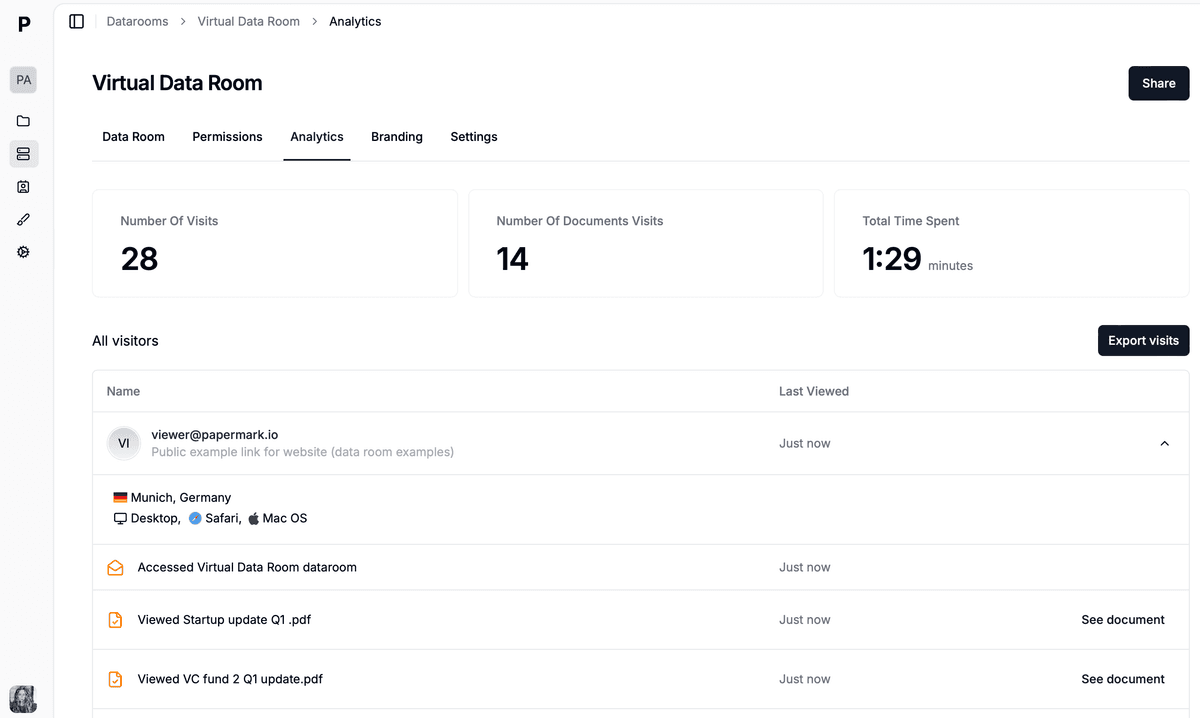
On the sell side, analytics show which buyer is genuinely working the room and which has stopped opening documents.
The third is resistance to specific access. A seller who will not allow a scoped link for the buyer's insurance broker or IT advisor, or who insists that all questions route through one person, is managing information flow rather than answering questions. There are legitimate reasons for that, particularly where employees do not know about the process, but the reason should be stated rather than assumed.
The fourth is documents that cannot be produced at all. Not "we will send it" but "that does not exist": no restore test evidence, no record of processing activities, no signed assignment for the key contractor. An absent document is a finding in its own right, and it should be recorded as one rather than left as an open item that quietly disappears from the list.
7. What to do with a red flag: the 5 remedies
Once a finding is quantified, there are five things a buyer can do with it. Choosing the right one is mostly a function of whether the exposure is certain or contingent, and whether it can be fixed before closing.
Remedy
Use when
Typical example
Price reduction
The exposure is certain and quantified
Add-backs disallowed, standalone cost higher than allocated
Specific indemnity
The exposure is real but unquantified
Unfiled sales tax, open vendor licence audit
Escrow or holdback
The exposure is contingent on a future event
Retention of a customer at 24 percent of revenue
Condition to closing
The problem must be fixed and can be
IP assignment, landlord consent, licence transfer
Walk away
The finding undermines the disclosure itself
Material misstatement, or a fact known and not disclosed
Two practical notes. First, an indemnity is only as good as the party behind it, so on a deal where the seller is an individual retiring abroad, an indemnity with no escrow behind it is a letter rather than a remedy. Second, representations and warranties insurance does not cover known issues. Anything the buyer discovered in diligence is excluded from that policy by definition, which is exactly why known red flags have to be resolved with one of the other four remedies.
8. Worked scenario: 31 findings on the Norwood Labels deal
A mid-market buyer runs a nine-week diligence process on Norwood Labels, a $27M revenue packaging printer with 140 employees and two plants. The purchase price agreed in the letter of intent is $34M, at 6.2x an adjusted EBITDA of $5.5M presented by the seller's advisor.
The review produces 31 written findings across five workstreams. Most are yellow: an outdated employee handbook, an unrecorded but immaterial equipment lease, a website with an expired certificate. Six are red, and between them they move $2.6M of value.
Norwood Labels: how $2.6M of red flag findings were resolved
$2.6Mvalue at stake
Price reduction1200 · 46%
$1.2M: add-backs disallowed plus a higher standalone insurance cost
Escrow, 18 months700 · 27%
$700K against retention of the 23 percent customer
Specific indemnity450 · 17%
$450K estimated exposure on unfiled sales tax in two states
Buyer first-year budget250 · 10%
$250K: endpoint refresh and a funded restore test programme
Worked scenario. Only the $1.2M of add-back and standalone cost findings came off the headline price; the rest was structured, because contingent exposure cannot be priced precisely.
The largest single item is financial. The quality of earnings review disallows $290,000 of the seller's $1.1M add-back list, mostly legal fees appearing in all three years and deferred press maintenance the buyer will still have to pay for. At 6.2x that is $1.8M, and the parties settle at a $900,000 price reduction after the seller produces evidence supporting part of the list.
The second is commercial. Norwood's largest customer is 23 percent of revenue, on a contract that expires in fourteen months and contains a change-of-control clause. The remedy is a $700,000 escrow released after eighteen months if the customer renews. The third is tax: two states where Norwood has warehouse nexus and has never filed sales tax returns, resolved with a $450,000 specific indemnity rather than a price cut, because nobody can size it precisely.
The last two are technology and insurance. 140 endpoints run an operating system past end of support, and the directors and officers policy is claims-made with no run-off budgeted. The refresh becomes a $250,000 first-year budget line, and a six-year run-off goes into the purchase agreement at the seller's cost. Diligence runs through a room holding 420 documents in nine folders, with five reviewer links.
9. Common mistakes when handling red flags
The first mistake is raising a finding before quantifying it. A buyer who says the insurance programme "looks inadequate" invites a debate about adjectives. A buyer who says the standalone premium is $270,000 a year higher than the allocated charge, with the broker's quote attached, gets a price conversation.
The second is bundling. Ten findings presented as one list encourage the seller to concede the cheapest three and treat the matter as closed. Present the six that matter separately, each with its own number and its own proposed remedy.
The third is treating an indemnity as free. Every indemnity has a counterparty, a cap, a survival period, and a collection problem. If the seller is an individual who will have distributed the proceeds within a month of closing, an uncollateralised indemnity is not a remedy.
The fourth is ignoring behavioural signals because they are hard to write down. Staged disclosure, a room that opens late, and answers that change between channels are all evidence about how the rest of the information was prepared. Record them in the same log as everything else.
The fifth is running the process so that no reliable record survives it. Two years after closing, the question in a dispute is what was disclosed, to whom, and on what date. Email threads across four reviewers do not answer that, which is the practical case for a data room for due diligence red flags with a per-visitor audit log. Our data room checklist covers how to structure the record properly.
Manage due diligence with a virtual data room
No credit card required
Page by page analytics
Unlimited documents & folders
Permission management
Dynamic watermarks
NDA collection
Real-time alerts
Custom branding
Audit trail
10. Data room for your due diligence red flags
A data room for due diligence red flags is not a separate product; it is the deal room configured so that findings are traceable. Two things matter more than anything else: each reviewer sees only their own workstream, and every view, download, and answer is timestamped against a named person. That is what turns a diligence process into a record.
Papermark is a secure, fully customizable, and developer-friendly data room built for modern dealmakers, with page-by-page analytics, dynamic watermarking, and transparent pricing (open-source and self-hosting available).
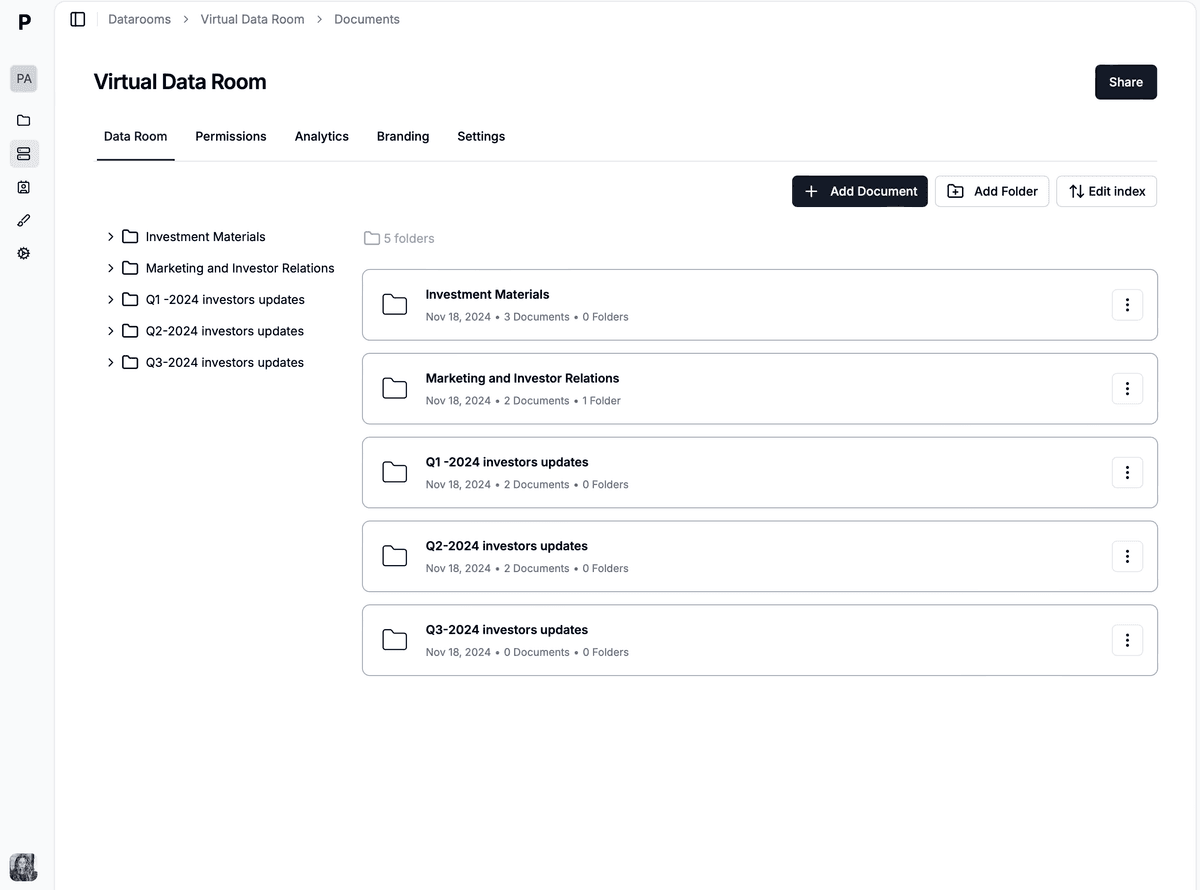
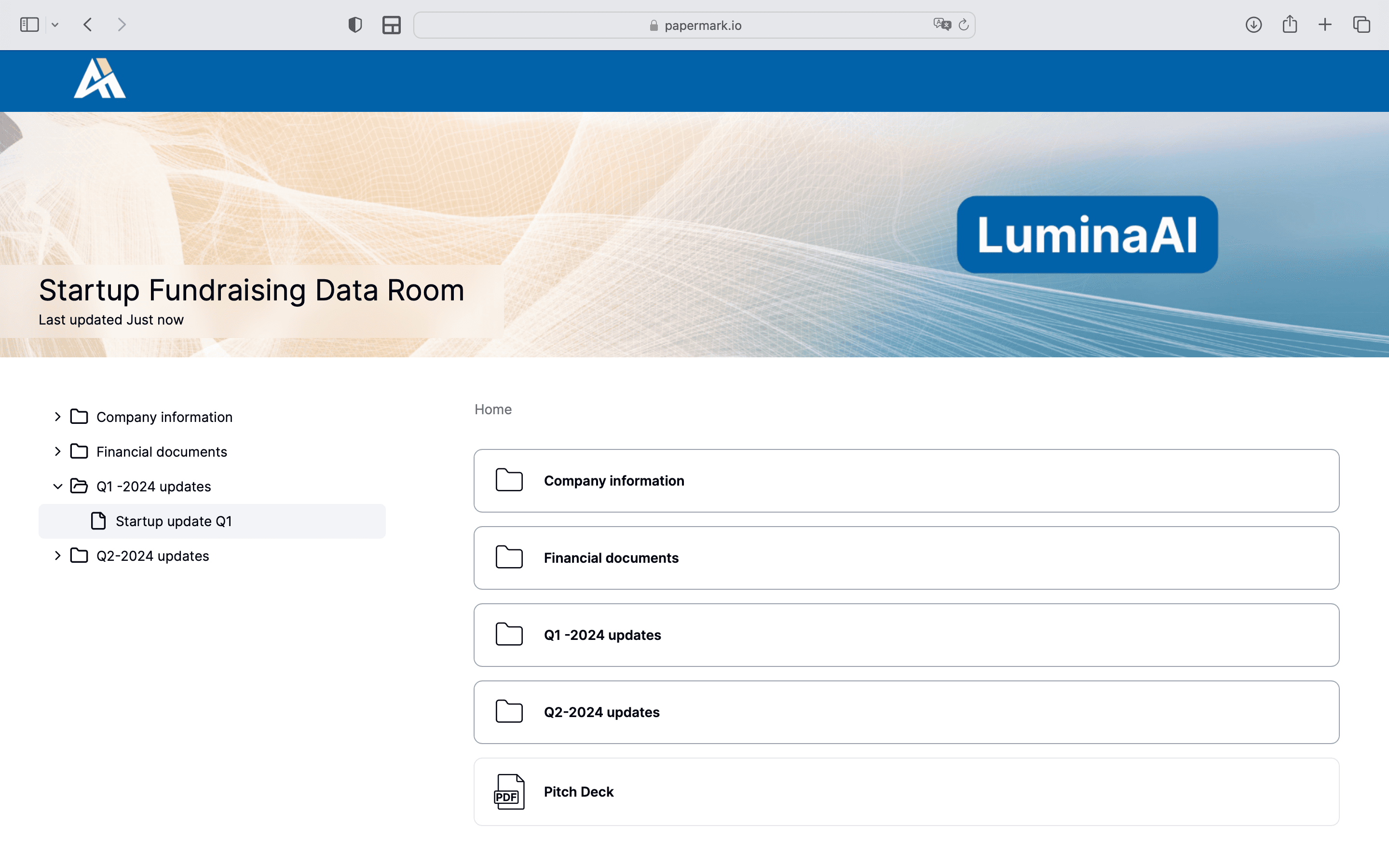
One folder per workstream, so a finding can always be traced back to the document that produced it.
Why you need a data room for due diligence red flags
Most red flags are found by someone who is not you, in a document you have not read, in a week you are focused on something else. There are four reasons a dedicated data room for due diligence red flags earns its place. If you are still choosing a platform, our comparison of the best virtual data rooms covers pricing, permissions, and compliance across the main providers.
Findings arrive from five reviewers who each see part of the picture. The accountant finds the add-back problem, counsel finds the change-of-control clause, the IT advisor finds the unsupported endpoints, and none of them see each other's work. One folder per workstream and one link per reviewer keeps the sources attached to the findings instead of scattered across five inboxes.
Disclosure dates decide post-closing disputes. When a claim arises two years later, the question is what was in the room, when it was uploaded, and who opened it. A per-visitor audit log answers that to the minute. A shared drive reorganised since closing is worse than nothing.
Behaviour is only visible if you measure it. Staged disclosure and late-opening rooms are red flags, and both are easier to demonstrate when upload timestamps and per-document view records exist. On the sell side, the same analytics show which bidder has quietly stopped.
Some findings are more sensitive than the deal itself. Litigation files, penetration test results, and employee records should not sit behind the same permission as the sales pipeline. Scoped links share the finding with the reviewer who needs it without widening the circle.
The rest of this section is the practical setup: five steps that handle all four.
Step 1: build the room by workstream
Build the data room for due diligence red flags with one folder per workstream: financial, tax, legal and contracts, commercial, people, technology, insurance, and property. That structure is what makes scoped access possible, and it also means a finding always has an address, so the remediation schedule can cite a document rather than a recollection.
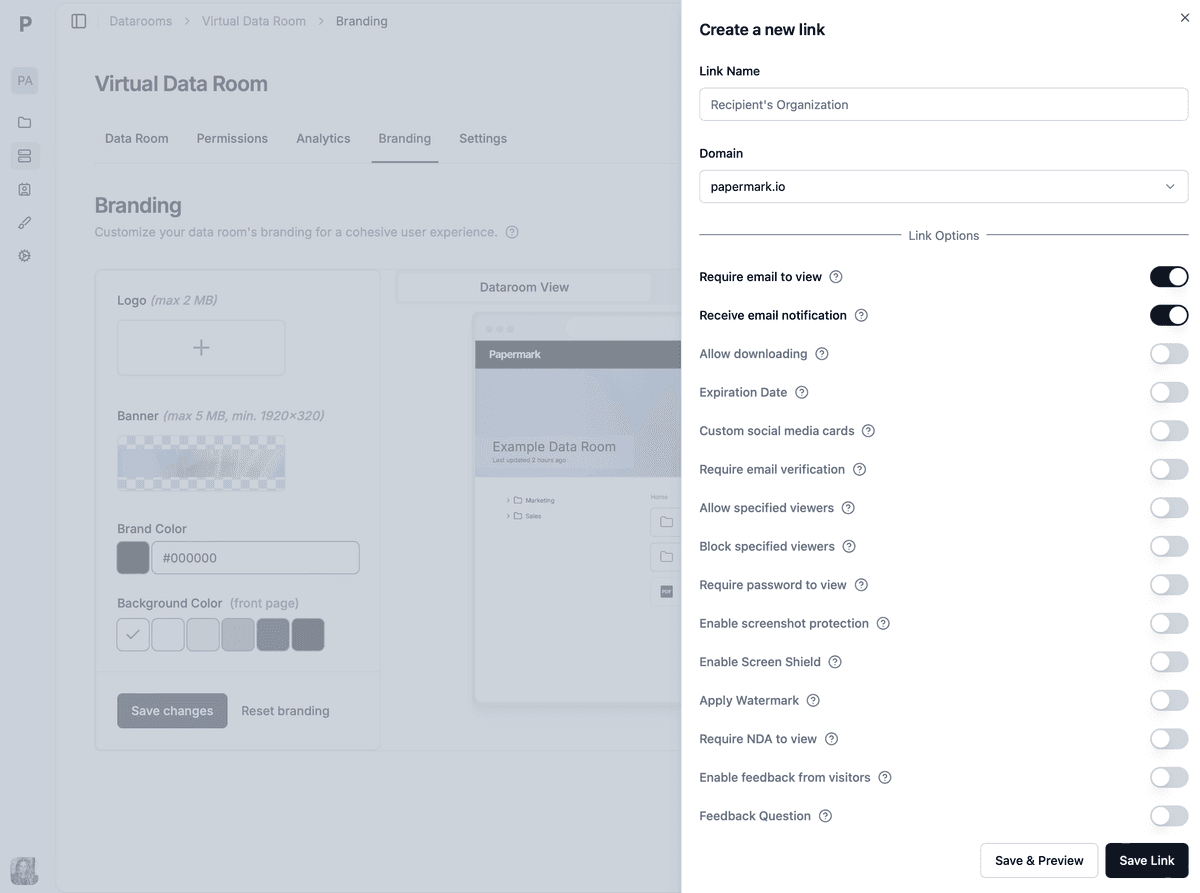
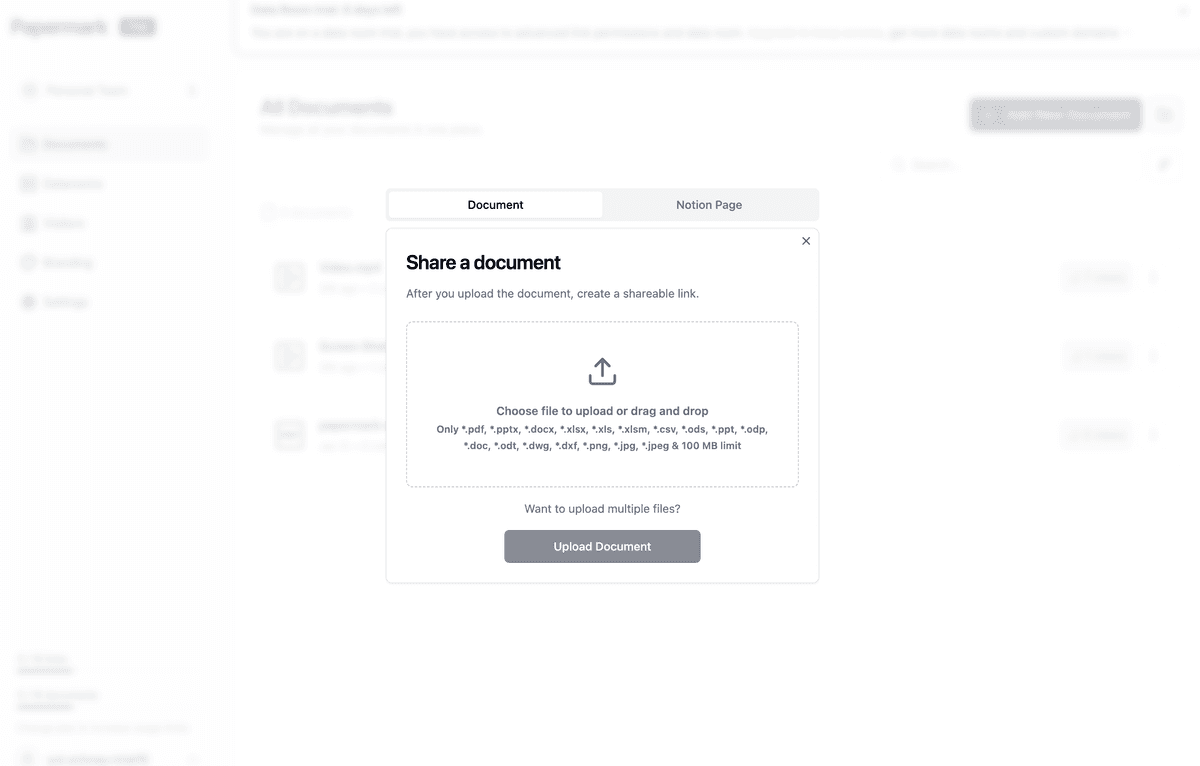
Upload in bulk by dragging the folder tree in. Automatic file indexing on the Data Rooms Plus plan builds and maintains the index as documents arrive, which is what makes staged disclosure visible: the index shows what landed and when.
Upload timestamps are what turn staged disclosure from an impression into evidence.
Step 2: one link per reviewer, scoped to their workstream
Reviewer
Folders granted
Rights
Quality of earnings provider
Financial, tax
View and download
Buyer's counsel
Legal and contracts, property, people
View and download
IT and security advisor
Technology
View only, watermarked
Insurance broker
Insurance, people
View only
Lender
Financial, property
View only
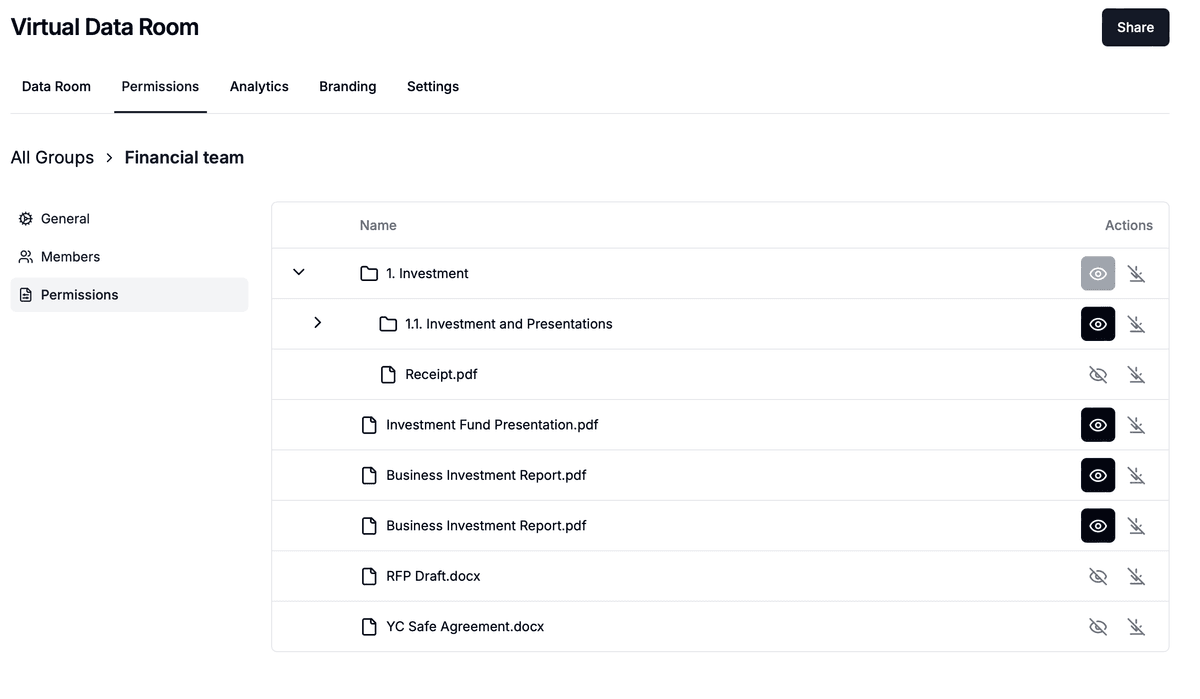
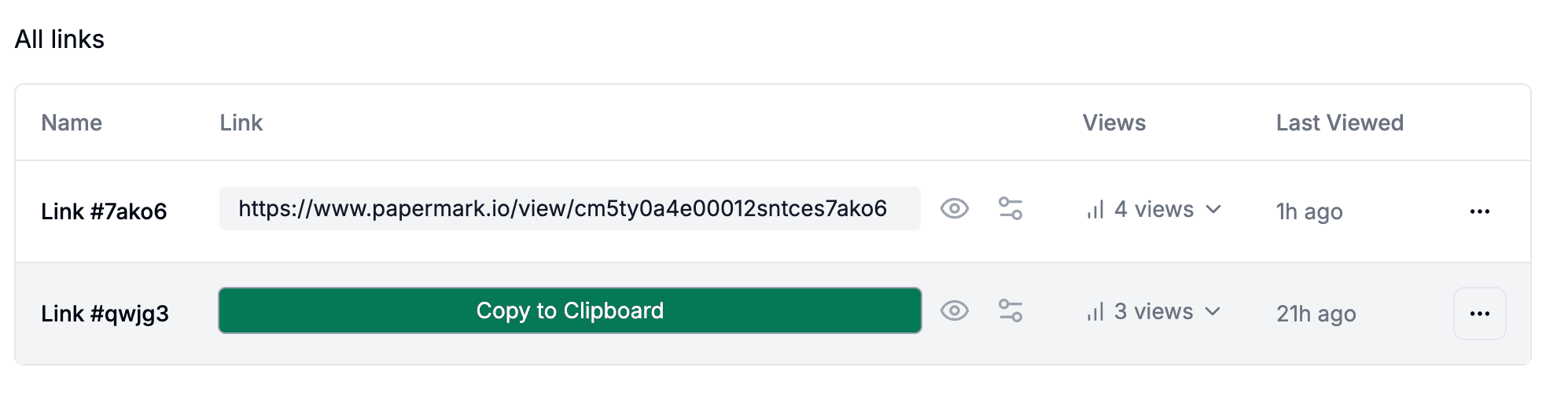
Granular file-level permissions are set per link rather than per user, so each reviewer gets one link with its own folder scope, email allowlist, and download rule. Access is link-based, so no reviewer creates an account, which is what keeps busy advisors inside the room instead of asking for email attachments.
Permissions are set per link, so the lender and the security advisor see different folders of the same room.
Step 3: protect the folders that would cause harm if they leaked
Litigation files, penetration test findings, and employee records are the documents where a leak creates a second problem on top of the first. Set those folders to view-only and turn on dynamic watermarking, which stamps every page with the viewer's email, IP address, and timestamp as it renders.
Watermarking does not prevent a leak; it makes one traceable to a named viewer.
State the honest limit: a downloaded file is legally treated as read, and no platform can recall it. That is why download is disabled rather than discouraged on these folders.
Step 4: run findings through Q&A so the answers are on the record
The Q&A module attaches each question to the document that prompted it, with permissions controlling who sees which threads. That matters for red flags specifically, because the answer to a question is often the finding: a seller who answers a direct question about pending litigation in writing has either disclosed or failed to disclose, and both are now recorded.
Answers publish to one group or to everyone, and the whole log exports for the closing file alongside the disclosure schedule.
Step 5: read the analytics, then freeze the room
Page-level analytics show which reviewer opened which document, when, and for how long. Thirty minutes inside one contract usually means a finding is coming, and it arrives about a week before the report does. On the sell side, the same data shows which bidder has stopped engaging.
After closing, data room freeze makes the room immutable and exports it as an archived ZIP with a certificate. When a dispute about disclosure surfaces two years later, that archive is the answer.
Papermark is our #1 VDR provider for M&A transactions right now. In two deals we used custom branding, dynamic watermarking, and granular permissions.
The Data Rooms plan is €99/month with a 7-day free trial and includes 3 team members, unlimited data room visitors, unlimited data rooms, unlimited documents, custom domain, dynamic watermarking, NDA agreements, and granular file-level permissions. Data Rooms Plus at €249/month adds 5 team members, the Q&A module, the audit log, automatic file indexing, and SOC 2 Type II. Data Rooms Premium at €549/month adds 10 team members, AI redaction, full API access, SSO, and whitelabeling. Data Rooms Unlimited at €999/month removes per-seat charges entirely, so teams that add reviewers mid-deal pay one number regardless of headcount, and it carries every Premium capability including AI redaction. For a buyer running several processes a year, unlimited data rooms on one subscription means one room per target with no per-deal fee.