BlogData RoomsHow to Choose a Virtual Data Room: Buyer's Guide for 2026
How to Choose a Virtual Data Room: Buyer's Guide for 2026
·4 min read
Marc Seitz
Choosing a virtual data room affects deal security, team efficiency, and total cost of ownership for months or years. This buyer's guide covers everything you need to evaluate VDR options in 2026 — from security requirements and pricing model analysis to competitor plan breakdowns and the hidden costs that most providers don't mention upfront.
The right VDR depends on your use case, organization size, regulatory environment, and budget. A startup raising a Series A has different requirements than a bank running concurrent M&A processes. This guide helps you find the right fit.
Build your data room in minutes
No credit card required
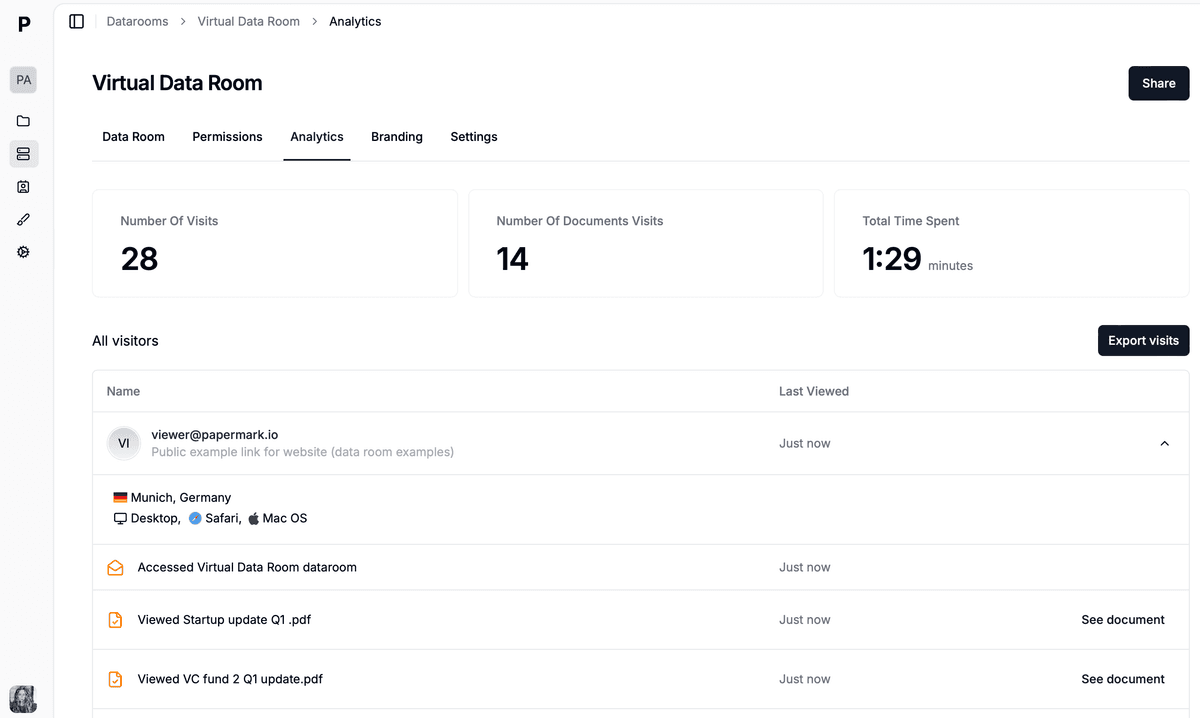
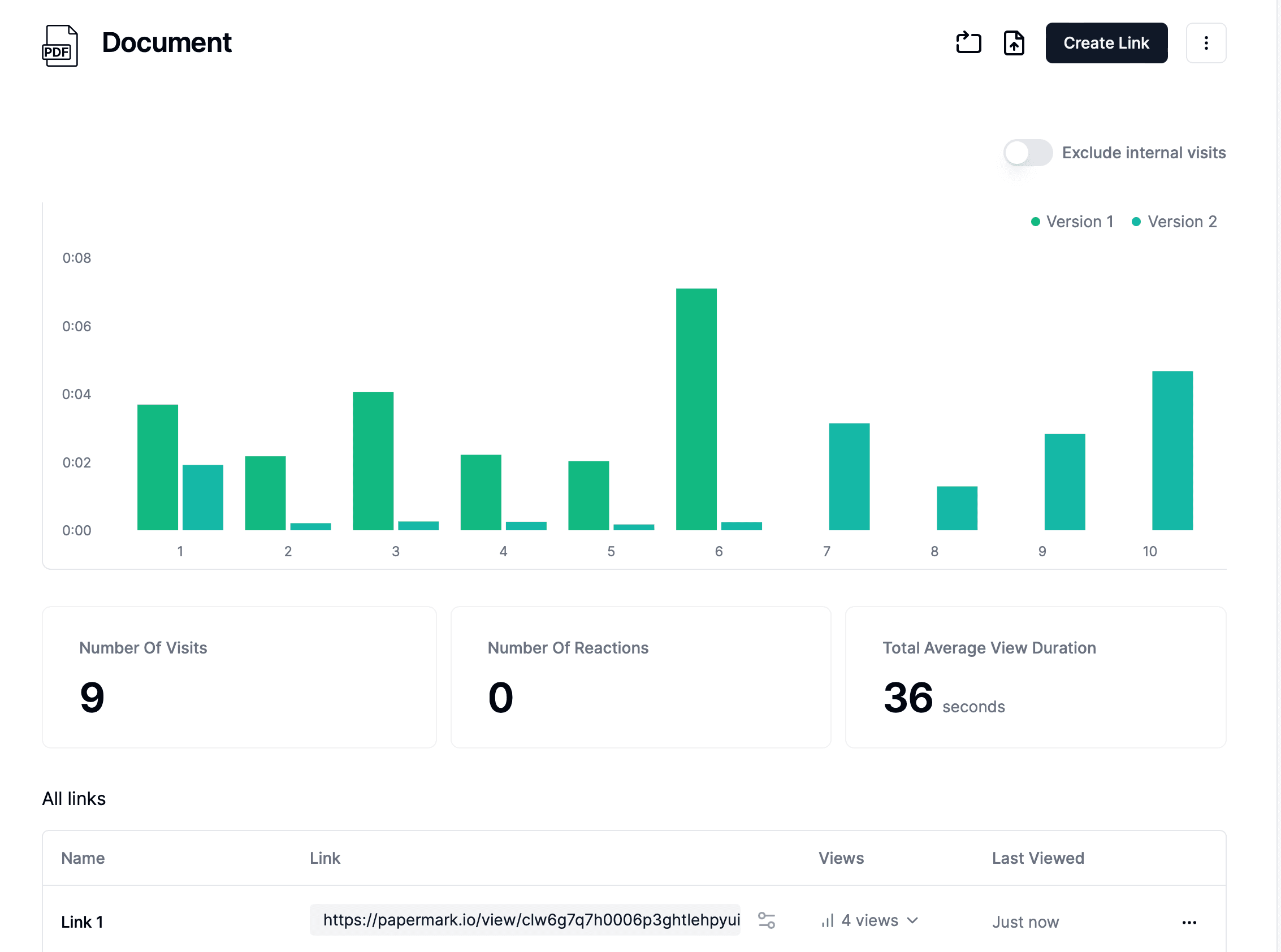
Page by page analytics
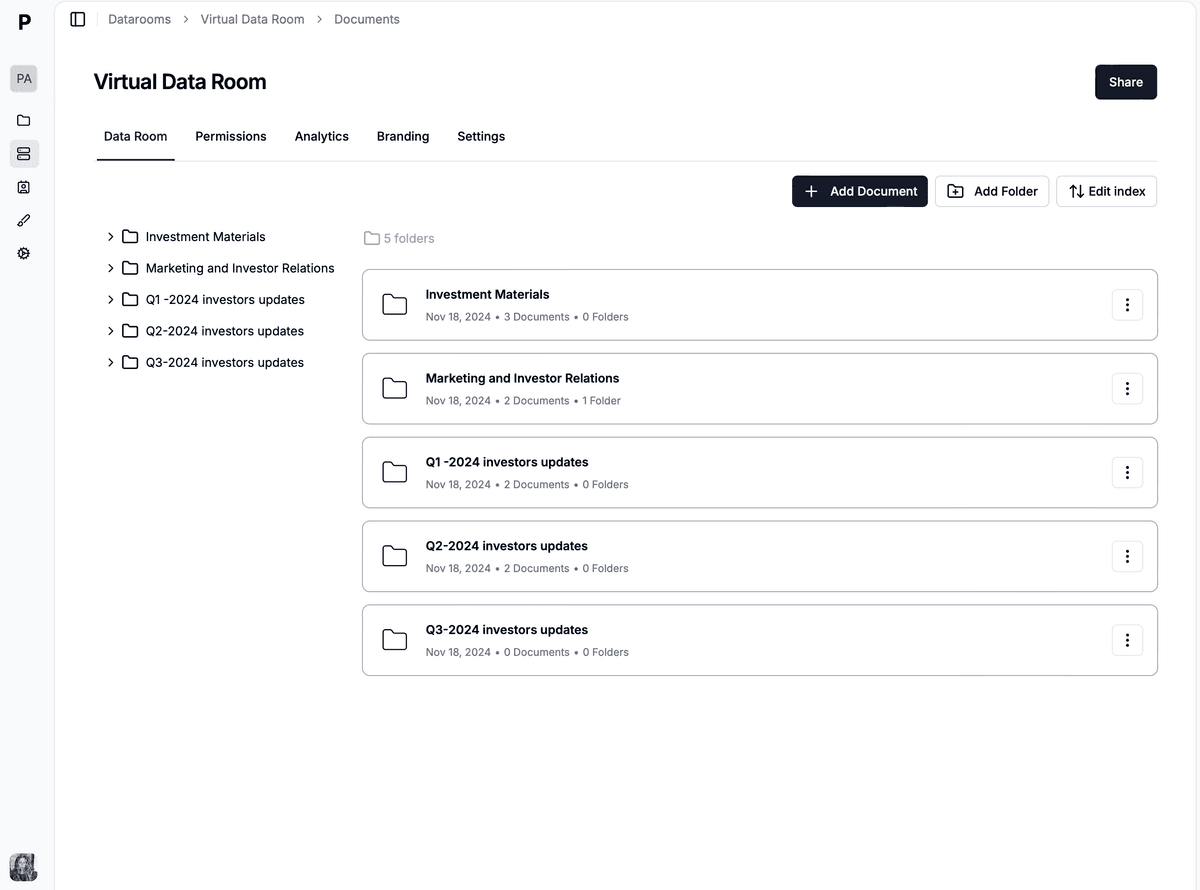
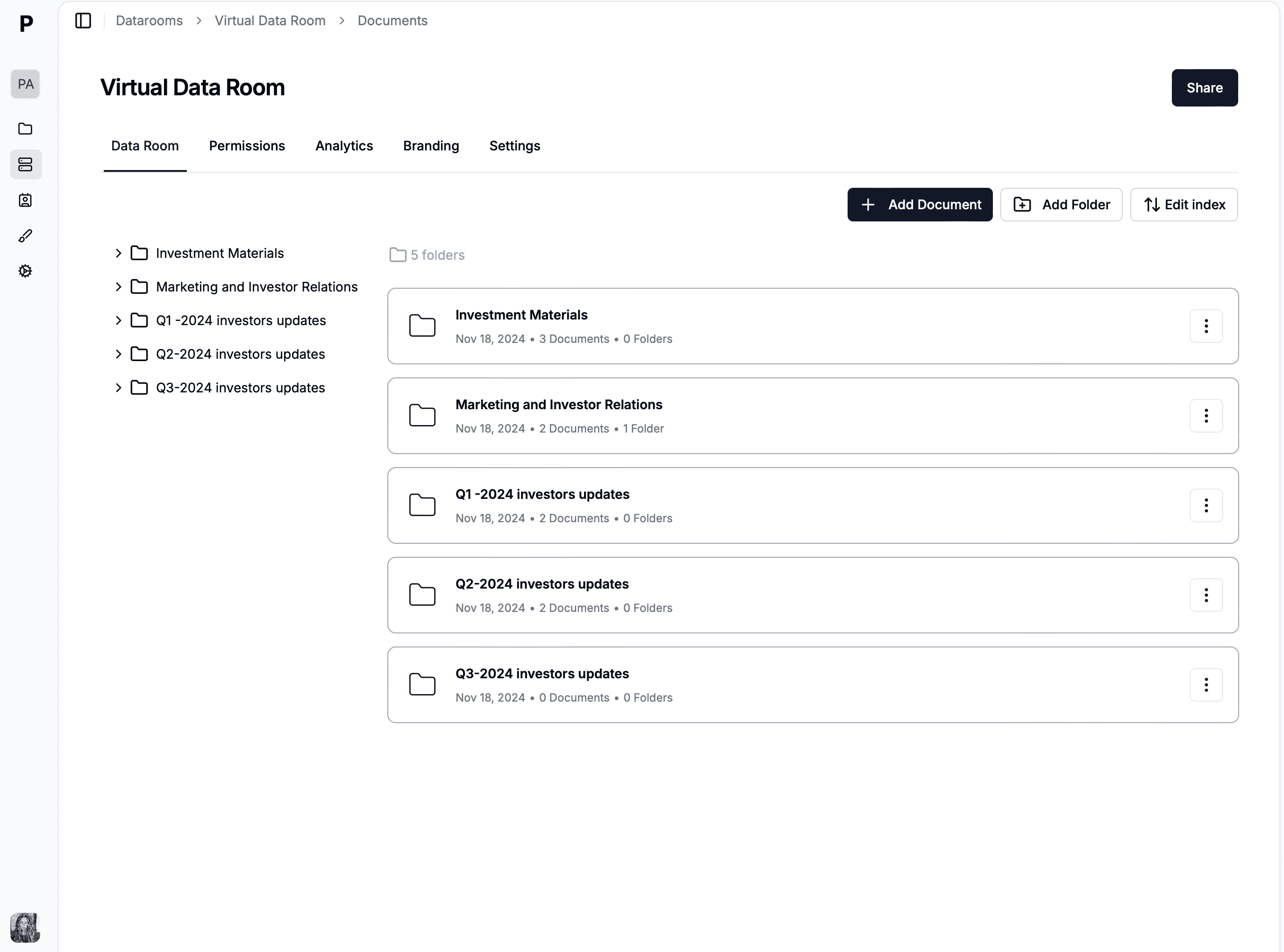
Unlimited documents & folders
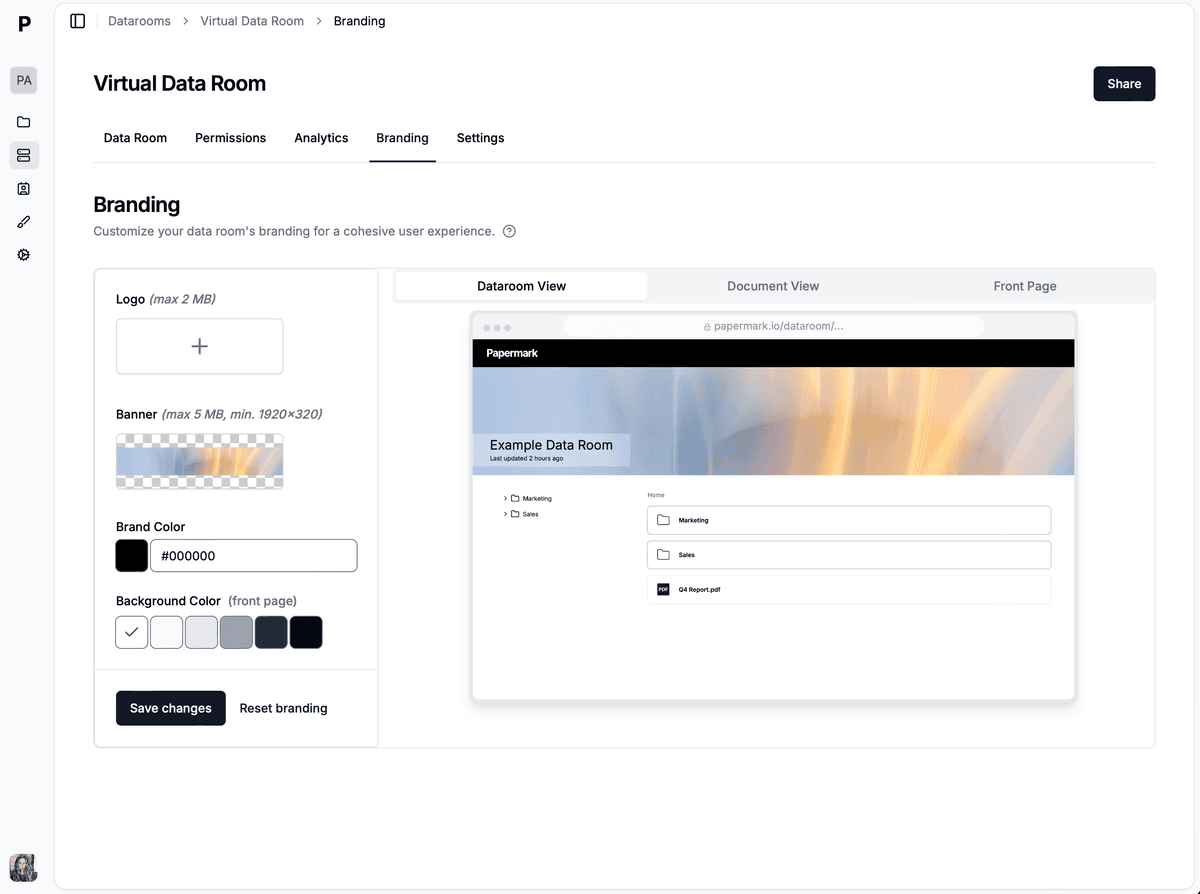
Custom domain & branding
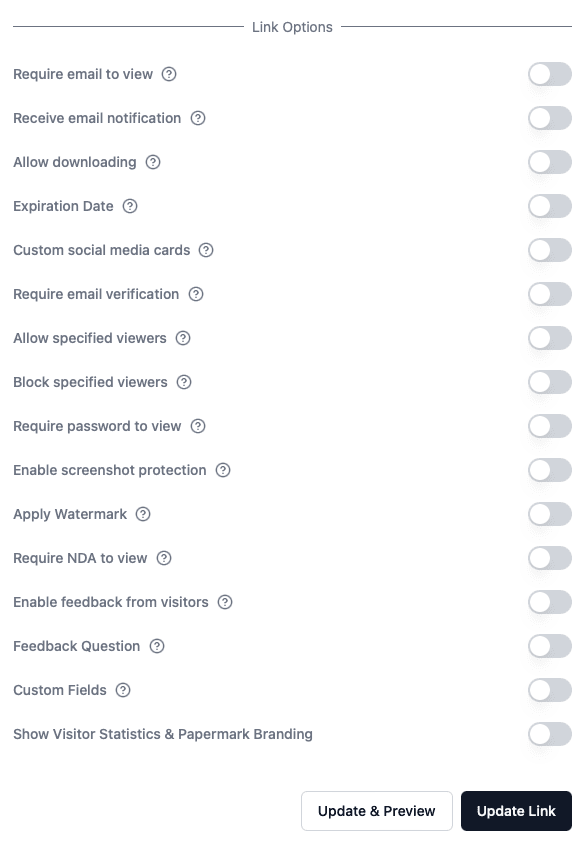
Dynamic watermarks
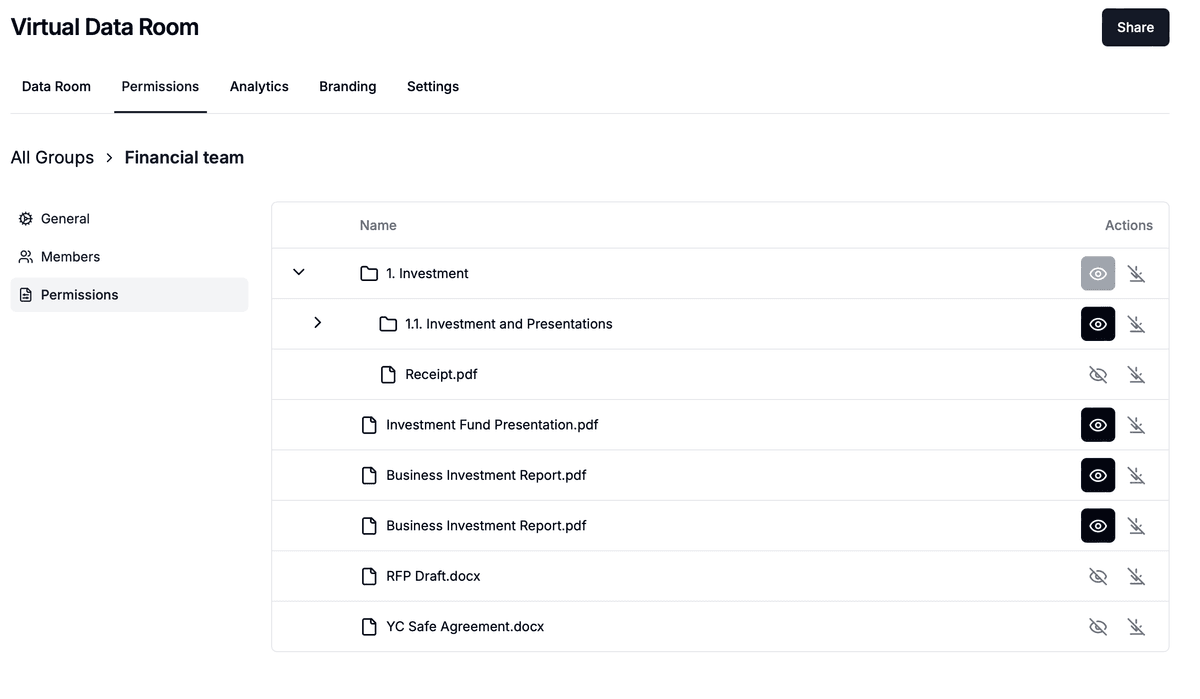
Granular permissions
NDA & agreements
Activity notifications
SOC 2 & ISO 27001 certified
How to choose a VDR: the short version
If you don't have time for the full guide, here's the decision framework in five steps:
List your must-haves — Security certifications, granular permissions, watermarking, audit trails, and any industry-specific compliance requirements.
Set a budget — Know your total budget including setup, overage fees, and support costs. Flat-rate providers like Papermark make budgeting simpler.
Test before you buy — Run a real trial with your actual documents and users. A sales demo is not a substitute.
Compare at least three providers — Use the pricing comparison and evaluation checklist in this guide.
Check for lock-in — Verify data export capabilities, contract terms, and cancellation procedures before signing.
Evaluation criteria for virtual data rooms
Security and compliance
Security is the foundation. Without it, a VDR is just overpriced file sharing.
Encryption standards. AES-256 at rest, TLS 1.2+ in transit. Ask about customer-managed encryption keys if your organization requires key sovereignty.
Certifications. SOC 2 Type II is baseline. ISO 27001 for comprehensive information security. Industry-specific: HIPAA (healthcare), FedRAMP (government), FINRA (financial services).
Watermarking.Dynamic watermarks that embed the viewer's email, IP address, and timestamp on every page. Verify they're applied server-side and can't be removed.
Audit trails. Comprehensive logging of every action — logins, views, downloads, prints, permission changes. Logs should be tamper-proof, exportable, and filterable.
Usability
Evaluate from three perspectives: admin setup, internal team workflow, and external party experience. A VDR that frustrates users leads to workarounds with less secure tools. Test mobile access too — deal-making happens on phones and tablets.
Pricing transparency
VDR pricing is notoriously opaque. Ask four questions:
What's included in the base price (users, pages, storage, rooms)?
What are the overage rates?
What's the minimum contract term?
Are there setup, training, or support fees?
VDR pricing structure models
VDR providers use different pricing models, and understanding them is critical to predicting your total costs. Here are the four most common structures:
Per-page pricing. You pay for each page stored or uploaded. This is the legacy model used by providers like Intralinks. It creates unpredictable costs — a document-heavy M&A deal can generate thousands in overage charges.
Per-user pricing. You pay per user seat. Box uses this model at $35+/user/month. Costs scale linearly with the number of deal participants, which can get expensive in multi-party transactions.
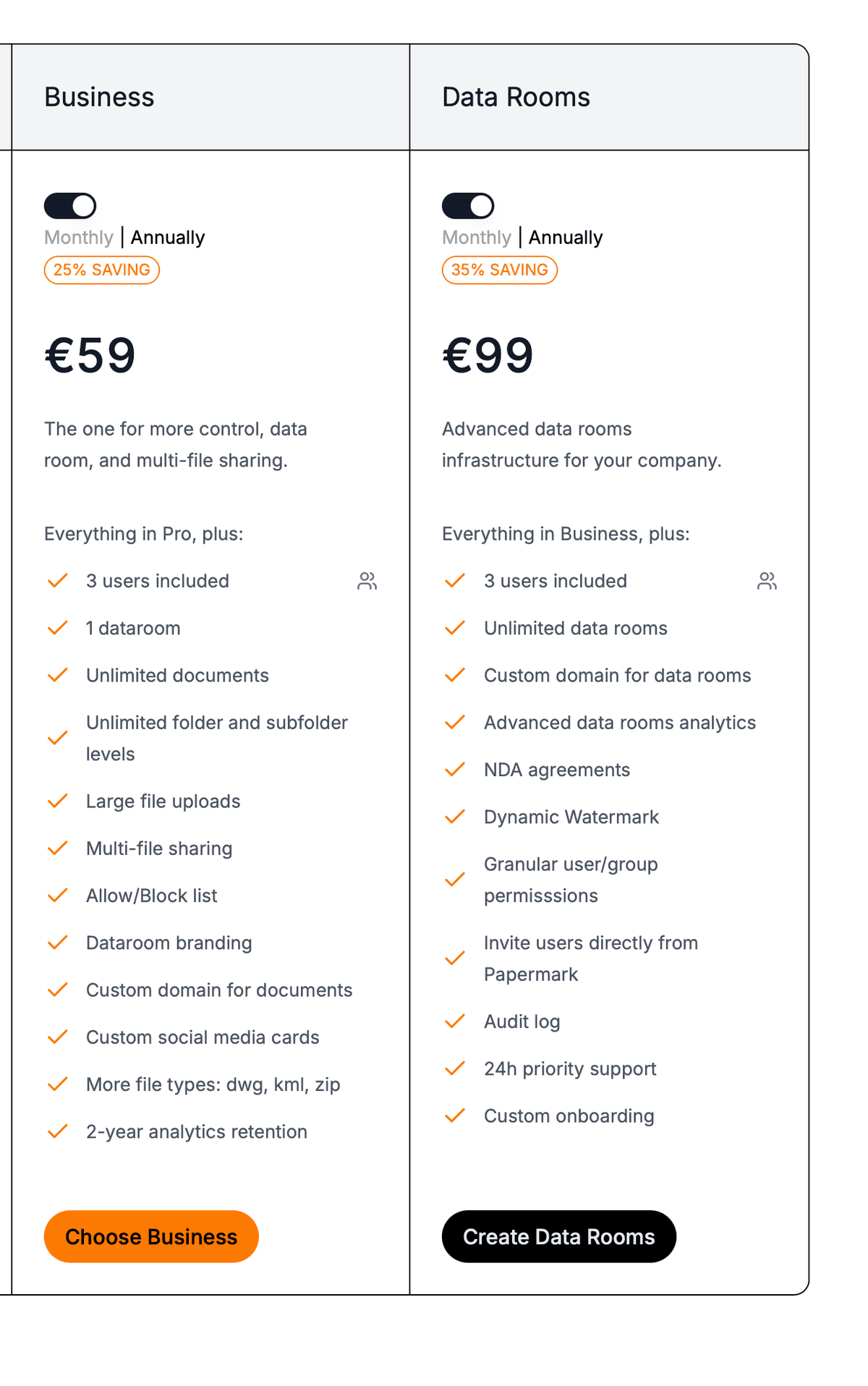
Flat-rate pricing. A fixed monthly fee regardless of pages, users, or storage. Papermark (€99/month) uses this model, and SecureDocs runs a subscription from $450/month. It's the most predictable and budget-friendly structure for most use cases.
Custom/enterprise pricing. No published pricing — you negotiate directly with sales. Intralinks, Datasite, and Ansarada use this approach. Expect $25,000+/year for enterprise-grade platforms with minimum commitment periods.
What's the best pricing structure?
Flat-rate pricing gives you the most predictable costs and eliminates the risk of overage charges. If you're running a single deal or have a predictable document volume, flat-rate providers like Papermark offer the best value. Enterprise organizations with complex multi-deal requirements may justify custom pricing if the platform's features genuinely match their needs.
What does a data room cost on average?
The average cost of a virtual data room ranges from €99/month to $25,000+/year, depending on the provider and pricing model:
Provider
Pricing model
Starting price
Free trial
Papermark
Flat-rate
Free / €99/mo
7-day trial
SecureDocs
Subscription
from $450/mo
iDeals
Flat-rate + tiers
~$500/mo
Firmex
Flat-rate + tiers
~$500/mo
Free trial
DealRoom
Flat-rate
$1,000/mo
Demo only
Box
Per-user
$35+/user/mo
14-day trial
Ansarada
Custom
Custom
No (quote required)
Intralinks
Custom/per-page
Custom ($25K+/yr)
Demo only
Datasite
Custom
Custom ($25K+/yr)
Demo only
For most small to mid-market deals, expect to spend $100 to $500/month. Enterprise and investment banking deals with custom platforms typically cost $2,000 to $5,000/month. For a detailed breakdown, use the VDR cost calculator.
Competitor plan comparison
Here's what you get from each major VDR provider at their standard pricing tier:
Papermark — €99/month (Data Rooms plan)
Papermark's Data Rooms plan includes 5 team members, unlimited documents with no file size limit, unlimited custom domains, audit logs, Q&A module with permissions, automatic file indexing, dynamic watermarking, advanced customization, and a dedicated account manager. 7-day free trial, no per-page fees.
Intralinks — Custom pricing ($25K+/year)
Intralinks targets bulge-bracket investment banks with enterprise-grade security, AI-powered document analysis, and regulatory compliance tools. Pricing is negotiated per engagement and typically starts at $25,000/year. Known for complex pricing structures with per-page overage charges.
Datasite — Custom pricing ($25K+/year)
Datasite focuses on enterprise M&A and cross-border transactions. Features include AI-powered redaction, multilingual support, and advanced analytics. Pricing is custom and requires a sales conversation. Minimum commitments are common.
iDeals — ~$500/month
iDeals offers a mid-market VDR with granular permissions, bulk uploads, and built-in Q&A. Rated highly on G2 (4.7/5) and Capterra (4.8/5). Pricing starts around $500/month with different tiers based on storage and features.
Firmex — ~$500/month
Firmex targets advisory firms and law practices running multiple concurrent deals. Features include bulk invitations, custom branding, and detailed activity reports. Plans start around $500/month with volume-based tiers.
Ansarada: Custom pricing
Ansarada uses AI to score deal readiness and predict outcomes. Built for M&A lifecycle management. Pricing is custom - you'll need to speak with sales. No free trial - quote required.
Box: $35+/user/month
Box is primarily an enterprise content management platform with VDR add-on capabilities (Box Shield, Box Governance). Per-user pricing makes it expensive for multi-party deals. Better suited for internal document management than dedicated deal rooms.
SecureDocs: from $450/month
SecureDocs offers the simplest pricing in the market: a single subscription plan from $450/month. Good for straightforward deals but lacks advanced features like AI, built-in Q&A, or self-hosting options.
DealRoom — $1,000/month
DealRoom provides full M&A lifecycle management including pipeline tracking, integration planning, and diligence management. Starts at $1,000/month. Better suited for corporate development teams running multiple acquisitions.
Factors that influence VDR pricing
Several variables affect how much you'll actually pay for a virtual data room:
Number of users. Per-user models (Box) get expensive with multi-party deals involving dozens of investors or counterparties. Flat-rate and subscription models (Papermark, SecureDocs) don't penalize you for inviting more participants.
Document volume. Per-page providers (Intralinks) charge based on the number of pages uploaded. A typical M&A deal can involve 10,000+ pages, creating significant overage risk. Providers with unlimited storage eliminate this variable.
Deal complexity. Simple fundraising data rooms need fewer features than multi-jurisdictional M&A processes. More complex deals may require advanced features like multilingual support, AI-powered search, or regulatory-specific compliance tools.
Contract duration. Annual contracts typically offer 15-30% discounts versus monthly billing. Multi-year commitments can offer deeper discounts but create lock-in risk.
Industry requirements. Healthcare organizations need HIPAA compliance. Financial services may need FINRA compatibility. Government agencies require FedRAMP certification. Specialized compliance features often push you toward higher-priced tiers.
Customization needs.Custom branding, custom domains, and white-labelling are included by some providers (Papermark) and charged as premium add-ons by others.
Do VDR vendors offer discounts and free trials?
Most VDR providers offer some form of trial or discount. Papermark provides a 7-day free trial on its Data Rooms plan (€99/month) with no credit card required. iDeals, Firmex, and SecureDocs offer free trials of varying lengths. Ansarada does not offer a self-service free trial — pricing and access require a quote. Box offers 14-day trials. Enterprise providers like Intralinks and Datasite typically provide only guided demos — you'll need to negotiate pricing directly with sales, and annual commitments of 15-30% discounts are standard.
Hidden costs to watch out for
The sticker price of a VDR is rarely the total cost. Watch for these common hidden expenses:
Per-page overage charges. If you exceed your page allocation, legacy providers can charge $0.40-$0.85 per additional page. On a 50,000-page deal, that's $20,000-$42,500 in overages alone.
Setup and onboarding fees. Some providers charge $500-$5,000 for initial setup, data migration, and training sessions. Papermark and other modern platforms offer self-service setup with no additional fees.
Premium support. Basic support may be limited to business hours with multi-day response times. 24/7 support and dedicated account managers are often charged as add-ons or restricted to enterprise tiers.
Feature gating. Core security features like watermarking, two-factor authentication, or advanced permissions may be locked behind higher-priced plans. Verify that the features you need are included in the plan you're quoted.
Renewal price increases. Some vendors offer introductory pricing that increases 20-40% at renewal. Get renewal pricing in writing before signing.
Data export fees. If you decide to switch providers, some VDRs charge for data export or make the process deliberately difficult. Verify export capabilities and formats before committing.
Red flags to watch for
Watch for these warning signs during your VDR evaluation:
No free trial or demo environment — They may be hiding usability problems
Per-page pricing without caps — Creates unpredictable, potentially massive costs
Vague security claims like "bank-level security" without specific certifications
Multi-year contract requirements without early termination options
Slow support during evaluation — It won't improve after you sign
No data export capabilities — Data lock-in is a real risk
Deployment options: cloud vs self-hosted
Cloud-hosted VDRs are the most common option. The provider manages infrastructure, updates, and security. Setup takes minutes, not weeks. For most organizations, cloud VDRs provide the best balance of security, usability, and cost.
Self-hosted VDRs run on your own infrastructure for maximum data control. Appropriate for organizations with strict regulatory requirements, internal IT teams, and security policies requiring full key management. Open-source platforms like Papermark make self-hosting accessible without sacrificing features.
Vendor evaluation checklist
Use this checklist to compare providers consistently:
Security. Verify encryption (AES-256, TLS 1.2+), SOC 2 Type II, industry certifications, access control granularity, watermarking, and audit trails.
Pricing. Get total cost including all fees. Compare at least three providers. Verify contract terms, renewal pricing, overage rates, and cancellation procedures.
Support. Test responsiveness during evaluation. Verify uptime guarantees and escalation procedures.
ROI considerations
Time savings. A well-organized VDR reduces hours spent on document management and permission administration per transaction.
Risk reduction. Security features reduce the probability and impact of data breaches and compliance failures — often the largest ROI component.
Deal velocity. Faster due diligence accelerates deal timelines. In M&A, weeks of delay can affect deal terms.
Professional perception. A polished, secure data room signals preparedness to counterparties and investors.
Conclusion
Choosing a virtual data room comes down to matching your security requirements, budget, and workflow needs to the right provider. Use the evaluation framework and pricing comparison in this guide to structure your decision.