



datarooms
500 Startups Data Room in 2026: 22 Documents and a €99 Setup
A 500 Startups data room in 2026: the 22 documents accelerator founders need, cross-border diligence, tiered investor links, and setup from €99/month.
To collect documents from clients securely, give them one authenticated place to upload into, rather than asking them to email attachments. Everything else, the encryption, the retention rules, the audit trail, follows from that single decision about where the files land.
Every professional services firm has the same problem. You need 14 documents from a client, the client is busy, and the path of least resistance for both of you is email. Six weeks later the documents exist in four mailboxes, two personal cloud accounts, and a laptop, and nobody can say which version is current. This guide covers why that happens, what a secure collection workflow looks like step by step, what regulators actually require, and how to set it up without making the client sign up for anything.
The destination is the whole design. A data room for collecting documents from clients gives each client one upload link scoped to their own folder, with an audit trail of what arrived and when. Section 8 covers the setup step by step.
Email is not a document collection system. It is a messaging system that happens to carry files, and every property that makes it good at messaging makes it bad at collection.
Start with where the file ends up. An attachment sent by a client exists in the client's sent items, in your inbox, in any backup of either mailbox, and in the mailbox of anyone the message was copied to or forwarded to afterwards. None of those copies are managed, none of them expire, and no one can enumerate them. When you later have to answer the question "where is this client's passport scan", the honest answer is that there are five copies and you control one.
Then there is size. Gmail caps attachments at 25 MB, and most corporate mail systems sit in the same range. A client with a 60 MB scanned lease does not read that limit as a security policy; they read it as an obstacle, and they route around it with a consumer file-sharing link from an account you have no visibility into and no ability to revoke. The security control that pushed them there produced a worse outcome than having no control at all.
The third problem is state. In an email thread nobody can tell what is still outstanding. You asked for fourteen documents, nine arrived across three messages, two arrived as photographs of paper, and one arrived twice in different versions. Reconstructing the checklist from the thread takes longer than the review does, and it has to be redone every time someone new joins the engagement.
The fourth is the one that shows up in an audit. If a regulator or an insurer asks how you collect and store client documents, "by email, into individual mailboxes" is not an answer that survives the question. It is also the answer most firms would have to give.
Security in this context is not one control. It is five separate properties, and most firms have two of them.
| Property | What it means in practice | How email fails it |
|---|---|---|
| Encryption in transit and at rest | TLS on the upload, AES-256 on the stored file | Message encrypted hop to hop, then stored in plaintext in two mailboxes |
| Access control | Only the client and the assigned team see the file | Anyone who is forwarded the message has permanent access |
| Identity assurance | You know who uploaded the document | A display name in a From field proves nothing |
| Audit trail | A timestamped record of what arrived and who opened it | Message headers, scattered across mailboxes |
| Retention and deletion | Files expire on a defined schedule | Copies persist indefinitely in backups nobody enumerates |
Two of those deserve expanding. Identity assurance is the property firms most often skip, and it is the one that matters when the document is a bank mandate or an identity credential. A message that appears to come from a client proves very little, which is why the collection step should carry at least an email verification code, and why any instruction with money attached should be confirmed on a channel the client did not choose.
Retention is the property that gets treated as an administrative chore rather than a security control, which is backwards. The size of a future breach is determined by how much data you are holding when it happens. A firm that deletes working copies ninety days after an engagement closes has a materially smaller exposure than one that keeps everything forever, and the difference costs nothing except a policy and a scheduled job.
The workflow below works for an accounting practice collecting tax records, a lender collecting underwriting documents, a law firm collecting evidence, or an advisor collecting onboarding paperwork. Only the request list changes.
| # | Step | What it prevents |
|---|---|---|
| 1 | Write the request list before you contact the client | The drip of follow-up requests that trains clients to ignore you |
| 2 | Create a destination folder per client, not per engagement type | One client seeing another client's files |
| 3 | Send an authenticated upload link scoped to that folder | Attachments landing in a shared inbox |
| 4 | Verify the uploader with an email code before access | Documents arriving from an address you never confirmed |
| 5 | Confirm receipt against the list, item by item | Discovering in week 5 that item 9 never arrived |
| 6 | Move accepted files to your system of record | The upload folder quietly becoming the archive |
| 7 | Delete the working copy on a defined schedule | A breach three years later including files you no longer needed |
Step 1 is the one that saves the most time. A single complete request list, sent once, with a sentence of explanation next to each item, produces far more compliance than a sequence of individual asks. Clients respond to a finite task. They do not respond to an open-ended relationship in which more requests keep arriving.
Step 3 is where most firms make the wrong trade. The secure option is often a portal that requires the client to register, set a password, and remember it a year later. Adoption collapses, the client emails the documents anyway, and the firm ends up with the insecure path plus the licence cost of the secure one. A link that opens directly, verified with a one-time code sent to the client's email, gets used.
Step 5 is the difference between a system and a folder. Confirming receipt item by item against the original list is what turns collection into a closed loop. It is also what lets you tell the client, honestly and specifically, that you are waiting on two things rather than "some documents".
Some clients will always attach the file to a reply, and a workflow that has no answer for that quietly reverts to email within a month. The answer is a rule, applied consistently by everyone in the firm: when a document arrives as an attachment, it gets uploaded into the client's folder, the original message gets deleted rather than filed, and the reply says where the document now lives with the link repeated.
That sounds fussy and it takes about thirty seconds. What it buys is that the client's folder stays the single authoritative place, so nobody later has to search two systems to answer the question of whether item nine ever arrived. It also gently retrains the client, because the second and third time they receive the same reply, the link becomes the obvious route.
The rule needs one exception written down as well. If a document carries a payment instruction, a change of bank details, or anything that moves money, the file is not the point. Confirm it by voice on a number you already hold, before acting, regardless of how it arrived. Business email compromise works precisely because the document looks correct and the channel looks familiar, and no upload portal defends against a real client account that has been taken over.
There are four realistic ways to collect documents from clients, and each one is right for some situations.
Email attachments are the baseline. They work for a single low-sensitivity file to a client you already know, and they fail at everything else. Shared cloud folders, meaning a Google Drive or Dropbox folder shared with the client, solve the size problem and the version problem but introduce a permissions problem: shared folders are easy to configure so that the client can see more than intended, and links tend to outlive the engagement because nobody revokes them.
Dedicated client portals, the kind built into practice management software, solve access control properly but usually require the client to create an account, which is where adoption dies. A data room sits between the two: link-based access with verification, per-client folder scoping, an upload request that puts files exactly where they belong, and an audit trail, without an account on the client's side.
| Method | Client friction | Access control | Audit trail | Best for |
|---|---|---|---|---|
| Email attachments | None | None | Mail headers only | A single non-sensitive file |
| Shared cloud folder | Low | Folder level, easy to over-share | Basic activity log | Ongoing collaboration with a trusted client |
| Practice management portal | High, account required | Strong | Full | Firms whose clients log in regularly anyway |
| Data room with file requests | Low, link plus email code | Per link, per folder | Per-visitor audit log | Sensitive documents from clients who log in once |

One link per client, scoped to that client's folder, sent by email or WhatsApp with no account to create.
The honest limitation of the data room approach is that it is a collection and review surface, not a permanent system of record. Files should move into your document management system, your case management platform, or your accounting archive once accepted. The room is where documents arrive and get checked, not where they live for seven years.
The specifics vary by jurisdiction and profession, but three frameworks cover most firms collecting client documents, and they converge on the same requirements.
Under GDPR, client documents containing personal data are processed under a lawful basis you must be able to state, kept no longer than necessary, and protected by appropriate technical measures. The obligation that focuses minds is the breach notification duty: a personal data breach must be reported to the supervisory authority within 72 hours of awareness. A mailbox holding hundreds of clients' identity documents is a very large surface for that clock to start on, and the practical mitigation is to hold less, in fewer places, for less time.
In the United States, the FTC Safeguards Rule under the Gramm-Leach-Bliley Act requires financial institutions to maintain a written information security program. The definition of financial institution is broader than most firms assume and covers tax preparers, many accounting practices, mortgage brokers, and similar businesses. The program has to designate someone responsible, assess risks, and specify safeguards including encryption of customer information in transit and at rest, access controls, and secure disposal. A collection process that is "clients email us" is difficult to describe in that document without describing a gap.
HIPAA applies where documents contain protected health information, which catches more firms than expected: an employment lawyer handling a disability claim, an accountant with medical expense records, a broker handling a claims file. Where it applies, a vendor storing that information on your behalf is a business associate and needs an agreement to that effect.
The common thread across all three is that regulators care less about which product you use and more about whether you can describe the process, restrict access to it, and evidence what happened. That is an argument for a defined destination with an audit trail, whatever the label on it. Our guide to secure document sharing under GDPR covers the European requirements in more detail.
Marchetti and Rowe is a 9-person accounting practice with 68 business clients. In the January to April filing period the firm sends 214 individual document requests, covering everything from trial balances and payroll summaries to identity verification for new engagements. Before changing anything, the partners map how those documents actually arrive.
Worked scenario. 141 of 214 documents arrived as email attachments, and 31 more came through consumer file-sharing links the firm had no ability to revoke.
The numbers make the problem concrete. 141 documents arrived by email, 31 through consumer file-sharing links the firm could not revoke, 26 on paper, and only 16 through the portal the firm was already paying for. The portal was not broken. It required clients to register, and 52 of 68 clients declined to do so for a once-a-year interaction.
The practice changes one thing: the destination. Each client gets a folder and a single upload link, opened with a one-time code sent to the email address already on file, with the request list written into the room so the client can see what is outstanding. Nobody registers for anything.
The measurable results are about process rather than security theatre. Chasing time drops because the partners can see which of the fourteen items has landed for each client without opening a mail thread. Two clients who had previously sent payroll files through a personal cloud account stop doing so, because the alternative is now easier rather than harder. And when the firm updates its written information security program in the summer, the section on collecting client documents describes a single destination with per-client access and an audit log, rather than nine mailboxes.
The first mistake is choosing security controls the client will not use. A portal that requires registration for an annual interaction has an adoption problem, and the workaround clients choose is always email. Measure the process by what actually happens, not by what the policy says.
The second is one shared folder for all clients. It is quick to set up and it is the configuration most likely to produce the incident you are trying to avoid, because folder permissions drift as staff change and links get forwarded. One destination per client costs nothing extra and removes the failure mode entirely.
The third is treating the collection folder as the archive. Working copies that are never moved and never deleted grow into a store of client identity documents nobody has reviewed in five years. Decide on a retention period, write it down, and delete on schedule. Our guide to sharing confidential documents covers the wider policy.
The fourth is skipping identity verification on the documents where it matters most. A bank mandate or a payment instruction arriving from an address that looks right is exactly the shape of a business email compromise, and the control is confirmation on a second channel, not a better spam filter.
The fifth is leaving everything downloadable by everyone in the firm. Once identity documents, payroll files, and medical records are uploaded, they should be view-only for most of the team and watermarked, so an internal leak is traceable and an accidental forward is not a full copy.
A data room for collecting documents from clients is the same technology used in a deal, configured for an inbound flow rather than an outbound one. Instead of publishing documents to reviewers, you are receiving them from clients, and the properties that matter are per-client scoping, low friction on the client side, and a record of what arrived.
Papermark is a secure, fully customizable, and developer-friendly data room built for modern dealmakers and professional firms, with page-by-page analytics, dynamic watermarking, and transparent pricing (open-source and self-hosting available).
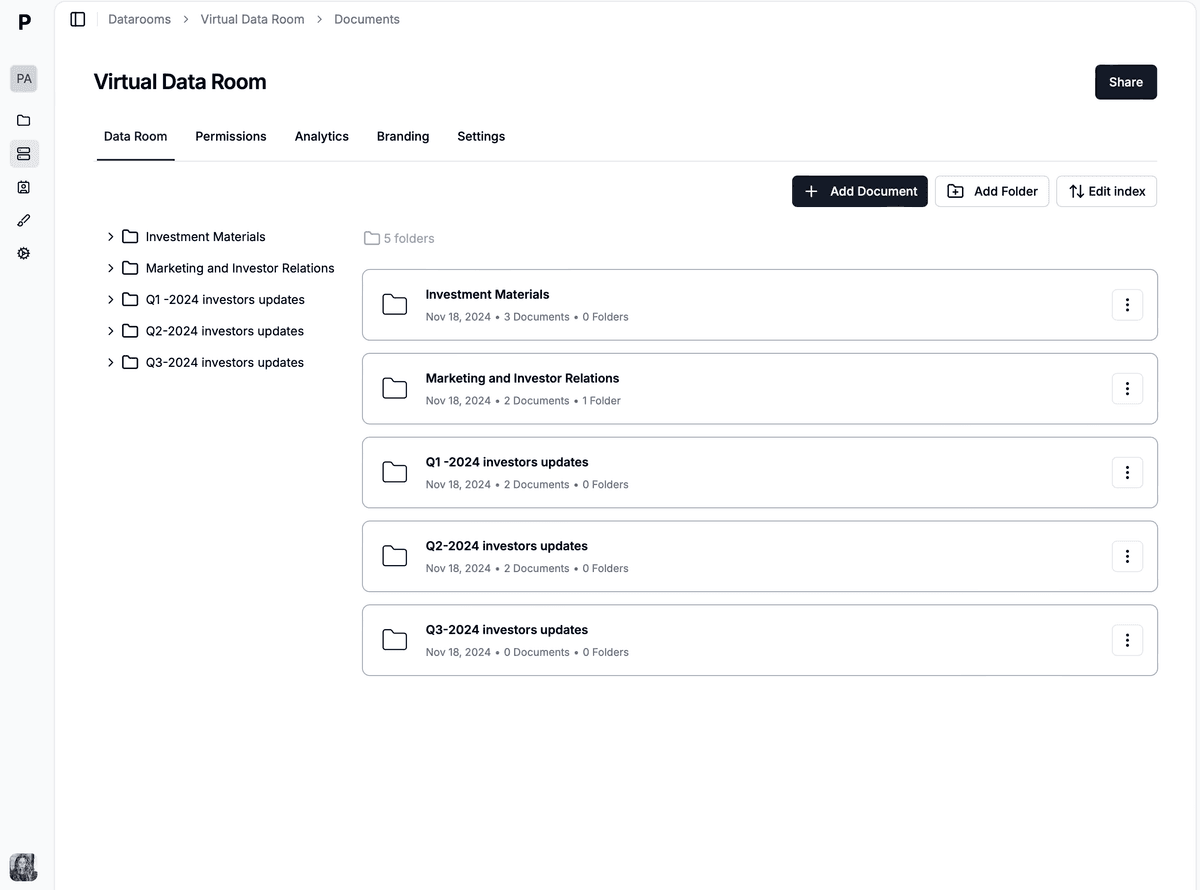
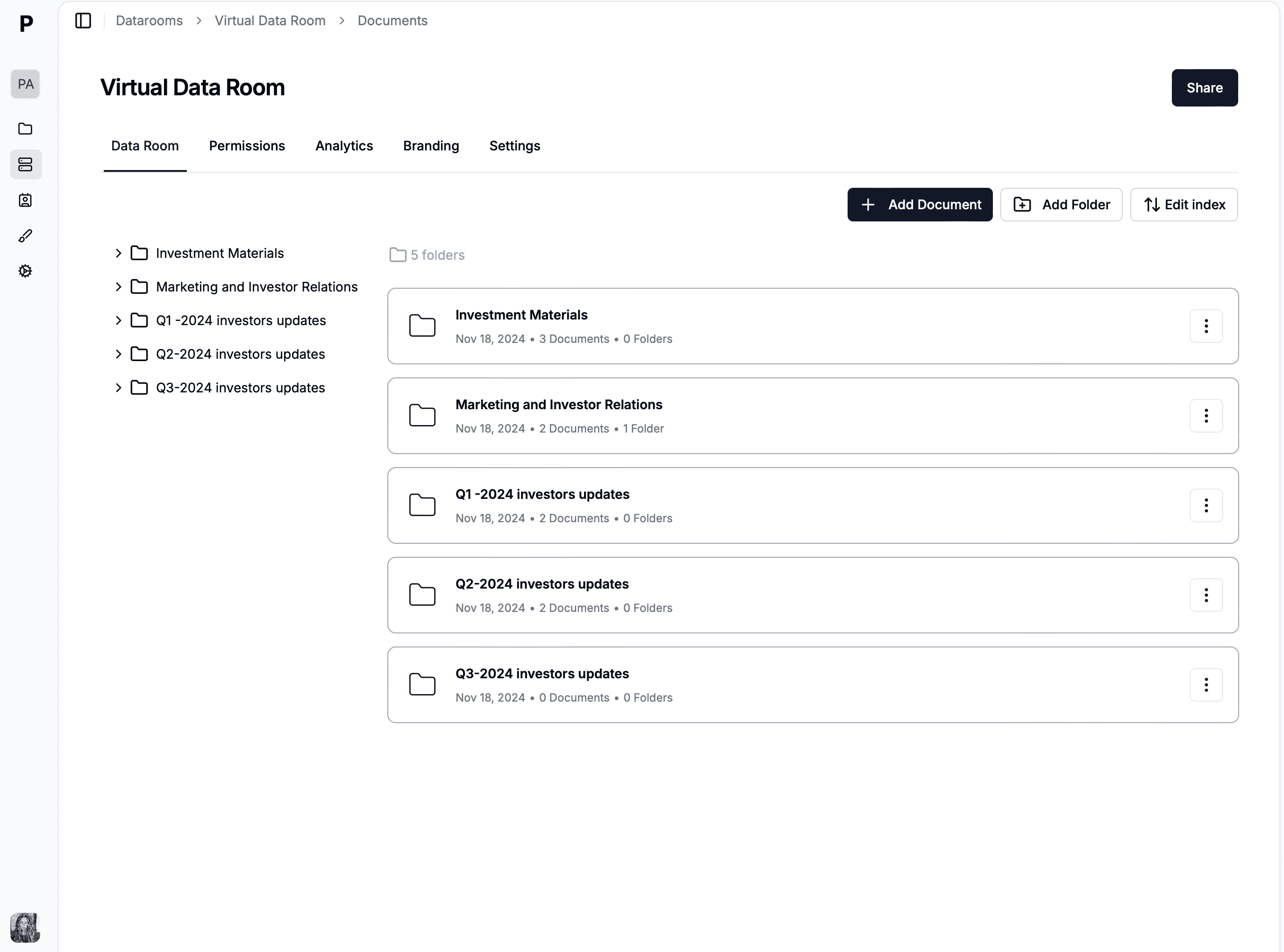
One folder per client, one link per client, and a request list the client can see.
Firms that collect documents at any volume hit the same four problems, and none of them are solved by a better email template. If you are still choosing a platform, our comparison of the best virtual data rooms covers pricing, permissions, and compliance across the main providers.
Clients will not create accounts. This is the constraint everything else has to work around. A once-a-year interaction does not justify a password, and any workflow that requires one loses to email. Link-based access with an email verification code is the only design that gets adopted, and it still gives you a named, verified uploader.
Every client needs their own boundary. Shared folders drift. A per-client link scoped to a per-client folder means there is no configuration in which client A can reach client B's payroll file, regardless of who joins the team or who forwards what.
You need to know what has landed without reading a thread. A room shows the request list and what has arrived against it. That single view is the difference between chasing clients accurately and chasing them generally.
The audit trail is the compliance artefact. When you write the written information security program, or answer an insurer's questionnaire, or respond to a client asking who in your firm opened their file, a per-visitor log answers it. Nine mailboxes do not.
The rest of this section is the practical setup: five steps that handle all four.
Set up a folder per client rather than per engagement type, and put the request list inside it as the first document, so the client can see the full scope at once instead of receiving it in instalments. Automatic file indexing on the Data Rooms Plus plan keeps the index current as documents land.
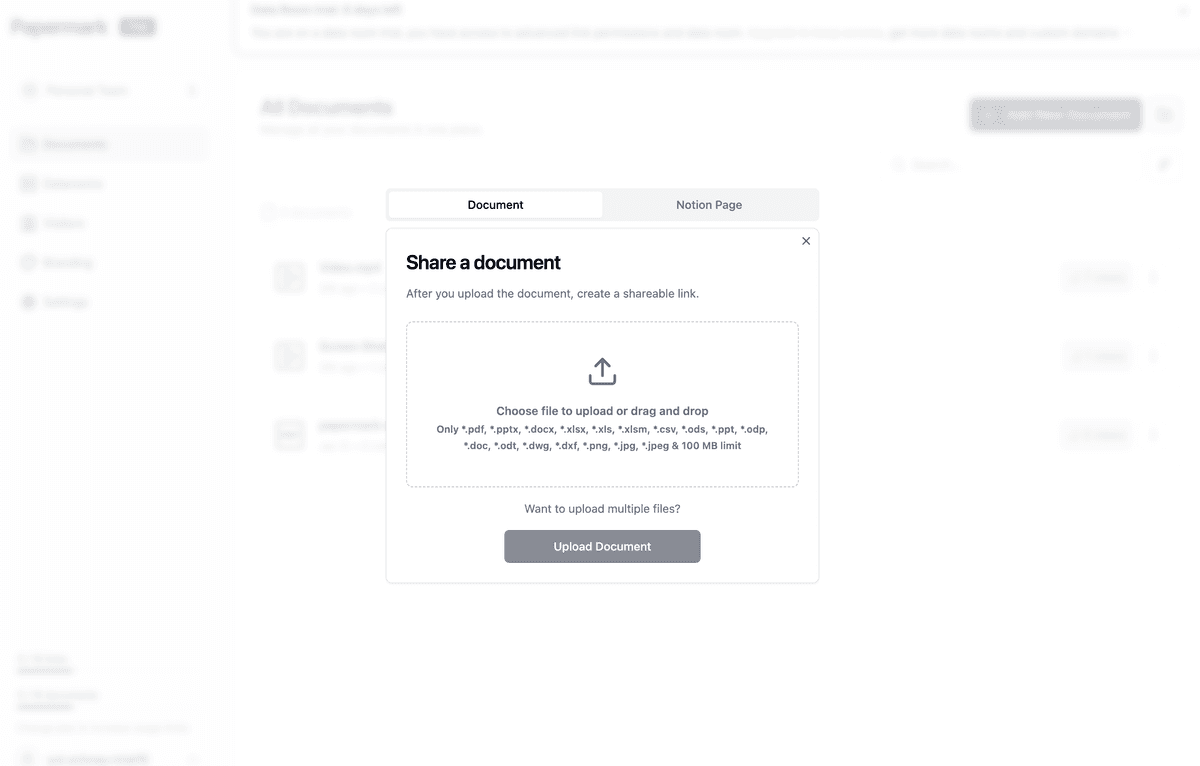
Files land in the client's own folder, so nothing has to be re-filed by hand later.
Request files from visitors is the feature that makes the inbound flow work: the client opens a link and uploads directly into the folder you designated, with no account and no software. Turn on email verification so the recipient confirms a one-time code before access, which gives you a named uploader rather than a display name.
Each link carries its own settings: an email allowlist so only that client can open it, an expiry date tied to the engagement, and a download rule. When the engagement ends, the link is revoked and the client's access ends with it.

Verification, allowlist, and expiry are set per link, so a client link cannot outlive the engagement.
| Who | Access | Rights |
|---|---|---|
| Client | Their own folder only | Upload, and view what they uploaded |
| Engagement lead | All client folders | View and download |
| Junior preparer | Assigned client folders | View only, watermarked |
| External specialist | One client folder, one engagement | View only, link expires with the engagement |
Granular file-level permissions are set per link, so the junior preparer working on eight files does not have download rights on client identity documents, and the external specialist brought in for one matter cannot browse the rest of the practice.
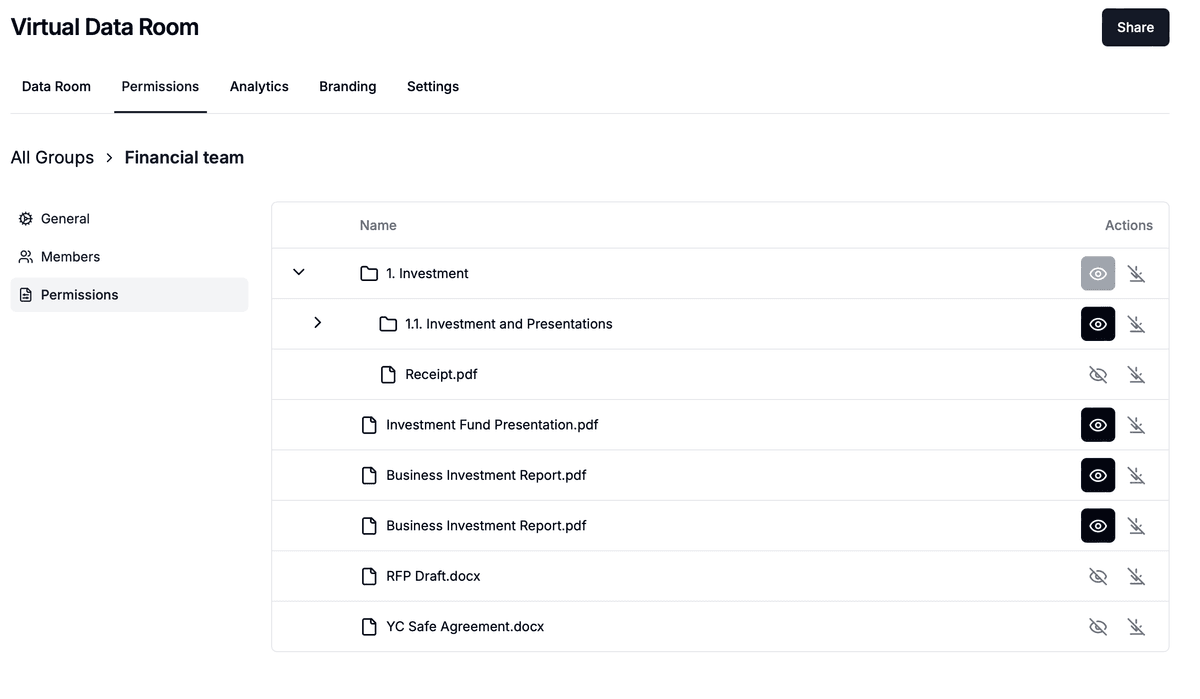
Access is scoped per link inside the firm as well as outside it.
Identity documents, payroll registers, and medical records should be view-only once uploaded. Dynamic watermarking stamps every page with the viewer's email, IP address, and timestamp as it renders, so an internal forward is traceable to a named person rather than to "someone in the tax team".
The honest limit applies here too: a downloaded file is a copy you no longer control, which is why download is switched off on these folders rather than merely discouraged.
Page-level analytics and the audit log show exactly which document arrived, when, from which verified email, and who inside the firm has opened it since. That record is what closes the loop on step 5 of the workflow, and it is the artefact you produce when a client asks who saw their file.
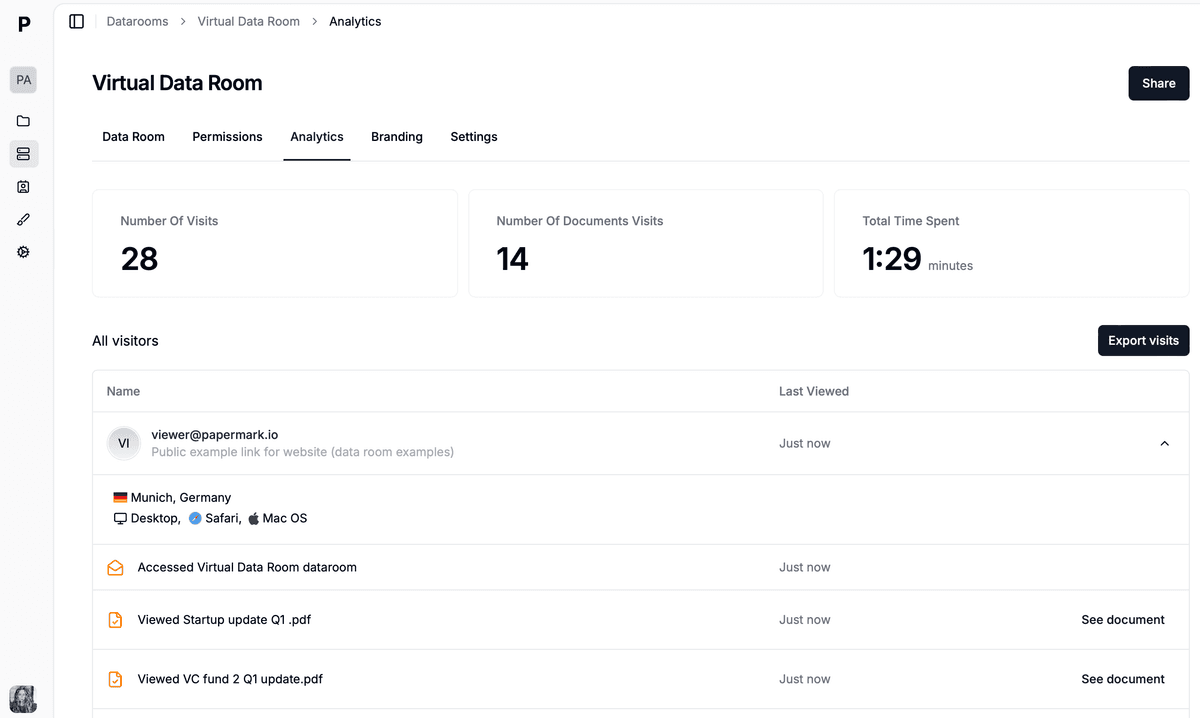
The audit log answers who uploaded what, when, and who in the firm opened it.
When the engagement closes, move accepted documents into your system of record, then use data room freeze to archive the room as a ZIP with a certificate and delete the working copies on your retention schedule.
The Data Rooms plan is €99/month with a 7-day free trial and includes 3 team members, unlimited data room visitors, unlimited data rooms, unlimited documents with no file size limit, custom domain, dynamic watermarking, granular file-level permissions, and requesting files from visitors. Data Rooms Plus at €249/month adds 5 team members, the audit log, the Q&A module, automatic file indexing, and SOC 2 Type II. Data Rooms Premium at €549/month adds 10 team members, AI redaction, full API access, SSO, and whitelabeling. Data Rooms Unlimited at €999/month removes per-seat charges entirely, so teams that add reviewers mid-deal pay one number regardless of headcount, and it carries every Premium capability including AI redaction. For a practice with 68 clients, unlimited data rooms on one subscription means one room per client at no extra cost.
No credit card required.
A 500 Startups data room in 2026: the 22 documents accelerator founders need, cross-border diligence, tiered investor links, and setup from €99/month.

A data room for YC startups in 2026: the 24 documents investors ask for after Demo Day, how it pairs with deck analytics, tiered links, and pricing from €99/month.
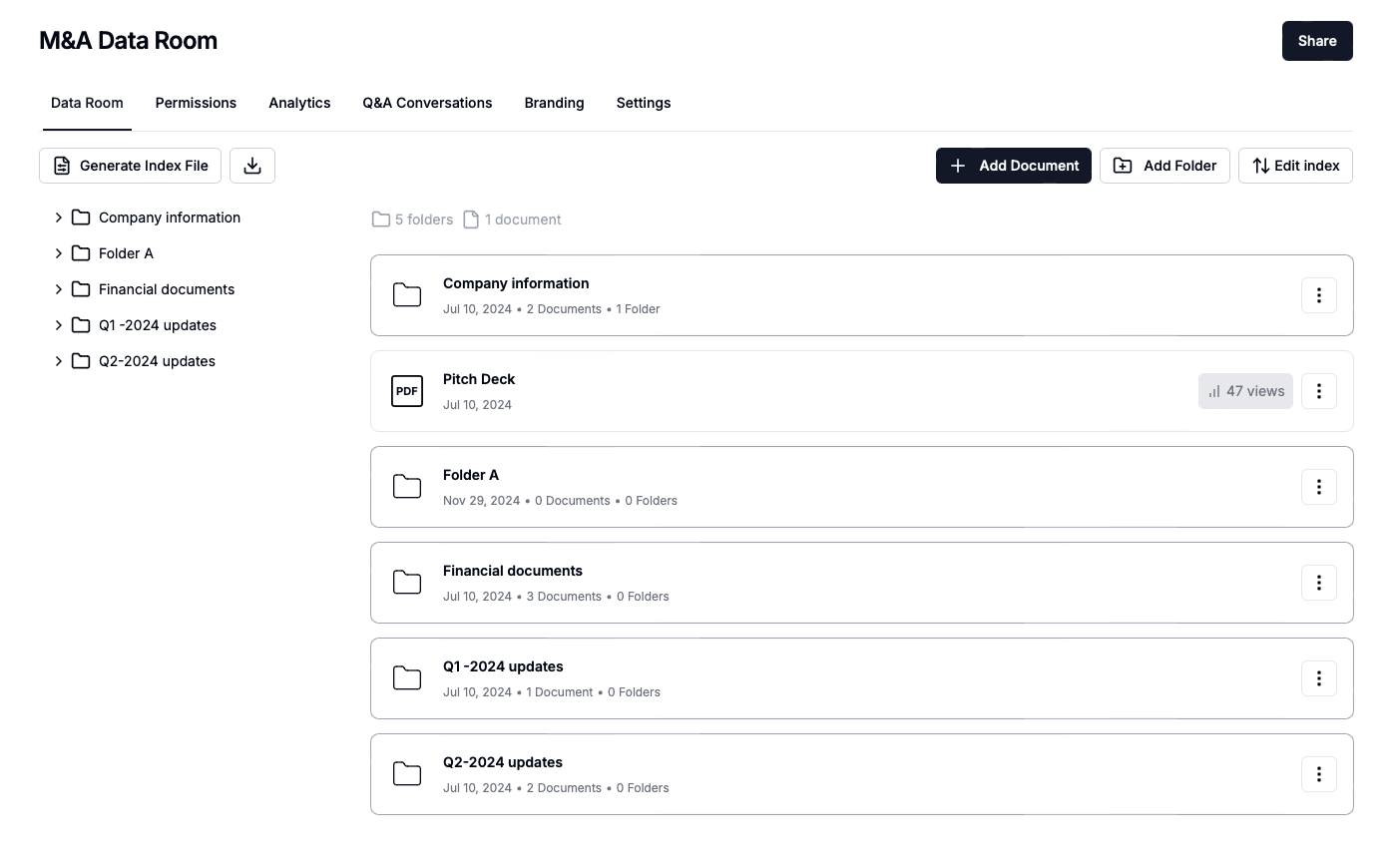
A buy-side data room is the acquirer's own room, not the seller's. The 6 rooms a buy-side M&A team runs in 2026, IC materials, intake, and pricing from €99/month.