



mergers-and-acquisitions
Due Diligence Questionnaires (DDQs): 170 Questions to Ask in 2026
A due diligence questionnaire (DDQ) guide with 170 questions across financial, legal, commercial, operational, and technology topics for 2026 M&A deals.
Due diligence Q&A is the structured process for collecting buyers' questions about a target company, routing them to the right expert on the sell side, and releasing answers to the right bidder. On a mid-market sale it often means 100 to 500+ questions in 4 to 6 weeks. This guide covers the roles, an 8-step setup, a Q&A log template, and the tools that run it, from Papermark to Datasite and a spreadsheet.
No credit card required.
Due diligence Q&A is the channel through which buyers and their advisers ask the seller for explanations, missing documents and clarifications during an M&A process. A buyer's accountant reading the revenue schedule asks why one customer's revenue dropped in Q3. Their lawyer asks whether a change-of-control clause in a supply contract was waived. The seller's team answers, and the answer becomes part of the record the buyer relies on when it signs.
Q&A is different from the request list. The request list tracks documents the buyer wants added to the data room. The Q&A tracks questions about the content already there. Most processes run both, and most of the friction comes from mixing them up in one email thread. Our guide to the due diligence request list covers the document side.
Email works for the first twenty questions. After that, it fails in four predictable ways. The same question arrives from three bidders and gets three slightly different answers. Threads split when someone replies to an old message, and a question goes unanswered for two weeks. A forwarded answer reaches a bidder who should never have seen it, revealing what another bidder is worried about. And when a warranty claim arrives a year after closing, nobody can prove what was answered, to whom, and when.
A shared spreadsheet fixes the tracking problem but not the others. It has no permission model, so every bidder either sees every row or gets a separate copy, and every copy drifts. That is why most advised processes move Q&A into the virtual data room once there is more than one bidder.
A due diligence Q&A process needs clear ownership, because a question with no owner is a question nobody answers. Four roles appear on almost every sell-side deal. On a small deal one person can hold two of them; on a large auction each role may be a team.
| Role | Who it usually is | What they do |
|---|---|---|
| Q&A coordinator | Sell-side banker or adviser | Triage, assign, chase, release answers |
| Subject matter expert | CFO, controller, counsel, HR, IT lead | Draft answers in their workstream |
| Approver | Deal counsel, CEO or CFO | Review answers before release |
| Bidder | Buyer and its advisers | Submit questions, read answers |
The coordinator is the most important role and the most often neglected. They read every incoming question, merge duplicates, assign each one to a workstream owner, and track the deadline. Without them, experts get questions they cannot answer and answers go out without review.
The approver exists because every answer is a disclosure. An answer that overstates customer retention or understates a tax exposure can come back as a warranty claim. Deal counsel reviewing answers before they reach a bidder is cheap insurance, and it is standard on advised processes.
The setup below follows the way advised sell-side processes run Q&A, and it works whether you use a dedicated data room module or a disciplined spreadsheet. Do it before the room opens to second-round bidders, because the first wave of questions arrives within 48 hours of access.
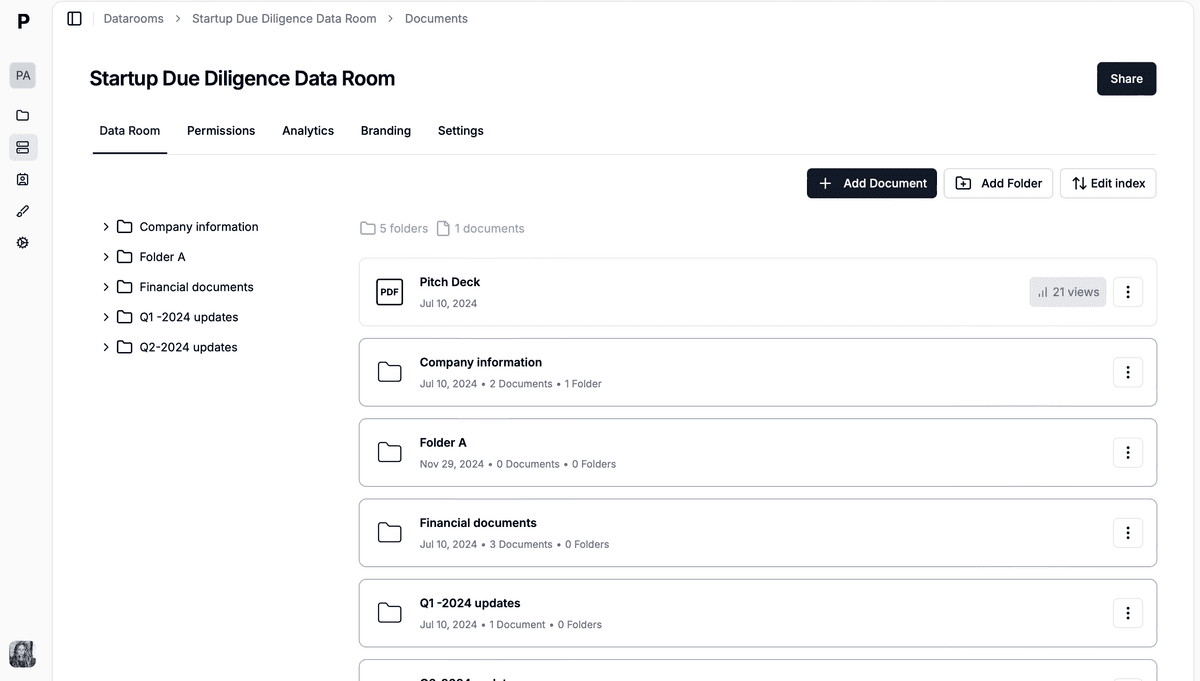
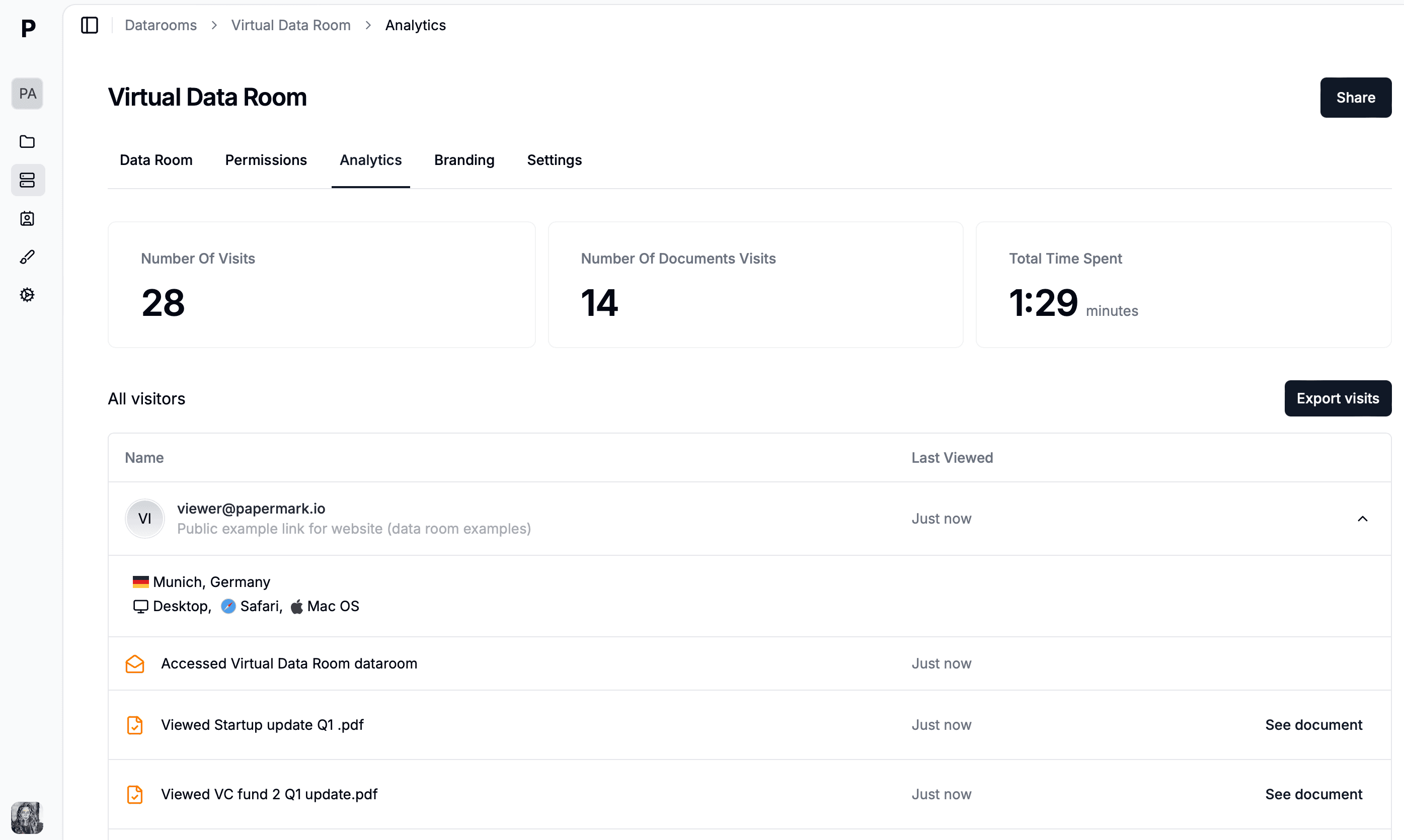
Q&A categories should mirror the data room index, so each question lands with the right workstream owner.
Every process needs a Q&A log, even when a data room module tracks questions for you. It is the document the coordinator works from each morning, the weekly status report to the seller, and the archive at close. Keep it to one row per question and never delete rows; mark duplicates instead.
| Column | What goes in it | Example |
|---|---|---|
| ID | Sequential number, never reused | Q-0142 |
| Bidder | Bidder group, not the individual | Bidder C |
| Workstream | Category from the data room index | Commercial |
| Question | Exact text as submitted | Explain the Q3 revenue drop at Customer 4 |
| Document reference | Folder, file and page | 4.2 Revenue by customer, p.3 |
| Owner | Subject matter expert | CFO |
| Status | Open, in progress, in review, answered | In review |
| Date asked | Date received | 2026-03-04 |
| Date answered | Date released to the bidder | 2026-03-06 |
| Published | Private to bidder or published to all | Published to all |
As a CSV header, the template is: id,bidder,workstream,question,document_ref,owner,status,asked,answered,published. Add a duplicate_of column if you expect heavy overlap between bidders, which is normal once more than three are in the room.
The two columns that matter most at the end of the deal are "Date answered" and "Published". Together they show what each bidder knew and when, which is what counts if a dispute arises about disclosure.
The tools for managing buyer Q&A fall into three groups: data rooms with a built-in Q&A module, M&A project platforms that treat Q&A as a task list, and general spreadsheets or project management tools. The table compares 8 options on the capabilities that matter during diligence. Competitor details come from vendor documentation and our own review pages, and prices are the monthly or annual list rates reported in 2026.
| # | Tool | Best for | Q&A capabilities | Starting price | Bidder separation |
|---|---|---|---|---|---|
| 1 | Papermark | Sell-side and buy-side teams wanting Q&A, request list and analytics in one room | Private questions, page-tagged, publish to one bidder or all | $99/month; Q&A on Data Rooms Plus | |
| 2 | Datasite | Large advisor-led auctions | Built-in Q&A module | $25,000+/year, quote | |
| 3 | Intralinks | Enterprise and capital markets | Structured Q&A, routing to experts | $4,000 to $25,000+/year | |
| 4 | Firmex | Mid-market, legal-led deals | Coordinator and approver roles, answer statuses | ~$625/month | |
| 5 | iDeals | Mid-market M&A | Five roles incl. expert and approver, Excel import | Quote | |
| 6 | DealRoom | Buy-side request tracking | Questions by category, routed to an owner | $25,000/year | Partial |
| 7 | Ansarada | AI-assisted deal workflows | Q&A module, bulk answer upload | Custom quote | |
| 8 | Spreadsheet plus PM tool | Small deals, one bidder | Manual log | Free to low |
Papermark is a secure, modern data room with a Q&A module on Data Rooms Plus. Buyers start a question from inside the room, tagged automatically to the page they are reading. Questions are private by default, and the seller chooses the visibility of each answer: private to that viewer, visible on that link, on that document, or across the whole data room, with anonymous authorship when published. The same room carries the request list with Open, In progress, Submitted and Completed statuses and due dates (on every Data Rooms plan), plus page-by-page analytics per bidder. Pricing starts at $99/month for the Data Rooms plan; Q&A requires Data Rooms Plus. In this setup the Q&A coordinator assigns each question to the right expert.
Datasite is the most common data room on large, advisor-led auctions and includes a built-in Q&A module alongside its document tools. Pricing is quote-based, starting around $25,000+ per year. The limitation for smaller processes is cost and setup time: it is priced and sold for deals where the VDR is a minor line item.
Intralinks offers structured Q&A in its DealSpace data room, including routing of questions to subject matter experts. It is quote-based, commonly $4,000 to $25,000+ per year. Like Datasite, it targets enterprise and capital markets processes, and onboarding is sales-led.
Firmex runs Q&A with defined roles on both sides: question authors and coordinators on the buyer side, answer coordinators and optional approvers on the seller side, with answer statuses from draft to submitted. Pricing is around $625/month on quote. It is a solid fit for mid-market processes that want a formal approval chain.
iDeals structures Q&A around five roles (question drafter, question submitter, answer coordinator, expert and answer approver), can route questions by category, and supports bulk import of questions from Excel. Pricing is quote-based. It suits mid-market processes with heavy question volume and a team that wants routing automated.
DealRoom treats Q&A as part of an M&A project management workspace: questions are grouped by category and routed to an owner, next to request lists and pipeline stages. It starts at $25,000 per year on its own comparison page. It is built mainly for buy-side corporate development teams, so bidder separation on a competitive sell-side is less central to the product.
Ansarada pairs its data room with a Q&A module and AI features for deal readiness, and supports bulk upload of answers from Excel. Pricing is a custom quote. It is now part of the Datasite group.
A shared Excel or Google Sheet using the log template above, with Asana or Smartsheet to assign owners, works for a deal with one buyer and a light question load. It has no bidder separation, no permission model and no automatic link between questions and documents, so it stops working once a second bidder joins.
Q&A volume is not steady. It spikes in the first week after second-round access and again in the week before final bids, and that is when processes slip. The practices below are what experienced coordinators do to keep the peak under control.
Set a response target and publish it. A 48-hour target for standard questions, and 5 business days for questions that need new analysis, gives bidders a predictable rhythm and stops them chasing. Report against it weekly.
Merge duplicates on arrival. When the same question comes from two bidders, answer once, publish it to both or to all bidders, and mark the second as a duplicate in the log. Consistent answers across bidders matter as much as speed, because bidders compare notes with their lenders.
Escalate, do not ignore, the hard questions. Questions about litigation, key customer risk or a forecast miss go to the approver the day they arrive. Bidders read silence on a hard question as a red flag.
Set a Q&A cut-off before bids. The process letter should state the last date for questions, commonly 5 to 7 business days before final bids. After the cut-off, only confirmatory questions from the preferred bidder are answered.
Watch what bidders read. Page-level analytics show which bidder is spending time in which folder. A bidder deep in the customer contracts this week will ask about churn next week, and you can have the answer ready.
Northwind Labs is a hypothetical B2B software company with $22 million of revenue, selling through a boutique bank. Three bidders reach second-round diligence: two strategics and one private equity fund. The banker sets up Q&A in the data room before access opens, with seven categories matching the index, a named expert for each, and deal counsel approving anything touching contracts or litigation.
In five weeks the three bidders submit 412 questions. The coordinator merges 61 duplicates, publishes 38 answers to all bidders as an FAQ, and keeps the rest private to the bidder that asked. The median time to answer is 2 business days. Commercial questions are the largest group, driven by the private equity bidder's work on net revenue retention.
Worked scenario. Financial and commercial questions make up more than half the volume. Publishing 38 common answers to all bidders saved roughly 70 duplicate replies.
In week four, one strategic bidder asks about a change-of-control clause in the largest customer contract. The banker can see from the analytics that the other strategic opened the same contract page twice that week, so the answer is drafted with counsel and published to all bidders the next day. At signing, the Q&A record and the data room are frozen together, and the purchase agreement's disclosure schedule references both.
A data room for due diligence Q&A keeps questions, answers and the documents they refer to in one place, under the same permissions as the files. That is the difference from email: a bidder can only ask about what they can see, and can only read answers meant for them. If you are still choosing a platform, our list of the best virtual data rooms compares the main providers.
Papermark is a secure, fully customizable and developer-friendly data room for modern dealmakers, with unlimited data room visitors, a public API, CLI and MCP server, and SOC 2 Type II and ISO 27001 certification. The steps below show how a sell-side team runs buyer Q&A in it.
On Data Rooms Plus, turn on Q&A conversations for the data room, then enable it on each bidder's link. You decide which bidders can ask questions and when, for example only after second-round access opens.
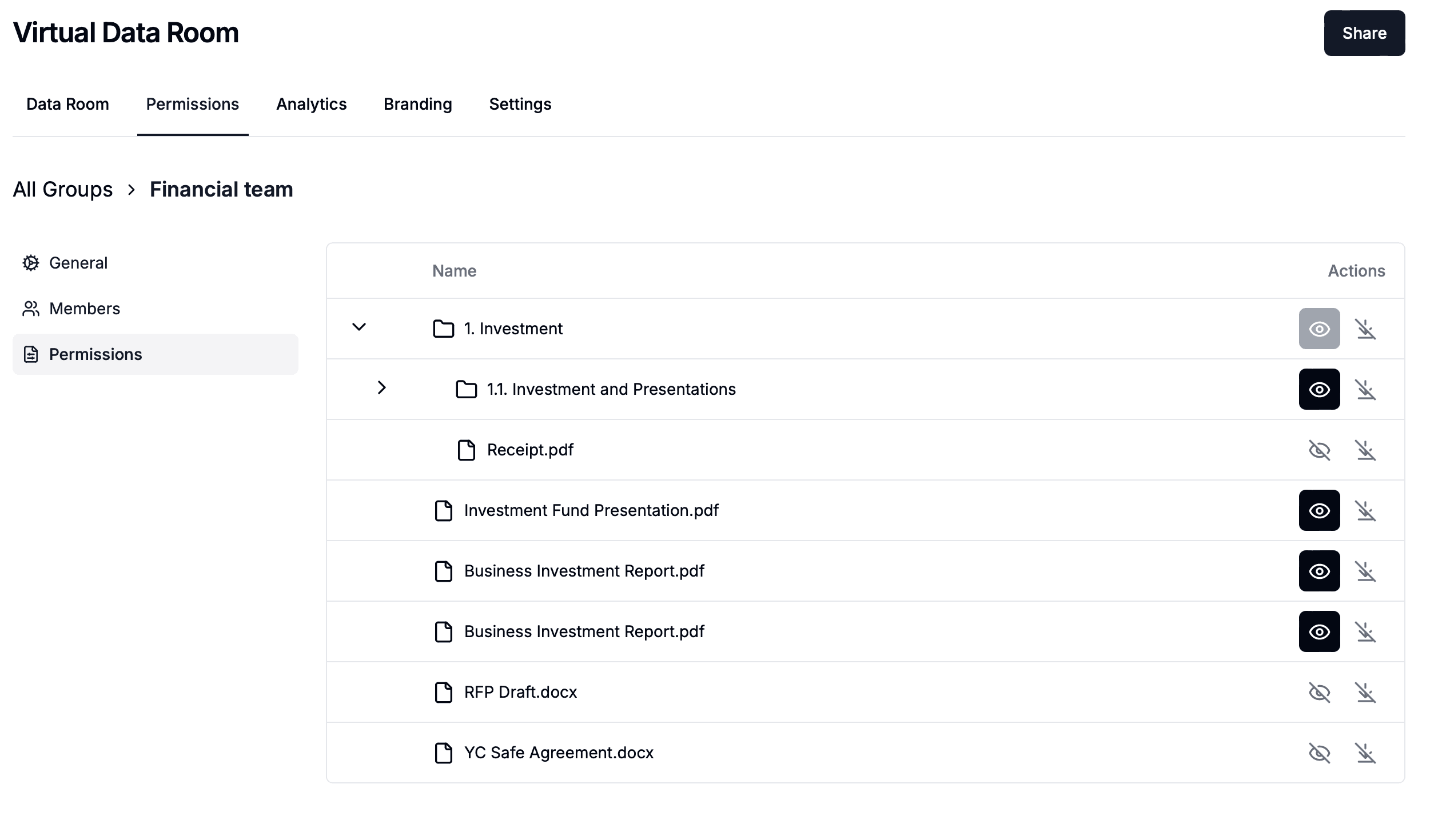
Create one permission group per bidder with granular permissions, so each bidder sees only its folders. Questions are private to the viewer who asked by default, so Bidder A never sees Bidder B's questions.
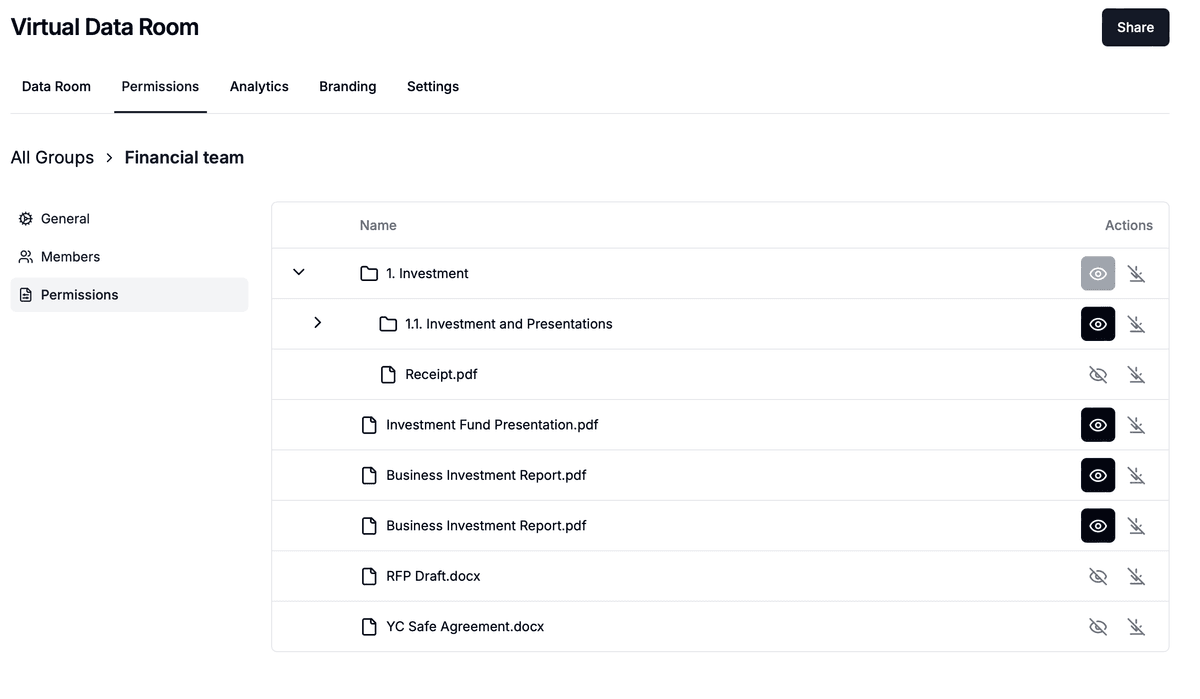
One group per bidder keeps documents, questions and answers separated.
Bidders open the conversations sidebar while reading a document and start a question. Each question is tagged with the page number automatically, so your expert sees exactly which schedule or clause it refers to. You get a notification for each new question and reply.
Your team reviews each question before replying. Reply privately to that viewer, or set the visibility to the link, the document or the whole data room. Common answers can be published as an FAQ with anonymous authorship, so no bidder learns who asked.
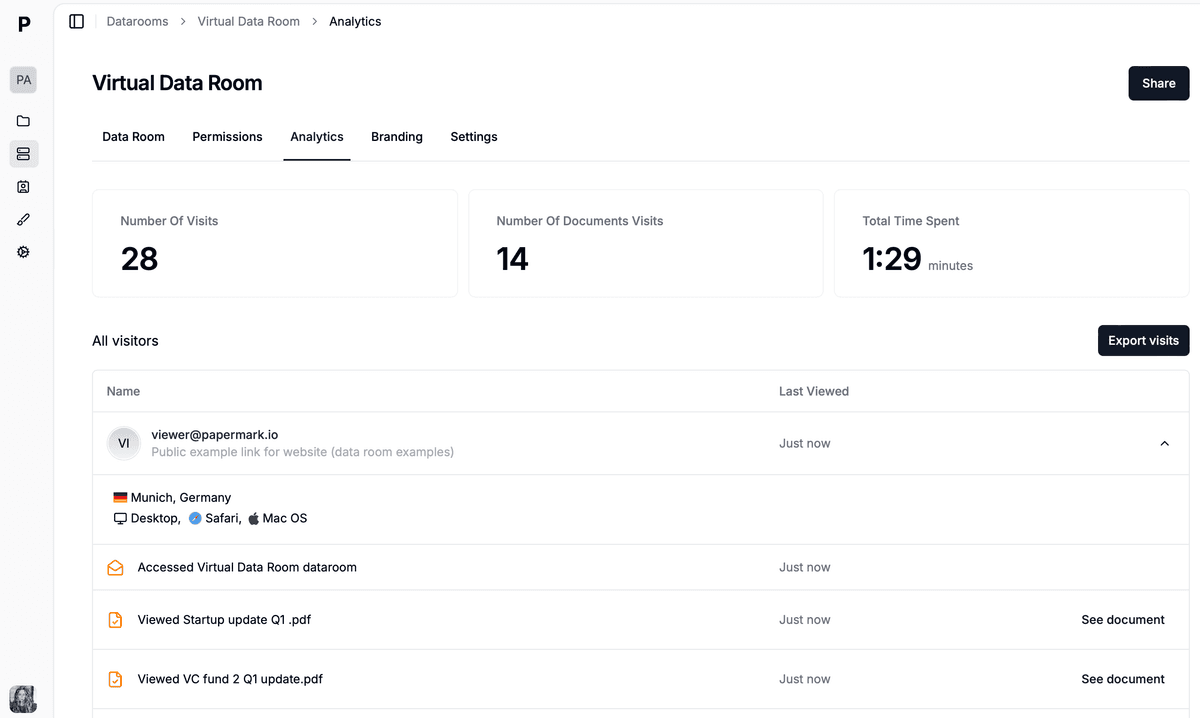
Page-level analytics show which bidder read which answer and document.
Run document requests through the request list, with Open, In progress, Submitted and Completed statuses and due dates per group, so Q&A stays for questions. Use page-by-page analytics to see who read what, and at signing freeze the data room into an archive for the deal record.
Papermark is our #1 VDR provider for M&A transactions right now. In two deals we used custom branding, dynamic watermarking, and granular permissions.
Tyler
The Data Rooms plan is $99/month with a 7-day free trial and includes 3 team members, unlimited data rooms, unlimited data room visitors, the request list, dynamic watermarking, NDA agreements and granular permissions. Q&A is on Data Rooms Plus, which also adds 5 team members, the audit log and data room freeze. AI redaction is on Premium and above. There are no per-page or per-bidder fees.
A due diligence questionnaire (DDQ) guide with 170 questions across financial, legal, commercial, operational, and technology topics for 2026 M&A deals.
I compared 15 M&A due diligence software tools in 2026 - Papermark first, then the lesser-known options worth knowing about, followed by the most popular legacy providers (Datasite, Intralinks, iDeals, Firmex, Ansarada, and more).
Due diligence request list for 2026: the 120 documents buyers ask for in M&A, by workstream, lookback and priority, plus a free CSV template you can import.