BlogData RoomsHow Companies Manage NDA Compliance in Virtual Data Rooms (2026)
How Companies Manage NDA Compliance in Virtual Data Rooms (2026)
·12 min read
Marc Seitz
NDA compliance in a virtual data room means every viewer accepts or signs a non-disclosure agreement before they see a single document, and you keep a verifiable record of who agreed, when, and to what. This guide shows how companies handle NDA compliance inside a virtual data room: NDA gates, one-click acceptance, full electronic signatures, tiered access, acceptance tracking, and post-deal archives. Every workflow is grounded in how real Papermark customers run their deals.
Quick recap: the NDA compliance workflow
Companies that manage NDA compliance well follow the same five steps:
Attach the NDA to the data room link, so no one can open documents without agreeing first
Choose the acceptance method: one-click acceptance for low friction, or a full electronic signature for stronger evidence
Tier the access: teaser materials before the NDA, full data room after
Track every acceptance with name, email, and timestamp in the audit log
Archive the record when the deal closes, so signed NDAs and access logs survive the transaction
The rest of this article walks through each step with the exact settings and real examples.
Three ways companies handle NDAs in a data room process
Most teams start with email attachments and a separate e-signature tool, then move the NDA into the data room itself. Here's how the three approaches compare:
#
Method
How it works
Compliance record
Friction
1
NDA built into the data room (Papermark)
Viewer accepts or signs the NDA on the link itself, before any document loads
Name, email, timestamp, and signed PDF stored next to the documents and audit log
Low: one screen, no account needed
2
Separate e-signature tool (DocuSign, PandaDoc)
You send the NDA for signature, wait for it to come back, then share the data room link
Signed PDF lives in a different system than the access logs
High: days of back-and-forth per counterparty
3
Email attachment
You email the NDA, the counterparty prints, signs, scans, and returns it
Scattered across inboxes, no link to actual document access
Highest: manual chasing, easy to skip
The compliance gap in methods 2 and 3 is the same: the signed NDA and the record of who actually accessed which documents live in two different places. When a dispute comes up months later, you have to reconstruct the timeline manually. A Papermark customer running an M&A advisory summed up the old workflow: tracking NDA signatures per deal in Excel, next to deck receipts and process steps, across multiple concurrent transactions.
Types of NDA to use in a virtual data room
Before you gate anything, decide which non-disclosure agreement the deal actually needs, because the NDA compliance virtual data room setup only works if the agreement fits the transaction. The choice is not really a legal exercise for most teams: your counsel hands you a template, and your job is to pick the right variant and attach it to the right link. What changes deal to deal is the direction of the obligation and the strength of evidence you want on file. A one-way agreement protects a seller sharing into a buyer's hands; a mutual agreement protects both sides when a partnership or merger means information flows in both directions.
The second axis is how the viewer accepts. A click-through NDA presents the terms and an agreement checkbox on the link itself, which keeps friction near zero and is what most VDR and deal room workflows default to for investor outreach. A full electronic signature, where the viewer drops a drawn signature, name, and date onto the document, produces a stronger evidentiary record for higher-stakes diligence. Both live on the same access control layer in Papermark, so you can start a room with click-through acceptance and switch a sensitive link to full signatures without rebuilding anything.
Match the agreement to the risk. The table below maps the common NDA types to when each earns its place in a data room, and how much evidence each leaves behind for an audit trail later.
NDA type
How it works
When to use it
Evidence strength
One-way (unilateral)
Only the recipient is bound; the discloser shares, the viewer keeps it confidential
Sell-side M&A, fundraising, any deal where information flows one direction
Strong when gated on the link with per-viewer acceptance records
Mutual (bilateral)
Both parties are bound; each can share and each must protect the other's information
Mergers, partnerships, JV talks, co-development where both sides disclose
Strong; pair with signature fields when both sides exchange sensitive data
Click-through NDA
Viewer accepts terms via a checkbox on the link before any document loads
LP decks, teasers, investor outreach, low-friction wide distribution
Records name, email, timestamp, and NDA version per viewer
Full e-signature NDA
Viewer places a drawn signature, name, and date on the PDF before access
Late-stage diligence, asset sales, anything headed toward a dispute
Strongest; produces a signed PDF with a complete audit trail
Most teams run more than one of these across a single process: a click-through one-way NDA on the teaser link for wide outreach, and a full-signature mutual NDA on the confidential room once talks get serious. Because every variant attaches to a link rather than a person, you never re-paper the agreement when you add a viewer.
Step 1: gate the data room behind an NDA
The foundation of NDA compliance is simple: no agreement, no access. In Papermark, you attach an NDA to any document or data room link, and viewers must accept before the first page loads.
Setup takes a few minutes:
Upload your documents or create a data room in Papermark
Create a shareable link and open the link settings
Enable the Agreements option
Upload your NDA as a PDF or link to an existing online agreement
Share the link: every viewer now hits the NDA screen first
The full setup is covered in the require NDA before viewing guide. One NDA can cover an entire data room, which matters for compliance at scale. A Papermark customer at a private equity firm put the problem plainly:
"If you're talking about giving access to 10 people, I don't want to have 10 NDAs."
With a single NDA gate on the data room link, all ten investors agree to the same terms through the same flow, and every acceptance lands in the same log.
Step 2: choose one-click acceptance or a full e-signature
Companies calibrate the acceptance method to the sensitivity of the deal. Papermark supports both on the same link infrastructure.
One-click acceptance shows the NDA and an agreement checkbox before the documents open. It's recognized under electronic signature laws in most jurisdictions and keeps friction near zero, which is why fund managers use it for LP decks and teaser materials. The One-Click NDA flow records who accepted, from which email, and when.
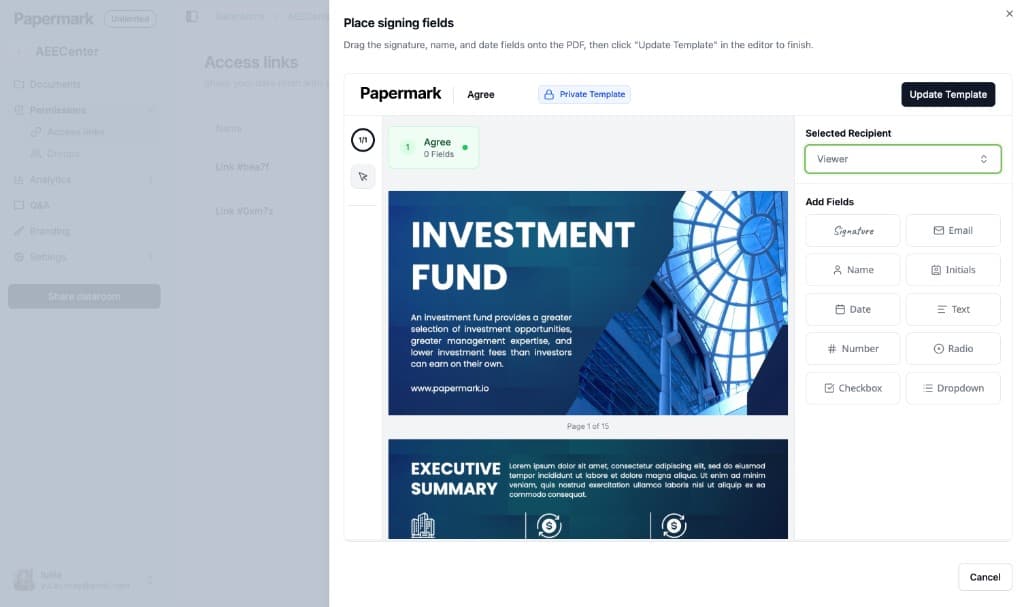
Full electronic signature goes further: you drag signature, name, and date fields onto your NDA, and viewers sign the document inside Papermark before access. The signed PDF is stored with the signer's name, email, and timestamp.
This replaces a standalone e-signature tool for the NDA step. One Papermark customer, a carbon tech founder running a Series A, moved NDA signing from DocuSign into the data room specifically so signatures and document access lived in one system. Another, a fund manager benchmarking VDRs for a Fund III raise, listed "a real evidentiary record on every NDA signature" as one of four hard requirements for the next fund's tooling.
A practical rule of thumb from how customers actually use it: one-click acceptance for outbound sharing (pitch decks, teasers, LP updates), full signatures for inbound diligence (M&A, asset sales, late-stage fundraising).
Protect your documents with advanced security
No credit card required
Page by page analytics
Require email verification
Require password to view
Allow/Block specified viewers
Apply Watermark
Require NDA to view
Custom Welcome Message
Step 3: tier access around the NDA
NDA compliance isn't binary. Most deals need a public-ish layer and a protected layer, and companies structure their data rooms accordingly:
Pre-NDA tier: a teaser deck or executive summary on an open link, so counterparties can decide whether the deal is worth signing for
Post-NDA tier: the full data room (financials, contracts, cap table) behind the NDA gate
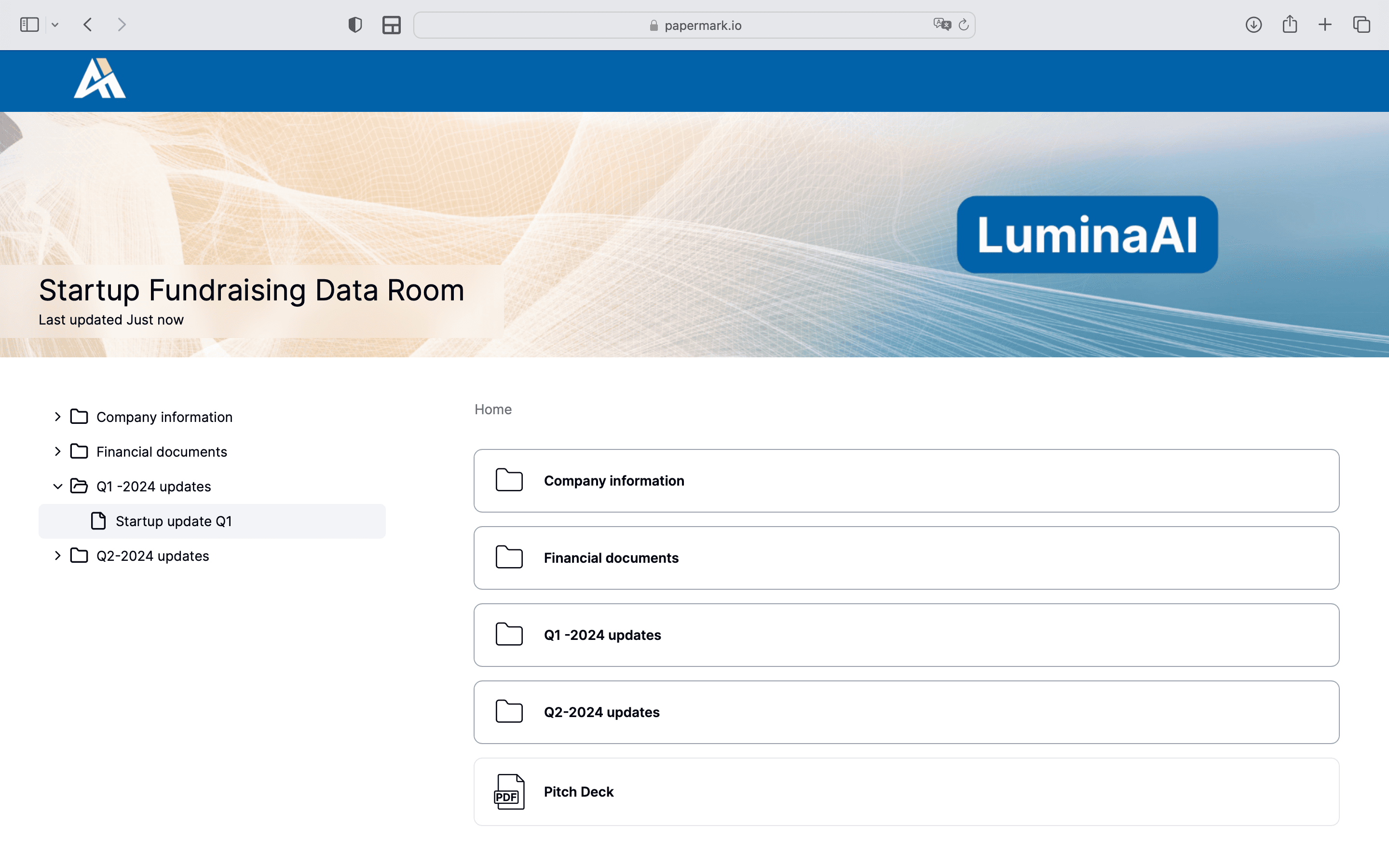
In Papermark, this is two links on the same data room. Link 1 exposes a limited set of files with no NDA. Link 2 unlocks everything and requires the NDA. A Papermark customer at a New York family office handling $10-20M asset purchases runs exactly this structure: pre-NDA teaser materials for new counterparties, post-NDA full materials, up to 10 signers per transaction, across 10-15 deals a year. You can read how the firm organizes deal-based data rooms in the G.P. Loree & Co. customer story.
Combine the tiers with granular permissions to control view versus download per file, and dynamic watermarking to stamp each page with the viewer's email and timestamp. The NDA deters disclosure legally; the watermark deters it practically.
Step 4: track acceptance and keep the audit trail
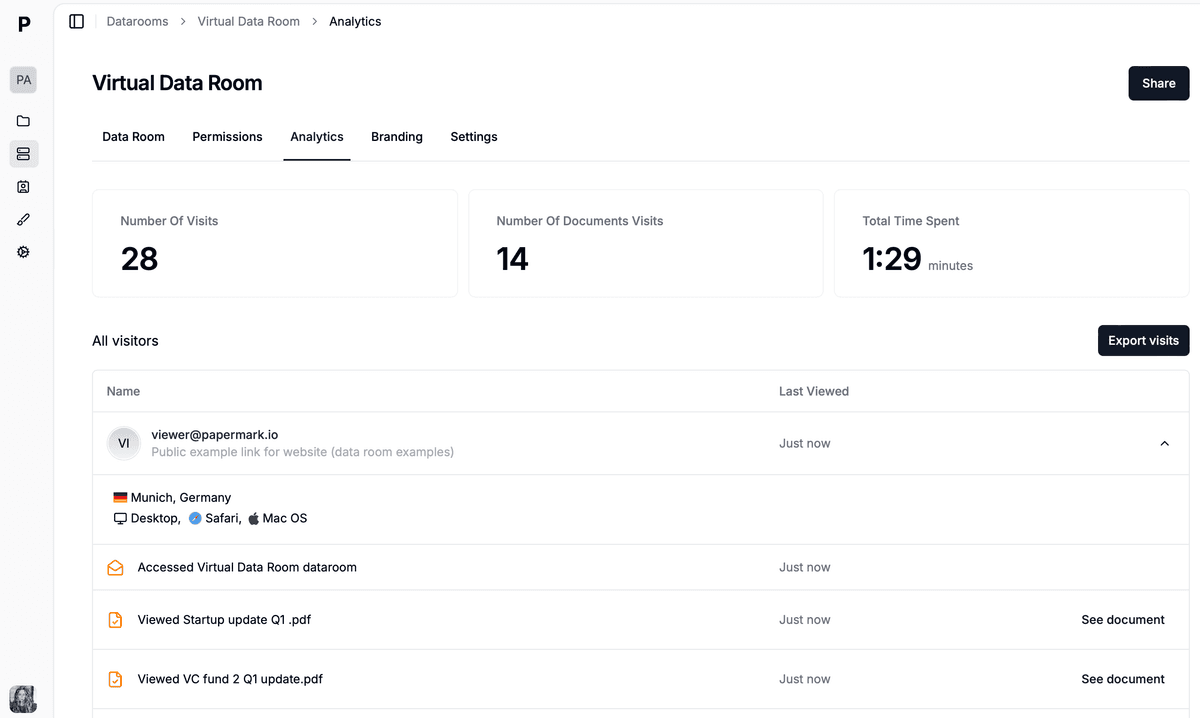
An NDA you can't prove was accepted is barely better than no NDA. This is where the data room earns its keep: acceptance events sit in the same audit log as every page view.
Papermark records for each visitor:
NDA acceptance or signature with name, email, and timestamp
Page-by-page activity: which documents they opened, which pages, for how long
Downloads, so you know exactly what left the room after the NDA was in force
That combination is what legal teams actually need in a dispute: not just "the NDA was signed" but "the NDA was signed at 14:02, and these specific pages were viewed at 14:05." For fundraising teams it doubles as deal intelligence. Orbotix raised a €6.5M pre-seed running its data room this way:
"NDAs, passwords, and strong cybersecurity gave us confidence that sensitive materials stayed protected."
Companies also set a re-signing policy per link: require the NDA on every visit for the most sensitive rooms, or let returning visitors skip it once they've signed. A Papermark customer running a VC fund in Southeast Asia uses the skip-if-already-signed option to keep friction low for returning investors while keeping the original signature on record.
Step 5: archive the NDA record when the deal closes
NDA obligations outlive the deal, so the compliance record has to as well. When a transaction closes, Papermark lets you freeze the data room: viewer access is revoked, and everything is packaged into a single downloadable archive with the documents, the full audit log, and Q&A history, sealed with SHA-256 integrity verification.
That gives you a tamper-proof snapshot of exactly what was disclosed under NDA and who saw it, which is what auditors and counsel ask for months or years later. See the data room archive guide for the walkthrough.
Downloaded files deserve a special note. One Papermark customer running sell-side M&A diligence flagged that downloaded documents are legally treated as fully read, with no remote revocation possible. The practical answer is the audit trail: you can't un-download a file, but you can prove precisely which files each NDA signatory took and when.
Case study: a deal team enforces NDA gating end to end
Picture a boutique M&A advisory running a sell-side process for a founder-owned logistics company. The mandate is confidential, twelve strategic buyers are on the outreach list, and the founder is adamant that no financials leave the room without a signed non-disclosure agreement. The associate builds one deal room in Papermark and structures it in two tiers. The teaser link, a redacted one-pager, carries a click-through one-way NDA so a buyer can decide whether to engage before signing anything heavier.
Once a buyer signals interest, the associate sends the confidential link, gated behind a full-signature mutual NDA. Each buyer signs on the link itself, and the acceptance lands in the audit trail with a name, email, timestamp, and the exact NDA version they agreed to. Two firms forward their link internally; because the room is email-gated, the deal team sees precisely which analysts opened it and adds them to the record without minting new links. Every page carries dynamic watermarking stamped with the viewer's email, so a leaked screenshot traces straight back to the firm that took it.
Mid-process, the founder revises the customer contracts folder. The associate pushes new versions rather than resending links, and access control keeps the sensitive folders open only to buyers past the second round. When the deal signs, the team freezes the room: access is revoked and everything is sealed into a downloadable archive with the signed NDAs, the full access log, and the Q&A history. Months later, when counsel asks who saw the supplier agreements under NDA, the answer comes from the archive, not from anyone's memory.
How Papermark enforces NDA compliance in your data room
Everything in that case study runs on features built into the Papermark data room, and the point of an NDA compliance virtual data room is that the agreement, the access, and the evidence never leave the same system. Papermark treats the NDA as a property of the link, not a separate document you chase, so gating is a toggle rather than a workflow. The One-Click NDA presents a click-through agreement before the first page loads, and for stronger evidence you drag signature, name, and date fields onto the PDF and require a full electronic signature on the same link infrastructure. Either way, no viewer reaches a document without first clearing the gate.
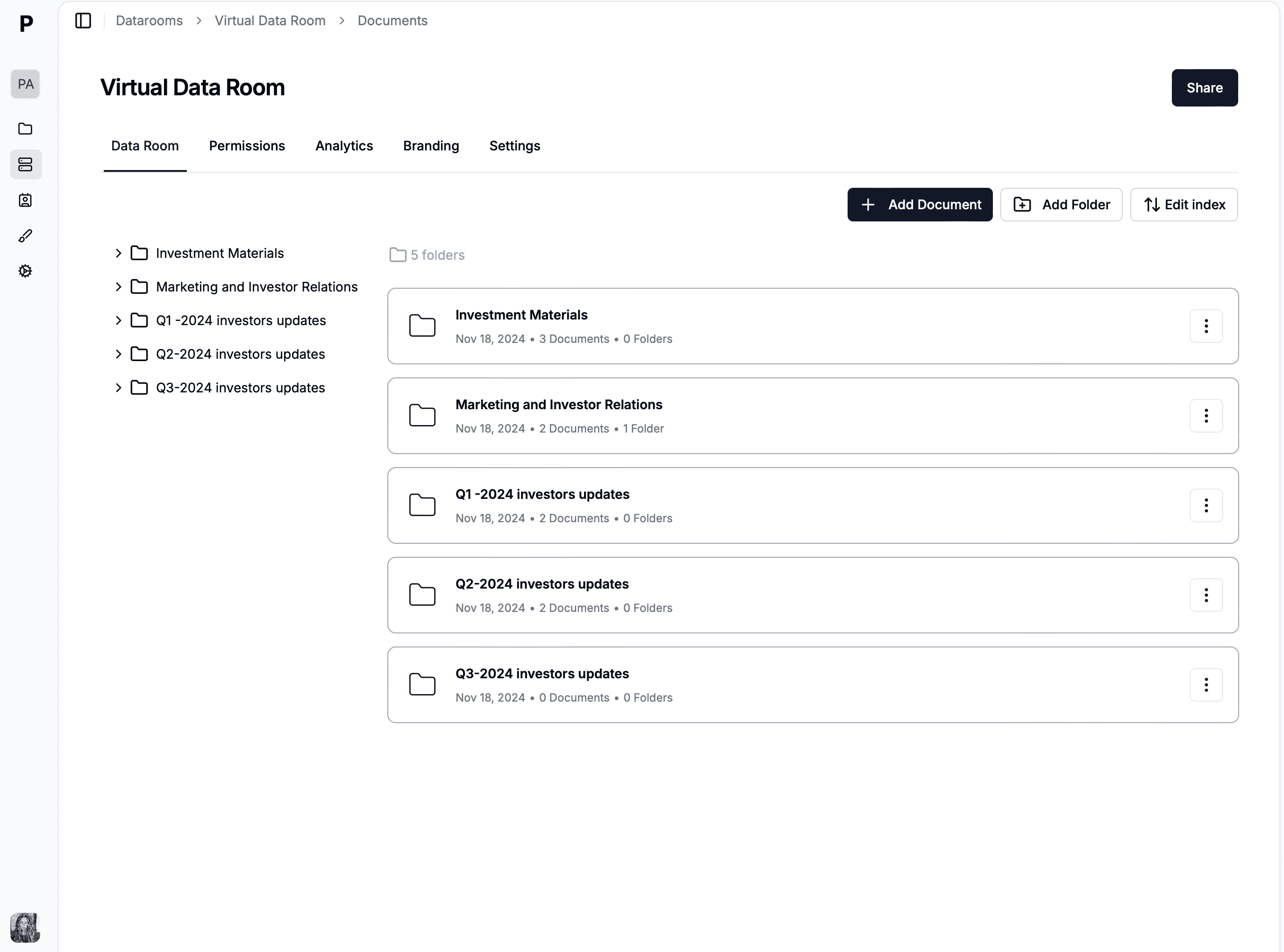
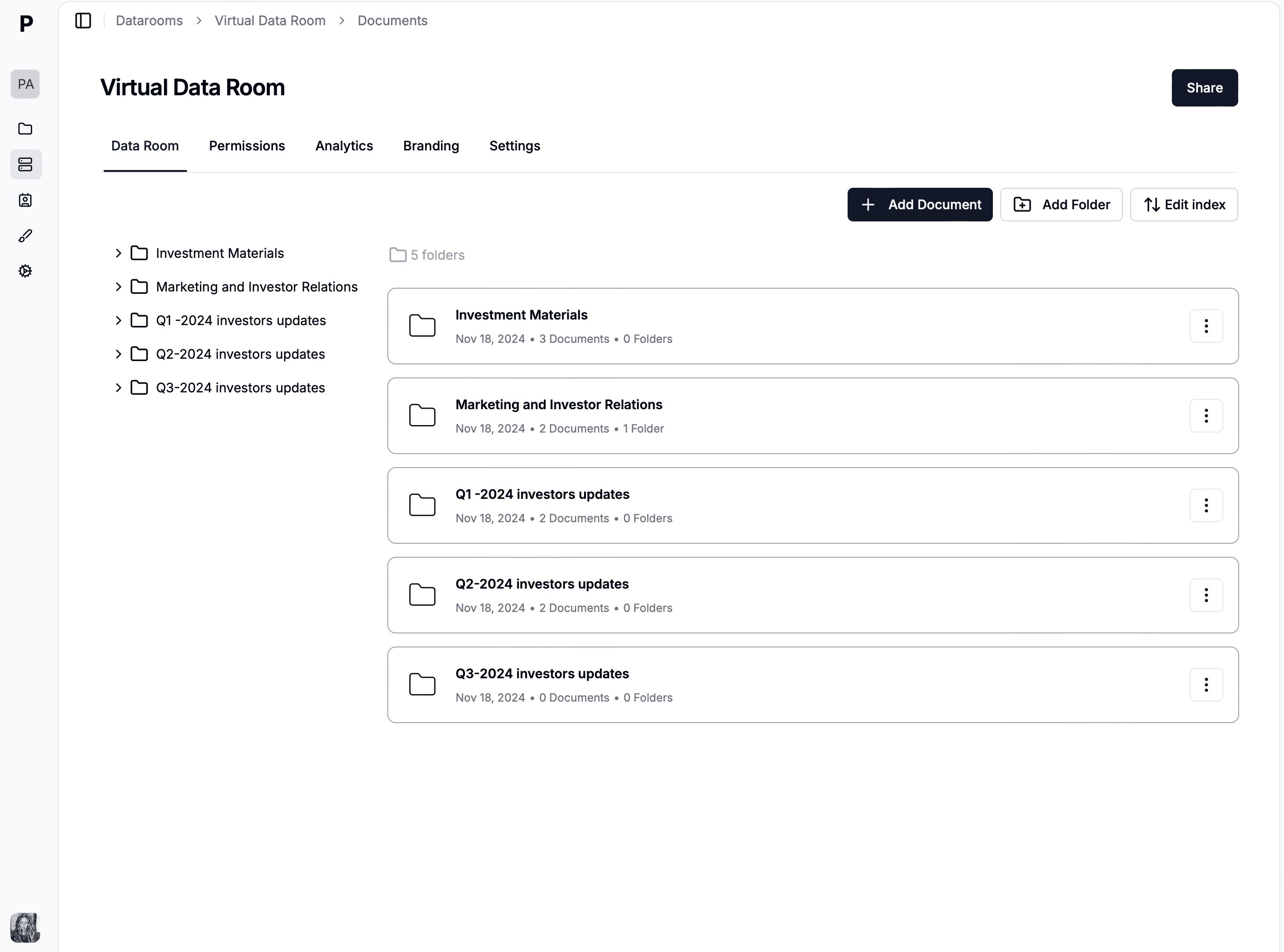
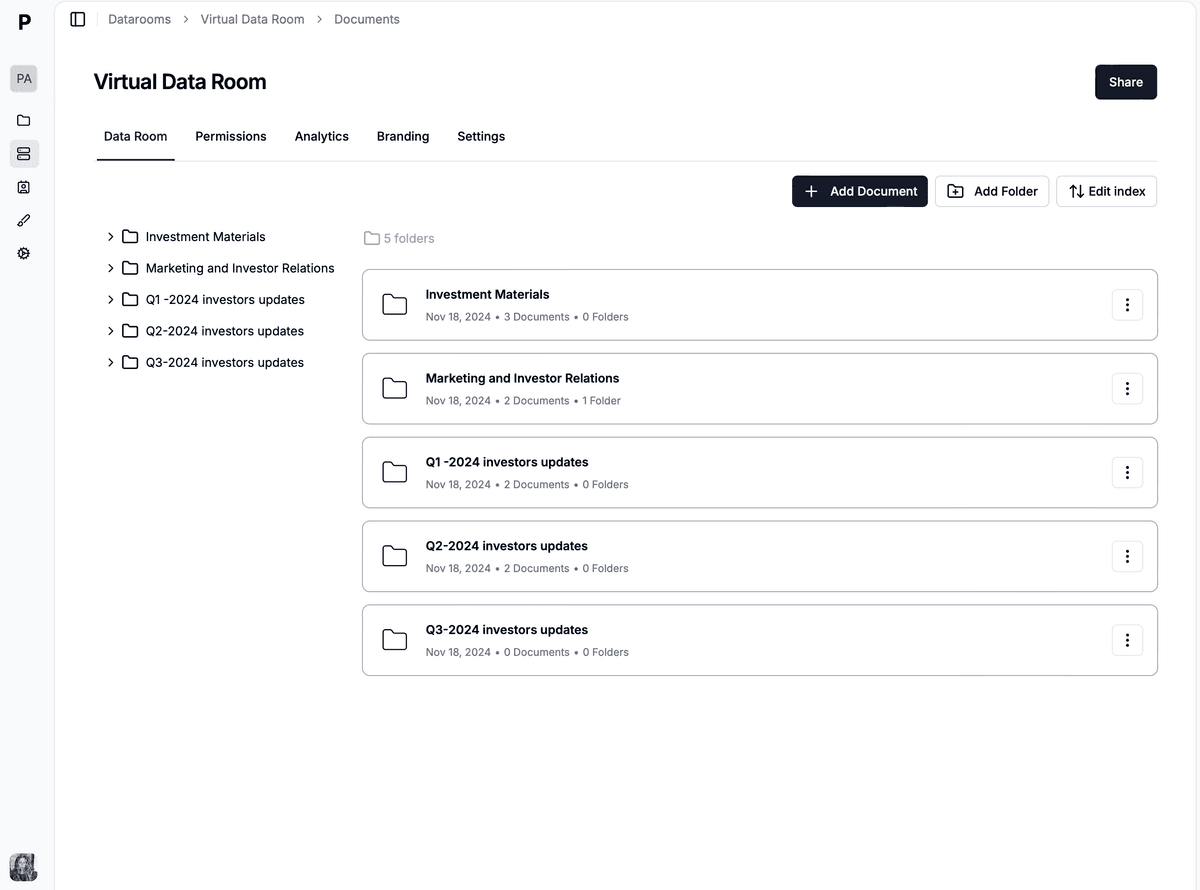
An NDA-gated virtual data room in Papermark, with per-link agreements and page-level analytics
Because the NDA attaches per link and per group, you can run different agreements across one room without duplicating files: a light click-through NDA on the outreach link, a full-signature mutual NDA on the confidential room, and no NDA at all on a genuinely public teaser. Every acceptance writes to the audit log with the viewer's name, email, timestamp, and the NDA version they agreed to, so when you update the agreement mid-process you can prove exactly who accepted which version. That version-aware record is the difference between "the NDA was signed" and "this signer accepted v2 of the NDA at 14:02, then opened these three pages" in a dispute.
The deterrents layer on top of the legal gate. Dynamic watermarking stamps every page with the viewer's email and a timestamp, so the NDA discourages disclosure legally while the watermark discourages it practically. Granular permissions control view-versus-download per file and per group, so signing the NDA does not automatically unlock everything: second-round buyers see folders first-round buyers cannot. Page-by-page analytics sit in the same log as the acceptance events, giving legal a single timeline of who agreed and what they read afterward.
The platform sits on the compliance posture deal counterparties expect. Papermark is SOC 2 Type II compliant and GDPR compliant, encrypts data in transit and at rest, and supports SSO and MFA, custom domains, and white-labelling so the NDA flow carries your brand rather than a vendor's. It is open source and available on the Data Rooms plan at €99/month with a 7-day free trial, with unlimited documents, the audit log, and Q&A with permissions included.
NDA compliance, GDPR, and SOC 2 in a data room
Handling an NDA in a data room is only half the compliance story, because the personal data you collect to enforce it, viewer names, emails, and access timestamps, is itself regulated. Under GDPR, that acceptance log is personal data you process on a lawful basis and must be able to produce, correct, or delete on request, which is far easier when it lives in one auditable system than when it is scattered across DocuSign exports and Drive logs. A VDR that is GDPR compliant gives you a defensible answer when a counterparty exercises a data-subject right mid-deal, rather than a scramble across tools.
SOC 2 Type II matters for a different reason: it is the control most enterprise and institutional counterparties ask about before they trust you with their confidential information at all. A SOC 2 Type II report evidences that the access controls, encryption, and audit logging behind your NDA gating actually operate over time, not just on paper. When a private equity buyer's security team reviews your deal room, that report is often what unblocks the process. Running your NDA compliance on infrastructure that already carries SOC 2 Type II and GDPR attestations means the framework question is answered before it is asked, and your NDA evidence and your data-protection posture reinforce each other instead of living in separate silos. For the fuller picture of controls a modern room should carry, see the 15 virtual data room features that matter in 2026 and what a virtual data room is.
What Papermark customers actually ask about NDA compliance
These are real questions from conversations with Papermark customers setting up NDA-gated data rooms:
"If you're talking about giving access to 10 people, I don't want to have 10 NDAs. The email back-and-forth creates too much friction."
One NDA attached to the data room link covers every viewer on that link. Each acceptance is recorded individually, so you get one agreement with per-person evidence.
"Can I get notified when someone accepts the NDA?"
Yes. Papermark sends notifications on NDA acceptance, so you know the moment an investor clears the gate. A first-time fundraiser sharing with ~20 investors used this to time follow-ups: the NDA acceptance was the buying signal.
"Do viewers need to re-sign the NDA every time they come back?"
Your choice per link: require re-signing on every visit, or skip for viewers who already signed. Most teams skip for returning visitors and reserve per-visit signing for the most sensitive rooms.
"Is a one-click NDA legally binding?"
When implemented correctly, yes. Click-to-accept agreements are recognized in most jurisdictions under electronic signature laws. For higher-stakes deals, use the full signature flow with drawn signatures and field placement, which produces a signed PDF with a complete audit trail.
Common NDA compliance mistakes to avoid
Four failure patterns come up repeatedly when companies review their old process:
The NDA and the access log live in different tools. A signed PDF in DocuSign plus viewer logs in Google Drive means manual reconstruction in a dispute. Keep both in the data room.
Sharing starts before the NDA is in place. Once a file is emailed, the gate is gone. Send data room links only, and keep the teaser tier for pre-NDA conversations.
No individual acceptance records. A blanket NDA with a fund tells you nothing about which team member accessed what. Per-viewer email verification plus per-viewer acceptance fixes this.
The record disappears after the deal. Subscriptions lapse, links get deleted. Freeze and archive the room at close so the NDA evidence survives.
Manage NDA compliance in your data room
NDA compliance in a virtual data room comes down to one principle: the agreement, the access, and the evidence should live in the same place. Papermark gives you the NDA gate, one-click acceptance or full electronic signatures, tiered links, per-viewer audit logs, and sealed archives on the Data Rooms plan at €99/month with a 7-day free trial. It's open source, supports custom domains and white-labelling, and tracks engagement page by page.


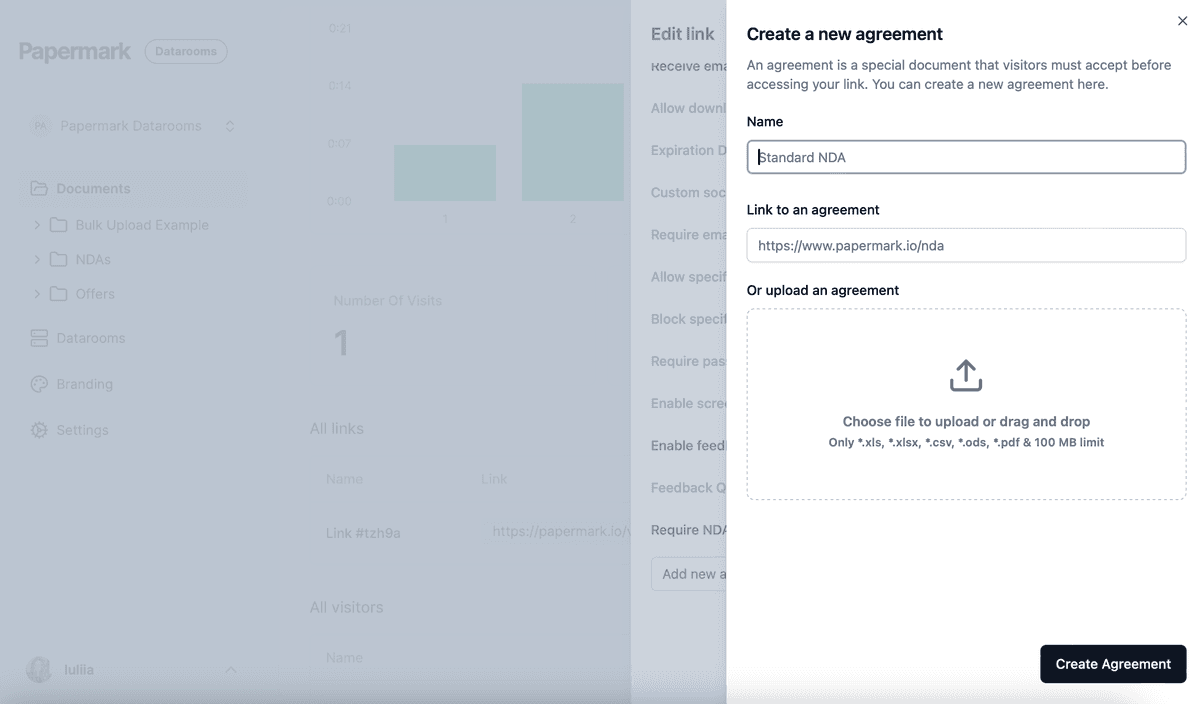
 An NDA-gated virtual data room in Papermark, with per-link agreements and page-level analytics