



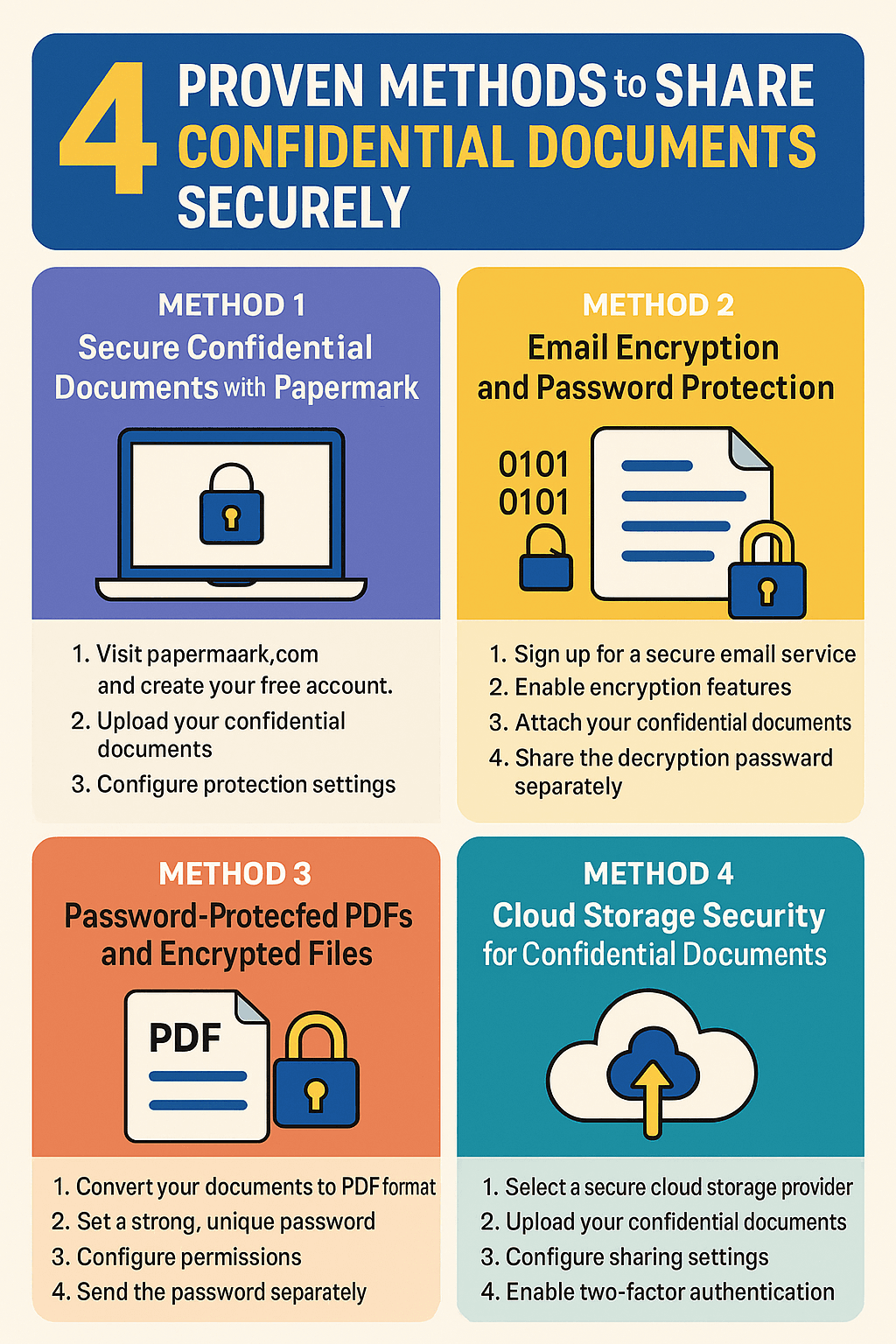
document-sharing
How to share confidential documents in 2026: share access, not files
How to share confidential documents securely in 2026: 4 methods compared, what control you keep after sharing, and how to send documents to a buyer.
To send confidential company documents to a buyer without losing control, share access instead of files. Secure document sharing means the buyer gets a verified, NDA-gated link to a data room such as Papermark, with view-only permissions, a watermark naming them on every page, an expiry date and an audit log, and you can revoke it at any time.
No credit card required.
Secure document sharing with a buyer is a controlled disclosure, not a file transfer. The buyer is an outside party who may not close, may compete with you, and will bring lawyers, accountants and lenders who also want to see the files. You need them to read enough to make an offer, and nothing they can misuse if they walk away.
That changes what "secure" means. Encryption in transit protects the file on its way to the buyer, but it does nothing once it arrives. The real risk is what happens after: forwarding to people who never signed your NDA, copies sitting on a laptop after the deal dies, or a competitor learning your pricing. Losing control in a sale process almost always looks like that, not like a hack.
So the question isn't how to send a file safely. It's how to give a buyer the ability to read your documents while keeping the power to change, limit or end that ability. That is what "share access, not files" means, and it's the principle behind every step below. Firms that run sale processes for a living, from boutique advisers to the large investment banks, follow the same pattern: NDA first, staged release, a data room, and controls set before the first invitation goes out.
Nothing confidential goes to a buyer until they have signed a non-disclosure agreement and you have checked they are credible. The NDA is your legal control and screening is your practical one. Both come before any data room invitation.
Screening is quick when your adviser asks the right questions: can the buyer show proof of funds or a financing source, is it a strategic or financial buyer, does it or any portfolio company compete with you, and who on its side will see the documents. A buyer that won't answer these is telling you something.
The NDA should limit use to evaluating the deal, name who may see the information, ban onward disclosure without consent, include a non-solicit, require return or destruction when talks end, and add a clean-team clause if the buyer is a competitor. Our guide to NDA compliance in a virtual data room covers the clauses in detail.
In a data room, you can put the NDA in front of the documents. Papermark's NDA gate requires the visitor to sign or accept before the first file opens, with signing powered by Documento, and logs each acceptance with a timestamp. That gives you a record tied to a verified email, not a PDF floating in an inbox.

The NDA sits in front of the documents, so access and acceptance are logged together.
Staged disclosure is the most effective control you have, because a document a buyer never received can't leak. Release information in the order a buyer needs it to make its next decision, and hold the rest until they commit further.
Most sell-side processes use four stages. A teaser goes out before the NDA with anonymised ranges. The CIM follows the NDA with summary financials and the business story. Detailed financials, contracts and operational data open after an indication of interest (IOI). The most sensitive material, such as tax returns, bank statements, named customer data and employee records, waits for a signed letter of intent (LOI).
| Stage | What the buyer gets | Control setting |
|---|---|---|
| 1. Teaser | Anonymised summary and ranges | Email-verified link, download off |
| 2. CIM after NDA | Business overview, summary financials | NDA gate, per-buyer link, watermark |
| 3. After IOI | Monthly financials, key contracts, operations | Group per shortlisted buyer, view only |
| 4. After LOI | Tax, bank, payroll, named customers | Buyer and counsel groups, audit log review |
When the buyer is a competitor, add a clean team: a small group on the buyer side, usually outside advisers or staff who are not involved in pricing or sales, who see competitively sensitive data under stricter terms. The FTC's guidance on avoiding antitrust pitfalls during pre-merger due diligence explains why. For the financial side of this sequence, see how to share financials with potential buyers.
Every document a buyer sees should be a disclosure copy, prepared on purpose, not the working file from your shared drive. Working files carry far more than the visible page.
Start with metadata. Word documents keep tracked changes, comments and author names. PDFs keep document properties and sometimes earlier versions. Excel workbooks hide entire tabs, hidden rows and columns, cell comments and links to other files on your network. Run the document inspector in Office, flatten PDFs, and unhide everything in a model before deciding what stays.
Then redact what this stage doesn't need. Replace customer names with letters before the LOI, aggregate payroll by role, and mask bank account numbers. Use a tool that removes the underlying text, because a black rectangle drawn over a PDF can often be copied out. Keep the unredacted original outside the data room, so you always know what was and wasn't disclosed.
Finally, name files consistently and number folders to match a data room index. It sounds administrative, but a clean index lets you prove later exactly which version of which document a buyer had at which stage.
Email and consumer cloud drives were built to move files, not to control them after they arrive. Once a buyer downloads an attachment, you can't revoke it, watermark it to the person, or see who it was forwarded to. Drive links are better, but they are easy to reshare, show limited activity, and don't put an NDA in front of the content.
A secure data room keeps the documents in one place and gives each buyer access to them. That's the structural difference: you change access, not files. The table below shows where each tool category fits.
| Category | Best for | Control after sharing | Examples |
|---|---|---|---|
| Email or password PDF | Low-sensitivity, one recipient | Outlook, Gmail, Acrobat | |
| Cloud drive link | Internal collaboration | Partial | Google Drive, Dropbox, Box |
| Secure document link | Teasers, CIMs, decks | (revoke, watermark, analytics) | Papermark, DocSend, Digify |
| Virtual data room | Due diligence, several buyers | (groups, NDA gate, audit log) | Papermark, Datasite, Intralinks, Firmex, Ansarada |
| Enterprise DRM | Files that must be downloaded | after download | Seclore, Vera |
For most private company sales, a secure data room covers everything from the CIM to closing. If you are comparing providers, our list of the best virtual data rooms covers pricing, permissions and compliance across the main vendors.
Set every control before the first invitation goes out. Changing settings after a buyer has already opened a folder means the first session happened without them. Use this order.
Create one group or link per buyer, named after the buyer. This is what lets you give each buyer a different stage, read each buyer's activity separately, and revoke one buyer without affecting the others. Papermark groups carry their own folder and file permissions.
Set sensitive folders to view-only. Buyers read in the browser, and there is no file to forward. Open downloads only after the LOI, and only to the people who genuinely need a working copy, such as the buyer's counsel.
Turn on a dynamic watermark that stamps the viewer's email, IP address and date and time on every page. It doesn't stop a leak, but it makes every screenshot and printout traceable to one person, which is a strong deterrent.
Require email verification so each viewer proves they own the address with a one-time code. Add an allow-list for the buyer's domain. If the link is forwarded, the new person has to verify their own email, so they are logged and watermarked as themselves.
Set the link to expire on your process deadline, such as the IOI or LOI date. Access ends automatically if nobody remembers to switch it off.
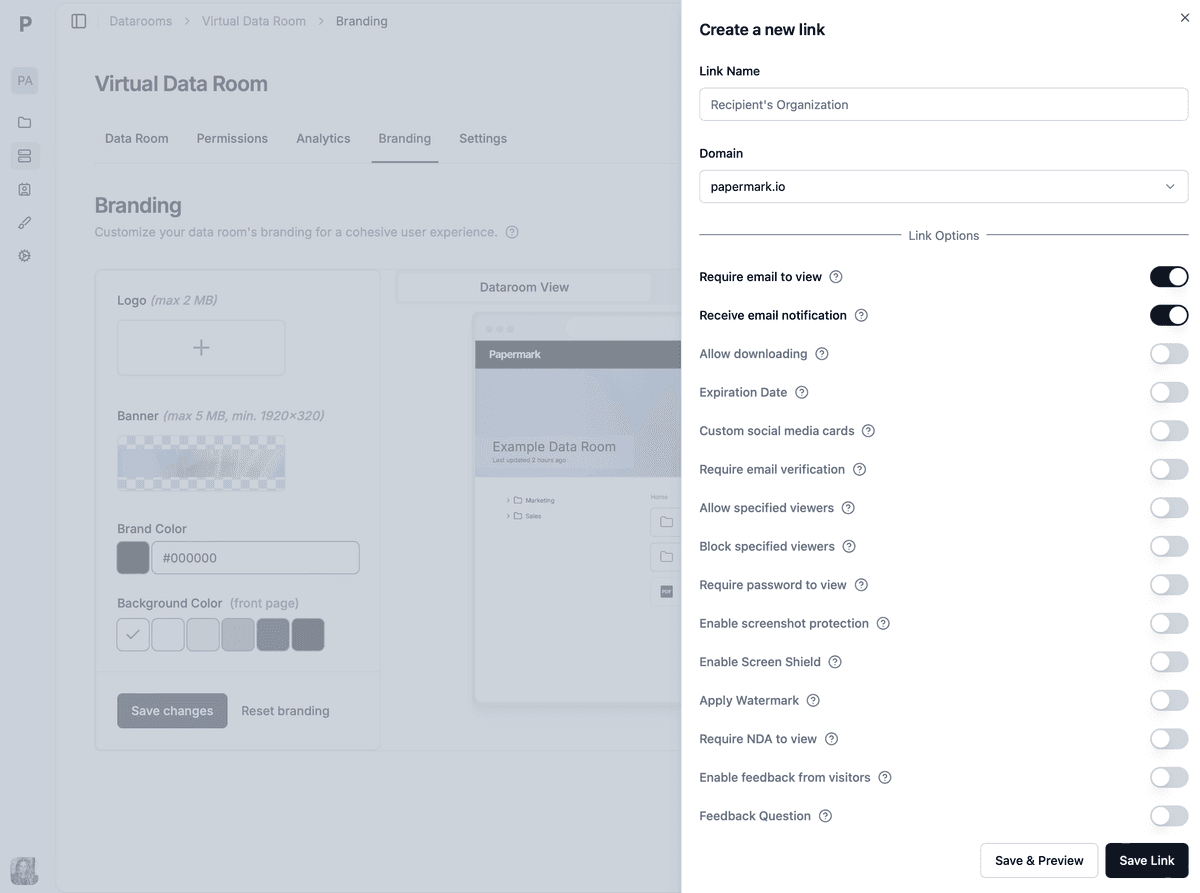
All buyer-facing controls live on the link or group, set before the invitation goes out.
Control doesn't end when the buyer opens the room. Monitoring tells you how the buyer is using access, and revocation ends it when the relationship does.
Review the audit log weekly. It shows which visitor opened which document, when, for how long, and whether anything was downloaded. Look for anomalies: a new viewer from an unexpected domain, downloads you didn't expect, or activity after a buyer told you they were out. Page-level analytics also show which buyers are actually reading, which is covered in our guide to tracking buyer engagement on deal documents and the buyer activity monitoring workflow.
When a buyer exits, disable its group or link the same day and export the activity log for your records. Then send the NDA's return-or-destroy request for anything that was downloaded. At closing, freeze the room so the disclosure record can't change. In Papermark, data room freeze creates a tamper-evident archive and is available on Data Rooms Plus and above.
No secure document sharing tool can recall what a person has already read, or stop them photographing a screen with a phone. Being honest about that is what makes the rest of the setup credible. The table below shows what each control achieves and where it stops.
| Control | What it achieves | What it doesn't |
|---|---|---|
| Revoke link or group | Stops all future access instantly | Can't recall what was seen or downloaded |
| Download and print off | Stops easy copies | Doesn't stop phone photos |
| Dynamic watermark | Traces a leak to a person and session | Doesn't prevent the leak |
| Email verification and NDA gate | Ties access to a verified signatory | Doesn't stop them sharing what they saw |
| Audit log | Proves who saw what and when | Doesn't stop misuse |
| Link expiry | Ends access automatically | Same limits as revoke |
Information rights management (IRM), also called enterprise DRM, solves a narrower problem: files that must leave the data room. IRM wraps the downloaded file in encryption that checks permissions every time it opens, so you can revoke it after download. It needs the recipient to use a specific viewer or plug-in, which adds friction for buyers' advisers. Seclore and Vera are examples. For most sale processes, keeping sensitive files view-only inside the room avoids the need for IRM altogether, and downloads are limited to counsel after the LOI.
Run this checklist before every new buyer gets access. Each line is a control you can verify in under a minute.
This is a hypothetical scenario. Harbor Lane Advisors is a three-person sell-side boutique running the sale of a regional HVAC services company with $22M of revenue. The process has 9 buyers: 6 private equity firms, 2 strategic acquirers and a family office. One strategic acquirer operates in the same metro area.
The adviser builds one data room with three numbered folders: CIM materials, round 2 diligence, and confirmatory diligence. Each buyer gets its own group with only the first folder open, an NDA gate, email verification, and a domain allow-list for its firm. The competitor's group points at a separate clean-team folder for customer and pricing data.
In week two, the audit log shows a new viewer on a private equity firm's link, verified from a personal email address. The watermark already carries that address on every page. The adviser calls the firm, learns it is an operating partner covered by the NDA, and adds them properly. In week four, two buyers decline to submit an IOI and two more come in below the range. Five buyers move to round 2, and the other four groups are disabled the same afternoon, and the activity log is exported to the deal file.
Hypothetical scenario. Only one buyer ever saw the confirmatory folder, so most of the sensitive material never left the room.
After the LOI, the winning buyer's group opens the confirmatory folder, and a separate counsel group gets download rights on contracts only. At closing, the room is frozen, and the archive becomes the record of what was disclosed, to whom and when. No document ever went out as an attachment.
A data room for sending confidential documents to buyers replaces attachments with access you control. Papermark is a secure, fully customizable, and developer-friendly data room for modern dealmakers, with page-by-page analytics, dynamic watermarking, unlimited data room visitors and transparent pricing.
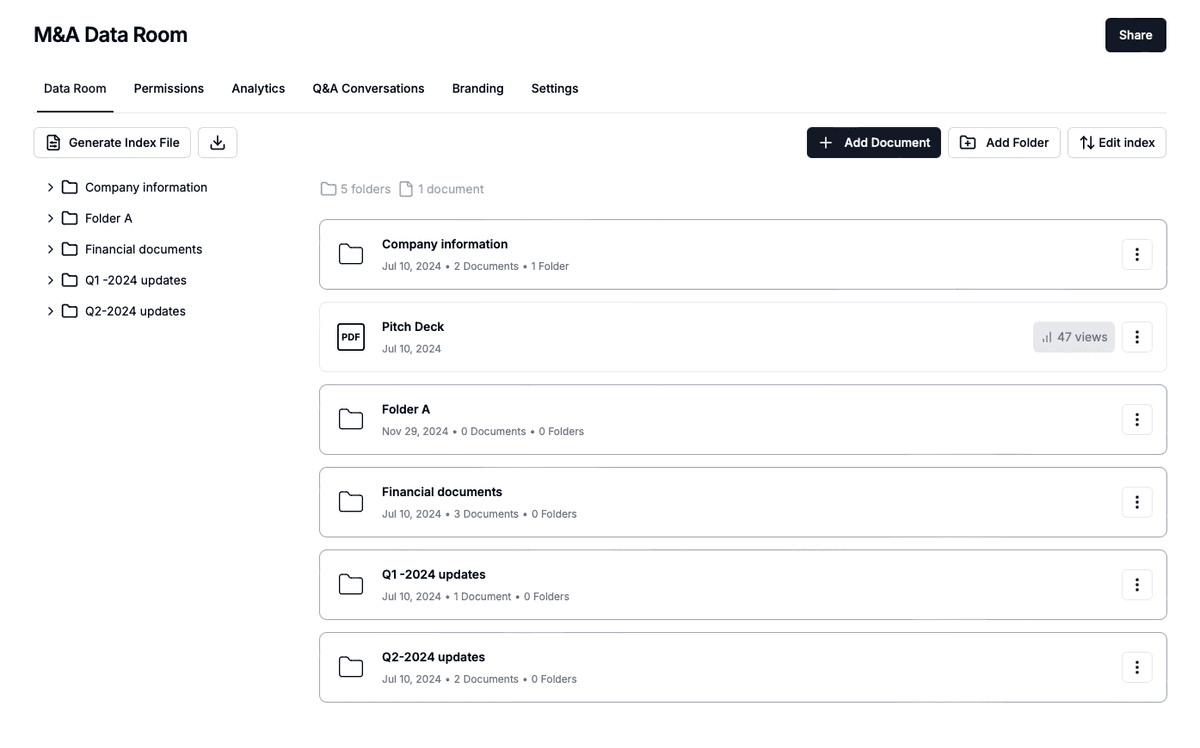
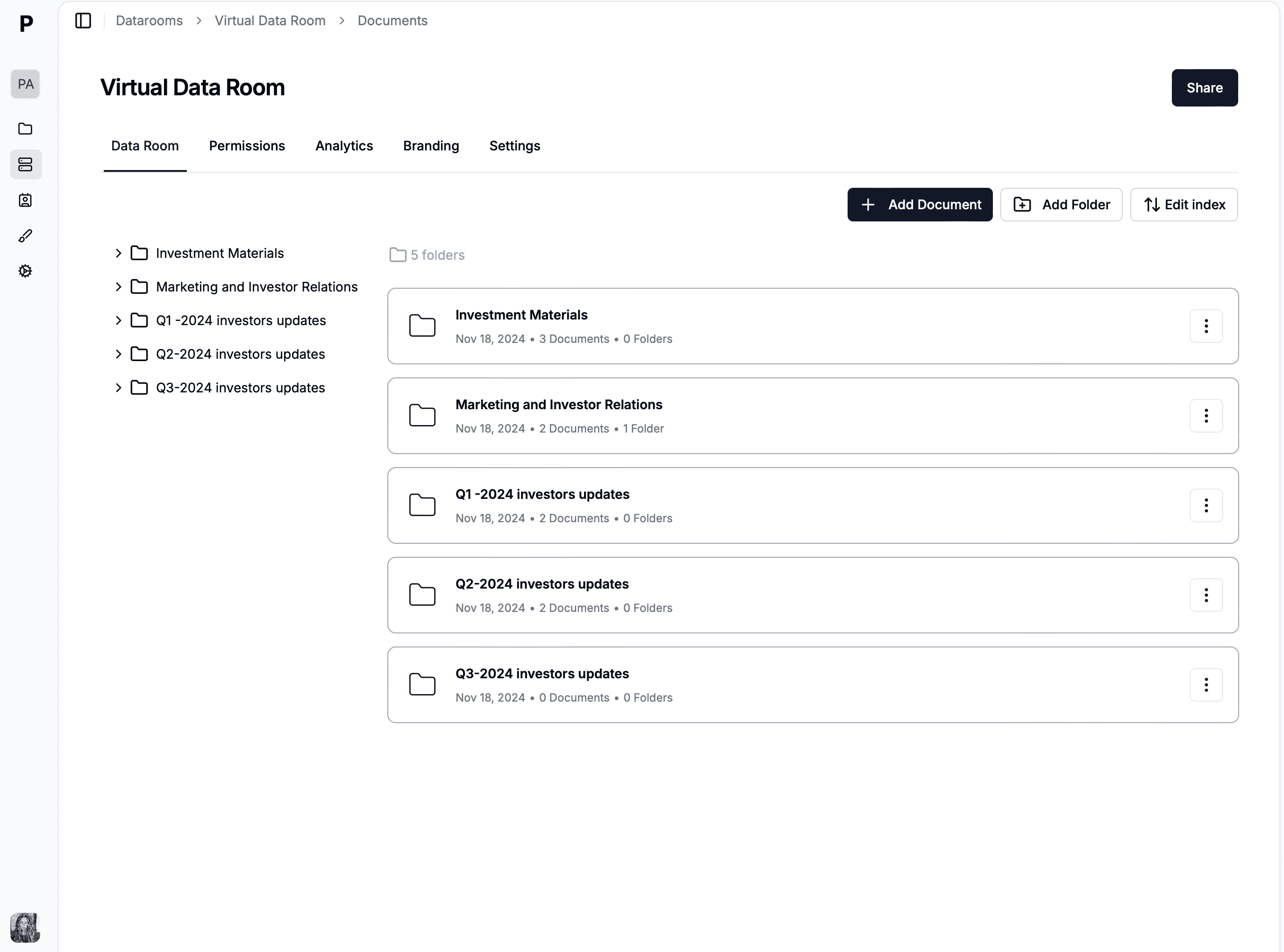
A buyer room with numbered folders by stage and one group per buyer.
You can't send confidential company documents to several buyers by email and keep control. You'd be managing different document sets per buyer, chasing forwards you can't see, and relying on memory to know who had what. A data room puts all of that in one place: one document set, one group per buyer, and one log.
It also changes your leverage. When you can see which buyers are working through the documents and which have stopped, you make better calls about who advances.
Create one data room for the deal with numbered folders that follow your stages. Upload redacted disclosure copies only. Papermark supports PDF, Word, Excel, PowerPoint and more, with unlimited documents and storage on Data Rooms plans.
Create a group for each buyer and set granular permissions for every folder and file: view, download or hidden. Moving a buyer to the next stage is a permissions change, not a new email.
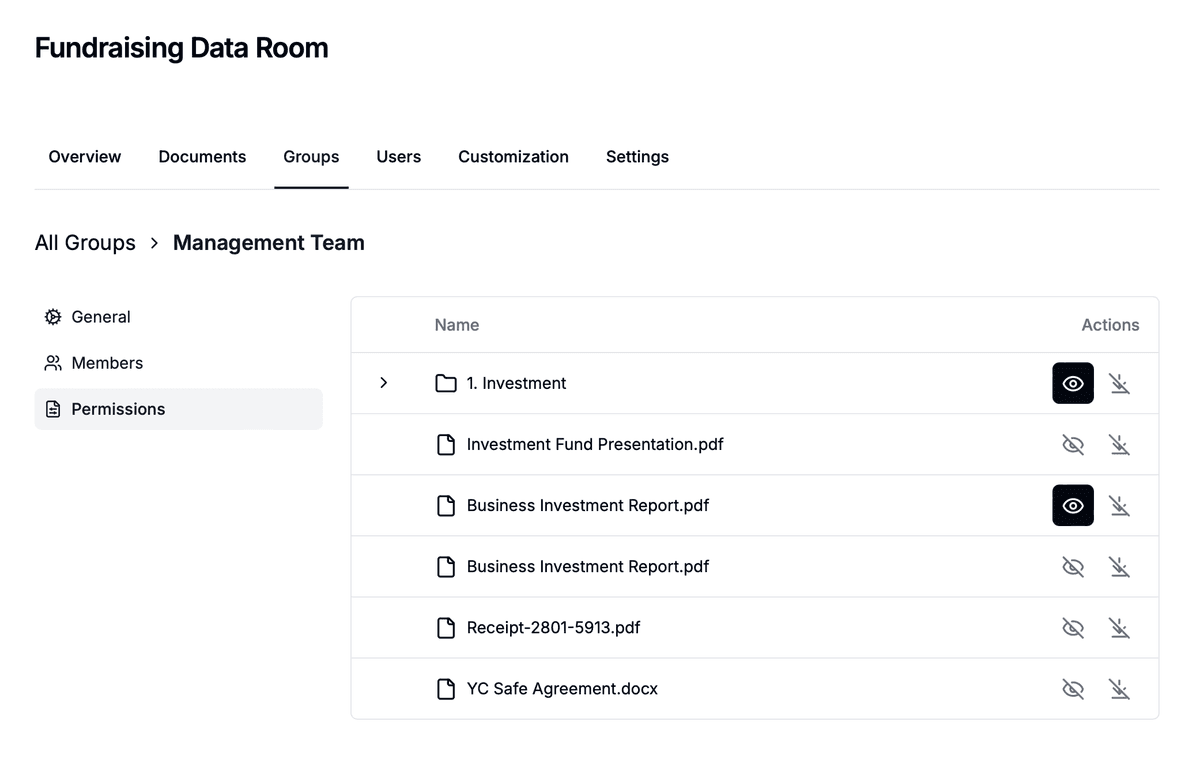
Each buyer group has its own folder permissions inside the same room.
Turn on email verification and a domain allow-list, then attach your NDA agreement so the buyer signs or accepts before the first page loads. Each acceptance is logged against a verified email.
Turn on dynamic watermarking, which shows the viewer's email, IP address and date and time on every page and persists in downloaded files. Add screenshot protection for the most sensitive folders, and set an expiry date on each link.
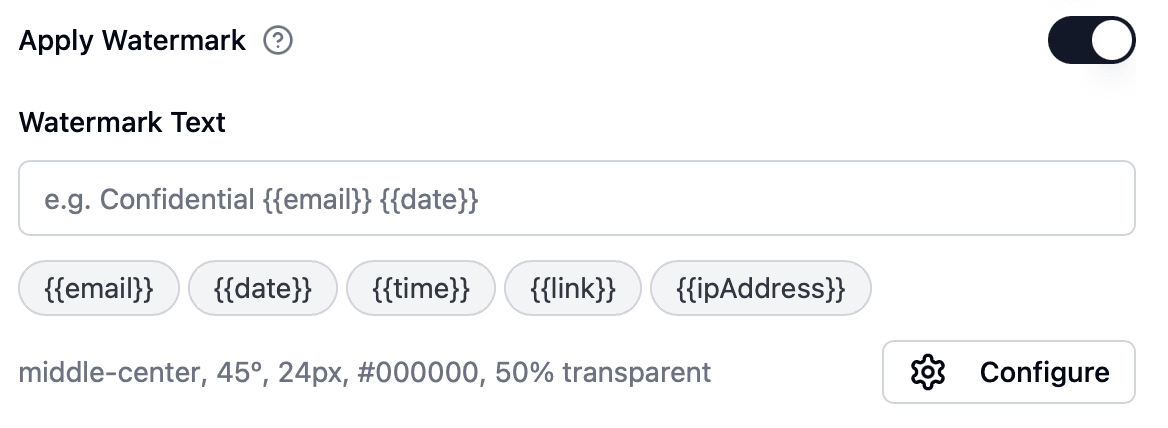
Watermark settings apply to every page a buyer opens.
Use page-by-page analytics and the audit log to see which buyer opened which document, and get email or Slack notifications when a buyer first opens the room. Disable a group in one click when a buyer exits. On Data Rooms Plus and above, freeze the room at closing to keep a tamper-evident archive.
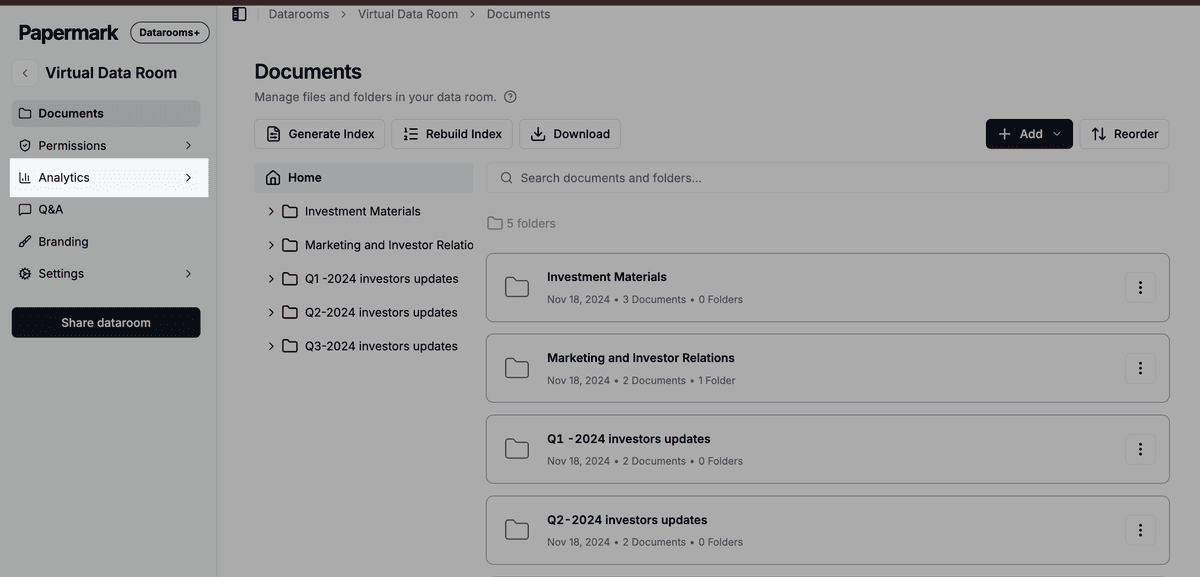
Activity per buyer and per document, ready to export for the deal file.

Papermark is our #1 VDR provider for M&A transactions right now. In two deals we used custom branding, dynamic watermarking, and granular permissions.
Tyler
The Data Rooms plan is $99/month with a 7-day free trial, and includes 3 team members, unlimited data room visitors, unlimited data rooms and documents, a custom domain, dynamic watermarking, NDA agreements and granular file-level permissions. The Q&A module and data room freeze are on Data Rooms Plus and above, and AI redaction is on Premium and above. Papermark is SOC 2 Type II and ISO 27001 certified, and its public API, CLI and MCP server let you automate buyer rooms. It is also open source, with self-hosting available.
How to share confidential documents securely in 2026: 4 methods compared, what control you keep after sharing, and how to send documents to a buyer.
How to share financials with potential buyers in 2026: an NDA first, 4 disclosure stages, a redaction table, and secure file sharing for business sales.

How to track which buyers actually read your deal documents in 2026: per-buyer links, 7 signals, a 10-point score and document tracking software.