
How to secure a data room for board and investor reporting
A board and investor reporting room is not a deal room. It stays open for years and gets new material every month or quarter: board packs, management accounts, minutes, resolutions, budgets, cap table updates and investor letters. The people reading it change slowly, but they do change: a director steps down, an observer seat is added, a new investor joins after a round, auditors need access for a few weeks each year. Board minutes and resolutions are some of the most sensitive documents a company has, and not every reader should see all of them.
This guide walks through the Papermark data room controls that matter most for board and investor reporting, in the order you would set them up.
Quick recap: data room security best practices
- Limit who on your team can open the room with the Data Room Member role and SSO
- Create separate groups for board members, investors, observers and auditors
- Set default permissions so new documents stay hidden until you share them
- Verify every visitor's email before they see anything
- Watermark every page with the viewer's email and date
- Disable downloads and printing for sensitive minutes and resolutions
- Use document versions so the latest board pack is always on the same link
- See who read the board pack with analytics
- Give auditors time-limited access
- Remove access when a director or observer leaves
- Keep a record with audit logs
Data room security features for board and investor reporting
These are the controls that do most of the work in a reporting room. The rest of this guide shows how to set each one up.
- Team roles and Data Room Member: your CFO, company secretary or general counsel work only inside the reporting room, and see nothing else in your workspace.
- SAML SSO and SCIM: your team signs in through your identity provider, and access ends automatically when someone leaves.
- Groups and granular permissions: board members, investors, observers and auditors each see only the folders meant for them.
- Default permissions for new documents: each new board pack or set of minutes stays hidden until you decide which groups can see it.
- Document versions: replace a board pack or budget with a corrected version, and readers see it on the same link.
- Data room analytics: see which directors opened the board pack before the meeting, and which pages they read.
- Audit logs: a lasting record of who viewed or downloaded each document.
1. Limit who on your team can open the room
A reporting room holds material most of your company should not see, such as compensation decisions, financing plans or legal disputes.
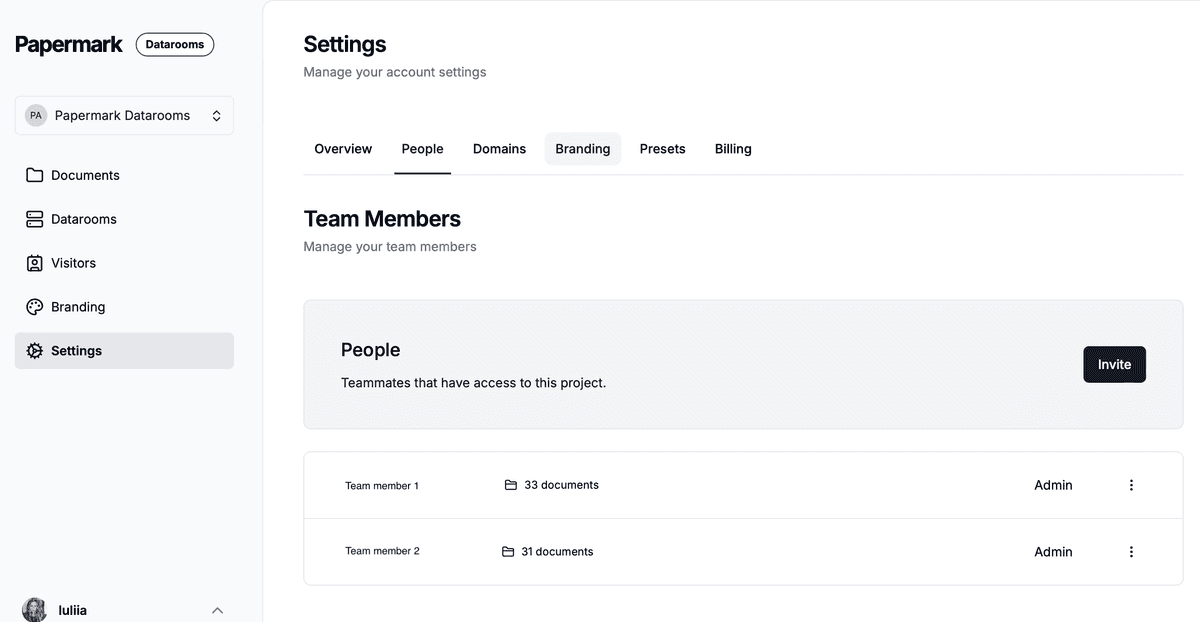
- Use team roles so only the CEO, CFO and company secretary can create links, change permissions or see analytics.
- Invite anyone else who prepares board materials, such as finance staff or outside counsel, as Data Room Member. They can work inside the reporting room and see nothing else in your workspace. See how to invite team members.
- If your company uses an identity provider, connect SAML SSO and SCIM. Because this room stays open for years, automatic removal when someone leaves your company matters more than in a short deal.

2. Create separate groups for each kind of reader
Create a group for each kind of reader, and give each group its own link:
- Board members: full board packs, all minutes, resolutions, committee papers
- Investors: quarterly updates, management accounts, cap table, annual financial statements, including for new investors who join after a startup fundraising round
- Observers: board packs, without closed-session minutes or materials they are excluded from
- Auditors: financial statements, management accounts, minutes and resolutions for the year under audit
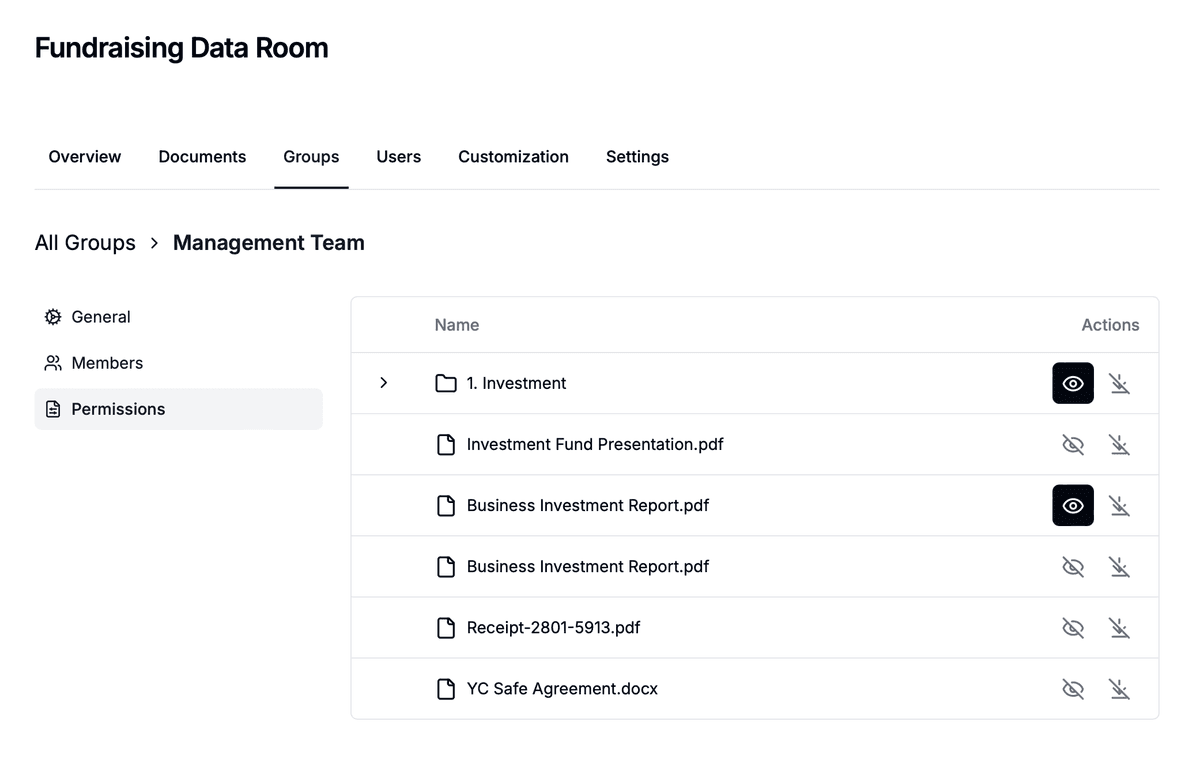
Use granular file permissions to decide, folder by folder, what each group can see and whether it can download. Read more on granular permissions.
3. Set default permissions for new documents
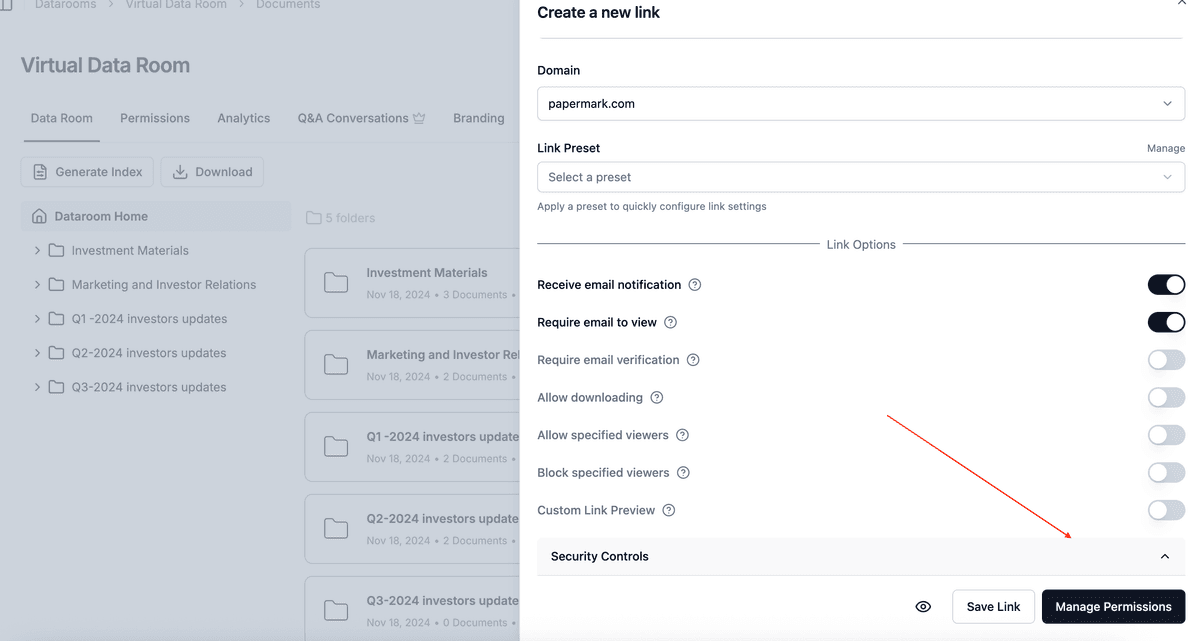
In a reporting room, you upload new documents every month or quarter, and the risk is that a new file is visible to the wrong group the moment it lands. Set default permissions for new documents so new uploads are hidden from every group until you share them. Then open each new board pack to the board, and decide separately whether observers and investors should see it.
4. Verify every visitor's email
Turn on email verification on every link. Visitors receive a one-time code by email before the room opens. Directors often read board packs on personal devices and forward emails between accounts; verification makes sure every view belongs to a known person, and that a forwarded link does not open the room for anyone else.

5. Watermark every page
Enable a dynamic watermark on every link. Papermark stamps each page as it is viewed, for example Board confidential {{email}} {{date}}. Board members and investors know each copy is traceable, and if a page of the board pack shows up in the press or at a competitor, you can see whose copy it was. See dynamic watermarking.

6. Disable downloads and printing for sensitive minutes
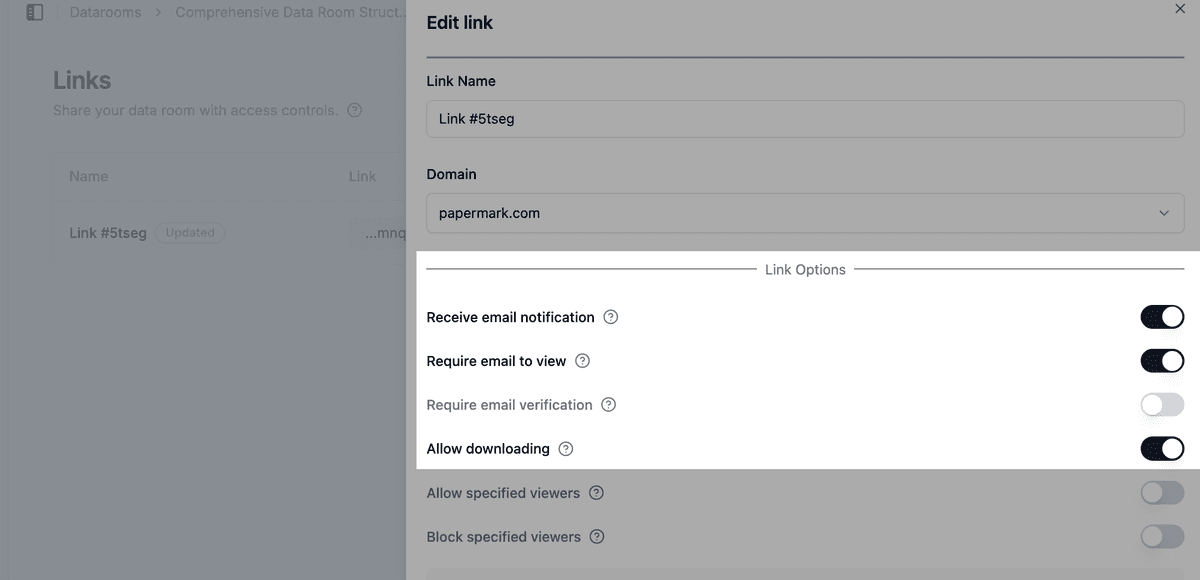
Keep downloads off for minutes, resolutions on sensitive matters and closed-session papers. Readers can still open them in the room, but there is no file to forward. See how to allow downloads from a data room to set this per group, so investors can still download annual financial statements while minutes stay view-only.
For the most sensitive documents, also disable printing and turn on screenshot protection, which blurs the page when a screenshot is attempted.
7. Use document versions for board packs
Board packs often change after they go out: a corrected figure, an extra slide, a revised budget. Upload the change as a new document version. Directors open the same link and see the current version, so nobody arrives at the meeting with an outdated pack. For a new quarter, add a new document in that quarter's folder instead, so earlier packs stay in the room as a record.
8. See who read the board pack
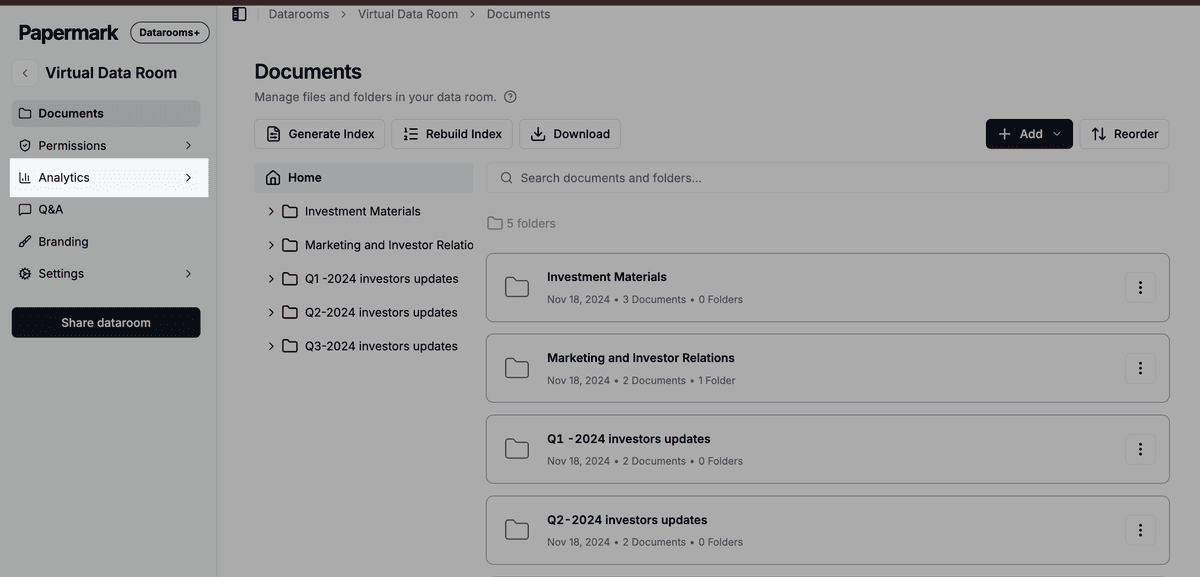
Data room analytics show which directors and investors opened each document, which pages they read and for how long. Before a meeting, check whether every director has opened the pack, and send a reminder to those who have not. After you send a quarterly update, see which investors read it. Use page-by-page analytics to see which sections get attention, and exclude internal visits so your own team's checks do not distort the numbers.
9. Give auditors time-limited access
Auditors need access for a few weeks each year. Give them their own group and a link with an expiration date at the end of the audit, and an allow list with the audit firm's domain, for example @auditfirm.com. Their access ends on its own, without anyone remembering to remove it. The same works for lawyers or advisors you bring in for a single matter.

10. Remove access when a director or observer leaves
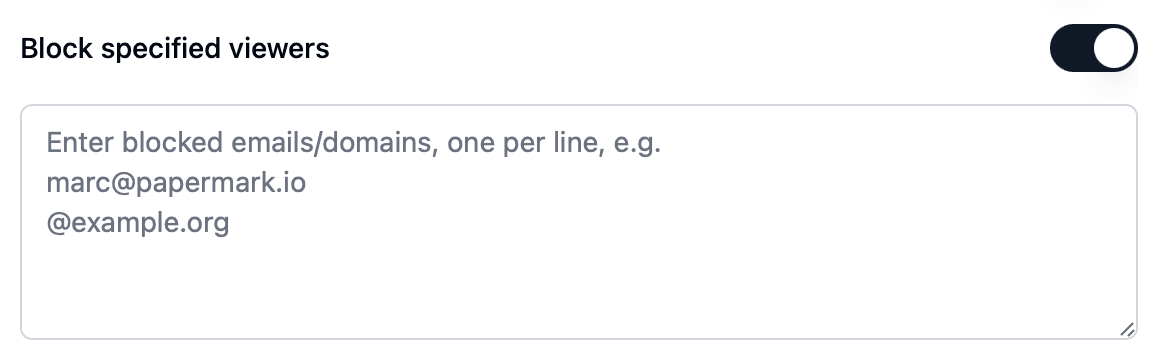
When a director steps down, an observer seat ends or an investor sells its stake, remove that person from their group or disable their link the same day. Add former directors and investors who should no longer have access to a block list, so they cannot get back in through another link. Papermark emails you when a blocked visitor tries to open a link.
11. Keep a record with audit logs
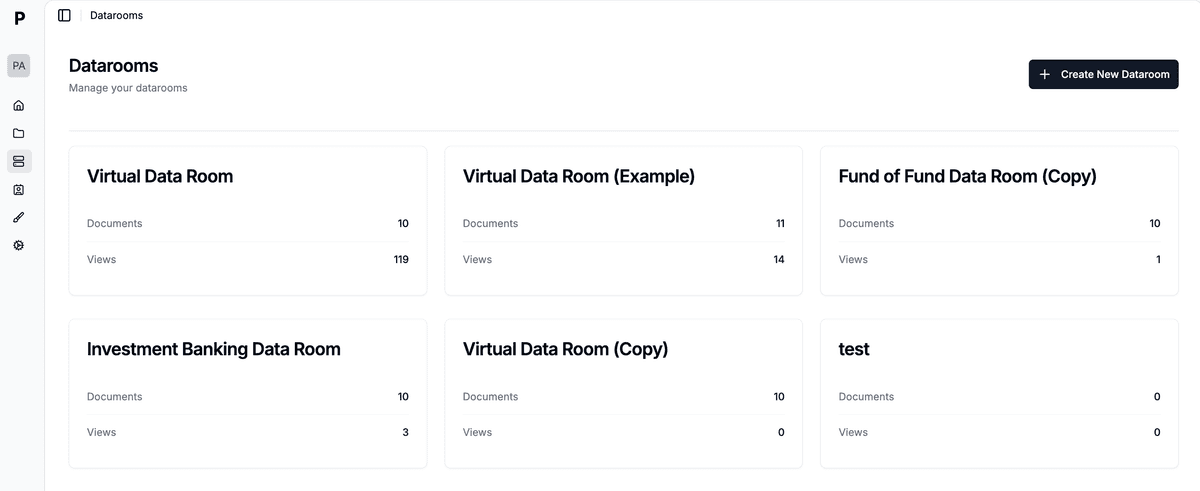
Audit logs record views, downloads and email verifications for every document. For a reporting room, that gives you a record of which directors received and opened the materials for each meeting, which helps with governance questions and disputes later. Export data room visits to CSV for your board records.
Recommended setup by phase
| Phase | Who gets access | Settings |
|---|---|---|
| Room setup | Your team | Data Room Member role, SSO and SCIM, groups for board, investors, observers and auditors, default permissions hidden |
| Before each board meeting | Board members and observers | New board pack shared by group, email verification, watermark, analytics to check who opened it |
| After each meeting | Board members | Minutes and resolutions view-only, downloads and printing off, document versions for corrections |
| Quarterly investor update | Existing investors | Investor folder only, watermark, analytics to see who read it |
| Annual audit | Auditors | Auditor group, allow list by domain, link expiry at the end of the audit |
Some controls depend on your plan. See pricing for what each plan includes. To see how Papermark compares with other providers, look at the data rooms for investors.
All Papermark features used in this guide
| Feature | How to set it up |
|---|---|
| Team roles and Data Room Member | Manage team roles |
| SAML SSO and SCIM | Set up SSO and SCIM |
| Groups and granular permissions | Groups and granular permissions |
| Default permissions for new documents | Set default permissions |
| Email verification | Require email verification |
| Dynamic watermark | Add a dynamic watermark |
| Download permissions | Allow downloads from a data room |
| Disable printing | Disable printing |
| Screenshot protection | Screenshot protection |
| Document versions | Document versions |
| Data room analytics | Detailed data room analytics |
| Link expiration | Set an expiration date |
| Allow list | Create an allow list |
| Block list | Create a block list |
| Audit logs | Audit logs |