
How to secure a data room for startup fundraising
When you raise a seed, Series A or Series B round, your data room goes to dozens of VCs and angels in a few weeks. It holds your pitch deck, financial model, cap table, customer metrics and product roadmap. Some of the funds you talk to have invested in competitors, links get forwarded inside a firm and between partners, and you rarely know who actually read what. Security here is less about locking everything down and more about knowing exactly who has access, without slowing investors down.
This guide walks through the Papermark data room controls that matter most for startup fundraising, in the order you would set them up.
Quick recap: data room security best practices
- Create one link per investor (or per investor group) instead of one shared link
- Verify every visitor's email before they see anything
- Allow investors' domains and block competitors
- Watermark every page with the viewer's email and date
- Keep downloads off by default
- Share the right folders with each investor group
- Use page-level analytics to time your follow-ups
- Use NDAs sparingly, only for the most sensitive folders
- Set expiry dates that match the round timeline
- Update documents without resending links with document versions
- Make the room easy to read with branding and a welcome message
- Freeze or expire the room after the round closes
Data room security features for startup fundraising
These are the controls that do most of the work in a fundraising room. The rest of this guide shows how to set each one up.
- Data room links: create a separate link for each investor or investor group, each with its own settings and analytics.
- Email verification: investors confirm a one-time code sent to their inbox, so a forwarded link does not open your room.
- Page-by-page analytics: see which partner opened your deck, which pages they spent time on, and when they came back.
- Dynamic watermarking: each page shows the viewer's email and date, so a deck or model that leaks can be traced.
- Allow list and block list: let in only the domains of the funds you are talking to, and keep competitors out.
- Link expiration: access ends when the round ends, without you revoking links one by one.
- Document versions: replace the deck or model with a new version, and every investor sees it on the same link.
- Freeze data room: after close, end all access and keep a tamper-proof archive of what was shared.
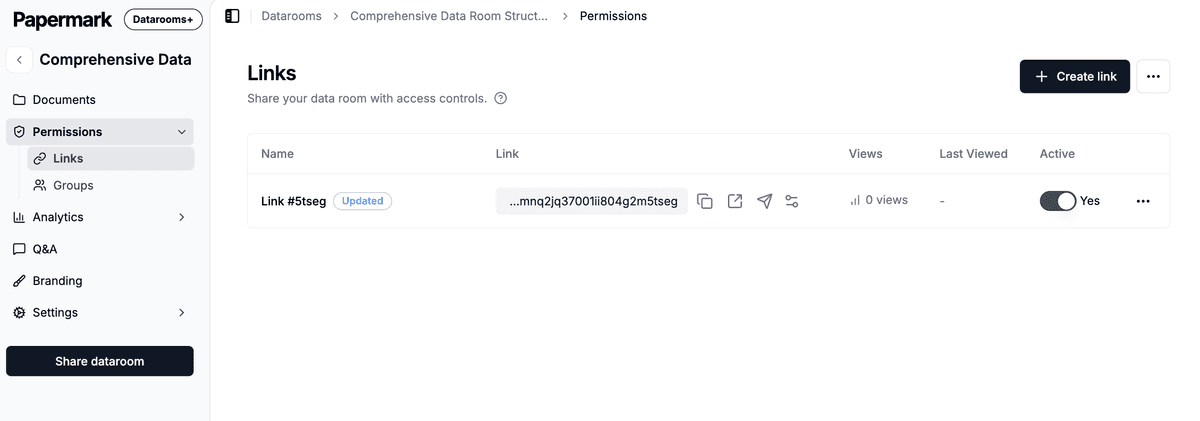
1. Create one link per investor
Create a separate link to your data room for each fund or angel you send it to. For a large raise, group similar investors (for example, all angels from one syndicate) on one link, but keep every lead and every institutional fund on its own link.
A separate link gives you three things: settings per investor, analytics per investor, and the ability to turn one investor's access off without touching the others. You can also invite visitors by email directly from Papermark.
2. Verify every visitor's email
Turn on email verification on every link. Investors receive a one-time code by email before the room opens. It takes them a few seconds, and it means every view in your analytics belongs to a real, verified person, not a typed-in address. If a partner forwards your link to someone outside the firm, that person cannot open it without access to the partner's inbox.

3. Allow investors' domains and block competitors
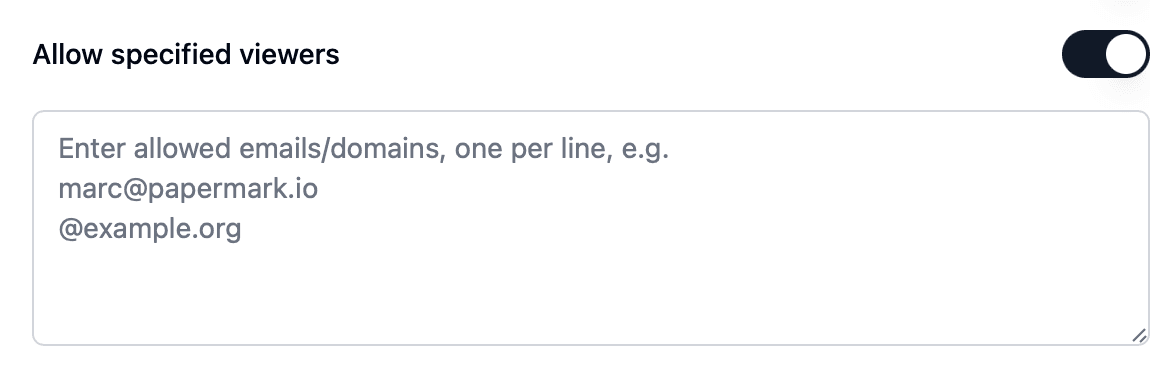
- On a link for a specific fund, add an allow list with that fund's email domain, for example
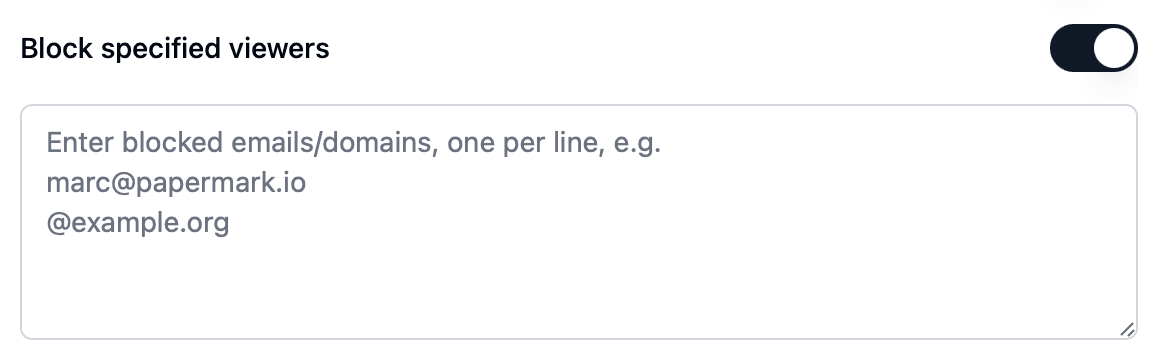
@fundname.vc, so partners and associates can get in but nobody else can. - Add competitors, and funds you know are invested in a direct competitor, to a block list, or to a global block list so they are blocked on every link in your workspace.
When someone on a block list tries to open a link, Papermark sends you an email, so you know about the attempt.
4. Watermark every page
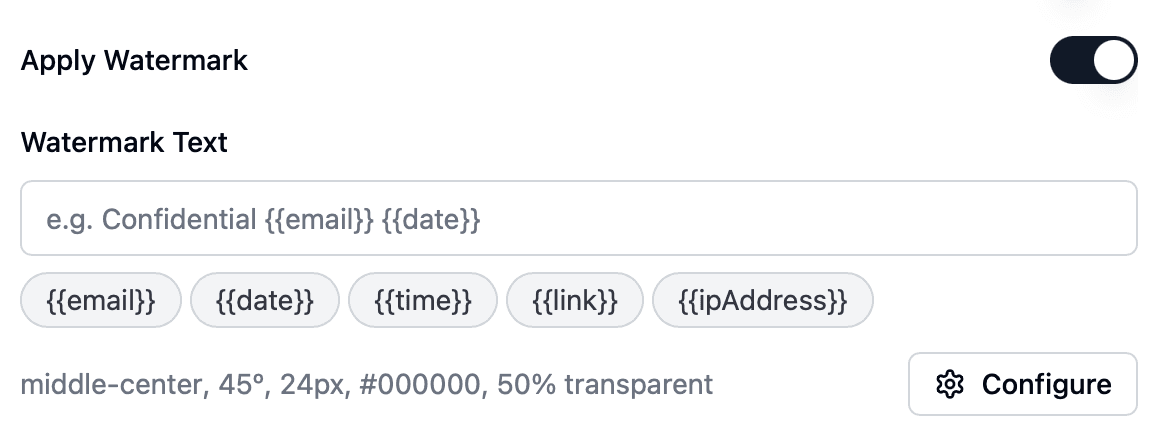
Enable a dynamic watermark on every link. Papermark stamps each page with the details you choose as it is viewed, for example Confidential {{email}} {{date}}. Investors know that a screenshot of your financial model carries their name, and if a page of your deck turns up somewhere it should not, you can see whose copy it was. See dynamic watermarking.
5. Keep downloads off by default
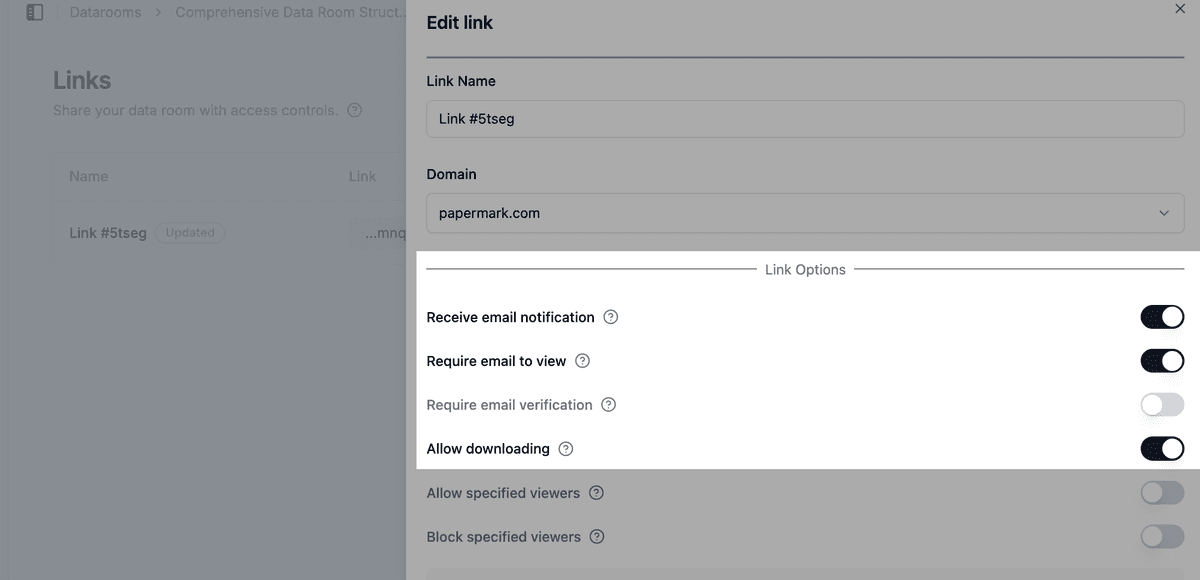
Most investors only need to read your deck and model, not keep a copy. Leave downloads off on every link in the early rounds of conversations. When a lead investor moves into due diligence and their lawyers need offline copies of contracts or the cap table, allow downloads for that investor only, and use OTP-verified bulk downloads so a one-time password goes to their verified email before the ZIP is built.
6. Share the right folders with each investor group
Not every investor needs the same material. A common split:
- First meeting: pitch deck and one-pager
- Follow-up: financial model, key metrics, product demo
- Due diligence (lead investor): cap table, incorporation documents, customer contracts, employment agreements, IP assignments
Create groups for each stage, or for each lead investor, and use granular file permissions to decide which folders each group can see and whether they can download. Set default permissions for new documents so a new board deck or contract you upload stays hidden until you share it on purpose.
7. Use page-level analytics to time your follow-ups
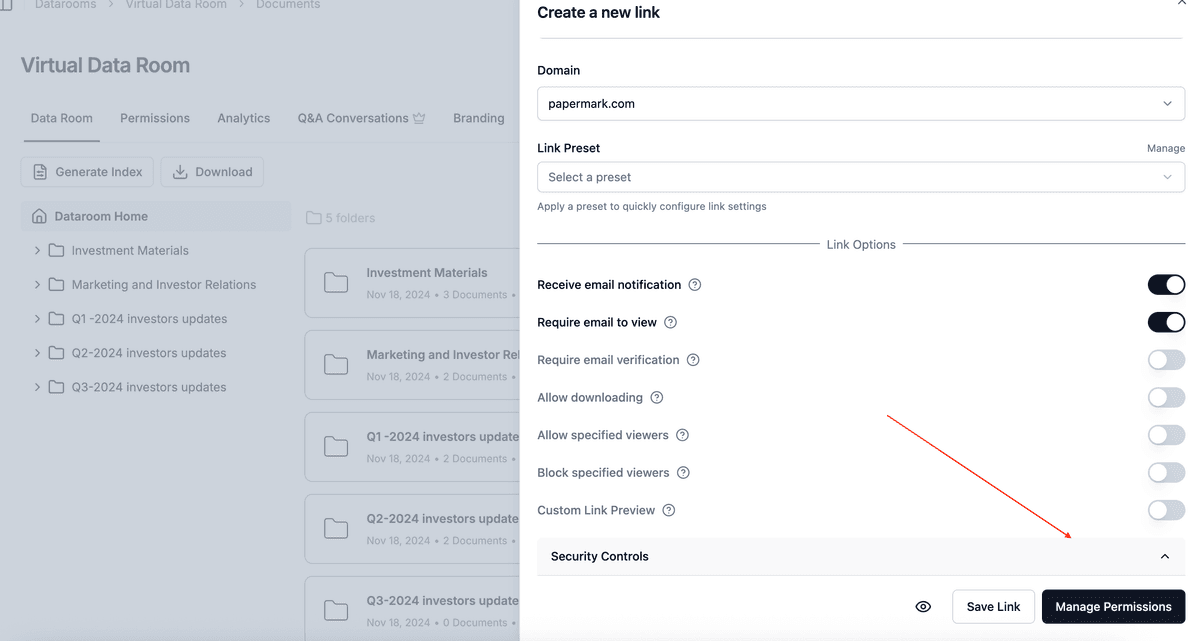
Page-by-page analytics show who opened your room, which documents they read and how long they spent on each page. Use them to decide when and how to follow up:
- A partner who spent ten minutes on the financial model and came back the next day is worth a call that week.
- An investor who stopped at the market slide may need a different angle.
- Several people from the same fund opening the deck usually means it is being discussed internally.
See data room analytics for the room-level view, and exclude internal visits so your co-founders' checks do not distort the numbers.
8. Use NDAs sparingly
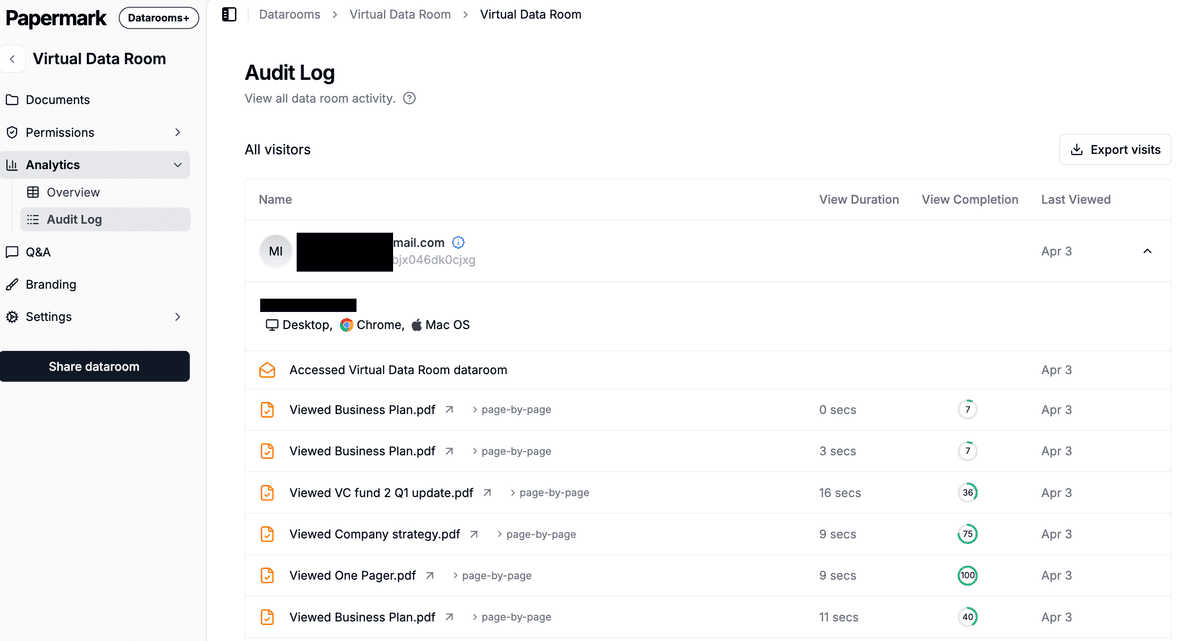
Most VCs do not sign NDAs, and asking for one before they see your deck can slow down or end a first conversation. Leave agreements off for your deck and early materials. If you have a folder that genuinely needs one, such as detailed customer contracts or unreleased technology, put it behind a separate link or group and require an NDA agreement there only. Papermark records each acceptance with the verified email and a timestamp. You can add agreements once and reuse them on every link.
9. Set expiry dates that match the round
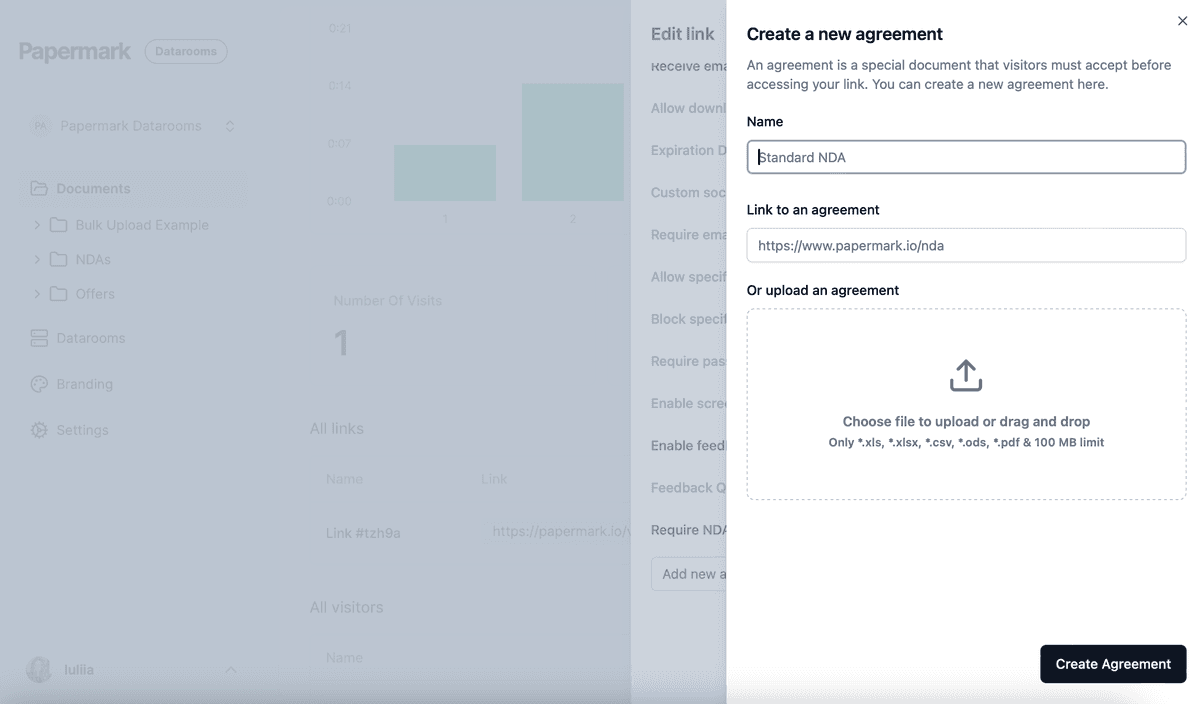
Give each link an expiration date a little after your target close date. Investors who passed lose access automatically, and you do not have old links to your cap table floating around a year later. If an investor tells you they are out, disable their link right away.

10. Update documents without resending links
Your deck and model change during a raise: new monthly numbers, a new logo on the customer slide, a revised use of funds. Upload a new document version instead of a new file. Every investor sees the latest version on the link they already have, and nobody is reading last month's numbers.
11. Make the room easy to read
A room that looks like your company and is easy to navigate gets read. Add data room branding with your logo and colors, use a custom domain so links look like they come from you, and add a short welcome message telling investors where to start.
12. Freeze or expire the room after the round closes
When the round closes, expire or disable the links of investors who did not invest. For a full record of what you shared, freeze the data room. Freezing ends all visitor access and generates an archive of the documents, the audit log and Q&A, with a SHA-256 hash so you can prove later that the record has not changed. Start a new room for investor updates to your new shareholders. The investors who did invest move into your board and investor reporting room.
Recommended setup by phase
| Phase | Who gets access | Settings |
|---|---|---|
| Outreach and first meetings | VCs and angels you pitch | One link per investor, email verification, watermark, no downloads, deck and one-pager only |
| Follow-up meetings | Interested funds | Add financial model and metrics folders by group, allow list by fund domain, analytics to time follow-ups |
| Due diligence | Lead investor and their lawyers | Due diligence group, downloads with OTP for named advisors, NDA only on sensitive folders |
| Close | Your team only | Expire or disable links, export visits, freeze the room |
Some controls depend on your plan. See pricing for what each plan includes. To see how Papermark compares with other providers, look at the best data rooms for startups.
All Papermark features used in this guide
| Feature | How to set it up |
|---|---|
| Data room links | Create a link to your data room |
| Invite visitors by email | Invite visitors to your data room |
| Email verification | Require email verification |
| Allow list | Create an allow list |
| Block list and global block list | Create a global block list |
| Dynamic watermark | Add a dynamic watermark |
| Download permissions | Allow downloads from a data room |
| OTP-verified bulk downloads | Bulk downloads with OTP |
| Groups and granular permissions | Groups and granular permissions |
| Default permissions for new documents | Set default permissions |
| Page-by-page analytics | Track page-by-page analytics |
| Exclude internal visits | Exclude internal visits |
| NDA agreement | Require an NDA before viewing |
| Link expiration | Set an expiration date |
| Document versions | Document versions |
| Branding, custom domain and welcome message | Customize data room branding |
| Freeze data room | Freeze a data room |