
How to secure a data room for real estate deals
A real estate transaction brings many outside parties into the same set of documents: buyers and their advisors, lenders, brokers, appraisers and sometimes tenants' representatives. Rent rolls, leases, operating statements and tenant details are the core of the deal, and they are also the documents that would hurt your tenants and your negotiating position if they leaked. In a portfolio sale, each buyer may only care about some of the properties, and lenders need a different view than buyers.
This guide walks through the Papermark data room controls that matter most for real estate deals, in the order you would set them up.
Quick recap: data room security best practices
- Organize the room with one folder per property in portfolio deals
- Give buyers and lenders separate groups with their own permissions
- Verify every visitor's email before they see anything
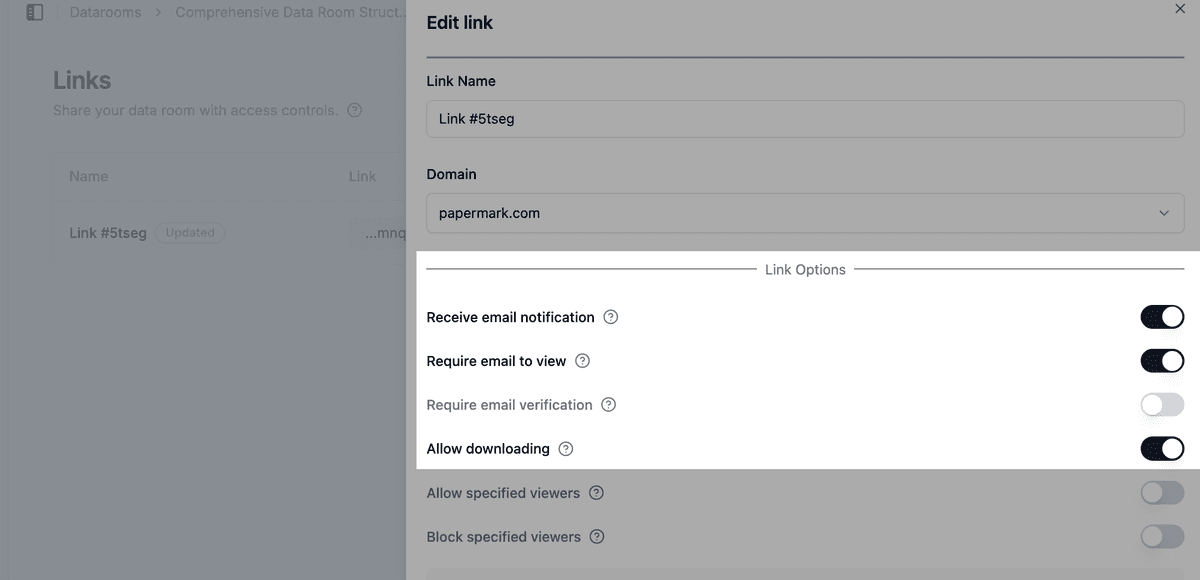
- Require an NDA before the first page loads
- Restrict access by domain for lenders, brokers and appraisers
- Watermark rent rolls and leases with the viewer's email and date
- Keep downloads off for rent rolls, and protect bulk downloads with a one-time password
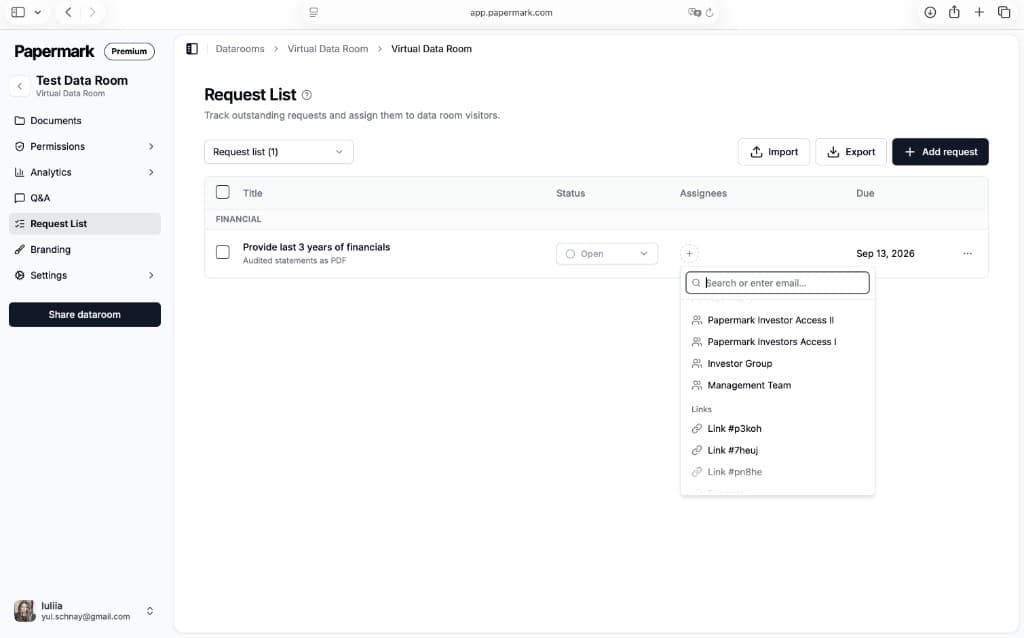
- Collect third-party reports with the request list
- Set expiry dates that match the bid date
- Use analytics to gauge buyer interest by property
- Keep questions inside the room with Q&A
- Freeze the room at close and keep a tamper-proof archive
Data room security features for real estate
These are the controls that do most of the work in a real estate room. The rest of this guide shows how to set each one up.
- Folders: one folder per property, with the same subfolders inside each, so buyers find leases, surveys and reports quickly.
- Groups and granular permissions: give buyers, lenders and appraisers their own groups, and decide property by property what each one can see or download.
- Email verification: visitors confirm a one-time code sent to their inbox, so a link forwarded by a broker does not open the room.
- NDA agreement: every buyer accepts your confidentiality agreement before seeing tenant data, and Papermark records who accepted and when.
- Dynamic watermarking: rent rolls and leases show the viewer's email and date, so a leaked copy can be traced.
- Request list: track appraisals, environmental reports and surveys from third parties in one place.
- Data room analytics: see which buyers opened which property folders and how long they spent on each document.
- Freeze data room: at close, end all visitor access and keep a tamper-proof archive of documents, audit log and Q&A.
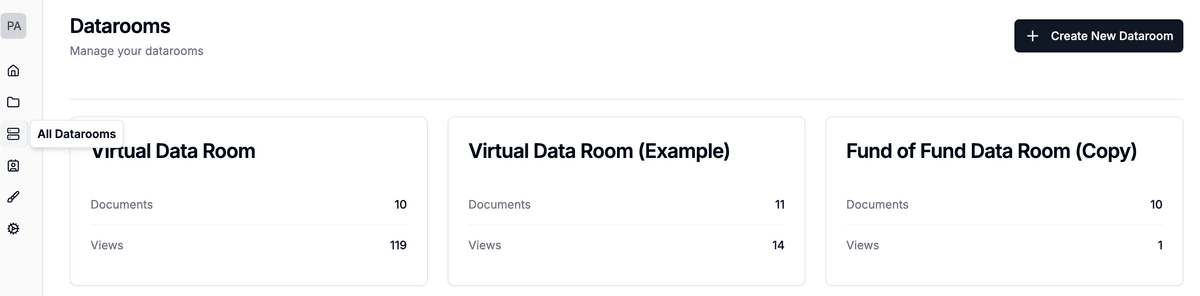
1. Organize the room with one folder per property
In a portfolio deal, create one folder per property and use the same structure inside each one, for example:
- Rent roll and leases
- Operating statements
- Title, survey and zoning
- Environmental and building condition reports
- Insurance and service contracts
A consistent structure makes it easy to give a buyer access to three properties out of ten, and to replace one property's rent roll without touching the others. Turn on index generation so visitors can download a list of what the room contains, and use document versions when you update a rent roll so the link stays the same.
2. Give buyers and lenders separate groups
Create a group for each buyer, a group for each lender, and separate groups for appraisers and brokers if they need access. Then use granular file permissions to decide, folder by folder: In a portfolio sale with several bidders, run the rounds as you would in a sell-side M&A process.
- which properties each group can see
- whether each group can view only, or also download
Lenders typically need the full rent roll, operating history and third-party reports for underwriting. Appraisers need property-level data but not your bid correspondence. Buyers in the first round may only need offering materials and summary financials. Set default permissions for new documents so files you add later stay hidden until you share them on purpose.
3. Verify every visitor's email
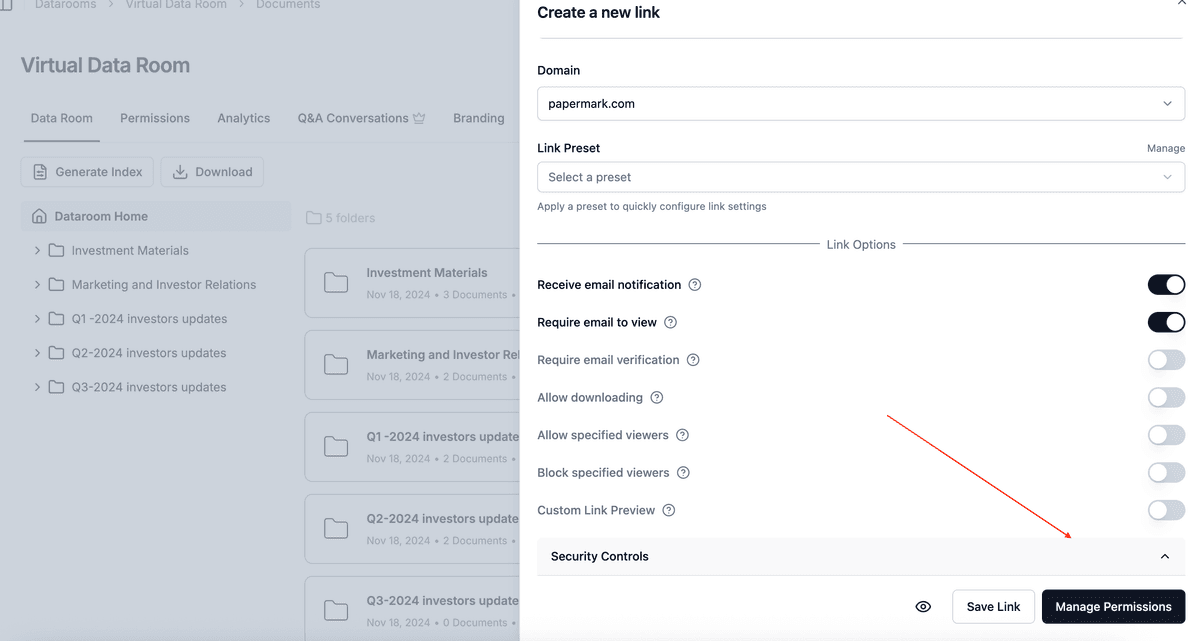
Turn on email verification on every link. Visitors receive a one-time code by email before the room opens. Real estate links are often passed along by brokers and co-investors, and verification makes sure every view is tied to a real inbox, not a typed-in address.

4. Require an NDA before the first page loads
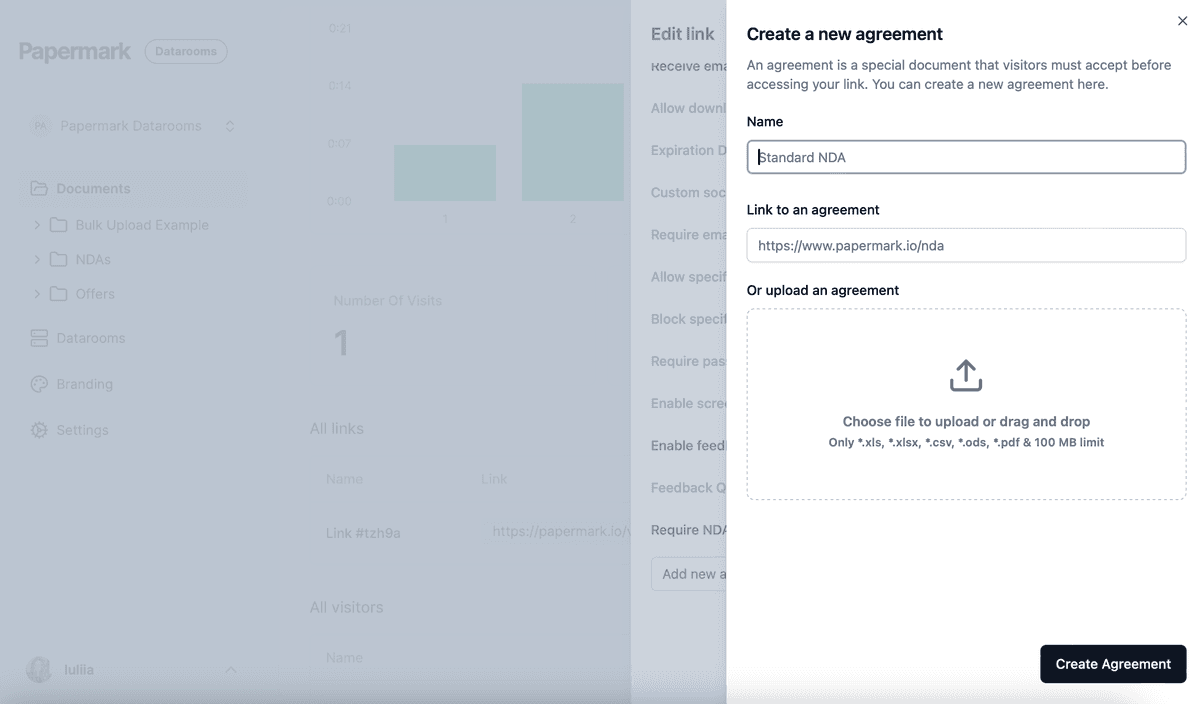
Attach your confidentiality agreement with NDA agreements. Each visitor must accept it before viewing, and the acceptance is recorded with their verified email and a timestamp. This matters because rent rolls and leases contain tenant names, rents and lease terms that tenants expect you to protect. You can add agreements once and reuse them on every link.
5. Restrict access by domain
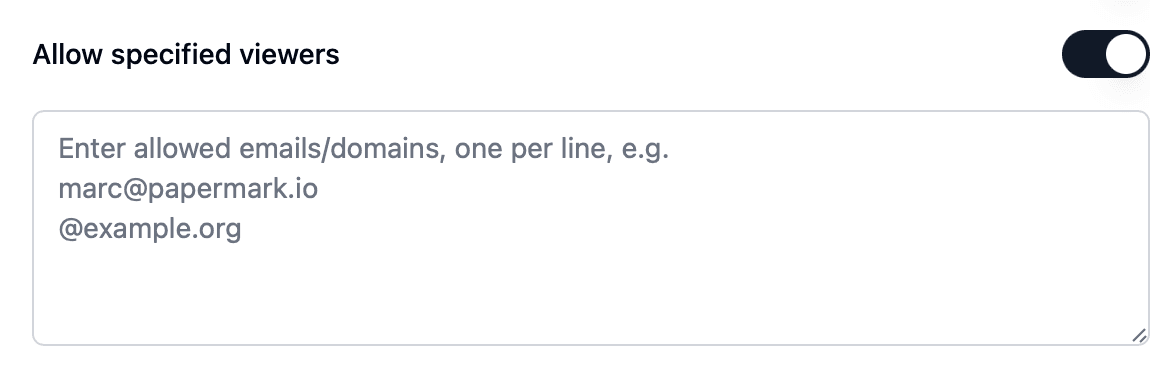
- On lender and appraiser links, add an allow list with their firm's email domain, for example
@lenderbank.com, so only people at that firm can open the link. - Add parties you have ruled out, or tenants' competitors, to a block list or a global block list so they are blocked on every link in your workspace.
When someone is denied access, Papermark notifies you by email.
6. Watermark rent rolls and leases
Enable a dynamic watermark on every link that includes rent rolls, leases or operating statements. Papermark stamps each page as it is viewed with the details you choose, for example Confidential {{email}} {{date}}. If a rent roll shows up with a competing landlord or broker, the watermark shows whose copy it was.

7. Keep downloads off for rent rolls
Rent rolls are the document buyers most want to copy into their own models, and the one that most exposes your tenants. Keep downloads off for rent roll and lease folders, and allow them only for groups that need offline copies, usually the lender and the winning buyer's advisors after the bid date. Disable printing on the same folders. See how to allow downloads from a data room.
If you allow bulk downloads, OTP-verified bulk downloads send a one-time password to the visitor's verified email before the ZIP is built.
8. Collect third-party reports with the request list
Appraisals, environmental reports, surveys, title reports and building condition reports often come from third parties during the deal. Use the request list to track what is outstanding, who is responsible and when it is due. To let an appraiser or surveyor upload directly into the right property folder, use file requests.
9. Set expiry dates that match the bid date
Give each buyer link an expiration date on the bid date. Buyers who do not submit an offer lose access automatically, and you do not have to remember to revoke it. Give the winning buyer and lender a new link for the next phase. You can also disable a link at any time.

10. Use analytics to gauge buyer interest
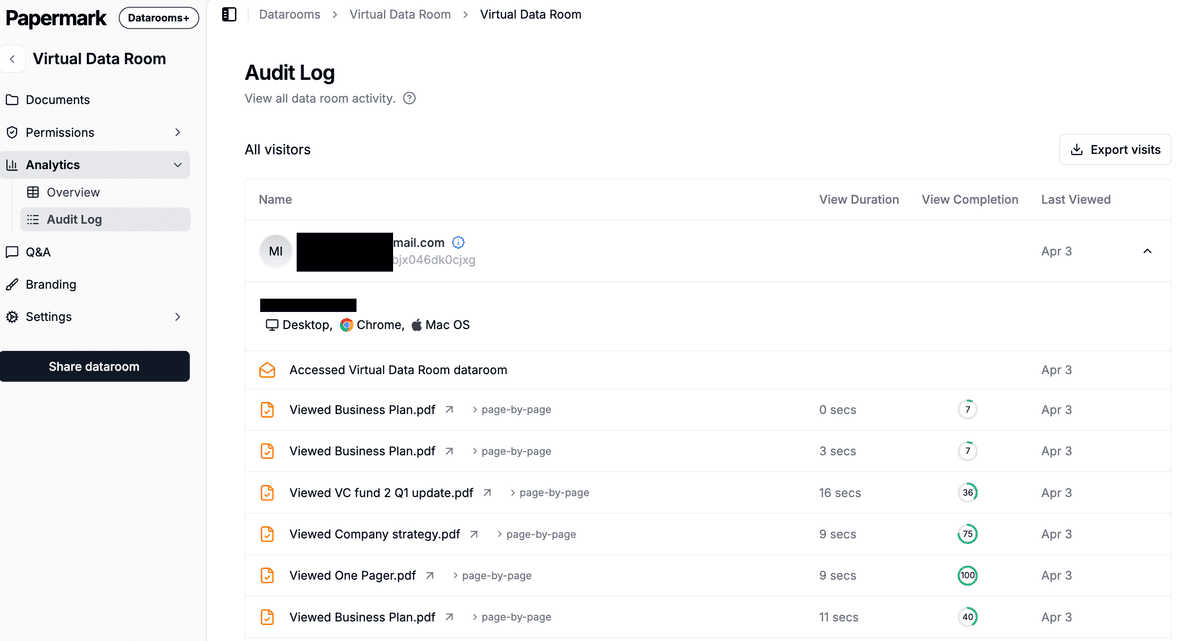
Data room analytics show which buyer opened which property folders, which documents they read and how long they spent on each page. A buyer who spends time on the rent roll and the building condition report for one property is likely preparing a serious offer on it. A buyer who opened only the offering memorandum may need a follow-up from the broker.
- Export data room visits to CSV to share with your broker.
- Exclude internal visits so your own team does not distort the numbers.
- Audit logs record views, downloads, email verifications and NDA acceptances.
11. Keep questions inside the room
Use Q&A conversations so buyers and lenders ask about a lease clause or a capital expenditure next to the document it concerns, instead of over email. Questions and answers stay inside the room's access controls, and you have a complete record at close.

12. Freeze the room at close
When the deal closes or is called off, freeze the data room. Freezing permanently ends all visitor access, archives every link and generates an archive of the documents, the full audit log and all Q&A, with a SHA-256 hash so you can prove later what each party saw.
Recommended setup by phase
| Phase | Who gets access | Settings |
|---|---|---|
| Marketing | Interested buyers and their brokers | Email verification, NDA, offering materials only, watermark, no downloads |
| Bidding | Buyers who signed the NDA | One group per buyer, property folders per buyer, rent rolls view only, expiry on the bid date |
| Due diligence and financing | Winning buyer, lender, appraiser | Separate buyer and lender groups, allow list by domain, request list for third-party reports, Q&A, OTP bulk downloads |
| Close | Deal team only | Disable remaining links, export audit logs, freeze the room |
Some controls depend on your plan. See pricing for what each plan includes. To see how Papermark compares with other providers, look at the best data rooms for commercial real estate.
All Papermark features used in this guide
| Feature | How to set it up |
|---|---|
| Folders | Add folders to a data room |
| Index generation | Enable index generation |
| Document versions | Document versions |
| Groups and granular permissions | Groups and granular permissions |
| Default permissions for new documents | Set default permissions |
| Email verification | Require email verification |
| NDA agreement | Require an NDA before viewing |
| Allow list | Create an allow list |
| Block list and global block list | Create a global block list |
| Dynamic watermark | Add a dynamic watermark |
| Download permissions | Allow downloads from a data room |
| Disable printing | Disable printing |
| OTP-verified bulk downloads | Bulk downloads with OTP |
| Request list | Use the request list |
| File requests | Enable file requests |
| Link expiration | Set an expiration date |
| Data room analytics | Detailed data room analytics |
| Audit logs | Audit logs |
| Q&A conversations | Q&A conversations |
| Freeze data room | Freeze a data room |