
How to secure a data room for a sell-side M&A process
When you run a sell-side process, you hold your client's most sensitive information and you hand it to a long list of buyers you do not control. Strategic buyers may be direct competitors, financial sponsors bring their own advisors and lenders, and every bidder wants to see more than the previous round allows. Your client expects you to keep the process competitive, keep the information contained, and tell them which buyers are serious.
This guide walks through the Papermark data room controls that matter most for an advisor-run auction, in the order you would set them up.
Quick recap: data room security best practices
- Run the room on your firm's domain and branding
- Limit who on your team and the client's team can open the room
- Verify every bidder's email before they see anything
- Require an NDA before the CIM loads
- Create one group per bidder, restricted to its own domains
- Release folders in stages as bidders move through rounds
- Watermark every page with the viewer's email and date
- Protect the most sensitive files from screenshots and printing
- Keep downloads off until the final round
- Use expiry dates as bid deadlines
- Run all bidder questions through Q&A
- Measure bidder interest and report it to your client
- Keep an audit trail of every view and acceptance
- Freeze the room at signing and keep a tamper-proof archive
Data room security features for sell-side M&A
These are the controls that do most of the work in a sell-side room. The rest of this guide shows how to set each one up.
- Custom domain for data rooms: bidders open the room on your firm's domain, with your logo and colors, not a third-party address.
- Groups and granular permissions: give each bidder its own group, so you can open, limit or close access one bidder at a time.
- NDA agreement: every bidder accepts the confidentiality agreement before the CIM loads, with email and timestamp recorded.
- Dynamic watermarking: each page shows the bidder's email and date, so a leaked page points to the bidder who leaked it.
- Link expiration: access ends on the bid deadline, so bidders who drop out lose access without manual work.
- Q&A conversations: bidder questions stay inside the room, next to the document they refer to.
- Data room analytics: see which bidders read the CIM and which ones went deep into the financials, and report it to your client.
- Freeze data room: at signing, end all bidder access and keep an archive of documents, audit log and Q&A.
1. Run the room on your firm's domain and branding
Bidders receive many links during a process. A room on your own domain looks like part of your mandate, not a random file share, and it makes phishing attempts easier to spot.
- Connect a custom domain to the data room, for example
deals.yourfirm.com, after you add a custom domain to your team. - Set your logo, colors and banner with data room branding. Read more on custom data room branding.
- Add a welcome message that states the process rules: who to contact, how to ask questions and when bids are due.
2. Limit who on your team and the client's team can open the room
A sell-side M&A data room is shared by your deal team and the client's management, and often by the client's lawyers and accountants.
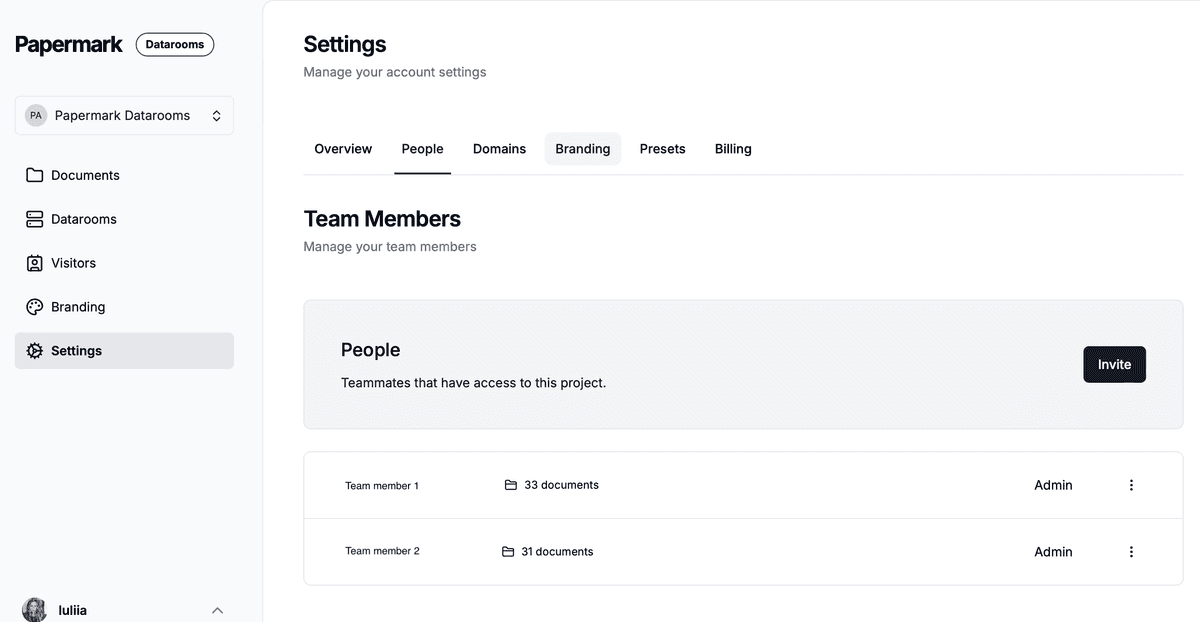
- Use team roles so only your deal team can create bidder links, change permissions or see analytics.
- Invite the client's CFO, legal counsel and other management as Data Room Member. They can work in the rooms they are assigned to (uploading documents, answering Q&A) and see nothing else in your workspace, including your other mandates. See how to invite team members.
- If your firm uses an identity provider, connect SAML SSO and SCIM so access ends automatically when a banker leaves.
3. Verify every bidder's email
Turn on email verification on every bidder link. Visitors receive a one-time code by email before the room opens, so a link forwarded inside a buyer's organization, or to someone outside it, does not work for anyone without access to that inbox. Every view is then tied to a verified person, which is what you need when you report to your client.

4. Require an NDA before the CIM loads
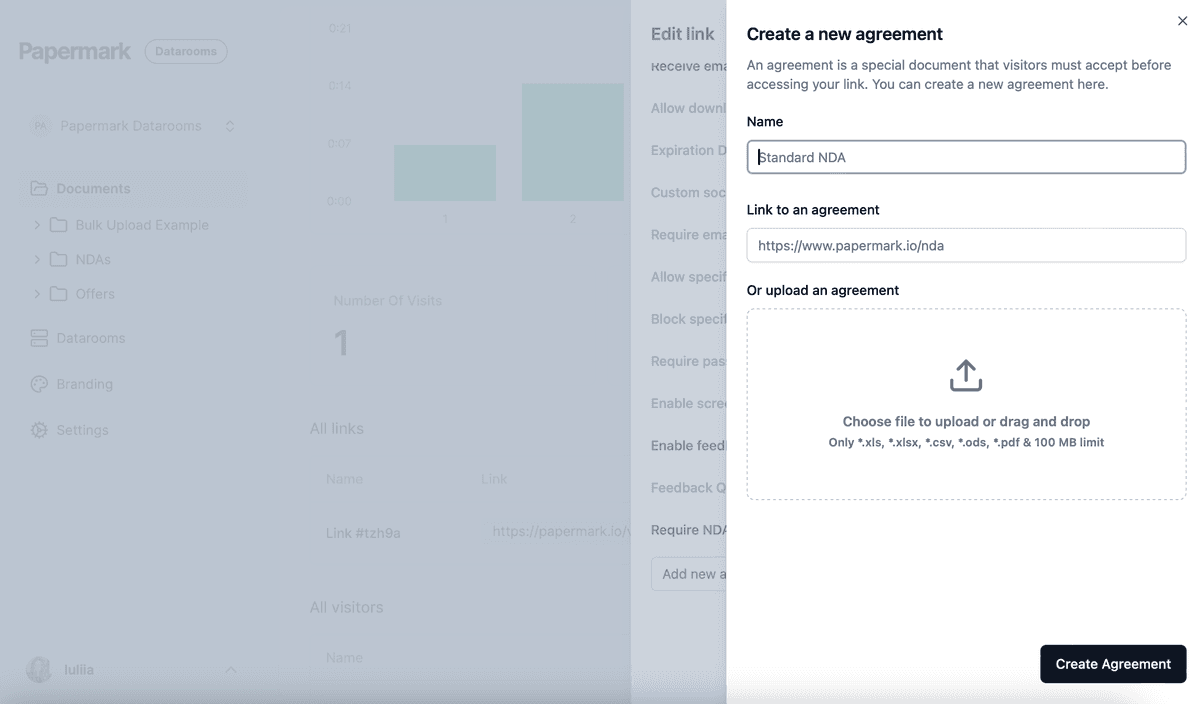
The teaser can go out openly, but the confidential information memorandum and everything after it should sit behind your client's confidentiality agreement. Attach it with NDA agreements. Each visitor must accept it before viewing, and Papermark records the acceptance with their verified email and a timestamp. When a sponsor brings in new advisors or lenders mid-process, each of them accepts it too. You can add agreements once and reuse them on every link.
5. Create one group per bidder
Create a group for each bidder, and give each group its own link. Then:
- Add an allow list to each bidder's link with that bidder's and its advisors' email domains, for example
@buyer.comand@buyerslawfirm.com. Nobody outside those firms can get in, even with the link. Buyers often run their own M&A due diligence room for those advisors. - Put parties your client has excluded, such as a competitor it does not want in the process, on a global block list so they are blocked on every link in your workspace. Papermark emails you when a blocked visitor tries to get in.
- Use invite visitors by email to send the link directly to each bidder's named contacts.
With one group per bidder, you can drop a bidder after round one without touching anyone else's access.
6. Release folders in stages
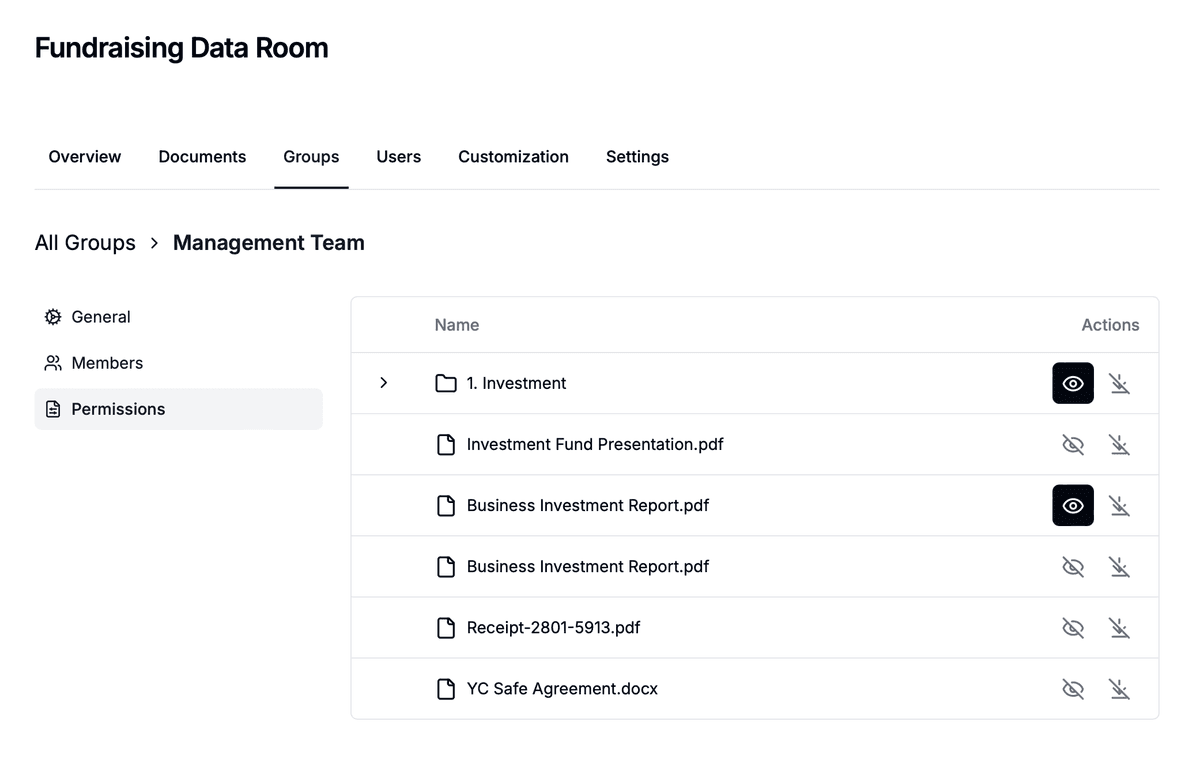
Organize the room by process stage, then open folders group by group with granular file permissions:
- First round: CIM, management presentation, summary financials.
- Second round: detailed financials, the model, key contracts, management Q&A.
- Confirmatory diligence: customer contracts, employee data, IP and anything else only the preferred bidder should see.
Set default permissions for new documents so files your client uploads later stay hidden from every bidder until you share them on purpose. Read more on granular permissions.
7. Watermark every page
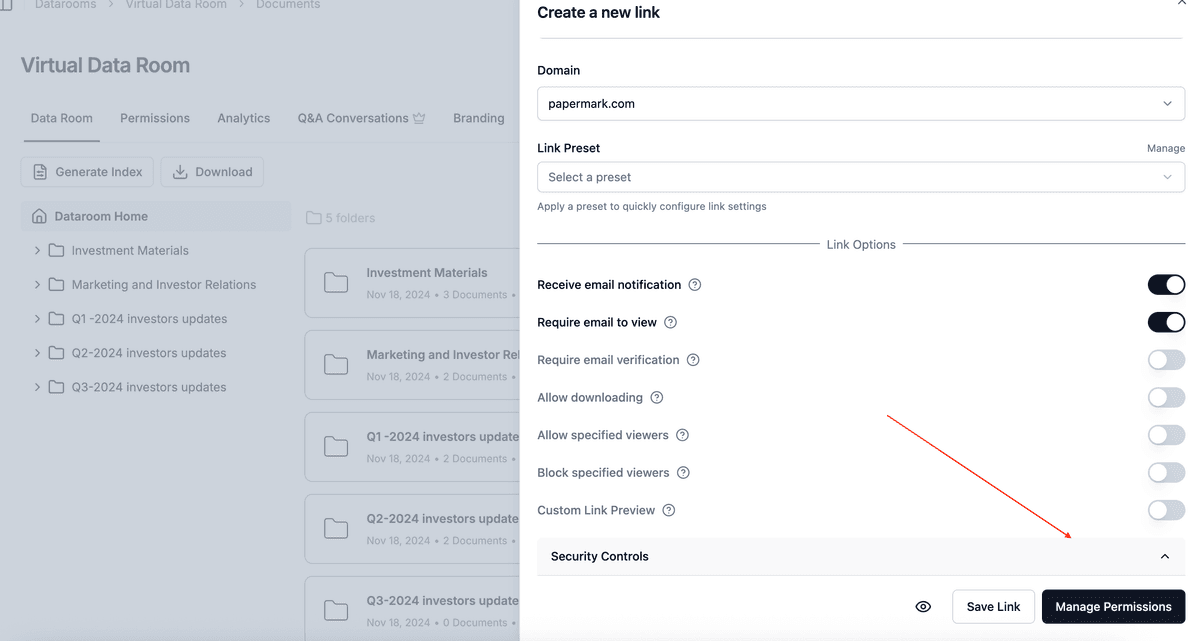
Enable a dynamic watermark on every bidder link, for example Confidential {{email}} {{date}}. You can also add {{ipAddress}} or {{link}}. With many bidders in the room, the watermark is how you find out which one let the CIM or model escape. See dynamic watermarking.

8. Protect the most sensitive files
For material a strategic buyer would value even if it never bids, such as customer lists, pricing and product roadmaps:
- Turn on screenshot protection on the links that can see those folders.
- Use Confidential view, which shows only a small part of the page at a time while the viewer scrolls.
- Disable printing.
9. Keep downloads off until the final round
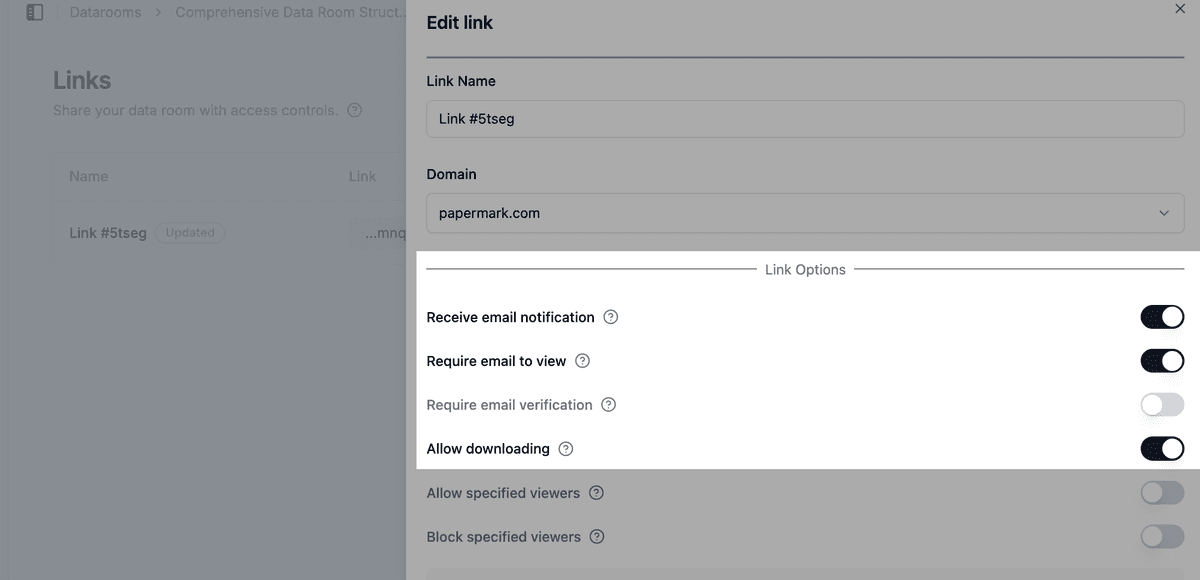
In early rounds, bidders only need to read. Keep downloads off, and allow them for the preferred bidder's legal and financial advisors once you move to confirmatory diligence. See how to allow downloads from a data room.
If you allow bulk downloads, OTP-verified bulk downloads send a one-time password to the visitor's verified email before the ZIP is built.
10. Use expiry dates as bid deadlines
Set an expiration date on each bidder's link that matches the round they are in, for example the first-round bid deadline. Bidders who do not submit lose access automatically, and you issue new or extended links only to the bidders who go through. You can also disable a single bidder's link at any time.

11. Run all bidder questions through Q&A
Turn on Q&A conversations so bidders ask questions next to the document they are about, instead of emailing you and the client directly. You route questions to the client's team, keep answers consistent across bidders, and have a full record at the end of the process.

12. Measure bidder interest and report it to your client
Clients want to know who is serious before bids come in.
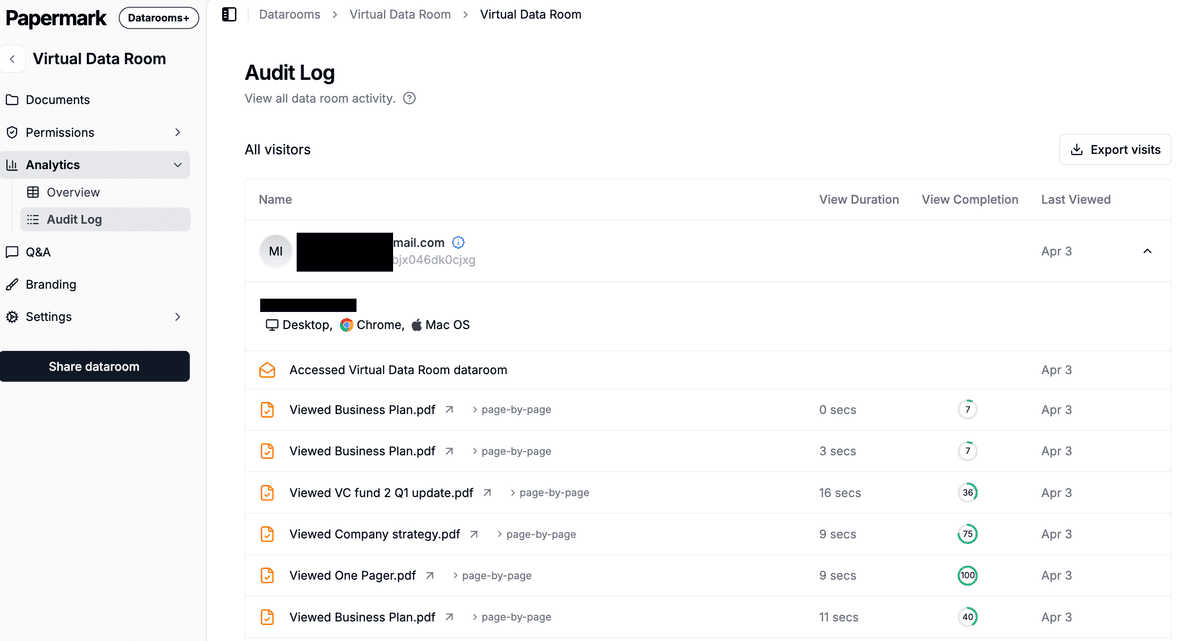
- Data room analytics show, per bidder, which documents they opened and how long they spent on each page. A bidder that never opens the financials is unlikely to submit a strong bid.
- Export data room visits to CSV for your weekly process update to the client.
- Exclude internal visits so your team and the client's management do not distort the numbers.
13. Keep an audit trail
Audit logs record views, downloads, email verifications and NDA acceptances for every bidder. If a bidder later claims it never received a document, or a disclosure question comes up after signing, you can show exactly what each party saw and when.
14. Freeze the room at signing
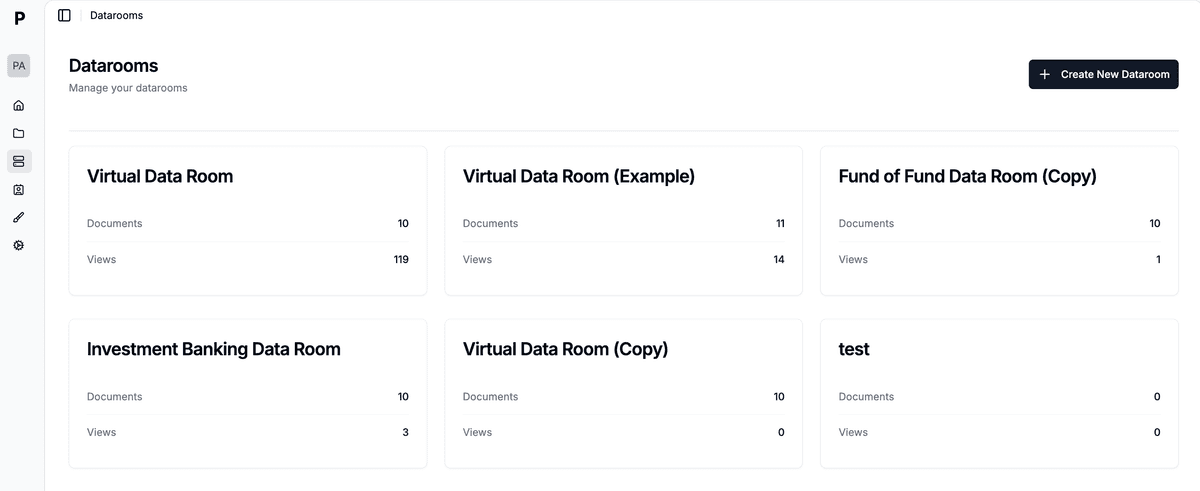
When the deal signs, or the process is pulled, freeze the data room. Freezing permanently ends all bidder access, archives every link and generates an archive of the documents, the full audit log and all Q&A, with a SHA-256 hash so you and your client can prove later that the record has not been changed.
Recommended setup by phase
| Phase | Who gets access | Settings |
|---|---|---|
| Preparation | Your deal team and client management | Custom domain, branding, Data Room Member role for the client, default permissions set to hidden |
| Teaser and CIM | All approached buyers | Email verification, NDA, one group per bidder, allow list, watermark, no downloads, expiry at first-round deadline |
| Second round | Shortlisted bidders and their advisors | Open financials and contracts folders, Q&A, screenshot protection on sensitive folders, analytics reports to client |
| Confirmatory diligence | Preferred bidder and named advisors | Open remaining folders, downloads for named advisors, OTP bulk downloads |
| Signing and close | Your deal team only | Expire bidder links, export visits and audit logs, freeze the room |
Some controls depend on your plan. See pricing for what each plan includes. To see how Papermark compares with other providers, look at the best virtual data rooms for investment banking and Papermark's data rooms for investment banking.